Flashcards
You make decks of flashcards, and Magpie schedules when each card comes back.
You can write question-and-answer cards or import them from a spreadsheet or a document. Study uses spaced repetition, so each card comes back when it is due. You can also flip through a deck, quiz yourself or cram. A deck can be shared by link, and everyone who studies it keeps their own progress.
Create account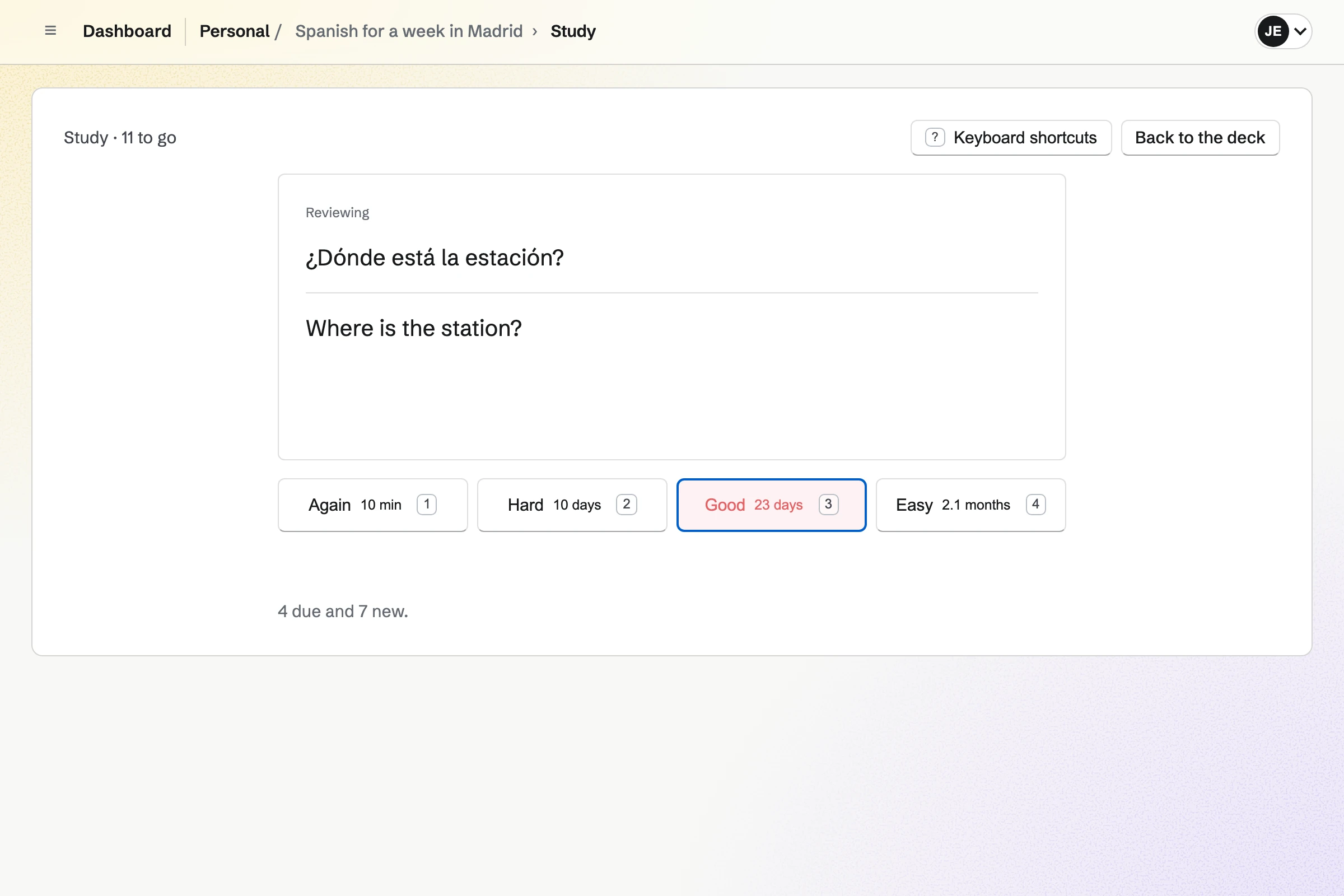
Decks of basic, fill-in-the-blank and multiple-choice cards
Each side of a card takes Markdown. A card can require a typed answer or show an image from Your images. You add cards one after another, edit them in the list, and file decks in folders.
You can import cards from JSON, CSV, TSV or Markdown, and every card shows in a preview before it is saved. A deck can be shared by link, and Save a copy gives a visitor an independent deck of their own.
Spaced-repetition study and practice
Study shows the cards that are due, then the day's new cards. You rate each card Again, Hard, Good or Easy, and the FSRS scheduler sets when it comes back. A card you miss returns within minutes.
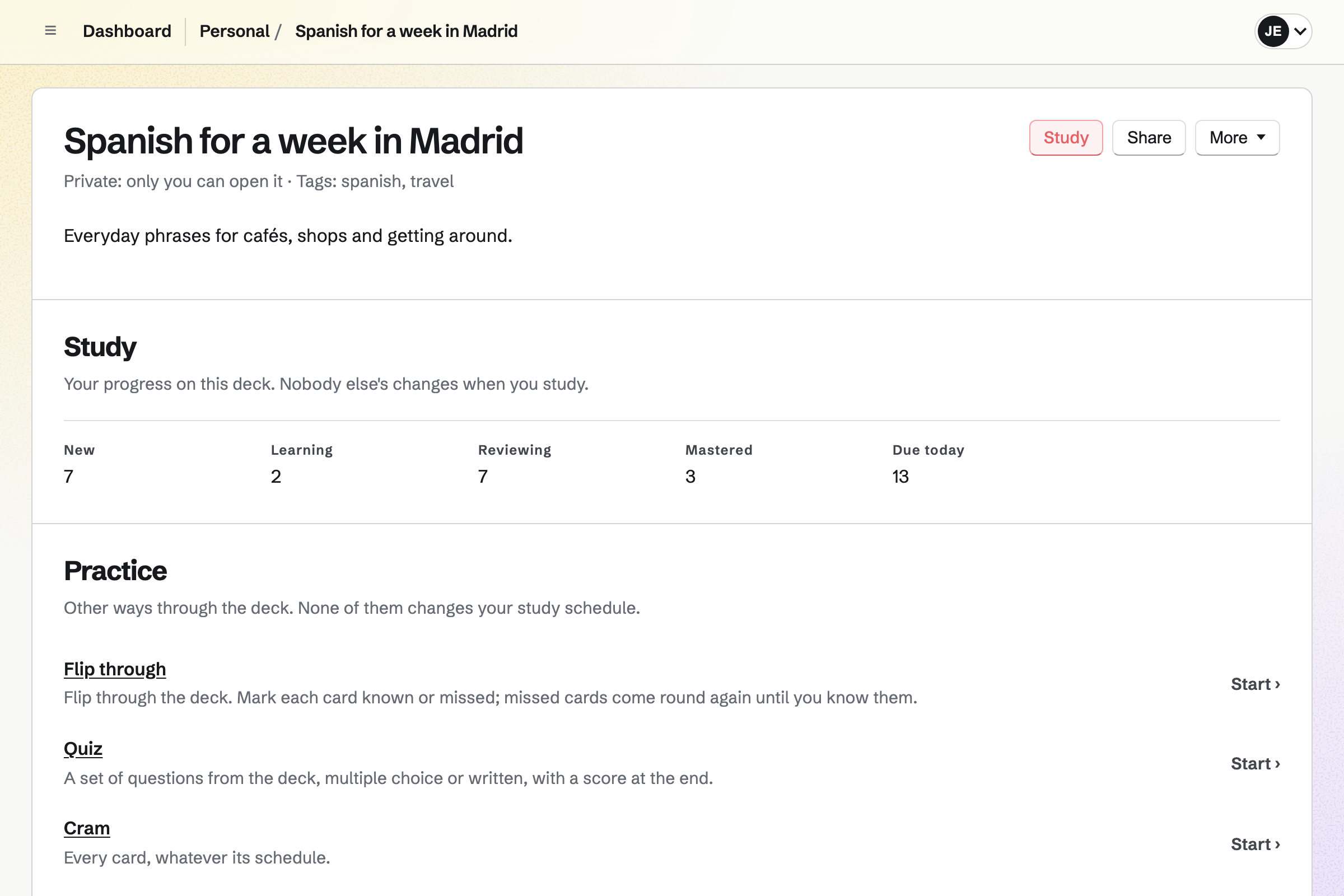
Flip through, Quiz and Cram go through a deck without changing the schedule. Everyone who studies a deck, including one shared by link, keeps their own progress.
Make your first deck.
Create a Magpie account and make your first deck.