Auteurs et autoédités
A self-publishing author writes the book in chapters, and sells the ebook and signed copies. Readers can support them monthly.
Independent publishers and small presses
The press works in one Magpie team. Each author opens only the manuscript you share with them.
Commencer gratuitement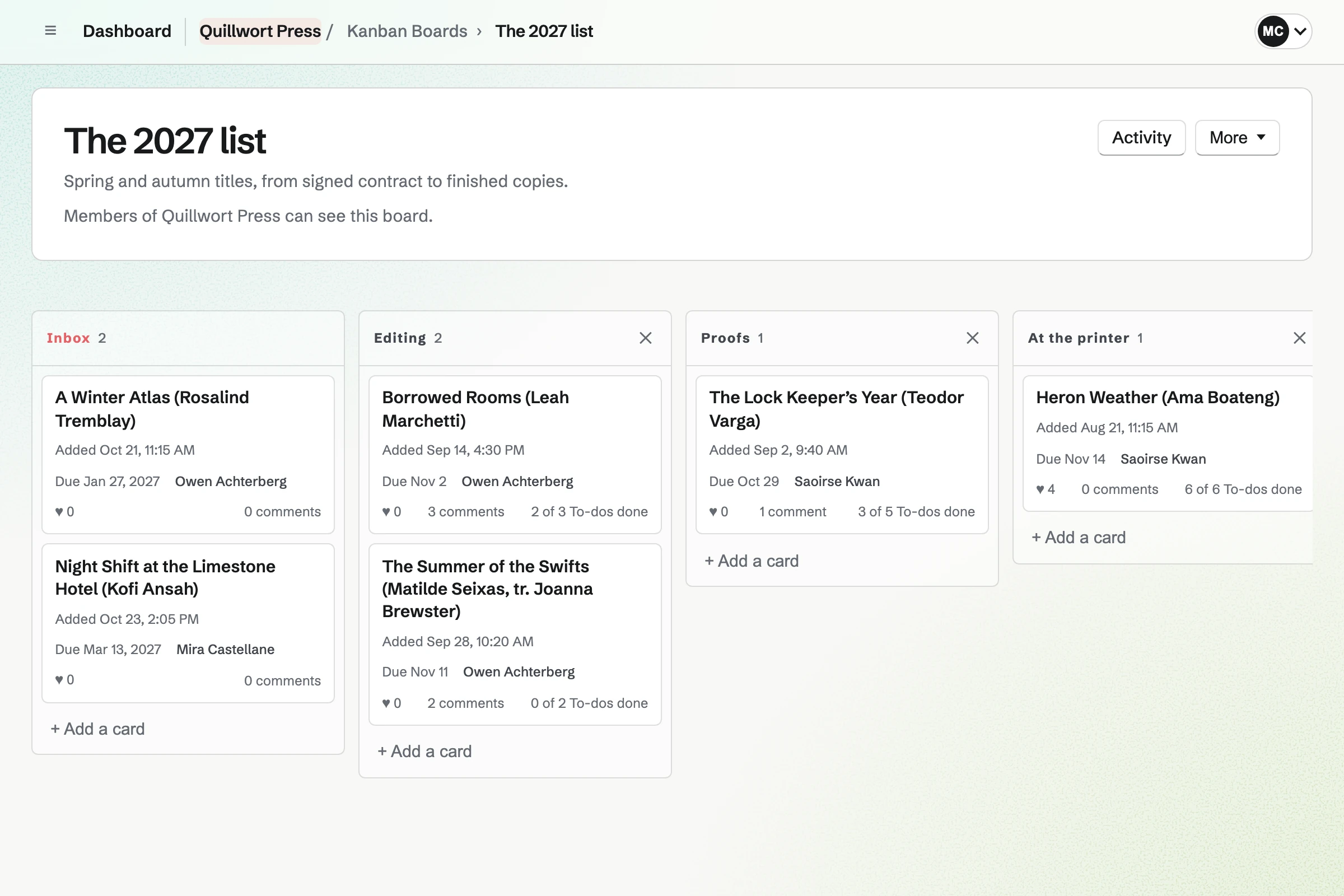
You move its card across the board as each step is done.
The author signs your contract from an email, and you countersign. Magpie will email you both a link to the signed PDF.
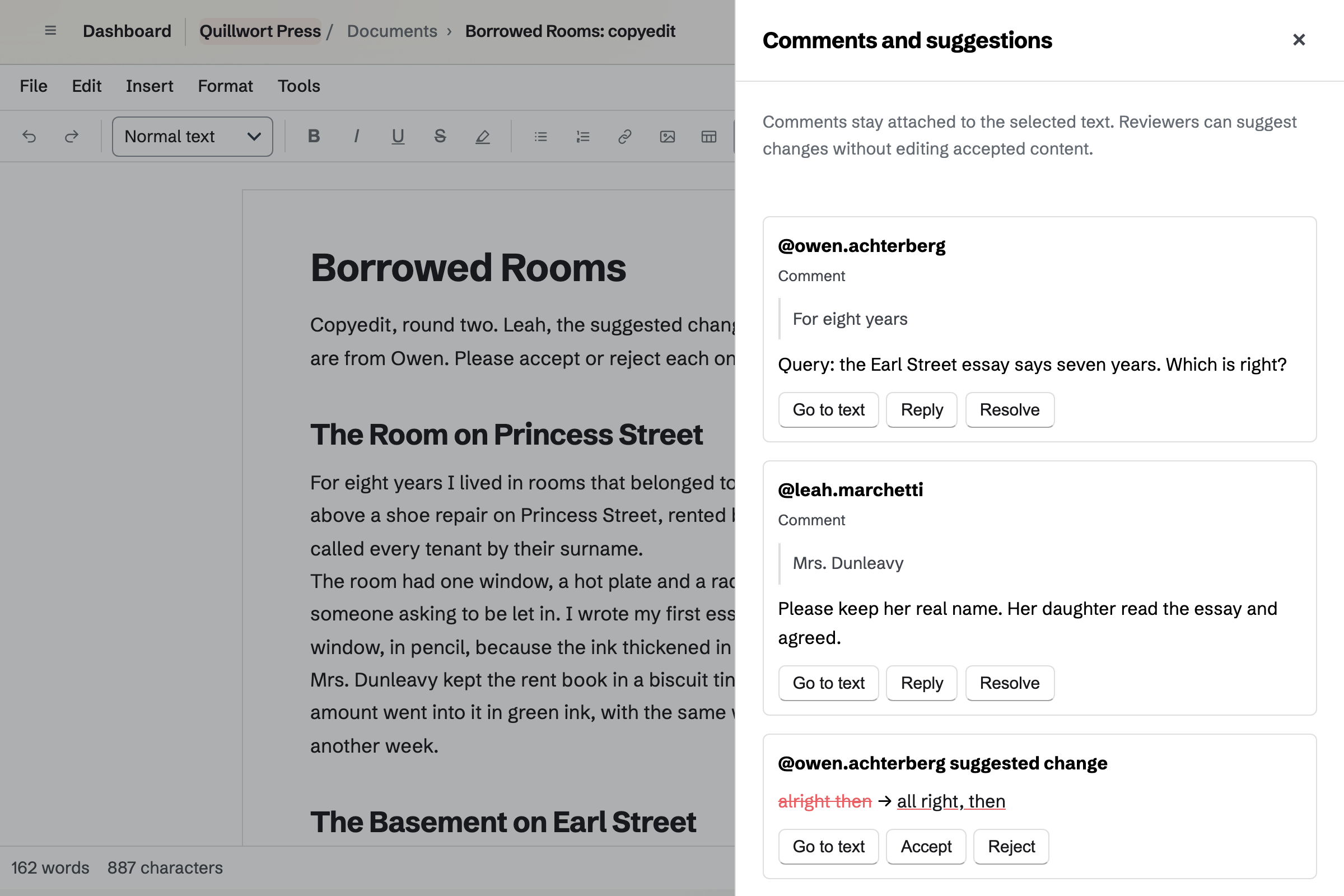
The manuscript comes in from Word. The author accepts or rejects your suggested changes, one round at a time.
You paste the edited chapters into the book's sections. Its PDF goes to the proofreader, and its EPUB becomes the ebook.
The paperback goes on sale with publication day as its ship date. Readers pay when they order.
Your printer gets the purchase order. The copies you receive go into stock at their cost.
Bookshops order at your trade discount. Magpie will email each one its invoice, due on its terms.
The ebook goes on sale at the hour you set. The newsletter goes out that morning.
Kanban Boards gives the list a board, with a column for each stage of production. You name the columns after your stages, such as editing, proofs and at the printer. Each title is a card with its next deadline and the editor who has it.
A card can carry To-dos, such as sending first proofs to the author on Friday. Each one is also an ordinary To-do, which can have a reminder. The board's activity log lists every card moved.
E-Signatures sends your own contract as a PDF for signing. Saved as a starter, it keeps the author's fields and yours in place. A new contract then needs only the author's name and email address.
The author is emailed first, and signs without signing in. You countersign once they have. Magpie will email you both a link to the signed PDF and its certificate.
Documents is Magpie's editor for formatted text, and it holds each manuscript. The author's Word file comes in with its comments, and its tracked changes become suggestions. Before each round, you can save a named version.
Your structural edit and copyedit go in as suggested wording, with your queries as comments. The author, invited to that manuscript alone, accepts or rejects each change. A clean Word export leaves the suggestions and comments out.
Books holds each title as front matter, chapters and back matter. Book Settings sets the type, the chapter numbers and the running heads. The trim size can be 5 by 8, 6 by 9 or 7 by 10 inches.
The copyright page carries your press as publisher, the edition and the ISBN. The PDF, laid out for print, is the proof for the author and the proofreader. The EPUB carries the cover and the contents.
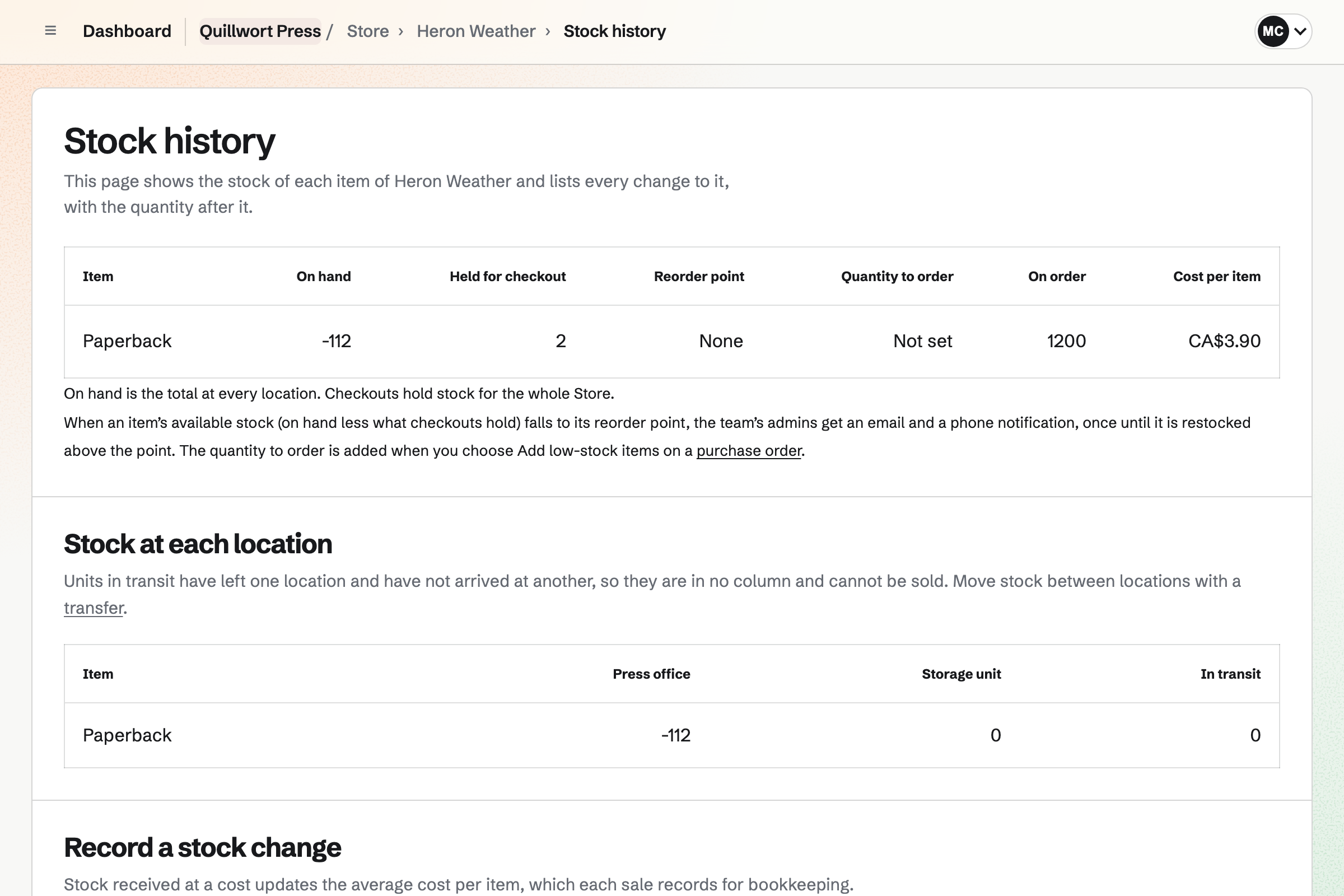
Store is the press's online shop, and card payments go to your own Stripe account. A paperback can sell before it is printed, with publication day as its ship date. Readers pay when they order, and pre-orders have their own tab.
The print run goes to your printer as a purchase order, at its cost per copy. Receiving the delivery adds the copies to stock, less the pre-orders already sold. Each sale then records the cost per copy.
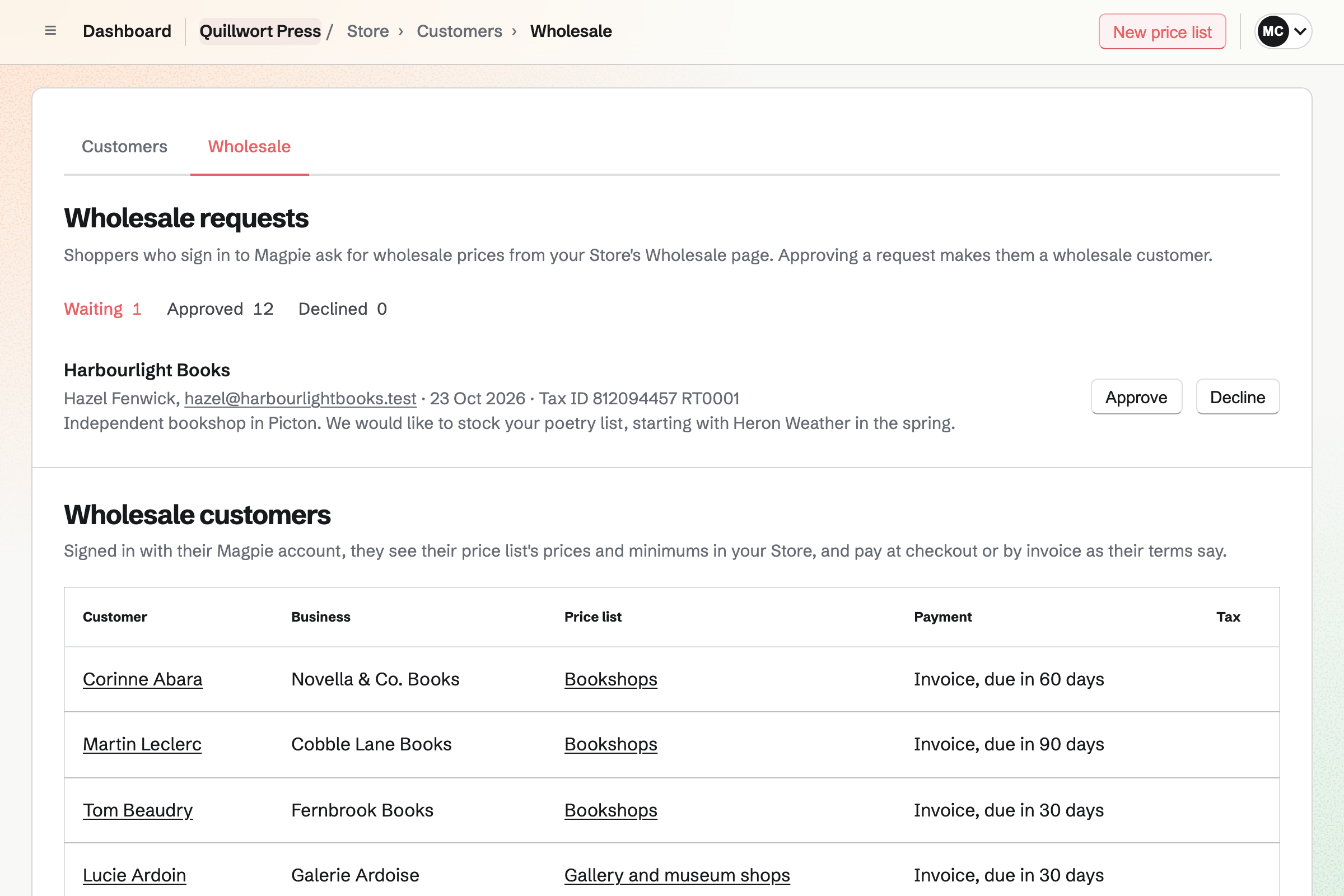
A bookshop applies from your online shop's Wholesale page, signed in to Magpie. You approve it and give it a price list and payment terms. A price list can take your trade discount, such as 40%, off every cover price.
A bookshop on invoice terms orders without a card, and its copies are held. Magpie will email it the invoice, due on receipt or 7, 14, 30, 45, 60 or 90 days after it is sent. It pays online by card, or you record its bank transfer.
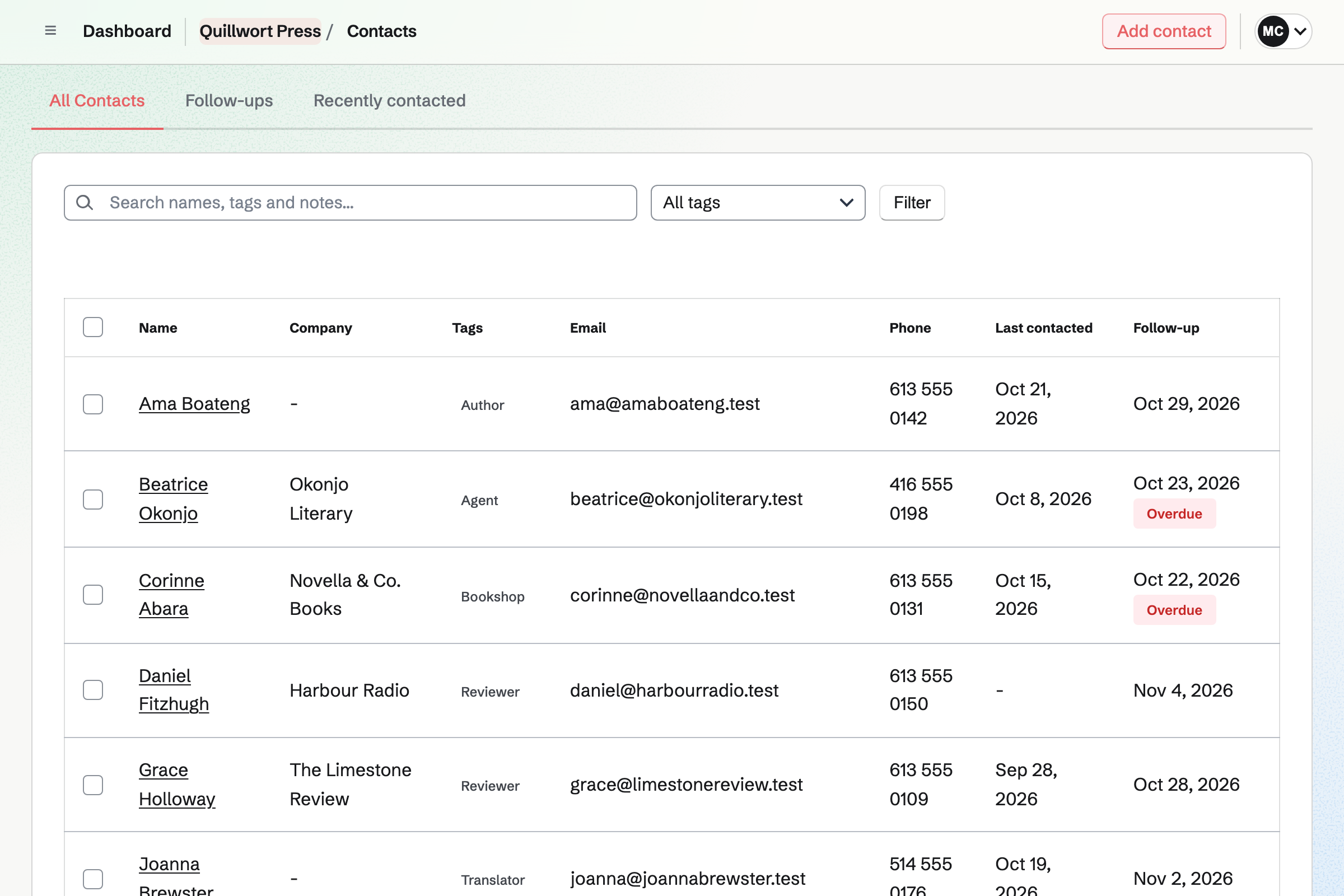
Contacts keeps the press's people, tagged as you choose, such as Author, Agent and Bookshop. An author's page lists the contracts they signed. A bookshop that orders on terms is added for you. Its page lists every invoice.
A follow-up has a date and a reason, such as sending a reviewer the proof. It becomes a To-do, and the follow-ups list shows which are overdue.
You create a team and invite your editors, designer and publicist. Help: Create and manage a team.
You add a column for each stage of production and a card for each title. Help: Track work with Kanban boards.
You upload the contract and place the author's fields and yours. Help: Signing starters.
You connect Stripe, then import your titles from a CSV file, each with its ISBN. Help: Import and export products as CSV.
You make a price list with your trade discount, then turn on wholesale requests. Help: Wholesale customers, price lists and pay by invoice.
A press with staff fits the Team plan, at one price, with 25 member places. An author or copyeditor you invite to one manuscript takes no member place. Paid plans have room for 100 people invited this way.
Each book you lay out belongs to your own account, not to the team. The free plan allows 1, and Pro has no limit. Outreach needs the Team plan.
Magpie adds no fee to online sales or to invoices paid online. Stripe's processing fee is taken from each card payment.
A self-publishing author writes the book in chapters, and sells the ebook and signed copies. Readers can support them monthly.
A bookshop sells many publishers' titles, in the shop and online. It orders from distributors and holds readings with RSVPs.
A freelance editor quotes each client's job, and bills for the pieces and the hours.
A maker selling to shops gives each stockist its own prices and minimums. It orders its raw materials from suppliers.
A comic artist posts new pages early for paying supporters. Readers buy the printed volumes, prints and PDFs.
Yes. A Kanban board can hold the list, with a column for each stage of production. Each title is a card with a due date and the editor it is assigned to. A To-do on a card, such as sending proofs, can have a date and a reminder.
Yes. A Form can ask for a cover letter and a synopsis. A File question takes the sample chapters as a PDF of up to 10 MB. Authors send it without signing up first. You close the form when the reading period ends.
Yes. Your contract, as a PDF, becomes a starter with the author's fields and yours in place. The author signs first, from the email, without signing in. Then you countersign. Magpie will email you both a link to the signed PDF and a certificate of completion.
Yes. An imported Word file keeps its comments, and its tracked changes become suggestions. Your own edits are suggestions too, and your queries are comments. The author accepts or rejects each change, and whoever suggested it is told which. A clean Word export leaves them out.
Yes. You invite the author to that manuscript by email address, to suggest changes or to edit. They join the team as a guest who can open that document and nothing else. An address with no Magpie account gets a free one when they accept.
Yes. You invite them to that manuscript alone, as you would an author. Before each round, you can save a named version, such as Before copyedit. Restoring a version keeps the later work in the history. The document also has its own chat, beside the text.
Yes. Books lays out each title in serif or sans type. It adds chapter numbers, page numbers and running heads. The trim size can be 5 by 8, 6 by 9 or 7 by 10 inches. A chapter pasted from the edited manuscript keeps its italics and headings.
Yes. The PDF is laid out at the trim size, each chapter on a new page. You save it from the browser's print dialog. Secure Files can send it by a link that expires, with a passphrase if you choose.
Yes. Books downloads an EPUB 3 file with the title, author, language, contents and cover. About this book becomes its description. Pictures from your image library are packed into it. Typographer's punctuation gives the EPUB and the PDF curly quotes.
Book Settings has a field for the ISBN. It is printed on the copyright page, beside the publisher and the edition. In the online shop, each edition has a barcode field that takes its ISBN. A 13-digit barcode is given to search engines as the product's GTIN.
Yes. The paperback keeps selling before its stock arrives, with publication day as its expected ship date. Readers see that date from the product page to their order emails. They pay when they order, and pre-orders have their own tab. The print run counts up from below zero when it arrives.
Yes. An ebook is a download, with the EPUB and the PDF as editions, each up to 500 MB. Readers download theirs from their order page or the confirmation email. The product can go live at a date and time you set, such as publication morning. A replaced file reaches everyone who bought it.
Yes. The print run is a purchase order to your printer, at its cost per copy. You download it as a PDF, or email it from Magpie. Receiving the delivery adds the copies to stock. The printer's bill can then go into your accounts, owed until you pay it.
Yes. You give each edition a reorder point. When its available stock falls to it, Magpie will email you. Readers can ask to be emailed when a sold-out title is back. When the reprint arrives, each of them gets one email.
Yes. You record a stock change for the copies you send, with Other as the reason. You say what happened, such as Review copies. The stock history lists it with who recorded it. With two stock locations, you choose which one they left.
Yes. A CSV file of up to 5,000 rows adds your titles, one row for each edition. A row carries the ISBN as its barcode, the price and the stock. The import lists what it will add before anything changes. New titles come in as drafts.
Yes. A bookshop applies from your shop's Wholesale page, signed in to Magpie, and you approve it. Its price list can take a percentage off every title, such as 40%. It sees those prices at your shop's Magpie address. Everyone else sees your cover prices.
Yes. A bookshop's invoice can be due on receipt or 7, 14, 30, 45, 60 or 90 days after it is sent. Magpie will email it with a Pay online button. On the invoice's page, you can turn on reminders, which stop once it is paid. When it is paid in full, the order will be marked paid.
Yes. Your shop's reports list each title's units, sales and margin between any two dates. By variant splits them by edition, such as hardcover and paperback. An order counts on the day it was paid. Each table downloads as a CSV file.
Yes. Contacts holds them all, tagged as you choose, and a tag filters the list. An author's page lists the contracts they signed. A bookshop's page lists every invoice billed to it. A follow-up with a date and a reason becomes a To-do.
Yes. Newsletter keeps the press's list, with a sign-up page and double opt-in. Readers can also tick a box at checkout to join. You write the email, send yourself a test and schedule it for publication morning. A sent email can have a web copy to share.
Yes. The launch goes on your public calendar, with RSVPs up to a capacity you set. Its page will say when it is full. People RSVP with a Magpie account, and can make one there. Sharing the event starts a social media post about it.
Yes. Outreach sends each person a short series of emails from your own email address. They go out one at a time, inside the hours you set. Each email can open with a line you wrote for that person. A reply stops the series for them, and arrives in your mailbox.
Magpie adds no fee to your online sales or to invoices paid online. Stripe's processing fee is taken from each card payment. The rest goes to your press's own Stripe account.
Create a Magpie account and make a team for the press.