Website Builder
A single-page Website Builder with visual and HTML editing.
Arrange page sections visually or edit a complete HTML document, including its styles and scripts. Preview desktop and phone widths, then publish at the Magpie address shown in the editor.
Get started free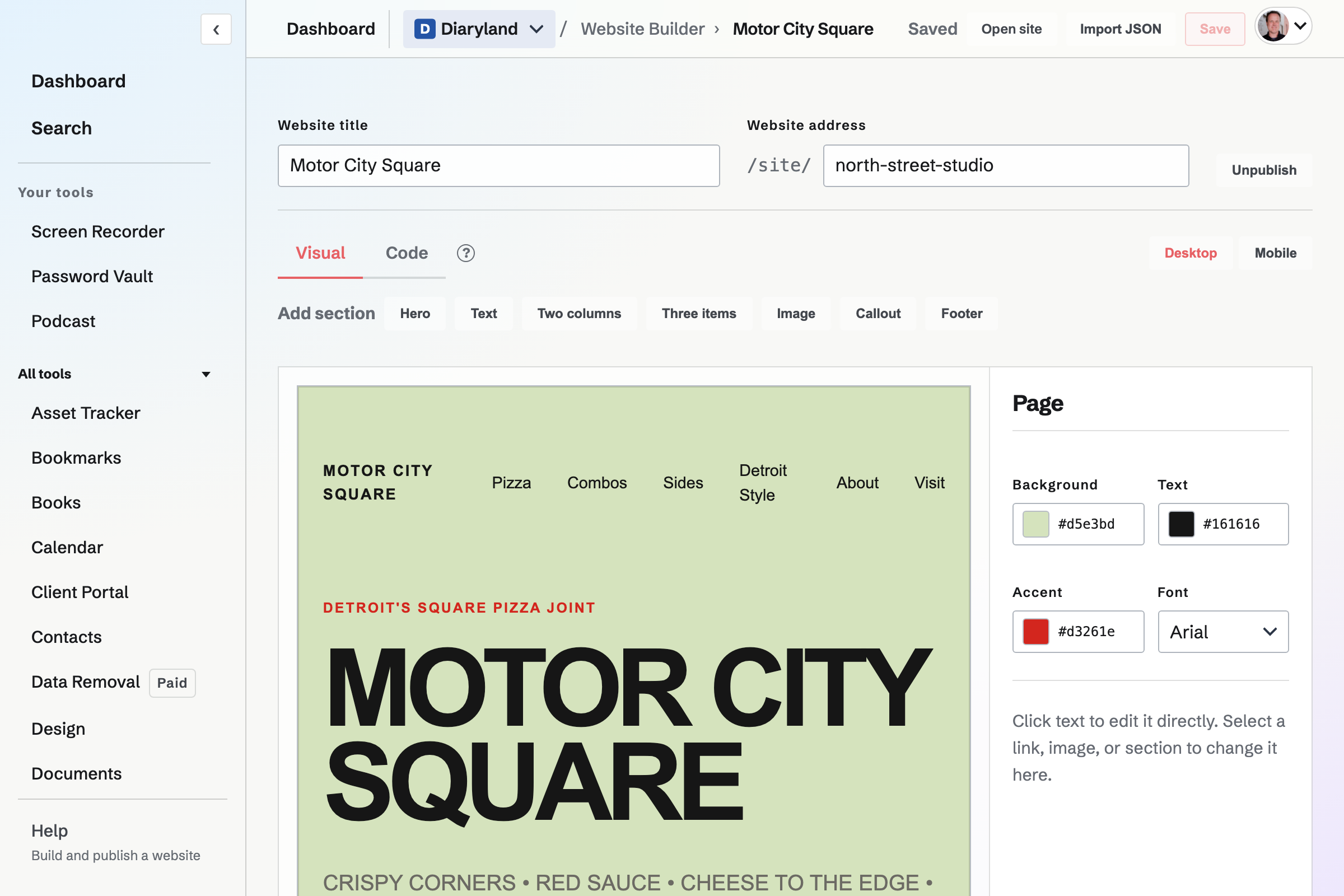
Sections, images and navigation
Start from the supplied page or paste a JSON document to create a page with its sections already written. Add or reorder text, image, two-column, callout and other sections in the visual editor. Navigation links can point to sections on the same page or to external addresses.
Visual editing or complete HTML source
Change text, images and appearance in Visual mode, or edit the full document in Code mode. Images can come from the Magpie image library or an external URL. Desktop and phone previews show the page at each width.
Publication and live edits
A new Website starts unpublished. Publishing opens its Magpie address to visitors. After publication, saving changes updates that live page; the preview shows unsaved edits before you save them.
Address and portability
Can I connect a domain I own?
No. Website Builder publishes at the Magpie address shown in the editor; it does not currently offer a custom-domain setting.
Can I import an existing site?
You can paste a structured JSON document to create a site or replace the current page's sections. It does not import an arbitrary website. Code mode exposes the page HTML for editing and copying.
Who can edit a team Website?
Members with edit access to the selected Personal or team context can change it. Publishing makes the page visible outside that context.
Can I build or publish from the native app?
The native app lists Websites, publication state and safe links from a saved page. Creating, editing and publishing use the website editor.
Start a website.
Create an account and add the first page.