Calendar
Personal Calendar shows your booked meetings alongside events and scheduled To-dos.
Meetings
Share a booking page with meeting lengths you choose. Magpie checks your schedule, shows times in the visitor’s time zone, and sends booking confirmations and reminders.
Get started free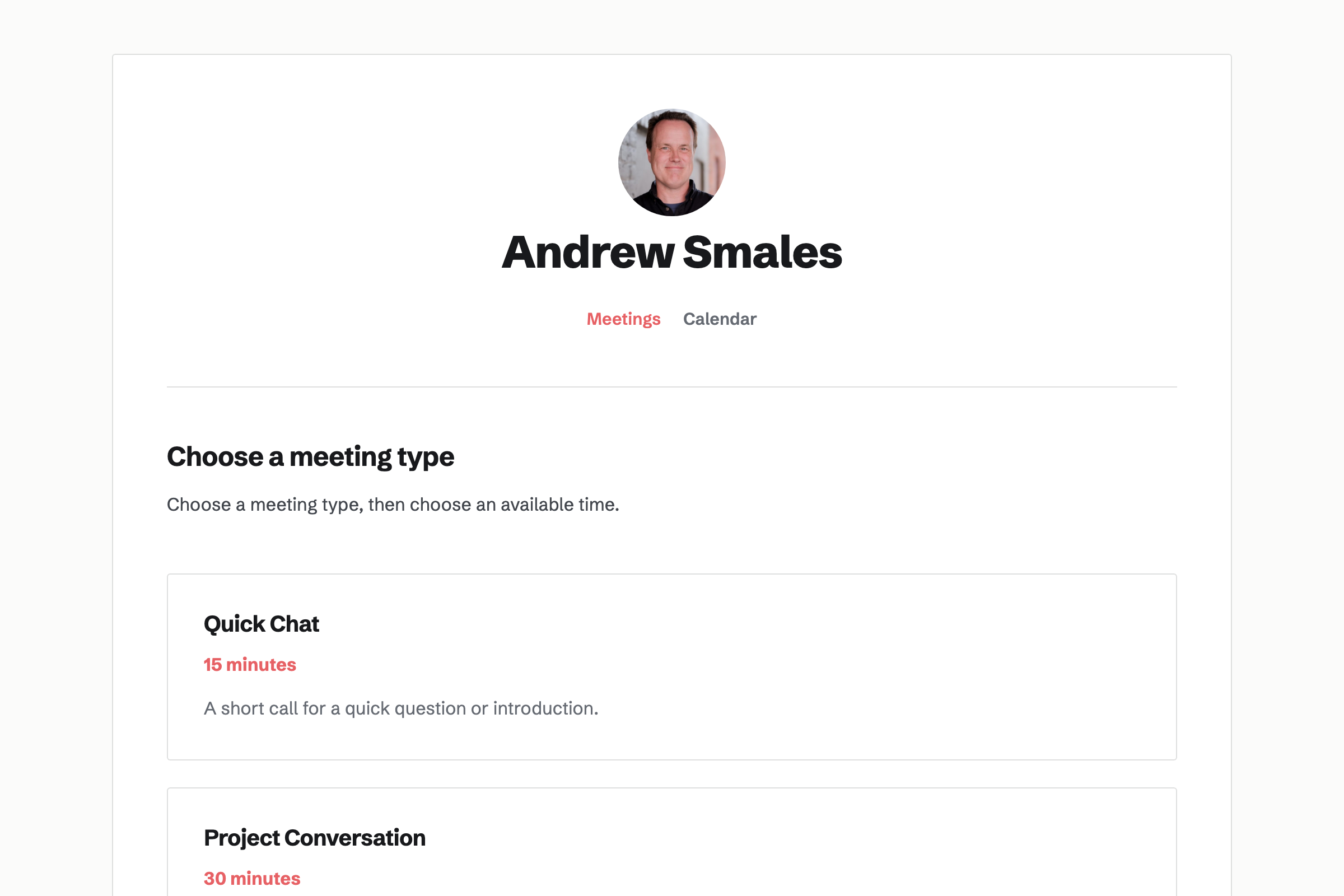
Set weekly hours and date-specific exceptions. Existing meetings, Calendar events you create or answer Going to, and busy times from connected Google Calendar accounts are removed from the choices.
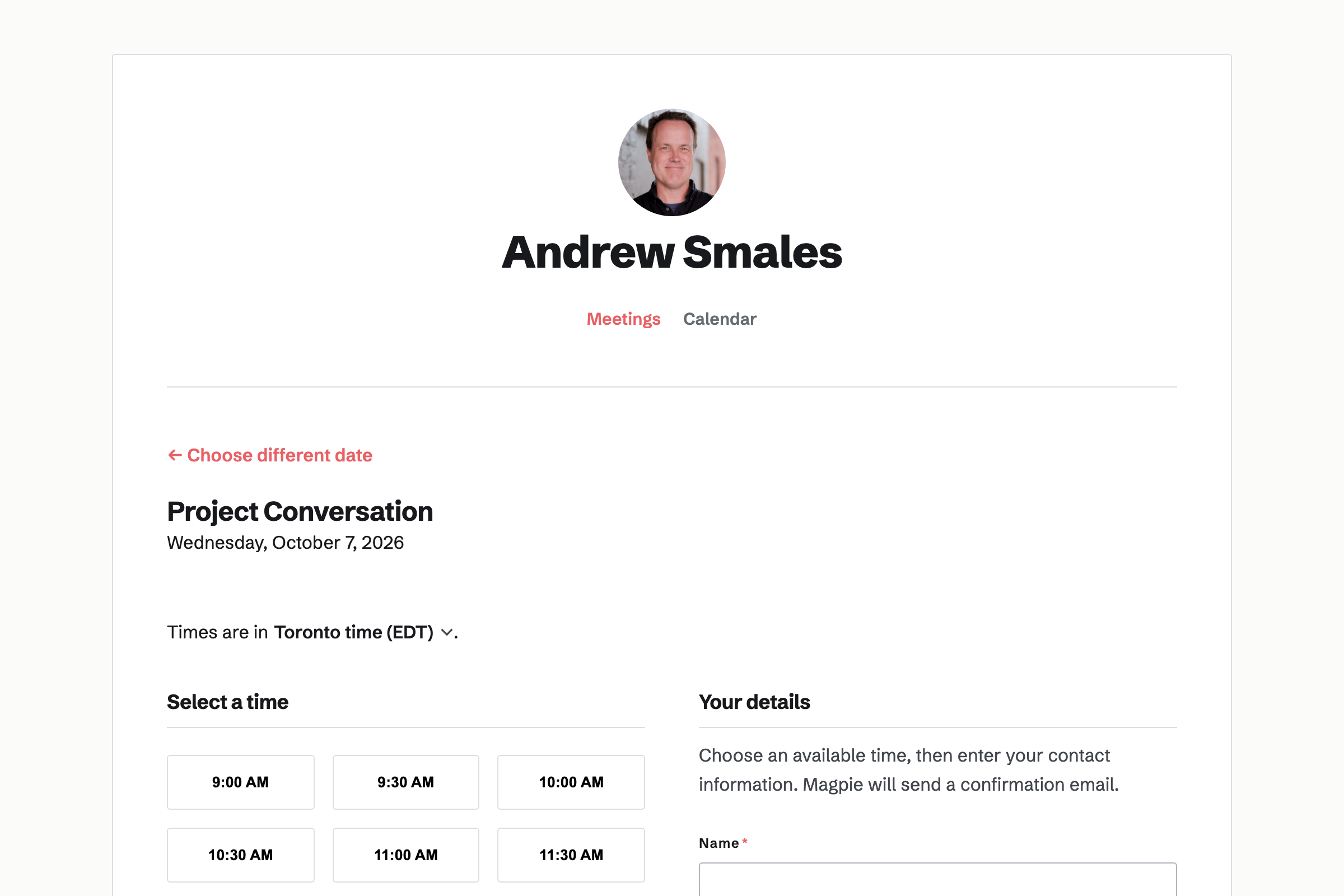
The booking page names the visitor’s zone and lets them change it. When it differs from yours, Magpie also shows your zone. The selected time and confirmation show both.
Give each Meeting Type a name, duration and optional description. Share your account’s meeting page or a link for one Meeting Type.
The visitor chooses an available time and supplies a name and email address, with optional phone number and notes. Booking does not require a Magpie account.
Magpie sends confirmations and reminders. Manage the meeting, cancellation or rescheduling from the booking record.
Connect Zoom to create a call with separate attendee and host links. Google Calendar can add new bookings with the attendee invited and supply a Google Meet link when Zoom is not used. Cancelling a booking removes its associated call and Google event.
Personal Calendar shows your booked meetings alongside events and scheduled To-dos.
Yes. Meeting Types can have different names, durations and descriptions. Free allows two Meeting Types; Pro does not cap them.
Bookings are unlimited on both Free and Pro. Meeting Type and API allowances differ.
No. Personal Calendar includes your account’s meetings. A shared team Calendar shows that team’s events and To-dos.
Create an account, set your available hours and add a Meeting Type.