Wedding and event planners
An event planner plans the whole wedding or event. Each couple's plan and steps are in a client portal, and the budget in a spreadsheet.
Florists and flower shops
The shop, its staff and its delivery driver work in one Magpie team.
Get started free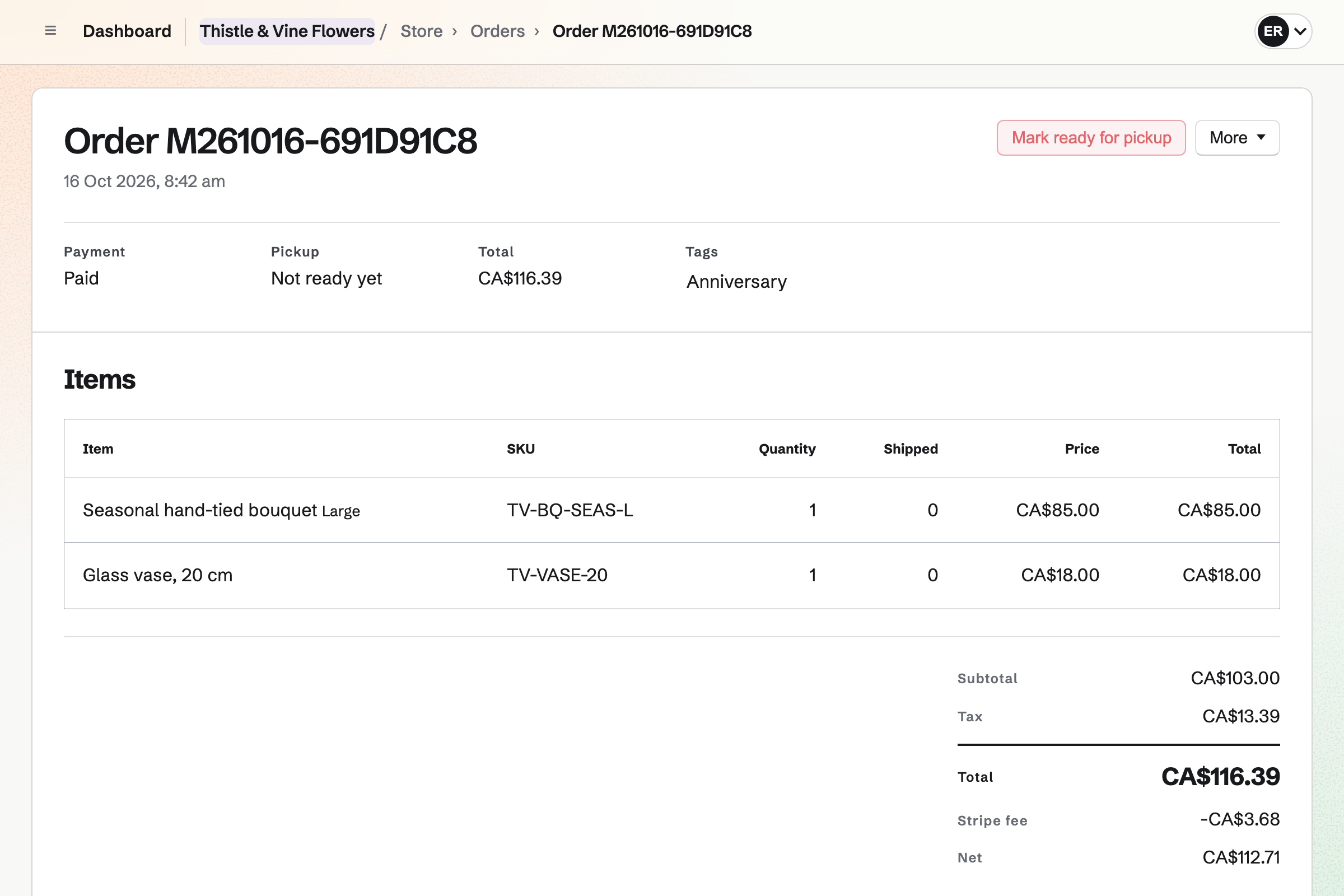
Store gives the flower shop its online shop. Each hand-tied bouquet can come in sizes such as Standard, Large and Luxe. The buyer's card message is printed on the order's packing slip. Buyers pay into your own Stripe account.
Local delivery goes to the postal codes you list, on the days you choose. You can offer same-day delivery for orders placed before your cutoff. One list shows the deliveries still to go out, soonest first.
Daily Operations gives a flower shop its own starter routines. Opening asks for the cooler's temperature and fresh water in the display buckets. A flower delivery check asks for a photo of any damaged stems. Closing asks how many stems were thrown away.
A cooler reading outside the limits you confirm will open an incident. The incident says what to do next. A shift lead confirms when the shop is ready to open.
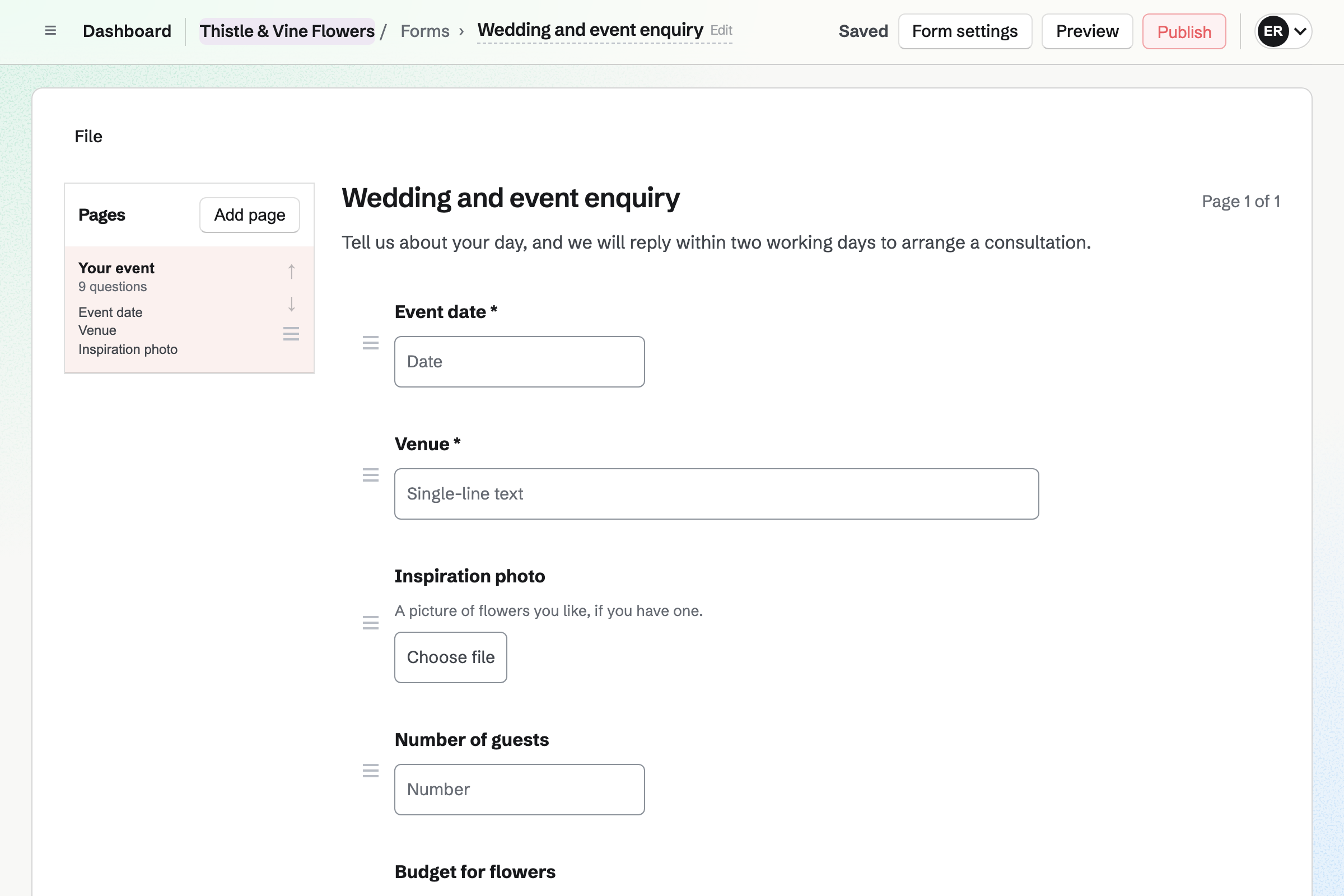
Forms gives you an enquiry Form for weddings and events. It can ask for the date, the venue and the flower budget. A question about ceremony flowers can appear only for a wedding. A File question takes an inspiration photo of up to 10 MB.
You can share the Form's address or link it from your website. Magpie will email you each response, and you can download every answer as one CSV file.
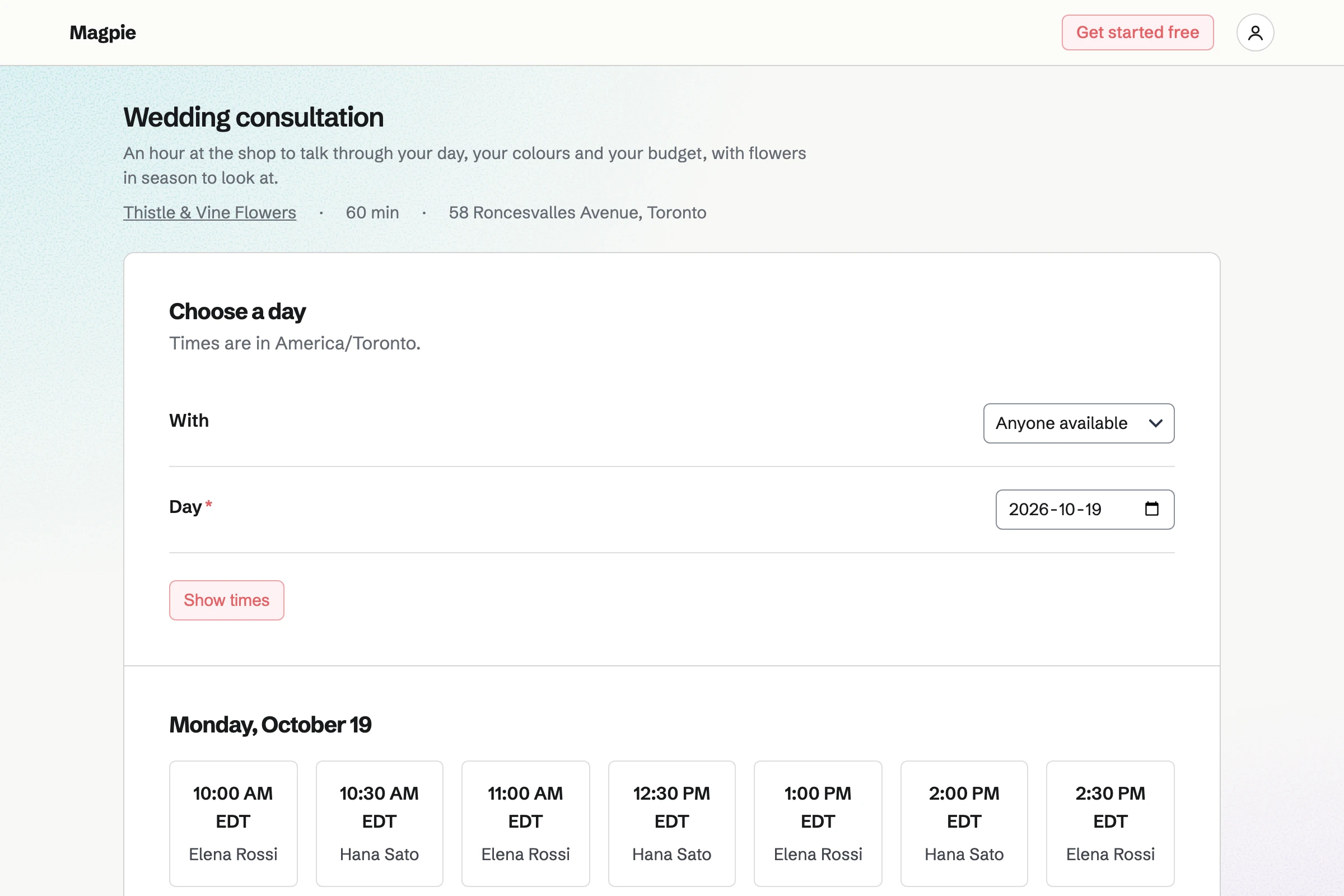
Appointments gives the shop a public booking page for its consultations. A wedding consultation has its own length, location and the staff who provide it. A time is offered only when the florist's hours and calendar leave it free.
A couple picks a free time and enters a name and email address. They can reschedule or cancel from their confirmation, up to the notice you set. Each booking will put the consultation on your calendar and make the couple a contact.
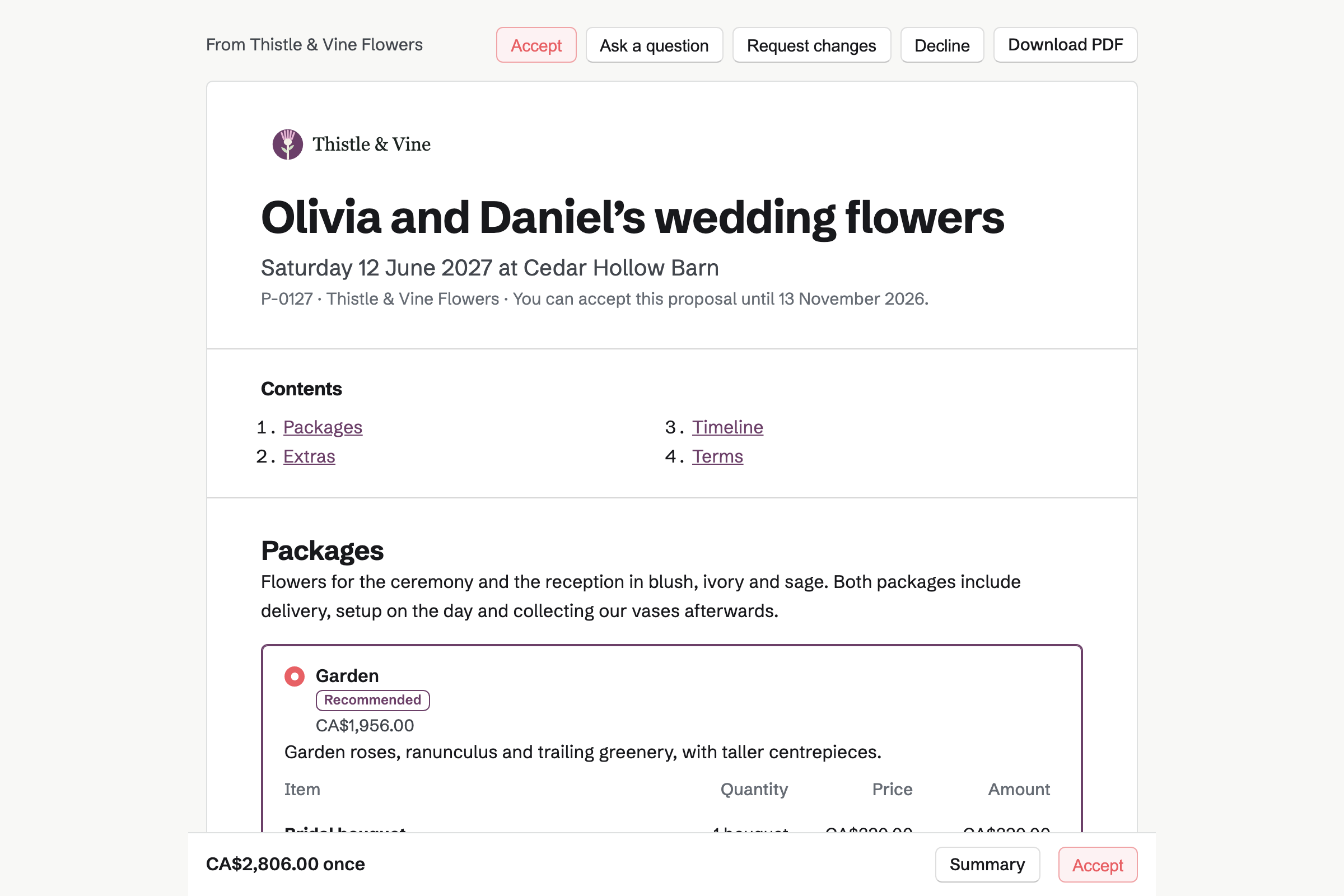
Proposals sends each couple a wedding proposal, with pictures of your past work. It can offer 2 to 4 packages, and optional extras such as a flower arch or buttonholes. The couple can set how many table centrepieces they need, within your limits.
The couple signs with a drawn or typed signature and pays the deposit by card. Magpie will email everyone the signed PDF and a signing certificate. The rest will be invoiced on your dates, and the final balance when you bill it.
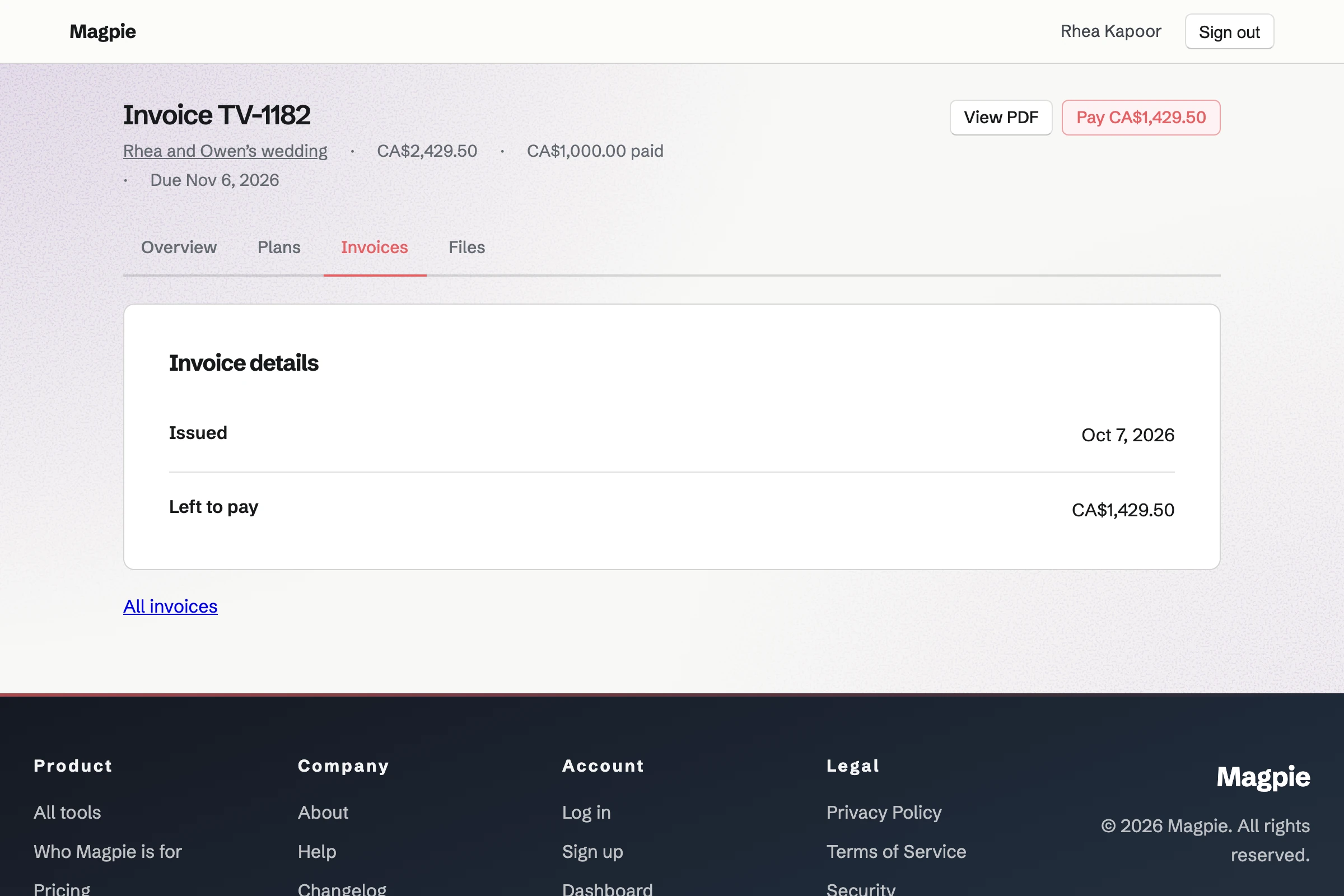
Invoicing emails each payment from a proposal as an invoice, with a Pay online button. Magpie will send reminders until it is paid. The couple pays by card, and the payment is added to the books.
You can bill a hotel, restaurant or office for its weekly contract flowers every month. A recurring invoice will email them the same lines each month. You can change its lines, pause it or end it.
A wedding takes six steps, from the enquiry to the books.
The couple answers your enquiry Form with the wedding date, the venue and an inspiration photo. Magpie will email you their response.
You send them your booking page. Their booking will add the consultation to your calendar and make them a contact.
You start the proposal from their contact, with the packages and extras you discussed. You send it with a valid-until date. You will see when it is opened and how long each section is read.
The couple chooses a package and extras, signs and pays the deposit by card. Everyone will get the signed PDF and signing certificate by email.
Each dated payment will be invoiced and emailed on its date. Magpie will send reminders until it is paid. You bill the final balance when you choose.
Each payment will be recorded on its invoice and added to the books.
You create a team and invite the people who work with you. Help: Create and manage a team.
You name the online shop, connect Stripe and add your bouquets with a card message field. Help: Set up and publish a Store.
You add local delivery with your postal codes, delivery days and cutoff. Then you add local pickup at the shop. Help: Collections and shipping.
You choose Florist and give the shop its hours. Then you keep the starter routines you want and confirm the cooler's limits. Help: Run each day's opening, closing and checks.
You add a consultation as a service and publish the booking page. Help: Set up Appointments.
A flower shop with staff fits the Team plan, one price for the whole team. It has up to 25 members, and no monthly limit on proposals or invoices. It has no limit on contacts either.
On the free plan, a team has up to 3 members and 100 contacts. It sends 5 proposals and creates 5 invoices a month. Invoices made by a proposal do not count toward that limit.
Magpie adds no fee to online sales, deposits or invoice payments. Stripe's processing fee is taken from each payment.
An event planner plans the whole wedding or event. Each couple's plan and steps are in a client portal, and the budget in a spreadsheet.
A boutique sells clothing, gifts and home goods bought in from brands, in sizes and colours. It has a rota for the shop floor.
A farm grows what it sells, with CSA shares and pickup at the farmers market. A weekly email lists what is in the box.
A plant nursery sells plants and garden supplies in season, and Inventory counts its stock. Its workshops are on a public calendar.
Yes. You choose your delivery weekdays and how many days ahead the first date can be. You can add a cutoff time, after which an order counts from the next day. At checkout the buyer picks one of the next 14 delivery days. The date is shown on the order, its emails, the order list and the CSV export.
Yes. You allow delivery on the day of the order, with a cutoff such as 1 PM. An order placed before the cutoff can choose that day. One placed after it counts from the next day. Dates and times are in your account's time zone.
Yes. You add a Long text field named Card message to the bouquet, required or optional. It takes up to 500 characters unless you change it. It is kept on the order and printed on the packing slip. The order emails and the buyer's own order page show it too.
You list the postal codes you deliver to, up to 500. A code such as M5V covers every code that starts with M5V. A postal code you do not cover is refused before the buyer pays. You set a delivery charge, and delivery can be free once the cart reaches an amount.
Yes. You add local pickup with the shop's address, pickup times and any instructions. Buyers who choose it are not asked for a shipping address. When you mark an order ready, Magpie will email them the address and times. Marking it collected records what they took.
Yes. Local deliveries, among your orders, lists the paid deliveries dated today or later, soonest first. An order leaves the list once you mark it shipped. You can print a packing slip for each, with its card message and no prices. A pick list totals the bouquets across them.
Yes. You give each person only the Store permissions they need. Ship and edit orders lets your driver add shipments and mark orders ready for pickup. Only you and any other admins see the payment account and payouts. You also choose which areas each person can use.
Yes. You record the order with the bouquet, the customer and the delivery address. Magpie will email them a Stripe payment page, and mark the order paid when they pay. You add the delivery date and card message to the order's history as a note. Only people who manage your online shop see it.
A gift card has amounts you set and, if you choose, a custom range. The buyer can have it emailed to someone on a date they pick, with a message. It pays for bouquets and delivery in your online shop. A bought card never expires and has no fee. While Stripe Tax calculates your tax, checkout does not take gift cards.
They come in through an enquiry Form at its own address. You choose its questions, and a File question takes inspiration photos. Anyone with the link can answer. Magpie will email you each response, and you can download every answer as a CSV file. The Summary counts the answers to each choice question.
Yes. Appointments gives you a booking page for your consultation services. The couple chooses a service, a free time and who with, or Anyone available. Their confirmation email has a link to reschedule or cancel. A time is offered only when the florist's hours and calendar leave it free.
A proposal can offer 2 to 4 packages, each with its own lines. You can mark one as Recommended. Extras in a section of their own can be optional. A line can let the couple set the quantity within your limits. The totals on their page update each time they change a choice.
The first payment in the proposal's schedule can be a deposit on acceptance. It can be a percentage or an amount. When the couple signs, Magpie will issue its invoice, and they pay the deposit by card. The money goes to your own Stripe account. Magpie adds no fee, and Stripe's processing fee applies.
Yes. You add a payment on a date, as a percentage or an amount. Its invoice will be issued and emailed on that date, with reminders until it is paid. The final payment takes whatever is left when you bill it. The invoices then add up exactly to the accepted total.
Magpie will email you and every recipient the signed PDF and a signing certificate. The certificate lists each signer's name, email address, signing time, IP address and browser. It also lists the agreement text and the SHA-256 fingerprint of the signed PDF. Both are in the proposal's More menu too.
Yes. The proposal's activity lists each opening, with who, when and on what kind of device. It also shows how long each recipient spent on each section. The proposal's owner will get an email when it is first opened, signed, declined or paid.
Yes. Revising it starts the next version as a draft. The couple keeps seeing the version they were sent until you send the new one. Magpie will then email them that it was updated, with your note on what changed. Earlier versions stay readable.
Yes. The Florist starter adds a temperature point for the flower cooler. You confirm its starting limits, and Opening asks for its reading. A reading outside the target range will open an incident with what to do next. Reports cover up to 366 days, and you can download the readings as a CSV file.
Yes. You make an invoice with the month's arrangements and make it recurring. Magpie will then issue and email an invoice with the same lines every month. Each has its Pay online link. You can change the lines, pause the schedule or end it from its page.
You record a sale paid in cash, on your own card terminal or another way. The order is created as paid, and its items leave stock. Magpie can email the customer a confirmation. Accounting holds the money in Undeposited funds until you record the deposit.
Create a Magpie account and make a team for the shop.