YouTubers, streamers and video creators
A video creator records with a camera and a teleprompter, and edits the video. Each share link has its own analytics.
Podcasters
Your show, your email list and your supporter page are in your own Magpie account.
Get started free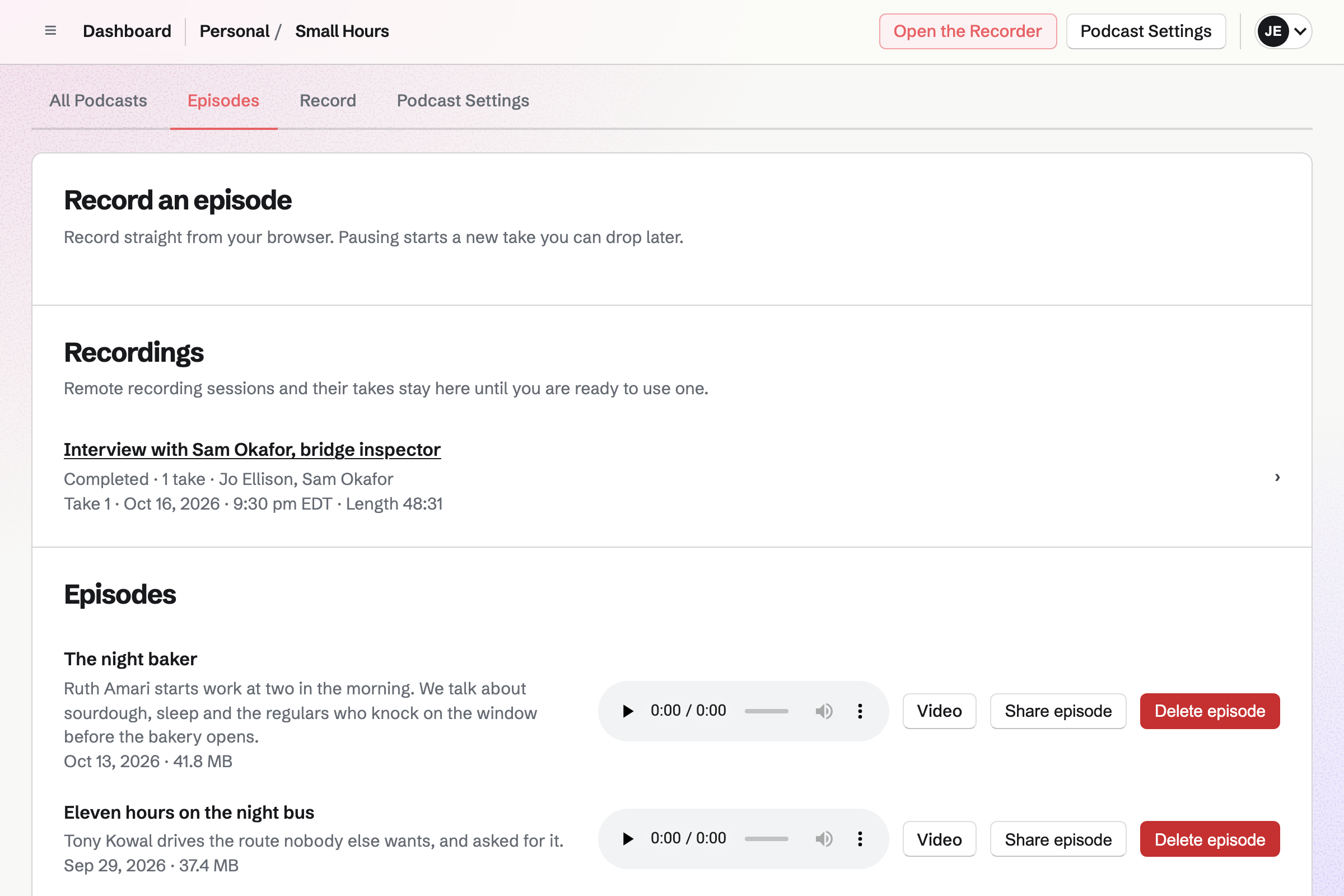
Podcast gives your show a public page at your own address, and an RSS feed. You can submit the feed's address to Apple Podcasts, Spotify or another podcast app. Each episode you publish afterwards will be added to it.
You can publish an episode recorded in Magpie. You can also upload an MP3 of up to 500 MB, edited elsewhere. Magpie hosts the audio your listeners play.
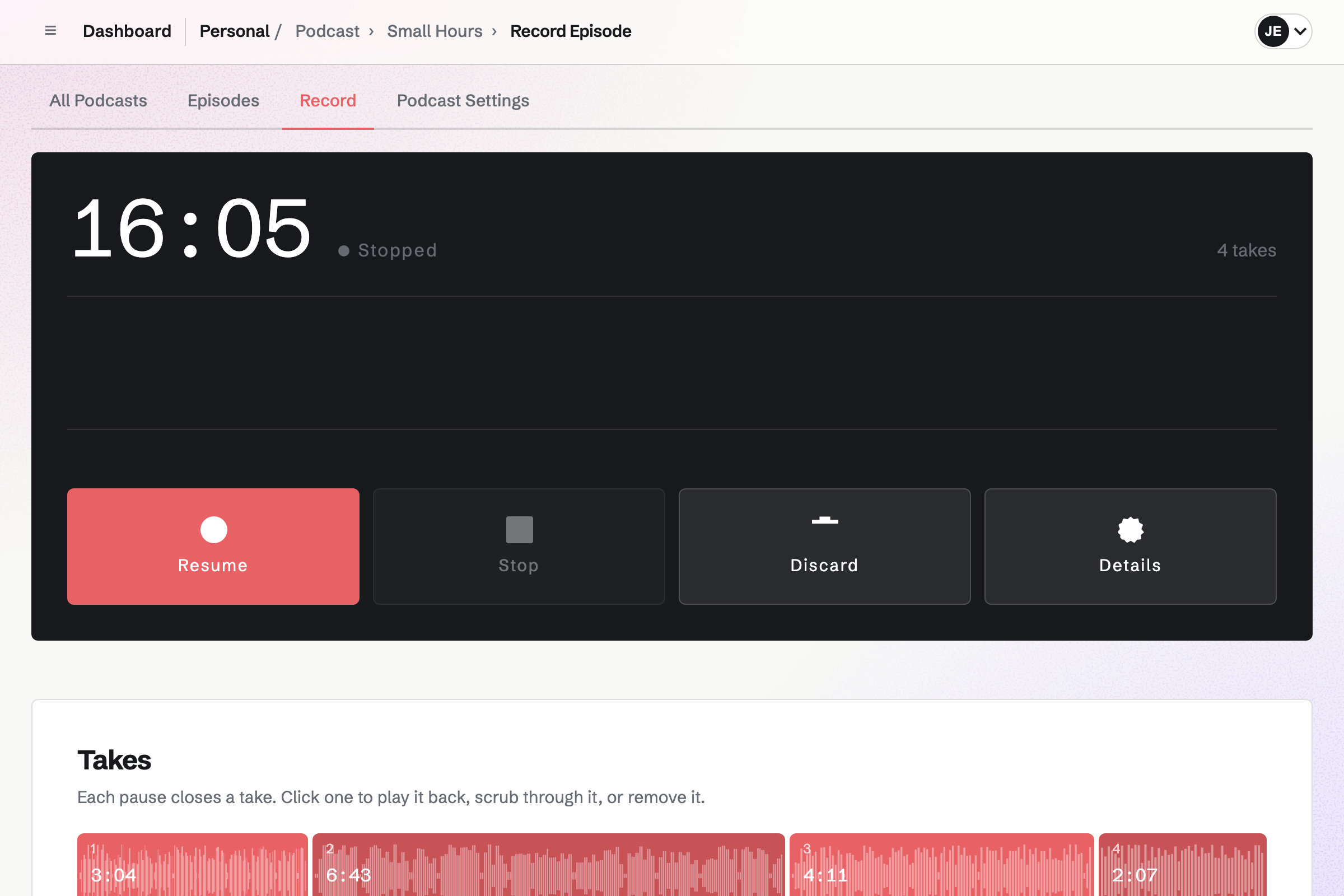
Podcast also records you and your guests as you talk live. Guests join from an invite link in a browser, without signing up first. Each person's microphone is recorded locally, on their own device. A weak connection does not by itself stop anyone's recording.
When a take ends, Magpie syncs the tracks. You can set each voice's timing and level, and trim its start and end. The mix becomes the episode. You can also download every voice as a WAV file, to edit elsewhere.
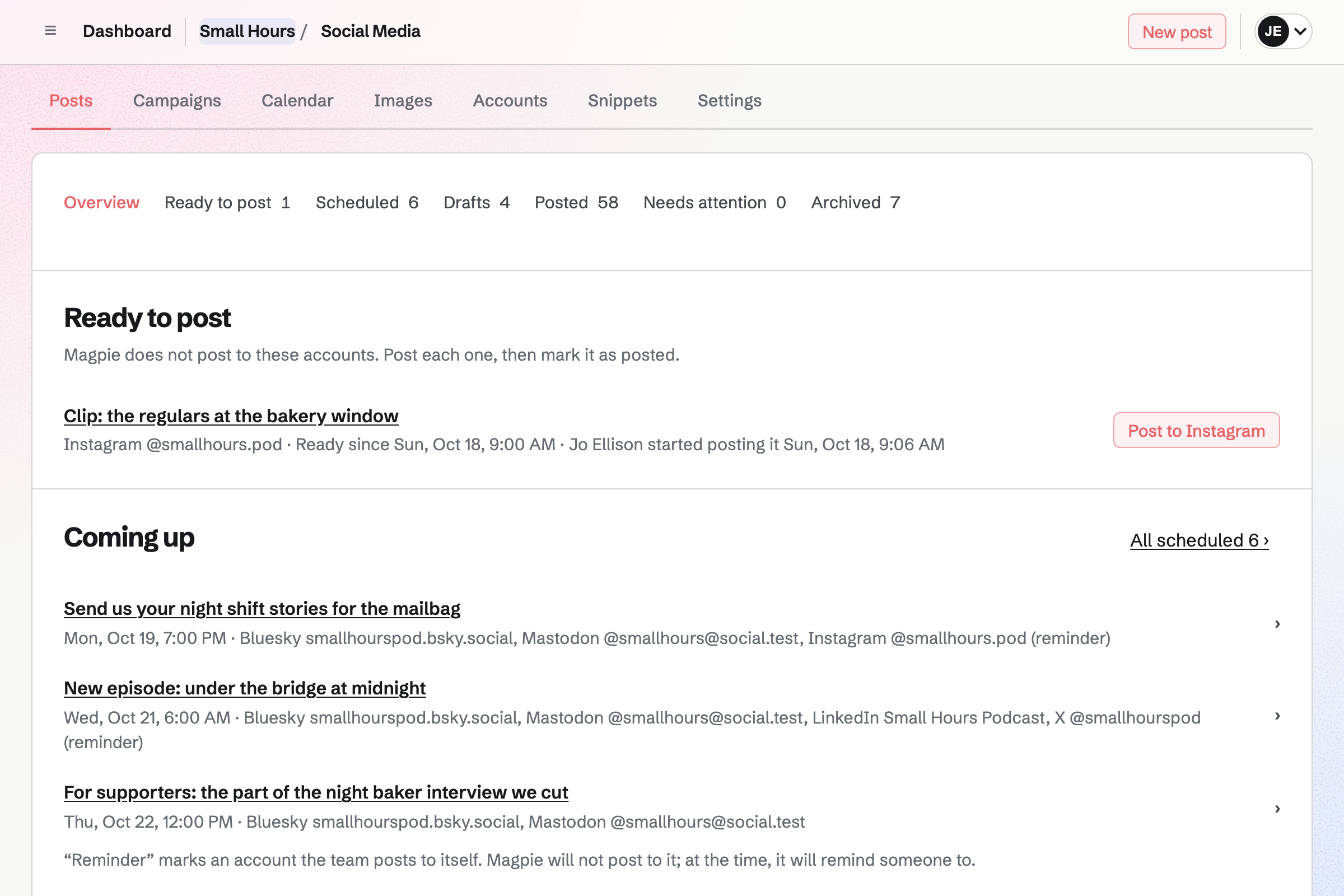
Social Media can turn a published episode into a post that links to the show's page. You write it once. Bluesky, Mastodon and LinkedIn will receive it at the time you choose. For Instagram and X, Magpie will remind you to post from your phone.
A published episode can also become an MP4 video. It plays the episode's audio over the show's cover art, with images you place and time. You download it to post wherever you share video.
Newsletter gives the show an email list. Listeners can subscribe without signing up first, and confirm by email. You can import a list from Substack, Mailchimp or a CSV file. The import keeps a record of how its people agreed.
You write each email in Markdown, with a link to the episode. You can send yourself a test, then send it now or at a time you choose. With web copies on, each sent email also has its own page.
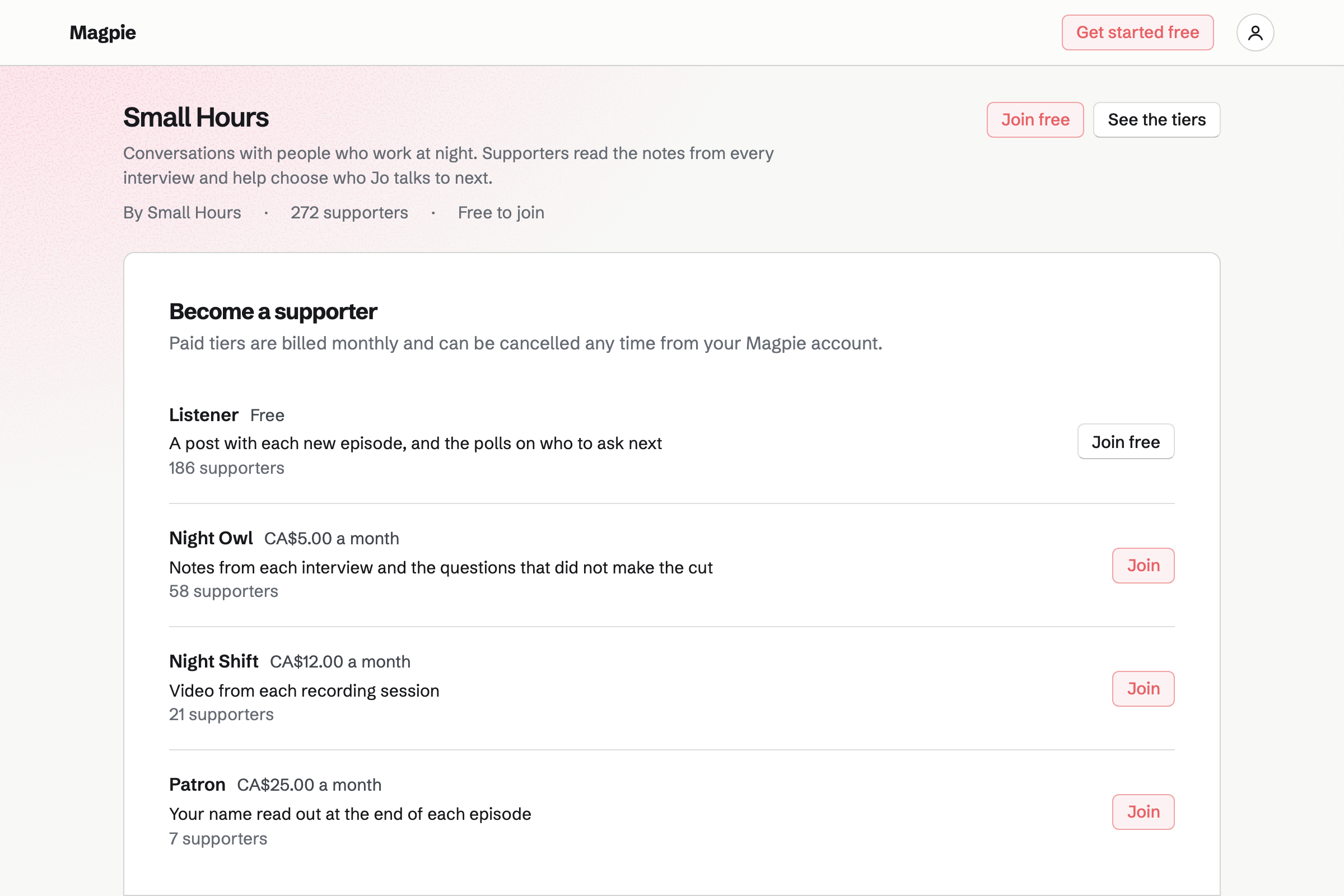
Supporters gives the show a page with a free tier and monthly paid tiers. Listeners join with a Magpie account. Paid tiers are charged by card, into your own Stripe account.
Each post can be for everyone, paying supporters or chosen tiers. A post can include a Screen Recorder video or a Forms poll. A poll can ask listeners which guest to invite next. Anyone outside a post's audience sees its title, cover and excerpt.
Each step starts from what the one before it made.
They choose a time on your meeting page. You will both get a confirmation with a calendar file. The meeting will be listed on the contact page with their email address.
You send them the session's invite link. They join in a browser, and each voice is recorded as its own track.
You adjust the levels and timing, and the mix goes into an episode draft. You add its title and show notes, then publish it.
Publishing will add the episode to the show's page and its RSS feed. Apple Podcasts, Spotify and other podcast apps read that feed.
You start a social post from the episode. An email to your subscribers links to it as well.
You give the podcast its title, description, category, explicit content value and square cover art. Help: Create and publish podcasts.
You record it alone or with guests, or upload an MP3. Help: Record a podcast episode.
Turning it on will publish its page and feed. You then submit the feed's address to Apple Podcasts and Spotify. Help: Create and publish podcasts.
You connect Bluesky, Mastodon and LinkedIn by signing in. X and Instagram are added by username. Help: Connect social accounts.
You share its signup page, or import the list you already have. Help: Start and configure a newsletter.
A podcast follows the plan of whoever made it. The free plan has a set number of episodes, and 1 GB of file storage. Pro has more podcasts, and as many episodes as fit in 20 GB. Episode audio and videos count toward that storage.
On the free plan, a supporter page has up to 3 paid tiers. A meeting page has up to 2 Meeting Types. Pro has no limit on either.
Magpie's fee on supporter payments is 3%. Magpie adds no fee to sales in your shop. Stripe's processing fee is taken from each payment.
A video creator records with a camera and a teleprompter, and edits the video. Each share link has its own analytics.
For a newsletter writer, the writing is the show, with paid tiers for readers. A podcast can go alongside it.
A musician sells recordings, merch and downloads, and lists gigs on a public calendar. Fans can become supporters of the music.
A news publication has an editorial calendar, a website and a newsletter. A podcast is one of its outputs.
Yes. Turning the podcast on will publish its RSS feed. You submit the feed's address to Apple Podcasts, Spotify or any other podcast app. Episodes you publish afterwards will be added to the same feed. The settings mark the category, explicit content value and artwork Apple Podcasts requires.
The feed gives the show's title, description, author, category, explicit content value and artwork. It also links to the show's page. For each episode, it gives the title, description, publication date, length and MP3 file. Magpie stores each MP3, and podcast apps download it from the address the feed gives.
Yes. You start a recording session with other people, and send each guest its invite link. They join in a browser, with the name the others will see, and test their microphone. You talk live, while each person's microphone is recorded as a separate track. You can make a guest a co-host, with the same controls as you.
Yes. A guest opens the invite link in a browser and joins. On a phone or tablet, they keep the recording page open and unlocked.
The live call and the recording are separate. Each person's browser records their own microphone in short pieces, saved on the device. It retries an upload that fails. A guest whose page closes reopens the link and continues under their name. The time away is kept as silence, so their track stays in step.
You can move a voice earlier or later, correct drift and change its level. You can also mute or solo a track, and trim silence from its start and end. The original tracks are not changed. For a full edit, every voice downloads as an aligned WAV file. An MP3 you edit elsewhere uploads as an episode.
Yes. You give the episode a title and a description, and upload an MP3 of up to 500 MB. It will be published when the upload finishes. Uploaded and recorded episodes are listed together, each with a player.
Yes. For a solo episode, you record in takes. Pausing closes a take, and you can play one back or remove it. You can keep the draft and finish it later. Publishing will join the takes in order into one MP3, once the episode has a title.
Yes. A published episode can become an MP4 of its audio over the show's artwork. You can add images, and place and time each one. You download the MP4 to post wherever you share video. It counts toward your file storage.
You can start a social post from a published episode. It has the episode's title and a link to the show's page. You edit it, and schedule it for every account. A newsletter email reaches the listeners on your list. With web copies on, that email also has a page to share.
Yes. A supporter page has a free tier and monthly paid tiers. Paid tiers are charged by card, through your own Stripe account. Magpie's fee is 3% of each payment, and Stripe's processing fee applies. Each payment is listed with its fees and net amount.
You can write posts for paying supporters or chosen tiers. A post can have images, a Screen Recorder video or a Forms poll. A poll can ask listeners which guest to invite next. Everyone else sees each post's title, cover and excerpt, with the tiers that open it.
Yes. A Kanban board can take suggestions. Anyone signed in to Magpie can suggest a card, and comment on or heart one. Suggestions wait in the board's Inbox column. Moving one to another column approves it.
They book on your meeting page, without signing up first. A guest chooses a Meeting Type, such as a 60-minute recording. Then they pick a day and time, shown in their own time zone. They enter a name and email address. Only times your schedule and connected Google Calendar leave free are offered.
Yes. A guest's contact page has their email addresses and notes. It lists the meetings booked from those addresses, and the calls and messages you record. A follow-up has a date and a reason, and adds a To-do. Follow-ups are listed as Overdue, Today or Upcoming.
Yes. Each podcast's page is at your own address, followed by /podcast and its name. It shows the artwork, the description and every episode with a player. It links to the feed and to your calendar. A link to it shared in a post shows the artwork and description.
Yes. Each podcast has its own title, artwork, settings, page and feed. You can add as many as your plan includes. With more than one podcast on, your address followed by /podcast lists them all.
A 40-minute MP3 is about 35 MB. Episode audio and episode videos count toward your file storage. Your images, screen recordings and the downloads you sell share it too. The free plan has 1 GB of file storage, and Pro has 20 GB.
Yes. Store sells physical products, downloads and gift cards. Buyers pay on Stripe's checkout page, into your own Stripe account. Magpie adds no fee to these sales. Each product has a buy link and a QR code to print.
Create a Magpie account for your show.