
Cleaning companies
A cleaning company puts cleaners on a rota at each client's site, with a checklist.
Window cleaners and gutter cleaners
Your round, bookings, invoices and receipts are in your own Magpie account. A helper can join you in a team.
Konto erstellen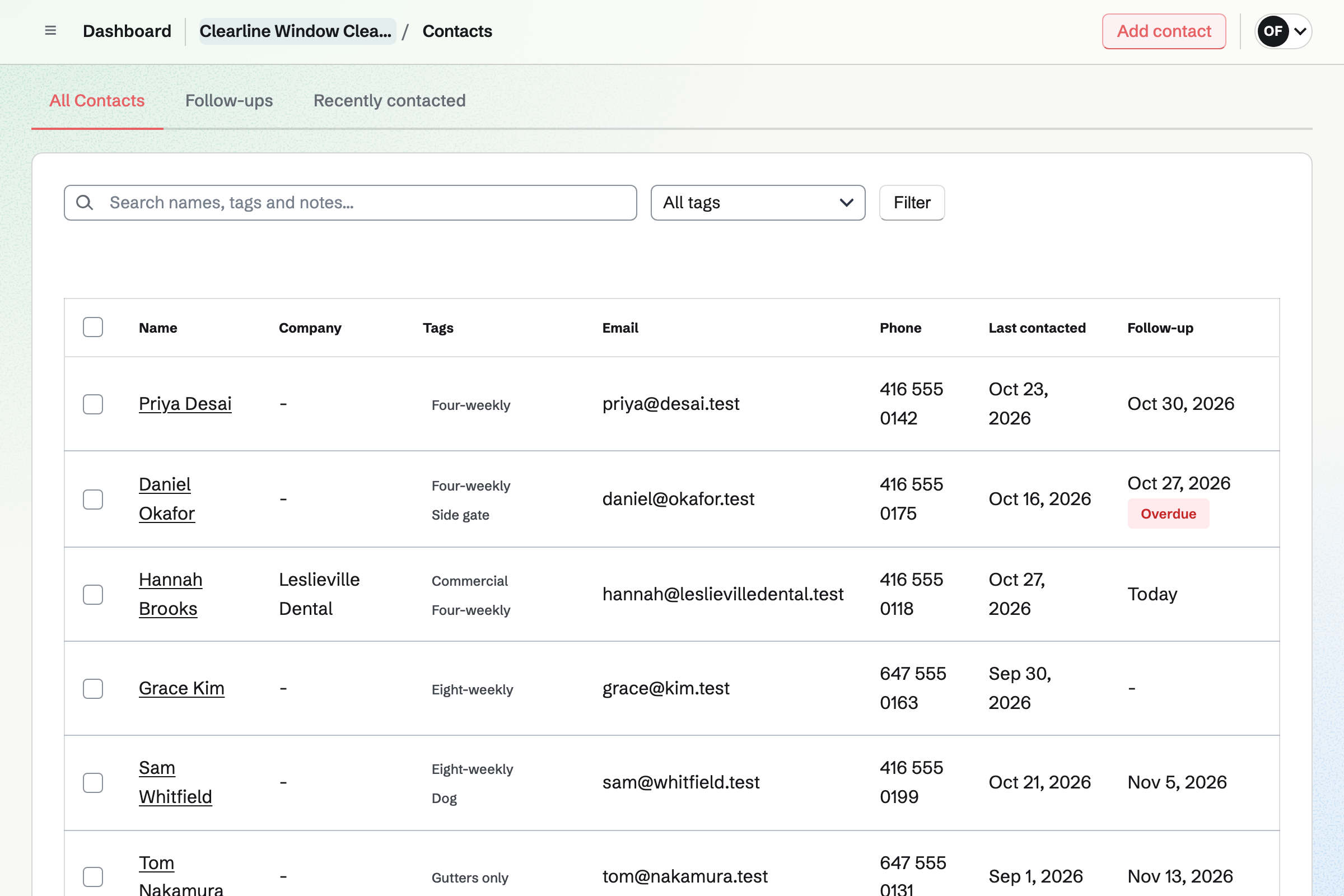
Contacts keeps each house with its address and phone number. A pinned note keeps the gate code, the dog and the price at the top. Its page lists every invoice and booking.
A follow-up is a To-do with a date and a reason, such as quoting the gutters. Follow-ups lists every open one as Overdue, Today or Upcoming. A tag such as Four-weekly or Commercial filters the list.
To-dos keeps the round. Each house is a To-do that repeats every four or eight weeks. You type it as you say it: 12 Elm Avenue, fronts and backs, every 4 weeks. Ticking it off after the clean schedules the next one.
Today lists the houses due, and you drag them into the order you drive. A house missed for rain says Overdue and stays on Today. Its next clean keeps its place, four weeks on.
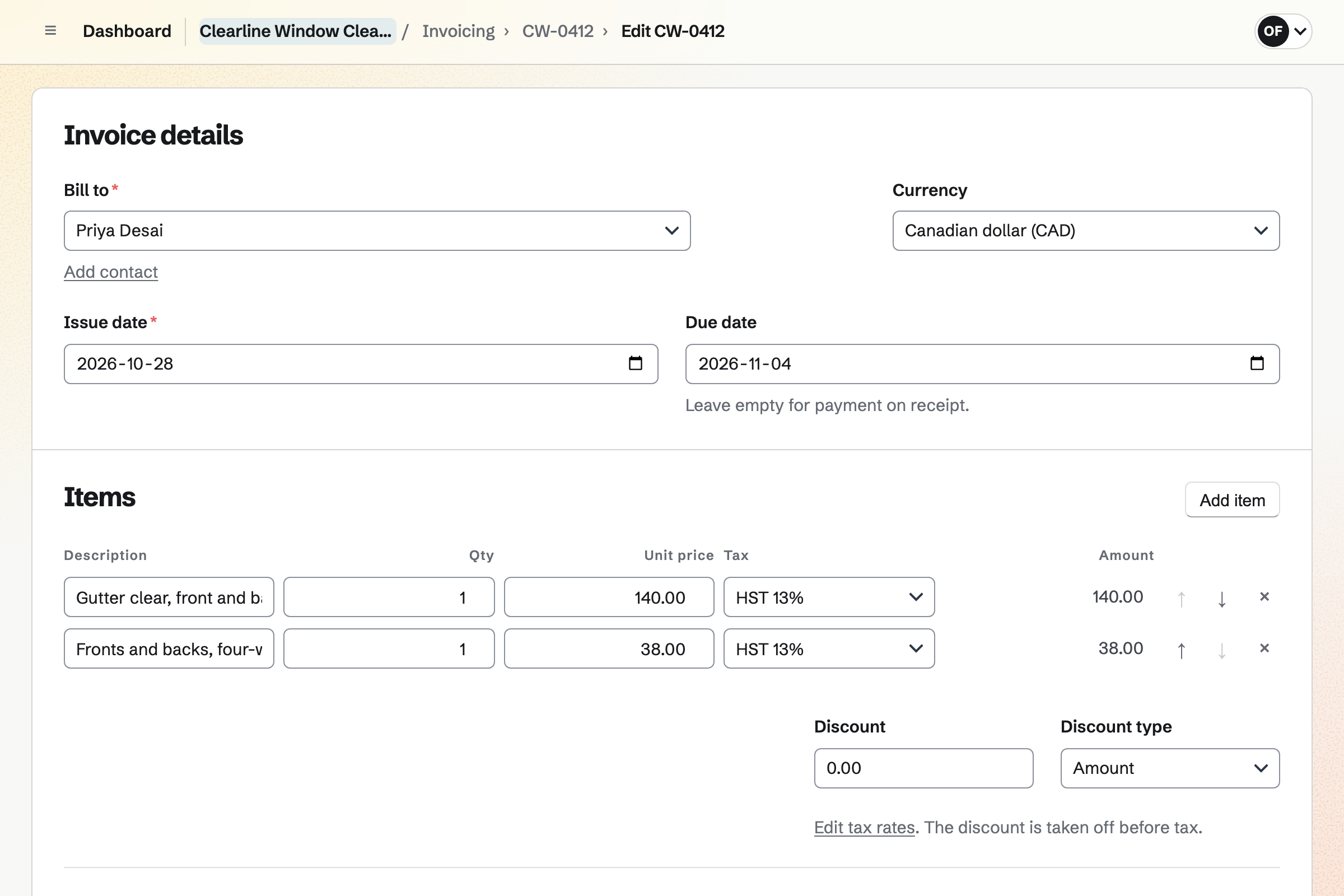
Invoicing bills each house from its contact. A regular can be on a recurring invoice. Magpie issues and emails the same lines every month, with a Pay online button. Reminders go out until it is paid.
A gutter clear or a pressure wash is an ordinary invoice. Its payment link can be texted from the doorstep. Card payments go to your own Stripe account, with no Magpie fee. Cash or a transfer is recorded by hand.
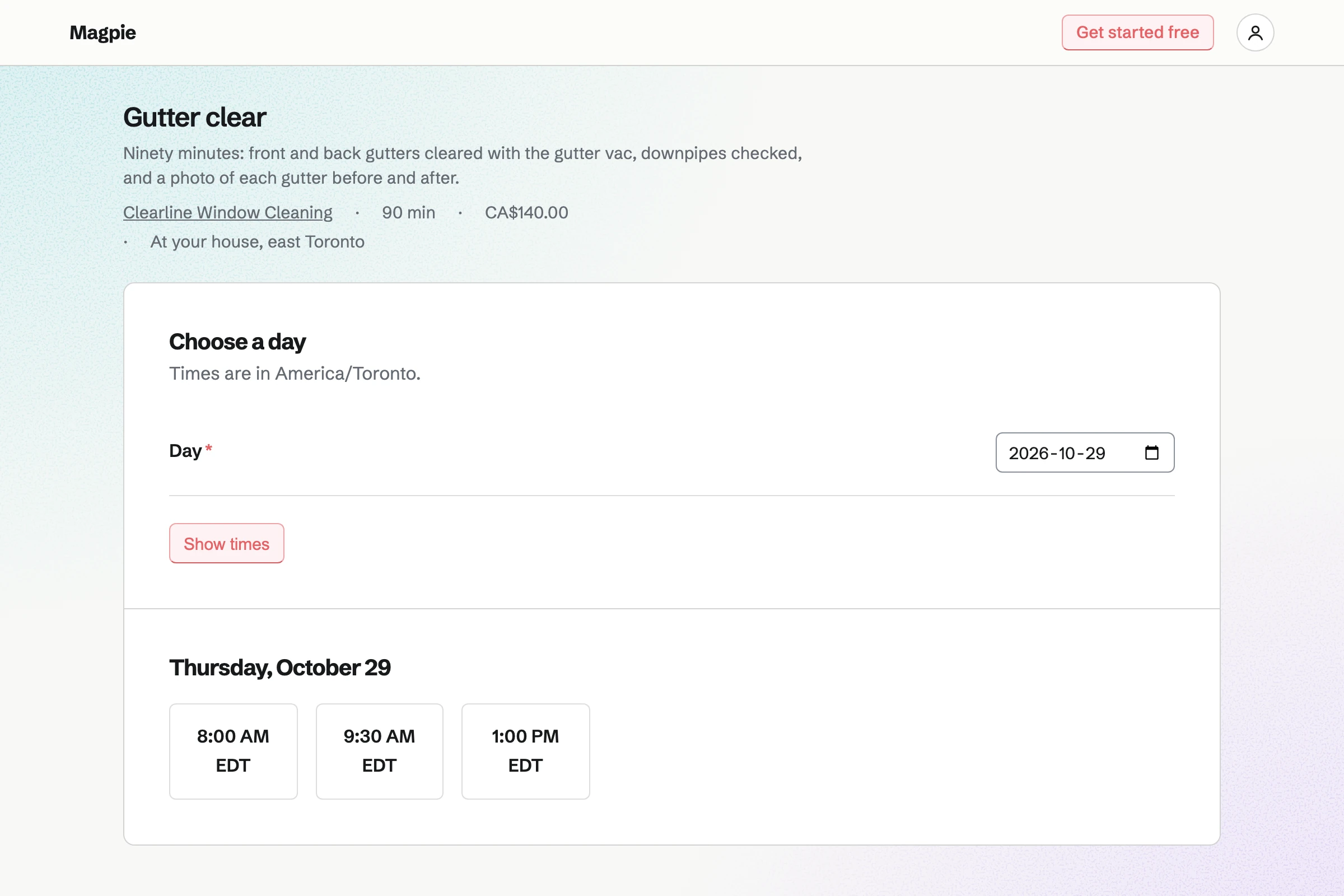
Appointments gives you a booking page with your services. A first clean, a gutter clear and a pressure wash each have a price. The service says that you come to the house. Customers book without signing up first.
The page offers only the times your hours and calendar leave free. A buffer keeps time to drive between houses. A minimum notice stops same-morning bookings. The confirmation email lets the customer move or cancel.
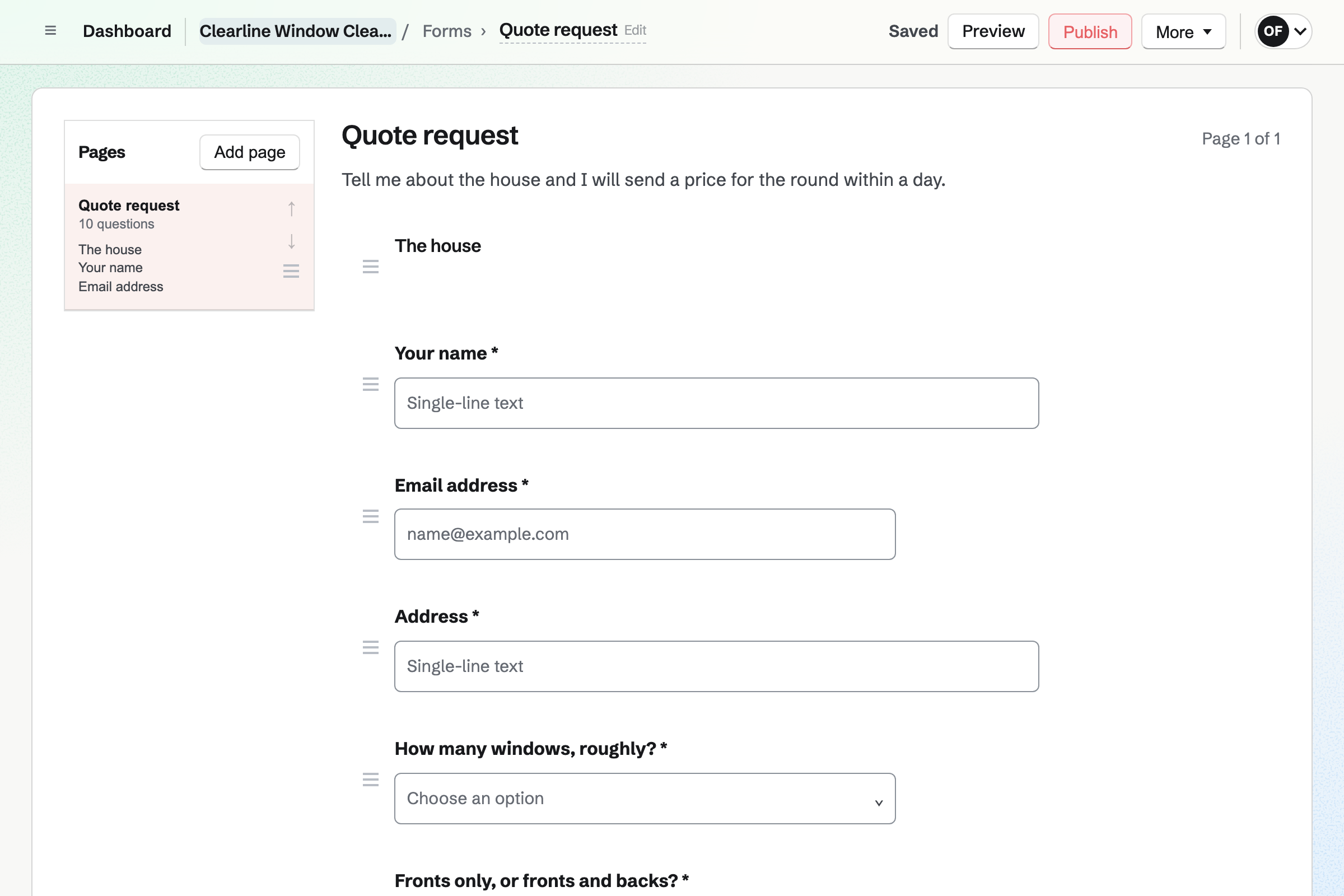
Forms builds your quote request: the address, the number of windows and how often. A choice asks for fronts only or fronts and backs. A File question takes a photo of the house. A box asks about gutters, soffits and a conservatory roof.
Each request is emailed to you, and the responses are kept in one list. You answer with a price, and the house goes on the round.
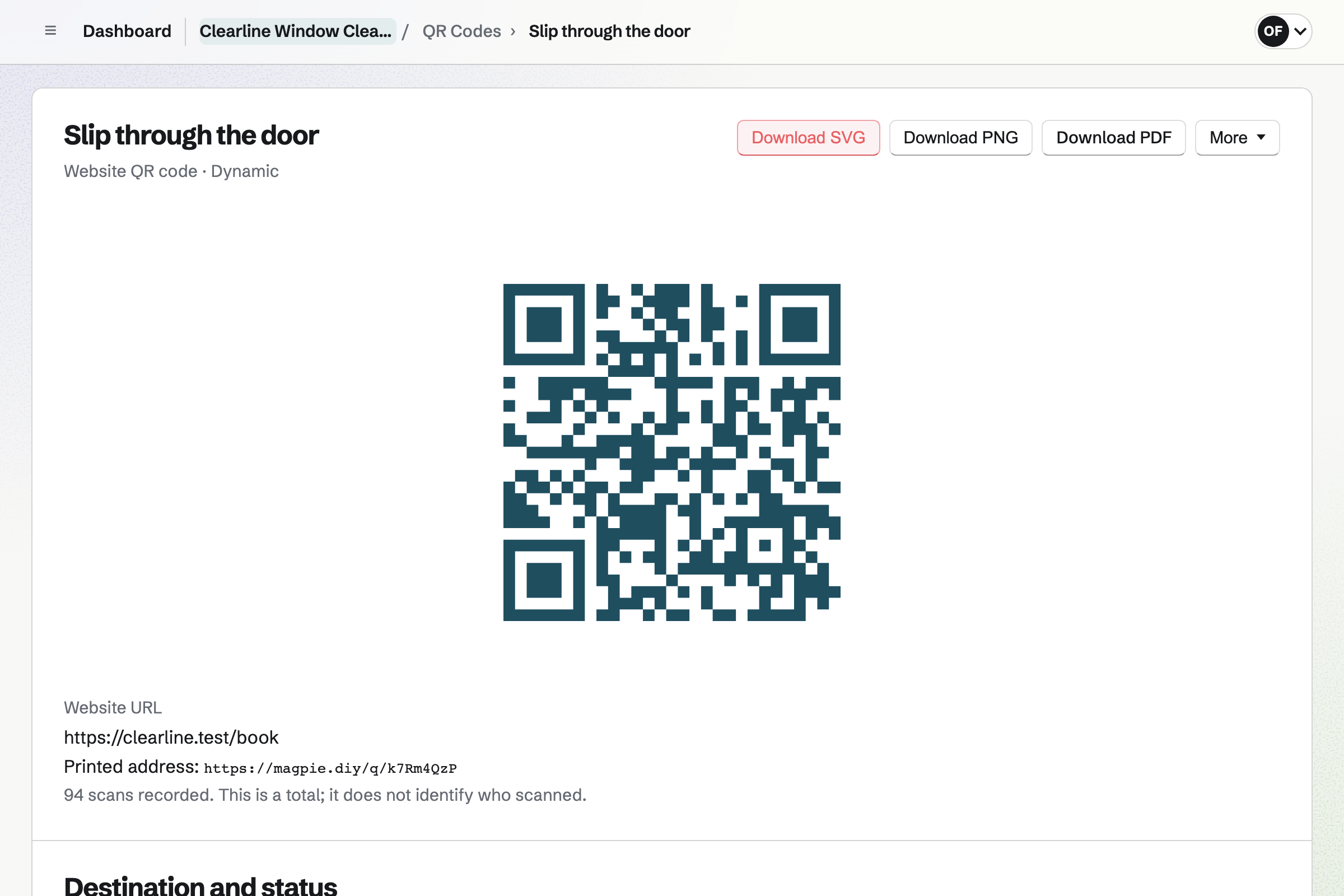
QR Codes makes a dynamic code for the slip you leave after a clean. A scan opens your booking page or your quote request Form. The code can point somewhere else after the slips are printed.
Its page counts the scans, without recording who scanned. The code downloads as SVG, PNG or PDF, with your logo in the middle.
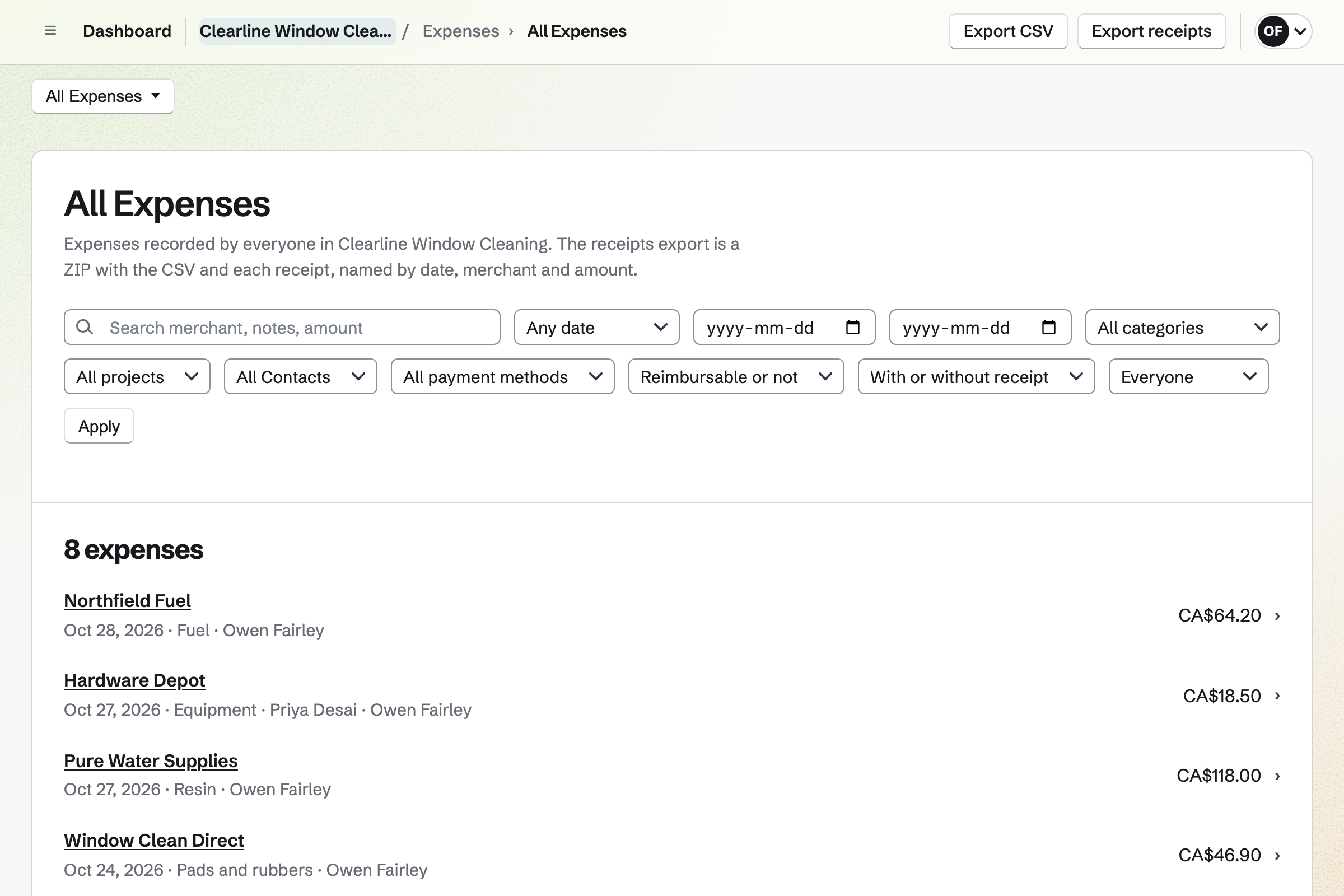
Expenses keeps each receipt, photographed on your phone. A receipt can wait in Receipt Inbox until you add its details. Categories such as Fuel and Resin total what the month cost.
Reports total what you spent by category for any dates. Everything exports as a CSV file, with the receipts as a ZIP file. Each expense is added to the books.
Each step starts from what the one before it made.
The customer sends a photo of the house and the number of windows on your Form.
You answer with a price, and they book the first clean on your booking page.
The booking goes on your calendar, and the house becomes a contact.
You add the house as a To-do that repeats every four weeks, and pin its code.
Today lists the house in your order. After the clean, the slip goes through the door.
The invoice is paid by card from its link, or the cash is recorded by hand. Both reach the books.
You add each house with its address, and pin the gate code and the price. Help: Keep a contact list.
You add each house as a To-do that repeats every four or eight weeks. Help: Use To-dos.
You choose Home services, add a first clean and a gutter clear, and set a buffer. Help: Set up Appointments.
You connect your Stripe account, so customers can pay by card. Help: Connect Stripe to receive money.
A window cleaner working alone fits Pro. The free plan includes 5 invoices a month and 100 contacts; Pro has no limit. With a helper, the round is a team of up to 3 members on the free plan.
Magpie adds no fee to invoices. Stripe's processing fee is taken from each card payment. Prices are on the Pricing page.
A cleaning company puts cleaners on a rota at each client's site, with a checklist.
A plumber or electrician quotes each job online and bills it on site by card.
A landscaper signs clients up for the season and runs crews on weekly rounds.
A mobile detailer books each detail at the customer's address and quotes coatings.
A landlord invoices the rent every month and takes tenants' repair requests on a form.
A dog walker keeps every walk on a calendar and bills each household monthly.
Yes. Each house is a contact with its address. A pinned note keeps its price and the gate code at the top. The round itself is in To-dos, where each house repeats every four or eight weeks. A tag such as Four-weekly groups the houses.
Today lists every To-do planned for today or earlier. Each house appears on the day its clean is due. A house from an earlier day says Overdue. Dashboard shows the start of the list too, and you can tick houses off there.
Yes. On Today you drag each house into your own order, or use the buttons. The order is kept on every device you use.
A house you did not reach says Overdue. It stays on Today until you tick it off. Its next clean keeps its place, four weeks after the day you missed.
Yes. You give that clean another day on its page. The next one follows four weeks from the new date. When a house cancels for good, Never under Repeat stops it, and its history is kept.
In a note on the house's contact, pinned near the top of the page. A tag such as Side gate groups the houses that share one. The contacts search finds words in notes too, so a search for Labrador finds the house.
Yes. Make recurring on a house's invoice starts a schedule with the same lines. Magpie issues and emails the invoice every month, with a Pay online button. Reminders follow until it is paid. You can pause it for a holiday, change the lines or end it.
Yes. Each invoice has a payment link. The invoice's page shows it, so you can send it another way, such as a text. The customer opens it on their phone and pays the balance by card. The payment is recorded on the invoice, and Magpie emails them a receipt.
Magpie adds no fee. Stripe's processing fee is taken from each payment. The rest goes to your own Stripe account, and Stripe pays it out to your bank.
Yes. Record payment on the invoice takes the amount, the date and the method, such as Cash. Reminders stop once the invoice is paid in full.
Yes. Invoicing has named tax rates, such as HST or VAT, each with a percentage. Each line uses one of them or no tax. Magpie works out the tax you set up; registering and filing stay with you.
Yes. Payment reminders go out on the days you choose, before and after the due date. Each has the Pay online button. Each shows the balance still due, and they stop when the invoice is paid in full. You can turn them off for one invoice.
Yes. Your booking page lists your services with their length and price. A customer picks a day and a time your hours leave free. They enter a name and an email address. They book without signing up first, and get a confirmation email.
Yes. A minimum notice, such as two days, sets how late a job can still be booked. A maximum range sets how far ahead. A buffer after each service keeps time free to drive to the next house.
Yes. The confirmation email has a link to choose another free time or to cancel. Once the notice you set has begun, the link asks them to contact you instead.
Yes. Your quote request Form can take a photo or a PDF of up to 10 MB. Only the people who can see the Form's responses can open it. Each request is emailed to you, and the responses are kept in one list.
Yes. A dynamic QR code opens any address, such as your booking page or your quote Form. You can point it somewhere else after the slips are printed. Its page counts the scans. The code downloads as SVG, PNG or PDF, with your logo in the middle.
Yes. You photograph each receipt on your phone, up to 10 MB each. A receipt can wait in Receipt Inbox until you add its details. Totals export as CSV, with the receipts as a ZIP file.
Yes. Expenses shows this month's total by category, and Reports total any dates by category and merchant. The categories are yours to add, such as Fuel, Resin and Pads.
Yes. Accounting adds each invoice, payment and expense to the books, linked to its record. You import your bank statement as a CSV file and match each line. Profit and Loss and the Sales tax report run for any period. Check the rules where you file.
Yes. You make a team and invite them. Each house's To-do can then be assigned to one person. Your helper sees their houses on their own Today, and Team To-dos shows you everything. A free team has up to 3 members.
Yes. Asset Tracker keeps each pole, the system and the pressure washer, with its tag and condition. Start maintenance records one in for repair, with the date it is expected back. Its receipt and warranty are kept on its page.
Yes. Calendar shows each house's To-do on the day it is due. Each booked gutter clear is an event. Agenda, Day and Month show the same entries. Your Google Calendar events can be shown beside them.
Yes. Start timer on the job's To-do starts a Time Tracking timer with its title. It keeps going if you close the browser. You can also add time afterwards, such as 1h 30m.
Yes. Social Media schedules posts to Bluesky, Mastodon and LinkedIn at the time you choose. For Instagram, Magpie reminds you and opens the post filled in. Each photo is cropped to Instagram's shapes around a point you set.
Yes. Its contact page lists every invoice, when each was sent and paid, and every booking. Follow-ups you marked done are there too. Pinned notes stay at the top.
Create a Magpie account and add your first house.