Idea Workspaces
Idea workspaces with notes, images, checklists and connectors.
Arrange research, reference images and working notes on a freeform canvas. Group items in columns and connect related material, privately in Personal or with your team.
Get started free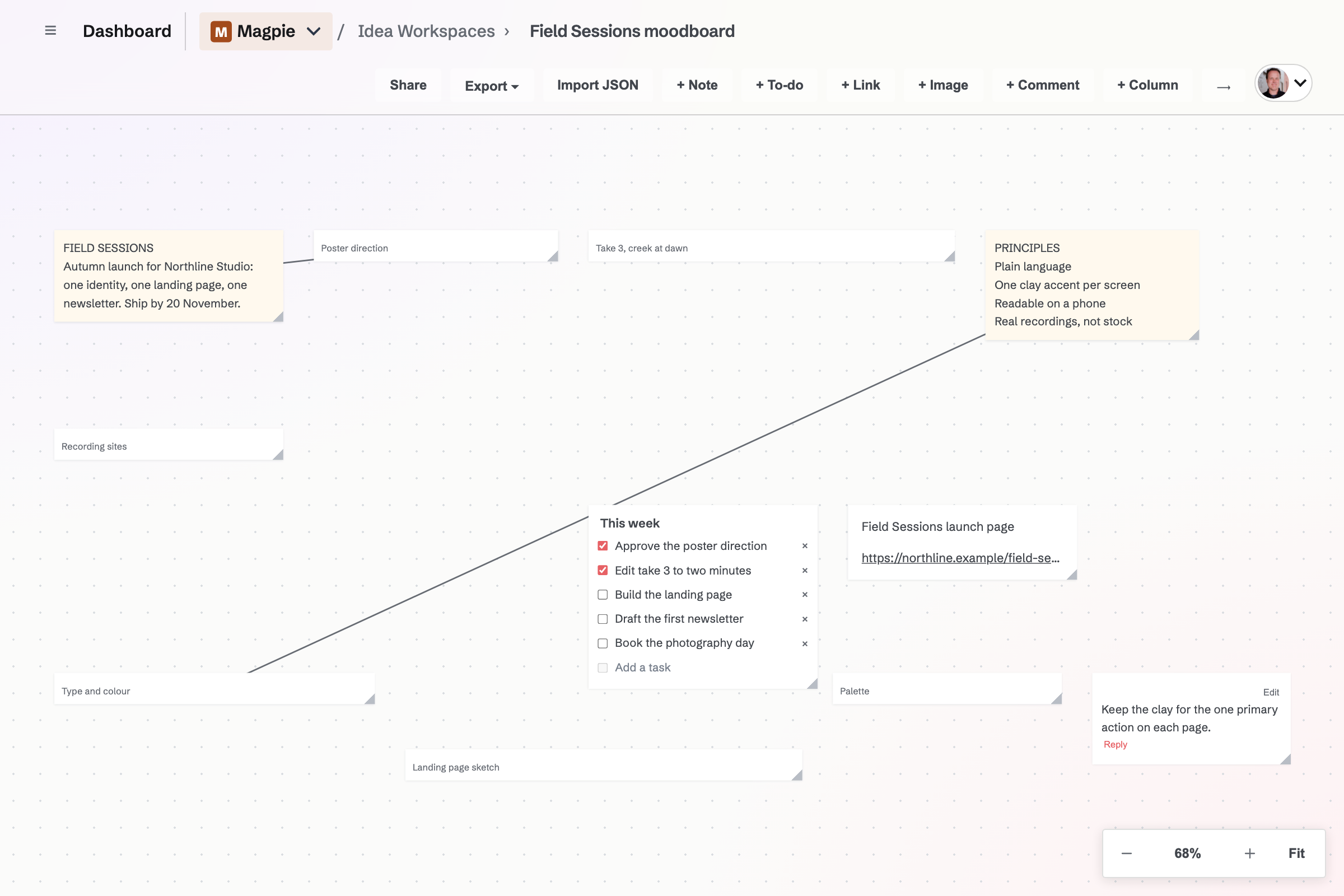
Six kinds of canvas item
- Notes
- Write a short thought, decision or piece of working copy.
- Images
- Add pictures from the image library, or paste an image into the workspace.
- Links
- Keep a reference’s address and label beside the work it informs.
- Task lists
- Use a small checklist for the next actions attached to an idea.
- Columns
- Group items in named columns when a loose collection needs some order.
- Comments and connectors
- Leave comments on the canvas and draw lines between items to explain their relationships.
Bring material in
- Paste
- Paste a screenshot to add an image item, a web address to add a link, or other text to add a note. Pasted images are saved to your image library.
- Import JSON
- Describe columns and the cards in each, and Magpie lays them out. Import into a new workspace, or add to the right of an existing canvas without moving anything already there.
- Copy back out
- Items copied from a workspace paste back as items, and their text goes to your clipboard for other apps.
- On a phone
- The native app adds and edits notes, to-dos, links and columns, including position, width and column membership. Image, comment and connector editing use the website canvas.
Private ideas and team canvases
Who can open a workspace?
A Personal workspace is private to you. A workspace in a shared team can be opened by that team’s members, with editing controlled by team permissions.
Are there workspace or item limits?
Free allows three Idea Workspaces and 150 items per workspace. Pro does not cap either count.
Create an Idea Workspace.
Create an account and open a workspace in Personal or your team.