Caterers and private chefs
A caterer with chefs and servers quotes each event per head and plans the prep.
Personal chefs
Your bookings, clients, receipts and invoices are in your own Magpie account. A second cook can join you in a team.
Konto erstellen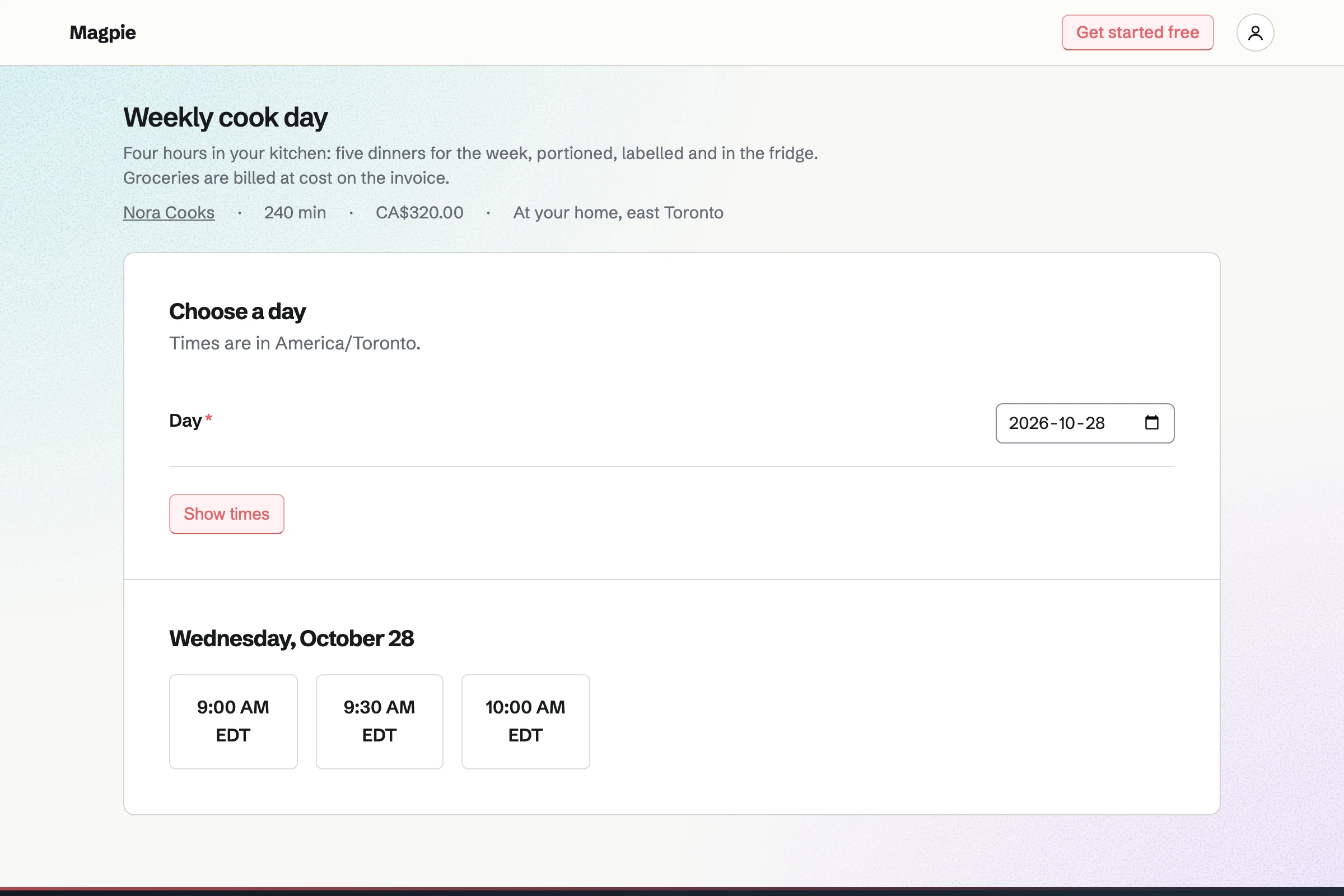
Appointments gives you a booking page with your services. A four-hour cook day and a six-hour freezer fill each have a price. The service says that you come to the client. Clients book without signing up first.
The page offers only the times your hours and calendar leave free. A buffer keeps time to drive between homes. A confirmation email lets the client move or cancel the booking.
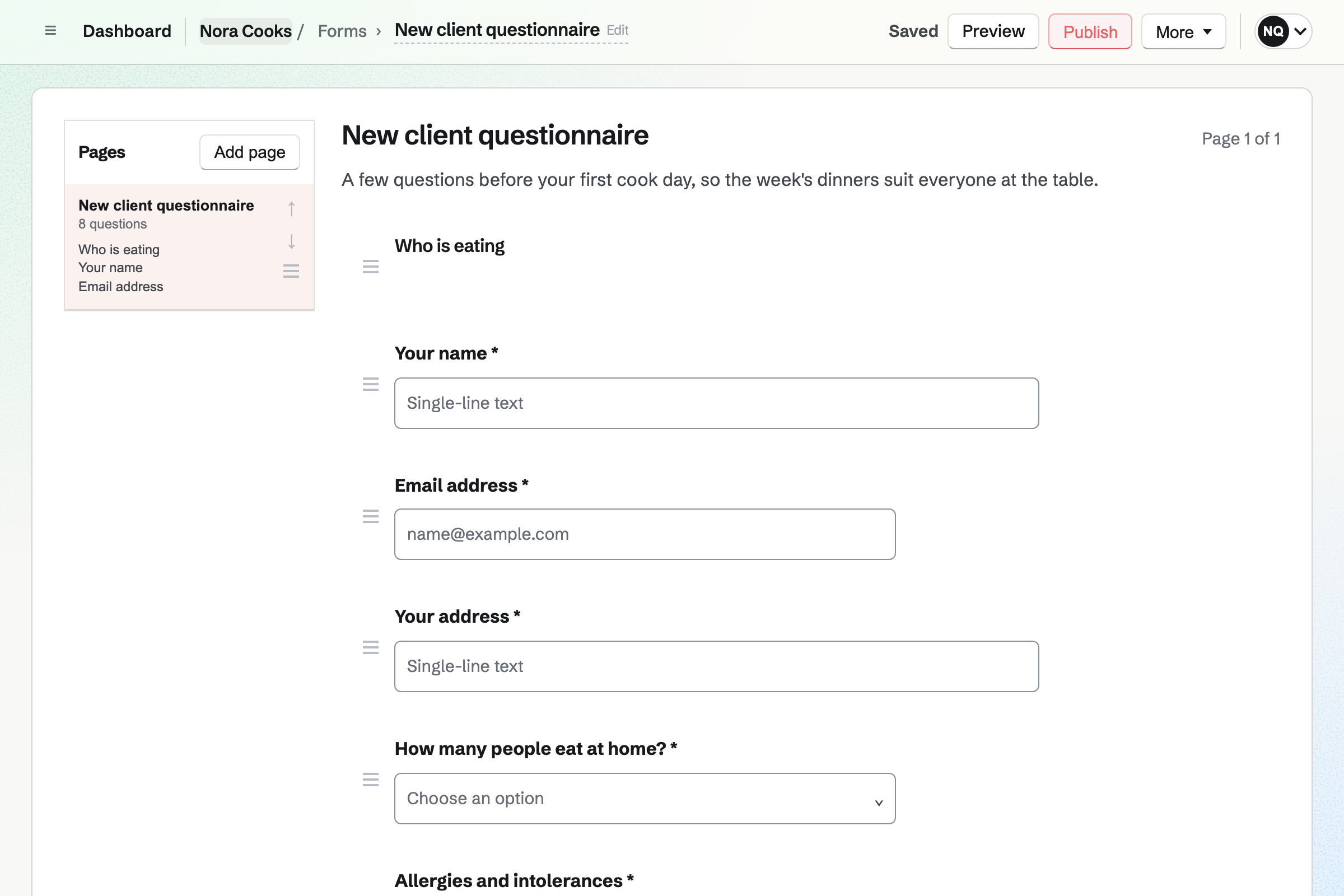
Forms builds your client questionnaire. It asks who eats at home, the allergies and dislikes, and the days to cook for. It takes the address too. Each answer is emailed to you, and the responses are kept in one list.
The same Form can take a dinner party enquiry, with the date and the guest count. Every response exports as a CSV file.
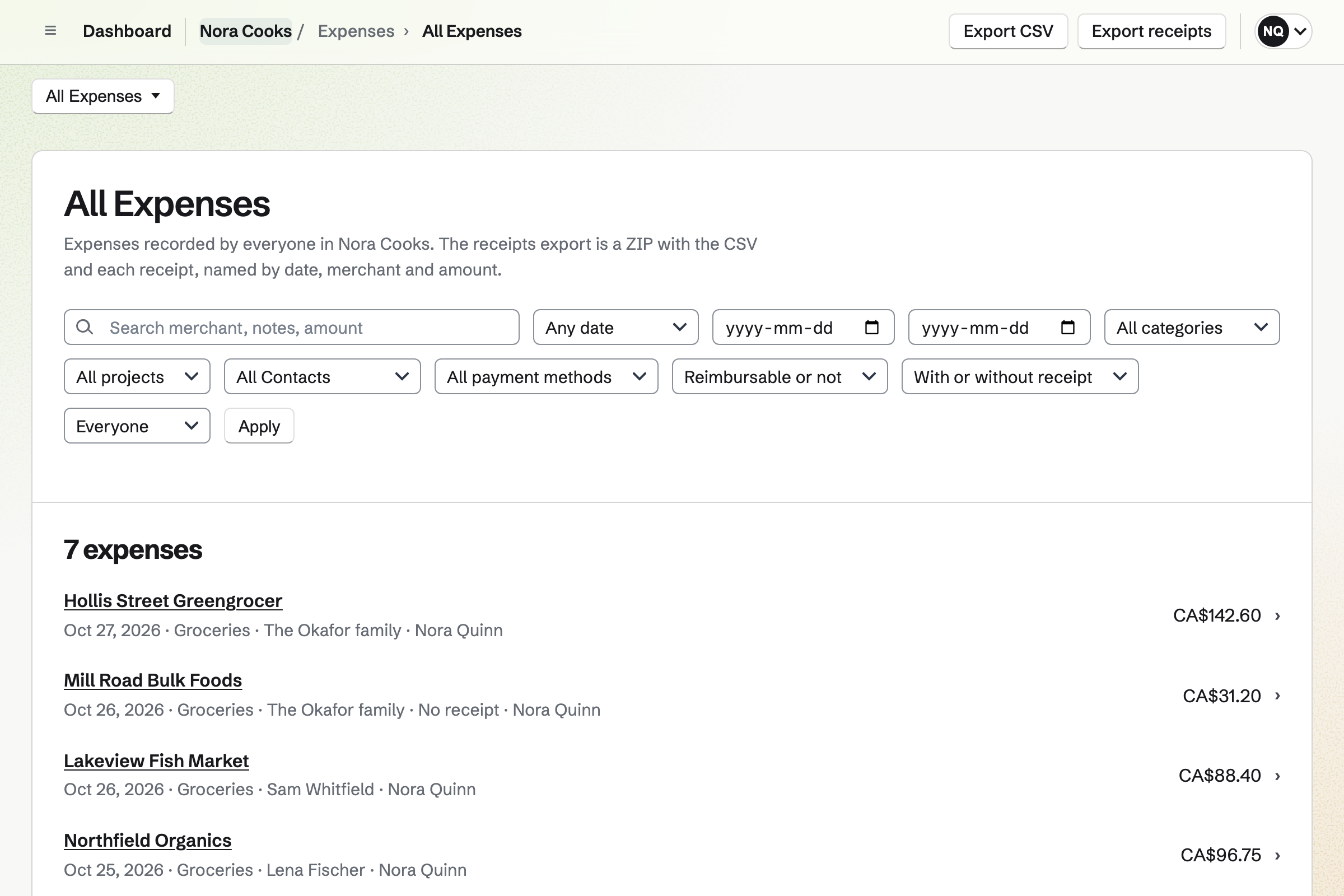
Expenses records each shop with its receipt. On a phone, the file chooser opens the camera. The receipt is in before you leave the car park. You choose the client and mark the expense reimbursable.
Receipt Inbox holds receipts you photograph first and enter later. Reports total what you spent for each client and each month.
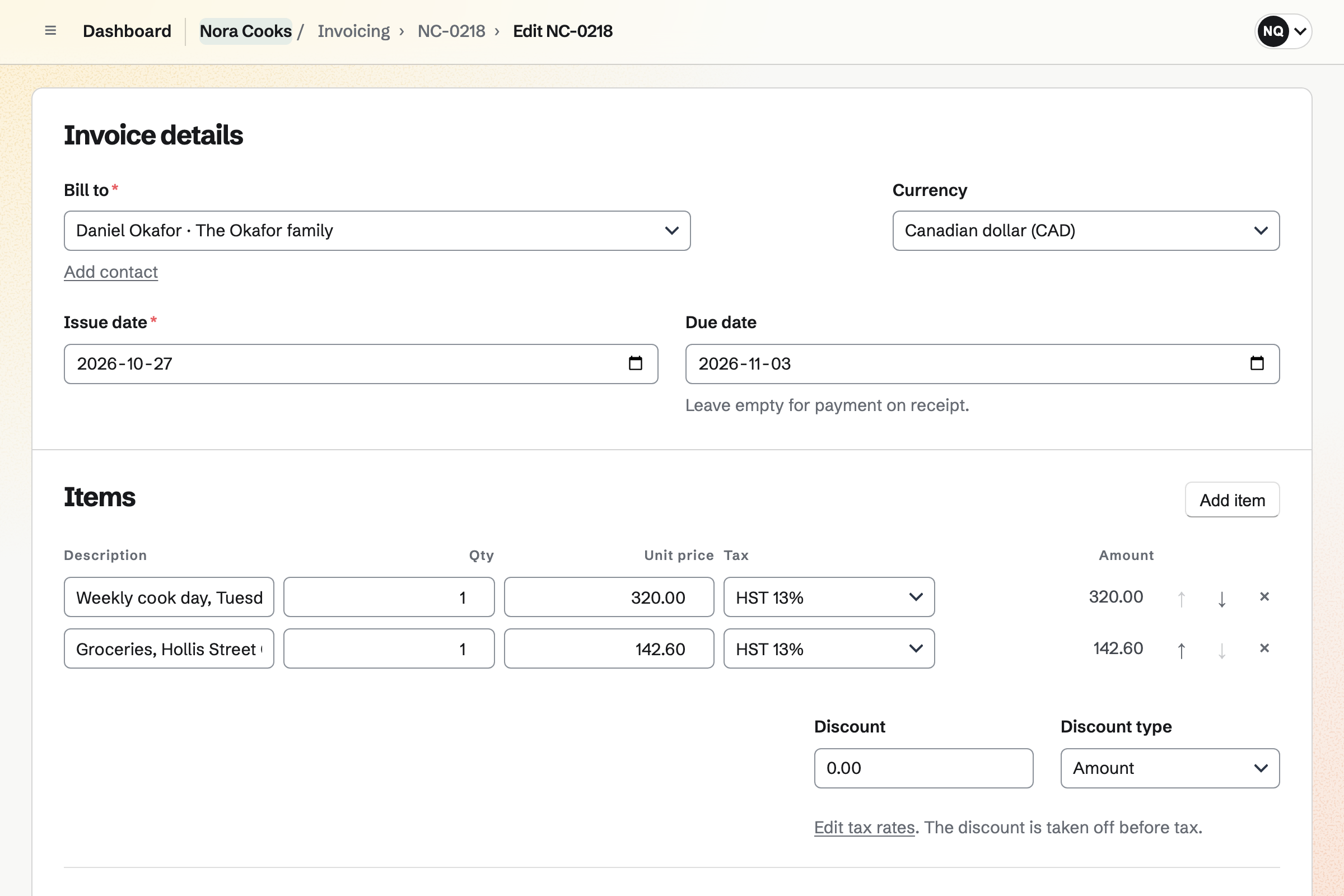
Invoicing bills a client from their contact. Add unbilled expenses lists your grocery receipts for that client. Each becomes a line at the amount recorded. The email carries the PDF and a Pay online button.
A regular client can be billed every month on a recurring invoice. It is issued and emailed on its date. Reminders go out until it is paid. Magpie adds no fee.
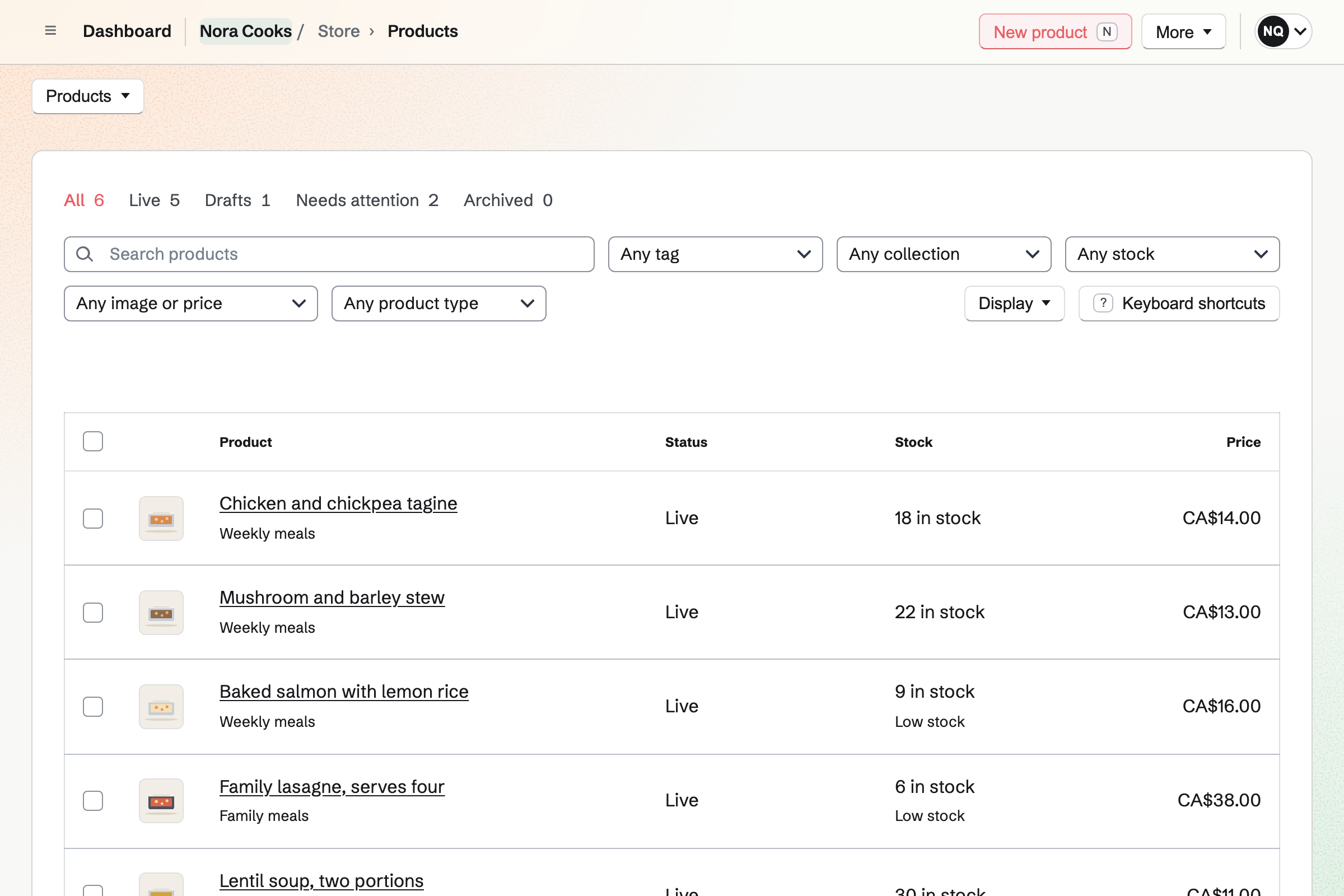
Store sells each week's meals as products, with a stock of portions. Local delivery goes to the postal codes you list, on the days you deliver. Orders close at a cutoff time, and buyers choose a delivery day at checkout.
A field on each meal asks for dietary notes. Buyers pay by card into your own Stripe account. Magpie adds no fee to the sale.
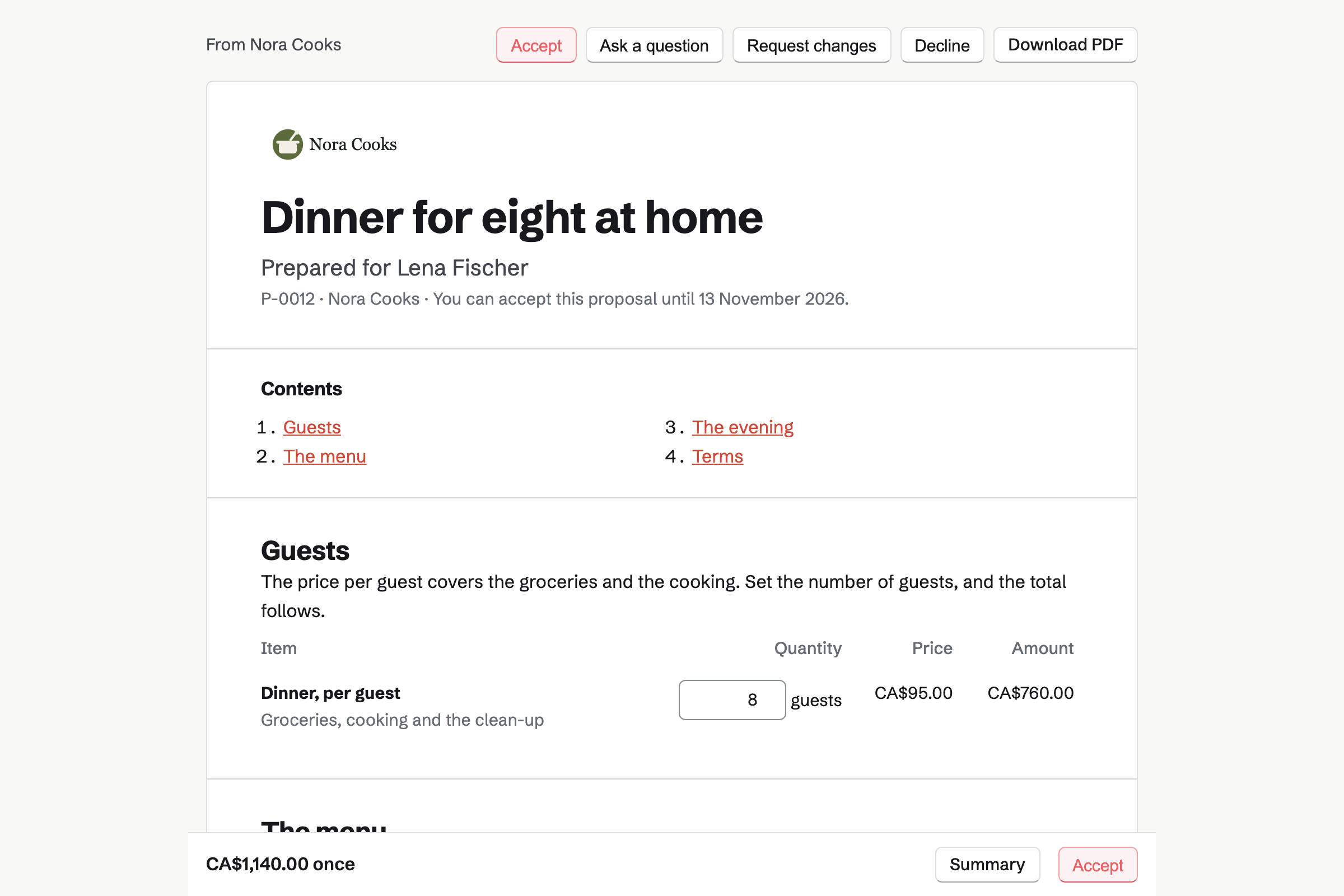
Proposals prices a dinner party by the guest. The client sets the number of guests within the range you allow, and the total follows. Packages offer three courses or five.
The client signs on the page and pays the deposit by card. The balance is invoiced after the dinner. You see when the proposal is opened, and the client can ask a question on it.
Contacts keeps each client with their address and a pinned note for allergies and dislikes. Their page lists every cook day booked, every invoice and every proposal.
A follow-up is a To-do with a date, such as asking about next month's dates. Follow-ups lists every open one as Overdue, Today or Upcoming.
Each step starts from what the one before it made.
The client answers your Form: who eats, the allergies, the days they want.
They book a cook day on your page, and the confirmation goes to both of you.
You photograph the grocery receipt at the till and link it to the client.
Five dinners are labelled and in the fridge, and the booking is marked done.
The cook day and the receipt are the invoice's lines, and the client pays by card.
The invoice, the payment and the groceries are in the books.
You add your cook day and freezer fill as services, with your hours. Help: Set up Appointments.
You add each client with their address and a pinned note for allergies. Help: Keep a contact list.
You add this week's meals with their portions and a dietary notes field. Help: Create products, options, and inventory.
You connect your Stripe account, so clients can pay by card. Help: Connect Stripe to receive money.
A chef working alone fits Pro, for your own work in Personal. The free plan includes 5 invoices a month and 5 proposals, and Pro has no limit.
Magpie adds no fee to invoices, deposits or your shop's sales. Stripe's processing fee is taken from each card payment. Prices are on the Pricing page.
A caterer with chefs and servers quotes each event per head and plans the prep.
A cooking school fills its classes and sells places online.
A food producer sells jars online and to the shops that stock them.
A personal trainer books sessions online and bills monthly clients.
A cleaning company schedules cleaners at each client's home and bills every month.
Yes. Your booking page lists your services with their length and price. A client picks a day and a time your hours leave free. They enter a name and an email address. They book without signing up first, and get a confirmation email.
Yes. Each service has its own length and price. A four-hour cook day and a six-hour freezer fill are two services. A service can be switched off for a while without losing its bookings.
Yes. A service's location can say that you come to the client. Their address is on your questionnaire and on their contact. A buffer before and after each booking keeps time free to drive between homes.
Yes. The confirmation email has a link to choose another free time or to cancel. Once the notice you set has begun, the link asks them to contact you instead.
Yes. A time is offered only when your calendar is free. An event you put in Calendar, or answered Going to, takes that time off the page.
Yes. A Form asks who eats at home, the allergies and dislikes, and which days to cook. Each response is emailed to you and kept in a list. You can export them as a CSV file.
Yes. A note on the client's contact can be pinned. It stays near the top of their page. The page also lists their bookings, invoices and proposals.
Yes. You record each shop as an expense with its receipt. You mark it reimbursable and choose the client. In the invoice editor, Add unbilled expenses lists them. Each one becomes a line at the amount recorded.
Yes. On a phone, the receipt chooser offers the camera. Receipt Inbox keeps receipts you photograph first and enter later.
The invoice email has a Pay online button. The client pays by card into your own Stripe account. Magpie adds no fee. You can also record a bank transfer or cash by hand.
Yes. A recurring invoice issues and emails the same lines every month, quarter or year. You can pause it, change its lines or end it. Reminders go out until each invoice is paid.
Yes. Each meal is a product with a stock of portions. Local delivery goes to the postal codes you list, on the days you deliver. Orders close at a cutoff time. Buyers choose a delivery day at checkout, and pay by card.
Yes. A personalisation field on a meal asks for dietary notes as they buy it. It takes short text or a choice from a list. The order and its emails show what they entered.
Yes. Each meal has its own stock, and it stops selling when the portions are gone. A buyer in the middle of checkout holds theirs until they finish.
Yes. Local pickup shows the address and times at checkout. When you mark an order ready, Magpie emails the customer the address and any instructions.
You send a proposal priced by the guest. The client sets the number of guests within the range you allow, and the total follows. Packages offer three courses or five. They choose, sign on the page and pay the deposit by card.
Yes. The proposal's payment schedule starts with a deposit, invoiced when the client accepts. They pay it by card into your own Stripe account. The balance is invoiced when you bill it.
Yes. Daily Operations keeps each recipe with its ingredients, method, yield, shelf life and allergens. It works out what each recipe costs from its ingredients. A sauce or a stock can be a sub-recipe.
Yes. Newsletter gives you a sign-up page with double opt-in, and checkout can ask buyers to subscribe. You write each email in Markdown, send yourself a test and schedule it.
A Link-In-Bio List page with your booking page, your questionnaire, your shop and your newsletter. It counts the clicks on each link, and can be at your own domain.
Create a Magpie account and publish your booking page.