
Tailors, cobblers and repair shops
A tailor or repair shop books fittings and drop-offs, and bills each repair when ready.
Jewellers
The shop, the bench and the counter work in one Magpie team. A jeweller working alone can use Magpie without a team.
Crear cuenta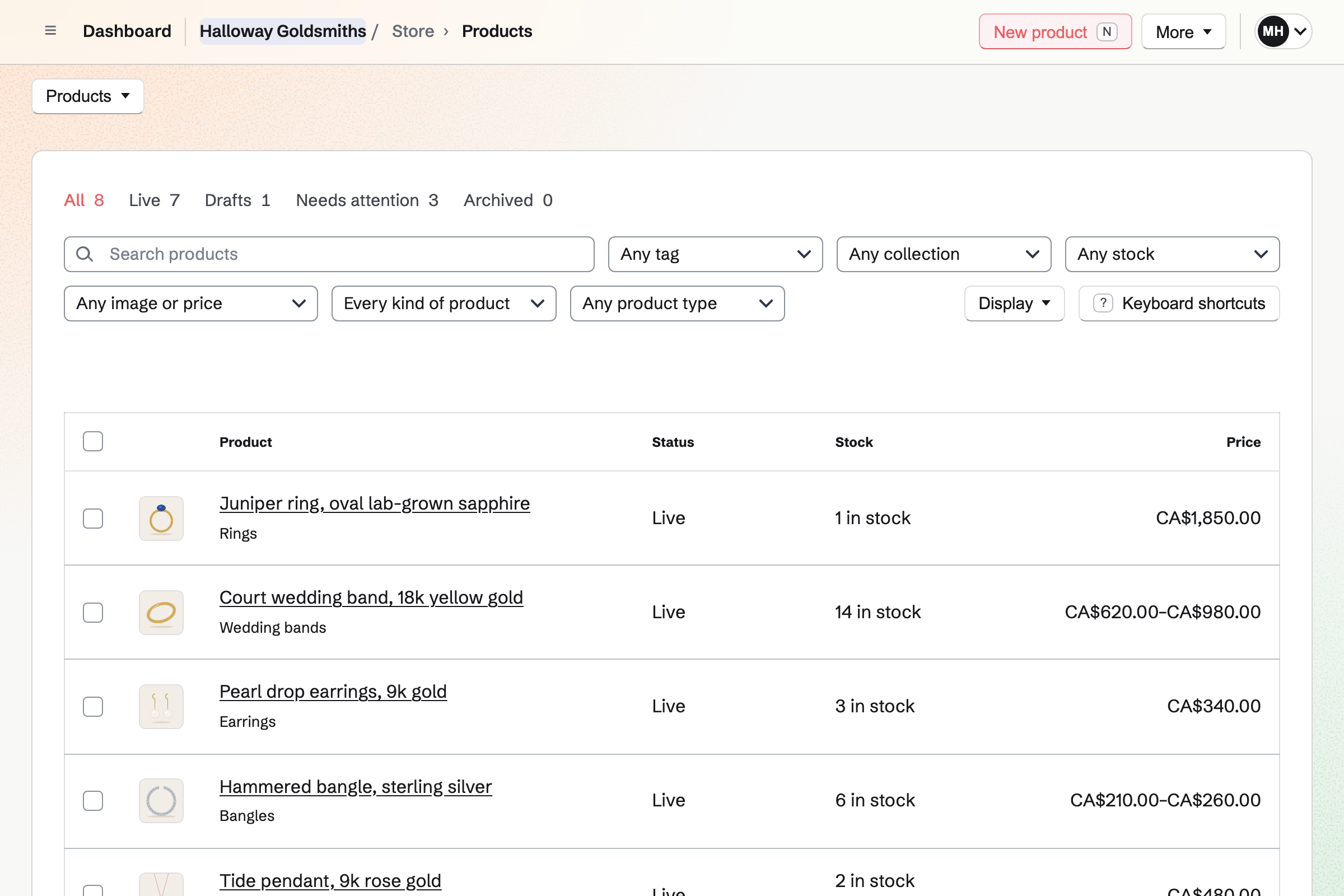
Store is the shop's online shop. A wedding band's sizes are options, each with its own price and stock. A one-of-a-kind piece is a product with a stock of one. Checkout holds it until the buyer has paid, so it never sells twice.
A personalisation field asks for the engraving as they buy, free or at a price. A size you have not made can sell as made to order. A counter sale is recorded as an order.
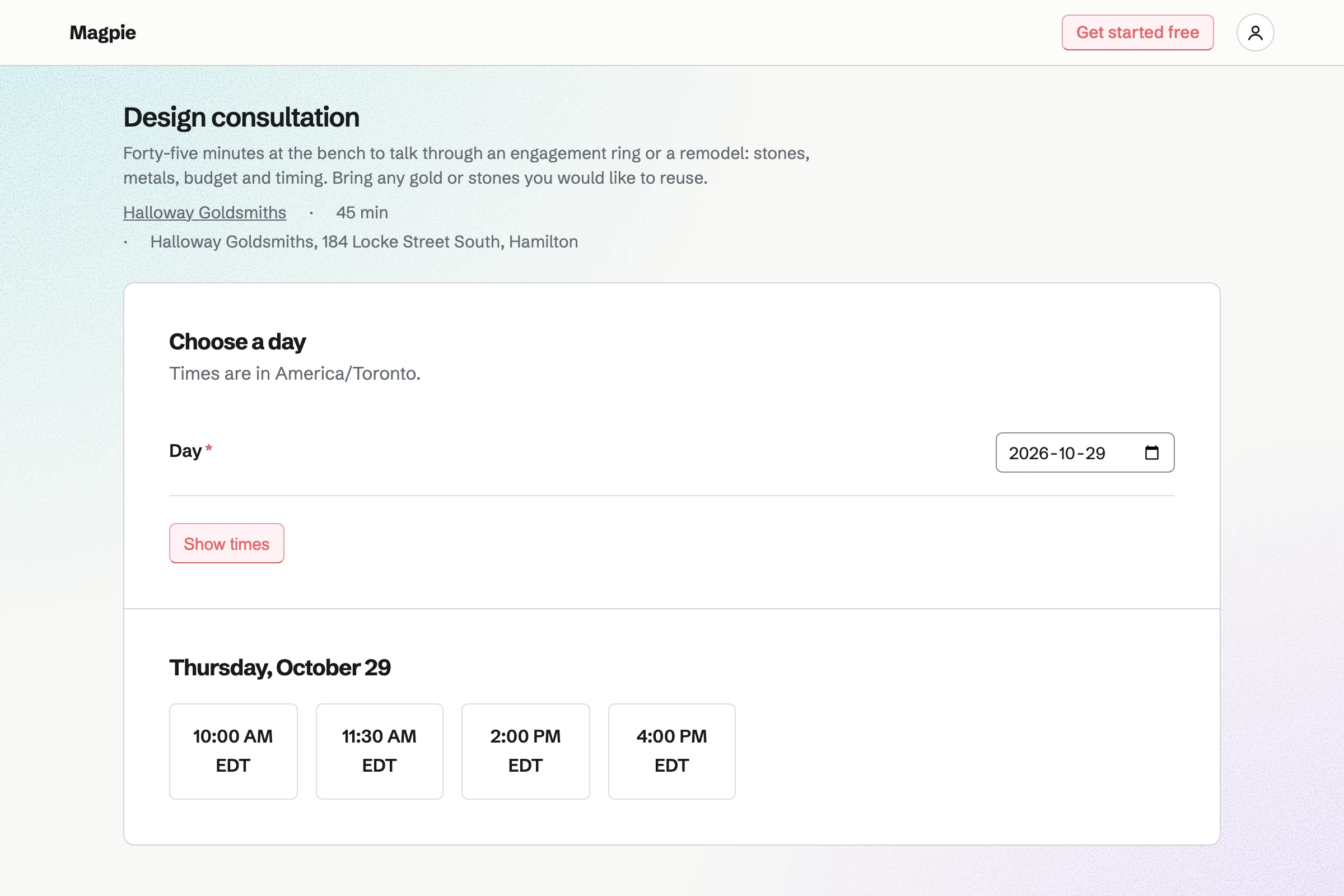
Appointments gives the shop a booking page with its services. A design consultation, a ring sizing and a repair drop-off each have a length. Customers choose a free time and book without signing up first.
A time is offered only when your hours and calendar leave it free. A buffer keeps time clear between consultations. The confirmation email lets the customer move or cancel the booking.
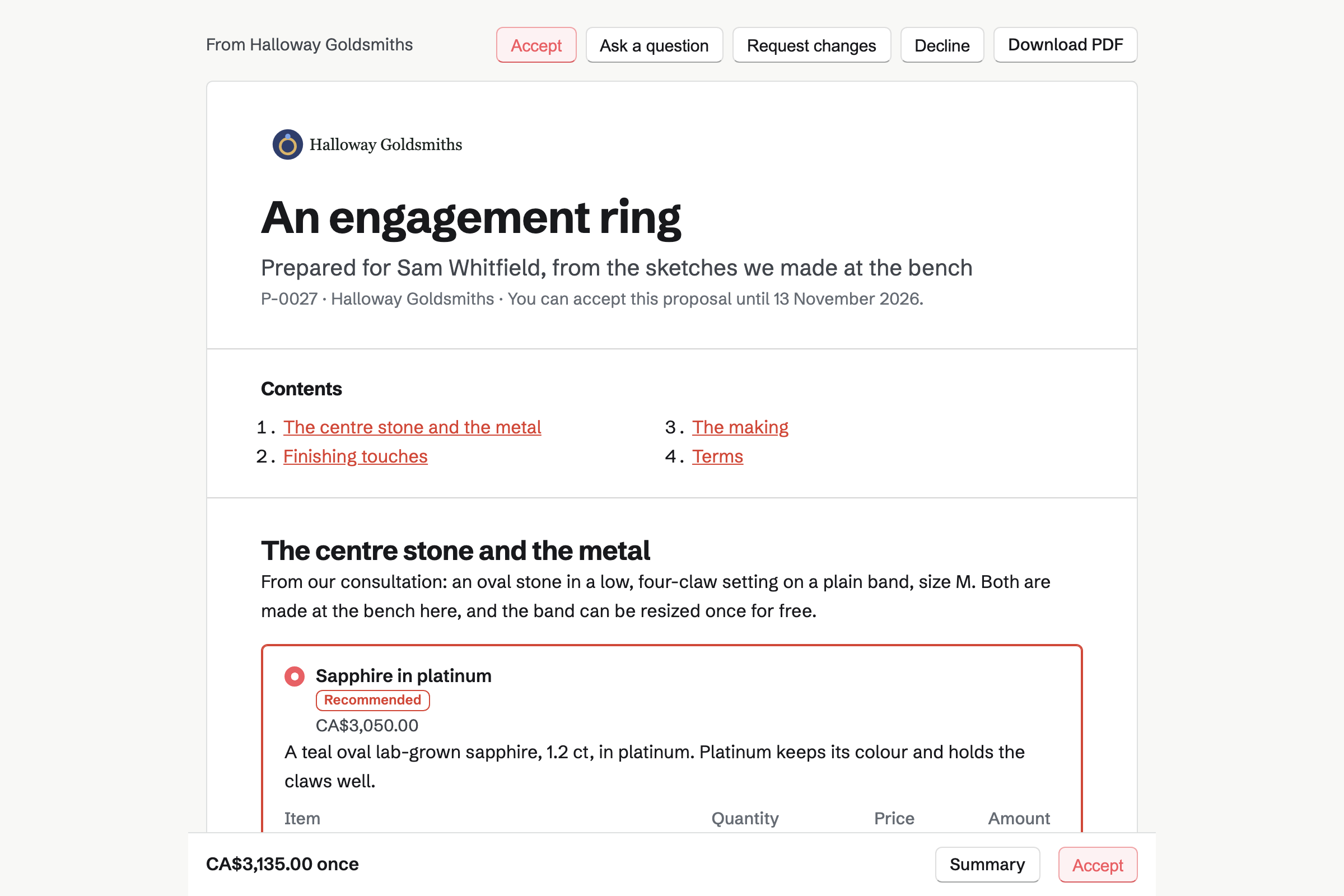
Proposals sets out the ring as packages: sapphire in platinum, or diamond in white gold. Optional lines add an engraving or a matching band. The customer chooses on their own page, and the total follows.
They sign on the page and pay the deposit by card. The deposit invoice is issued as they sign. You see when the proposal is opened, and the customer can ask a question on it.
E-Signatures sends the render as a PDF for the customer to sign. You place a signature field and a date on it. The customer opens it from the email, draws or types their signature, and finishes.
Every signer and you are emailed the signed PDF and a certificate. A starter keeps the sign-off sheet with its fields. The next ring needs only the customer's name and email. Reminders can go out every three or seven days until it is signed.
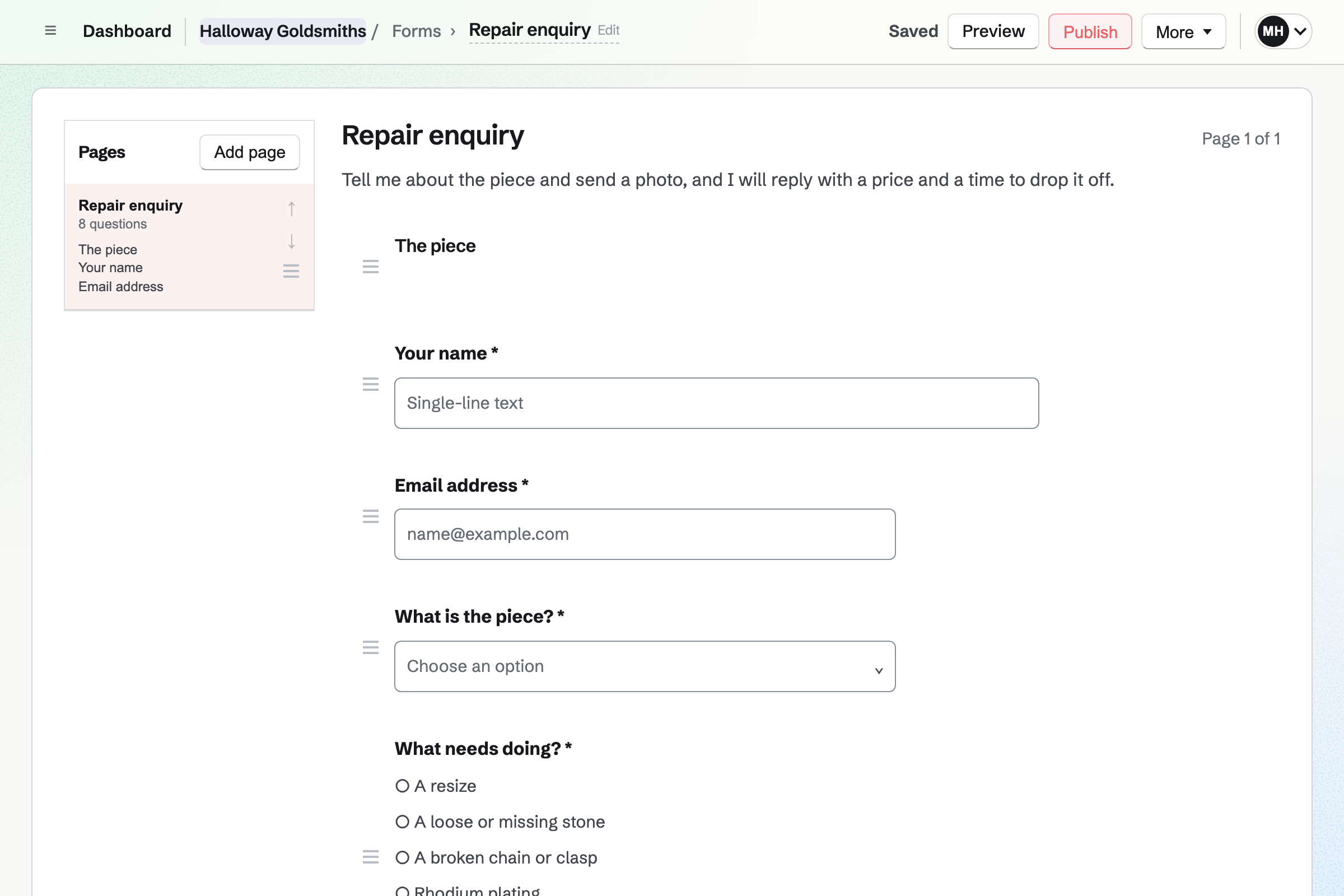
Forms builds your repair enquiry: the piece, what needs doing and when they need it back. A File question takes a photo of the broken clasp or the loose stone. Each enquiry is emailed to you.
You answer with a price and a drop-off time. The responses stay in one list, and export as a CSV file.
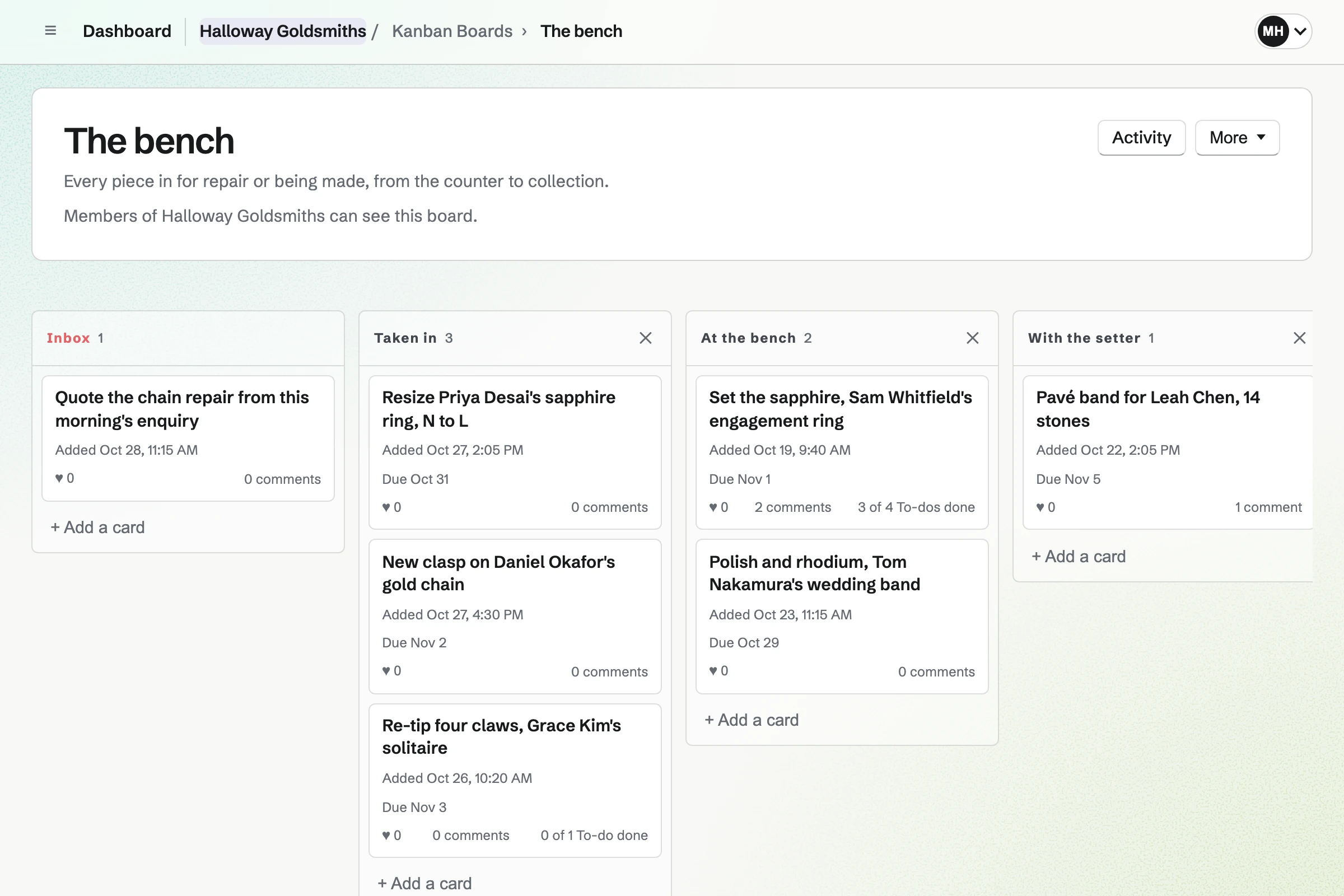
Kanban Boards gives the bench a board, with columns from Taken in to Ready to collect. Each piece is a card with the work, the date promised and its photo. You move the card as the work moves.
A card can hold To-dos, such as order the stone, ticked off in either place. An assistant can be assigned a card, and the board's activity lists every change.
Invoicing bills a repair by its jobs: a resize, a new clasp, a rhodium plate. Sending it emails the PDF with a Pay online button. Your message can say the ring is ready to collect.
A custom ring's balance is invoiced from the proposal when you bill it. Card payments go to your own Stripe account, with no Magpie fee. Cash at the counter is recorded by hand, in full or in part.
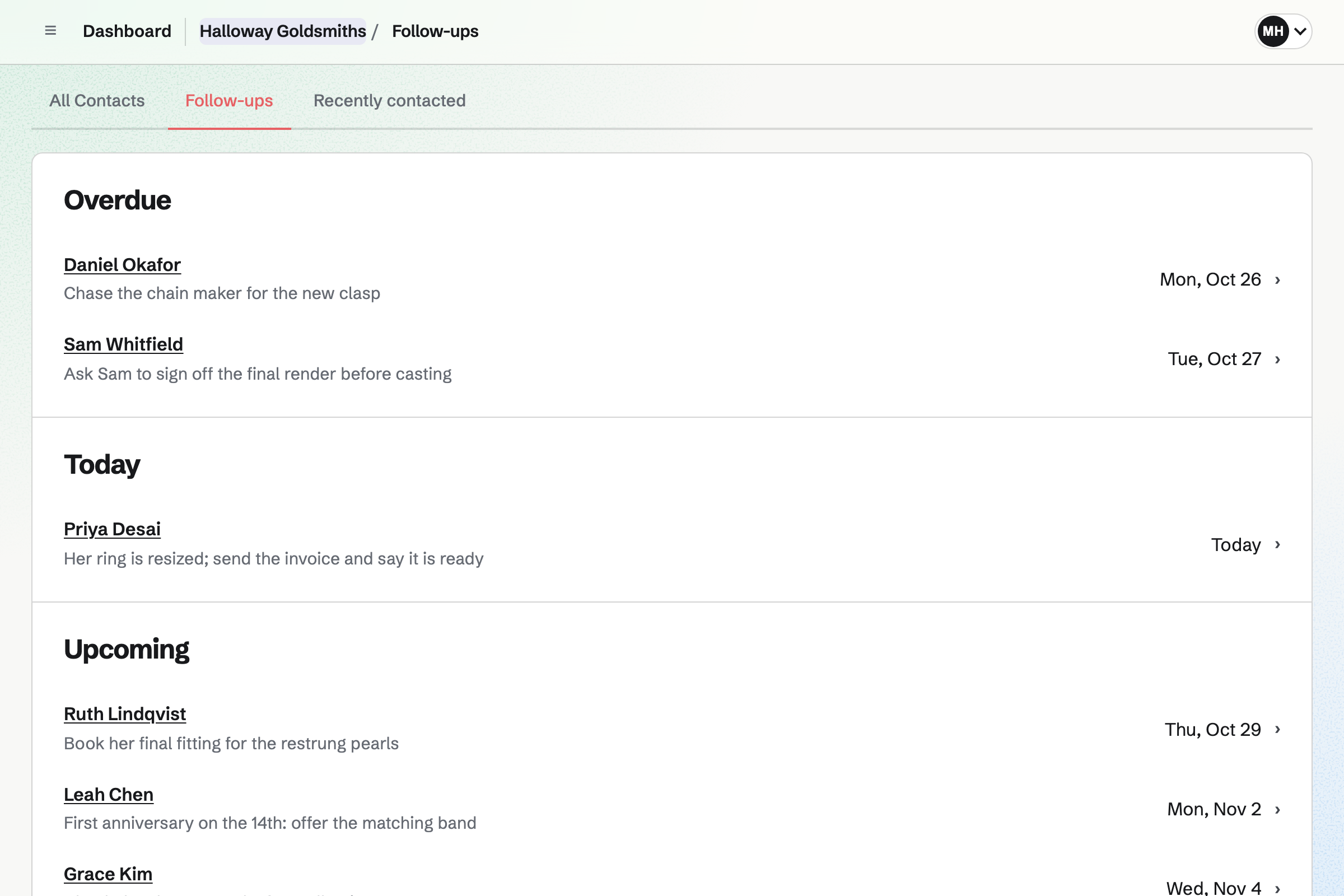
Contacts keeps each customer with a pinned note: their ring size, their partner's, the anniversary. Their page lists every booking, invoice, proposal and signed render, newest first.
A follow-up is a To-do with a date and a reason. One reason is the matching band, offered before the anniversary. Follow-ups lists every open one as Overdue, Today or Upcoming.
Each step starts from what the one before it made.
The customer books a consultation on your page. It goes on your calendar, and they get a contact.
They choose the stone and the metal, sign, and pay the deposit by card.
They sign off the final render, and their contact's page lists it.
The ring is a card on the bench board, with the stone to order.
You bill the final payment from the proposal, and they pay by card before collecting.
A follow-up a year on reminds you to offer the matching band.
You add each piece with its sizes, its photos and an engraving field. Help: Create products, options, and inventory.
You add consultations, ring sizings and drop-offs as services, with your hours. Help: Set up Appointments.
You add the stones, metals and finishes you quote, for proposals to draw on. Help: Proposal starters, saved sections and the price list.
You name the columns your repairs move through. Help: Track work with Kanban boards.
You connect your Stripe account, so customers can pay by card. Help: Connect Stripe to receive money.
A jeweller working alone fits Pro, for your own work in Personal. A shop with staff fits the Team plan, one price for up to 25 members.
The free plan includes 5 invoices a month, 5 proposals and 1 boards. The paid plans have no limit.
Magpie adds no fee to your shop's sales, invoices or deposits. Stripe's processing fee is taken from each card payment. Prices are on the Pricing page.
A tailor or repair shop books fittings and drop-offs, and bills each repair when ready.
A bridal shop books fittings with a consultant, and takes each gown order with a deposit.
A boutique sells stock bought from brands, in sizes and colours, with a rota.
A maker with a shop sells what they make at the counter and online, with workshops.
A studio maker sells one-offs in timed shop updates, with no counter or repairs.
A handmade seller sells online only, beside Etsy, with custom order requests.
Yes. A one-off is a product with a stock of one and its own photos. Checkout holds it while a buyer pays, so a second buyer cannot take it. Once it sells, its page shows Sold out until you take it down.
Yes. Size is an option on the product. Each size is an item with its own price and stock. A size you have not made can sell as made to order. An expected date is then shown from the product page to the order emails.
Yes. A personalisation field asks for it as they buy, as text, a choice or a date. It can be free or at an added price. What they typed is shown on the order, its emails and the packing slip. A product can have up to 10 fields.
Yes. Specifications are name and value pairs on the product page, such as Stone: lab-grown sapphire. A product can have up to 50. Shoppers can filter by a tag such as One of a kind, or by type.
You choose New order, pick the piece and record how the customer paid. That can be cash, or a card on your own terminal. The order is created paid, and the piece leaves stock.
Yes. A gift card sells fixed amounts and, if you choose, a custom amount. The buyer can have it emailed to someone on a date they pick. The holder spends it in your online shop, and a bought card never expires.
Yes. Local pickup shows the shop's address and times at checkout, and asks for no shipping address. When you mark the order ready, Magpie emails the customer. A piece can also ship with tracking, and the customer is emailed the number.
Yes. Your booking page lists your services with their length, and a price if there is one. The customer picks a day and a time your hours leave free. They enter a name and an email address, and book without signing up first. A confirmation email lets them move or cancel it.
Yes. A buffer before and after a service keeps that time off the page. A minimum notice stops same-hour bookings. A maximum range sets how far ahead people can book.
Yes. Your repair enquiry Form has a File question for one photo or PDF of up to 10 MB. Each enquiry is emailed to you. Only people who can see the responses can open the photo. You answer with a price and a drop-off time.
You add a card to the bench board: the piece, the work and the date promised. A photo of the piece goes on the card, with a To-do to order the stone. The card moves across the board as the work moves. When it is ready, you send the invoice, with a message saying so.
Yes. Each card shows its due date on the board. A card can take a colour, such as red for a rush. Columns are yours to name: Taken in, At the bench, With the setter, Ready to collect. Activity lists every move.
You send the invoice when the work is done. The email has your own message, which can say the ring is ready to collect. It has a Pay online button too, and reminders go out until it is paid.
You send a proposal with packages: sapphire in platinum, or diamond in white gold. Optional lines add an engraving or a matching band. The customer chooses on their page, signs and pays the deposit by card. You see when it is opened and how long each section is read.
Yes. The proposal's payment schedule starts with a deposit, invoiced when the customer accepts. They pay it by card into your own Stripe account. The balance is invoiced when you bill it, such as when the ring is ready.
Yes. The payment schedule divides the total into up to 10 payments. They are a deposit, payments on dates you choose, and a final payment. Each is invoiced when it falls due and paid by card from the email. The invoices add up exactly to the accepted total.
Yes. You send the final render as a PDF with a signature and a date field. The customer opens it from the email, signs with a finger or types their name. You are both emailed the signed PDF and a certificate with the signing time. Their contact's page lists the signed document.
Yes. A pinned note on the contact stays near the top of their page. It can hold their ring size, their partner's and the anniversary. A follow-up with a date reminds you before it, and Follow-ups lists every open one.
Yes. Their contact page lists every appointment, invoice, proposal and signed document, newest first. Your notes and calls are there too. Search covers the notes too, so a stone's name finds the customer it was set for.
Yes. Each invoice email has a Pay online button. The customer pays by card into your own Stripe account. The payment is recorded on the invoice. Magpie adds no fee; Stripe's processing fee applies.
Yes. Invoicing has named tax rates, such as HST or VAT, each with a percentage. Each line uses one of them or no tax. A combined rate such as GST + PST shows each tax on its own line. Registering and filing stay with you.
Magpie adds no fee to your shop's sales, invoices or deposits. Stripe's processing fee is taken from each card payment. The rest goes to your own Stripe account, and Stripe pays it out to your bank.
Yes. Inventory counts each item in its own unit: clasps each, silver and solder by the gram. An item below its minimum is listed to reorder. An order to your supplier can be emailed from Magpie, and the delivery received into stock.
Yes. Asset Tracker keeps each machine with its serial number, condition, receipt and warranty end date. Start maintenance records one in for repair, with the date it is expected back. Reports count what is in maintenance.
Yes. Secure Files keeps them encrypted in your browser before Magpie stores them. You send one as a link that expires, with a passphrase if you choose. The customer downloads it without signing up. You can revoke the link at any time.
Yes. Social Media starts a post from a live product, with its name and photos. Bluesky, Mastodon and LinkedIn get it at the time you choose. For Instagram, Magpie reminds you and opens the post filled in. Each photo is cropped around a point you set.
Yes. Newsletter gives the shop a sign-up page with double opt-in. Checkout can ask buyers to subscribe too. You write each email, send yourself a test and schedule it for the morning you choose.
Yes. An assistant gets only the permissions you give, such as recording counter sales. The bench board is shared, and a card can be assigned to them. The payment account and payouts stay with you and any other admins.
Create a Magpie account and add your first piece.