
Graphic and brand designers
A designer makes the logo and the artwork, and hands the files to a printer.
Print shops and sign makers
The counter, the studio and the print room work in one Magpie team.
Crear cuenta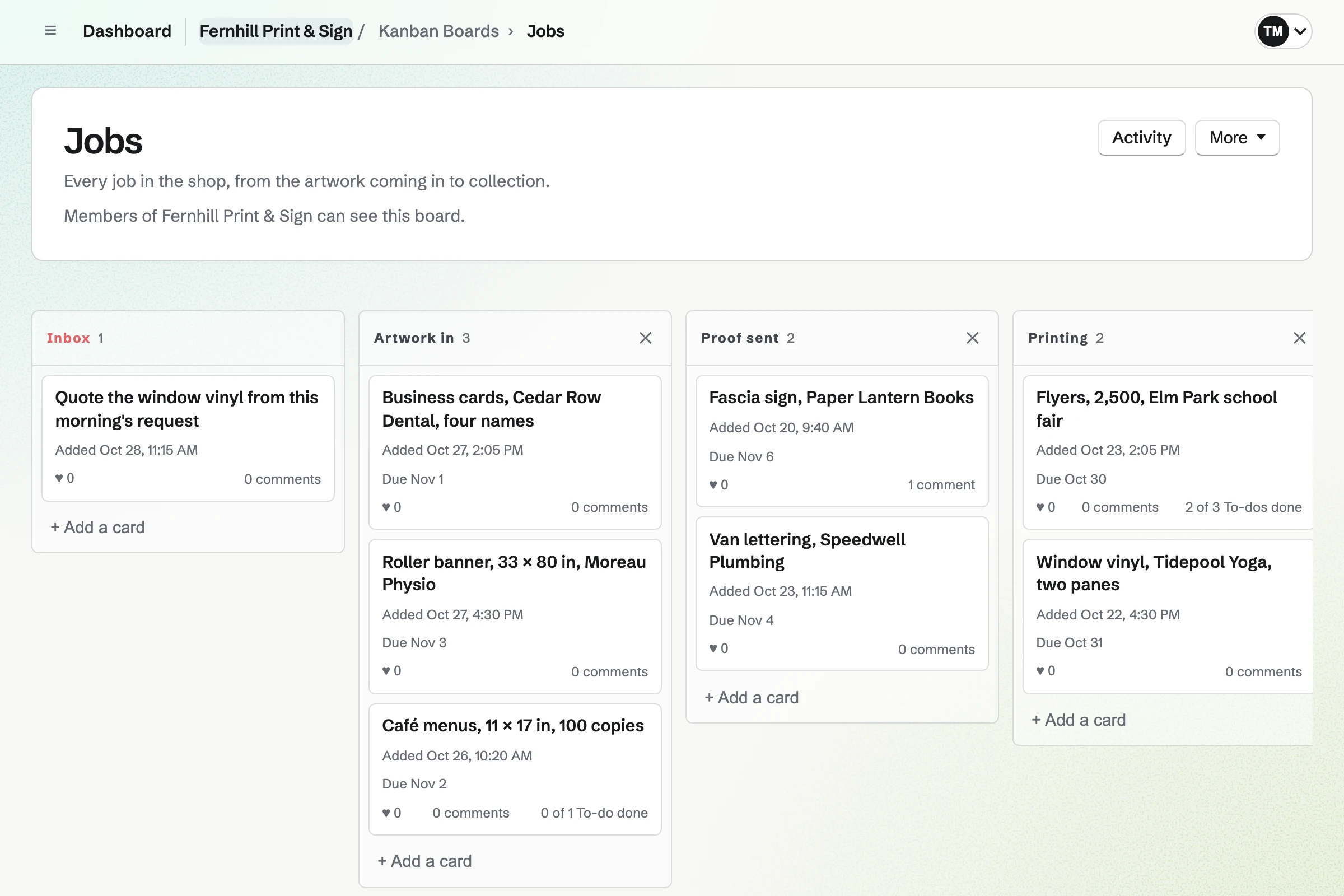
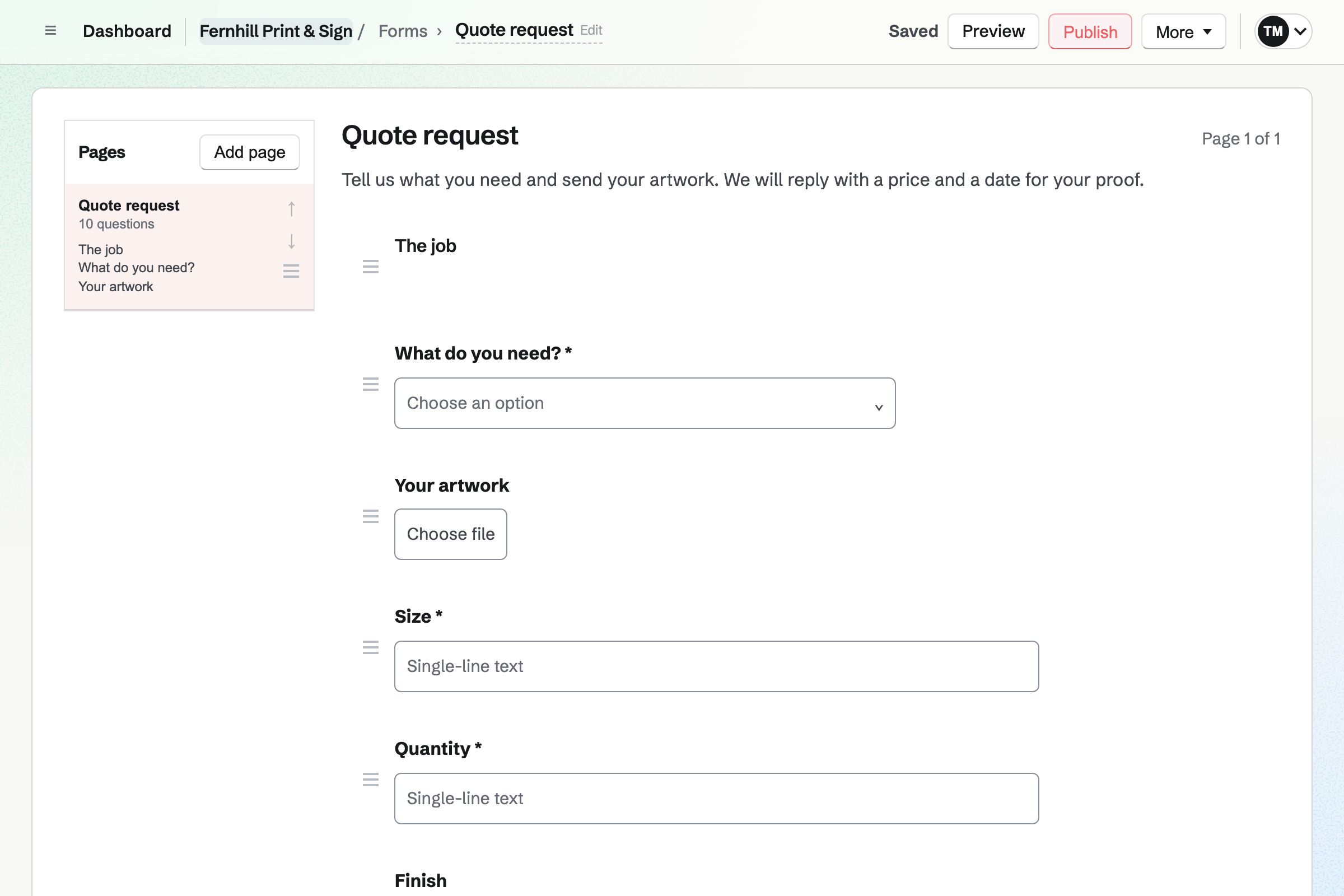
Forms builds your quote request page. It asks what the job is, its size, the quantity and the finish. A File question takes the artwork as a PDF or an image. Each request is emailed to you.
A walk-in customer can send a file from their phone at the counter instead. Quick Transfer shows a code on the shop's computer. Their phone uploads to it without signing up.
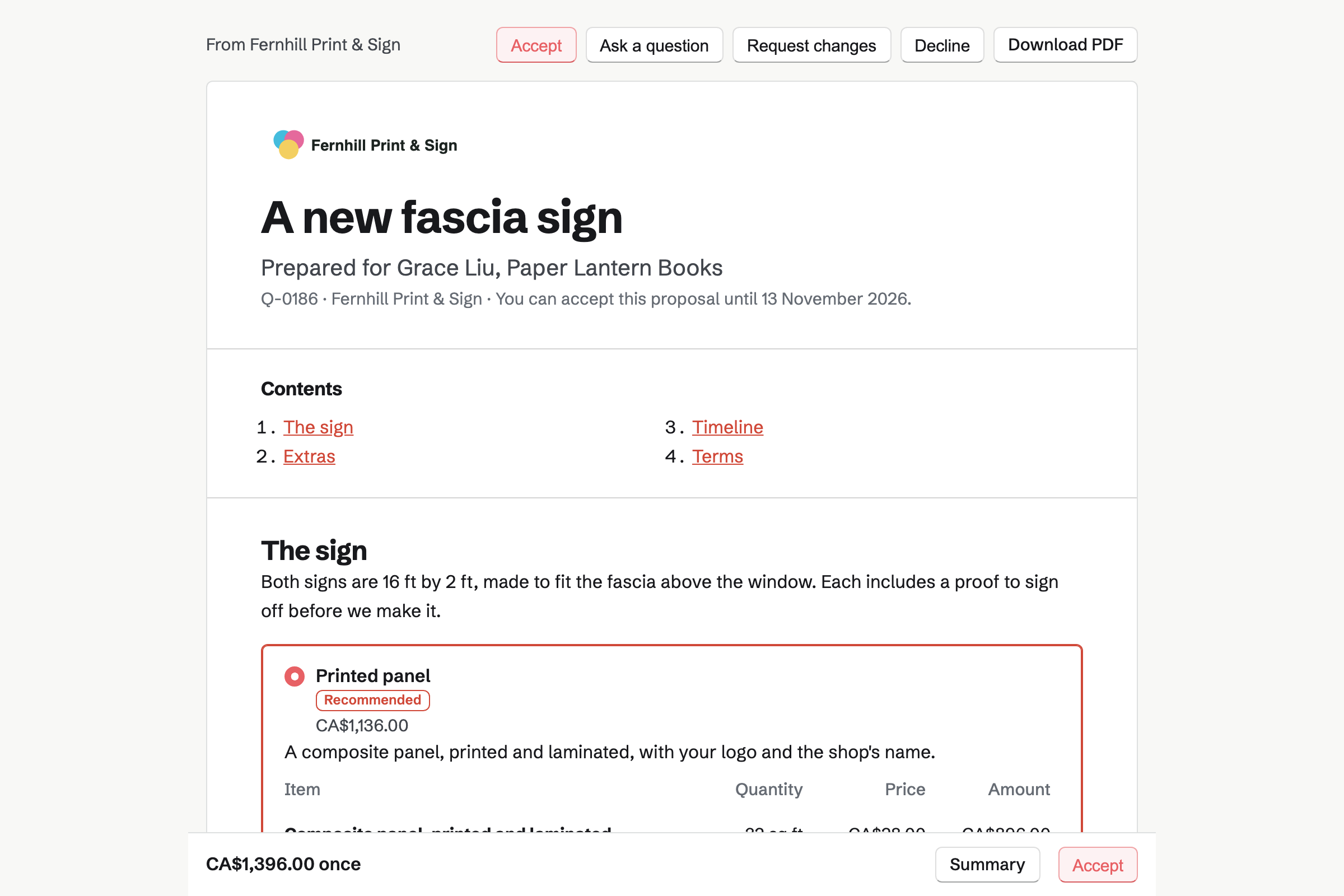
Proposals sets out the sign as packages: a printed panel, or built-up letters. Each line has its quantity, such as 32 square feet, and its price. Optional lines add window vinyl or an A-board.
The customer chooses on their own page, and the total follows. They accept, sign and pay the deposit by card. You see when the quote is opened, and which sections are read.
E-Signatures sends the proof as a PDF for the customer to sign. You place a signature, the date and a tick box for the spelling and colours. They open it from the email and draw or type their signature.
You are both emailed the signed proof and a certificate with the time it was signed. A proof linked to the job's invoice offers Pay once it is signed. A customer who wants a change declines it, with a reason.
Kanban Boards gives the shop one jobs board. Its columns can run from Artwork in to Ready to collect. Each job is a card with its due date and the person on it. You move the card as the work moves.
A card holds To-dos, such as ordering the vinyl, ticked off in either place. A rush job can take a colour of its own.
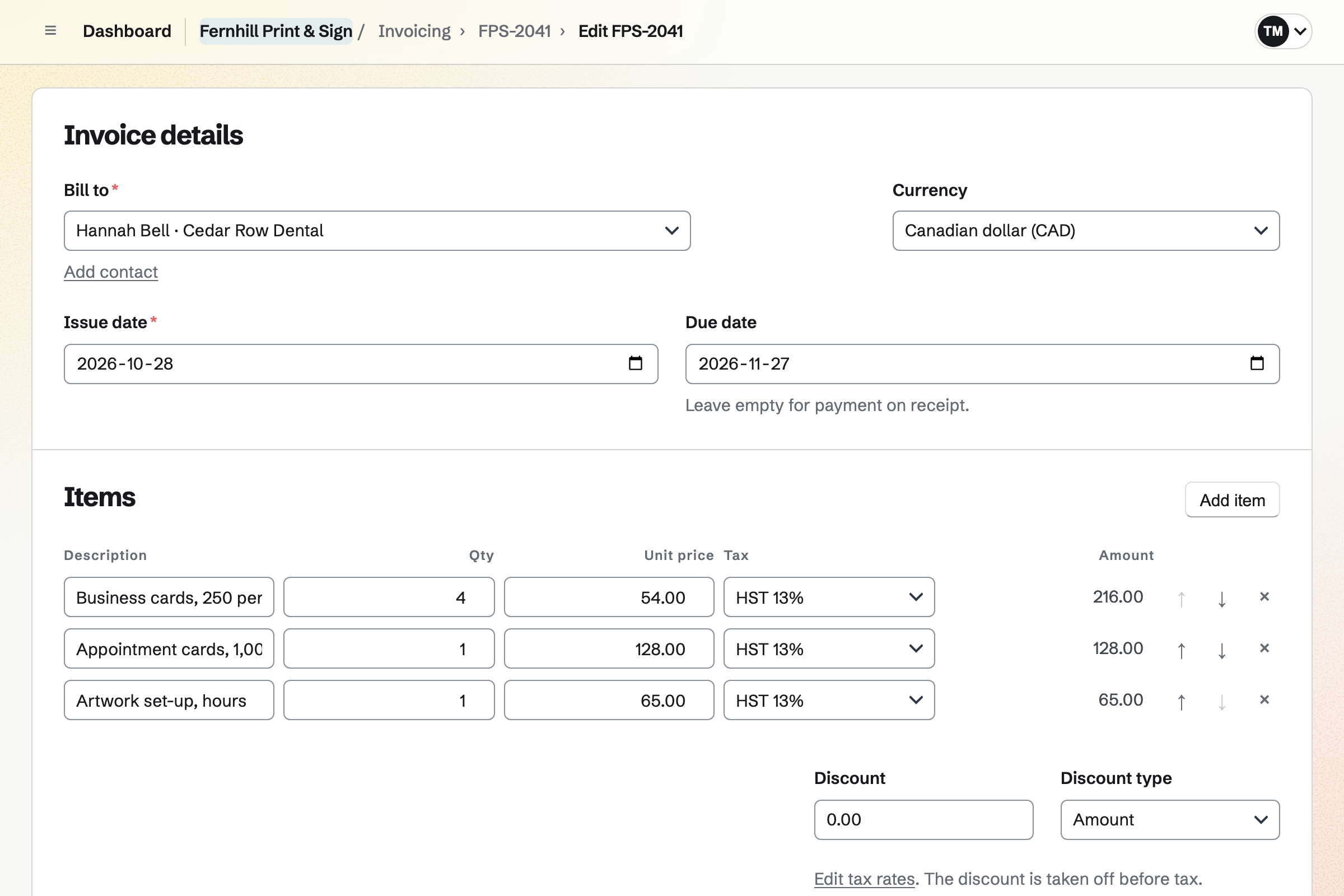
Invoicing bills a job by its lines: business cards for four names, and the artwork set-up. Sending it emails the PDF with a Pay online button. Your message can say the job is ready to collect.
A business customer's payment terms, such as 30 days, set the due date. Reminders go out until it is paid. Duplicate starts a reprint from the last invoice. Cash or a cheque at the counter is recorded by hand.
Contacts keeps each business customer with a pinned note. It holds their spot colours, their usual stock and their logo files. Their page lists every proposal, signed proof and invoice, newest first.
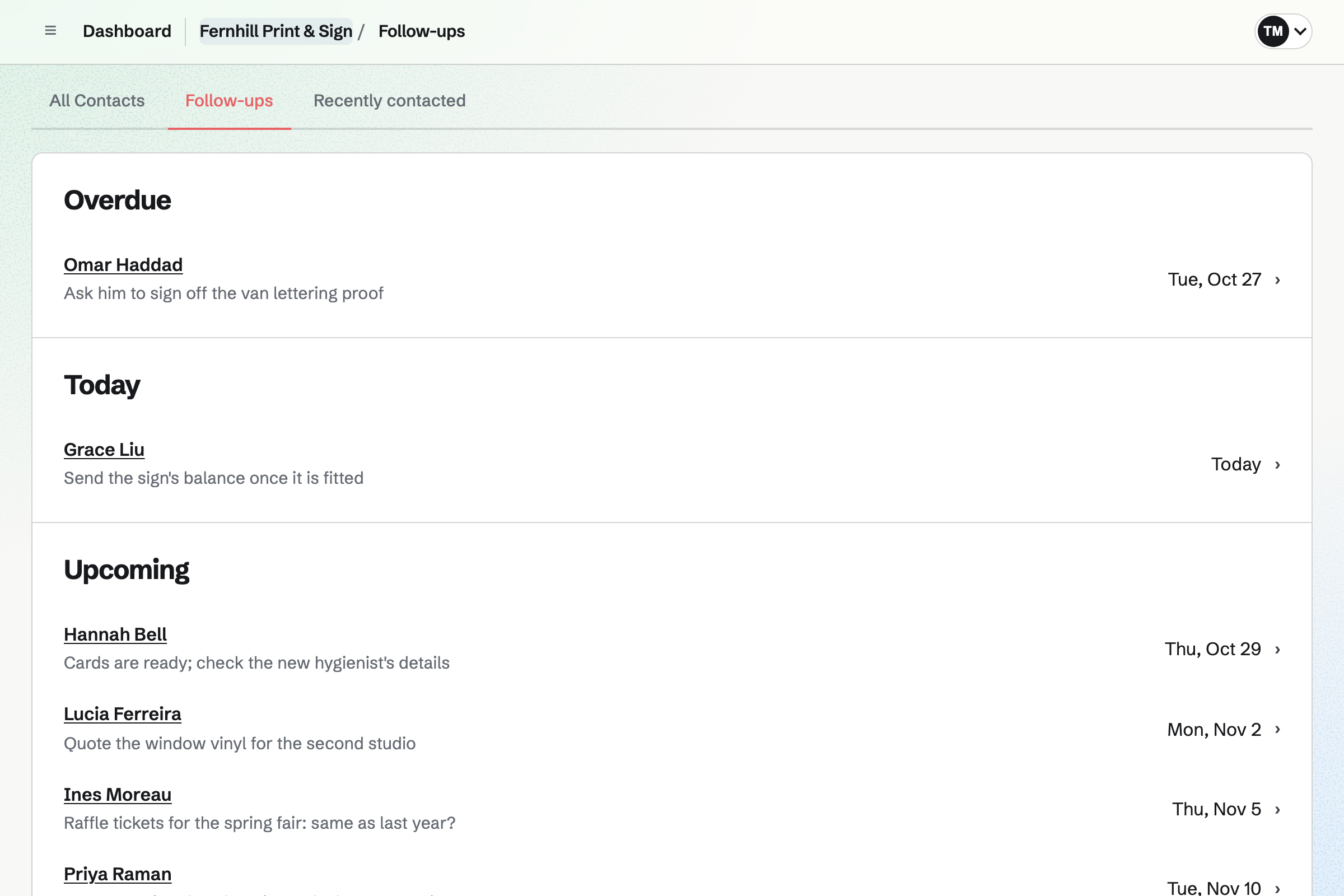
A follow-up is a To-do with a date and a reason, such as a spring reprint. Follow-ups lists every open one as Overdue, Today or Upcoming.
Each step starts from what the one before it made.
The bookshop sends the fascia's size, the wording and its logo on your Form.
The owner chooses the printed panel and the window vinyl, signs, and pays the deposit.
They sign off the proof, and their contact's page lists it beside the quote.
The sign is a card on the jobs board, from Proof sent to Fitted.
You bill the final payment from the proposal, and the owner pays by card.
The deposit and the balance are in the books as each one is paid.
You add the questions your jobs need, with a File question for the artwork. Help: Build, publish, and share a form.
You add your stocks, materials and finishing with their prices, for quotes to draw on. Help: Proposal starters, saved sections and the price list.
You name the columns your jobs move through. Help: Track work with Kanban boards.
You add each business with its payment terms and a pinned note. Help: Keep a contact list.
You connect your Stripe account, so customers can pay by card. Help: Connect Stripe to receive money.
A sign maker working alone fits Pro, for your own work in Personal. A shop with staff fits the Team plan, one price for up to 25 members.
The free plan includes 5 invoices a month, 5 proposals and 1 boards. The paid plans have no limit.
Magpie adds no fee to invoices or deposits. Stripe's processing fee is taken from each card payment. Prices are on the Pricing page.
A designer makes the logo and the artwork, and hands the files to a printer.
A framer quotes each frame by its moulding, mount and glass.
A workshop or fabricator quotes, builds and fits each job, with its materials and hours.
An art supply shop sells paints and paper online and at the counter.
Yes. Your quote request Form asks what they need, the size, the quantity and the finish. A File question takes a PDF, JPG, PNG or WebP of up to 10 MB. Each request is emailed to you. Only people who can see the responses can open the file.
Yes. Quick Transfer, in Your images, shows a QR code on the shop's computer. The customer scans it and chooses files on their phone, without signing up. Each file can be up to 25 MB, and you download it on the computer. The transfer ends after 30 minutes without activity.
You send a proposal with packages, one for each quantity, each with its price. The customer chooses one on their page, and the total follows. A section can offer 2 to 4 packages. Until they choose, the total shows the one you mark Recommended.
Yes. The customer adds or removes an optional line, such as lamination or fitting, on their page. You choose whether it starts added. The total changes with each choice, and the accepted total is what their invoices use.
Yes. A line's quantity can be the area, such as 32 square feet. Its price is per square foot. Quantities can have up to four decimal places. Your price list keeps each material's price for quotes to draw on.
Yes. They can ask about the whole proposal or one section, or request changes. You are emailed, and your reply reaches them by email. A change request does not end the proposal. You revise it and send the new version.
Yes. A proposal's payment schedule starts with a deposit, invoiced when the customer accepts. They pay it by card into your own Stripe account. The balance is invoiced when you bill it, such as on collection. A deposit paid at the counter is recorded on the invoice as a part payment.
You send the proof as a PDF. You place a signature, the date and a tick box on it. The customer opens it from the email and draws or types their signature. You are both emailed the signed PDF and a certificate with the signing time. Their contact's page lists the signed proof.
They decline it, with a reason, and you are emailed what they wrote. You make the change and send the new proof as a new request. The declined one stays on record, with its activity.
Yes. You link the proof to the job's invoice as its related invoice. Once the customer has signed, their signing page offers Pay while the invoice has a balance. They pay by card into your own Stripe account.
Yes. The jobs board shows each job as a card in its column. A card shows its due date and the person on it. You name the columns: Artwork in, Proof sent, Printing, Finishing, Ready to collect. Activity lists every move, newest first.
Yes. A card can take a colour, such as red for a rush. The whole card takes its shade. Each card shows its due date on the board. A To-do on the card can have its own date and a reminder.
Yes. Everyone in the shop works on the same board, in one team. A card can be assigned to the person printing or fitting it.
You send the invoice when the job is done. The email has your own message, which can say the job is ready to collect. It has a Pay online button, and reminders go out until it is paid.
Yes. A customer's payment terms, such as 30 days, set each invoice's due date. Reminders go out on the days you choose until it is paid. Invoicing shows what is outstanding and overdue across every customer.
Yes. Duplicate on any invoice makes a new draft with the same customer, lines, notes and terms. It takes a new number and today's dates. You change the quantity or the names, and send it.
Yes. Make recurring issues and emails an invoice's lines every month, quarter or year. A club's monthly bulletin or a café's specials board can be billed that way. Reminders go out until each invoice is paid.
Yes. Cash or a cheque is recorded on the invoice by hand, in full or in part. A customer can also pay by card from the invoice's payment link on their own phone. A card payment is recorded on the invoice by itself.
Yes. Invoicing has named tax rates, such as HST or VAT, each with a percentage. Each line uses one of them or no tax. A combined rate such as GST + PST shows each tax on its own line. Registering and filing stay with you.
Magpie adds no fee to invoices or deposits. Stripe's processing fee is taken from each card payment. The rest goes to your own Stripe account, and Stripe pays it out to your bank.
Yes. A pinned note on the contact stays near the top of their page. It can hold their spot colours, their usual stock and where the logo files are. The contacts search reads notes too, so a colour reference finds the customer.
Yes. Their contact page lists every invoice, proposal and signed proof, newest first. Your notes and calls are there too. Each entry links to its record, so the last order is one click away.
Yes. A follow-up has a date and a reason: the trade show banner each March. It is a To-do with the usual reminders. Follow-ups lists every open one as Overdue, Today or Upcoming.
Yes. Time Tracking runs a timer on the job, at the customer's hourly rate. In the invoice, Add unbilled time lists the finished entries for that customer. Each becomes a line priced from its time and rate.
Yes. Store sells business cards as a product. Options such as Finish and Quantity each have their own price. Personalisation fields ask for the name, the title and the phone number as they buy. With local pickup, Magpie emails them when you mark the order ready.
Yes. Inventory counts paper by the sheet, with a ream as a pack of 500. Vinyl is counted by the roll. An item below its minimum is listed to reorder. An order to your supplier can be emailed from Magpie.
Yes. Asset Tracker keeps each machine with its serial number, condition and warranty end date. Its receipt is attached. Start maintenance records one away for a service, with the date it is expected back. Reports count what is in maintenance.
Yes. QR Codes makes a dynamic code whose website you can change after it is printed. It downloads as an SVG, a PNG or a PDF for the artwork. Its page counts the scans.
Yes. Social Media schedules posts to Bluesky, Mastodon and LinkedIn at the time you choose. For Instagram, Magpie reminds you and opens the post filled in. Each photo is cropped to Instagram's shapes around a point you set.
Create a Magpie account and make a team for the shop.