Helpdesk
Your team answers every customer email from one shared list.
Each email becomes a conversation that someone takes, answers and closes. Customers get your replies from your own support address.
Get started free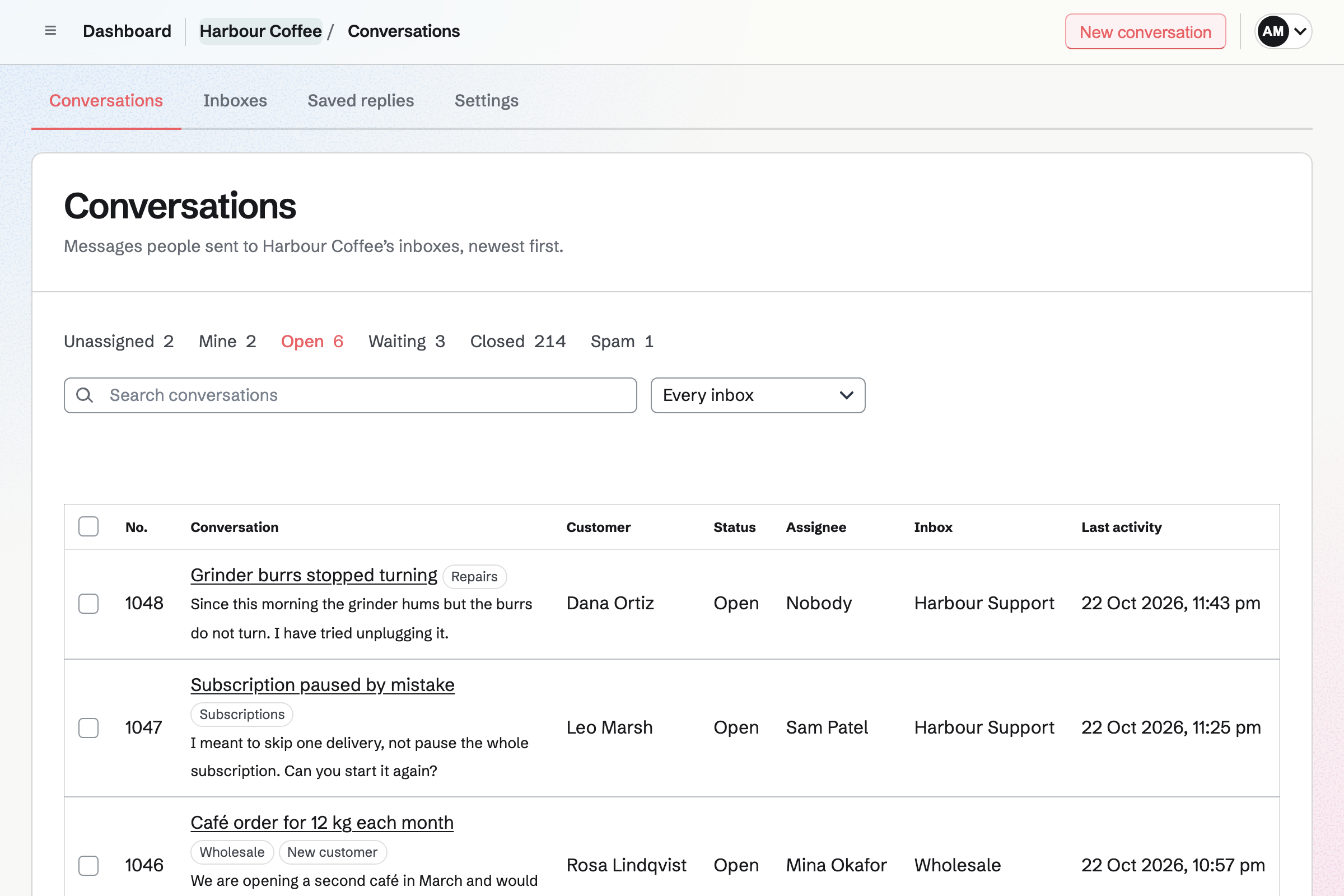
Your support address keeps working, and its mail arrives in Helpdesk.
Add an inbox
Give it a name such as Harbour Support. Magpie gives it an address of its own on Magpie.
Forward your support address
You set your current address to forward there, in Gmail, Outlook or your provider. Each message then starts a conversation, and later emails join it.
Reply from your own address
You can connect a shared Mail mailbox to the inbox. Replies then go from that address and are kept in its Sent folder.
Everyone can see who has each conversation.
A conversation is Open, Waiting or Closed, and it has an assignee. Unassigned and Mine show what nobody has taken and what is yours. The page says when a colleague has it open or is replying.
A note is seen only by the team. A saved reply goes into an answer in two clicks. Tags file conversations under words such as Billing or Repairs.
Customers can write from a page and read the conversation online.
Each inbox can have a contact page with a short form, for your website. A message from it starts a conversation like an email.
Every email to a customer links to their conversation. They read your replies there and can answer. They never see notes, tags or who has the conversation.
Questions
Do my customers need to change anything?
No. They keep writing to your usual address. Your replies come back as ordinary emails in the same thread. Someone who writes from the contact page gets a Magpie account, so they can open their conversation later.
Who is told when a customer writes?
The person who has a conversation gets an email when its customer writes. They also hear when someone else assigns them one. Anyone can follow an inbox to hear about every new conversation. Dashboard lists the conversations waiting on you.
Can a customer get an automatic reply?
Yes. Each inbox can send an acknowledgement when a message arrives. It goes at most once a day to each customer. It is never sent to an automatic message, so two helpdesks do not answer each other.
What happens to spam?
Mark as spam moves a conversation to Spam. Later messages from the same address go there too. Spam is deleted after 30 days.
How many inboxes can a team have?
One on the Free plan, and five on Pro or Team. Each inbox keeps up to 5 GB of files.
Answer your customers together.
Create a Magpie account, open Helpdesk and add an inbox.