E-Signatures
Send for signature creates the request in E-Signatures for you, with the signers and their fields in place. Reminders, signing order and the certificate of completion come from E-Signatures.
Agreements
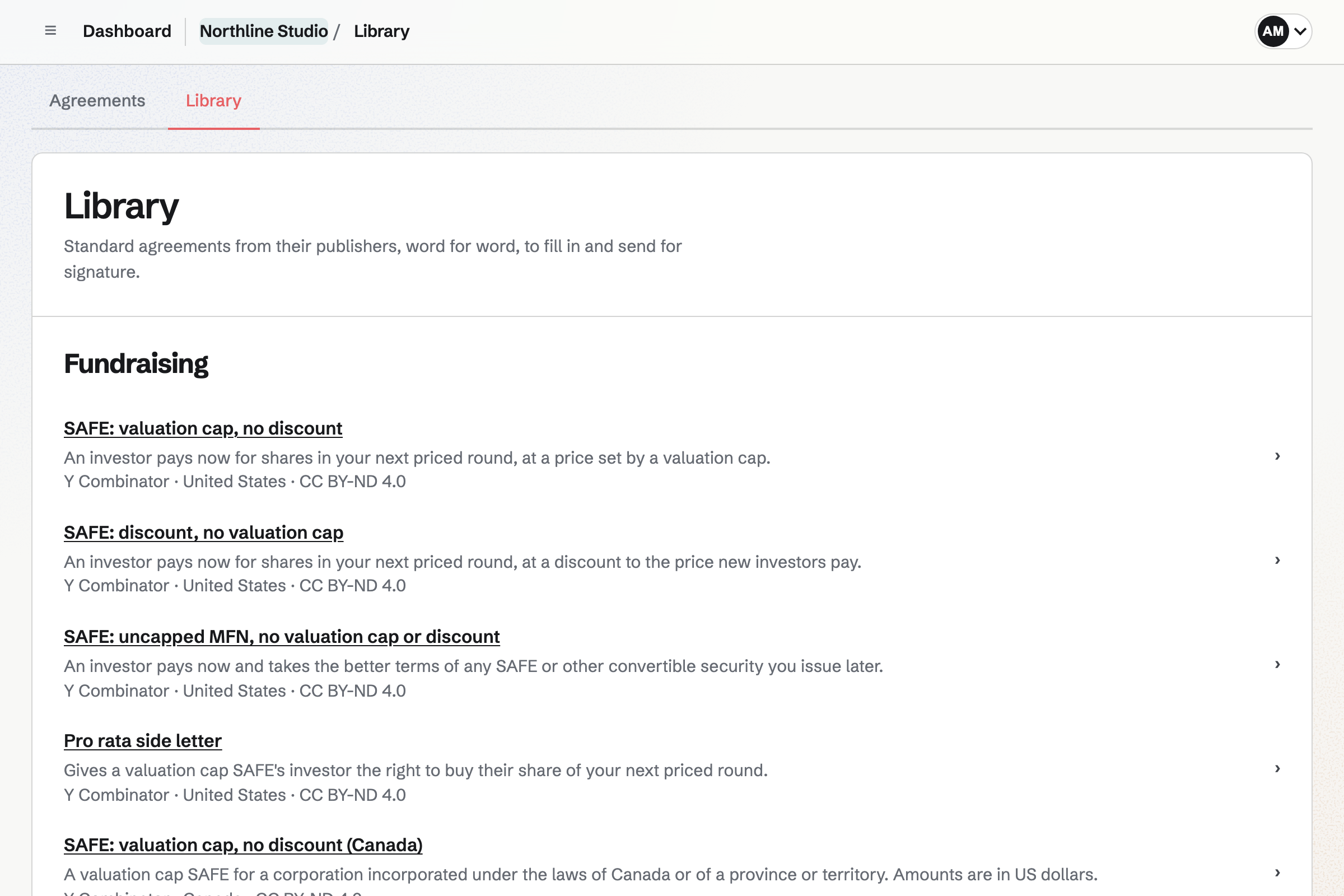
Start a SAFE, a mutual NDA or a cloud service agreement from the Library and answer its questions. The publisher’s text fills in with your answers as you go, and E-Signatures sends the finished agreement to each party to sign.
Get started free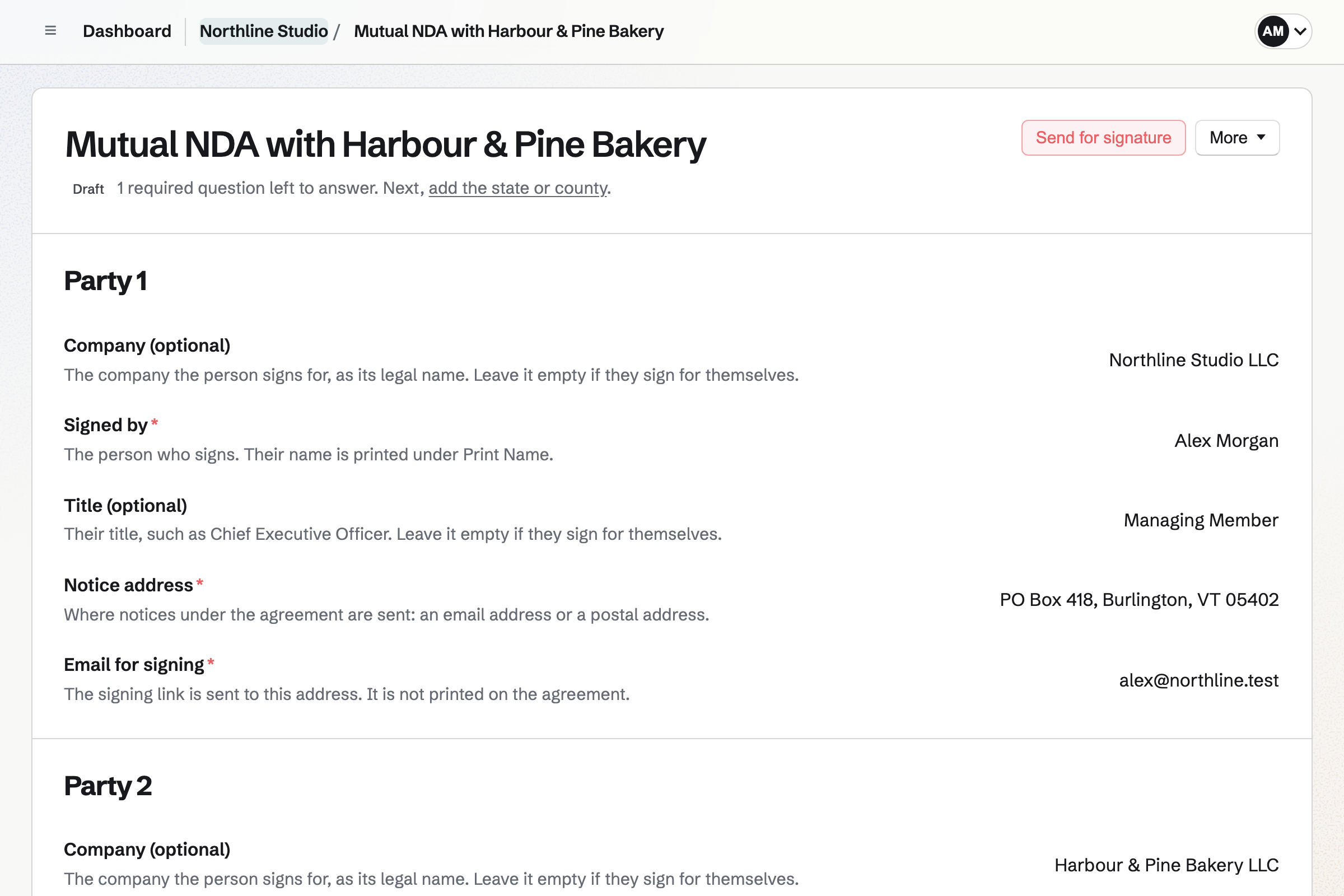
Each standard agreement is copied from its publisher’s own file. Magpie’s tests compare the text with that file, and the only differences allowed are the blanks, choices and tick boxes your answers fill in. The wording cannot be edited in Agreements.
Magpie fills in the standard text with your answers. It is not legal advice, and Magpie is not a law firm. Have a lawyer review an agreement before anyone signs it.
A standard agreement’s page in the Library names its publisher, the version, the licence and the publisher’s own page, and lists each change Magpie makes to the wording. Download a sample PDF before you start one.
Every page of an agreement’s PDF carries the publisher’s own footer, or a line naming the publisher and licence where the original has none.
Questions are grouped by party, then by the terms. Each answer saves on its own, and the text further down the page shows it as it will be printed. An unanswered question shows in the text as its name in brackets, and the line under the title names the next one to answer.
When you have filled in the same standard agreement before, your company’s answers carry over. Otherwise the company name comes from your Invoicing settings.
Send for signature freezes the answers, makes a PDF and creates an E-Signatures request with each party as a signer and a field on each signature and date line.
Check the fields, set the signing order, expiry and reminders, and send. Each signer receives their own link and signs without a Magpie account.
Download the signed PDF and its certificate of completion from the agreement.
Send for signature creates the request in E-Signatures for you, with the signers and their fields in place. Reminders, signing order and the certificate of completion come from E-Signatures.
Enter a contact’s email address for a party and their name fills in. The contact’s history records when an agreement with them was started and sent.
To change the wording itself, make a copy in Documents and edit it there. The copy is separate from the agreement.
Agreements belong to Personal or the selected team. Members with edit access can start, answer, send and delete them; members with view access can read them and download their PDFs.
Void its signature request in E-Signatures, then duplicate the agreement. The copy is a new draft with the same answers, ready to correct and send.
A PDF of the agreement at any stage, marked Draft until it is sent, and the signed PDF and certificate of completion once everyone has signed. Each Library page also has a sample PDF.
Create an account, choose a standard agreement from the Library and answer its questions.