Plumbers, electricians and tradespeople
A plumber or electrician takes job requests with photos, quotes online and bills on site.
Handymen and odd-job services
Your bookings, job lists, hours, receipts and invoices are in your own Magpie account. Landlords and property managers see only the lists, photos and invoices you share.
Créer un compte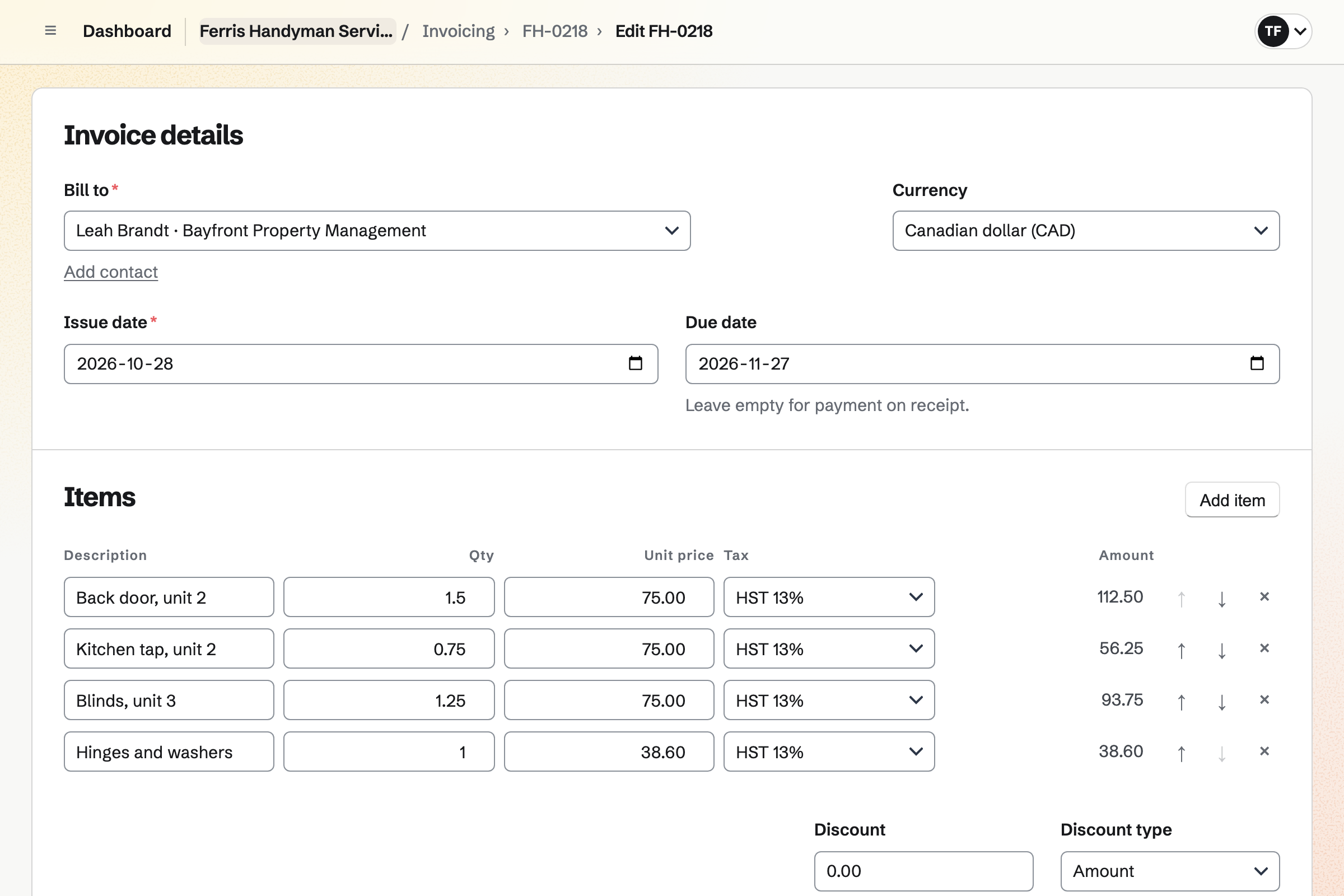
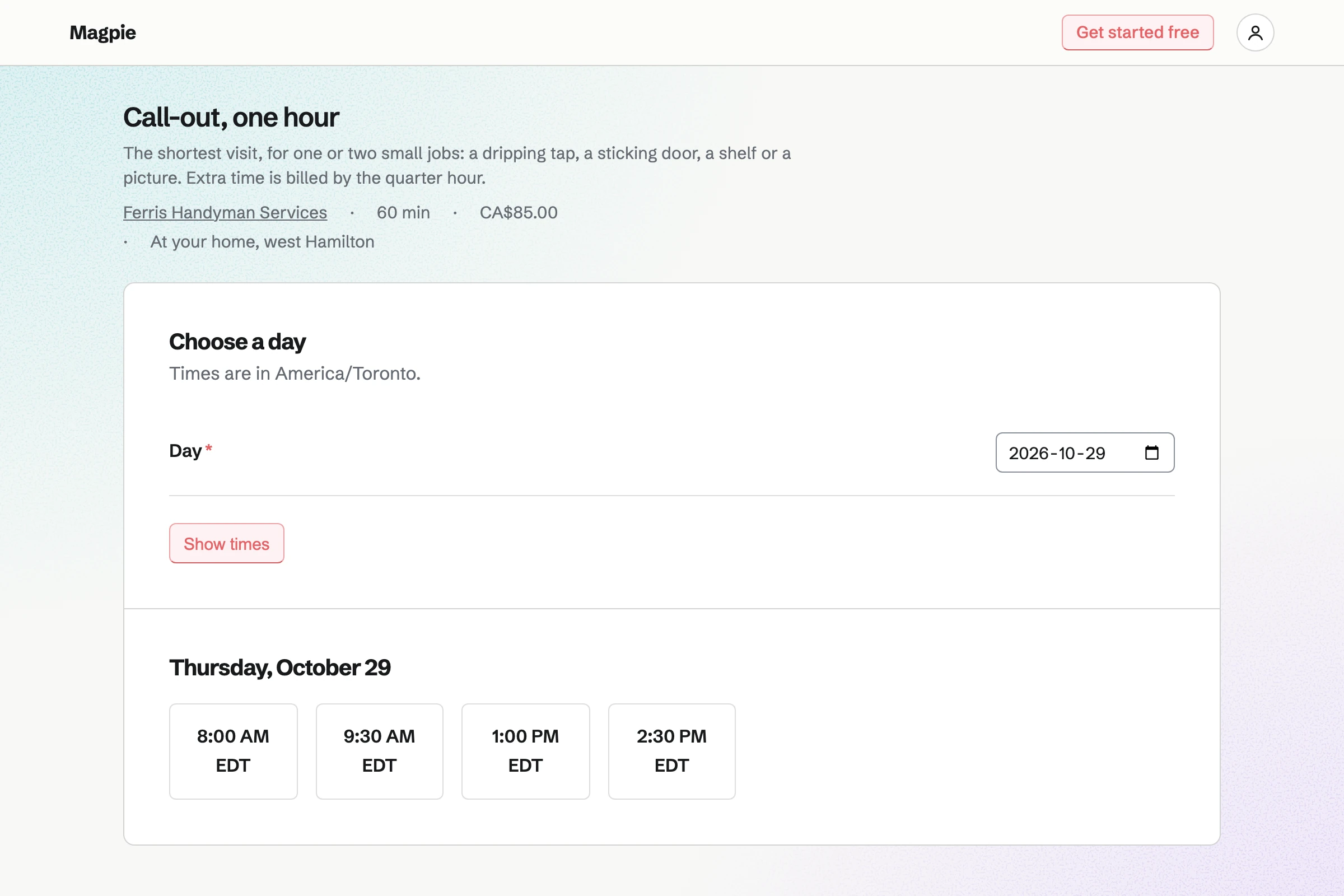
Appointments gives you a booking page with your visits as services. A one-hour call-out, a half day and a full day each have a price. Customers book without signing up first.
A buffer after each visit keeps time free to drive to the next. When a customer phones, you add the visit yourself. Magpie emails each customer a confirmation with a link to move or cancel.
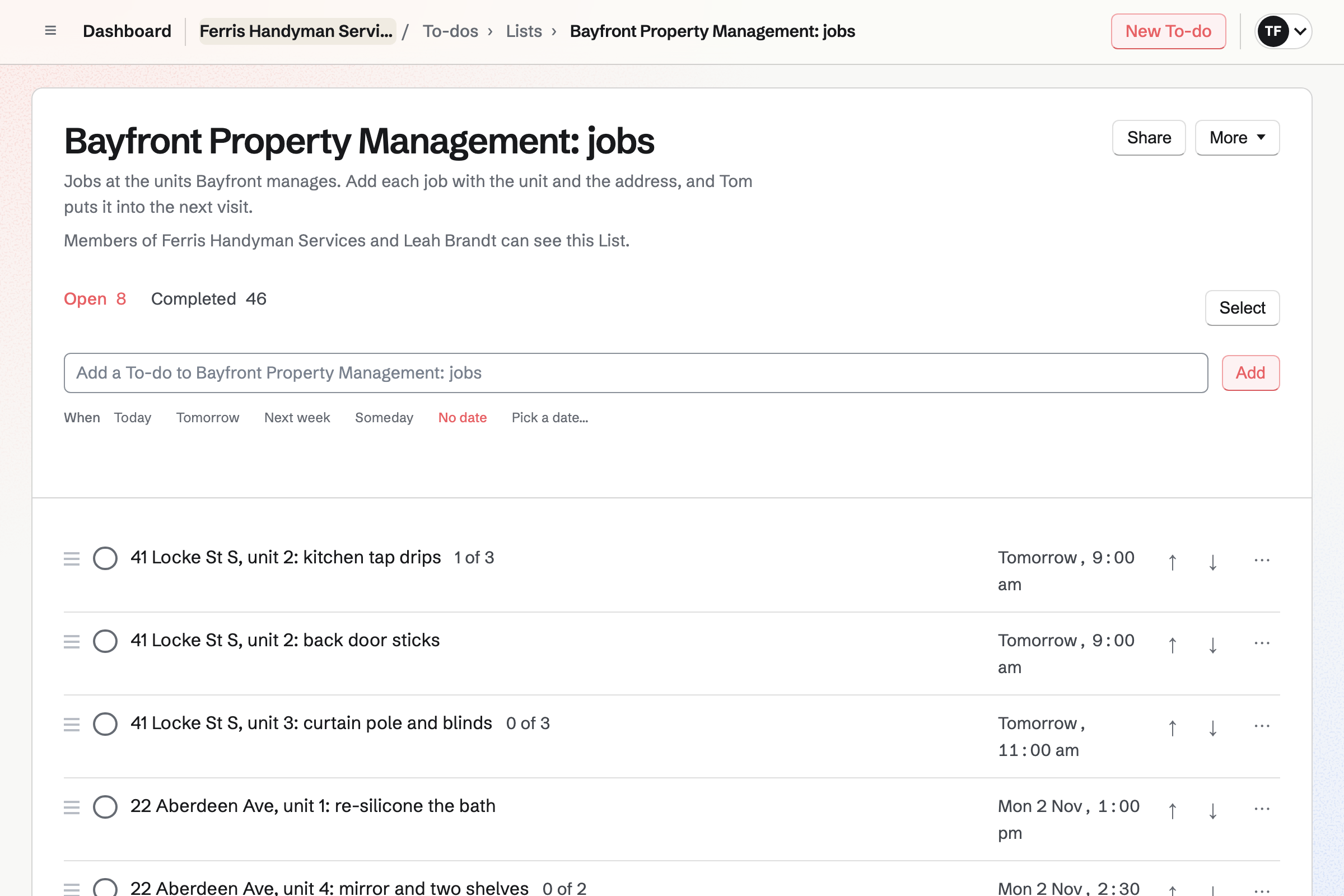
To-dos keeps a visit as one To-do, with a checklist of its jobs. A dripping tap, a sticking door and two pictures to hang are three items. You tick each job off on site.
A List can be shared with a property manager by their email address. With Can edit, they add each unit's jobs to it. They see that List and nothing else of yours.
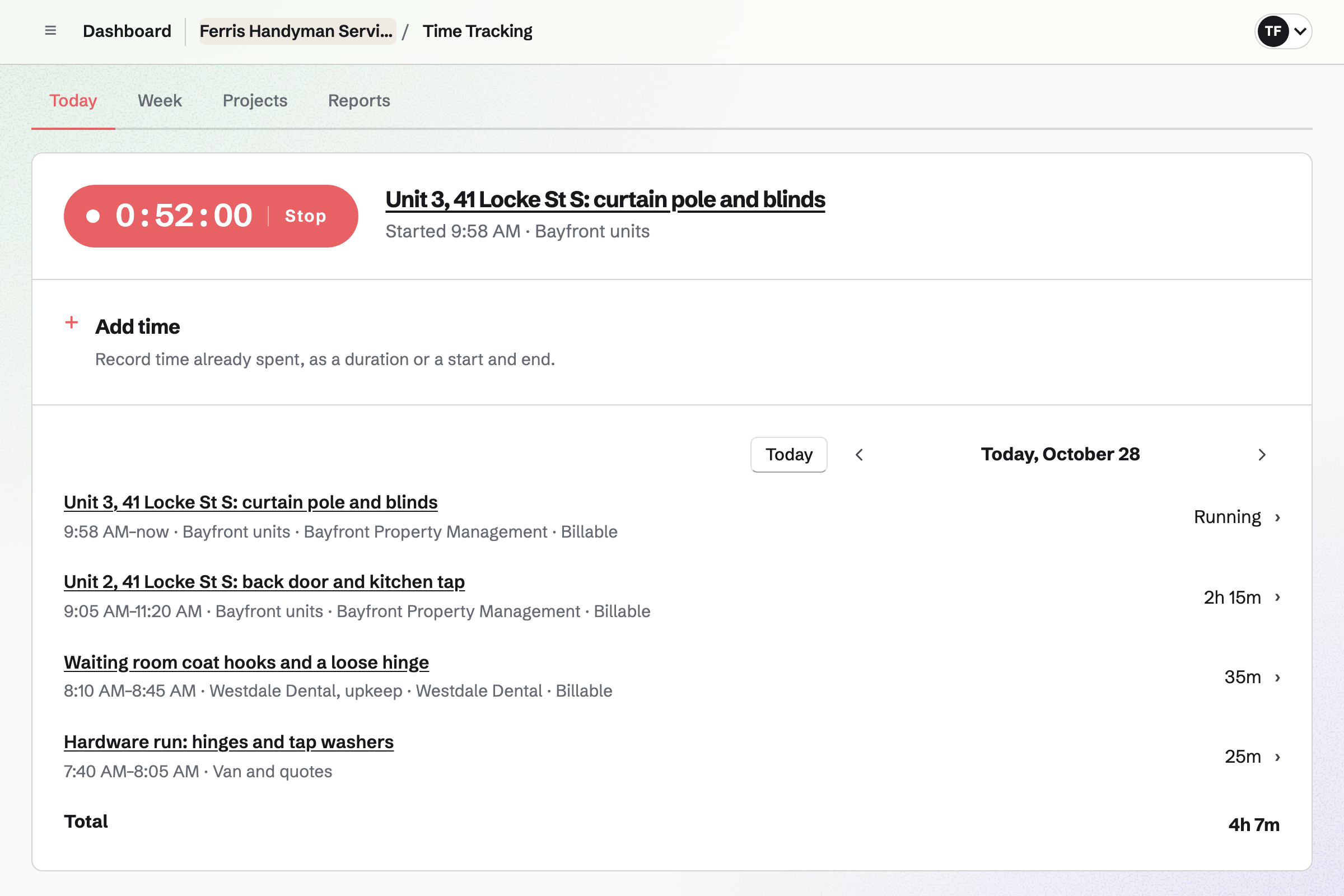
Time Tracking runs a timer from the customer's page, so the time is theirs. It keeps running if you close the browser. A landlord's own hourly rate is set on their contact.
Billing rounding rounds each visit's time to the nearest 15 minutes. You can also add time afterwards, such as 2h 30m. Time not yet billed is listed when you write their next invoice.
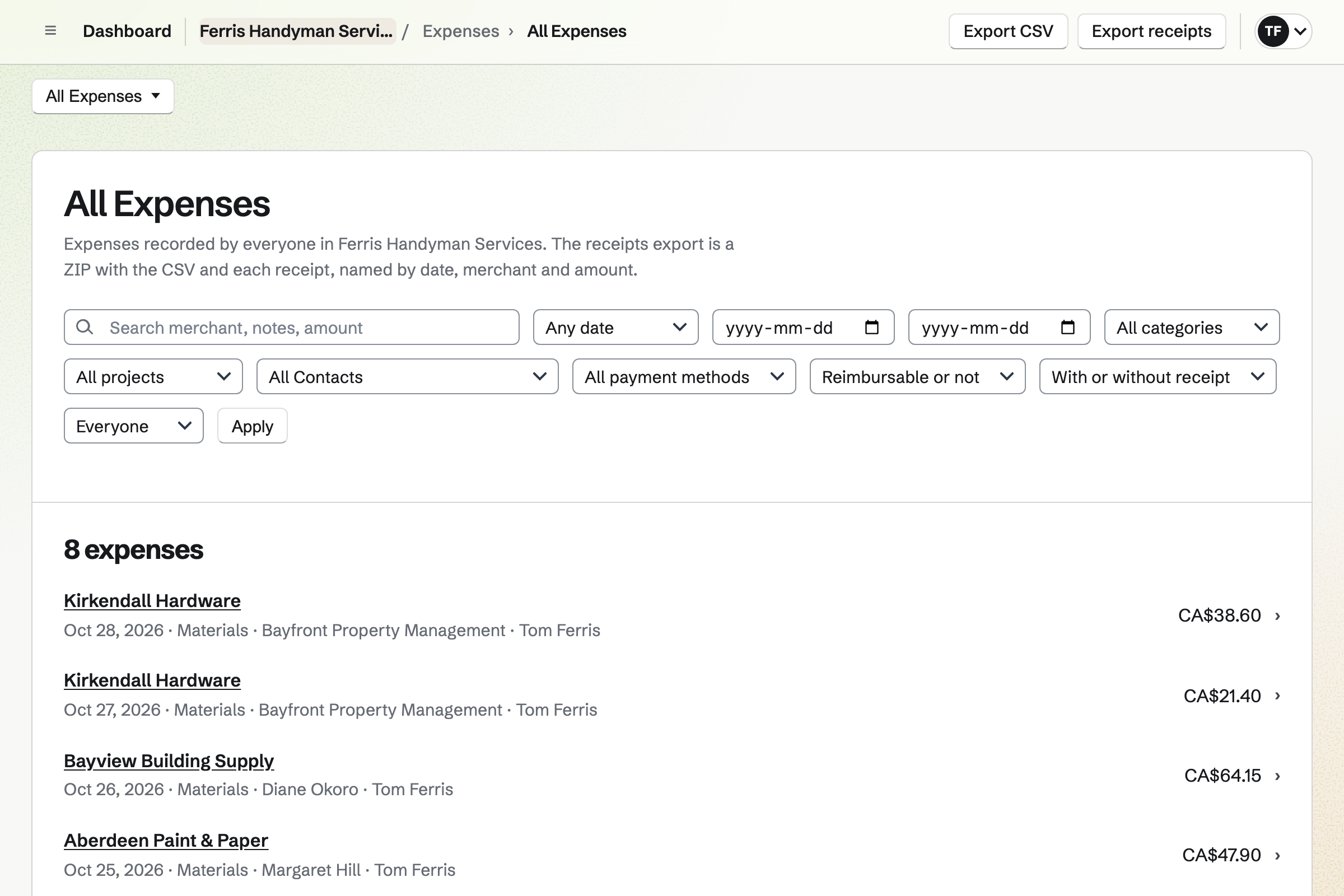
Expenses keeps each receipt for washers, hinges and filler, photographed on your phone. You mark the expense reimbursable and choose the customer.
On their next invoice, the part is a line at the amount you paid. Receipt Inbox holds receipts you photograph first and enter later.
Invoicing builds the bill from what you recorded. Add unbilled time and Add unbilled expenses list the visit's hours and parts. Each one you tick becomes a line.
A property manager's contact can have 30-day terms, while a homeowner pays on receipt. The email carries a Pay online button, and Magpie adds no fee. Cash or a cheque is recorded by hand.
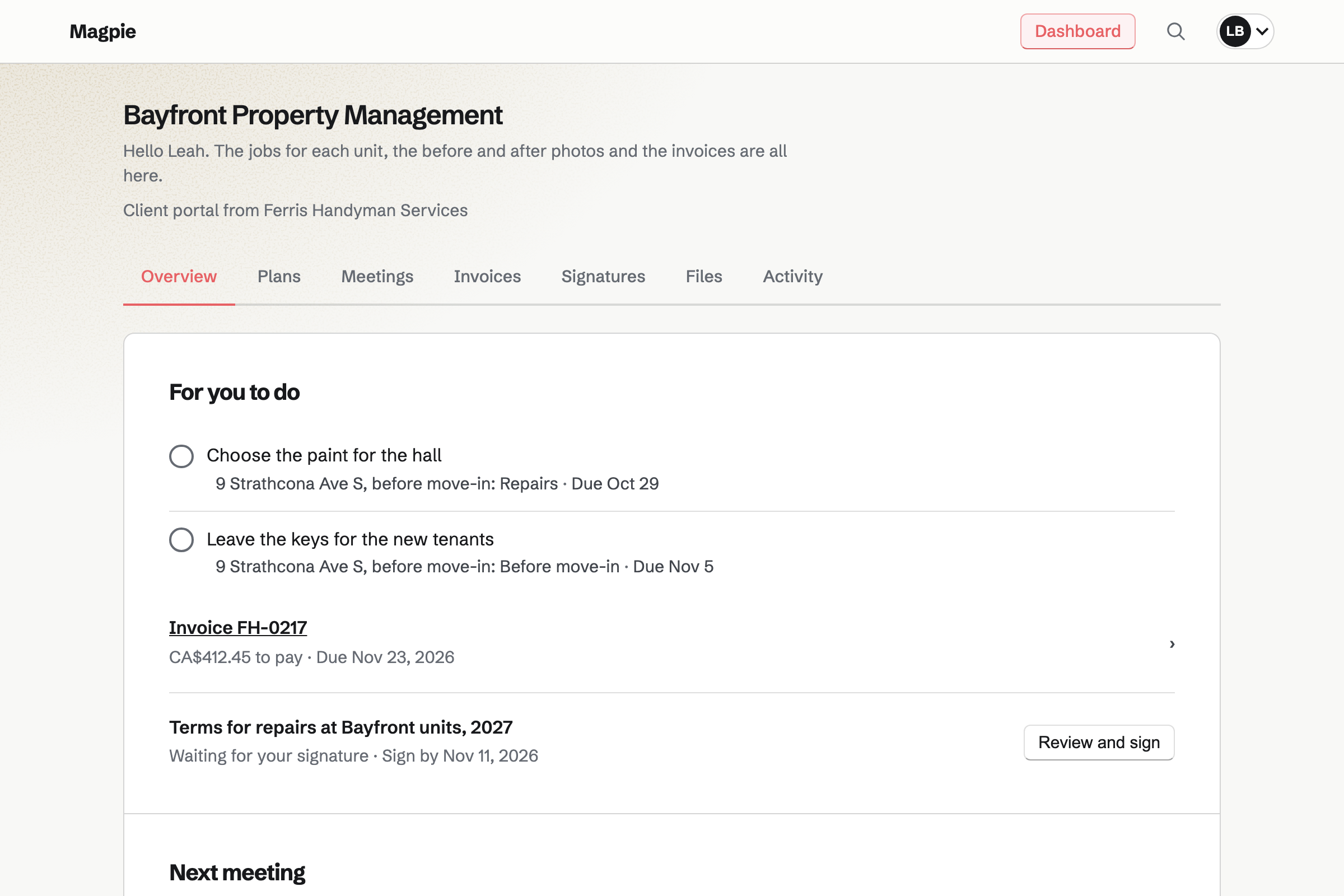
Client Portal gives a landlord or property manager a private page. You share the photos from each unit, up to 20 at a time. Magpie emails them each time you share.
Their invoices are listed with what is left to pay, and a Pay button. A plan can list a changeover's jobs, with steps for them, such as choosing the paint.
Contacts keeps each customer with their addresses, one for each property a landlord owns. A pinned note keeps what you need next time, such as where the stopcock is.
Their page lists every visit booked, every invoice and the time you recorded. A follow-up reminds you to call, such as offering to clear the gutters in autumn.
Each step starts from what the one before it made.
The agent adds a dripping tap, a sticking door and a curtain pole to their List.
You give the three jobs Thursday's date, so they are on Today that morning.
A timer runs from the agent's page while you tick each job off.
The receipt for the new hinges is photographed at the till, for the agent.
The hours and the hinges go on one invoice, due in 30 days.
The before and after photos and the invoice are shared in the agent's portal.
The agent pays by card from the portal, and the payment is in the books.
You choose Home services, then add a one-hour call-out and a half day with their prices. Help: Set up Appointments.
You set your usual hourly rate, and a landlord's own rate on their contact. Help: Time Tracking projects, rates and tags.
You add each one with their properties and their payment terms. Help: Keep a contact list.
You make a List for their jobs and share it by email. Help: Use To-dos.
You connect your Stripe account, so customers can pay by card. Help: Connect Stripe to receive money.
A handyman working alone fits Pro, for your own work in Personal. The free plan includes 5 invoices a month and 100 contacts, and Pro has no limit.
Property managers you share a List with are guests: 10 on the free plan and 100 on Pro. Photos in portals use your file storage, 20 GB on Pro.
Magpie adds no fee to invoice payments. Stripe's processing fee is taken from each card payment. Prices are on the Pricing page.
A plumber or electrician takes job requests with photos, quotes online and bills on site.
A builder quotes a renovation in stages, takes a deposit and shares progress in a portal.
A landlord bills the rent every month and takes tenants' repair requests on a form.
A household renovating its own home keeps each job, receipt and warranty on one board.
A cleaning company schedules cleaners at each client's home and bills every month.
A window cleaner keeps a round of houses due every four or eight weeks.
A gardener keeps a round of gardens and bills the regulars every month.
A moving company quotes each move, puts a crew on it and bills it by card.
A hardware store gives trade customers their own prices, paid by invoice on their terms.
Yes. Your booking page lists your visits as services, each with its length and price. A one-hour call-out and a four-hour half day are two services. A customer picks a day and a time your hours leave free. They book without signing up first, and get a confirmation email.
Yes. Your booking page offers only the services you add, so the shortest is your one-hour call-out. Its price is shown before the customer books. A half day and a full day are services of their own.
Yes. New appointment books a visit yourself: you choose the service, the day and a free time. You enter the customer's name and email address, and their phone number if you like. Magpie emails them a confirmation, and the visit goes on your calendar.
Yes. A buffer before or after each visit keeps that time free. The page offers only times your hours and calendar leave free. An event on your calendar takes its time off the page too.
Yes. The confirmation email has a link to choose another free time or to cancel. Once the notice you set has begun, the link asks them to contact you instead.
Yes. A visit can be one To-do, with a checklist of its jobs. A dripping tap, a sticking door and a shelf are three items on it. You tick each item off on site. The To-do's date puts it on Today that morning.
Yes. You share a List with them by email address, with Can edit. They add each unit's jobs to it, and you see each job with your own To-dos. An address with no Magpie account gets a free one when they accept. It opens that List and nothing else of yours.
Yes. A timer runs while you work, or you add the time afterwards. Billing rounding bills each entry to the nearest 15 minutes, or 5, 6 or 10. The entry keeps the time you recorded.
Yes. A contact can have its own default hourly rate, used for time linked to them. Your usual rate in Invoicing settings covers everyone else. A rate can also be changed on one entry.
Yes. You record the part as an expense with its receipt. You mark it reimbursable and choose the customer. In the invoice editor, Add unbilled expenses lists it. It becomes a line at the amount you paid.
Yes. On a phone, the receipt chooser opens the camera, for receipts up to 10 MB. Receipt Inbox keeps receipts you photograph first and enter later.
Yes. Add unbilled time lists every entry for that agent's contact, from every unit. Each one you tick becomes a line, and you can name the unit in its description. The parts for each unit go on as lines too.
Yes. A customer's contact can have its own payment terms in days. They set each new invoice's due date. Reminders go out le jour de l’échéance, puis 7 et 14 jours après, unless you change the schedule. They stop when the invoice is paid.
The invoice email has a Pay online button. The customer pays by card into your own Stripe account, and Magpie adds no fee. The invoice's page shows its payment link, so you can send it by text too.
Yes. Record payment takes the amount, the date and the method, such as Cash or Cheque. A reference, such as the cheque number, is optional. A part payment leaves the rest owing.
Yes. Invoicing has named tax rates, such as HST or VAT, each with a percentage. Each line uses one of them or no tax.
Yes. Their Client Portal holds the files you share, up to 500 MB each. Magpie emails them a list of the files. Only the people invited to the portal can download them.
Yes. Each invoice you share appears in their portal. It shows the due date and what is left to pay. An unpaid one is listed under For you to do, with a Pay button. They can open each PDF there.
Yes. A customer's contact holds several addresses, one for each property. A pinned note stays near the top, such as where the fuse box is. Notes are private to you.
Password Vault keeps them, encrypted in your browser before they reach Magpie. A custom item can hold a property's codes, with each field hidden until you choose Reveal. Search runs in your browser too.
Yes. A Form can ask for the address and the jobs. A File question takes a photo of each. Photos can be up to 10 MB. Each request is emailed to you, and the responses are kept in one list.
Yes. A follow-up on their contact has a date and a reason. One reason is the gutters in autumn. It is a To-do with the usual reminders. Follow-ups lists every open one as Overdue, Today or Upcoming.
Yes. Asset Tracker keeps each tool with its serial number and condition. Start maintenance records one sent for repair, with the date it is due back. Its receipt and warranty are kept on its page.
Yes. A dynamic QR code opens any address, such as your booking page. You can point it somewhere else after the van is lettered. Its page counts the scans.
Yes. Accounting adds each issued invoice, each payment and each expense by itself. Bank statements are imported as CSV files and matched. Reports show what you earned and spent. Check the rules where you file.
Yes. Magpie works in your phone's browser, and the receipt chooser opens the camera.
You make a team and invite them. Each person records their own time and receipts. Your booking page can offer either of you, or Anyone available. A team on the Team plan has up to 25 members at one price.
Create a Magpie account and publish your booking page.