
Corner shops and newsagents
A corner shop keeps its rota, fridge checks and wholesaler orders, without trade accounts or hire.
Hardware stores and builders' merchants
You and your staff run the shop and the tool hire in one Magpie team.
Créer un compte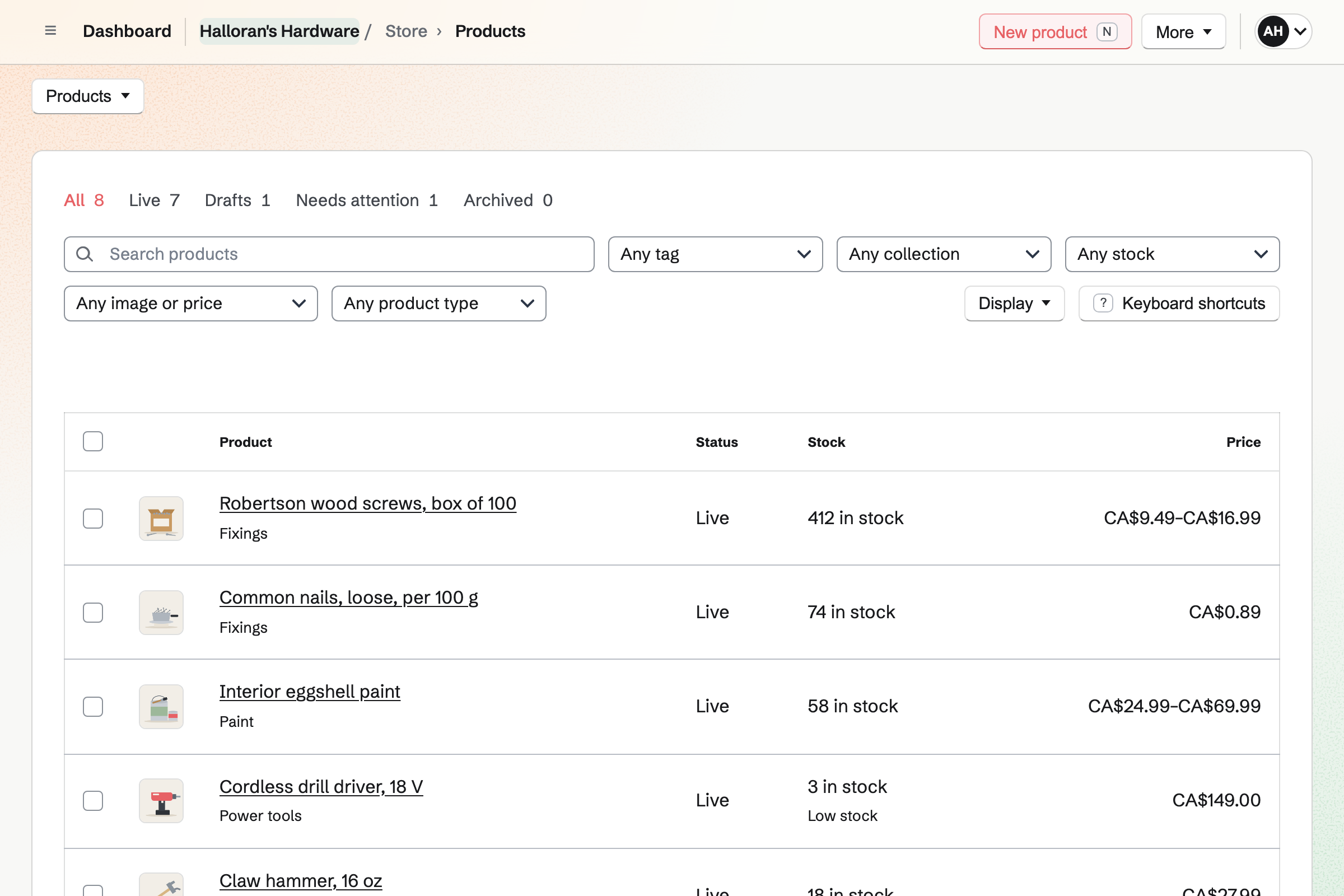
Store is the shop's online shop and its list of lines. A screw's sizes are options. Each size has its own price, SKU, barcode and stock. A CSV file adds or changes up to 5,000 rows at once.
A line goes online once it has a photo and a price. Customers can order online and collect at the counter. Magpie emails them when you mark the order ready.
Each item has a reorder point and a quantity to order. When a line falls to its point, you get an email. Add low-stock items fills the purchase order to the supplier. It goes by email as a PDF.
Receiving the delivery adds the boxes at their cost. It can make the supplier's bill in the books. The shop floor and the yard can each hold stock, with transfers between them.
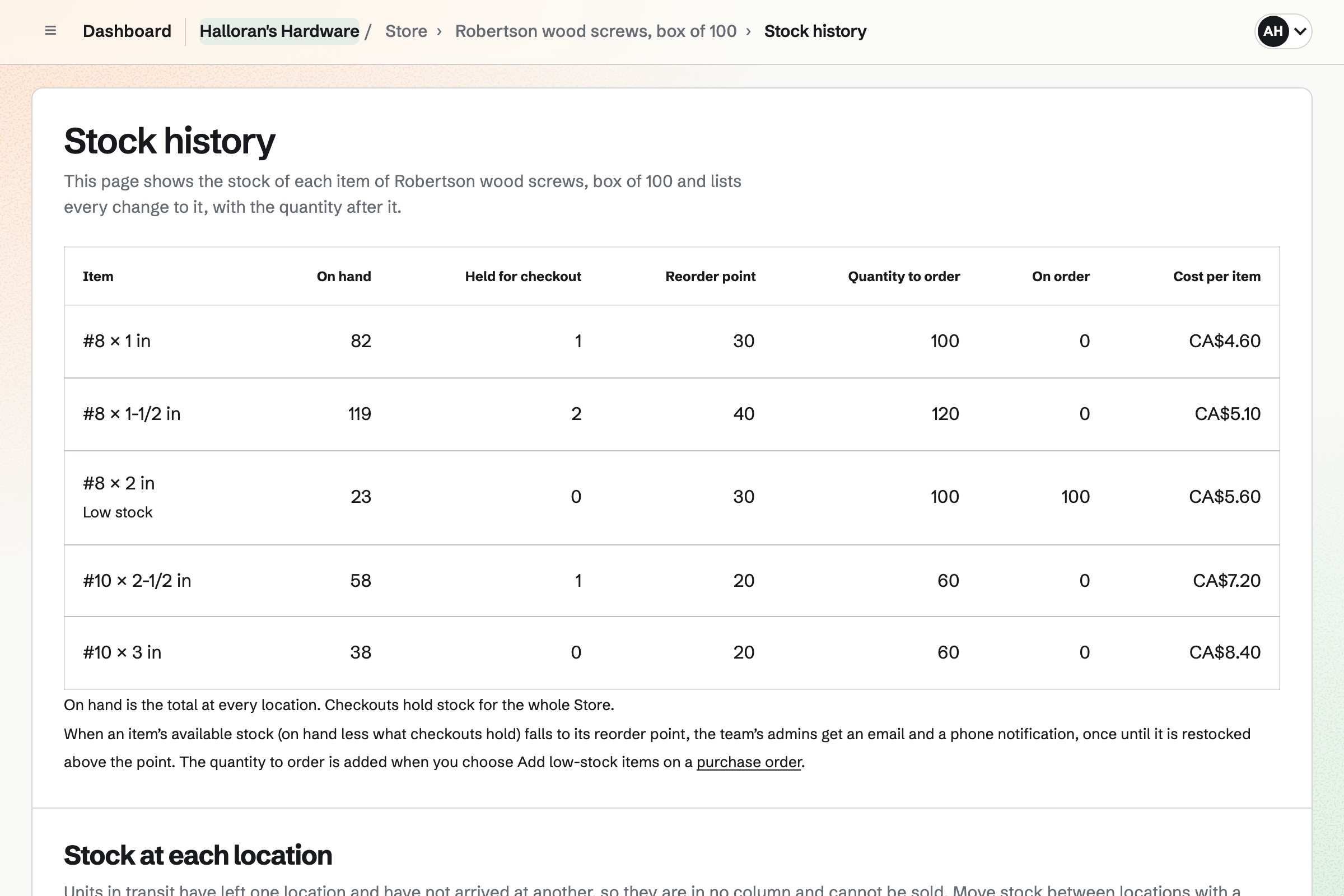
Inventory is the shop's stock list for loose and bulk goods. Nails and ice melt are kept in kilos, and bolts one by one. A 25 kg box of nails is received as 25 kg.
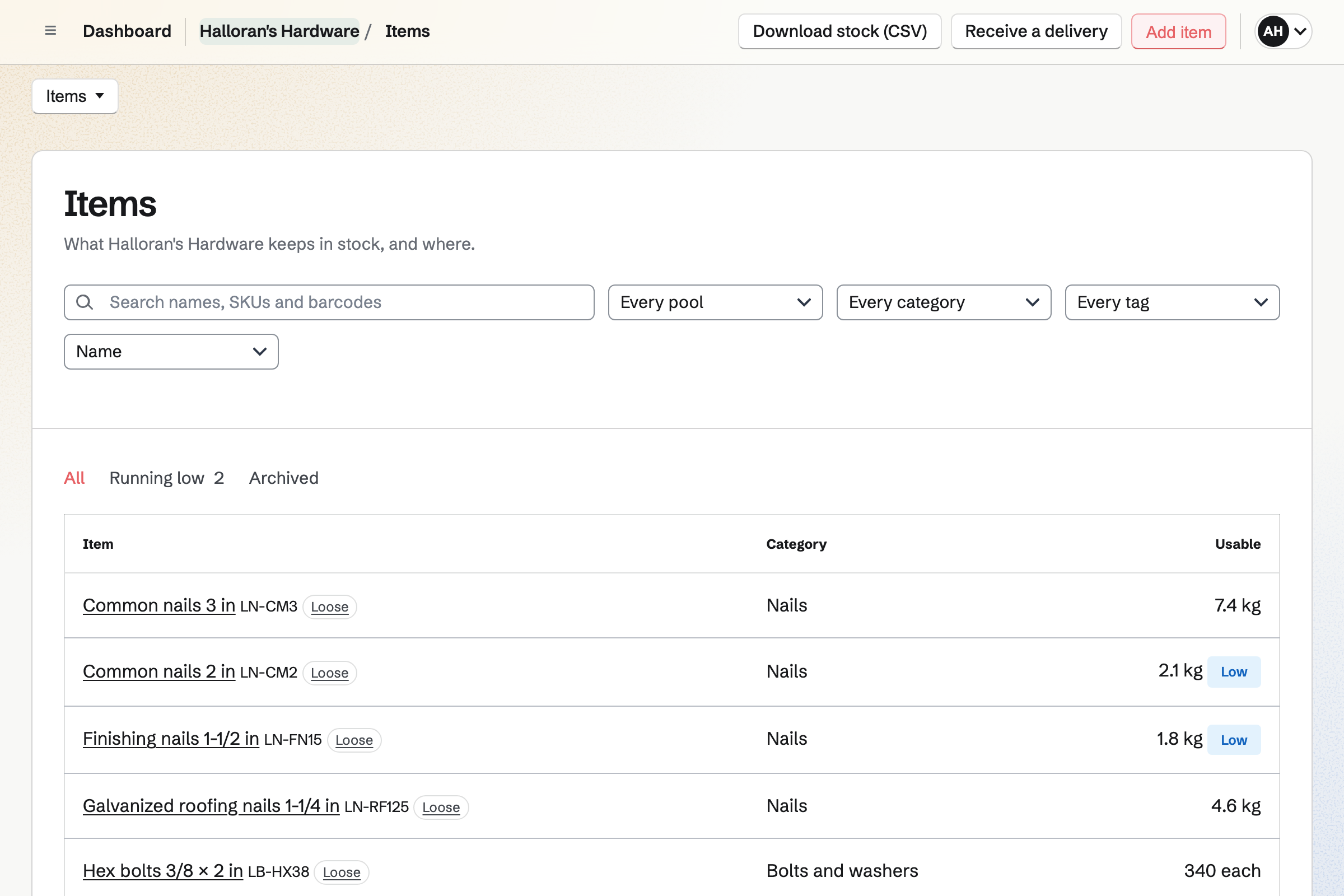
The nails' product sells per 100 g. Each sale takes 0.1 kg out of stock. A count sets each bin to what is there. Running low lists what to order from each supplier.
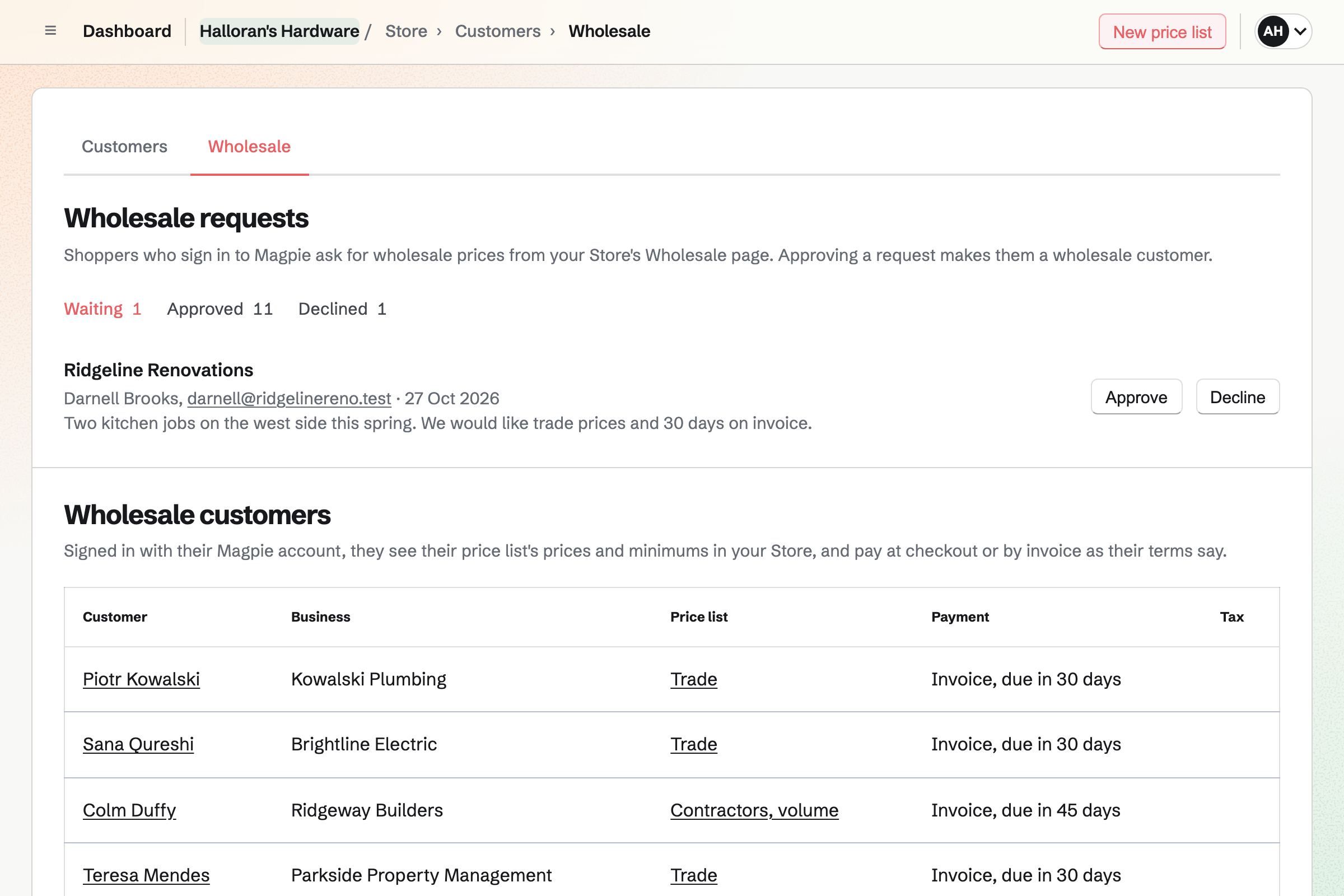
Each trade customer is a wholesale customer with a price list. The list sets trade prices on chosen lines and a percentage off the rest. The tradesperson signs in to Magpie and sees their own prices.
At checkout they choose Pay by invoice. The invoice is emailed, due on their terms, with a Pay online button. They can collect the order before it is paid.
Contacts keeps your trade customers with their firm and their payment terms. Magpie adds a trade customer with their first order on invoice. Their page lists every invoice, and a pinned note can hold what they usually buy.
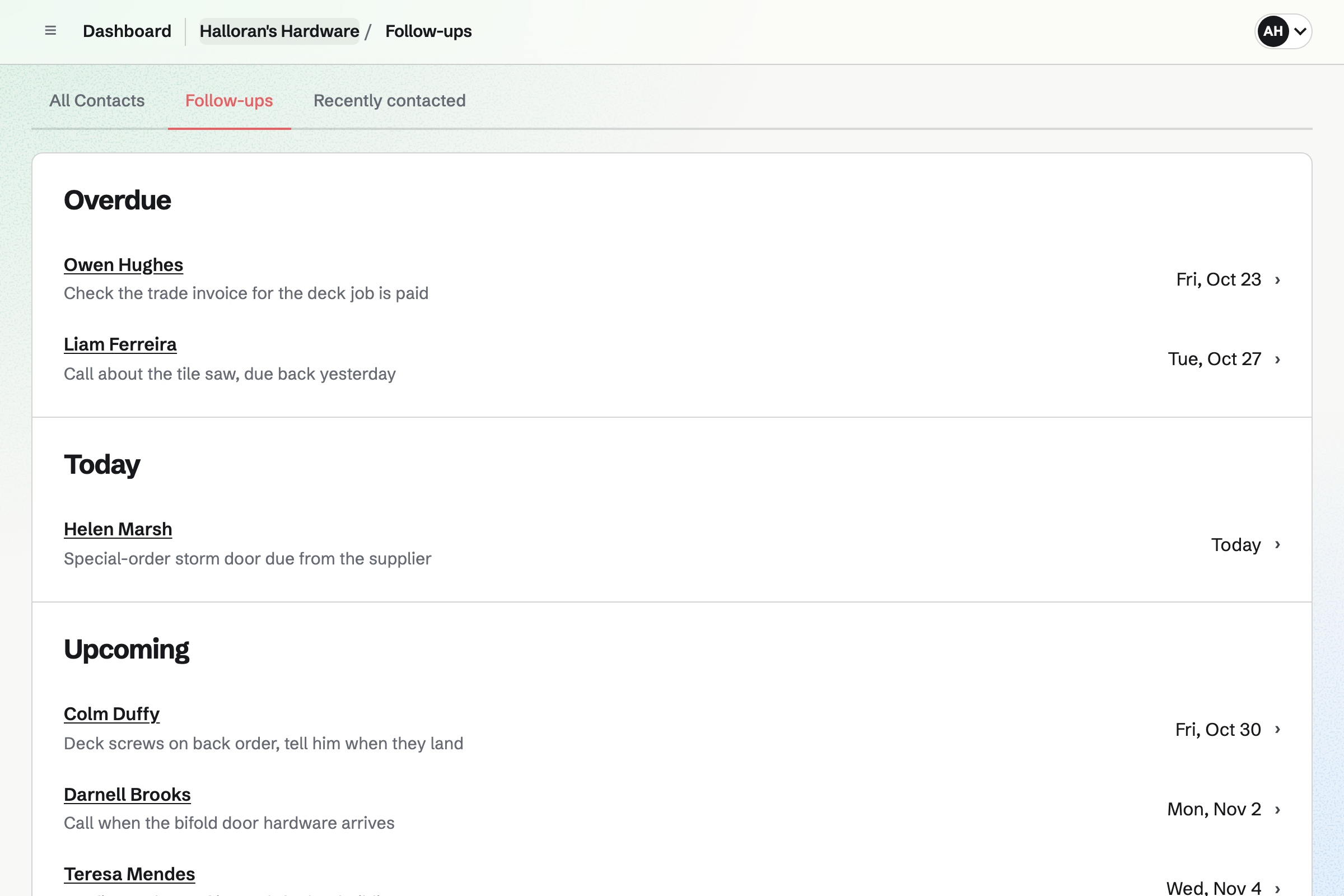
A follow-up on a customer's contact holds the day their special order is due. Follow-ups lists every open one as Overdue, Today or Upcoming.
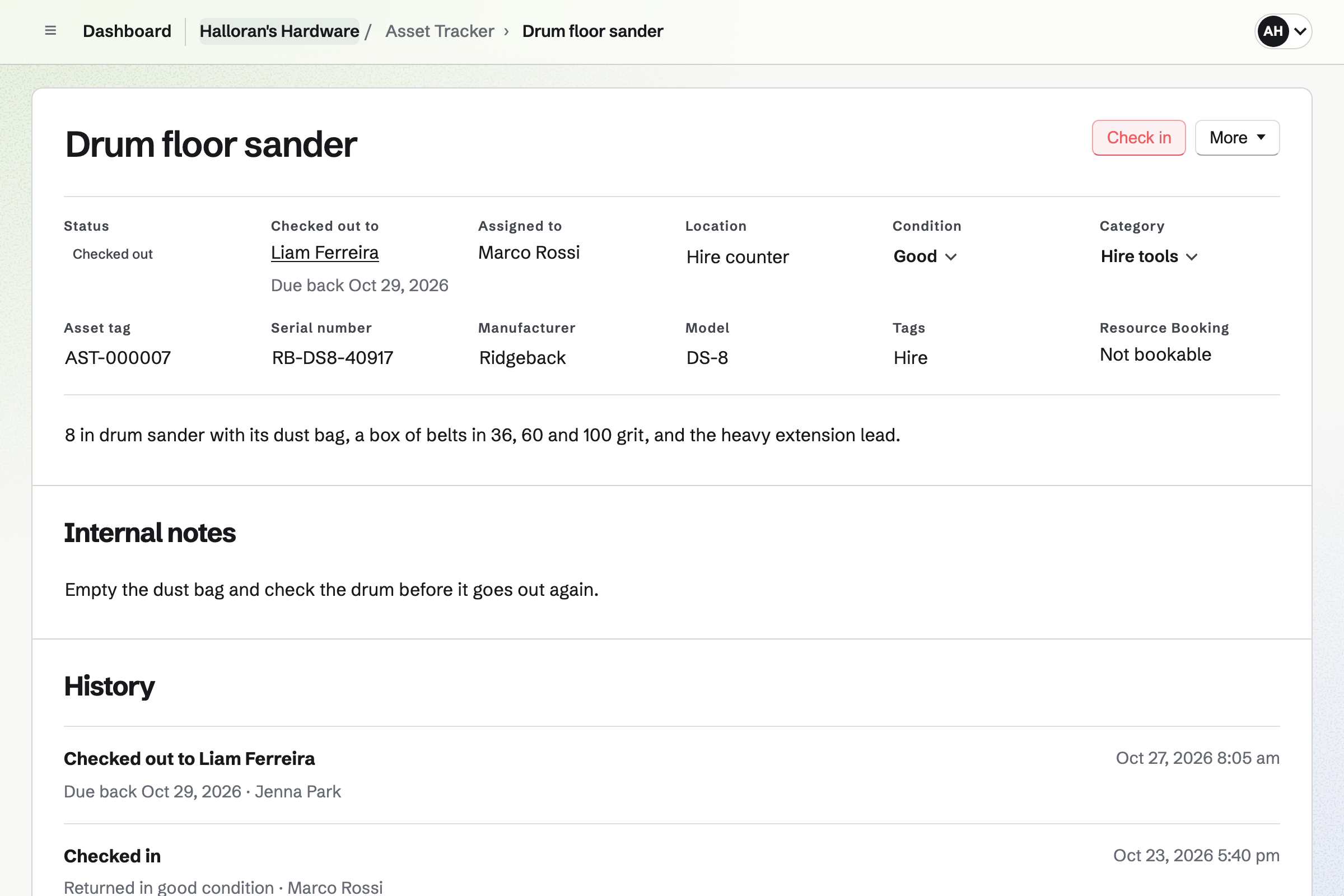
Asset Tracker keeps each hire tool with its tag and serial number. You check the tile saw out to the customer's contact, with a due-back date. After that date it shows as Overdue, in its own tab.
Check-in records the condition it came back in. Start maintenance takes a tool off hire for a new belt or a service. The hire charge is billed on the customer's invoice.
Staff Scheduling starts a shop with Cashier, Sales, Supervisor and Stock positions. Opening and Closing shifts come with them. You can add a Yard or a Hire desk position. Shifts are drafts until you publish them.
Each person sees their own shifts. They can swap with a coworker, ask for cover or take an open Saturday shift. Your settings decide which requests you approve.
Each step uses what the step before it recorded.
The builder puts the job's materials in the cart, at their trade prices.
They choose Pay by invoice. The invoice is due on their terms, and Magpie adds them as a contact.
You mark the order ready, and Magpie emails them the trade counter's pickup times.
The order holds its lines. A line at its reorder point is emailed to you.
Add low-stock items fills the purchase order, and the delivery adds the stock at cost.
The trade invoice, its payment and the supplier's bill are in the books.
You import the product list as a CSV file, then add photos to the online lines. Help: Import and export products as CSV.
You add each supplier with your account number and lead time, and set reorder points. Help: Suppliers and purchase orders.
You give each builder a trade price list and invoice terms. Help: Wholesale customers, price lists and pay by invoice.
You add local pickup with the shop's address and pickup times. Help: Collections and shipping.
You add each hire tool with its tag, ready to check out. Help: Track individual assets.
You connect your Stripe account, so customers can pay by card. Help: Connect Stripe to receive money.
A shop with staff fits the Team plan, one price for up to 25 members. A free team has 3 members and 100 contacts. Someone on the rota takes a place only after joining to see their shifts.
Magpie adds no fee to your sales or to invoices. Stripe's processing fee is taken from each card payment. Invoices from trade orders do not count toward the free plan's 5 invoices a month. Prices are on the Pricing page.
A corner shop keeps its rota, fridge checks and wholesaler orders, without trade accounts or hire.
A plumber or electrician quotes jobs online, bills them by card and keeps the receipts.
A builder quotes each job in stages, and the client pays stage by stage.
A hire company quotes marquees and generators, takes a deposit and tracks every item out.
A tool library lends drills and ladders to its members, each with a due date.
A garden centre sells plants online and at the till, and emails what is in season.
A bike shop books repairs into its workshop, sells parts and keeps a hire fleet.
Yes. A CSV file adds or changes up to 5,000 items at a time. A row whose SKU matches an item changes it. Other rows add draft products. The import lists every change before anything is saved.
Yes. A product's options, such as Size, make each combination an item. Each item has its own price, cost, SKU, barcode and stock. The Stock page finds a line by its name, SKU or barcode.
Yes. A Pack option with Single and Box of 100 makes two items. Each has its own price, SKU, barcode and stock. Both show on the same product page.
Yes. Inventory keeps loose nails in kilos, with decimals such as 7.4 kg. A product sold per 100 g takes 0.1 kg from it with each sale. A delivery or a count sets the product's stock in whole sales.
New order records the items and how they were paid, such as by a card terminal. The order is created paid, and the items leave stock.
Yes. Key cutting can be a product with Track stock off, so it never runs out. A standard key and a security key are options with their own prices. Kept as a draft, it stays off the online shop and still sells at the counter.
Yes. You add local pickup with the shop's address and pickup times. When you mark an order ready, Magpie emails the customer the address, times and any instructions. Mark collected records what they took.
Yes. A local delivery method delivers to the postal codes you list. You set the fee, and delivery can be free over an amount. The customer picks a delivery date from the days you deliver.
Each item has a reorder point and a quantity to order. When a line falls to its point, you get an email within a few minutes. The Stock page's Low stock filter lists every low line, furthest below first.
Yes. Each supplier has your account number and its lead time. Add low-stock items fills a purchase order with what is low. You email it as a PDF or download it. An order that is late is marked Overdue.
You enter what arrived and the delivery note number. The order stays Partly received until the rest comes. Close without the rest ends it when the rest will not come. Each line's average cost moves toward what you paid.
Yes. Each location holds its own stock, and a line's Stock page shows each one. A transfer moves stock from the yard to the shop floor. A pickup order can take its stock from the shop's location.
Yes. A number changed on an item's Price and inventory is recorded as a stock count correction.
Yes. You approve each firm as a wholesale customer and give it a price list. The list sets trade prices on chosen lines and a percentage off everything else. The tradesperson signs in to Magpie and sees their prices. Everyone else sees your shelf prices.
Yes. Their terms can be an invoice due on receipt or in 7, 14, 30, 45, 60 or 90 days. At checkout they choose Pay by invoice. The invoice is emailed with a Pay online button. They can collect the order before it is paid.
Yes. With Wholesale requests on, your online shop's footer links to a Wholesale page. The contractor gives their business name, an optional tax ID and a message. You are emailed, and Approve opens their terms.
Yes. With Quote requests on, the cart shows Request a quote. The builder sends their cart with a message, and you are emailed. Make an invoice turns it into a draft invoice. You can change the prices before you send it.
Yes. A line you do not stock can sell when out of stock. It shows the date it is expected. The customer pays when they order, and the order is listed under Pre-orders. When the delivery is in, you mark it ready and Magpie emails them.
Yes. Asset Tracker keeps each hire tool with its tag, serial number and condition. You check it out to the customer's contact with a due-back date. Check-in records the condition it came back in. The hire charge is billed on an invoice.
A tool past its due-back date shows as Overdue. The asset list has an Overdue tab, and Reports counts them. A follow-up on the customer's contact can remind you to call them.
Yes. Each person sees their published shifts. From a shift they can swap with a coworker or ask for cover. Your settings decide which requests you approve.
Yes. You can copy a week, repeat a shift or add a starter week. Open shifts are on the top row, and staff can take them. Auto-fill proposes people for them, checked against time off and availability.
Yes. Daily Operations gives a retail store its routines. They include Opening, Delivery receiving, Afternoon shelf replenishment and Closing. Each appears when it is due. You keep the ones you want and change their steps.
Yes. A gift card sells fixed amounts and, if you choose, a custom amount. The buyer can have it emailed to someone on a date they pick. The holder spends it in your online shop.
Yes. Websites builds the shop's site from sections, such as the hours and the address. Its Shop page lists your live products with their current prices. The site can be at the shop's own domain.
Yes. A received purchase order can make the supplier's bill for the cost of what arrived. It is owed in Accounts payable until you pay it. When the items sell, their cost moves to Cost of goods sold.
Yes. The shop's reports list each product sold in your chosen dates, with its sales and margin. Margin is sales less the cost of goods. Each table exports as a CSV file.
Magpie adds no fee to your sales or to invoices. Stripe's processing fee is taken from each card payment. The rest goes to the shop's own Stripe account.
Create a Magpie account and make a team for the shop.