
Pet shops and groomers
A grooming salon with a shop books each groomer and sells food and treats.
Mobile dog groomers
Your bookings, each dog's notes, your invoices and your receipts are in your own Magpie account. A second groomer or a bather can join you in a team.
Créer un compte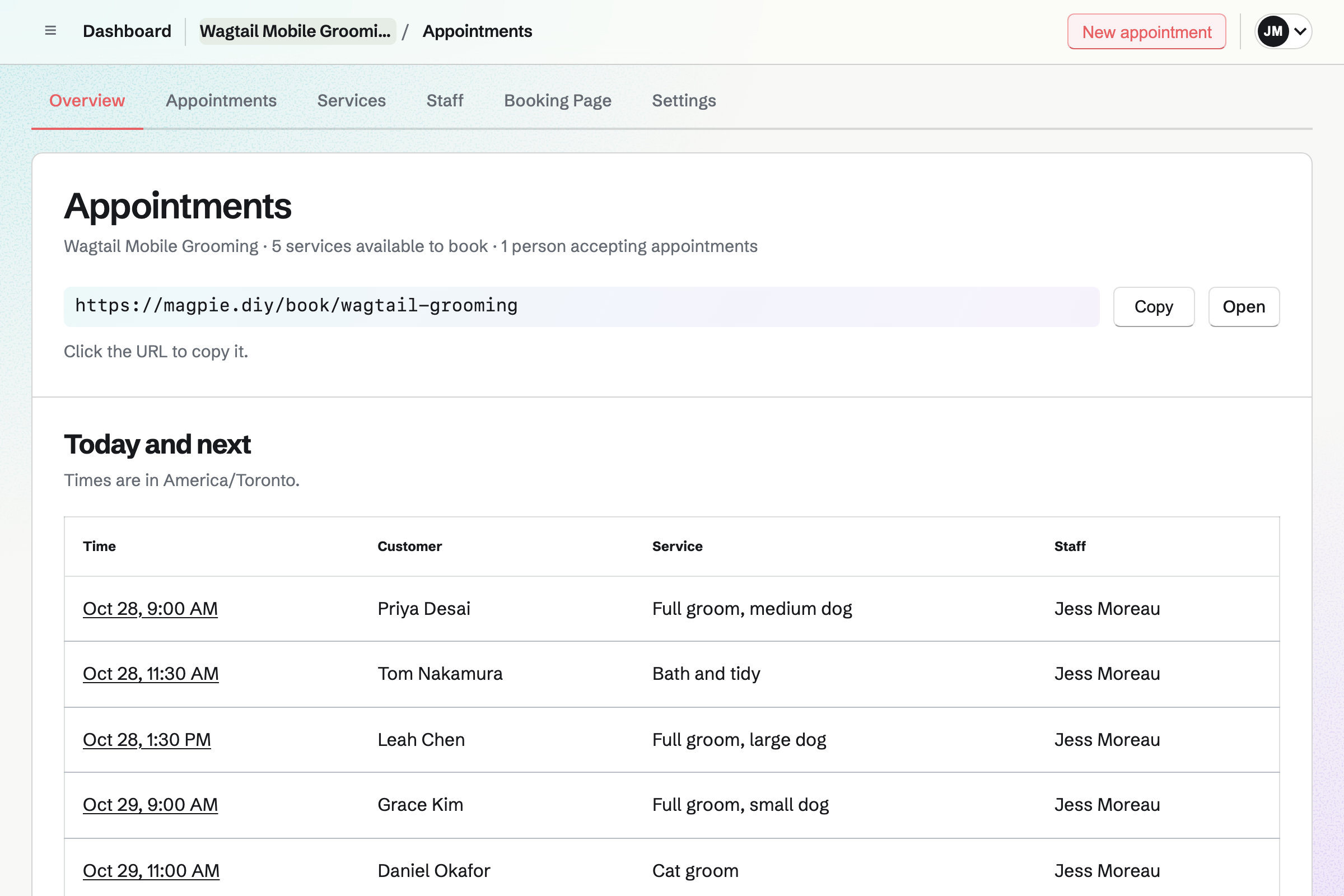
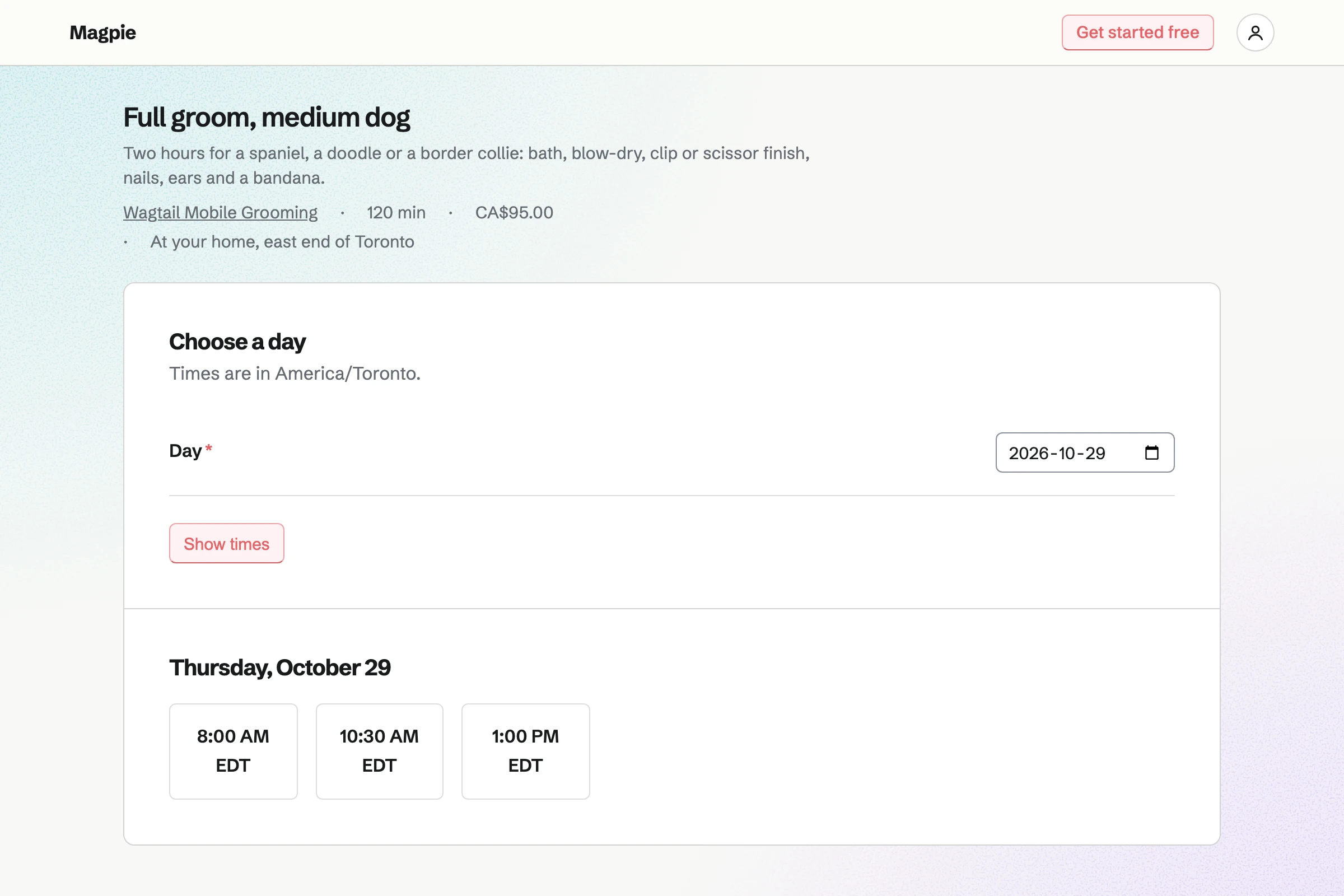
Appointments gives you a booking page with your grooms as services. Full grooms for small, medium and large dogs each have their own length and price. The service says that you come to the dog, and owners book without signing up first.
A buffer after each groom keeps time free to drive to the next one. The page offers only the times your hours and calendar leave free. A minimum notice stops bookings for the same morning. A confirmation email lets the owner move or cancel.
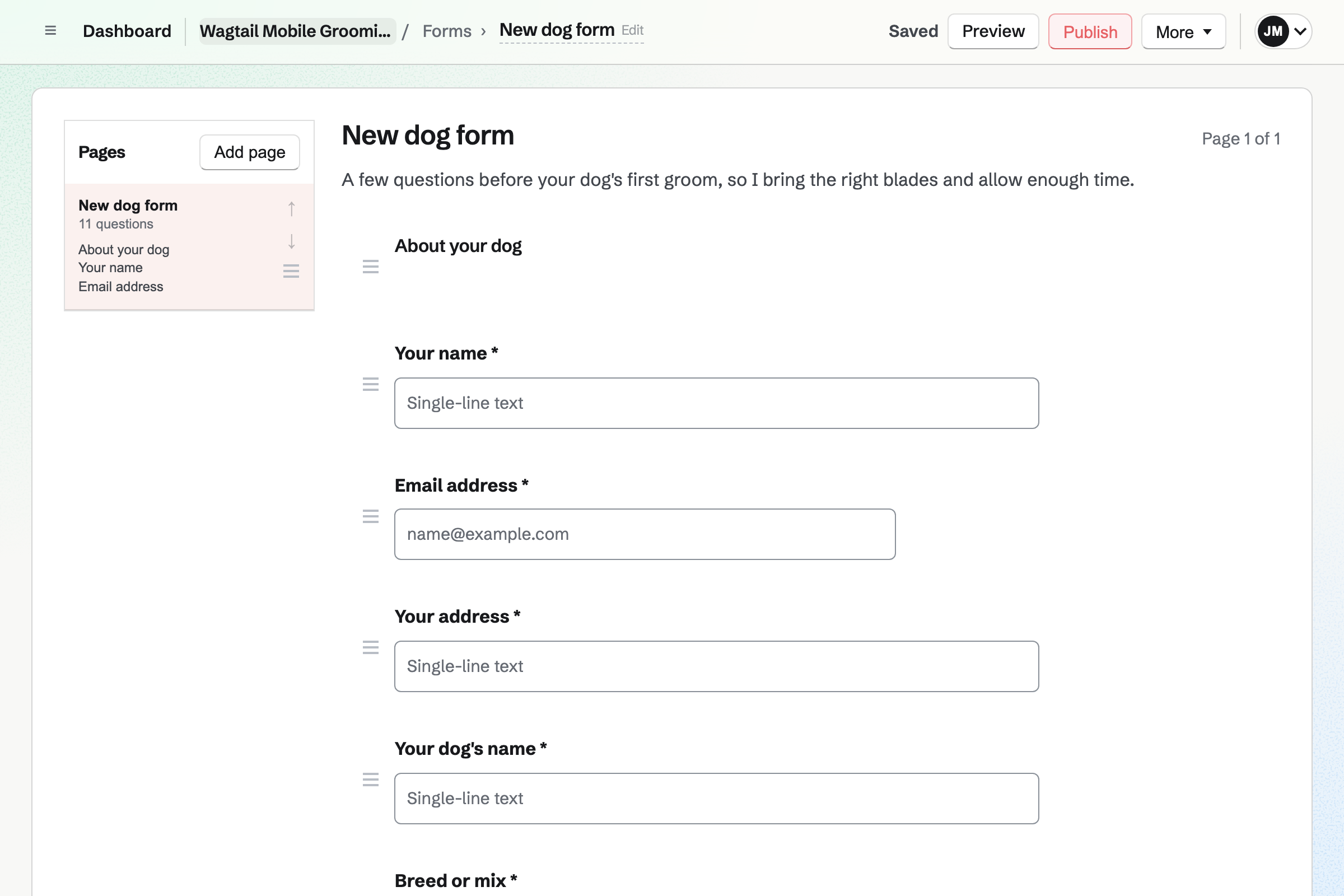
Forms builds your new dog form. It asks the breed or mix, the dog's age and how matted the coat is. A File question takes a photo or a PDF of the vaccination record. The owner answers from a link, without signing up first.
Each response is emailed to you and kept in one list. A question can appear only after a given answer, such as one about a puppy.
Contacts keeps each owner with their address. A pinned note holds the dog: the breed, the blade and whether it hates the dryer. A booking finds the owner's contact by email address, or adds one. Their page lists every groom and every invoice.
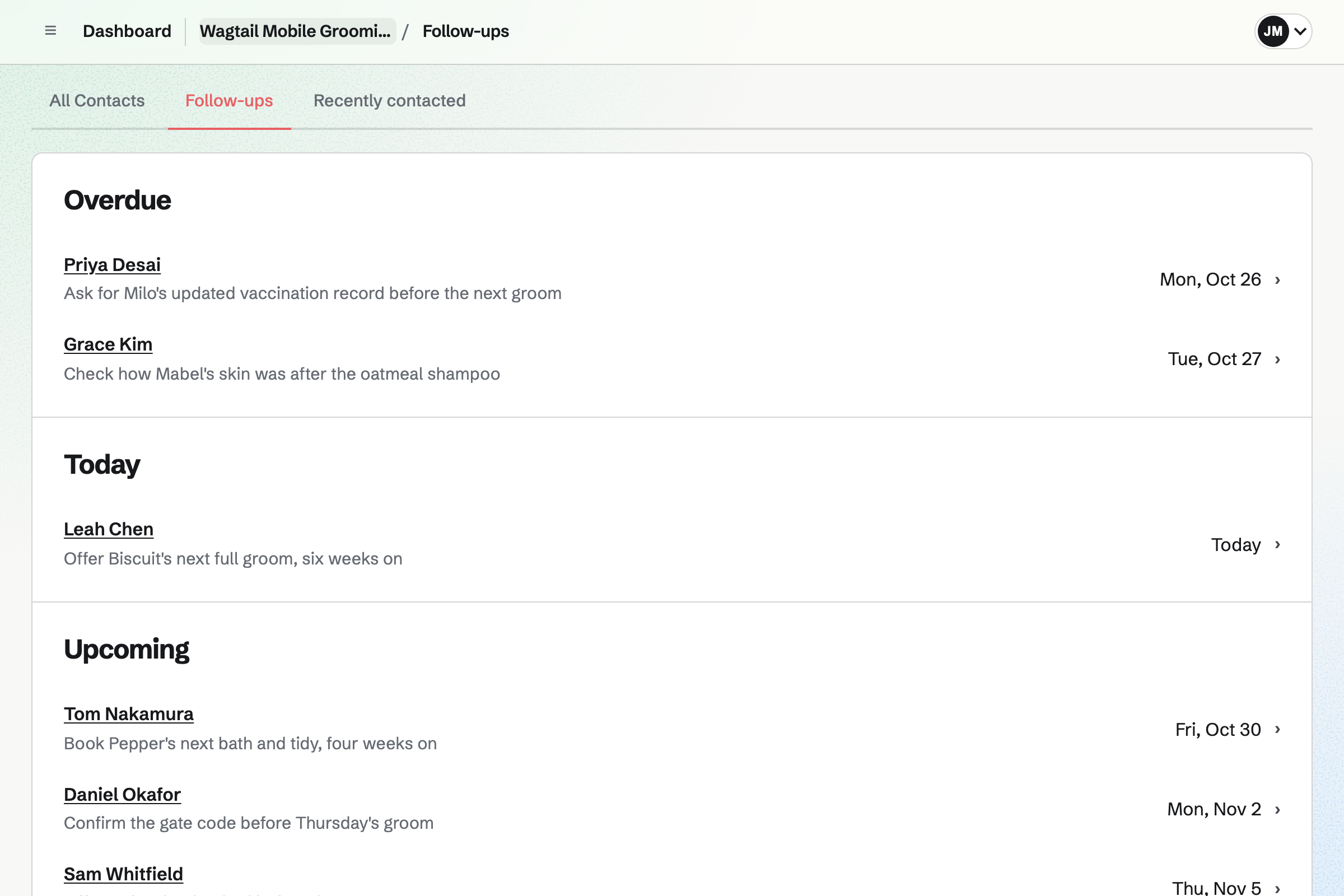
A follow-up is a To-do with a date and a reason. One reason is the next full groom, six weeks on. Follow-ups lists every open one as Overdue, Today or Upcoming.
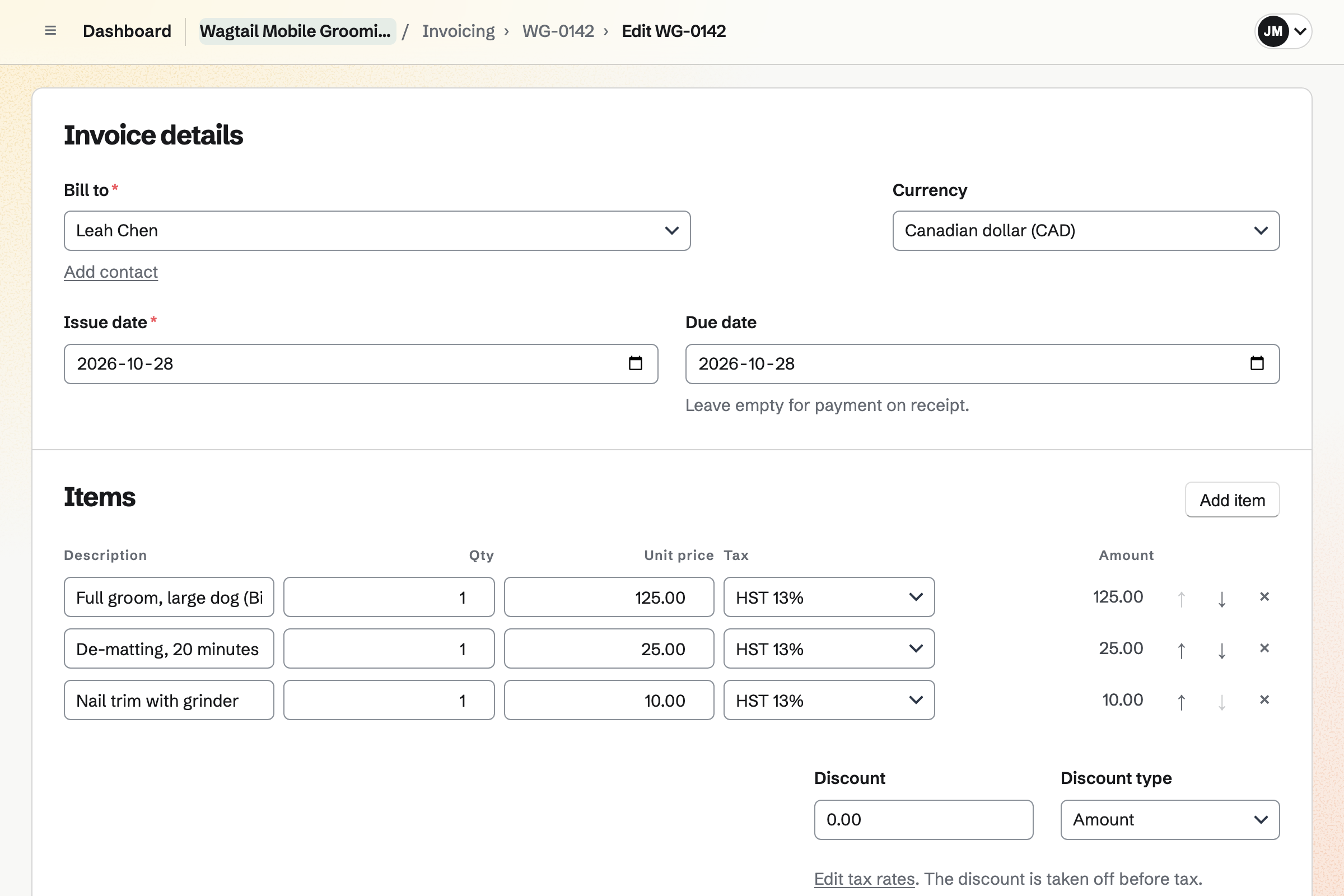
Invoicing bills each groom from the owner's contact. De-matting or a nail trim is a line of its own, with your tax rate. Sending it emails the PDF with a Pay online button. The payment link can also be sent as a text.
Card payments go to your own Stripe account, with no Magpie fee. Cash on the day is recorded by hand.
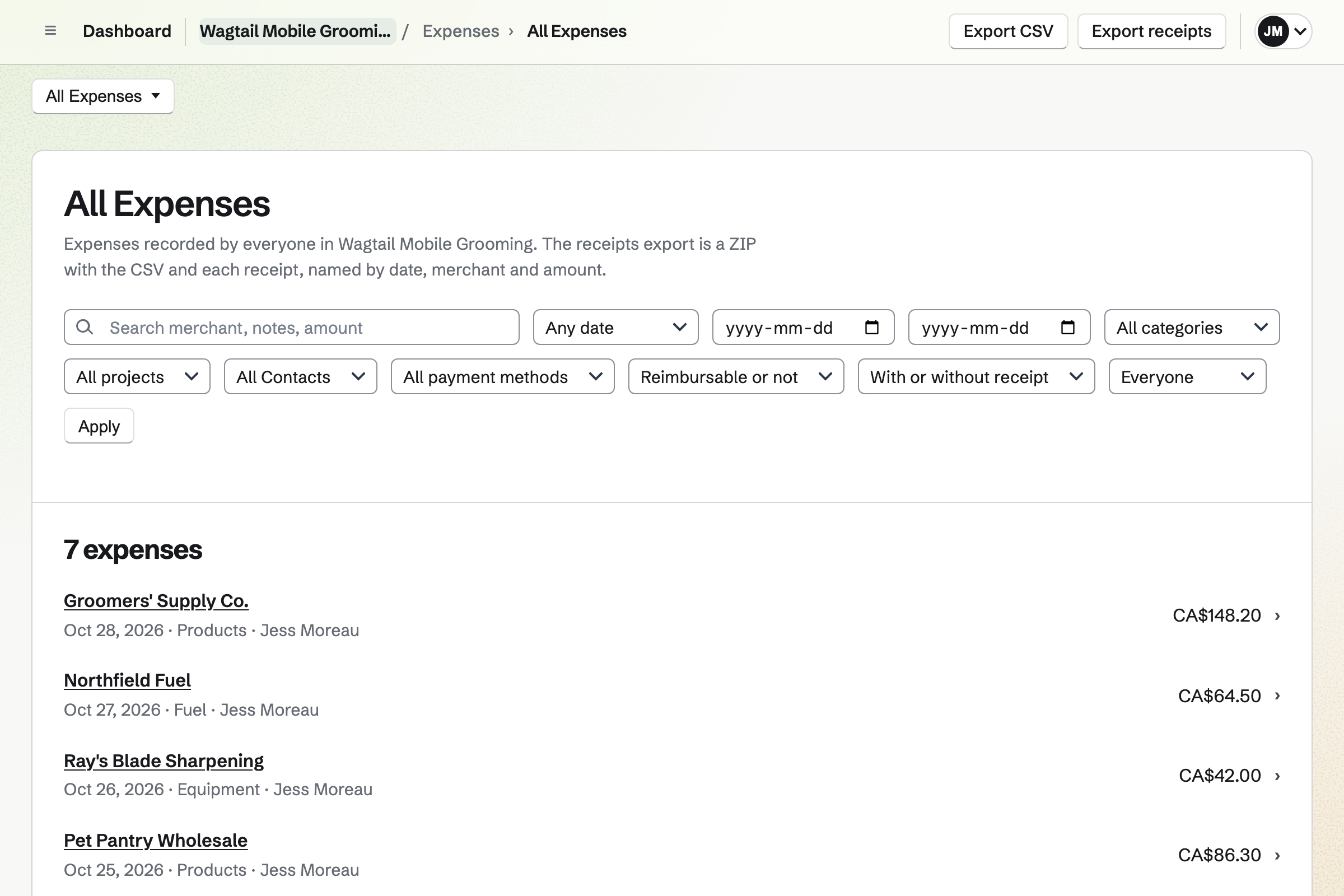
Expenses keeps each receipt, photographed on your phone. A receipt can wait in Receipt Inbox until you add its details. Categories such as Products, Equipment and Fuel total what the month cost.
Every expense exports as a CSV file, with the receipts as a ZIP file.
Each step starts from what the one before it made.
The owner sends the dog's breed, age, coat and vaccination record on your Form.
They book a full groom on your page, with time kept to drive there.
A timer runs while you work. Afterwards, a note on the owner's contact records the blade and the clip.
The groom and the de-matting are the invoice's lines, paid by card at the door.
A follow-up six weeks on reminds you to offer the next groom.
The invoice, the payment and the shampoo receipt are in the books.
You choose Pet grooming, add your grooms by size and set a buffer to drive. Help: Set up Appointments.
You add the questions about the dog and a File question for the vaccination record. Help: Build, publish, and share a form.
You add each owner with their address and a pinned note for their dog. Help: Keep a contact list.
You connect your Stripe account, so owners can pay by card. Help: Connect Stripe to receive money.
A groomer working alone fits Pro, in Personal. The free plan has 5 invoices a month and 100 contacts, and Pro has no limit. A second groomer who takes bookings is a member of your team, with a member place.
Magpie adds no fee to invoice payments. Stripe's processing fee is taken from each card payment. Prices are on the Pricing page.
A grooming salon with a shop books each groomer and sells food and treats.
A dog walker walks the same dogs every week and sends owners voice messages.
A dog trainer runs classes and behaviour consults, and gives each owner their dog's homework.
A kennel or cattery takes stay requests online and bills by the night.
A mobile detailer books cars at the customer's address, quotes coatings and bills on the drive.
A hair salon books people rather than dogs, with a rota of stylists and gift cards.
Yes. Your booking page lists your grooms with their length and price. An owner picks a day and a time your hours leave free. They enter a name and an email address. They book without signing up first, and get a confirmation email.
Yes. Each service has its own length and price. A full groom for a small dog and one for a large dog are two services. Owners see the price on the booking page before they choose. A service can be switched off for a while without losing its bookings.
Yes. A cat groom is a service of its own, with its length and price. Its description can say which cats you take. An owner books it like any other groom.
Yes. A service's location can say that you come to the dog. The address is on your new dog form and on the owner's contact. A buffer after each groom keeps time free to drive to the next one.
Yes. Each service can have a buffer before and after it, such as 30 minutes to drive. Owners see only times when the groom and its buffer fit your hours. Two grooms are never booked back to back without it.
Yes. A minimum notice sets how soon before a start time a groom can still be booked. A maximum range sets how far ahead. Both are in the booking rules every booking follows.
Yes. The confirmation email has a link to choose another free time or to cancel. Once the notice you set has begun, the link asks them to contact you instead.
Yes. A time is offered only when your calendar is free. An event you put in Calendar, or answered Going to, takes that time off the page. What the event is stays private.
Yes. New appointment books a groom for an owner who calls. You choose the service, a day and a time the booking page would offer. The owner gets the same confirmation email, with the link to move or cancel.
Yes. Your new dog form asks the breed, the age and how matted the coat is. A File question takes the vaccination record as a photo or a PDF, up to 10 MB. Each response is emailed to you and kept in one list. Only the people who can see the responses can open the file.
Yes. A question can be shown only when another answer matches. A question about a puppy's first groom appears after Puppy is chosen for its age. The owner sees it as they answer.
On its owner's contact. A pinned note at the top holds the breed, the blade and what the dog fears. A dated note after each groom records how it went. A search for the dog's name finds its owner.
Yes. The owner's contact lists every groom booked, beside your notes and their invoices. Each shows whether it was completed, cancelled or a no-show. The list of past bookings shows every earlier groom too.
Yes. A follow-up on the owner's contact has a date and a reason, such as Groom due. It is a To-do with the usual reminders. Follow-ups lists every open one as Overdue, Today or Upcoming.
You send the invoice from the owner's contact, and its email has a Pay online button. The invoice's page shows the payment link, so you can text it from the driveway. The owner pays by card on their own phone, into your own Stripe account. Cash is recorded on the invoice by hand.
Yes. An invoice has a line for each thing: the groom, the de-matting, the nail trim. Each line uses one of your named tax rates, such as HST, or no tax. Totals update as you type.
Magpie adds no fee. Stripe's processing fee is taken from each payment. The rest goes to your own Stripe account, and Stripe pays it out to your bank.
Yes. You photograph each receipt on your phone, up to 10 MB each. Receipt Inbox holds receipts you photograph first and enter later. Totals export as CSV, with the receipts as a ZIP file.
Yes. A timer runs on the groom, started from the owner's contact. It keeps going if you close the browser. You can also add time afterwards, such as 2h 15m. Week shows your time by day.
Yes. Asset Tracker keeps each machine with its tag, serial number and condition. Start maintenance records one in for repair, with the date it is expected back. Its receipt and warranty are kept on its page.
Yes. Social Media schedules posts to Bluesky, Mastodon and LinkedIn at the time you choose. For Instagram, Magpie emails a reminder, and the posting page opens your phone's share sheet. Each photo is cropped to Instagram's shapes around a point you set.
Yes. A dynamic QR code opens any address, such as your booking page. You can point it somewhere else after the van is lettered. Its page counts the scans.
Yes. Newsletter gives you a sign-up page with double opt-in. You write the email, send yourself a test and schedule it. A sent email has a web copy you can share.
Yes. Accounting adds each invoice as Services income, each payment, and each expense under its category. A Profit and loss report shows income against spending for the month. Expenses' own reports total what you spent by category and merchant.
Yes. The website works on a phone, for the day's grooms, an owner's contact or a receipt.
Yes. Each groomer has their own weekly hours and calendar. Owners choose a groomer by name, or anyone available. A groomer who takes bookings is a member of your team.
Create a Magpie account and publish your booking page.