Resource Booking
Resource Booking for rooms and equipment, with optional approval.
Reserve resources in Personal or a team. Set open hours, booking lengths and buffers, require admin approval where needed, and show other people’s reservations as Busy.
Get started free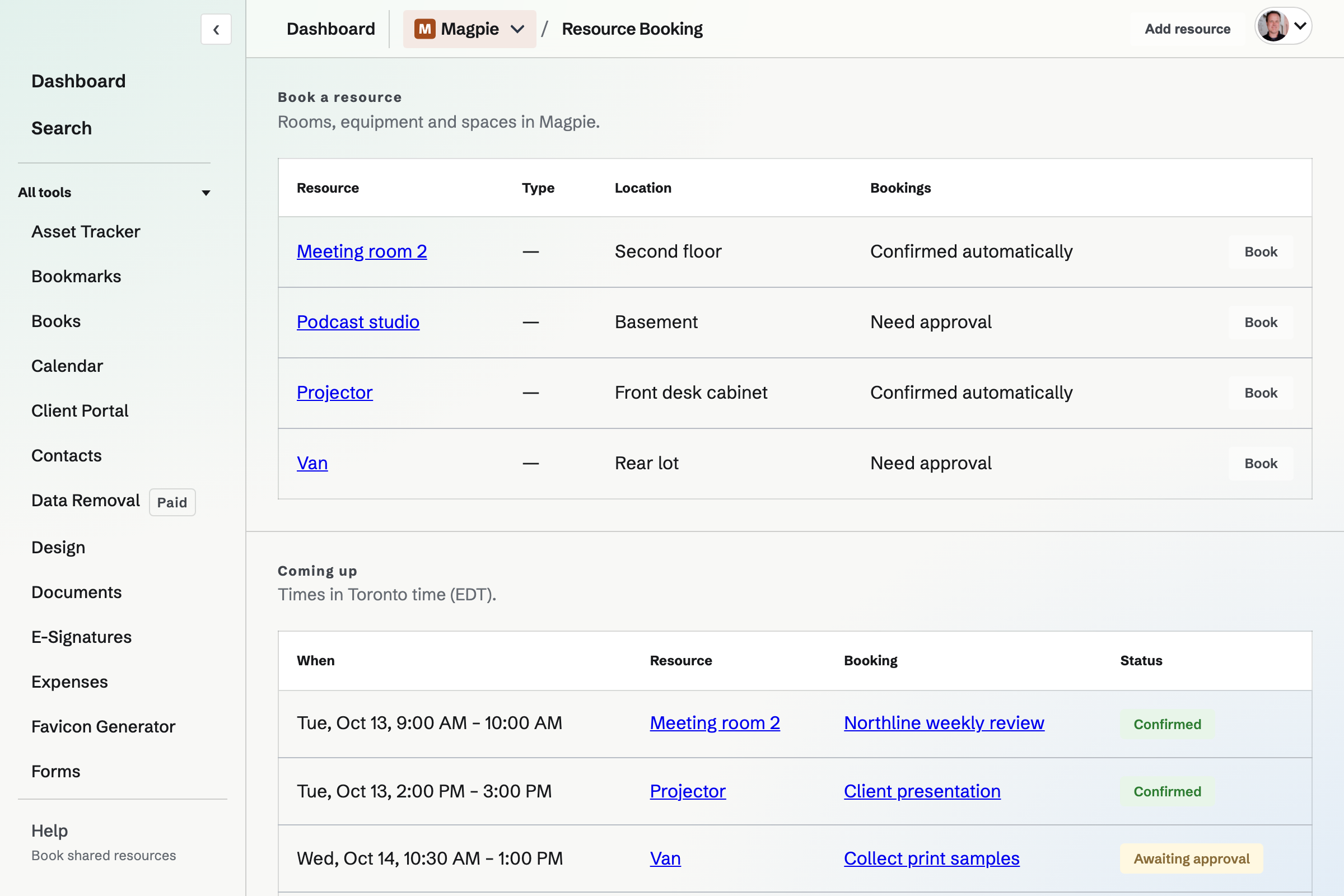
Open hours, closures and booking rules
Set weekly hours in the resource’s time zone, unavailable periods, lead time, advance limits, permitted booking lengths and buffers between reservations. Pending requests and confirmed reservations both block time.
Immediate bookings or requests for approval
Choose an available time
The booking page checks open hours, closures, asset condition and conflicts before saving.
Request or book
A resource can confirm the booking immediately or keep it pending for an admin's approval. An admin's own request needs another admin to review it.
Change a booking
The person who booked can cancel an upcoming reservation or request another time. A moved booking may require approval again.
Admin utilization reports
Compare approved booking hours with configured available hours for each resource. Utilization measures scheduled time, rather than whether someone actually used the room or equipment.
Booking privacy and team permissions
Can everyone read another person's booking?
No. Other people's reservations show Busy rather than their titles or notes. Admins can review requests and the bookings they manage.
Who can add a room or review requests?
Members with edit access can add resources. Team admins approve or decline pending requests.
Can people outside the team book a resource?
Resource Booking is for the selected Personal or team context and requires a signed-in member with access. It does not provide a public booking page for outside visitors.
Set up a shared resource.
Create an account and add a room or piece of equipment.