Walkie Talkie
Walkie Talkie lets your team talk by pressing a button. Every message is kept as a recording.
Walkie Talkie has direct conversations, groups and team channels. People listening live hear you as you speak. Everyone else plays the recording later.
Create account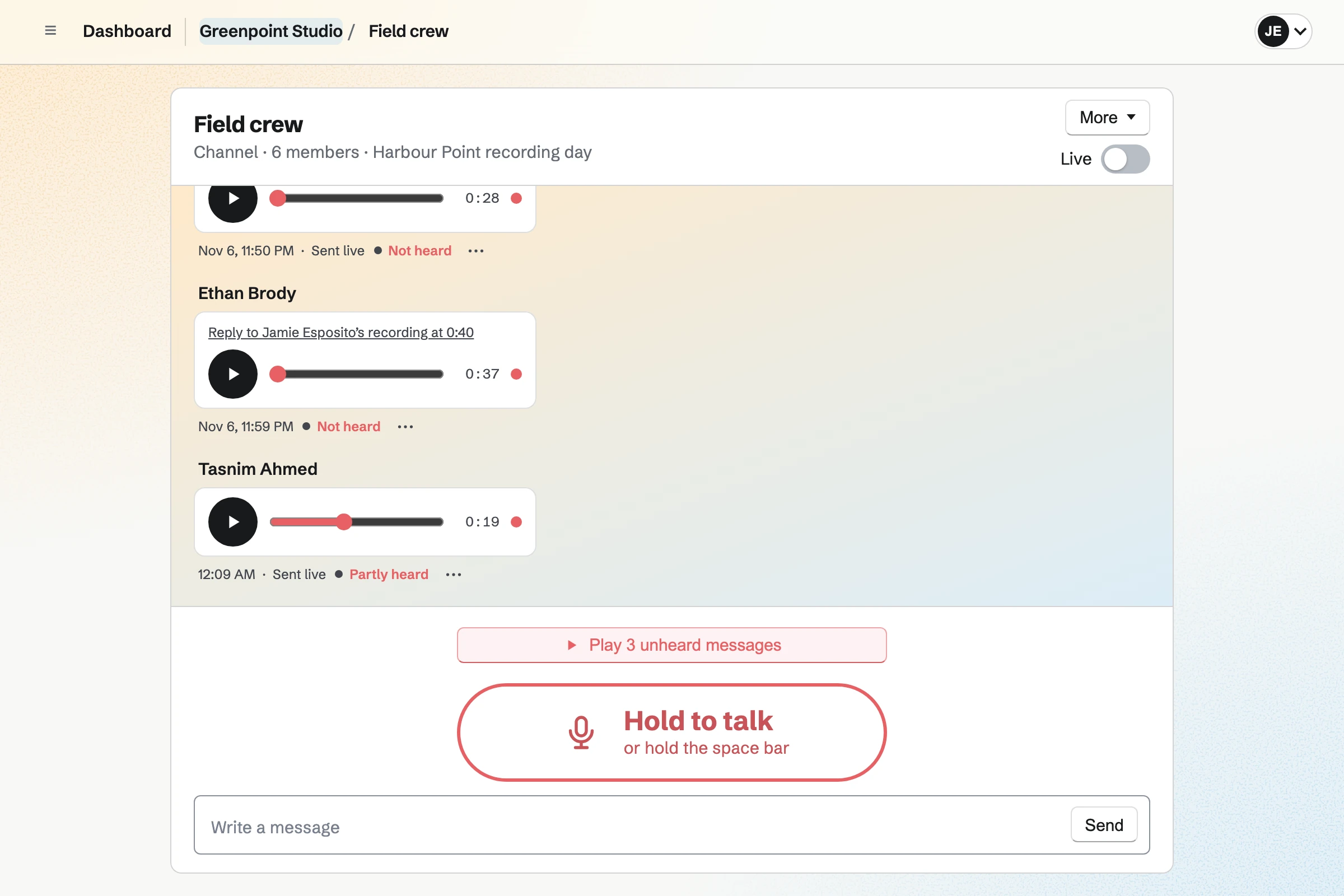
Live or record first
Hold to talk
You hold the Talk button, or the space bar, and speak, then let go to finish. Sliding up or pressing L keeps recording without holding. Tap to talk is a setting.
Live
With Live on, you hear people as they talk and they hear you as you speak. Walkie Talkie checks that nobody else is talking first. The Talk button shows how many are listening, and channels start with Live on.
Live off
Nobody hears the message until you let go. Undo is offered for 3 seconds before it is sent. Direct conversations and groups start with Live off.
Everything said is kept as a recording
A live message is recorded as it is said, so people who were not listening can play it afterwards. Voice and text messages share one timeline in each conversation. A recording can be up to 60 minutes.
A voice message counts as heard once it has played to the end. Play unheard plays the messages you missed, oldest first, at 0.75× to 2× speed. You can save a message or a moment in a recording, or reply to that moment.
Direct conversations, groups and channels
- Direct conversation
- A conversation between two people. It is listed whichever team is selected.
- Group
- A named conversation for up to 50 people you choose from the people you share a team with.
- Channel
- A conversation that belongs to one team. Each team has a channel for everyone on it. You can add Team, Announcements, Dispatch, Private or Event channels.
- Channel rules
- A channel sets who can speak, a queue to speak and whether priority can interrupt. It also sets what history new members see and how long messages are kept.
Clients and people outside your team
You can invite someone by email, or make a link and send it yourself. The person signs in or makes a free account. They join as a guest with their conversation with you and nothing else of your work.
A link works for 7 days, for up to 25 people. A channel can have a link of its own. Anyone can also reach you through your talk page, a public address where they record a message.
Questions
Where does Walkie Talkie work?
In the browser, on Magpie's website. Live talk plays while the conversation is open, on one of your devices at a time. Up to 12 devices hear each message live, and everyone else plays it once it is saved.
What happens if the connection drops while I talk?
A recording goes to Magpie second by second and is kept on your device until all of it has arrived. If the connection drops, the rest goes when it returns, even after the page is reopened in the same browser. A live message is saved as you talk. If the connection ends part-way, what arrived is kept and marked Incomplete.
Who can play a conversation's recordings?
Its members. Team admins do not get access to direct conversations or groups, or to channels they are not in. Removing someone stops live talk reaching them and closes the history to them. Delete for everyone deletes a message's recording and text.
Start a conversation.
Create a Magpie account to start a conversation.