
Bars, breweries and taprooms
A bar, brewery or taproom pours its own beer, and sells cans online and wholesale.
Wine shops
The shop and its staff work in one Magpie team. Restaurants order from the same shop at their trade prices.
Konto erstellen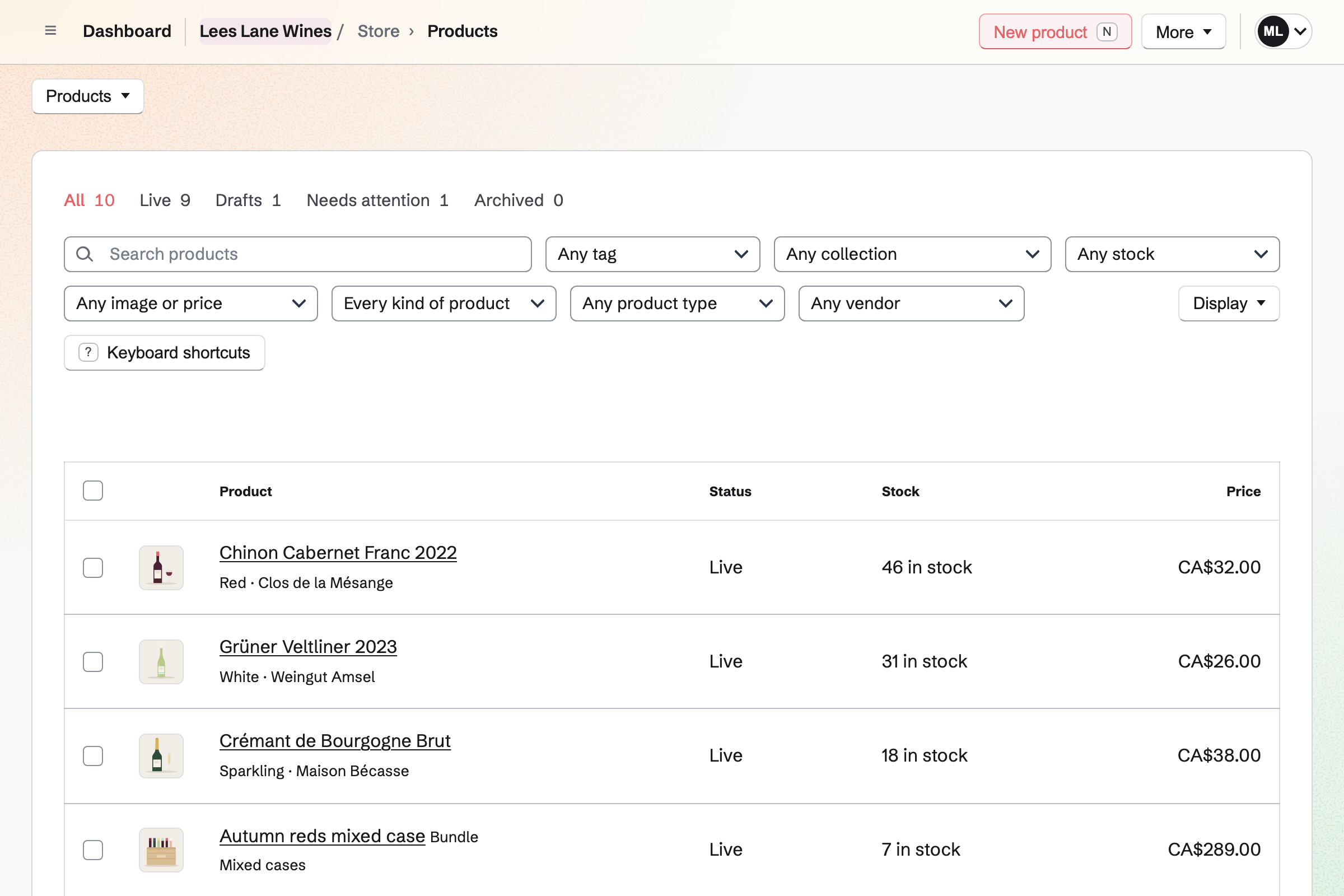
Store is the shop's online shop. Each wine has its producer, its price and its stock. Specifications such as Grape and Region are on its page. Shoppers can filter by red, white, sparkling, beer or spirits.
A case of twelve is a bundle of that wine, at the case price. A mixed case is a bundle of the wines you chose. Each sale takes every bottle from stock.
Local delivery goes to the postal codes you list, on the days you deliver. Buyers choose one of the next 14 delivery days. An order after your cutoff time counts from the next day.
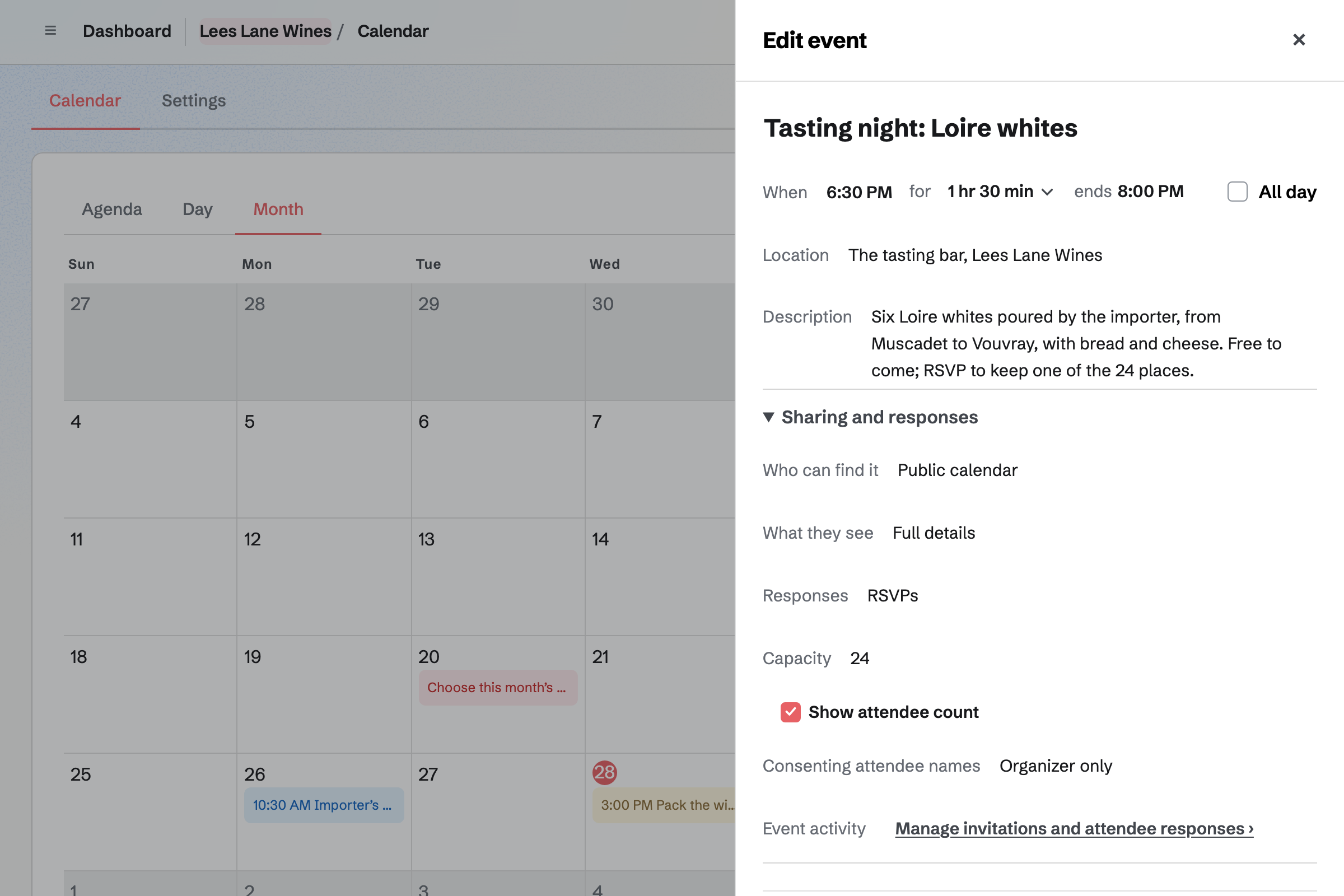
Local deliveries lists the orders still to deliver, soonest first. For a collection, Mark ready for pickup will email the customer the address and pickup times.
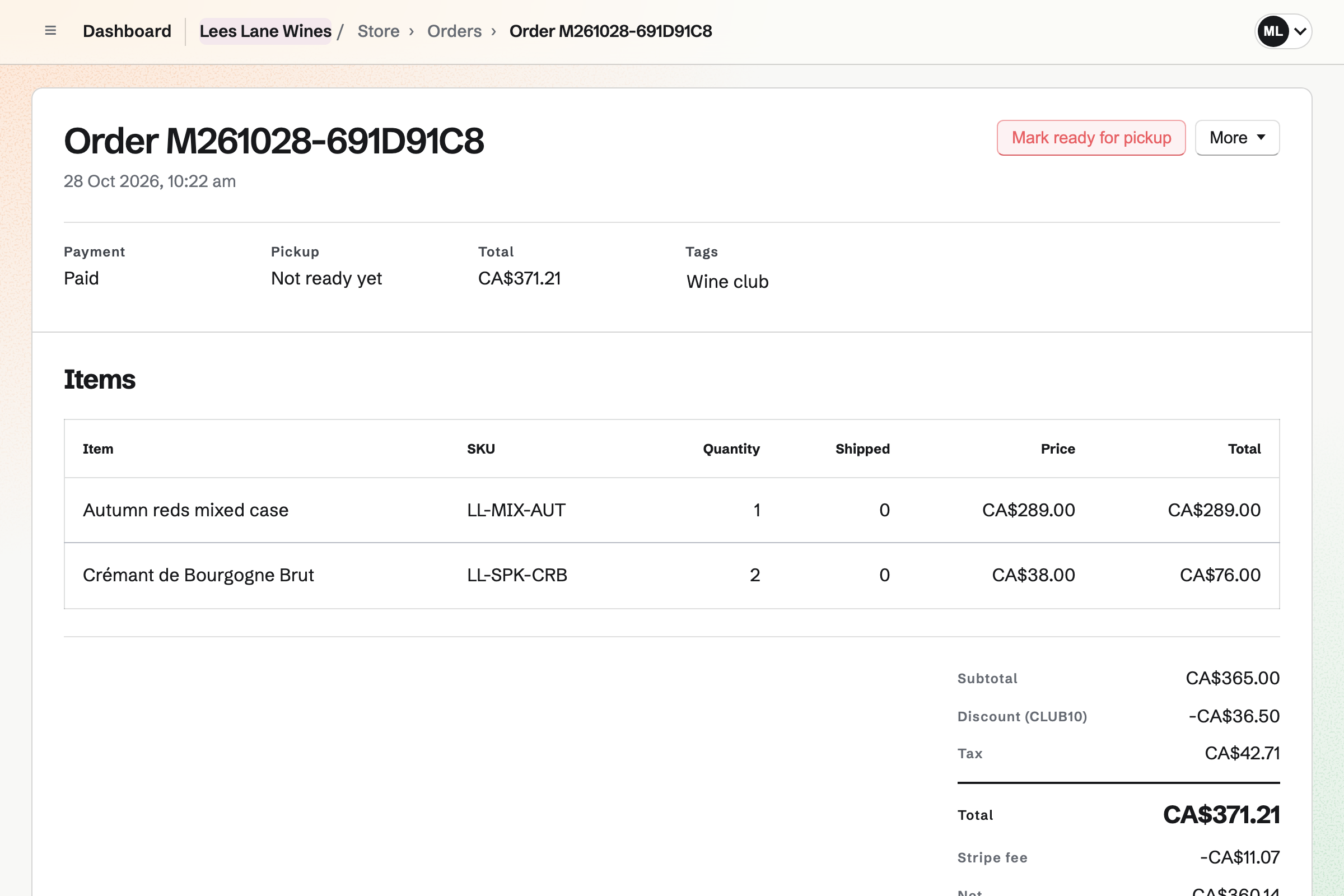
A restaurant is a wholesale customer with its own price list. Its buyer signs in to Magpie and sees the trade prices. Each wine can have a minimum, such as six bottles. At checkout they choose Pay by invoice.
The invoice is sent from Invoicing, due on the restaurant's terms, with a Pay online button. You can deliver before it is paid. The restaurant is added to Contacts with its business name.
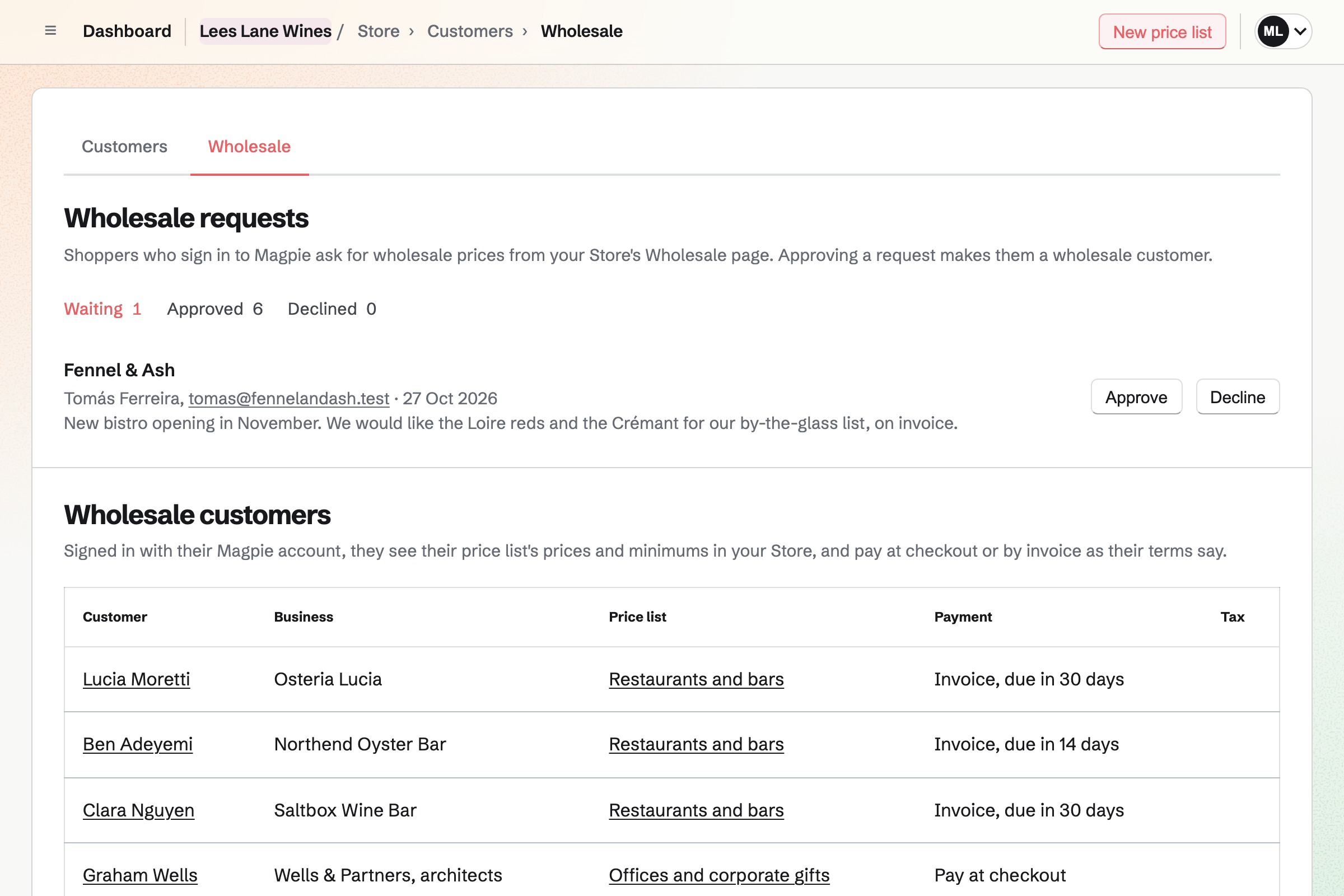
Calendar gives the shop a public calendar of its tastings and winemaker evenings. You turn on RSVPs and set a capacity. The event's page says when it is full.
People RSVP while signed in to Magpie, and can change their answer later. The page can show how many are going. Sharing a tasting starts a social media post about it.
Invoicing bills each member for the club's case every month or quarter. On each date, Magpie issues the invoice and emails it with a Pay online button. Magpie adds no fee.
You can pause a member who is away, and resume them later. When the club's price changes, you change the lines. Each member will be emailed the new amount first.
Contacts keeps your regulars and your trade customers. A pinned note stays at the top of each page. It might read: Rhône syrah, no oak. Search finds a contact from any word in their notes.
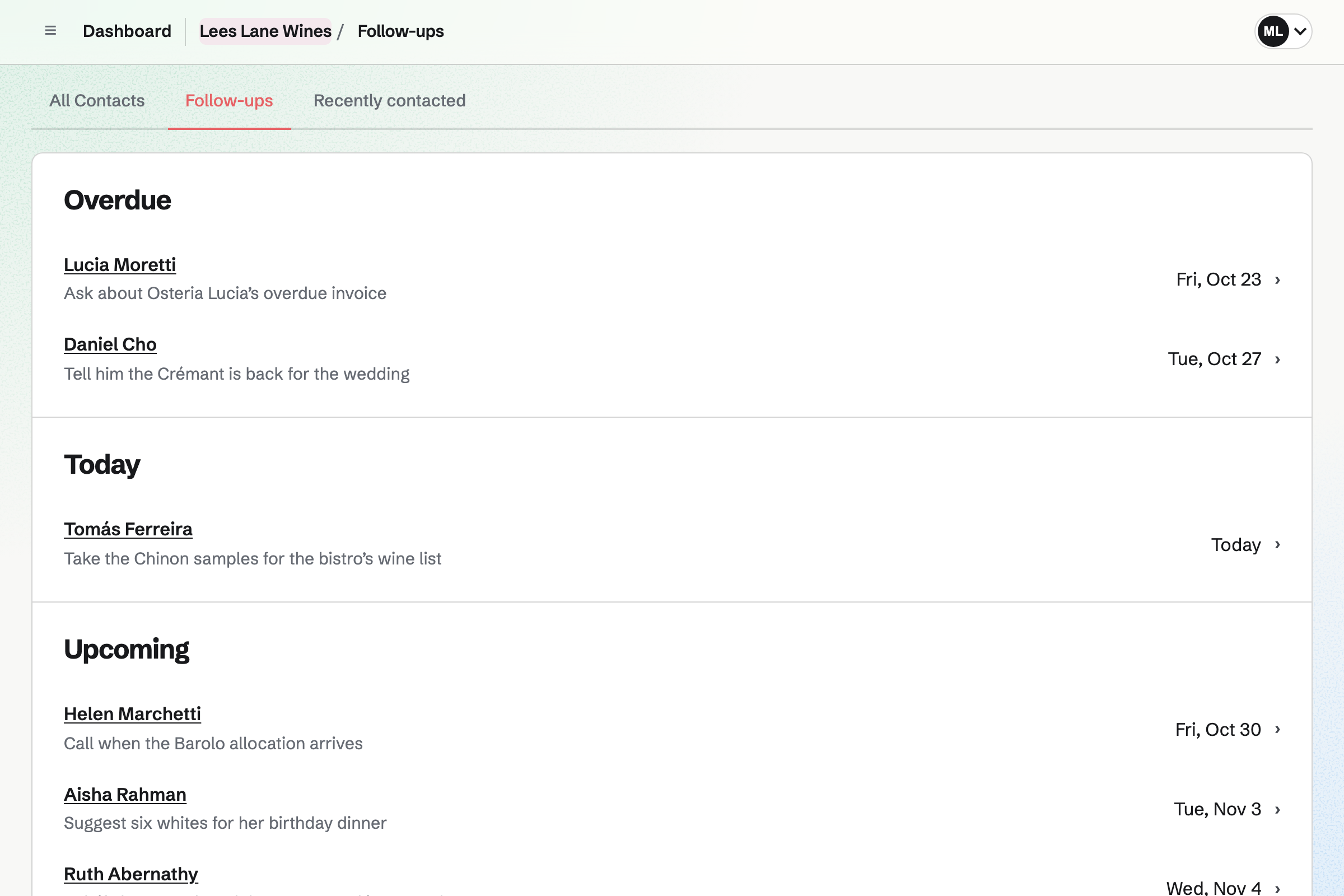
A follow-up is a To-do with a date and a reason, such as the Barolo's arrival. Follow-ups lists every open one as Overdue, Today or Upcoming.
Newsletter gives the shop a sign-up page with double opt-in. Checkout can ask buyers to subscribe too. You write each issue, send yourself a test and schedule it.
An issue can link to each new wine's page and to the next tasting. A sent issue has a web copy, which can start a social media post.
Each step starts from what the one before it made.
The importer's purchase order is received, and each wine's stock goes up.
The new wine goes live online by the bottle, and joins a mixed case.
The newsletter tells subscribers, and a post goes out about it.
A tasting night goes on the calendar, with RSVPs up to the places.
A follow-up reminds you to call the regular who asked for it.
A restaurant orders a case at its trade price, on invoice.
The sales, the restaurant's invoice and the importer's bill are in the books.
You add each wine with its producer, price and stock, then each case as a bundle. Help: Sell bundles of products.
You add local delivery with your postal codes and days, and pickup at the shop. Help: Collections and shipping.
You give each restaurant a price list and invoice terms. Help: Wholesale customers, price lists and pay by invoice.
You bill each member's first case, then make the invoice recurring. Help: Recurring invoices.
You connect your Stripe account, so customers can pay by card. Help: Connect Stripe to receive money.
A shop with staff fits the Team plan, one price for up to 25 members. The free plan includes 5 invoices a month, and the Team plan has no limit. It has room for 5,000 calendar events.
Magpie adds no fee to your shop's sales or to invoices. Stripe's processing fee is taken from each card payment. On a paid Form, Magpie's fee is 1% of each payment. Prices are on the Pricing page.
A bar, brewery or taproom pours its own beer, and sells cans online and wholesale.
A pub takes table bookings, keeps the cellar checks and fills its quiz nights.
A small drink brand sells its own bottles online and to the shops that stock it.
A corner shop keeps the chiller checks, the rota and the wholesaler's order.
A deli or butcher times its cold room checks and takes Christmas orders for pickup.
Yes. Each wine is a product with its own price and stock. A case of twelve is a bundle of that wine, at the case price. Each case sold takes twelve bottles from the wine's stock.
Yes. A mixed case is a bundle of the wines you choose, at its own price. It can hold up to 50 different products. Each sale takes every bottle from stock. When one wine runs out, the case shows as sold out.
Yes. An automatic discount can take a percentage off when the cart holds twelve bottles or more. It can apply to the whole shop or to chosen collections, such as the reds. The buyer needs no code.
Yes. Specifications are name and value pairs on the product page, such as Grape: Cabernet Franc. The producer is the product’s vendor, shown to shoppers as Brand. Shoppers filter by product type, brand and tag, such as Organic.
Yes. Each beer, cider and spirit is a product with its own price and stock. A four-pack is a bundle of four cans, so each sale takes four from stock. Shoppers can filter the shop by Beer or Spirits.
Yes. Local delivery goes to the postal codes you list, on the weekdays you deliver. Buyers choose one of the next 14 delivery days at checkout. An order after your cutoff time counts from the next day. The order and its emails show the date.
Yes. Local pickup shows the shop's address and times at checkout. When the order is ready, Magpie will email the customer the address and pickup times.
Yes. You approve the restaurant as a wholesale customer, with a price list and invoice terms. The list can set a minimum, such as six of a wine. Its buyer chooses Pay by invoice at checkout. The invoice is due on receipt or 7, 14, 30, 45, 60 or 90 days after it is sent.
Yes. Most per customer limits how many one email address can buy across its orders. Most per order limits a single order. The product page shows the limit, and the cart refuses more.
Yes. With Sell when out of stock on, a wine keeps selling before it lands. Its expected ship date is shown on the product page and on the order. Payment is taken when the customer orders. The Pre-orders tab lists every such order.
Yes. When a wine with counted stock sells out, its page asks for an email address. Magpie will send one email when it can be bought again. You see how many people are waiting.
Yes. A personalisation field asks for a gift message as they buy. It can be optional or required, free or at an added price. The order, its emails and the packing slip show what they wrote.
Yes. A gift card sells fixed amounts and, if you choose, a custom amount. The buyer can have it emailed to someone on a date they pick. A bought card never expires.
You choose New order, pick the bottles and record how the customer paid. The order is created paid, and the bottles leave stock.
Each wine has a reorder point, and you get an email when it falls to it. Add low-stock items fills a purchase order to the supplier. You email it from Magpie or send the PDF. Receiving the delivery adds the stock at its cost.
Yes. You put the tasting on the shop's public calendar and turn on RSVPs. A capacity stops RSVPs when that many are going. The event's page then says it is full. People RSVP while signed in to Magpie.
Yes. You make a Form for the dinner that charges one amount. Each guest answers its questions and pays by card on Stripe's page. You close the Form when the seats are gone. Magpie's fee on a paid Form is 1% of each payment.
Yes. Each member is billed for the club's case on a recurring invoice, every month or quarter. Magpie issues each invoice on its date and emails it with a Pay online button. Reminders go out until it is paid.
Yes. You send a new member a proposal for the club, with the case billed monthly. When they accept, they save a card. Each invoice is charged to it as it is issued. If a card is declined, you and the member will be emailed.
Yes. Pause stops their invoices until you resume the schedule. A date that passes while it is paused is not invoiced. You can also move the date of their next invoice.
Yes. A Form asks for their name, their address and what they like to drink. Each answer is emailed to you and kept in a list. You can export the answers as a CSV file.
Yes. You tag each member on their customer page, and save that tag as a segment. A discount code limited to the segment works only for those members. Checkout checks the buyer's email address against it.
Yes. A pinned note stays near the top of a regular's contact page. Search finds the contact from any word in their notes, such as Barolo. A follow-up reminds you to call them when it arrives.
Yes. Each buyer has a page under Customers, with their orders and what they have spent. You can tag them and write notes only your team sees. Add to Contacts links them to a contact.
Yes. Newsletter gives the shop a sign-up page with double opt-in. Checkout can ask buyers to subscribe too. You write each issue in Markdown, send yourself a test and schedule it. A sent issue has a web copy to share.
Yes. Newsletter imports a Mailchimp or Substack export, or a CSV file, of up to 5 MB. You record where the list came from and how people agreed. Addresses that unsubscribed or bounced are left out.
Yes. A QR code opens any address, such as the wine's page in your online shop. A dynamic code can be pointed somewhere else later, so the printed card stays. Its page counts the scans.
Magpie adds no fee to your shop's sales or to invoices. Stripe's processing fee is taken from each card payment. The rest goes to the shop's own Stripe account.
Create a Magpie account and make a team for the shop.