Design
Design interfaces with components and interactive prototypes.
Arrange text, images and vectors in Pages and Frames. Reuse components, styles and variables, review designs with comments, and share a prototype without exposing the editor.
Get started free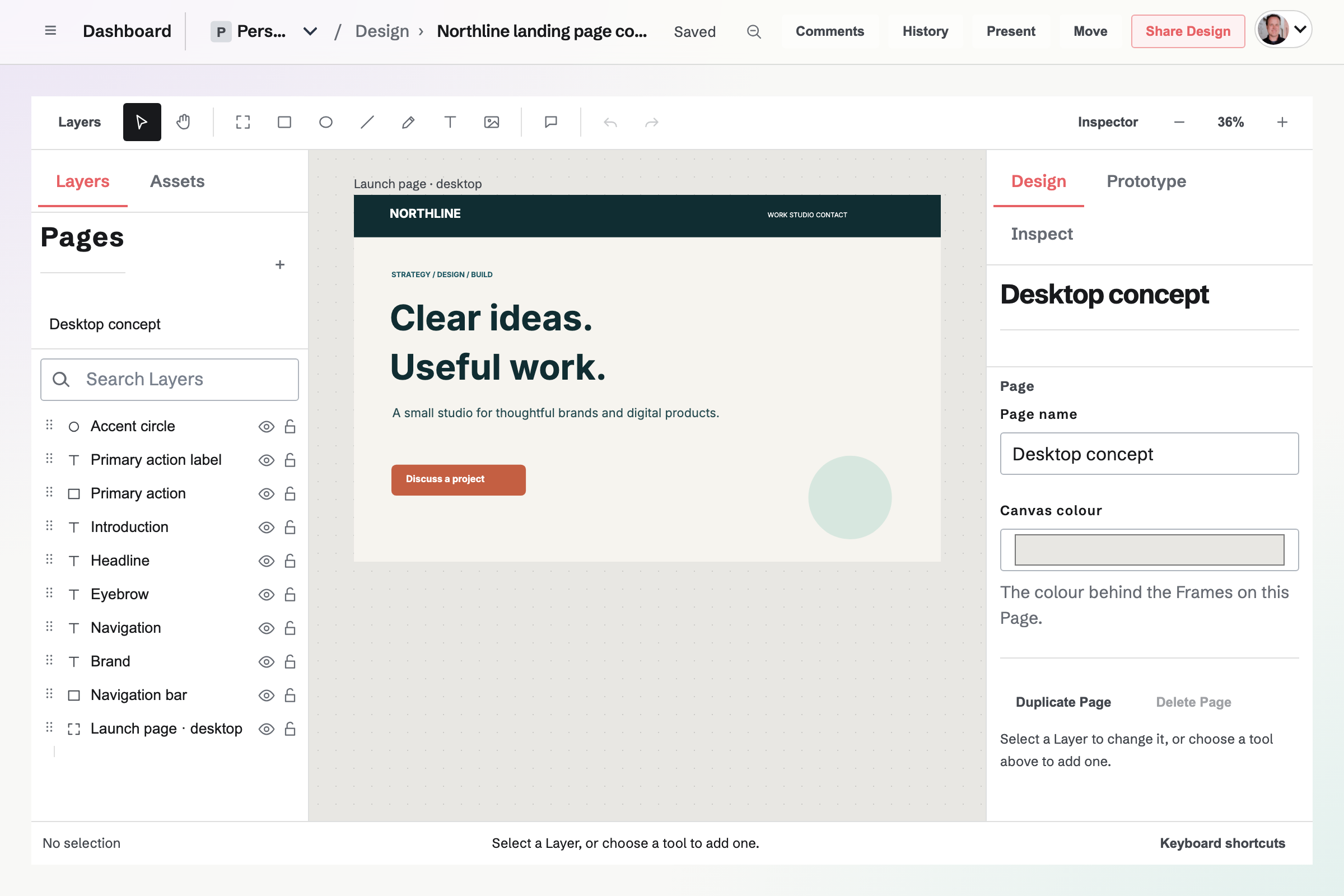
Components, instance overrides and shared styles
Create a Component from a Layer or Frame, place Instances elsewhere, and update them from the source. Exposed text, visibility, fill and opacity values can differ on each Instance. Styles and Variables also live across the file's Pages.
Canvas tools and design review
- Pages and frames
- Separate areas of the design and use phone, tablet, desktop or slide Frame sizes. A Page keeps its own Layers and guides.
- Layers
- Arrange shapes, images and text. Auto Layout controls spacing and resizing as content changes.
- Vector editing
- Adjust paths and shapes where the design needs custom material.
- Comments and versions
- Comment on a location, name a Version before a review, and keep larger changes in a Branch.
- Team libraries
- Publish components and styles as a team library. Connected files use a chosen library version and can update to a newer one.
Link frames into a prototype.
Create a Flow from a starting Frame and add interactions that navigate, open overlays, scroll or change a Variable. Present a view-only snapshot to show the reachable Frames without sharing the editor or unrelated Pages.
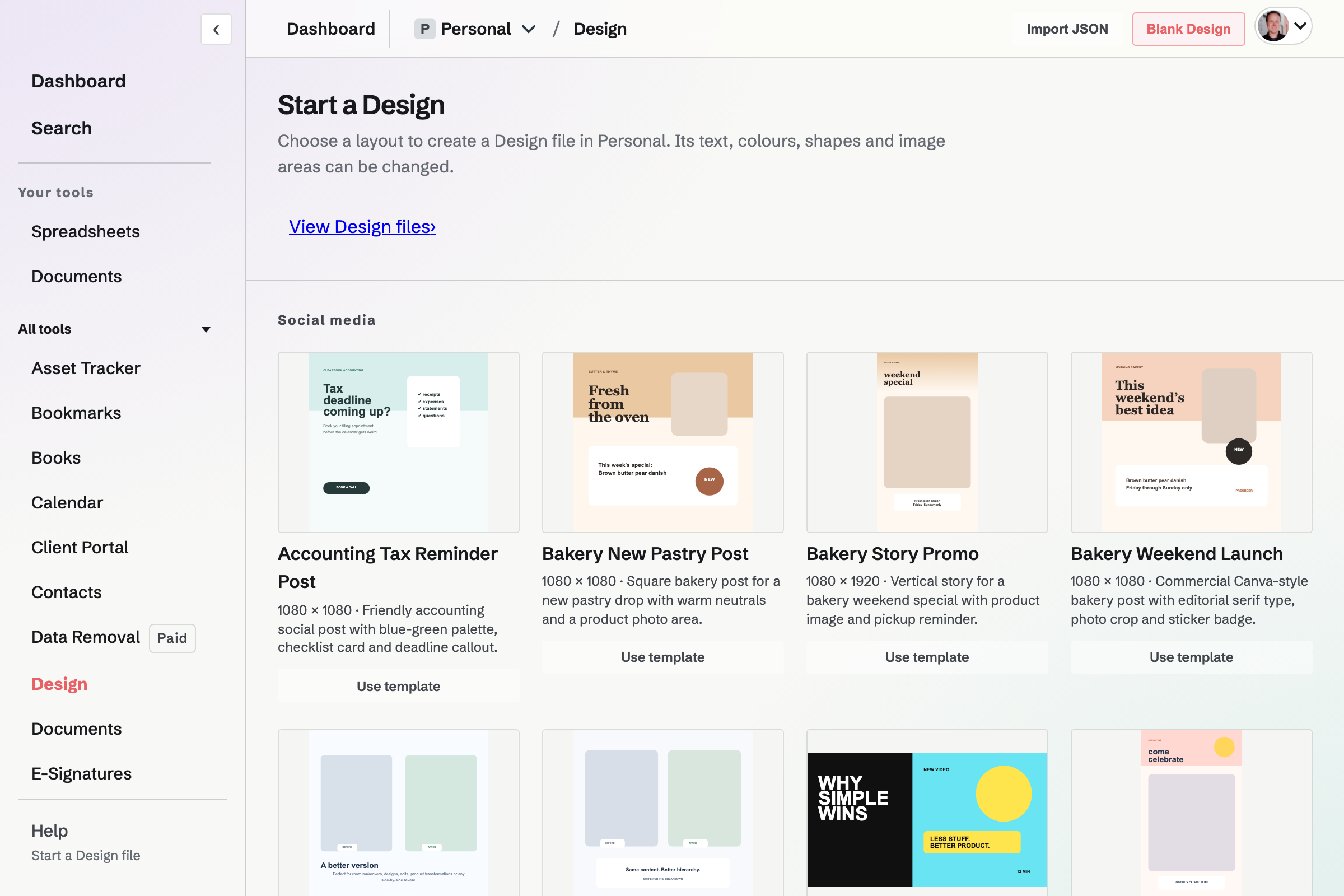
Start from a template or a blank file.
Templates are grouped as Social media, Print, Work, and Screens and wireframes, each with its size in pixels. Using one creates an ordinary Design file in the current Personal or team context: every word is a Text Layer, and empty image areas fill from Magpie media or an upload.
A team administrator can turn on Team template for a file so everyone in the team can start from a copy of it.
Sharing and output
Can someone outside my team edit one file?
Invite a Magpie user to one file as Viewer, Commenter or Editor. Direct access does not make them a team member.
Can I export a design?
Export a selection or Page as SVG, PNG, JPEG, WebP or PDF. Inspect can also copy CSS for a selected Layer.
Can I bring in a layout?
Design can create a file from a structured JSON layout. It does not import an arbitrary design-tool document.
What can I do in the native app?
Review and comment, manage collaborators and versions, and make basic text, rectangle and frame edits. Prototype playback and most canvas and Inspector tools are not available in the native app yet.
Start a Design file.
Create an account and open a canvas.