Flashcards
Make a deck of question-and-answer cards, import the cards you already have, and share the deck by link.
A deck is a set of cards in Personal or a team. Each card has a question side and an answer side in Markdown, and is basic, fill in the blank or multiple choice. Type the cards one after another, or import JSON, CSV, TSV or Markdown and check every card in a preview before it is saved.
Get started free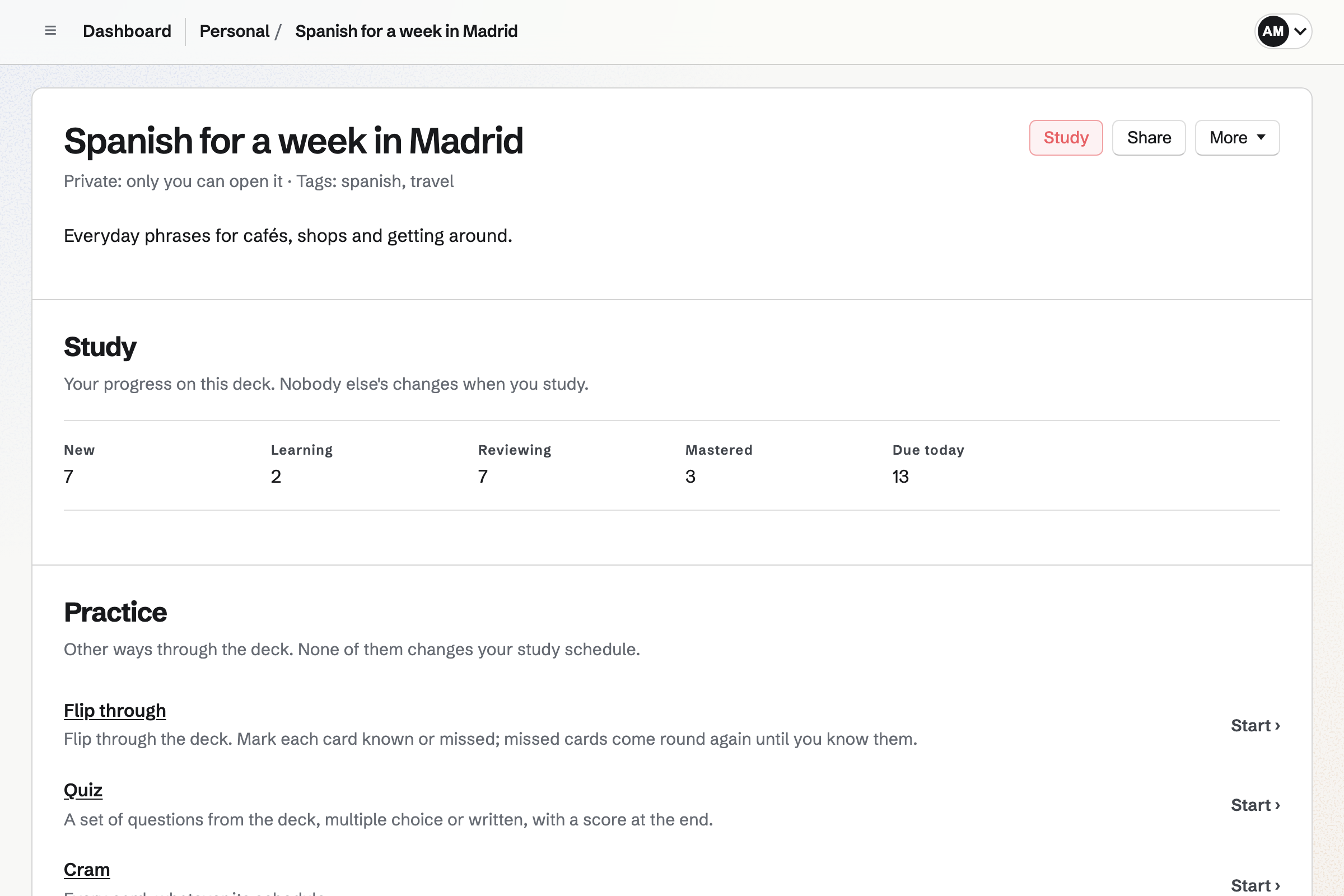
Card types
Both sides of a card take Markdown: bold, lists, links and code blocks. A deck holds up to 5,000 cards, and each side up to 5,000 characters.
- Basic
- A basic card has a front and a back. With Also ask back to front, it is also asked from the back.
- Fill in the blank
- A fill-in-the-blank card is one text with each hidden part in double braces, such as HTTPS normally uses port {{443}}. The question shows a blank in place of each.
- Multiple choice
- A multiple-choice card has a question, up to 8 choices and the correct one.
- Typed answers
- Any card can require a typed answer, which is checked before the answer side is shown.
- Images
- A card can show an image from Your images, Magpie's image library, above its question.
Adding and editing cards
New deck asks only for a title, and the deck's page opens with the Add card drawer ready for the first card.
One card after another
The drawer asks for the card type and its sides. Add card adds the card to the list and clears the sides for the next one.
Edit in the list
Click either side of a card to change it. The card's More menu sets its tags, a typed answer, an image and Also ask back to front.
Study history is kept
Changing a card's text keeps everyone's study history on it.
Order and search
Drag a card by its handle or use its up and down buttons. Search covers both sides, the choices and the tags of every card in the deck.
Delete with Undo
Delete card deletes the card at once, and Undo in the message after it brings the card back with everyone's progress.
Decks, folders and team permissions
Decks lists every deck in Personal or the selected team, with its number of cards, how many are due today and how many you have mastered.
- Folders
- Decks with the same folder are listed together under its name.
- Deck details
- Edit details holds the deck's title, a Markdown description, tags, folder and source: a note of where the cards came from.
- Finding decks and cards
- Search decks finds decks by title, description or tag, and Magpie's search and the assistant find decks and their cards.
- Who can change a deck
- In a team, members who can edit change decks and cards, and members with view access open and study them. A team admin or the person who made a deck can delete it, with its cards and everyone's progress. A deleted deck does not go to Trash.
Importing and exporting cards
Paste the cards or upload a file of up to 2 MB, with up to 2,000 cards at a time, into a new deck or one you already have. The format is worked out from the cards unless you choose one.
- Magpie JSON
- Magpie's own format holds the deck's title, description, tags and source, then each card's type, sides and options.
- CSV and TSV
- A file saved from a spreadsheet is read as one card per row. A first row can name the columns, such as front and back, question and answer, or term and definition; without one, the columns are front, back and tags.
- Markdown and plain text
- A card is front :: back on one line, a line with {{hidden parts}}, a question with its answer on the lines below, or a question with a list of choices and the correct one marked [x].
- Copy the prompt
- Copy the prompt copies the format and the rules for writing cards from your own material.
- Export
- A deck exports as Magpie JSON, which imports back unchanged, or as CSV, TSV or Markdown. Study progress is not part of an export.
The import preview
Nothing is saved until you have seen the preview. It lists every card with counts by type, marks possible duplicates of another card or of one already in the deck, and marks cards that may be hard to study, such as one with a very long side or more than one question.
Warnings never block an import. Untick any card to leave it out. If any card does not fit its format, nothing is saved, and the message names the card to correct.
Sharing a deck and saving a copy
A deck is Private (only you in Personal, or the members of its team), Unlisted (anyone with the link) or Public (anyone, and search engines may list it). Members who can edit the deck change its sharing and copy the link from Share.
Anyone with the link can read the cards and flip through, quiz or cram without an account. A visitor never changes the deck.
Save a copy creates an independent deck, with the cards and no progress, in the visitor's Personal or current team. Later changes to the original do not change the copy.
Make your first deck.
Flashcards is on every plan. Create a Magpie account and choose New deck in Flashcards, or import the cards you already have.