
Therapists and counsellors
A therapist books sessions in the room or by video, with intake forms and notes.
Astrologers and tarot readers
Your readings, clients, invoices and forecasts are in your own Magpie account. A second reader can join you in a team.
Créer un compte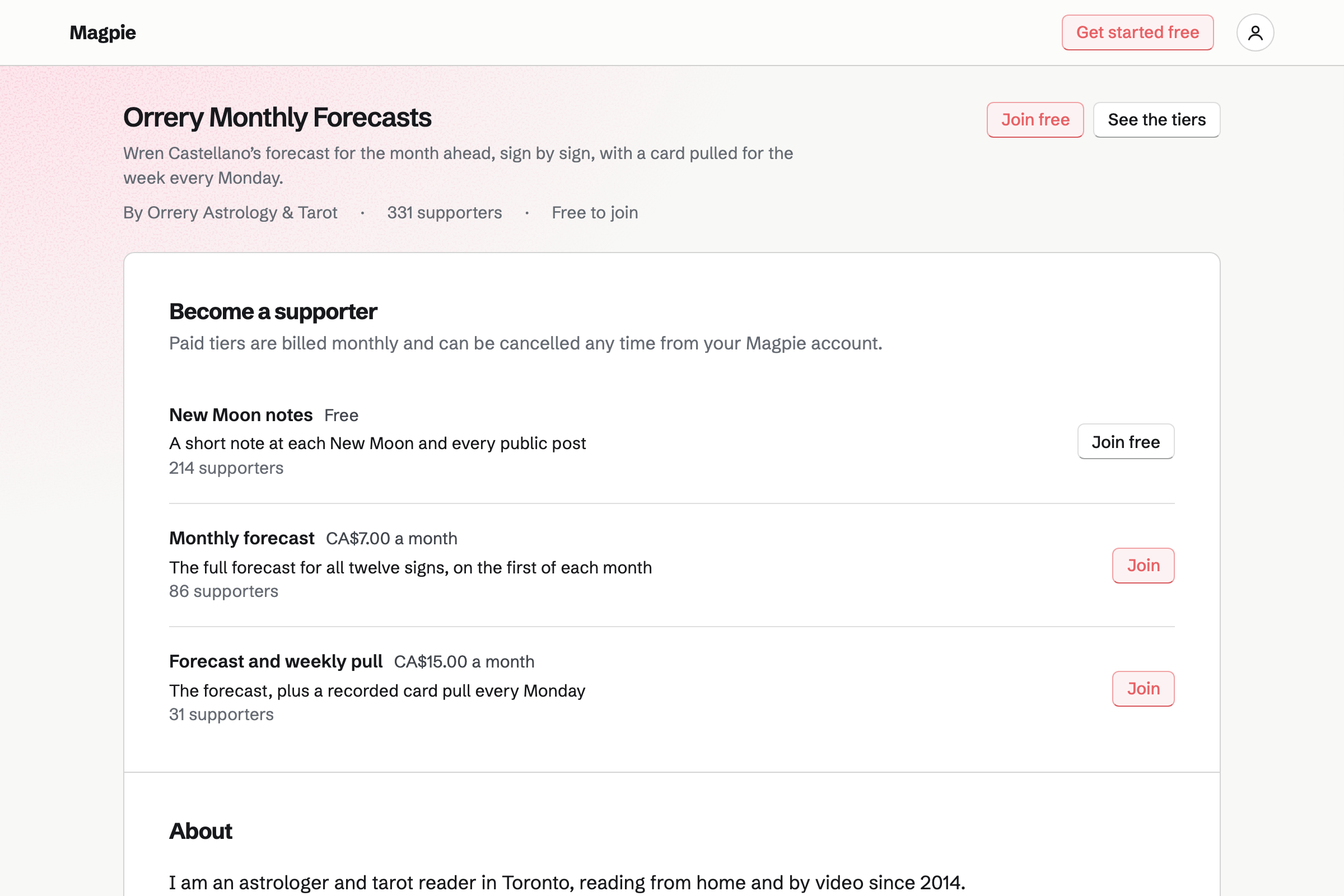
Meetings is your own meeting page. A 30-minute tarot reading and a 90-minute birth chart reading are two Meeting Types. A client chooses one and a free time, shown in their own time zone.
A Notes box takes their date, time and place of birth. With Zoom connected, each reading gets its own call. The join link is in the client's confirmation email. Times your Calendar or Google Calendar has busy are not offered.
Contacts keeps each client with a pinned note: their date, time and place of birth. Their page lists every reading they booked with you and every invoice. Your notes after each reading go there too.
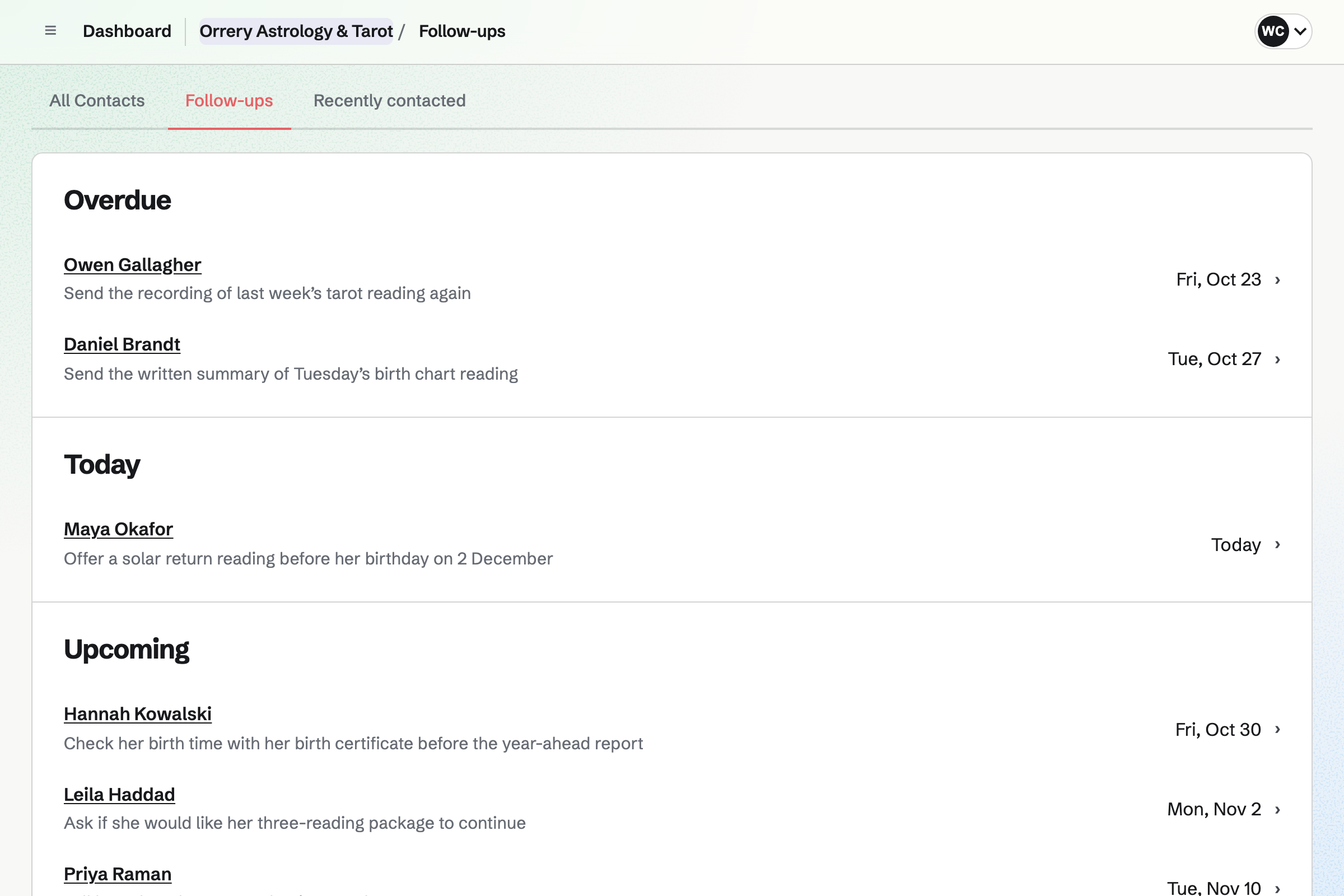
A follow-up is a To-do with a date, such as a month before a client's birthday. It reminds you to offer a solar return reading. Follow-ups lists every open one as Overdue, Today or Upcoming.
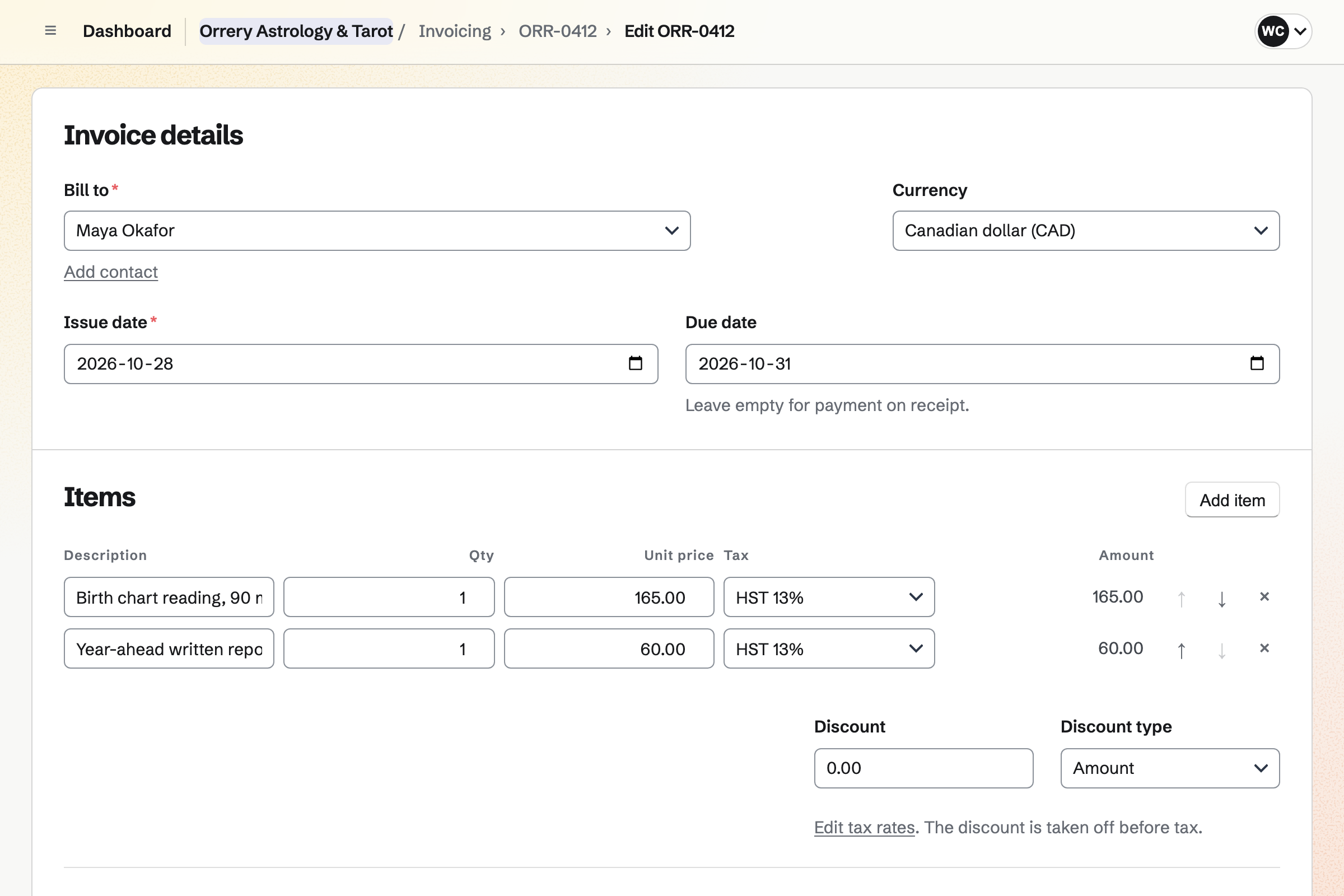
Invoicing bills a reading to the client, with its date and length in the line. The email carries the PDF and a Pay online button. The money goes to your own Stripe account, and Magpie adds no fee.
A package of three readings is one line with a quantity of three. Reminders go to the client until the invoice is paid. A bank transfer is recorded on the invoice by hand.
Secure Files keeps a reading's recording and your summary as a PDF. Each file is encrypted in your browser before upload, up to 2 GB. You send each one by a secure link.
The link expires after an hour, a day, 7 days or 30 days. It can allow one download and ask for a passphrase. The client downloads the file without signing up.
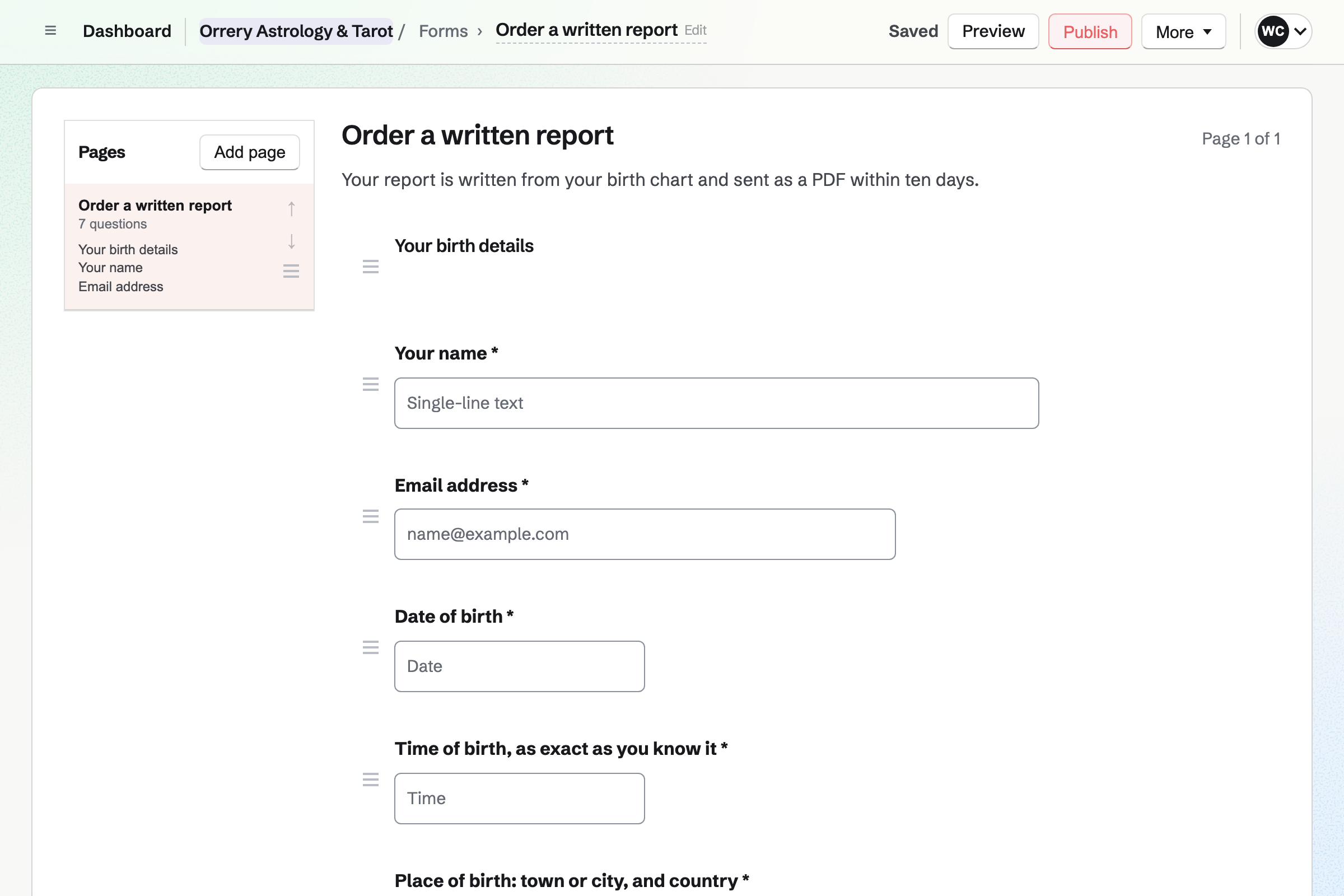
Forms builds the order page for a written report, such as a year-ahead forecast. A Date question takes the birth date and a Time question the birth time. The place of birth is a required text answer.
The client pays the report's fee by card as they send the order. Each order is emailed to you, marked Paid. You send the finished report as a PDF by a secure link.
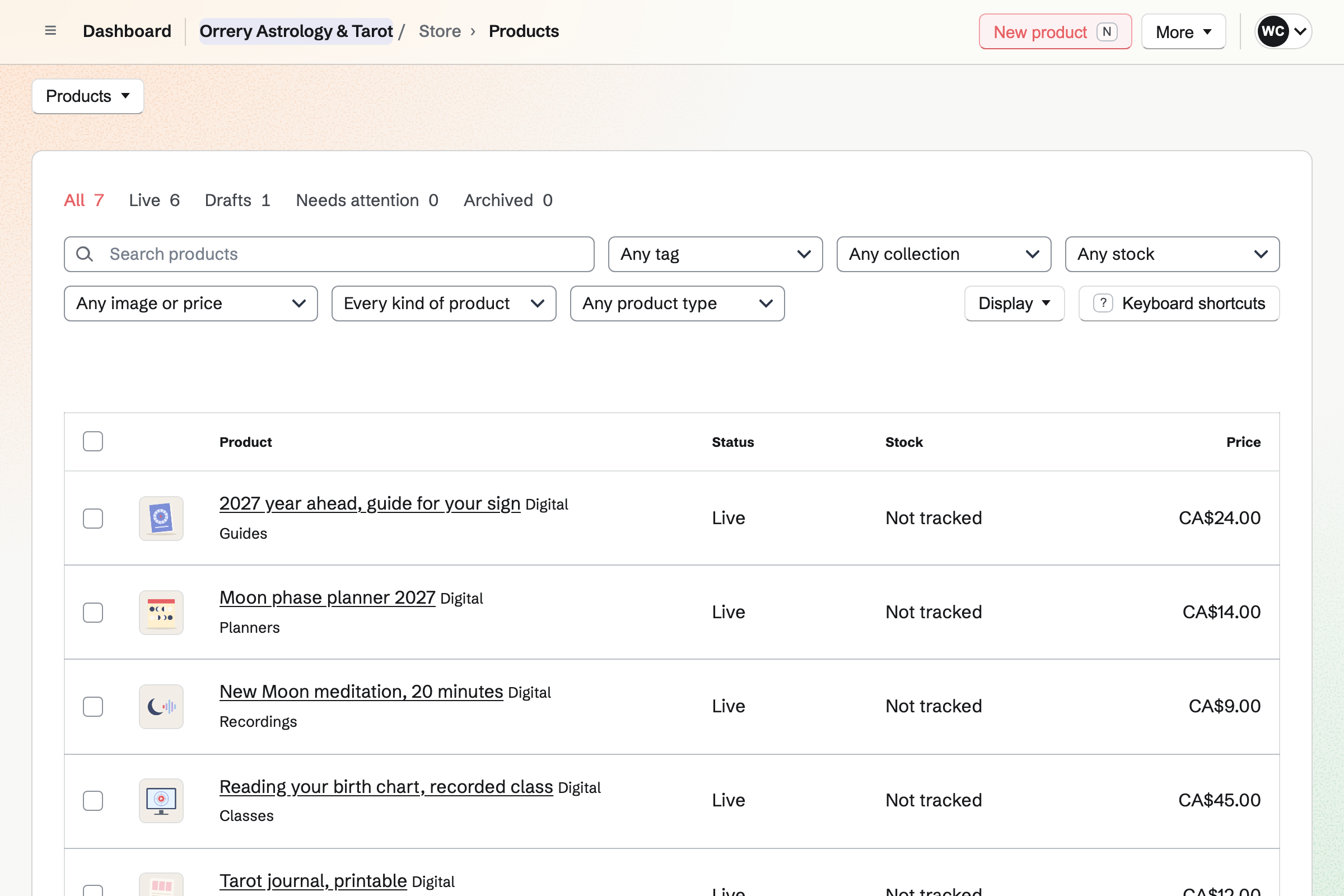
Store is your online shop. A year-ahead guide for each sign sells as a PDF. A New Moon meditation sells as an MP3, and a recorded class as an MP4.
Buyers pay by card into your own Stripe account, and Magpie adds no fee. The confirmation email lists the files, and the buyer downloads them from their order. A gift card sells set amounts to spend in your shop.
Supporters gives you a page with a free tier and monthly paid tiers. Each month's forecast is a post, with text, images, a video or a poll.
A post can be for everyone, for paying supporters or for tiers you choose. Readers it is locked for see its title and excerpt. Supporters pay by card into your own Stripe account.
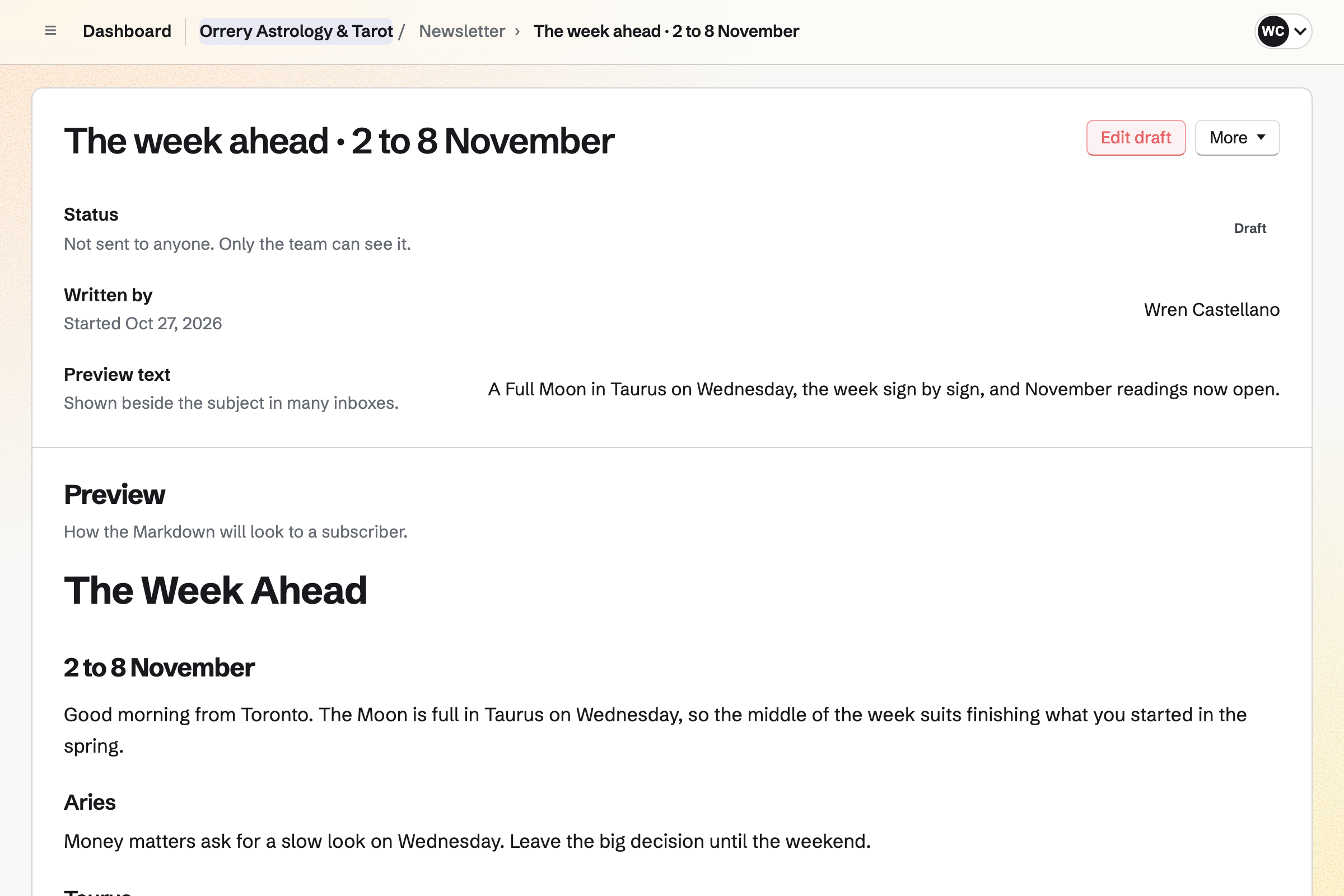
Newsletter gives your horoscope a sign-up page with double opt-in. Buyers can subscribe as they check out in your shop. You write each issue in Markdown, send yourself a test and schedule it.
A sent issue can have a web copy. Share to Social Media starts a post with its link.
Each step starts from what the one before it made.
The client books a 90-minute birth chart reading, with their birth details in the notes.
Zoom makes the call, and the join link is in the client's confirmation email.
You pin their birth details on their contact, and the reading is listed there.
You bill the reading. A card payment is recorded on the invoice by itself.
After the call, the recording and your summary go to the client by a secure link.
A follow-up a month before their birthday reminds you to offer a solar return reading.
You add your readings as Meeting Types and set your weekly hours. Help: Set up and share your meeting page.
Each new reading will get a Zoom call, with the join link for the client. Help: Connect Zoom.
You connect your Stripe account, so clients can pay invoices, reports and downloads by card. Help: Connect Stripe to receive money.
You set up Password Vault and keep its recovery key. Help: Secure Files.
You name your newsletter and share its sign-up page. Help: Start and configure a newsletter.
A reader working alone fits Pro, for your own work in Personal. The free plan has 2 Meeting Types, 5 invoices a month and 100 contacts. Pro has no limit on any of them.
Pro records up to 30 minutes on screen, and sharing a recording by email needs it. Secure Files uses your storage: 1 GB free, 20 GB on Pro.
Magpie adds no fee to invoices or your shop's sales. Its fee is 3% of each supporter's payment and 1% of a paid Form's. Stripe's processing fee applies to every card payment. Prices are on the Pricing page.
A therapist books sessions in the room or by video, with intake forms and notes.
A massage therapist or a small spa books treatments and sells gift cards.
A tutor teaches lessons in person or online, and bills each family every month.
A digital product seller sells templates, presets and fonts as downloads.
A newsletter writer sends free issues to subscribers and posts for paying supporters.
A video creator records and edits videos, and gives supporters each one first.
Someone starting a business beside a job sets up a page, a shop and the books.
A mystical or curiosity shop sells crystals, decks and oddities, online and at the counter.
A market organizer takes stall applications and plans the pitches for each market day.
Yes. Your meeting page lists your readings with their length and description. A client picks a day and a free time, and enters their name and email address. They book without signing up first. Magpie emails them a confirmation with a calendar file.
Yes. Each reading is a Meeting Type with its own name, length and description. A length can be anything from 15 minutes to 2 hours. A 30-minute three-card reading and a 90-minute birth chart reading are two Meeting Types.
Yes. The meeting page has a Notes box. A Meeting Type's description can ask for the birth details there. The notes are in the email Magpie sends you about the booking. They are on the reading's page and in the list of meetings too.
Yes. The meeting page shows times in the client's time zone, taken from their browser. It names their zone, and yours when it differs. The confirmation shows the time in both zones, and their email uses theirs.
Yes, with Zoom connected. Each new reading gets a Zoom call. The client's confirmation email has the join link, and your notification has the host link. With Google Calendar connected instead, a reading gets a Google Meet link.
Yes. A time is not offered when it overlaps another reading or an event in your Calendar. While Google Calendar is connected, its busy times are blocked too. Your readings can be added to Google Calendar with the client invited.
Yes, by text, when text reminders are on. A client with a US or Canadian number ticks Text me a reminder as they book. They get one text before the reading, at the time you choose.
You send the client an invoice for the reading. The email has a Pay online button, and they pay by card. The money goes to your own Stripe account, and the payment is recorded on the invoice. Magpie adds no fee; Stripe's processing fee applies.
Yes. An invoice line can have a quantity, such as three readings at your price. The client pays the whole package by card from the email. Reminders go out until it is paid.
Yes. A recurring invoice issues and emails the same lines every month, quarter or year. You can pause it, change its lines or end it. Reminders go out until each invoice is paid.
On the client's contact, in a note you pin. A pinned note stays near the top of their page. The page also lists every reading they booked with you, every invoice and your dated notes.
In Personal, a client's page and its notes are yours alone. In a team, the members who use Contacts can read them. Secure Files encrypts files in your browser. Magpie stores them as data it cannot read.
Yes. Secure Files keeps a recording made in Zoom, and sends it by a secure link. A file can be up to 2 GB. The link expires when you choose, and the client downloads the file without signing up.
Yes. The summary goes by its own secure link, as a PDF. The link can allow one download and ask for a passphrase. You give the passphrase separately, such as in a message.
Yes. A follow-up on the client's page has a date and a reason. It is a To-do with the usual reminders. Follow-ups lists every open one as Overdue, Today or Upcoming.
Yes. A paid Form takes the order: the birth date, time and place, and the fee. The client pays by card on Stripe's page. Each order is emailed to you and marked Paid. Magpie's fee on a paid Form is 1% of each payment.
Yes. A digital product delivers its files after payment: a PDF, an MP3 or an MP4. Each file can be up to 500 MB. You can set how many days and how many times a buyer can download it.
The confirmation email lists the files by name, and its button opens the order. The order is kept in a Magpie account for the email address they gave. Every file they bought from you is under Your downloads.
Yes. Screen Recorder records your screen, with the client's chart on it, your camera and your voice. Share by email sends it to the client. You can see how far they watched.
Yes. Supporters gives you a page with a free tier and paid tiers charged monthly by card. Each month's forecast is a post for the tiers you choose. Magpie's Supporters fee is 3% of each payment, and Stripe's fee applies.
Yes. A post can be for everyone, for all supporters, for paying supporters or for chosen tiers. Readers it is locked for see its title, cover and excerpt, never its text.
Yes. Newsletter gives you a sign-up page with double opt-in. You write each issue in Markdown, send yourself a test and schedule it. Sending starts within a minute of the time you set.
Yes. Each class is an event on your public calendar, a tab of your meeting page. RSVPs stop once the seats you set are taken. A paid Form can take the class fee by card. You close it when the class is full.
Yes. Appointments gives you a booking page for the days you read at the shop. The shop is the reading's location. A buffer keeps time free between readings. The client can move or cancel from their confirmation email, until the notice you set.
Yes. A QR code on your table opens your meeting page or your horoscope sign-up. A dynamic code can point somewhere else later, and its page counts the scans.
Yes. Social Media schedules posts to Bluesky, Mastodon and LinkedIn at the time you choose. For Instagram, Magpie reminds you and opens the post filled in.
Magpie adds no fee to invoices or to your shop's sales. Its fee is 3% on supporters' payments and 1% on a paid Form. Stripe's processing fee applies to every card payment. The rest goes to your own Stripe account.
Create a Magpie account and publish your meeting page.