Fastmail compared with Magpie

Fastmail vs Magpie: an in-depth comparison

Fastmail and Magpie both give a small business email at its own domain, with a calendar, contacts and files beside it. They are built around different things.

  1. Fastmail is an email service with calendars, contacts and files, paid for by its customers and free of ads. It is built for someone who wants a complete mailbox: apps on every device, rules, labels, a strong search and plenty of storage.
  2. Magpie is one subscription for a small business's software, and Mail is one part of it. Beside the inbox it includes booking pages, invoicing, a helpdesk, contacts, a website and more. It is built for someone whose email is one part of running the business.
Create account
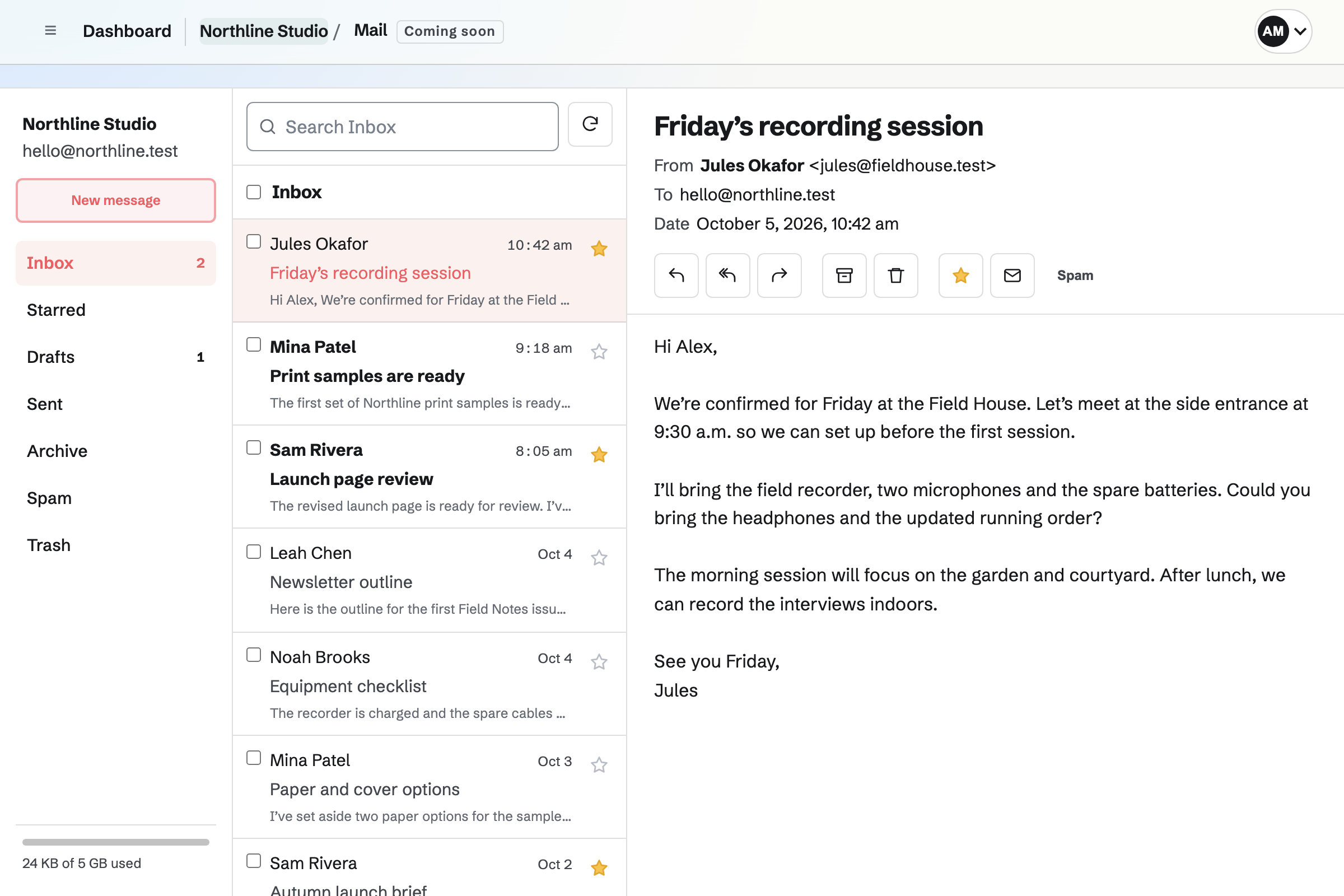
Mail Inbox with fictional Northline Studio messages and an open recording-session email.

How is Magpie different?

1. Email comes with the rest of the business

One Magpie subscription includes the areas a small business would otherwise buy one at a time:

  • Mail for mailboxes and aliases at your domain, and DNS for the domain's records
  • Helpdesk, which turns a support address's mail into conversations a teammate is assigned
  • Contacts, Meetings and Appointments for the people you work with and the times they book
  • Invoicing, with recurring invoices and online payment, and Store for selling online
  • Websites, Newsletter, Forms, Documents, Spreadsheets, Password Vault, PDF Editor and the other areas, in the same team

Everything is in one account with one bill. Fastmail covers email, calendars, contacts, files and notes, and leaves bookings, invoices and customer support to other software.

2. A team pays one price

The Team plan is one price for up to 25 people, and every mailbox is included. You add a mailbox for each person, or a shared one such as support@, without changing the bill. Fastmail's business plans are priced per user.

3. Customer email becomes tracked work

Helpdesk turns the mail sent to a support address into conversations. Each is assigned to a teammate, tagged, set to waiting and closed, with notes only the team sees. A sender is one choice away from Contacts, and a PDF someone sends opens in PDF Editor.

Comparing Magpie and Fastmail

Fastmail does more inside the mailbox; Magpie does more around it. Every line in the tables below was checked against Fastmail's own pages, linked from each row, and against Magpie's code and Help.

Platform

WhatFastmailMagpie
Email at your own domainMailboxes and aliases at the business's domain All plans but Business Basic Paid plans
Free planEmail without paying 30-day trial No
Rules, labels and a full searchIncoming mail sorted, and every message found Yes Partly
Other mail appsOutlook, Apple Mail or a phone's mail app over IMAP Yes No
Phone and desktop appsMail on every device, offline too Yes In the browser
Masked EmailA stand-in address for each website Yes No
CalendarEvents, invitations and shared calendars Yes Yes
ContactsAn address book the team shares Yes Yes
Files and a websiteFiles online, and a site published from them Yes Yes
NotesNotes beside your mail Yes Yes
DNS hostingHost the domain's records Yes Yes
DomainsBuy a domain in the same place Yes No
Booking pagesPeople choose a time with you No Yes
InvoicingInvoices paid online No Yes
HelpdeskCustomer email assigned and tracked No Yes
PDF editingChange a PDF someone sent you No Yes
Choice of where data is keptEurope or the United States Yes No

Good to know: Where Magpie says No or Partly, the line under the row says what Magpie does instead. Each gap has an item on Magpie's roadmap, and the line changes on the day it ships.

Moving in and getting started

Fastmail copies your old mailbox across and can fetch other accounts' mail. Magpie's Mail starts receiving when your domain's MX record points to it.

WhatFastmailMagpie
Bring my old email over from Gmail, Outlook or another provider Source Magpie: Mail does not copy messages from another provider. Once the domain's MX record points to Magpie, new mail arrives there, and messages already at the previous provider stay where they are. Yes No
Read and send the mail of another account, such as Gmail, from the same inbox Source Magpie: A mailbox receives mail only at its own domain's addresses and sends only from them. Another account's mail stays in that account. Yes No
Choose a light or dark look Source Yes Yes

Good to know: Inbox shows the next setup step until there is a mailbox: adding the domain, connecting it, or adding a mailbox.

Your domain and addresses

Both host addresses, aliases and a catch-all at your domain, and both set up the domain's records when they host its DNS. Fastmail also sells domains, forwards mail elsewhere and makes Masked Email addresses.

WhatFastmailMagpie
Get email at my own domain, such as me@mybusiness.com Source Yes Yes
Have the DNS records for my domain's email set up for me Source Yes Yes
Buy a domain from the same place that hosts my email Source Magpie: Magpie does not sell domains. A domain is bought from a registrar, then added to Mail with records or with Magpie's nameservers. Yes No
Use several domains in one account Source Yes Yes
Add more addresses, such as sales@, that deliver to one person or several Source Yes Yes
Receive mail sent to any address at my domain Source Yes Yes
Forward my email to an inbox I already have, such as Gmail Source Magpie: Mail delivers only to mailboxes in Magpie. An address cannot forward to an outside inbox, and the mail server refuses a forward route. Yes No
Give out variations of my address, such as me+shop@, and have them filed for me Source Magpie: An address must be listed exactly or caught by the domain's catch-all. Mail to me+shop@ is refused when there is no catch-all, and nothing files it by the part after the plus. Yes No
Give each website its own stand-in address, so my real one stays private Source Magpie: Aliases and a catch-all at your own domain can do part of this by hand, but nothing makes a random address for a website or connects to a password manager. Yes No
Send from any of my addresses Source Yes Yes

Good to know: Add common addresses in Magpie adds postmaster@, abuse@, info@, support@ and others in one step. An alias can deliver to several people's mailboxes.

Reading and organizing

Both have folders, snooze and images hidden until you ask. Fastmail adds labels, conversation view, pinned messages, private memos and muted conversations, and they do it better than we do today.

WhatFastmailMagpie
Sort my mail into folders, and folders inside them Source Yes Yes
Put more than one label on a message Source Magpie: A message is in one folder at a time, and a star is the only other mark. Yes No
Search all my mail at once, by sender, date or attachment, and save a search Source Magpie: Search looks in every folder of the selected mailbox except Trash and Spam, at the sender, recipients, subject and text, and Show and sort narrows it to unread or with attachments. It does not search inside attachments or by date, and a search cannot be saved. Yes Partly
See a conversation's messages together as one thread Source Magpie: The list shows each message on its own. An open message lists the other messages in its conversation, from any folder but Trash and Spam, to open one at a time. Yes Partly
Keep an important message at the top of my inbox Source Magpie: A star marks a message and Starred lists every starred one, but Inbox keeps its order and nothing stays at the top. Yes Partly
Put a message aside until a time I choose Source Yes Yes
Keep a private note on an email Source Magpie: Mail has no notes on messages. Contacts keeps notes on a person instead. Yes No
Stop a long conversation's replies filling my inbox Source Magpie: Every reply arrives in Inbox, and a conversation cannot be muted. Yes No
Stop senders seeing when I open their email Source Yes Yes
Open a PDF someone sent me and change it Source Fastmail: Attachments can be kept in Files, but nothing on its feature pages or in its help centre edits a PDF. No Yes

Good to know: Magpie's search looks in every folder of a mailbox except Trash and Spam, and each result names its folder. A PDF attachment opens in PDF Editor.

Writing and sending

Both undo a send, schedule a message and add a signature. Fastmail formats messages on the web, keeps templates and writes to a contact group by name.

WhatFastmailMagpie
Format an email with bold, lists, links and pictures Source Magpie: On the website a message is written as plain text with pictures, and a formatted draft opened there loses its formatting. The rest is in the Magpie app, which formats a message with bold, italic, underline, strikethrough, lists, quotes and links but is not yet in the App Store or Google Play. Yes Partly
Add a signature to the emails I send Source Yes Yes
Take back an email just after I send it Source Yes Yes
Write an email now and send it at a time I choose Source Yes Yes
Start a new email from one I saved Source Magpie: Mail has no saved messages to start from. Helpdesk has saved replies for its own inboxes. Yes No
Have the addresses of people I write to fill in as I type Source Yes Yes
Write to a whole group of contacts at once Source Magpie: Mail's To box takes contacts one at a time. Outreach sends a campaign to everyone with a tag. Yes No

Good to know: As you type an address, Magpie suggests Contacts in your team. Then it suggests people the mailbox has written to or heard from.

Spam, rules and automatic replies

Fastmail filters spam as it learns, runs rules and unsubscribes in one step. Magpie's mail server refuses clear spam, and the rest is sorted by hand.

WhatFastmailMagpie
Have spam kept out of my inbox for me Source Magpie: Magpie's mail server refuses clear spam before it is delivered, but Mail does not sort the rest: every message it accepts arrives in Inbox, and Spam is a folder people move messages to themselves. Yes Partly
Leave a mailing list, or block a sender, in one step Source Magpie: Mail has no unsubscribe button and cannot block a sender. A message can be moved to Spam by hand. Yes No
File, forward or delete incoming mail automatically by rules I set Source Magpie: Every message arrives in Inbox, and moving it to a folder is done by hand. Yes No
Reply automatically while I am away Source Yes Yes

Good to know: Away reply in Magpie answers each sender once every 4 days. It leaves out mailing lists, newsletters and automatic mail.

Apps and access

Fastmail has apps for phones and computers that work offline, and IMAP for other mail apps. Magpie's Mail is used in the browser, on a computer or a phone.

WhatFastmailMagpie
Use my email fully on my phone Source Yes Yes
Be told on my phone when new mail arrives Source Magpie: On the website, Unread mail in the account menu and a red dot on your avatar show new mail while a Magpie page is open, but nothing is sent to the phone. The Magpie app notifies each new message, with Mark as read and Archive on the notification, but it is not yet in the App Store or Google Play. Yes No
Read and answer email with no connection Source Magpie: Mail on the website needs a connection. The Magpie app keeps recent mail on the phone, encrypted, and holds archives, moves and sent messages in an Outbox until it is back online, but it is not yet in the App Store or Google Play. Yes No
Use my email in an app on my computer Source Magpie: Mail is used in a browser on a computer. Yes No
Use my email in Outlook, Apple Mail or my phone's own mail app Source Magpie: Mail is read and sent only in Inbox on Magpie's website. There is no IMAP, POP or SMTP access for other mail apps. Yes No
Work through my email with the keyboard Source Yes Yes
Let an AI app search, read, draft and send my email Source Magpie: Connected apps and the assistant reach many areas through Magpie's MCP server, but not Mail: it has not been published to the assistant yet. Yes No

Good to know: The Magpie app, not yet in the App Store or Google Play, reads and writes mail and notifies each new message.

Contacts, calendars, files and more

Both put a calendar, contacts, files, a website and notes beside the inbox. Fastmail's calendars repeat events and sync with phones; Magpie adds booking pages and invoices.

WhatFastmailMagpie
Keep an address book the whole team shares Source Yes Yes
See my recent emails with a person on their contact Source Magpie: A contact's Activity lists notes, invoices, proposals, agreements, signed documents, meetings and the Outreach emails sent to them and their replies, but not messages in Mail. From a message, In Contacts beside the sender opens their contact. Yes Partly
Have my contacts in my phone's own address book Source Magpie: Contacts are kept on Magpie's own pages, apart from the phone's address book, and nothing syncs the two. Yes No
Keep a calendar beside my email and invite people to events Source Yes Yes
See my calendar in my phone's or computer's own calendar app Source Magpie: Personal and team calendars can be added to a connected Google Calendar, and Google events show on Calendar. Apple Calendar and Outlook see Magpie only through Google. Yes Partly
Answer a meeting invitation from the email it came in, and have it on my calendar Source Magpie: Mail and Calendar are not connected: an invitation that arrives by email cannot be answered or added to Calendar from the message. Yes No
Keep files online beside my email Source Yes Yes
Publish a simple website at my domain Source Yes Yes
Jot down notes in the same place as my email Source Yes Yes
Let people book time with me and pay my invoices from the same account as my email Source Fastmail: Calendars hold events and invitations; there are no booking pages and no invoices. No Yes

Good to know: Every Magpie area is in the same team and on the same bill. A contact's page lists their invoices, bookings and proposals.

Teams, security and plans

Both give each person a mailbox and share one with the team. Fastmail has more storage, a retention archive and a choice of data location; Magpie has Helpdesk.

WhatFastmailMagpie
Give each person in my business a mailbox of their own Source Yes Yes
Share a mailbox, such as support@, with the team Source Yes Yes
Give each customer email to a teammate and track it until it is answered Source Fastmail: Shared folders let several people read and answer the same mail, but a message has no assignee or status. No Yes
Have plenty of room for my email, and buy more when it fills Source Magpie: Each mailbox has 5 GB, and more cannot be bought. A full mailbox stops receiving until messages are deleted permanently. Yes Partly
Keep a copy of every email that nobody can change, for legal records Source Magpie: A message deleted permanently is gone, and Mail keeps no archive that members cannot change. Yes No
Protect sign-in with a second step Source Yes Yes
Get back email I deleted for good by mistake Source Magpie: Trash keeps messages until it is emptied, and they can be restored from it. A message deleted permanently cannot be brought back. Yes Partly
Choose whether my data is kept in Europe or the United States Source Magpie: Magpie offers no choice of where data is kept. Its privacy policy covers transfers between countries with Standard Contractual Clauses. Yes No

Good to know: A Magpie team has up to 25 members on the Team plan, and each mailbox has 5 GB.

Price comparison

How Fastmail charges

Fastmail charges by plan, with a free trial of up to 30 days and no free plan. For people: Individual, Duo and Family. For a business, per user: Basic, Standard and Professional. Basic leaves out your own domain, other mail apps and scheduled send; Professional adds storage and a retention archive. Prices are on Fastmail's pricing page, in your currency.

How Magpie charges

Magpie charges by plan, Free or a paid plan, for everything in the account. Mail needs a paid plan: Pro for Personal, or the Team plan for a team. The Team plan is one price, not a price per mailbox. Prices are on Magpie's pricing page.

On top of the planFastmailMagpie
Email without payingA trial of up to 30 daysNot included; the Free plan covers the other areas
Email at your domainEvery plan but Business BasicPro or the Team plan, with several domains
How a business paysPer user, per monthOne Team plan for up to 25 people
Storage50 GB a person for mail on most plans, 100 GB on Professional, 5 GB on Basic; more can be added5 GB a mailbox
Retention archiveProfessionalNot available
Your domainCan be bought through FastmailBought from a registrar elsewhere
Booking pages, invoicing and a helpdeskNot offeredIncluded

When to choose Magpie or Fastmail

  • Want your business email beside bookings, invoices, a helpdesk, contacts and your domain's DNS, for one price for the whole team? Go with Magpie.
  • Want a complete mailbox, with rules, labels, a full search, Masked Email and apps on every device? Fastmail is the right choice.

Recommendations by kind of business

For someone who lives in their inbox
Fastmail. Rules, labels, saved searches, pinned messages and memos keep a busy mailbox in order. Magpie's Mail sorts by hand, into folders.
For a family or a couple
Fastmail. Duo and Family give each person a private inbox with shared calendars and an address book. Magpie is built for a business's team.
For a service business with a support@ address
Magpie. Helpdesk assigns each customer's email to a teammate, with internal notes. The same team has the bookings, invoices and contacts.
For a small team that pays per seat today
Magpie. The Team plan is one price for up to 25 people, and every mailbox is included. Fastmail's business plans are priced per user.
For someone who reads mail in Outlook or Apple Mail
Fastmail. Fastmail works with other mail apps over IMAP, POP and SMTP on every plan but Basic. Magpie's Mail is read only in the browser and the Magpie app.
For a business that wants both
Either. Fastmail can host the domain's mail while Magpie runs the bookings, invoices, website and helpdesk. Choose by whether the mailbox itself or one place for the team's work matters more.

Frequently asked questions

What is the difference between Fastmail and Magpie?

Fastmail is an email service with calendars, contacts and files, built around a complete mailbox. Magpie is one subscription for a small business's software. Its Mail is one area beside bookings, invoicing, a helpdesk, contacts and a website. Fastmail does more inside the mailbox; Magpie does more around it.

Does Magpie replace Fastmail?

Yes, for a business that wants email at its domain beside the rest of its work. Magpie hosts the mailboxes and aliases and sets up the domain's records. It shares a support@ mailbox with the team, and Helpdesk assigns each customer's email.

Consider keeping Fastmail if you sort mail with rules and labels, read it in Outlook or Apple Mail, or need it offline. Keep it too if you want Masked Email or more than 5 GB a mailbox. Fastmail does each of these better than Magpie does today.

How much does Fastmail cost?

Fastmail has Individual, Duo and Family plans for people, and Basic, Standard and Professional for businesses, priced per user. There is a free trial of up to 30 days and no free plan. The prices are on Fastmail's pricing page.

How much does Magpie cost?

Magpie has a Free plan and paid plans, each covering every area. Mail needs a paid plan: Pro for Personal, or the Team plan for a team. The Team plan is one price for up to 25 people, not a price per mailbox. The prices are on Magpie's pricing page.

Does Magpie have rules or filters for email?

No. Every message Mail accepts arrives in Inbox, and you move it to a folder yourself. Rules are on Magpie's roadmap. Fastmail's rules move, pin, snooze, forward or delete incoming mail, up to 1,000 a person.

Does Magpie have labels?

No. A message is in one folder at a time, and a star is the only other mark. Fastmail can use labels instead of folders, several on one message.

Can I use Outlook or Apple Mail with Magpie?

No. Magpie's Mail has no IMAP, POP or SMTP access, so it is read only on Magpie's website and in the Magpie app. Fastmail works with other mail apps on every plan but Business Basic.

Does Magpie have a phone app for email?

Mail works in a phone's browser, where it reads, writes, searches, snoozes and schedules mail. The Magpie app reads and writes mail and notifies each new message. It is not yet in the App Store or Google Play. Fastmail has apps for iPhone, Android and computers.

Does Fastmail have booking pages or invoicing?

No. Fastmail's calendars hold events and invitations, with no booking pages and no invoices. Magpie includes Meetings, Appointments and Invoicing in every plan, in the same team as Mail.

Does Fastmail have a helpdesk?

No. Shared folders let several people read and answer the same mail, but a message has no assignee or status. Magpie's Helpdesk assigns, tags, sets to waiting and closes each customer conversation, with notes only the team sees.

Can I bring my old email into Magpie?

No. Mail does not copy messages from another provider. Once the domain's MX record points to Magpie, new mail arrives there, and the old messages stay with the previous provider. Importing old mail is on Magpie's roadmap. Fastmail copies a mailbox across over IMAP.

How do I move from Fastmail to Magpie?

Add your domain to Mail and a mailbox for each address. Then change the domain's MX record to Magpie's, at your registrar or by hosting the domain's DNS with Magpie. New mail arrives in Magpie from then on. Your messages stay in your Fastmail account, so keep it until you no longer need them.

Can I use Fastmail and Magpie together?

Yes. Fastmail can host the domain's mail while Magpie runs your bookings, invoices, website and helpdesk. Magpie's emails to your customers, such as invoices and booking confirmations, are sent by Magpie either way.

Does Magpie have Masked Email or plus addresses?

No. Aliases and a catch-all at your own domain do part of it by hand. Nothing makes a random address for a website, and mail to me+shop@ is not filed by itself. Fastmail does both.

How much storage does each mailbox get?

Each Magpie mailbox has 5 GB, and more cannot be bought; deleting messages permanently makes room. Fastmail gives 50 GB a person for mail on most plans, 100 GB on Professional and 5 GB on Business Basic. Some plans can add more.

Where is my data kept?

Fastmail lets every customer choose Europe or the United States. Magpie offers no choice of where data is kept; its privacy policy covers transfers between countries with Standard Contractual Clauses. A choice of where data is kept is on Magpie's roadmap.

Can I get back an email I deleted for good?

Not in Magpie. Trash keeps messages until it is emptied, and they can be restored from it, but a message deleted permanently is gone. Fastmail restores messages deleted in the last week, even after Trash is emptied.

Can an AI app read my email?

Not in Magpie yet. Connected apps and the assistant reach many of Magpie's areas, but Mail has not been published to them. Fastmail's MCP server lets an AI app read, draft and, when allowed, send mail.

What is included in Magpie's Free plan?

Booking pages, Invoicing, Store with no Magpie fee, a website, the Newsletter, Forms, Password Vault, Secure Files and a team of 3. Mail is not on the Free plan: email at your domain needs Pro or the Team plan.
If a line on this page is wrong, tell us and we will correct it.

Fastmail changes, and so does Magpie. If a line is out of date about either product, email support@magpie.diy with the page that shows it. We check the line against that page, change it, and give it the new date. That goes for Fastmail's own team as much as for anyone who uses it.

Put your business email beside the rest of the business.

Create a Magpie account, then add your domain to Mail.

Create account