Berater
A consultant quotes an engagement at a day rate, and shares an action plan.
UX researchers
You work alone in Personal, or with a second researcher in one team. Participants answer, book and sign without signing up first.
Kostenlos starten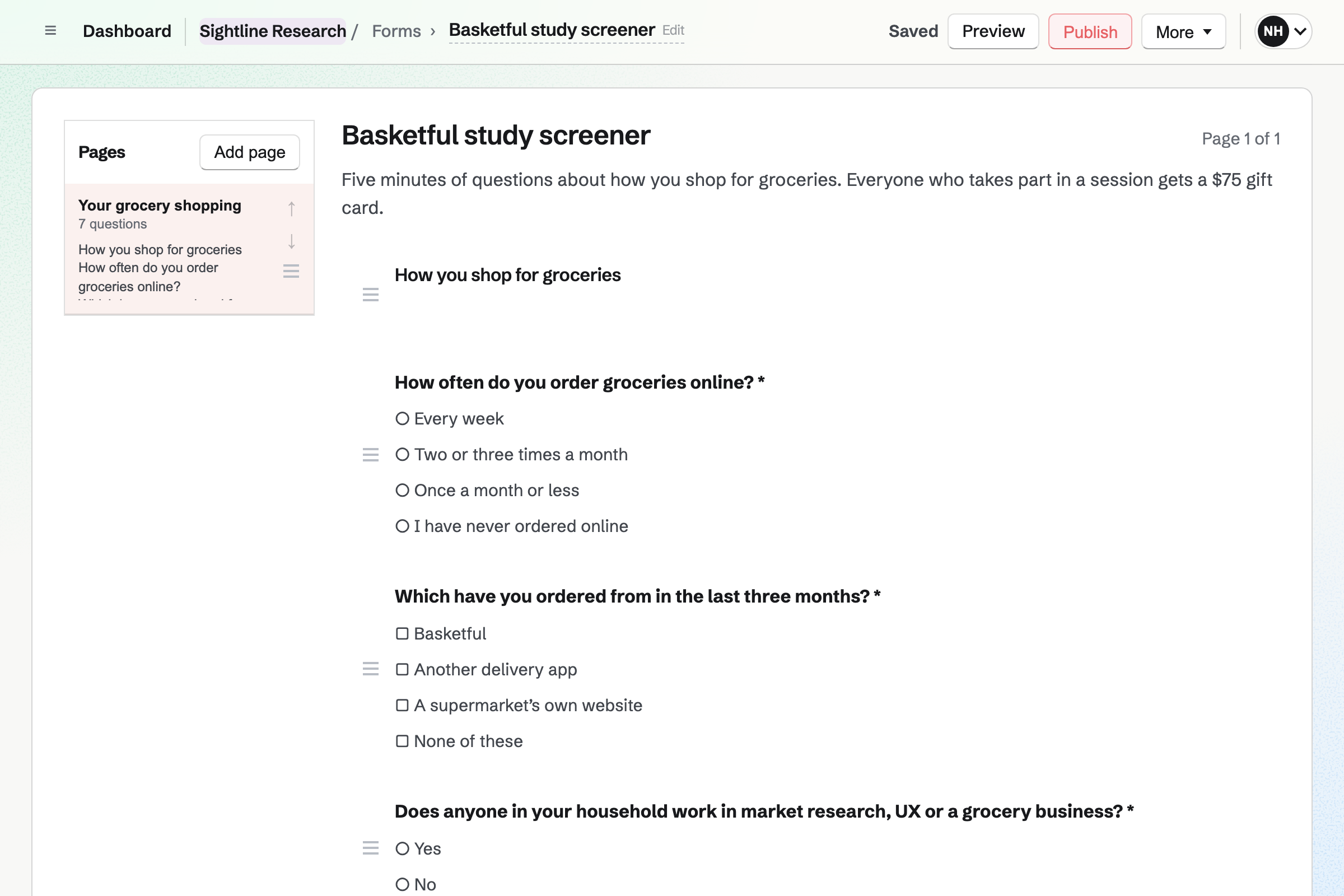
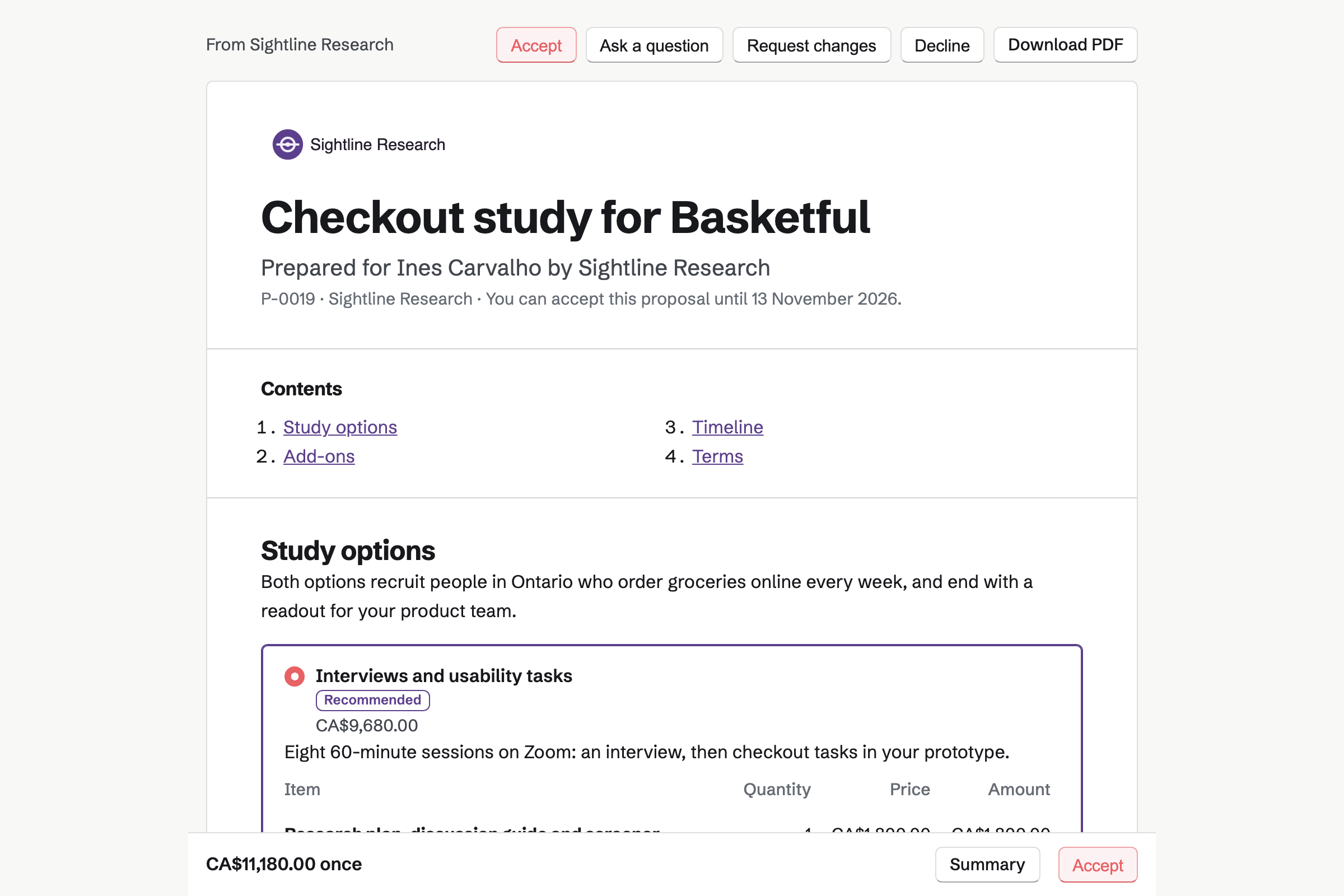
Proposals turns the study's scope into a proposal the client signs online. You can offer two options, such as interviews alone or with usability tasks. Extra sessions can be a line they add, up to the number you allow.
A timeline shows the study's phases, from recruiting to the readout. The deposit is invoiced when they sign. Once it is paid, Magpie can offer them a kickoff call from your meeting page.
Forms builds the screener from choice, scale and written questions, on one page or several. A follow-up can show only when an earlier answer matches, such as Yes. Respondents answer without signing up first.
Each response arrives as New, with an email to you. You mark the people you invite Reviewed, and the rest Archived. Export CSV writes every answer, one column per question.
Meetings gives you a meeting page. A Meeting Type sets the session, such as a 60-minute usability session. Magpie emails each recruit a link to it, with your note.
Recruits choose a free time, shown in their own time zone. Times that clash with your calendar or Google Calendar are not offered. Each session can get its own Zoom or Google Meet link.
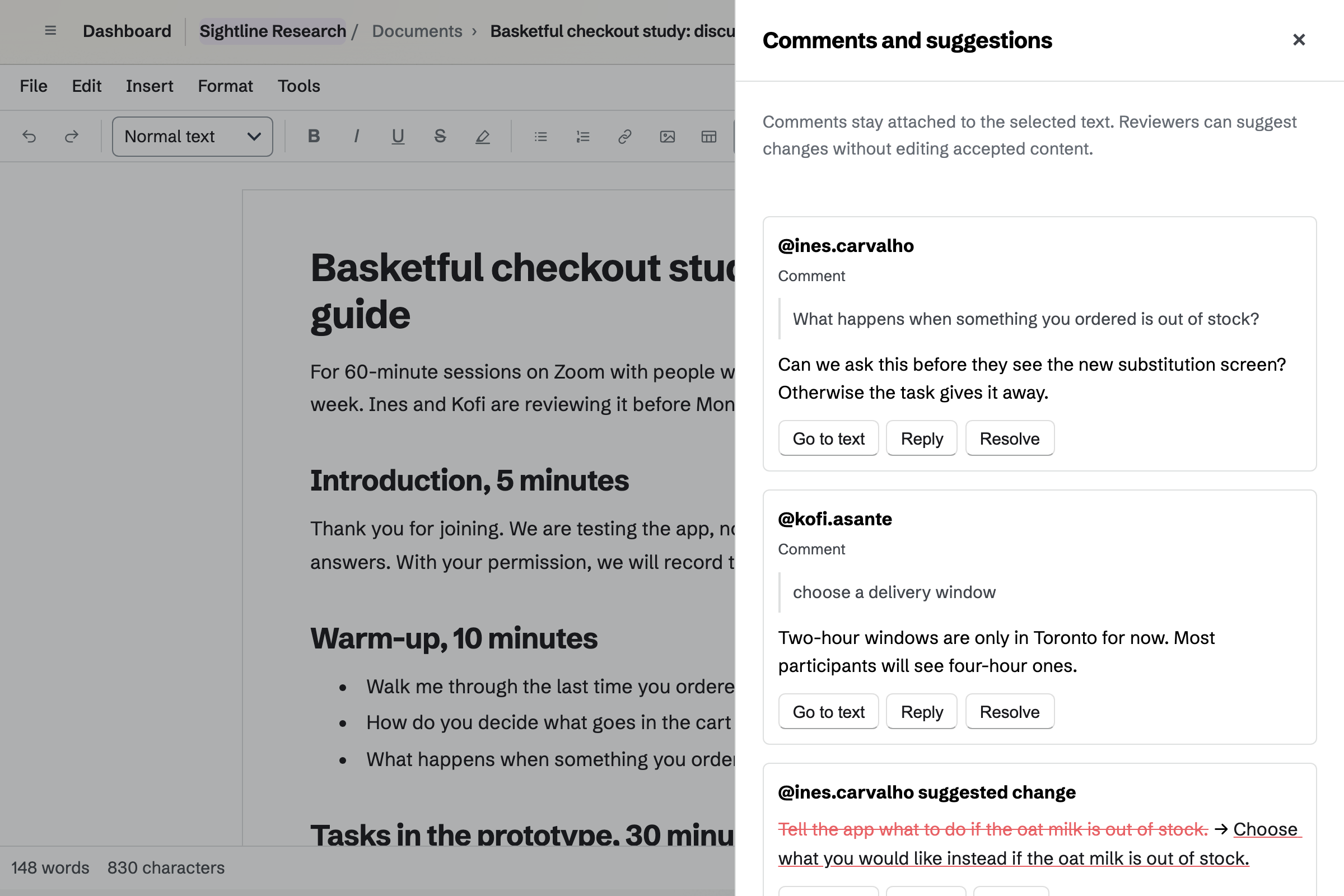
Documents holds the discussion guide, from the warm-up to the tasks and the wrap-up. You share it with the product team to review. They comment on a question or suggest new wording.
The guide changes only when you accept a suggestion. You can save a named version, such as Before the pilot, and restore it later. A guide the client wrote in Word comes in with its comments and tracked changes.
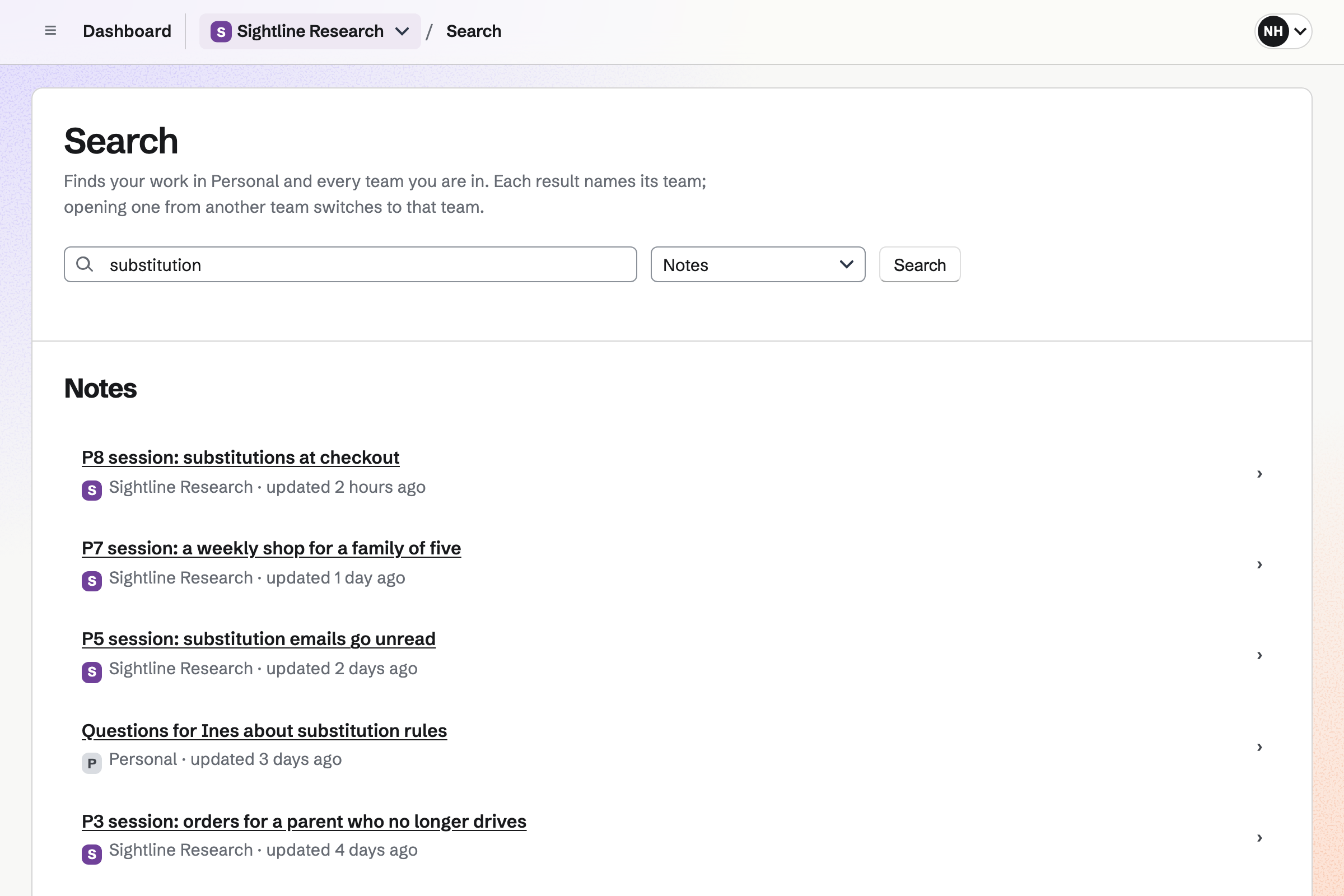
Notes keeps one note for each session, saved as you type. You can quote a participant word for word, and paste in a screenshot.
The notes are in your team, so a second researcher can open them. Search matches their text as well as their titles. A search for substitution lists every note that mentions it.
Idea Boards gives you a canvas with no edges for the affinity map. Text you paste onto it becomes a note. A JSON document can add many at once, as loose notes in a row.
You drag each note onto a column, and name the column for its theme. The column moves with its notes, and lines join related themes. The finished map exports as a PNG or a PDF.
Presentations holds the readout deck. A slide can show the affinity map, exported as a picture, beside a quote. Present opens it without editing controls, and skips the slides you hid.
Once you publish the deck, the product team opens it from its link after signing in. Export PDF gives them one slide a page, without your speaker notes.
E-Signatures sends your consent form as a PDF to sign. A starter keeps its fields in place, so you add only the participant's name and email. They sign without signing up first, and both of you get the signed copy.
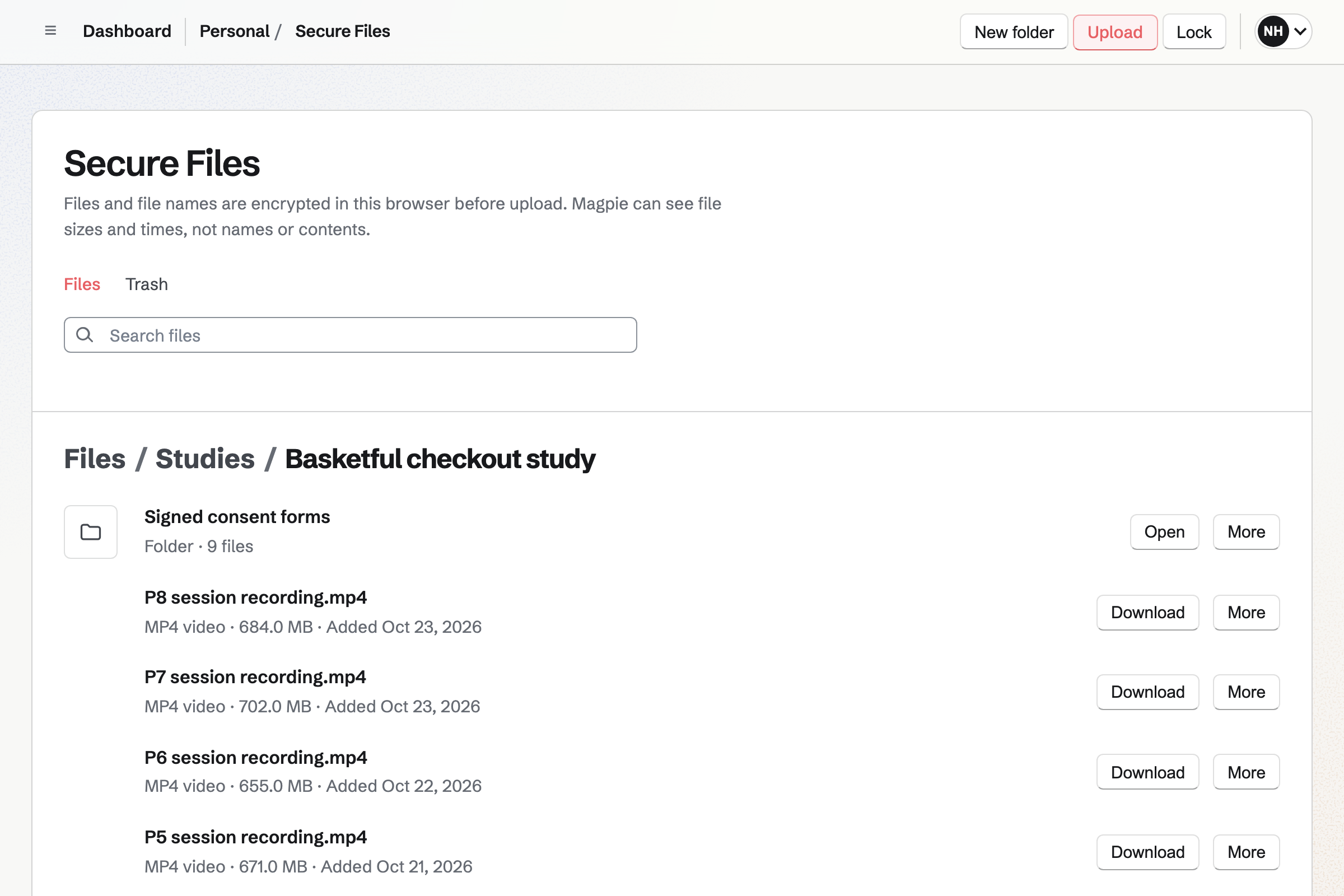
Secure Files keeps the session recordings, up to 2 GB each. Each file is encrypted in your browser before it is stored, and Magpie cannot open it. The files are yours, not your team's.
A secure link lets the product team watch one recording in their browser. It expires after an hour, a day, a week or 30 days. You can revoke it sooner.
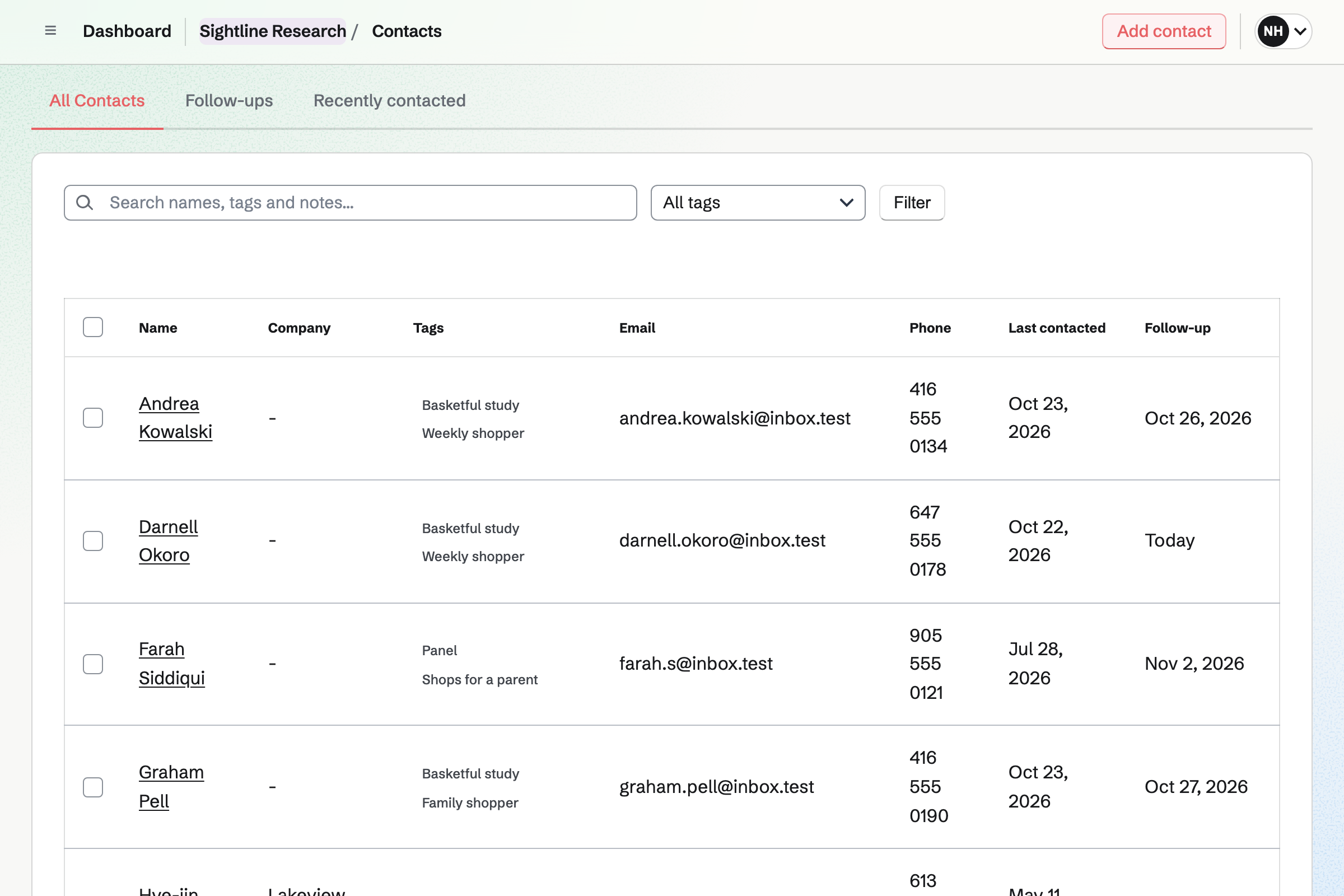
Each recruit's contact page lists their session and their signed consent form.
The product manager signs and pays the deposit. Magpie can offer them a kickoff call.
Respondents answer from its link, and you mark the ones you invite Reviewed.
You add each recruit as a contact, tagged with the study. They book a session from your link, and it shows on their page.
Each participant signs it from an email before their session.
Each session has its Zoom link and its own note, and you keep the recording encrypted.
You paste the observations onto the board, and drag them into themes.
You present the deck, then share its link with the product team.
You bill the final payment after the readout. The incentives you paid can go on an invoice of their own.
You set the hours you run sessions, and add a 60-minute Meeting Type. Help: Availability and Meeting Types.
Each session booked from then on gets its own Zoom link. Help: Connect Zoom.
You upload the PDF, place the signature and date fields, and save it as a starter. Help: Signing starters.
You connect your Stripe account for the deposit and the invoices. Help: Connect Stripe to receive money.
Pro fits a researcher working alone. It has no limit on Meeting Types, Idea Boards, proposals or invoices. On the Free plan you can offer 2 Meeting Types, and an Idea Board holds 150 items.
A studio of two or three fits the Team plan: one price for the whole team. A free team has 3 member places, counting you. A product manager you share a deck with is a guest, and takes no place.
Recordings count toward each researcher's own storage: 1 GB free, or 20 GB with Pro. Card payments from the client go to your own Stripe account. Magpie adds no fee, and Stripe's processing fee applies.
A consultant quotes an engagement at a day rate, and shares an action plan.
A brand designer quotes identity work, and hands the brand over as a site.
A web designer hosts client sites from a Git repository, and bills a monthly care plan.
An agency runs several clients' projects at once, with retainers and tracked hours.
A research lab books its instruments, tracks its reagents and writes papers with co-authors.
Yes. A question can show only when an earlier answer matches the value you set. A hidden question is not required, and its answer is not stored. A screener can run over several pages, with Next and Back.
Each response arrives as New, and you open it to read every answer. You mark the people you invite Reviewed, and the rest Archived. Summary counts the answers to each choice question. Export CSV writes one column per question, to sort and filter in a spreadsheet.
Yes. Anyone with the screener's link can answer it. Recruits book with their name and email address. A phone number is needed only for a text reminder. They sign the consent form from the email Magpie sends them.
Magpie emails each recruit a link to your session's Meeting Type, with your note. They choose a free time, shown in their own time zone. Times that clash with your calendar or Google Calendar are not offered. Each session can get its own Zoom or Google Meet link.
Yes, by text. With text reminders on, the booking form offers Text me a reminder. Participants with a US or Canadian number can tick it. One text goes out before the session, at the time you chose. Their confirmation email has a calendar file for their own calendar.
Their confirmation email asks them to email you. You change the time on the session's page. Magpie can email them an updated calendar file. The session's Google Calendar event moves with it. Cancelling frees the time on your meeting page, and emails them.
Yes. You save your consent form as a signing starter, with its fields in place. For each participant, you enter their name and email address and send it. They sign from the email, and everyone gets the signed PDF and a certificate. Their contact page lists the form they signed.
Secure Files keeps them, encrypted in your browser before they are stored. A recording can be up to 2 GB. Magpie keeps only the encrypted file, and cannot open it. Secure Files is yours alone: the files are in your account, not your team's.
Yes. A secure link opens one recording, and their browser can play it on the page. It expires after an hour, a day, a week or 30 days. It can also allow one download, or ask for a passphrase you give them separately. You see when it was opened, and can revoke it.
Contacts and notes are private to Personal or the team they are in. A product manager given one document or deck sees that and nothing else. Secure Files keeps recordings for you alone, and Magpie cannot read them.
Yes. Each participant is a contact, with tags such as Panel or Weekly shopper. You can filter the list by tag. A participant's page lists your sessions with them and the forms they signed. Recently contacted lists them by when you last logged a call or a meeting.
Yes. Outreach emails an invitation to everyone tagged Panel, one at a time, from your Mail address. A follow-up can go days later, as a reply in the same thread. A reply stops it for that person, and every email has an unsubscribe link. Outreach needs Pro, or the Team plan for a team.
Yes. Search looks through the text of every note, in Personal and each of your teams. A search for substitution lists each session note that mentions it, with its team. The assistant on Dashboard can also search your notes, and read one from its link.
Yes. Observations are notes on an Idea Board, and themes are named columns. A note dragged onto a column stacks in it, and moves with it. Lines join related themes, and Tidy up lines everything up. The finished map exports as a PNG or a PDF.
Yes. Text you copy from a session note and paste on the board becomes a note. A JSON document adds many at once, in a row under everything on the board. Copy the prompt gives you its format, with instructions for writing one.
Yes. You share the guide with them to review, and they comment or suggest new wording. The text changes only when you accept. You can save a named version before the pilot, and restore it later. A guide written in Word comes in with its comments and tracked changes.
Yes. Once you publish the deck, its link opens for anyone signed in to Magpie. Export PDF gives one slide a page, without your speaker notes. Screen Recorder can record you presenting it, with your camera. Its analytics show who watched, and how far.
Yes. Sessions can be a line the client adjusts, within the range you set. Options such as a written report are lines they tick to add. A proposal can also offer 2 to 4 packages, such as interviews alone. The totals update as they choose, before they sign.
Yes. The deposit is a percentage or an amount, invoiced when the client signs. The work can be set to start once it is paid. Magpie can then offer a kickoff call, and add a To-do for each phase. A milestone, such as Sessions complete, is billed when you choose.
Yes. You record each incentive as an expense, with its receipt, reimbursable by the client. Add unbilled expenses puts them on an invoice to that client. Each is marked billed when the invoice is issued. The client pays it by card, like any other invoice.
Yes. A scale question runs from 1 to 5 or 10, with optional words at each end. A Form can also ask ratings and choices. Summary shows the count and percentage for each choice. Export CSV writes every answer, one column per question.
Yes. In a team, each researcher has their own meeting page and session link. You both work on the team's session notes, panel and boards.
The client pays the deposit and each invoice by card, into your own Stripe account. Stripe's processing fee is taken from each payment. Magpie adds no fee of its own.
Create a Magpie account and build the screener.