Vendedores de mercadillos, ferias de artesanía y tiendas efímeras
A market seller runs one stall, with its stock moved to each market. Buyers pay by scanning a QR code.
Market organizers
You and whoever runs the market with you work in one Magpie team. Traders join only the channel you open for them.
Empieza gratis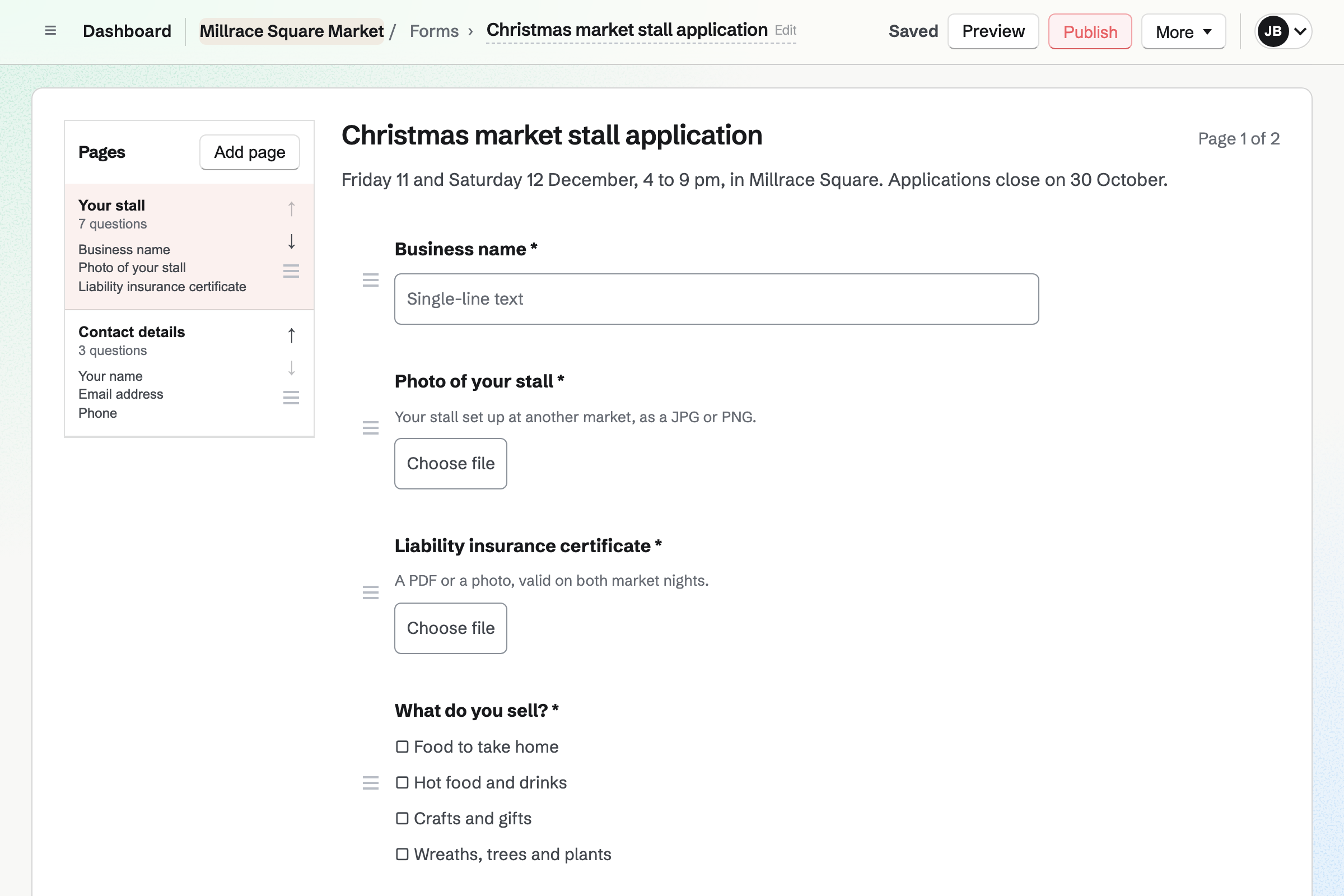
A trader answers your form, with a photo of their stall and their insurance certificate. You get an email with a link to each application.
You mark the application Reviewed. Then you add the trader as a contact, tagged by what they sell.
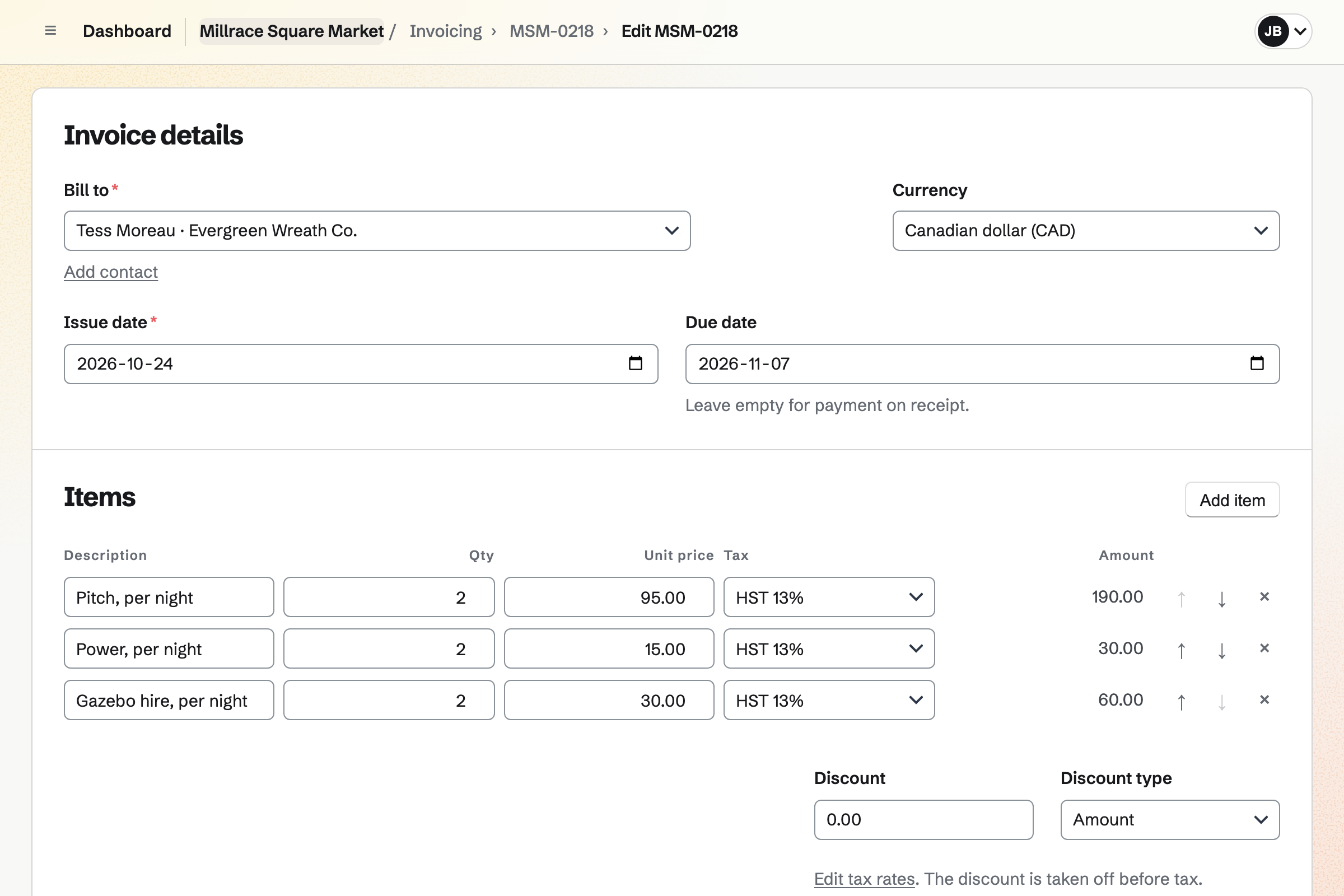
The invoice bills the trader's contact, due on the payment terms you set. It will be emailed with a Pay online button.
A card payment will be recorded on the invoice automatically. You record cash taken on the morning. Both will be added to the books.
The trader joins the traders' channel from your link. You post the arrival times and a picture of the site plan in the channel.
The trader's page lists each invoice, paid or still owed, and your next follow-up.
Forms builds the stall application, with questions such as what they sell and the pitch size. A File question takes a photo of the stall or an insurance certificate. A question can appear only when a trader says they need power.
Every application comes into one list, with an email to you for each. You mark them Reviewed or Archived, and close the form when the market is full. A form can also charge a fixed fee as it is sent.
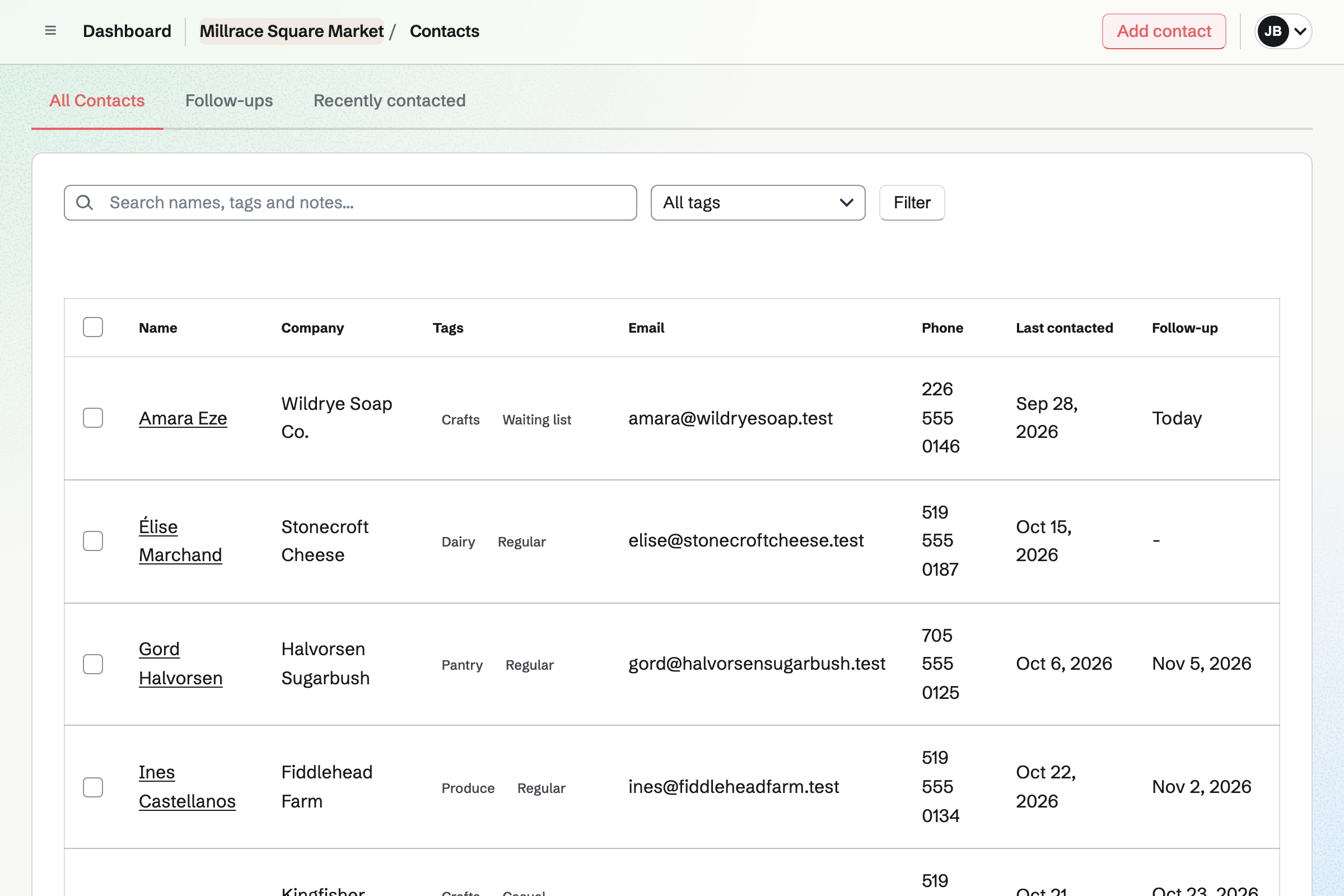
Contacts keeps each trader's business, email and phone. Tags such as Bakery, Regular or Waiting list filter the list. A pinned note keeps their pitch number and the power they need.
A follow-up reminds you of the next step, such as insurance that runs out next month. Each trader's page lists their invoices and what they still owe.
Invoicing bills a trader for their market dates and extras, such as power or a gazebo. The trader gets it by email, with its PDF and a Pay online button. Reminders can go out until the pitch fee is paid.
A regular's monthly fee can be a recurring invoice, issued and emailed every month. You can pause it over the winter. Cash paid on the morning is recorded on the invoice by hand.
Team chat gives the market a traders' channel. Traders join it from a link you share, as guests of the team. They see that channel and nothing else of your work.
You can post the week's arrival times and a picture of the site plan. A trader can post a question, and you reply in a thread the channel can read. The organizers keep their own channels for planning.
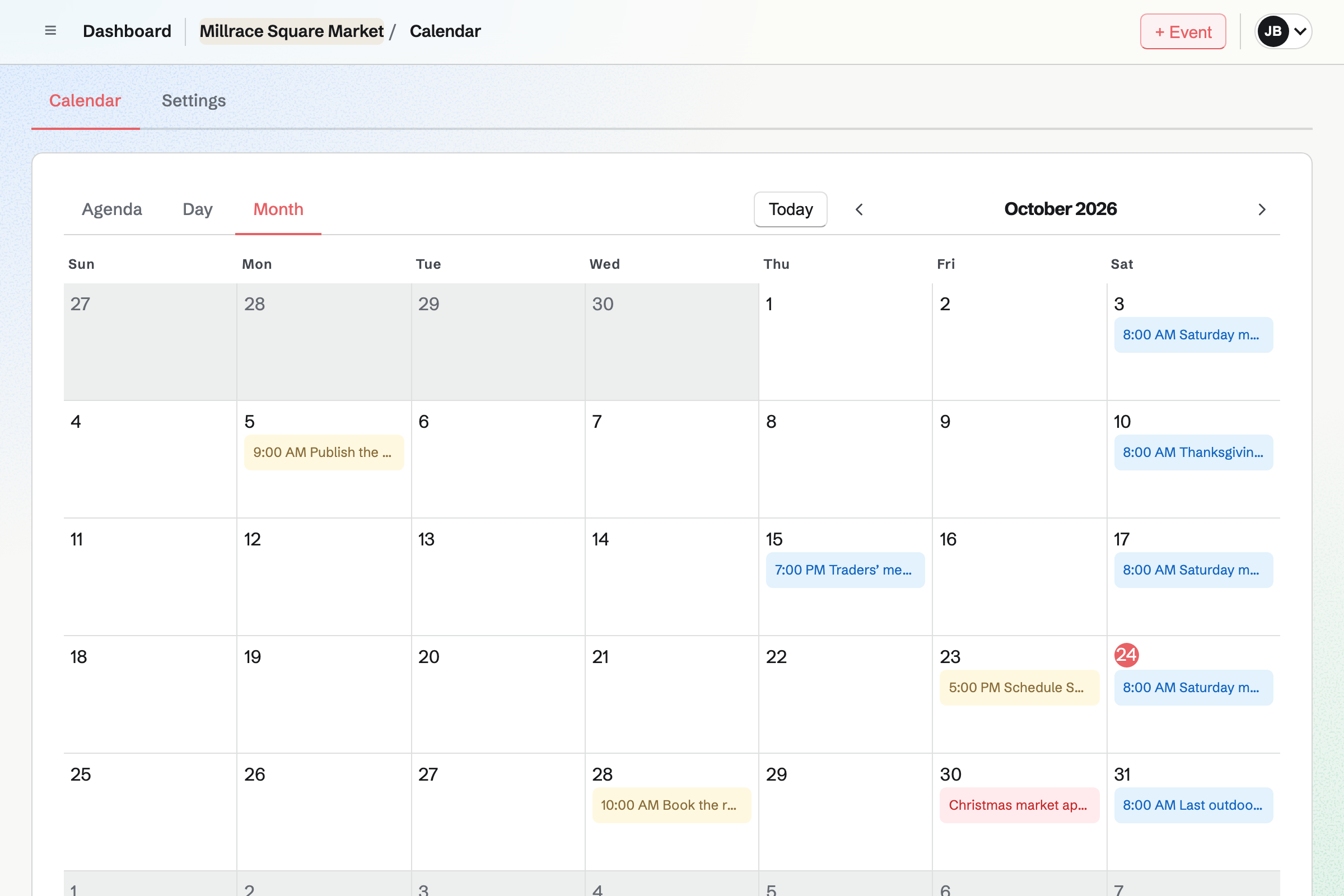
Calendar holds the season's market dates, each with the market's address and hours. They are listed on your public calendar, and each has a page to share. A season of Saturday markets is an event for each Saturday.
Your team's calendar also holds the traders' meeting and the day applications close. From a market day's page, you can start a social post that names it.
Newsletter keeps the market's list of shoppers. A code on the market sign opens its signup page, and each shopper confirms by email.
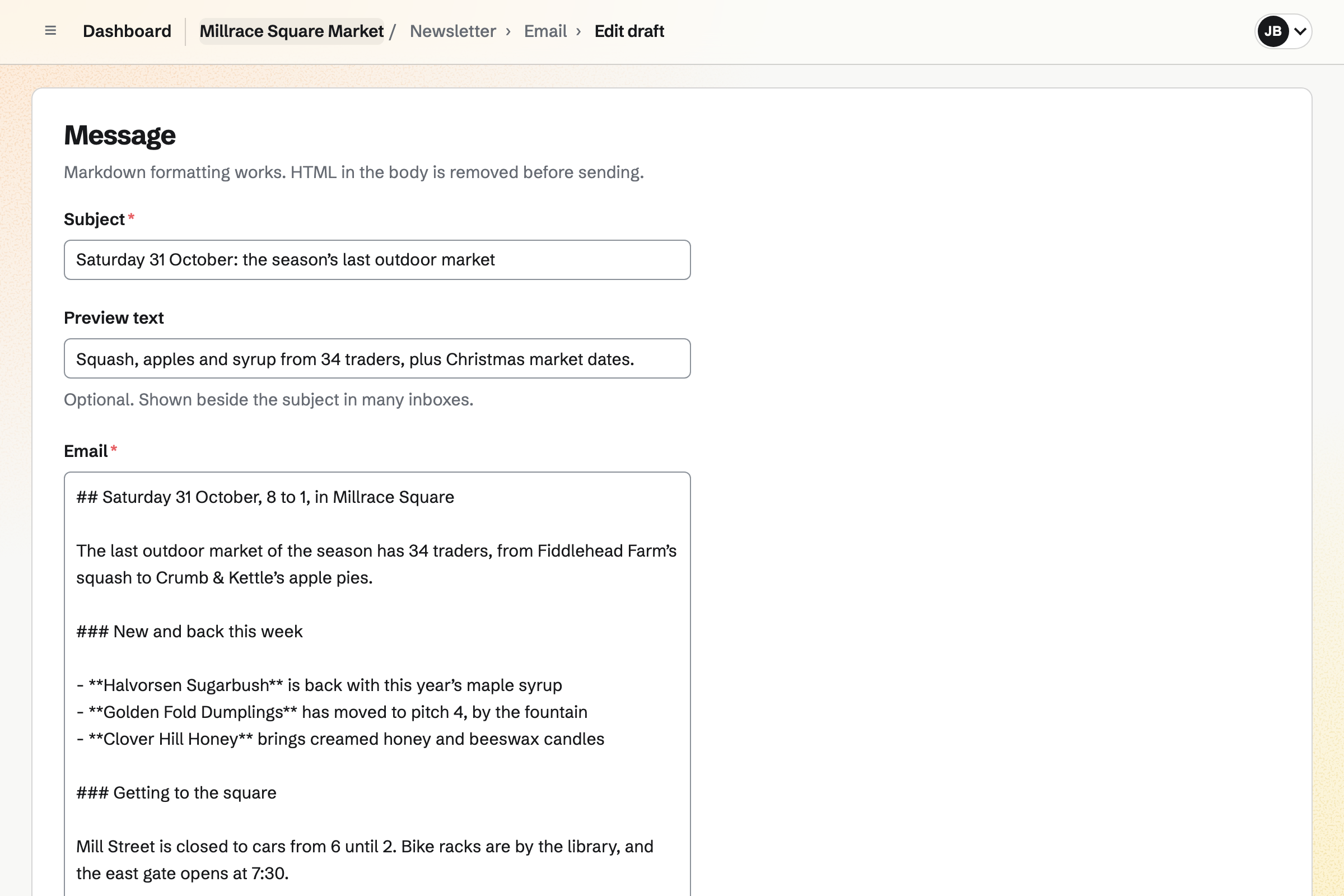
You write each week's email, send yourself a test and schedule it for Friday evening. With web copies on, each email has a public page to share as a social post.
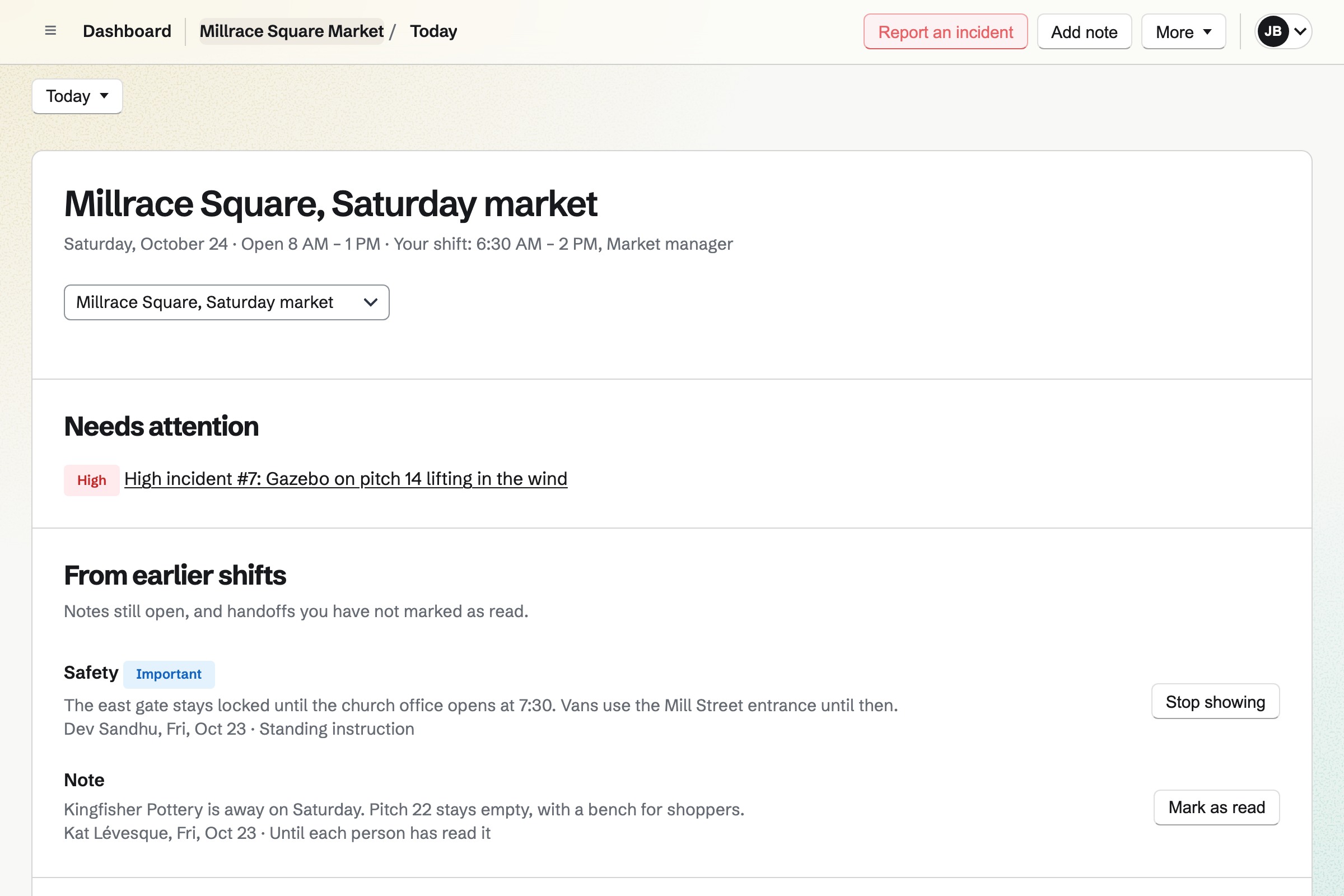
Daily Operations runs the routines you write for the market, timed from its opening hours. Set-up opens before the bell, with steps such as barriers up and the fire lane clear. A step can ask for a photo, such as the weights on each gazebo.
A steward who finds a problem reports an incident. A high one will be emailed to you. Notes for the next market day go in the logbook. Pack-down opens when the market closes.
The gazebo on pitch 14 is a high incident. A standing note about the east gate shows every market day until it is stopped.
You create a team and invite whoever runs the market with you. Help: Create and manage a team.
You choose its questions, such as the pitch size and the insurance certificate, then publish it. Help: Build, publish, and share a form.
You connect the market's Stripe account, so traders can pay by card. Help: Connect Stripe to receive money.
You add this season's traders as contacts, tagged by what they sell. Help: Keep a contact list.
You give the market its hours, then write the set-up and pack-down routines. Help: Run each day's opening, closing and checks.
A market run by more than one person fits the Team plan. Its one price covers 25 member places for organizers and stewards. Traders in the channel are guests and take no place.
A free team has room for 10 guests, and the Team plan for 100. A free team can create 5 invoices a month, recurring ones included. The Team plan has no limit, higher newsletter limits and Outreach.
Magpie adds no fee to pitch fees paid by invoice. On a paid Form, such as an application fee, Magpie's fee is 1% of each payment. Stripe's processing fee comes out of each card payment.
A market seller runs one stall, with its stock moved to each market. Buyers pay by scanning a QR code.
A grower sells at farmers' markets and online. CSA members collect at the market and get a weekly box email.
An event organizer runs a conference or festival. Passes are sold on paid forms, and sponsors choose a package.
A community group lists its events with RSVPs and signs up volunteers. People talk on a message board between events.
Yes. Your stall application is a Form at its own address, with the questions you choose. A File question takes one photo or PDF of up to 10 MB. You can ask for the stall and the products as two questions. Traders apply without signing up first.
Yes. A required File question takes the certificate as a PDF or a photo. Only people who can see the form's answers can download it. A food safety question can show only when a trader says they sell food.
Yes. You add them to the stall application as a collaborator who can view it. They read every application and its photos, and nothing else of the team's work. A panel member without a Magpie account gets a free one on accepting.
Yes. A paid Form takes a fixed amount as each application is sent. The trader pays by card on Stripe's page, into your own Stripe account. Magpie's fee on each application fee is 1%, and Stripe's processing fee applies. Each application shows whether it was paid.
Yes. A paid Form takes the pitch fee as the trader sends it. Each form has one price, so a double pitch has a form of its own. You close the form when the casual pitches are taken.
Yes. A trader waiting for a pitch is a contact tagged Waiting list. Your list can show only that tag. A pinned note keeps what they sell and when they applied. A follow-up reminds you to offer them the next pitch that comes free.
Yes. Import JSON adds many contacts at once from one pasted document. Copy the prompt gives you the format, with instructions for writing it from a spreadsheet. Each trader can come in with their business, emails, phone numbers and tags. Magpie checks the whole document before it adds anyone.
Yes. You set a follow-up on the trader's contact for the week before it runs out. Its reason can say Insurance renews on 2 May. It becomes a To-do with that date and its reminders. Contacts lists every follow-up as Overdue, Today or Upcoming.
Yes. Each invoice email has a Pay online button, for paying by card without signing in. The payment is recorded on the invoice, which moves to Paid. Magpie takes no fee on invoice payments, and Stripe's processing fee applies. The pitch fee goes to the market's own Stripe account.
Yes. Make recurring turns a regular's invoice into a monthly schedule. Magpie will issue and email the invoice each month, with its Pay online button. When the fee changes, the trader is emailed the new amount before the next invoice. You can pause the schedule over the winter, and nothing is invoiced while it is paused.
You record the payment on their invoice, with the method Cash and the date. A part payment leaves the rest as the balance due. A bank transfer is recorded the same way, with its reference. In the books, cash goes to Cash and a transfer to Bank.
Yes. The invoice list has Due and Overdue tabs, and totals what is outstanding and overdue. You can narrow it to one trader. Each trader's contact page also lists their invoices with what is still owed.
Team chat gives the market a traders' channel, and you share its invite link. Each trader joins as a guest and sees that channel and nothing else of the team. You post the arrival times and a picture of the site plan. You answer questions in threads. A trader without a Magpie account makes a free one from the link.
Yes. You add the week's market as an event for team members, with RSVPs on. Traders open it from an invitation link you share. Each signs in and answers Going or Not going. You see every answer with the trader's email address.
Yes. Each market day is an event on your public calendar. It shows the address, the hours and a description. Each has its own page to share, which can start a social post. A season of Saturday markets is one event for each Saturday.
Yes. Newsletter keeps the market's mailing list. Shoppers subscribe on its signup page and confirm by email. You write each email, send yourself a test and schedule it, such as for Friday evening. Each email has an unsubscribe link at the bottom.
Yes. The import reads a Mailchimp, Substack or CSV export of the shoppers' list. Addresses can also be pasted one per line. You record where the list came from, and how shoppers agreed to hear from you. Anyone the export marks as unsubscribed or bounced is left out.
Yes. You can write a post naming this week's traders, with their photos, and set its time. Magpie will email you when it is time to post it to Instagram or X. Your phone then opens its share sheet with the text and photos ready. Posts to Bluesky, Mastodon and LinkedIn go out by themselves at that time.
Yes. A code can open the newsletter's signup page, the stall application or the market's website. A dynamic code can point somewhere new after printing, such as the Christmas market's page. The code counts its scans, and records nothing about who scanned. You download each code as SVG, PNG or PDF.
Yes. Stewards open each checklist from Today, in their phone's browser. Each answer saves as it is given, and a step can ask for a photo. Your lead steward then confirms the market is ready to open.
Yes. A steward reports an incident from Today, with a photo and how serious it is. A high or critical one will be emailed to you and the market's managers. You give each fix to someone, with a due date. Everything that happens is kept on the incident's timeline.
Yes. Asset Tracker keeps each gazebo, table and set of weights. You check one out to the trader's contact with a due-back date. After that date, it shows as Overdue. A hire fee goes on the trader's invoice as a line.
Yes. Accounting adds each invoice when it is issued. Each payment is added on the date it was received. Card payments go to Stripe balance and cash to Cash. Payments on a paid Form are added as Form payments income.
Yes. Each market can be a Daily Operations location, with its own hours and routines. Its dates go on the same public calendar. A tag such as Christmas market keeps its traders together. That market can have an application form of its own.
Create a Magpie account and make a team for the market.