Forms
Online forms with conditional questions, files and payments.
Create multi-page forms, publish a fixed version and collect responses from people outside your team. Control sign-in and repeat submissions, review answers and export them as CSV.
Get started free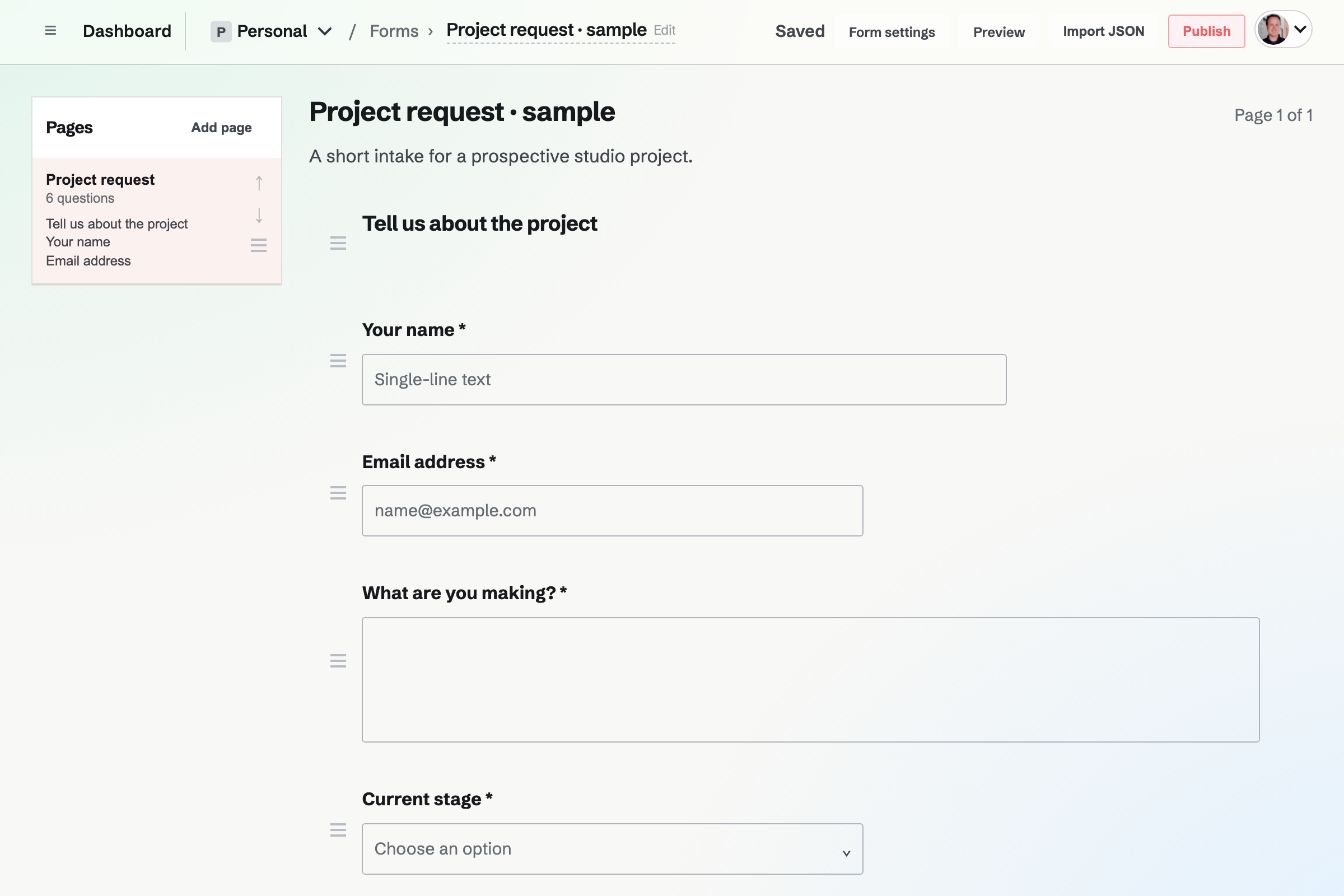
Pages, required questions and conditional visibility
Start blank or from a contact, feedback or registration starting point. Add questions and supporting text, arrange them into pages, and choose which questions are required.
Conditional visibility can show a question only when an earlier answer matches its rule. Hidden questions are not required and their answers are not stored.
Draft edits and published versions
Keep editing without changing what respondents see. Publish changes when the new version is ready. Earlier responses keep the questions from the version each person answered.
Ask for the kind of answer you need
- Written answers
- Short or long text, email, phone and website addresses.
- Choices and ratings
- Single or multiple choices, yes or no answers, and ratings.
- Dates and numbers
- Dates, times and number fields for structured details.
- File uploads
- Accept PDF, JPG, PNG, WebP or plain-text files up to 10 MB. Downloads require permission to view the Form.
Response summaries, review status and CSV export
Read the summary
Choice questions show counts and percentages. Other questions show submitted answers with links to their responses.
Review an individual response
Read answers and mark a response New, Reviewed or Archived. The Form creator can receive an email for each new response.
Use the answers elsewhere
Export a CSV containing the questions from the published versions represented in the responses.
Fixed payments through Stripe Checkout
Require one amount and currency for each response to a published version. Paid Forms use the owning team’s connected Stripe account. Magpie’s fee is 1% by default, in addition to Stripe processing fees; the current fee appears in payment settings.
Responses show payment state separately from review status. Refunds are issued through the connected Stripe Dashboard.
Sharing and access
Do respondents need a Magpie account?
A published Form is available without an account unless you require sign-in. Limiting each person to one response requires a signed-in identity.
Can someone help edit a Form without joining my team?
Yes. Add a direct collaborator with view or edit access. Team members continue to use their team permissions.
Can I stop responses without deleting the Form?
Yes. Close it to stop new responses while keeping its versions and existing responses.
Can I remove the Magpie link?
A paid plan allows the Magpie link to be turned off separately for each Form. It is shown on the Free plan.
Create a Form.
Create an account, then publish when the questions are ready.