Associations de résidents et de propriétaires
A residents' association's members are the households of one building or estate. It runs a residents' board, surveys and each flat's yearly dues.
Chambers of commerce and business associations
The chamber's staff work in one Magpie team. Member businesses, sponsors and directors open what you send them: offers, invoices, event pages and resolutions.
Commencer gratuitement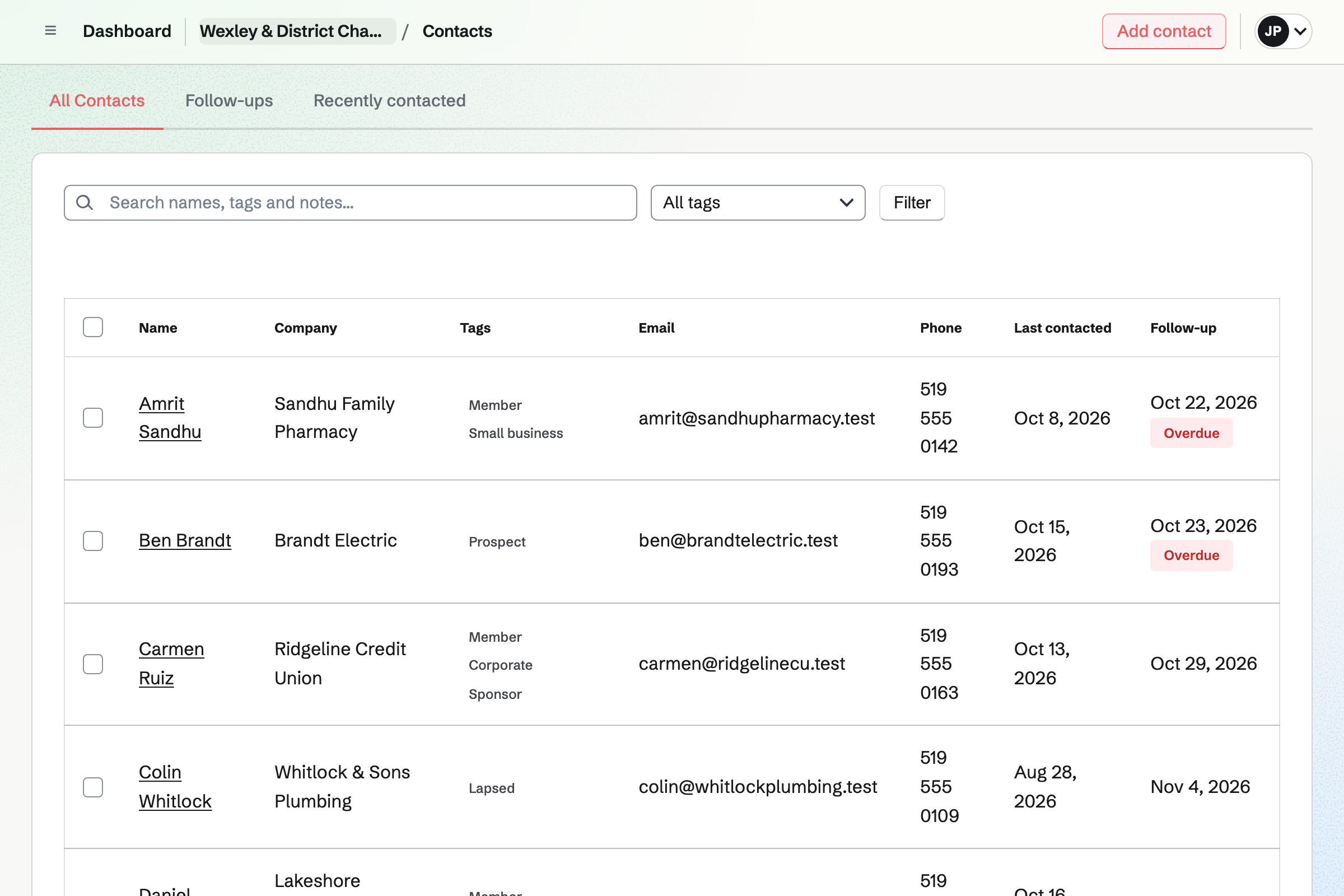
Contacts keeps each member business with its owner or manager, emails, phones and address. A tag marks its level, such as Small business or Corporate. Other tags can mark a sponsor or a director, and the list filters by any tag.
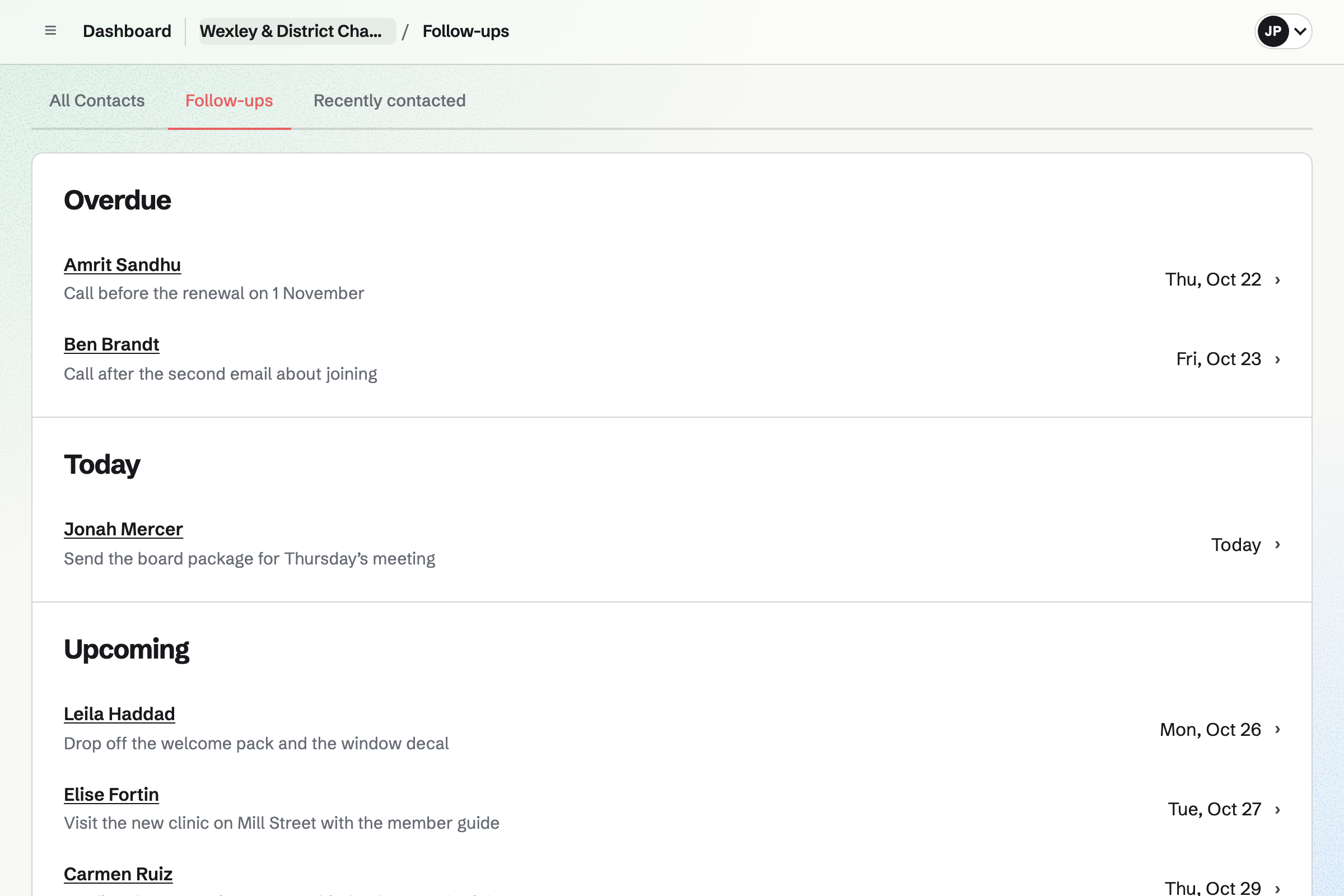
A member's page lists every dues invoice, proposal and note, newest first. A call before a renewal can be a follow-up, a To-do with its own date. Follow-ups lists the open ones as Overdue, Today and Upcoming.
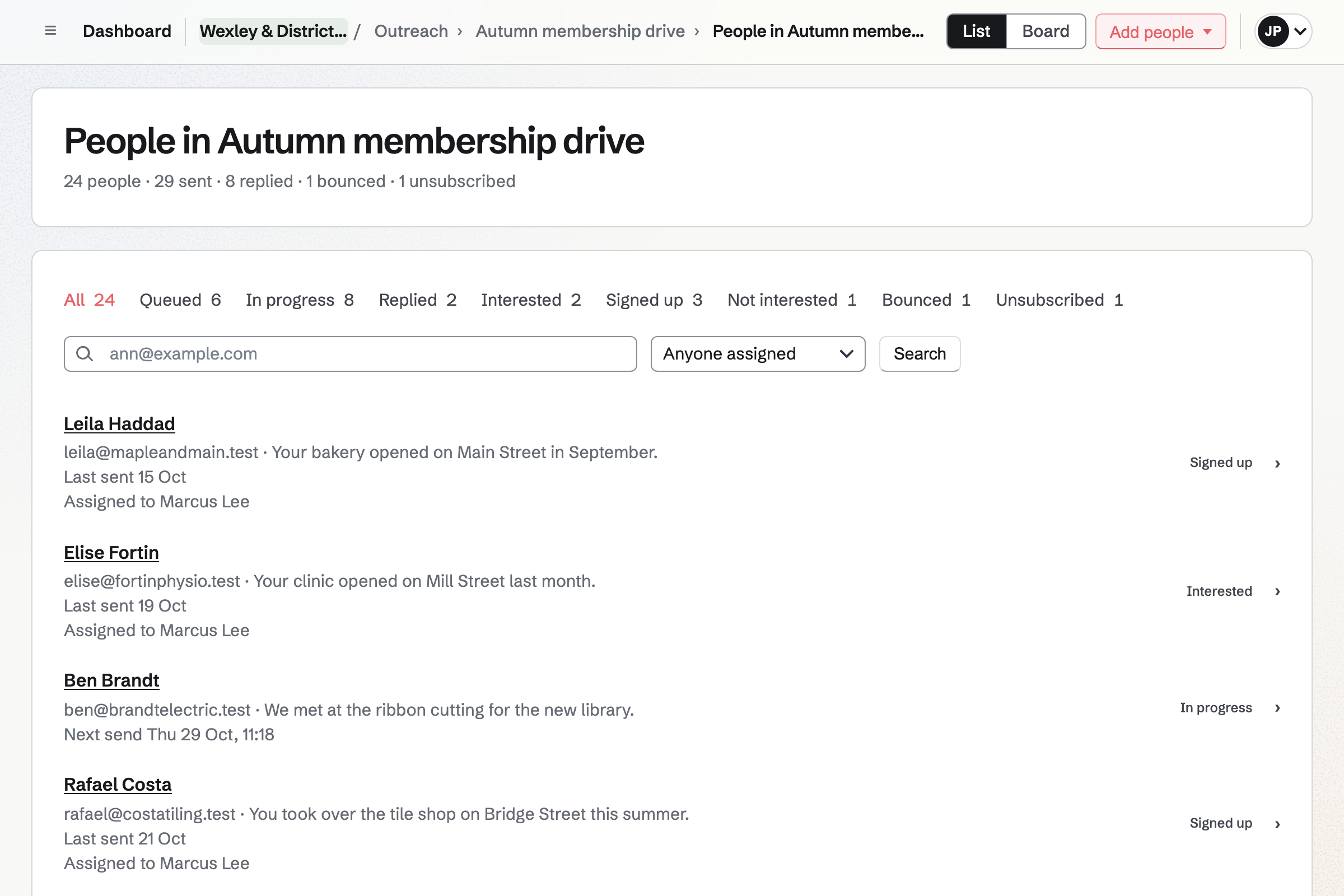
Outreach sends each business a short series of plain emails from your own address. Step 1 can start with a line you wrote about that business. When the owner replies, nothing more is sent.
Each business in the drive has a stage, from Queued to Replied. You mark it Signed up when it joins. You can hand a business to the colleague who will visit. Every message ends with an unsubscribe link.
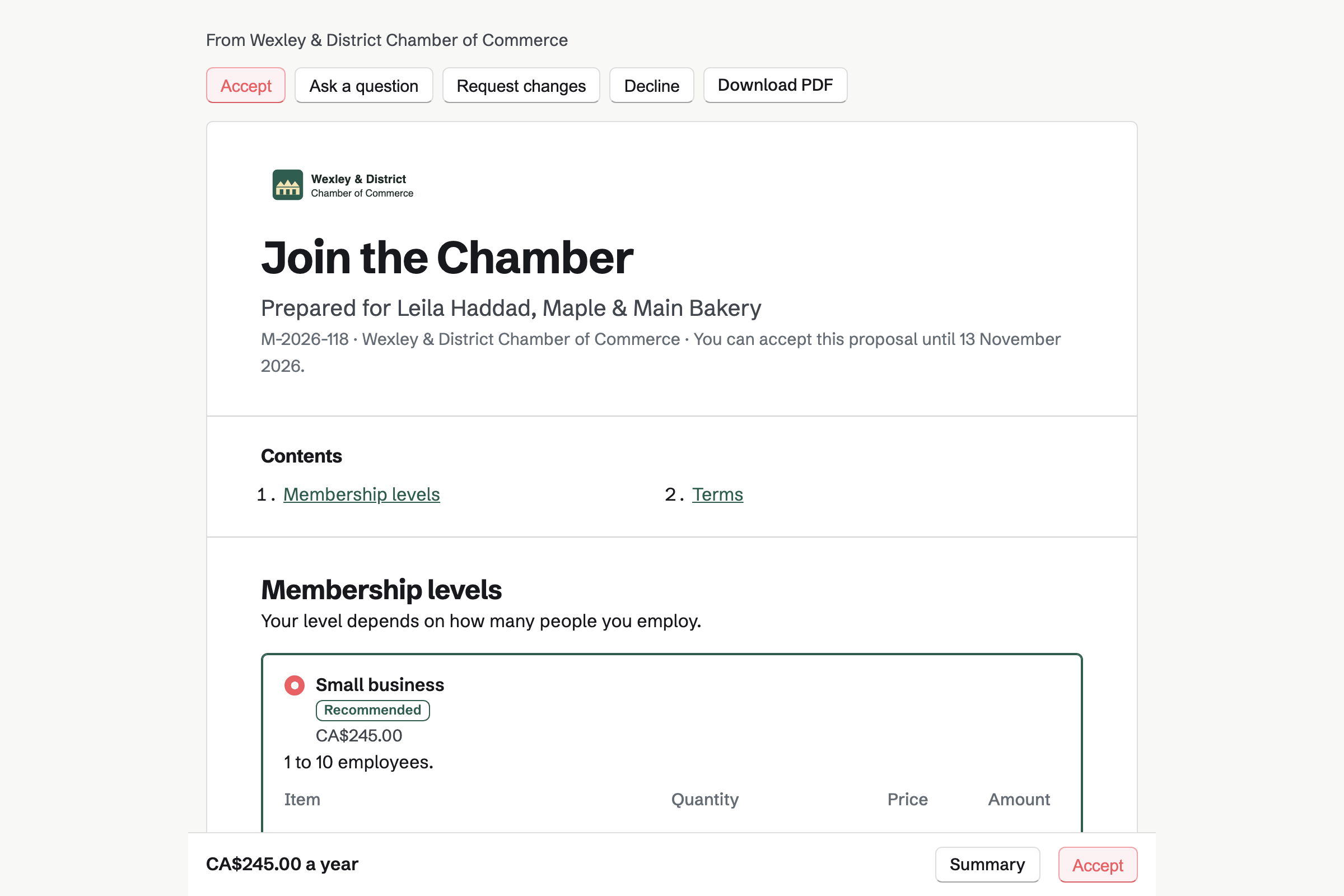
Proposals sends each business its membership offer, with 2 to 4 levels as packages. The owner opens it in their Magpie account, chooses one and signs. You can see when the offer was opened.
Yearly dues start as a recurring invoice once the offer is signed. Each year's invoice is charged to their card, or paid from its email, as they choose. Sponsors of the awards night choose a package the same way, and pay a deposit.
Invoicing keeps each member's dues as a recurring invoice with its own renewal date. Magpie issues and emails the invoice on that date each year. Its Pay online button takes a card, and you record a cheque by hand.
Recurring lists each member's dues and next invoice date, and whether a saved card pays it. When the board raises the dues, you change each member's lines. Magpie will email them the new amount before their next invoice.
You add the new bakery on Main Street to your campaign. Its line says it opened in September. It becomes a contact, and step 1 goes out from your address.
The owner writes back, so nothing more is sent. You start a membership offer from the bakery's contact.
The owner chooses Small business, signs and saves a card.
Signing starts the yearly dues invoice, charged to that card. The payment is recorded and added to the books.
The owner RSVPs to the next breakfast, signed in to the account the offer opened in.
The bakery's contact lists the offer and the invoice. You tag it Member and Small business, and mark it Signed up in the campaign.
Magpie issues the renewal invoice on the same date and charges the card. If the charge is declined, the member is emailed a link to update the card. You are emailed too.
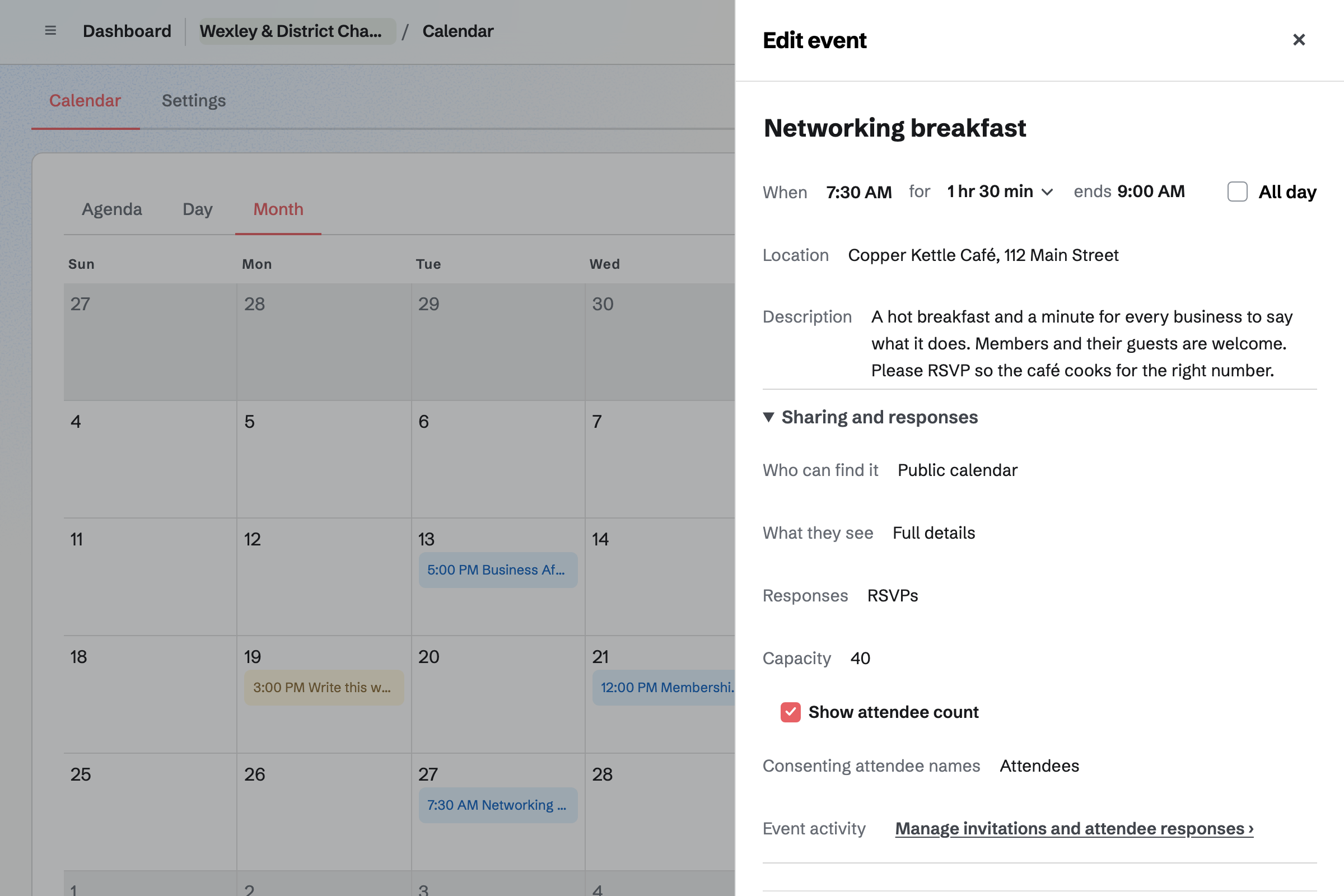
Calendar holds the networking breakfast, Business After Hours at a member's premises and the AGM. An event can go on your public calendar, or only to the team and invited guests. Once the seats you set are taken, its page says it is full.
Members answer Going or Not going on the event's page, signed in to Magpie. If you choose, members going see the names of others who agreed to show them. You see every reply with the person's email address.
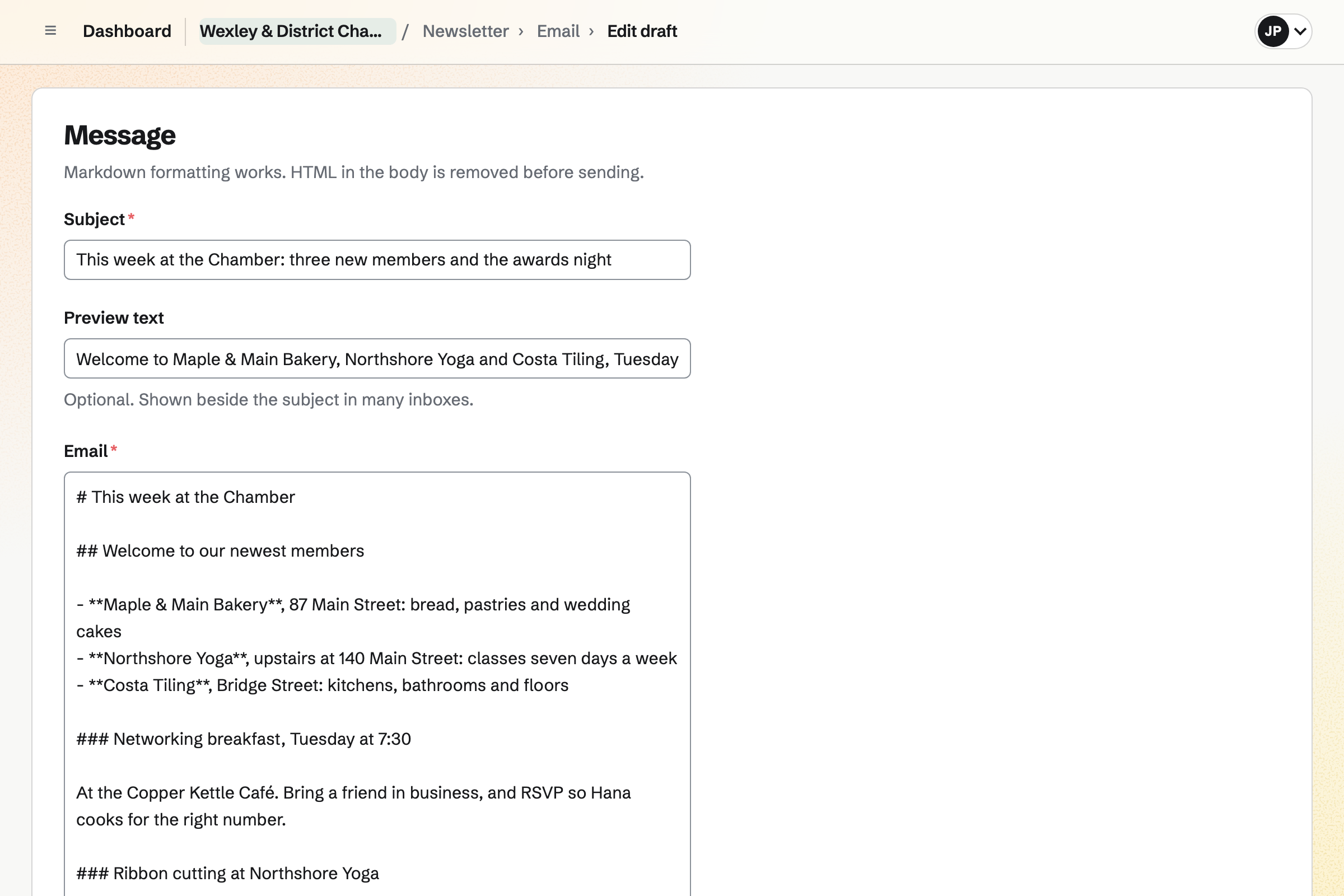
Newsletter sends the member bulletin: new members, ribbon cuttings, events and member news. People join from its sign-up page and confirm by email. A list kept in Mailchimp comes in with a record of how people agreed.
Each issue is written in Markdown, and a test goes to your own inbox first. With web copies on, every issue also has a public page to link from your website.
Company Records keeps the chamber's records as a nonprofit corporation, with its directors and officers. A board meeting or the AGM records the directors present and the resolutions adopted. Write the minutes starts a Document with both.
Directors sign a resolution online, such as approving the annual accounts. You add the annual return and the insurance renewal with their dates. Magpie will email a reminder before each. Only you, other admins and the keepers you name can open these records.
You create a team and invite the staff who run the chamber with you. Help: Create and manage a team.
You paste in your members with Import JSON, each tagged with its level. Help: Add contacts by pasting JSON.
Members and sponsors can then pay by card. Help: Connect Stripe to receive money.
You write each member's dues invoice and make it recurring. It repeats every year from their renewal date. Help: Recurring invoices.
You add its legal name, its directors and officers, and the annual return. Help: Company Records.
A chamber with staff fits the Team plan. It is one price for the team, with 25 member places. Outreach and Mail need it. Member businesses, sponsors and directors who only receive what you send take no place.
Members who join the Message Board as guests take no place either. A paid plan has room for 100 guests. The Free plan keeps 100 contacts; the Team plan has no limit.
Magpie adds no fee to dues or sponsors' payments by invoice. On a paid Form, such as an awards ticket, Magpie's fee is 1%. Stripe's processing fee is taken from each card payment.
A residents' association's members are the households of one building or estate. It runs a residents' board, surveys and each flat's yearly dues.
A nonprofit serves the public rather than member businesses. It takes monthly support, registers people for programmes and recruits volunteers.
An event organizer puts on a conference or festival. People buy a pass on a paid Form, and sponsors choose a package.
A community group runs free meetups and volunteer days for its neighbourhood. Volunteers sign up on a Form, and members talk on a board.
Yes. Each person at a member business is a contact, with its company, emails, phones and address. A tag marks the level, such as Small business or Corporate. Choosing a tag lists only those members. A member's page lists every invoice, proposal and note.
Yes. Import JSON adds many contacts at once, with their companies, emails, phones, addresses and tags. Copy the prompt gives an assistant you use the format. You give it your spreadsheet's rows and paste back the document it writes. The whole document is checked before anything is saved.
Yes. You send the business its membership offer as a proposal, with each level as a package. The owner opens it in their Magpie account, chooses one and signs. Everyone is emailed the signed PDF. The yearly dues then start as a recurring invoice.
Yes. A membership application Form asks for what you need, such as the business's size and trade. You link to it from your website. You get an email for each one. Every application comes into one list you can export.
Yes, for a member who joined from a membership offer. On signing, they choose whether their card pays each year's invoice, unless you require it. Magpie issues the invoice on the same date each year and charges the card. If the charge is declined, the member is emailed a link to update the card. You are emailed too.
Yes. You record a cheque, cash or a bank transfer on the invoice, with the date received. The cheque number can go with it. Part of the dues can be recorded, and the invoice shows what is still owed. Members who prefer a card pay from the invoice email.
Yes. Recurring lists each member's dues and next invoice date, and whether a saved card pays it. A member whose card was declined is marked Payment problem. Unpaid dues invoices are listed under Overdue until they are paid.
You change the lines on each member's recurring invoice. Magpie will email the member the new amount before their next invoice. Invoices already issued keep their amounts. A new membership offer can carry the new levels from the start.
You end their recurring invoice, and nothing more is billed. Their contact keeps every invoice, proposal and note. You can tag it Lapsed. Later, Outreach can add everyone with that tag to a campaign that invites them back.
Magpie adds no fee to dues paid by invoice, or to sponsors' deposits. Stripe's processing fee is taken from each card payment. The money goes to the chamber's own Stripe account. Each payment and its fee are added to the books.
Yes. Outreach sends each business a short series of plain emails from your Mail address. Nothing more is sent once the owner replies. A campaign sends inside the hours you set, up to 50 a day unless you change it. Messages go through a mail server you choose, such as Amazon SES.
Every campaign email ends with an unsubscribe link. Mail programs can show their own Unsubscribe button too. Unsubscribing stops every campaign of yours to that address. The address goes on your do-not-email list, with bounced addresses and any you add. Nobody on the list, or unsubscribed from your bulletin, can be added to a campaign.
Yes. Members choose Going or Not going on the event's page, signed in to Magpie. Someone without an account gets a free one. When the breakfast reaches the number of seats you set, its page says it is full. You see every reply with the person's email address.
Yes. An event set to Public calendar is listed on your public calendar for anyone to open. Each event has its own page with the date, the place and the RSVP button. Share event starts a social media post about it, for you to schedule.
Yes. A paid Form takes a fixed amount with each response, such as one ticket. It can ask your own questions too, such as dietary needs. A table of eight can be a Form of its own, at its own price. Guests pay by card into your Stripe account, and Magpie's fee is 1% of each payment.
Yes. A nominations Form asks the questions you choose, with a file question for letters of support. Every nomination comes into one list you can export. You add each judge as a collaborator who can view the Form. They see its nominations and nothing else of the team.
Yes. A sponsorship proposal offers 2 to 4 packages, such as presenting sponsor and award category sponsor. The sponsor chooses one, signs and pays the deposit by card. You bill the rest when you are ready. Every payment is an ordinary invoice.
Yes. Each issue is written in Markdown, and a test goes to your own inbox first. You schedule it for the hour you choose. It goes to every active subscriber under the bulletin's name. Replies go to the address you set.
Yes. A Mailchimp export or a CSV file of up to 5 MB comes in under Subscribers. You record where the list came from and how people agreed to receive it. Addresses that unsubscribed or bounced are left out.
Yes. A private Message Board is open to your team, and members can join it as guests. They post news and offers, reply and vote. A public board can be read by anyone, and anyone signed in to Magpie can post.
Yes. Each board meeting and the AGM records its date, place, directors present and resolutions adopted. Write the minutes starts a Document with who was there and what was adopted. Closing the minutes files them as a PDF, and they no longer change.
A resolution starts from a standard text, such as approving the annual accounts, or your own. Magpie sends it through E-Signatures, which emails each director. It is adopted on the day of the last signature. The signed copy is filed with the chamber's documents. Your bylaws decide who must sign.
Yes. You add each filing or renewal with its next date and how it repeats. The annual return can repeat yearly after the anniversary of incorporation. Magpie will email a reminder 90, 30, 14 et 7 days before a filing. A renewal, such as insurance, is reminded 60 et 30 days before.
Yes. Accounting keeps double-entry books, with dues, ticket and sponsor payments added from their invoices and Forms. Bank statements come in as CSV files. You invite your treasurer or accountant from the books' settings. They open the books and nothing else of the team.
Create a Magpie account and make a team for the chamber.