
Music, dance and art schools (several teachers)
A music or dance school books each lesson with a teacher, and invoices tuition every month.
Swim schools
Your swim school and its teachers work in one Magpie team. Each family has a private page for its swimmers.
Créer un compte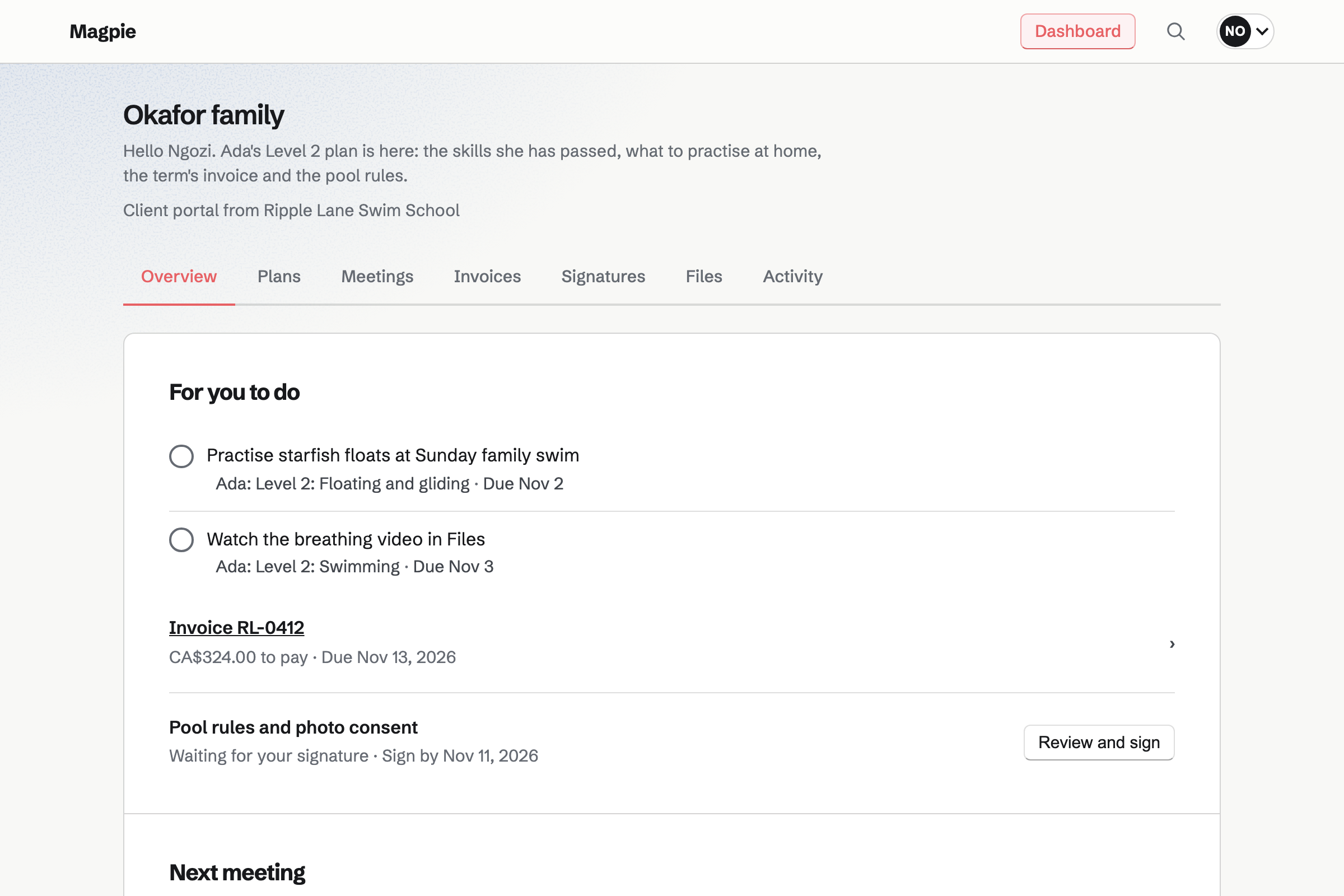
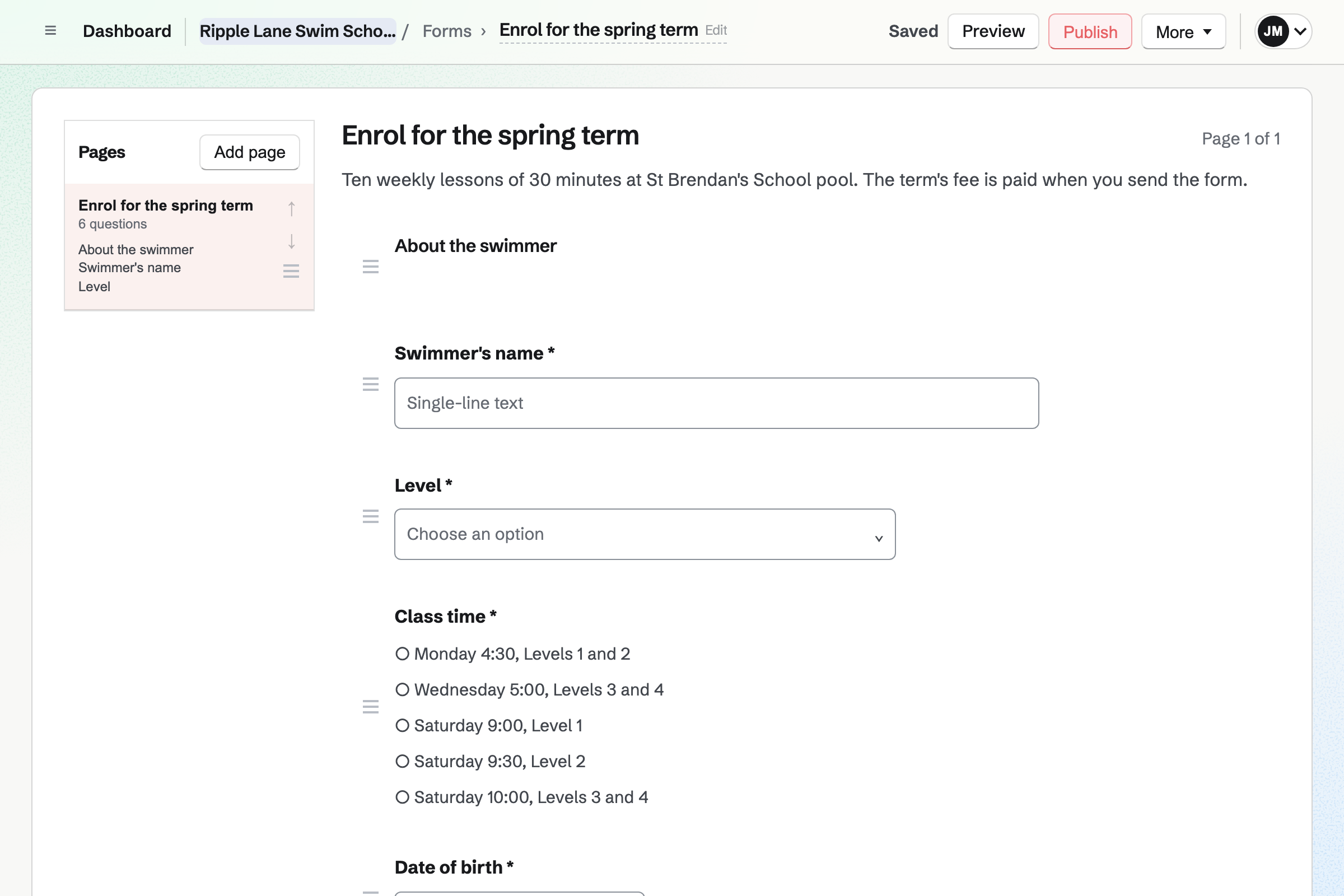
Forms builds your enrolment form for the term. It asks the swimmer's name, date of birth and level, and the class time wanted. A paid Form takes the term's fee by card on Stripe's page. Parents enrol without signing up first.
The Summary counts how many swimmers chose each class time. When a class is full, you take it off the choices. A second Form keeps the waiting list, in the order families joined it.
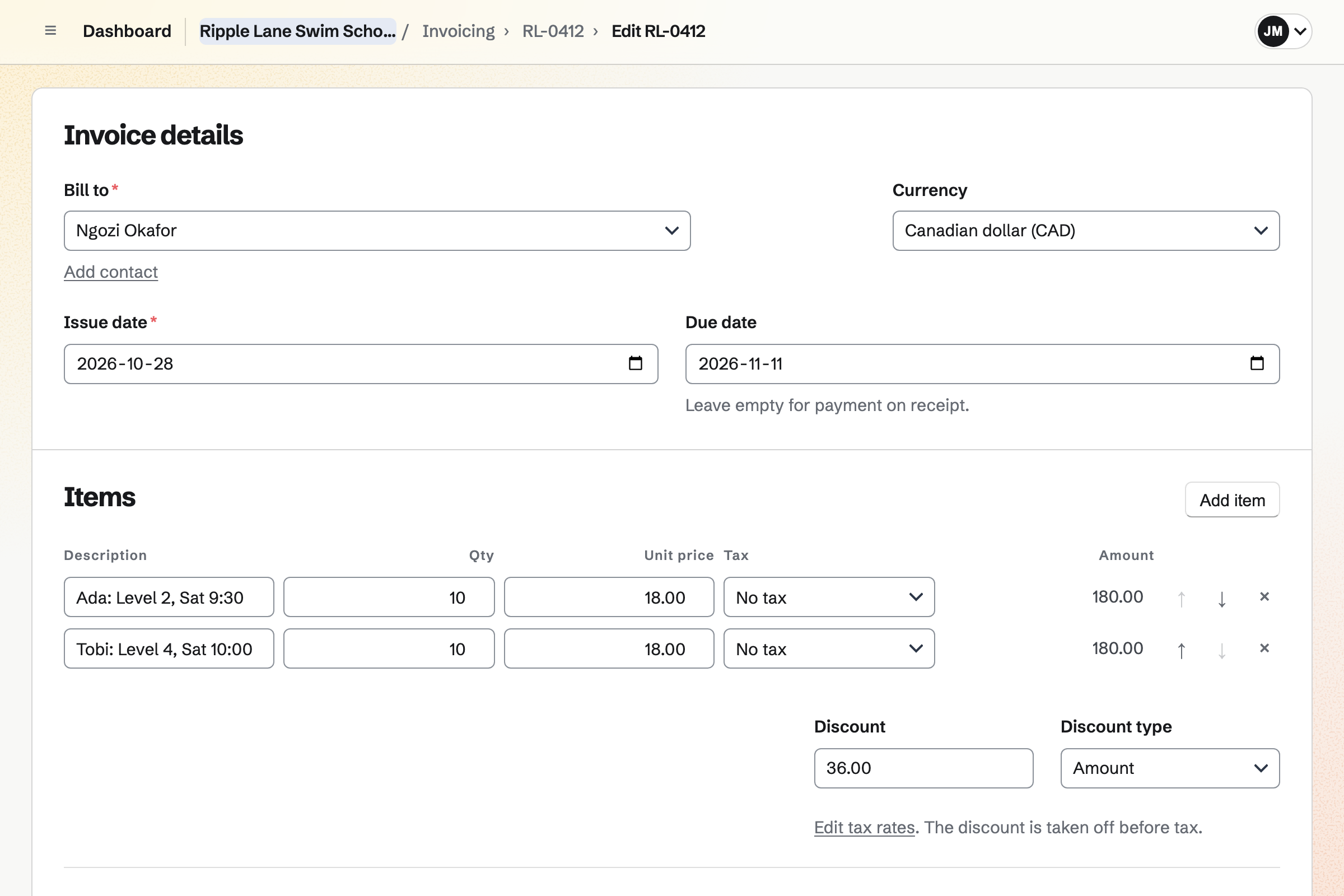
Invoicing bills each family from their contact. Duplicate makes next term's invoice from this term's. Each child is a line, such as ten weeks of Saturday Level 2. A discount for a second child comes off before tax.
The email has a Pay online button, and the money goes to your own Stripe account. Reminders go out until it is paid. A child who joins halfway is billed for the weeks left.
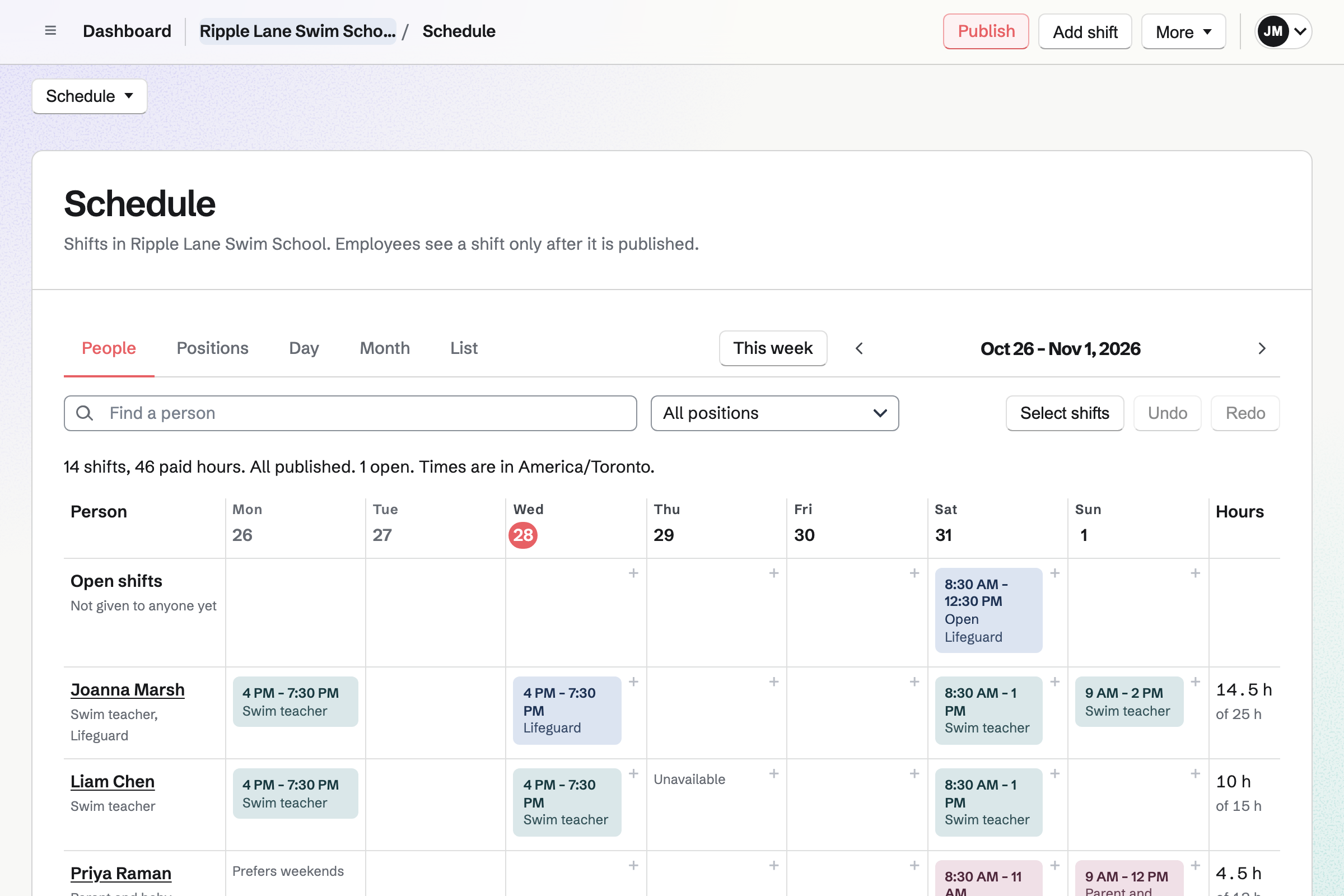
Staff Scheduling gives the school its rota, with each pool as a location and its address. Teacher and lifeguard are positions. A shift can repeat every week of the term. Teachers see their own shifts and the pool's address.
A position can require a lifeguard award or first aid. When an award has expired by the shift's date, Magpie blocks the shift or warns you. Teachers can swap shifts. A cover request asks only teachers who could work it.
Client Portal gives each family a private page. Each swimmer has a plan for their level, with its skills in stages. Teachers tick a skill when the swimmer can do it. A goal can be a distance, such as 25 metres of front crawl.
Parents tick their own steps, such as floating on their back in the bath. The term's invoice can be paid in the portal. Each level is a starter plan, so every Level 2 swimmer learns the same skills.
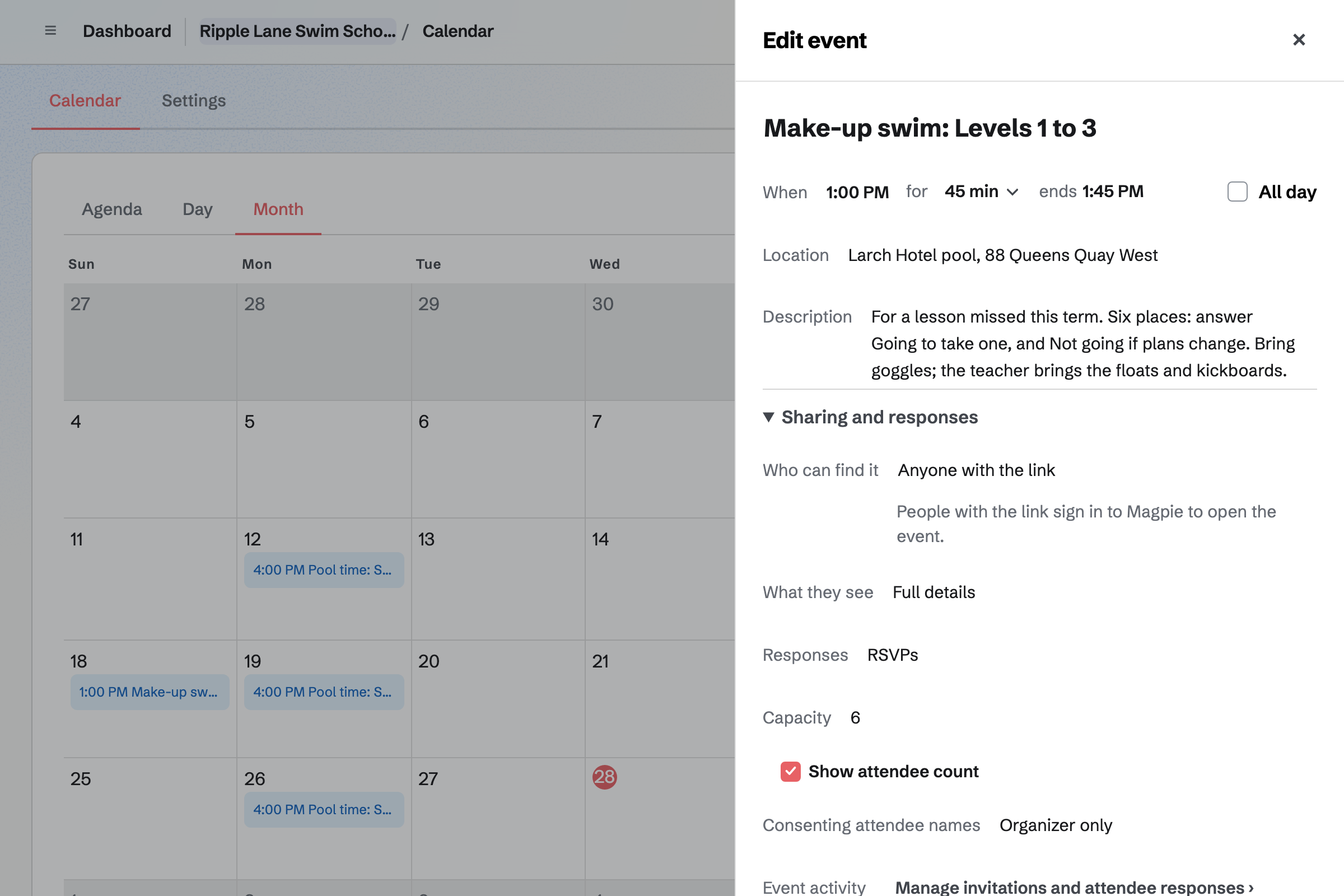
Calendar holds each make-up swim as an event, such as Sunday at 1:00. You set its capacity, and RSVPs stop when it is full. Its page then says so.
You send families the event's link. A parent answers Going while signed in to Magpie. A parent with no account gets a free one. You see every answer, with the parent's email address.
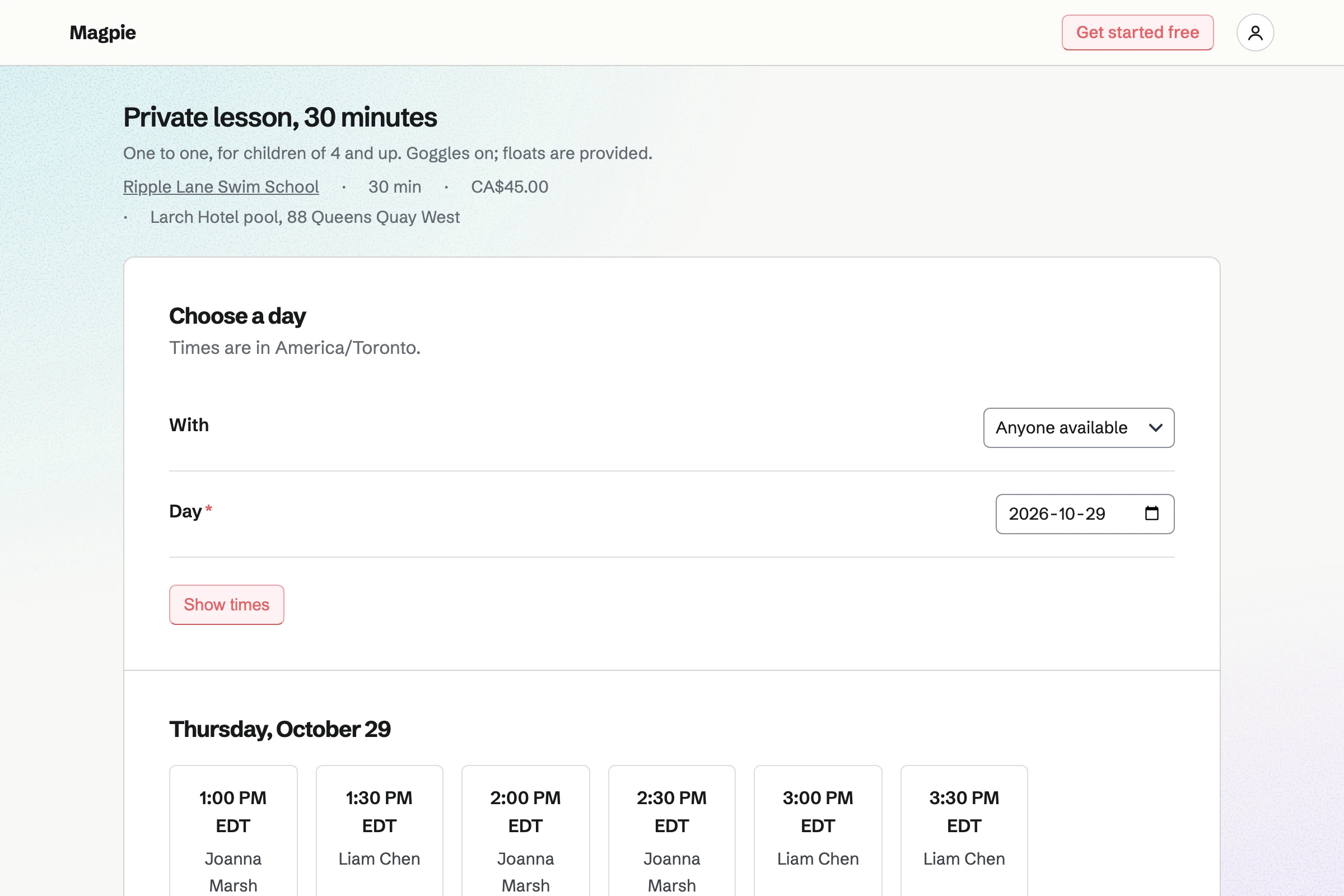
Appointments gives you a booking page for one-to-one lessons. A 30-minute private lesson and an adult beginners' lesson each have a price and a pool. Each teacher has their own weekly hours.
Parents choose a teacher or Anyone available, then a free time. They book without signing up first. The confirmation email lets them move or cancel until the notice you set. Private lessons are paid on an invoice.
Expenses keeps each pool's hire as a recurring expense, weekly or monthly. On each date, a draft waits for you to confirm. You change it when the bill differs.
The pool's invoice is kept as the receipt, as a PDF or a photo. Reports total your spending by category and by merchant for any dates, such as one term.
Each step uses what the step before it made.
A parent adds their child to the waiting list for Saturday Level 1.
A place opens. You send the enrolment form, and the parent pays the term's fee.
You add the family as a contact, with the class's tag and a pinned medical note.
You invite the parent, and share the swimmer's Level 1 plan from its starter.
Each week, the teacher ticks the skills the swimmer can do.
A missed week is made up at a Sunday make-up swim.
Level 1 is complete. Next term's invoice bills Level 2, and the parent pays in the portal.
You connect your Stripe account, so families can pay by card. Help: Connect Stripe to receive money.
You add the term's fee, your class times and the questions you ask. Help: Require payment for a Form response.
You build each level's skills and goals once, as a starter plan. Help: Reuse your process with starter plans.
You add each pool as a location, and each teacher's awards with their expiry dates. Help: Set up positions, locations and qualifications.
You add private lessons as services, with each teacher's hours. Help: Set up Appointments.
A swim school with teachers fits the Team plan, one price for up to 25 members. A teacher who ticks skills, takes private lessons or sees their shifts takes a member place. A teacher on the rota by name alone takes none.
Parents invited to a portal get a free Magpie account, and take no place. A free team has 3 member places, 100 contacts and 5 invoices a month. A teacher working alone can use Magpie in Personal, without a team.
Magpie adds no fee to invoice payments. On a paid enrolment form, its fee is 1% of each payment. Stripe's processing fee is taken from each card payment. Prices are on the Pricing page.
A music or dance school books each lesson with a teacher, and invoices tuition every month.
A studio fills each class from a public timetable, and sells monthly practice videos.
A sports club registers players for the season, and parents say who can play each match.
A tutor working alone books lessons online, and bills each family monthly.
A tutoring centre books lessons with each teacher and room, and invoices families monthly.
A riding school books lessons online, bills livery and runs the yard's daily checklists.
A childcare setting plans its rota by qualification, and keeps the day's safety checks.
A summer camp registers families for each week, and checks its counsellors' certificates.
A personal trainer books sessions online, and gives each client a training plan.
Yes. Your enrolment form asks the swimmer's name, date of birth, level and class time. Parents fill it in from its link, without signing up first. Magpie emails you each enrolment and keeps them in one list. The list exports as a CSV file.
Yes. A paid Form charges one amount, such as the fee for ten weeks. The parent pays by card on Stripe's page, into your own Stripe account. Each enrolment then shows Paid, with the amount. Magpie's fee on a paid Form is 1% of each payment.
Yes. The form's Summary counts the answers to each choice question. It shows how many chose each class time, such as Saturday 9:30 Level 2. All responses lists every enrolment with when it was sent.
You take that class off the form's choices and publish the change. Parents then see only the classes with places. Enrolments already made are kept. When every class is full, you close the form, and its enrolments stay.
Yes. A second Form takes the swimmer's name, age, level and the class times that suit. Its responses are listed with when each was sent, so you see who joined first. You mark a family Reviewed once you have offered them a place.
Yes, on the family's invoice. Each child is a line, and one discount comes off before tax. It can be an amount or a percentage. The family pays the total by card from the email.
Yes. Duplicate makes a new draft from this term's invoice. You change the dates and move a swimmer up a level, then send it. The email has the PDF and a Pay online button. Reminders go out until it is paid.
Yes. Their invoice line can be the weeks left, such as 6 weeks at the weekly price. A line takes a quantity and a unit price, and the total follows. Their plan can be shared in the portal from their first lesson.
By card, from the invoice's Pay online button or in their portal. The money goes to your own Stripe account, and Magpie adds no fee. A bank transfer or cash is recorded by hand, in part or in full. A part payment leaves the invoice partly paid.
Yes. Each family has a private Client Portal page. It shows each swimmer's plan, with the skills of their level, ticked or not. Parents get an email when you share a plan. They open it with a free Magpie account made from your invitation.
Yes. A teacher ticks a skill on the swimmer's plan when they can do it. Each tick shows when it was made and by whom.
Yes. You keep each level as a starter plan, with its stages, skills and goals. A swimmer's plan starts as a copy of it. Changing the starter later leaves earlier plans as they are.
You mark their plan Completed, and start a new plan from the next level's starter. Parents still see the finished level in the portal. The new plan shows the skills still to learn.
Yes. A goal can be a distance, such as 25 metres of front crawl. The teacher records the distance after a lesson, and a bar shows the progress. Every value is listed with who recorded it and when. A goal such as treading water for a minute is marked achieved.
Yes. A step can be for the family, such as blowing bubbles in the bath. Parents tick their own steps in the portal. Their ticks are listed under Client activity on the portal's page.
A make-up swim is a Calendar event with RSVPs and a capacity, such as six places. You send families its link. A parent answers Going while signed in to Magpie. Once six are going, the event's page says it is full. A parent who changes their answer gives the place back.
Yes. A short Form asks the swimmer's name, the class and the date they will miss. Magpie emails you each one, and they are kept in one list. You then send the family the link to the next make-up swim.
Yes. Your booking page lists private lessons with their length, price and pool. Parents choose a teacher or Anyone available, then a free time. They give a name and an email address, without signing up first. The confirmation email lets them move or cancel until the notice you set.
Yes. You send an invoice with five lessons as one line, and the parent pays by card. Each lesson they book is then listed on their contact, beside the invoice.
Yes. Each teacher's weekly hours set when they can be booked, such as Saturday 12 to 2. The booking page leaves out times already booked and events on the teacher's calendar. A buffer can keep a few minutes free between lessons.
Yes. The lifeguard position can require the award as a qualification. Each teacher's profile records when theirs was issued and when it expires. A shift for a teacher without a current award is blocked, or you are warned.
Yes. From their own shift, a teacher can swap with a coworker or ask for cover. Only teachers who could work the shift are asked, and the rules are checked again. A swap applies at once or waits for your approval, as you choose.
Yes. Each pool is a location on the rota, with its own address. Teachers see the address on their shift. A private lesson names its pool too, shown to parents as they book.
Yes. Each pool's hire is a recurring expense, weekly or monthly. On each date, a draft waits for you to confirm, changed if the bill differs. Reports total spending by category and by merchant for any dates, such as one term.
Yes. Accounting adds enrolment payments, invoices and expenses to the books. Profit and Loss shows income and expenses between two dates, such as one term. It is not tax advice, so check the rules where you file.
On the family's contact. A pinned note keeps the children's names, allergies and conditions near the top. Your enrolment form can ask for them too. The contact also lists every invoice and private lesson.
Yes. Newsletter gives you a sign-up page, and each subscriber confirms by email. You write the email, send yourself a test and schedule it. A sent issue also has a web copy to share.
Yes. Hiring gives the job its own page, and every applicant is kept in one list. A teacher you hire is added to the rota from their page.
Yes. You can work in Personal, without a team. Your enrolment form, portals, invoices and booking page work the same. Pro, the paid plan for your own work, raises the free plan's limits.
Magpie adds no fee to invoice payments. On a paid enrolment form, its fee is 1% of each payment. Stripe's processing fee is taken from each card payment. The rest goes to your own Stripe account.
Create a Magpie account and make a team for your swim school.