Issues
Track issues with projects, cycles and custom workflows.
Give bugs and other work stable identifiers, priorities, assignees and due dates. Plan by project, milestone or cycle, review outside reports in Triage, and manage issues in a list or status board.
Get started free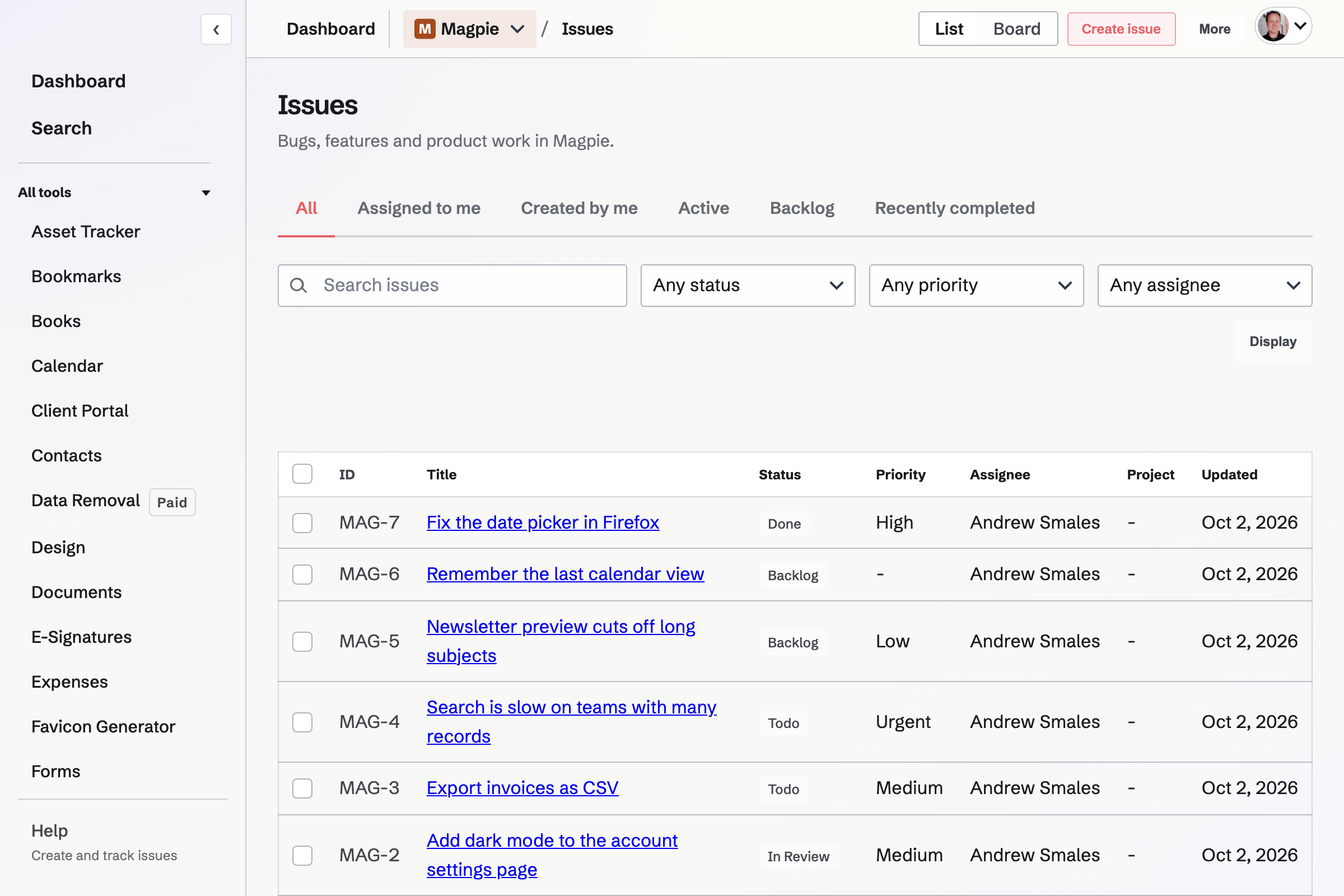
Comments, attachments and related issues
Discuss issues in Markdown comments and attach private files. Link parent and sub-issues, blocking work, related issues or duplicates within the same Personal or team context.
Plan at more than one scale
- Projects
- Group related issues under a project with its own overview and identifier prefix.
- Cycles
- Place work in a defined period when cycle planning is enabled.
- Milestones and roadmap
- Connect project issues to named targets and their planned dates.
- Triage
- Review issues arriving through a public issue form or API before placing them in the plan.
Search, saved views and bulk changes
Search titles, descriptions, identifiers, labels and comments. Save filters, sorting, grouping and list or board display as a private or team view. Editors can change status, priority, assignee, project, cycle or labels on up to 100 selected issues at once.
Intake, workflow rules and notifications
- Public reporting forms
- Accept reports into Backlog and Triage without exposing the team’s issue list. Editors review reports, accept them, mark duplicates or cancel them.
- Statuses and custom fields
- Admins manage status names, order and completion categories. Editors add text, number, choice, date, checkbox or team-user fields.
- Automations and webhooks
- Rules can set status or priority when an issue is created, assigned, moved or labelled. Admins can send signed issue, comment and project events to HTTPS endpoints.
- Subscriptions and mentions
- Subscribe to issue updates. Team-member mentions create in-app notices; email categories are off by default and can be enabled separately.
Moving issue data
Can I import existing issues?
Yes. Import up to 200 at a time from CSV or a GitHub CLI JSON export. Imported issues receive new Magpie identifiers; comments, attachments and pull requests are not imported from GitHub.
Can I export the issues again?
Yes. Export CSV or JSON for the selected Personal or team context. JSON includes issue relationships and attachment metadata, but not the attachment file contents.
Does the GitHub connection sync pull requests?
No. A project can link a GitHub repository, and its issues can store pull request and commit links. Magpie does not sync pull request status or create GitHub branches.
Start tracking issues.
Create an account and add the first item of work.