Personal Trainer und Fitnesscoaches
A personal trainer books PT sessions on a public booking page. Monthly clients get a recurring invoice.
Life, business and career coaches
Your clients, programs, sessions and invoices are in one Magpie account. Coaches who work together can share one team.
Konto erstellen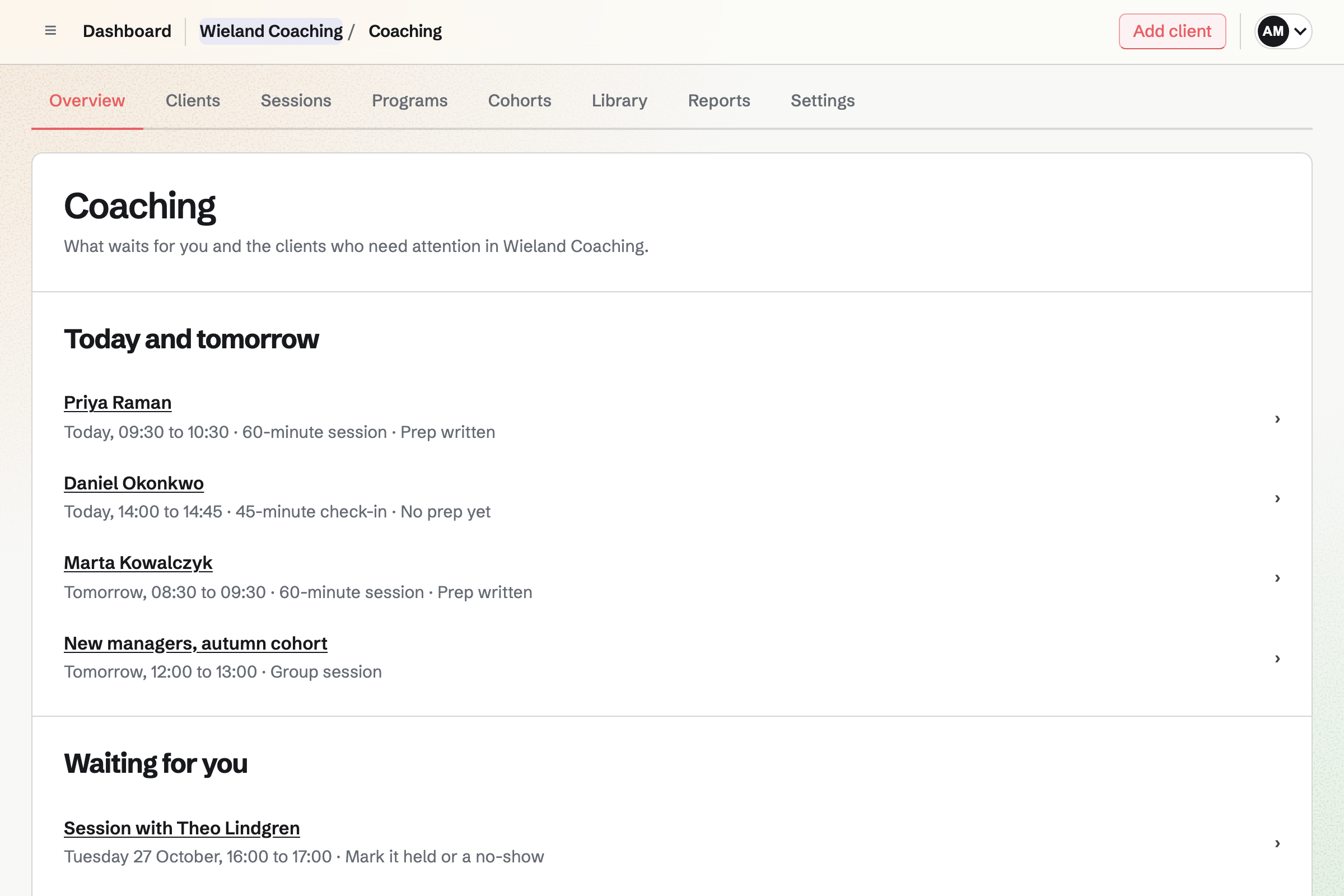
Coaching is where each client's coaching lives. You agree goals together, measured as a number, a rating or five levels. Between sessions they work on actions and small daily habits. A weekly check-in charts their answers.
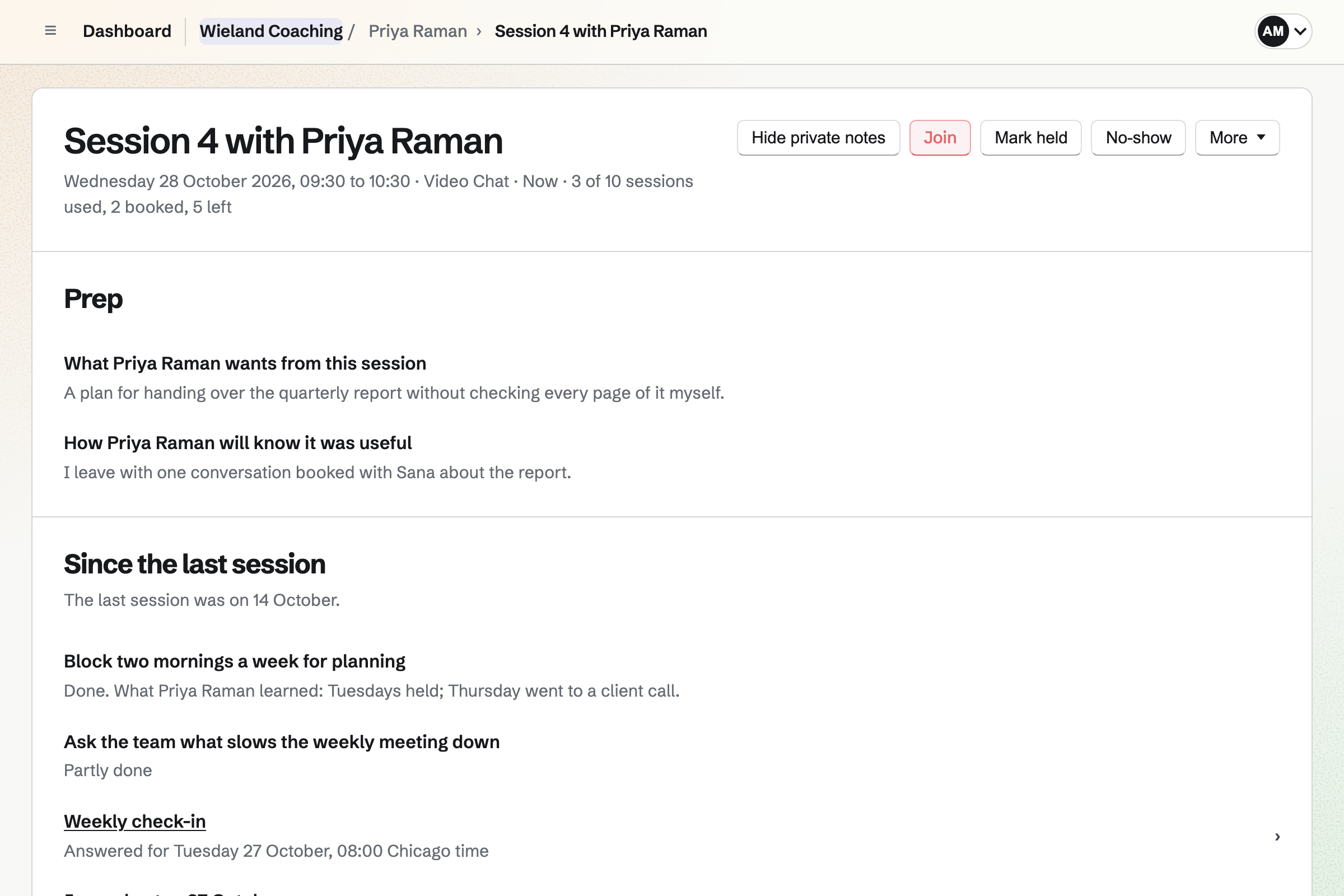
Your client gets one email a day listing what is due. Before a session they write their prep. Your private notes stay yours; the recap goes to them. Needs attention tells you who has gone quiet, and why.
Clients take part from their own Client Portal. Magpie makes them an account, and they sign in with an emailed link.
A program holds the goals you propose, actions in stages, habits and check-ins. Its schedule releases exercises, resources and your messages on the days you set. A wheel of life is an exercise, and so is one of your Forms.
A program can have a public page with its price and your bio. People apply with your questions, or join, sign and pay. A cohort takes a group through it from one start date. It adds group sessions and a conversation.
For leadership coaching, the client's employer can be a sponsor. It follows from its own portal and can pay the invoices. It sees only the goals and reviews your client chooses to share.
Meetings holds the weekly hours your clients book sessions in. Times you are busy, in Magpie or a connected calendar, are not offered. Each session type sets its length and its place. That can be Video Chat, Zoom, Google Meet, the phone or your office.
Your meeting page is for people who are not clients yet. It lists a Meeting Type such as a 30-minute introductory call. Your session types are never listed there.
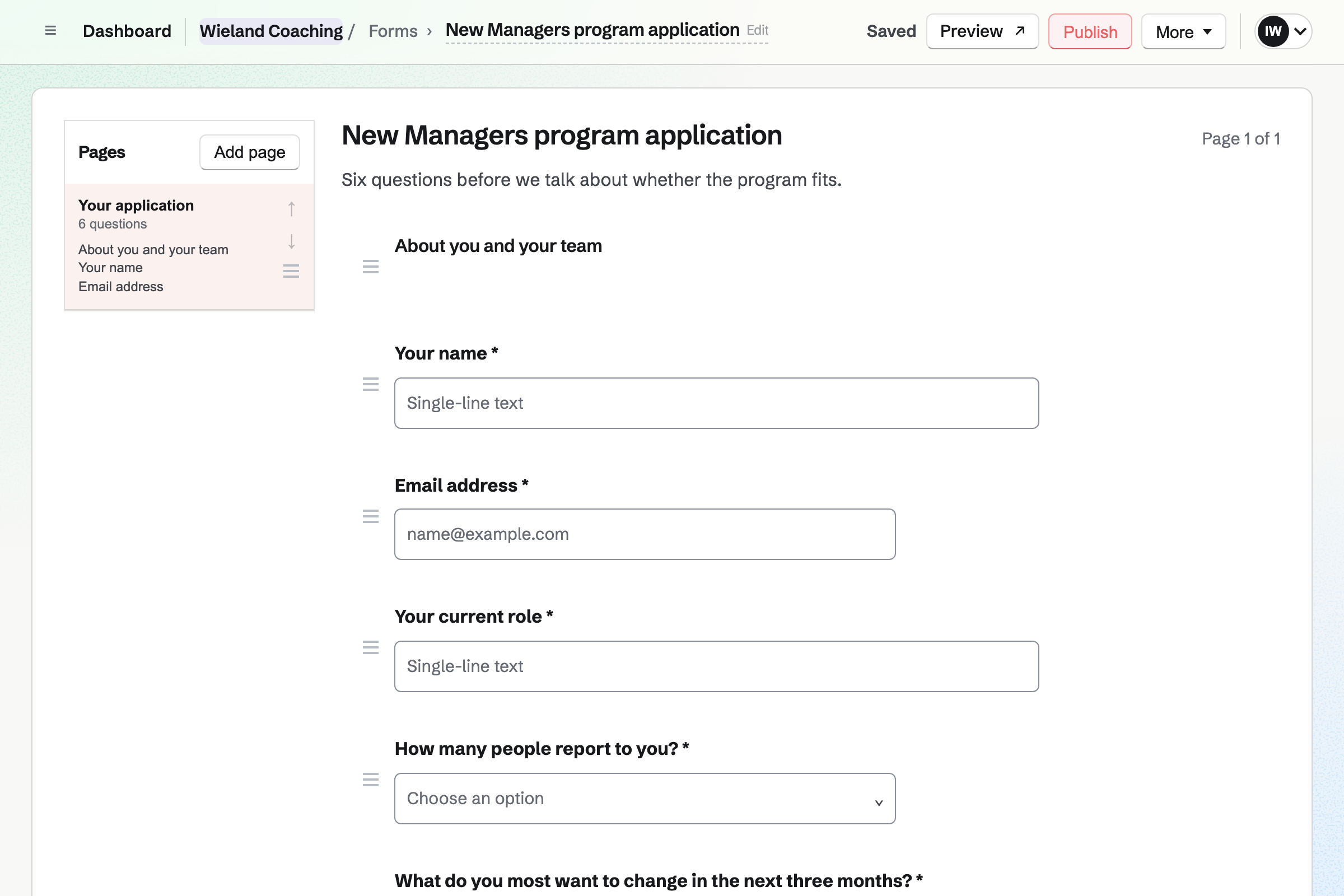
Forms builds the application a program's page asks for. It can ask their role and what they want to change. Magpie emails you each application. Accept adds them as a client, or sends a paid program's link to join.
A Form can also be an exercise, such as an intake questionnaire. Your client answers it in their portal. Give it again months later, and the two sets of answers sit side by side.
E-Signatures keeps your coaching agreement as a starter. A Client and a Coach sign it. Starting a client's coaching sends it to them, and you sign it too.
With Start after the agreement is signed, their portal shows only the agreement at first. Coaching starts on the day they sign, so check-ins and reminders count from then.
A client's coaching, or a program, has a price in your currency. It is paid in full, in 2 to 24 monthly instalments, or monthly until coaching ends. Invoicing issues the first invoice when coaching starts, with a Pay link.
The money goes to your own Stripe account. A client who pays signed in can save their card for the next instalments. Extra sessions go on an invoice of their own, at your price per session.
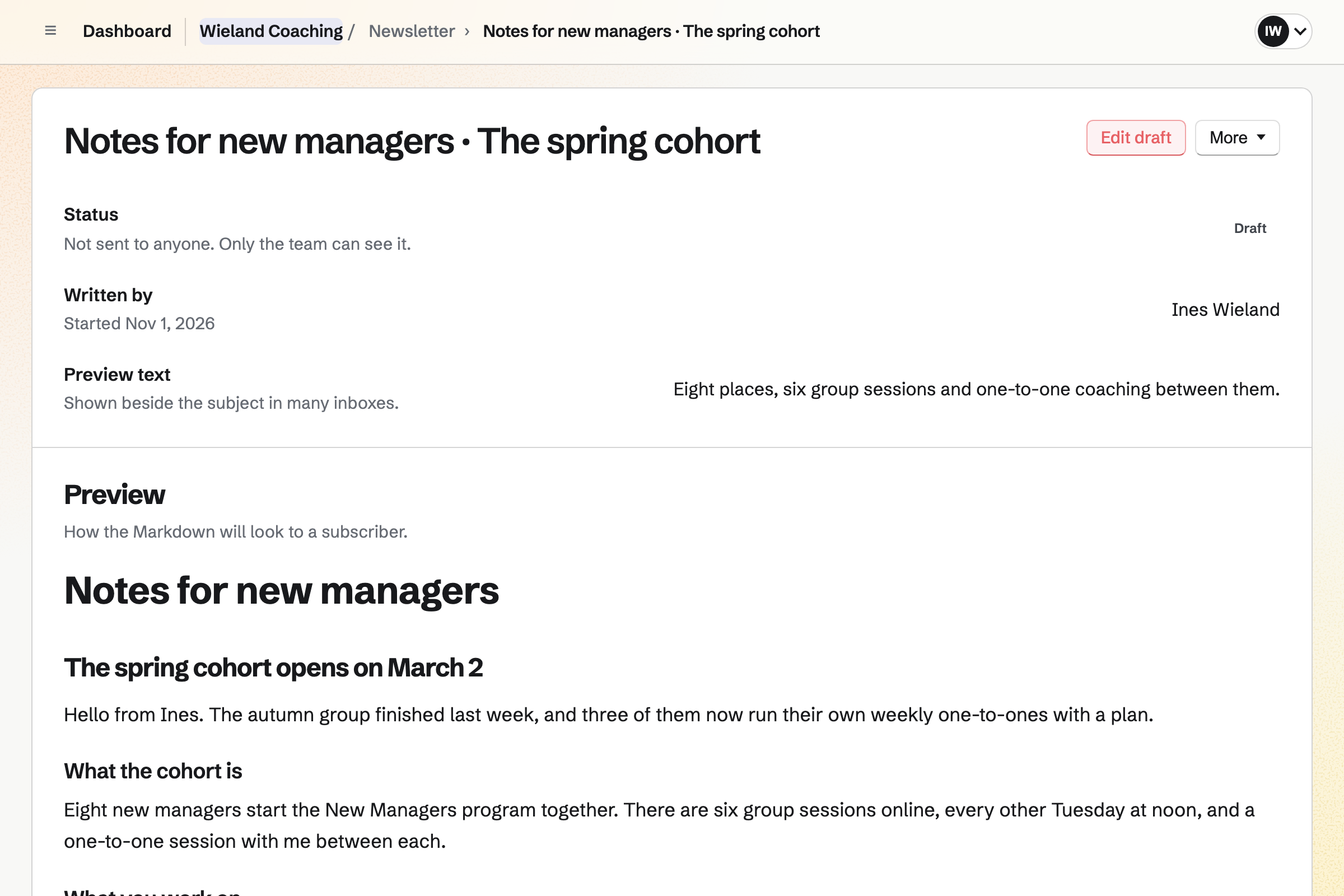
Newsletter emails the people who signed up to hear from you. They join from its sign-up page and confirm by email. A list you already have comes in as a CSV file. Only addresses that gave permission are imported.
An email about the spring leadership cohort can go now or at a time you set. It can link to the program's page, where people apply or join.
The client's name and email address are typed once, when they apply.
They answer your application on the program's page. Magpie emails you, and the answers wait on your Coaching overview.
For a paid program, Magpie emails them a link to join. It works for 30 days. They sign your agreement and pay the first invoice.
Once it is paid, their coaching starts that day. Their goals, actions and check-ins come from the program, and they are invited to their portal.
They log habits and answer check-ins from the daily email. You read their prep before each session and send the recap after.
The next invoices follow a month apart, charged to their card if they saved it. Each payment is added to your books.
Complete coaching offers a final progress review. Your client writes a reflection and you write a summary. Neither reads the other's until both are done.
You add a session type, such as 60 minutes in Video Chat. Then you set your booking rules. Help: Coaching sessions.
You start from one of Magpie's starters or an empty program. Then you add goals, stages and a schedule. Help: Coaching programs.
You upload your coaching agreement and give it a Client and a Coach to sign. Help: Signing starters.
You connect Stripe so clients can pay their invoices by card. Help: Connect Stripe to receive money.
Coaching is on every plan. The Free plan coaches 3 clients whose coaching has not ended. Pro and the Team plan have no limit. Coaching invoices do not count toward a plan's monthly invoices.
Sessions in Video Chat need Pro, or the Team plan for a team. On the Free plan, sessions can be on Zoom, Google Meet, the phone or in person.
Coaches who work together share a team. A free team has 3 member places, and the Team plan has 25 at one price. Magpie adds no fee to invoice payments. Stripe's processing fee is taken from each card payment.
A personal trainer books PT sessions on a public booking page. Monthly clients get a recurring invoice.
A sports coach books private lessons in hired court time. Each player's plan carries video of their technique.
A therapist or counsellor books sessions with intake forms first, and keeps client files encrypted.
A consultant sends proposals for a fixed scope, tracks billable hours and presents findings.
Magpie makes each client an account at their email address when coaching starts. A client who already has one uses it. They sign in with a link emailed to them, with no password to remember. Their portal is listed on their Magpie Dashboard. The account does not join your team.
Yes. Book a session in their portal shows your free times in their own time zone. Times you are busy in Meetings or a connected calendar are not offered. You set the shortest notice and how far ahead they can book. You also set how many sessions they hold at once.
Yes. A session type can be in Video Chat, Zoom, Google Meet or Microsoft Teams. It can also be by phone, in person or at another link. Zoom, Google Meet and Teams links come from your own connection as each session is booked. Video Chat needs no account for your client.
Yes. Schedule session has Repeat: every week, every two weeks or every month. A series is up to 12 sessions at one time of day. Magpie lists any date that clashes or goes past the sessions included, and offers Schedule anyway.
A session cancelled within your late cancellation window counts against the sessions included. The window starts at 24 hours, and you can change it. A no-show counts the same way. Waive this session on the session's page stops it counting.
Yes. Prep opens 72 hours before the start. It asks what they want from the session and how they will know it was useful. It also asks where they are on their goals. The session's page shows their prep beside what they finished since last time.
Yes. Only the coaches and observers named on that client's coaching read the private notes. The recap is what your client sees, once you choose Send recap. A notes starter can put your own headings into every new session of a type.
Actions have due dates, and habits have a target of days a week. Check-ins come on a schedule. Your client gets one email a day listing what is due, at a time they choose. Its Done links mark an action done or log a habit without signing in.
Each habit shows how consistent it has been against its own target. That reads like 5 of the last 7 days. Magpie never counts days in a row, so one missed day undoes nothing. Your client can log today or the two days before.
Yes. Needs attention on your Coaching overview names each client who needs you, with the reason. Examples are an unanswered check-in, an overdue action, a goal behind or a low session rating. Each Monday morning you are emailed your week's sessions and those clients. Your client never sees this list.
Yes. Your client keeps a journal in their portal. An entry is theirs alone until they share it with you. Shared entries wait for you on the Coaching overview, and Reply in messages answers one. If they stop sharing an entry, it is hidden from you at once.
Yes. A wheel is an exercise in your library. Your client rates each of its areas from 0 to 10. It keeps 3 to 12 areas, and can ask where they want each to be. Give it again later, and Compare draws the new wheel over the earlier one.
Yes. Your library holds files, links, Screen Recorder recordings, Documents and text. Give resource puts one in a client's library at once. Its page shows who has it and when they opened it. It also shows whether they marked it done.
Yes. Each client has Messages with you, holding up to 10 files a message. A message unread for 15 minutes is emailed to them. The email says who wrote, never what. Send later sends a message at a date and time you choose.
Yes. A program page shows its description, what it includes, its price and you as the coach. People apply with your Form's questions, or join, sign your agreement and pay the first invoice. Their coaching starts once it is paid.
Yes. A cohort starts a group of clients on one program on the same date. Group sessions in Video Chat hold up to 6 people with you. They do not count against anyone's own sessions. Each member keeps their own goals, journal and messages with you.
Yes. You name the employer as a sponsor, and it can be the one invoiced. It sees the client's name, the coach and the dates. It sees goals or reviews only when the client shares them. Notes, the journal, check-ins and messages are never shown to it.
Yes. A price can be paid in full or in 2 to 24 monthly instalments. It can also be paid monthly until coaching ends. Each invoice is emailed with a Pay link and shared in their portal. A client who pays the first one signed in can save their card for the rest.
Yes. Add sessions on their coaching adds more to what is included. Give a price per session, and Magpie invoices your client for them. The invoice has a Pay link. Leave the price empty to add them without one.
Yes. The coaching log lists each session held in the period you choose. It gives the date, the client, the hours, individual or group, and paid or pro bono. Download CSV saves it with the columns an ICF credential application asks for. No-shows and cancelled sessions are left out.
Yes. Start review keeps their goals, habits, actions, sessions and check-in averages as they are that day. Your client writes a reflection in their portal while you write your summary. Neither reads the other's until both are done, or you share it. Print prints the review alone.
Yes. Save as program turns a client's coaching into a program. Their dates become days from the start. Their own progress and answers stay with them. The next client you add on that program starts with its goals, actions, habits and check-ins.
Yes. A change never reaches clients already on the program until you choose Apply changes. It lists what changed and what it will do for each client. Anything a client started, or you changed for them, keeps their own copy.
Yes. Pause stops reminders and check-ins until you resume. A program's schedule moves later by the days paused. Complete coaching and End early keep everything readable for your client in their portal.
Yes. You add another member of your team to that client's coaching. They join as a coach, or as an observer who reads but changes nothing. Your client sees who can read their coaching. Other coaches see a client only when they are added.
Yes. Export record makes a ZIP file of a client's coaching. It holds a page that opens in any browser, and the same as data. It also holds spreadsheets of goals, habits and check-ins, and the files. Your client can export their own record too, even after coaching ends.
Magpie adds no fee to invoice payments. Stripe's processing fee is taken from each card payment. The rest goes to your own Stripe account.
Create a Magpie account and set up your first session type.