Proposals
Price a proposal with lines, options and packages, and split the total into payments.
Pricing sections hold what the client pays for, billed once or monthly, quarterly or yearly. On their page, the client can add optional lines, change the quantities you allow and choose one of several packages, and the totals change with each choice. The payment schedule divides the one-time total into a deposit and later payments.
Get started free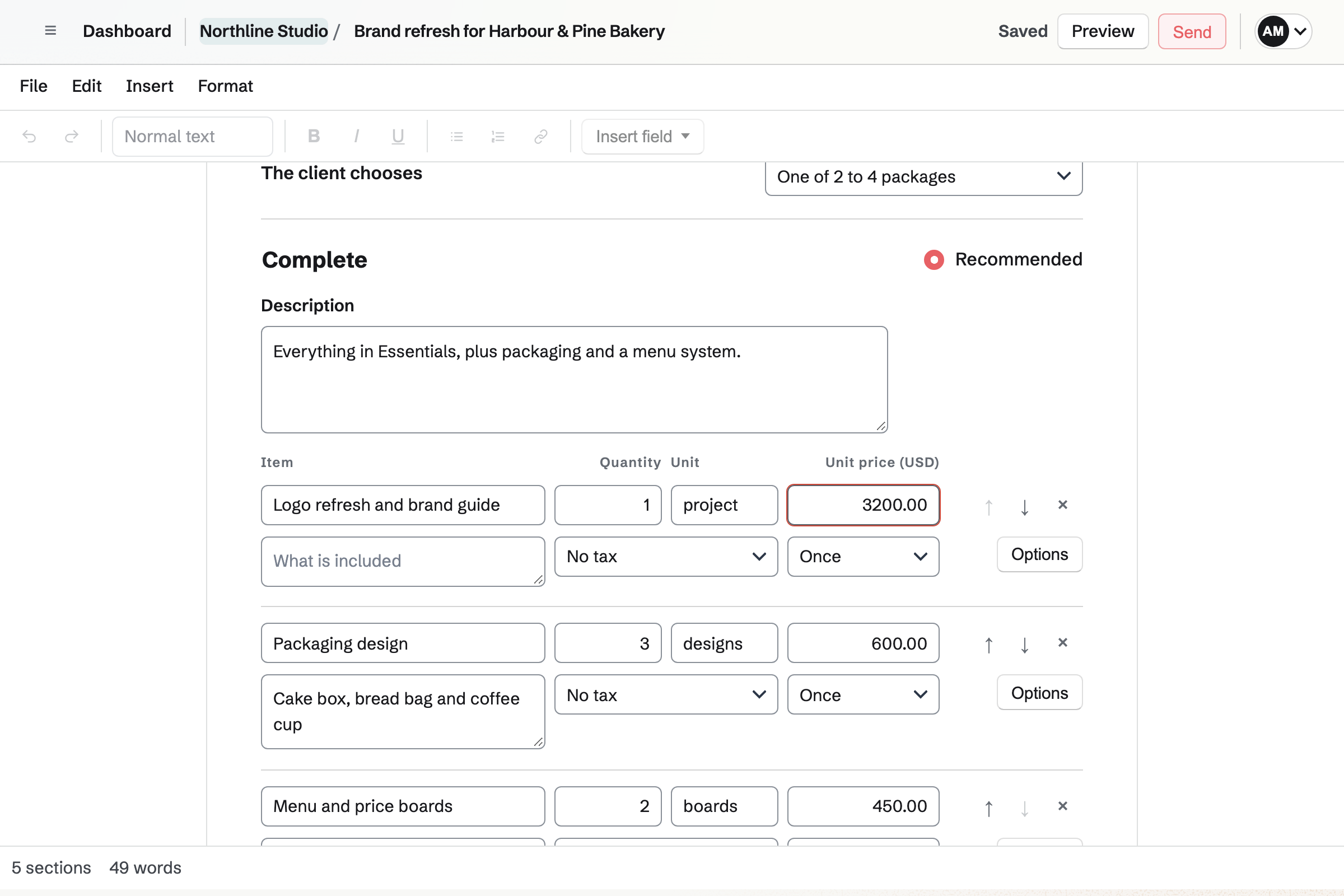
Pricing lines
Each line has a name, an optional description, a quantity, a unit such as hour, a unit price, a tax rate and how it is billed: once, monthly, quarterly or yearly. A proposal can have up to 10 pricing sections and 200 lines in all, and its totals include every pricing section.
- From the price list
- Add from the price list copies a price in the proposal's currency into the section. The copy is the proposal's own, so changing the price list later will not change it.
- Tax rates from Invoicing
- A line's tax rate is one of the rates set up in Invoicing, and the totals are worked out the way Invoicing works out an invoice.
- One currency
- A proposal has one currency, which can change until the proposal is first sent.
- Lines priced in hours
- When the work starts, Magpie can make a Time Tracking project. If the accepted lines priced in hours share one rate, it becomes the project's hourly rate, and their hours its budget.
What the client chooses
A line's Options set what the client can change on their page. The totals will be worked out again with each choice and again when they accept, and the accepted totals are the ones their invoices use.
- Optional lines
- The client adds or removes the line. Starts added sets whether it is included when they open the proposal.
- Quantities the client sets
- The client chooses a quantity between the fewest and the most you allow, in the steps you set, such as pages of copywriting or guests at an event.
- Packages
- A pricing section can offer 2 to 4 packages, each with a name, a description and its own lines, and one marked Recommended. The client chooses exactly one before accepting.
- Extras beside packages
- Lines in a package cannot be optional. Optional extras go in a pricing section of their own.
- Before a package is chosen
- The totals use the recommended package, or the first, and the client is asked to choose one before signing.
Discount and totals
A discount is a fixed amount or a percentage, taken off the one-time lines. Recurring lines are not discounted.
Totals and payments, at the end of the proposal, shows the subtotal, the discount, each tax and the total of the one-time lines, and a separate total for each billing period of the recurring lines. The client's page shows the one-time total first, then each recurring amount a month, a quarter or a year.
The payment schedule
The payment schedule divides the one-time total into up to 10 payments. Each is a percentage of the total before tax, or an amount, and each invoice adds its share of the tax, so the invoices add up exactly to the accepted total. With no schedule, there is one final payment.
The work starts when, under the schedule, chooses whether what follows acceptance, such as a Time Tracking project or a To-do List from the timeline, starts when every signer has signed or when the deposit is paid.
Deposit on acceptance
The deposit will be invoiced when the proposal is accepted. Only the first payment can be the deposit.
On a date
A dated payment will be invoiced on a date you choose, or a number of days after acceptance.
On a milestone
A milestone will be invoiced when you select Bill this milestone on the accepted proposal.
Final payment
The final payment will be invoiced when you bill it, and takes whatever is left.
Monthly, quarterly and yearly lines
Recurring lines are kept out of the one-time total and the payment schedule. Magpie can turn the accepted ones into recurring invoices in Invoicing: one schedule for each billing period, with those lines at their accepted quantities and prices. Recurring invoices, in Totals and payments, sets when the first invoice goes out and, if you choose, how many there are.
When the team takes card payments, the client chooses as they accept whether each recurring invoice is charged to their card automatically or paid from its email, and Edit details can require the card. Cards are charged through the team's own Stripe account; Magpie takes no fee, and Stripe's processing fee applies.
Price your first proposal.
Create a Magpie account, open Proposals and start a proposal from a starter with example prices to replace.