Invoicing
Deposits, dated payments and milestones are ordinary invoices in Invoicing, with your tax rates, business details and logo. Invoices a proposal makes do not count toward the monthly invoice limit.
Proposals
Set out the work and its prices with packages and options, and send each client their own link. On that page they choose, ask questions, sign and pay the deposit, without a Magpie account.
Get started free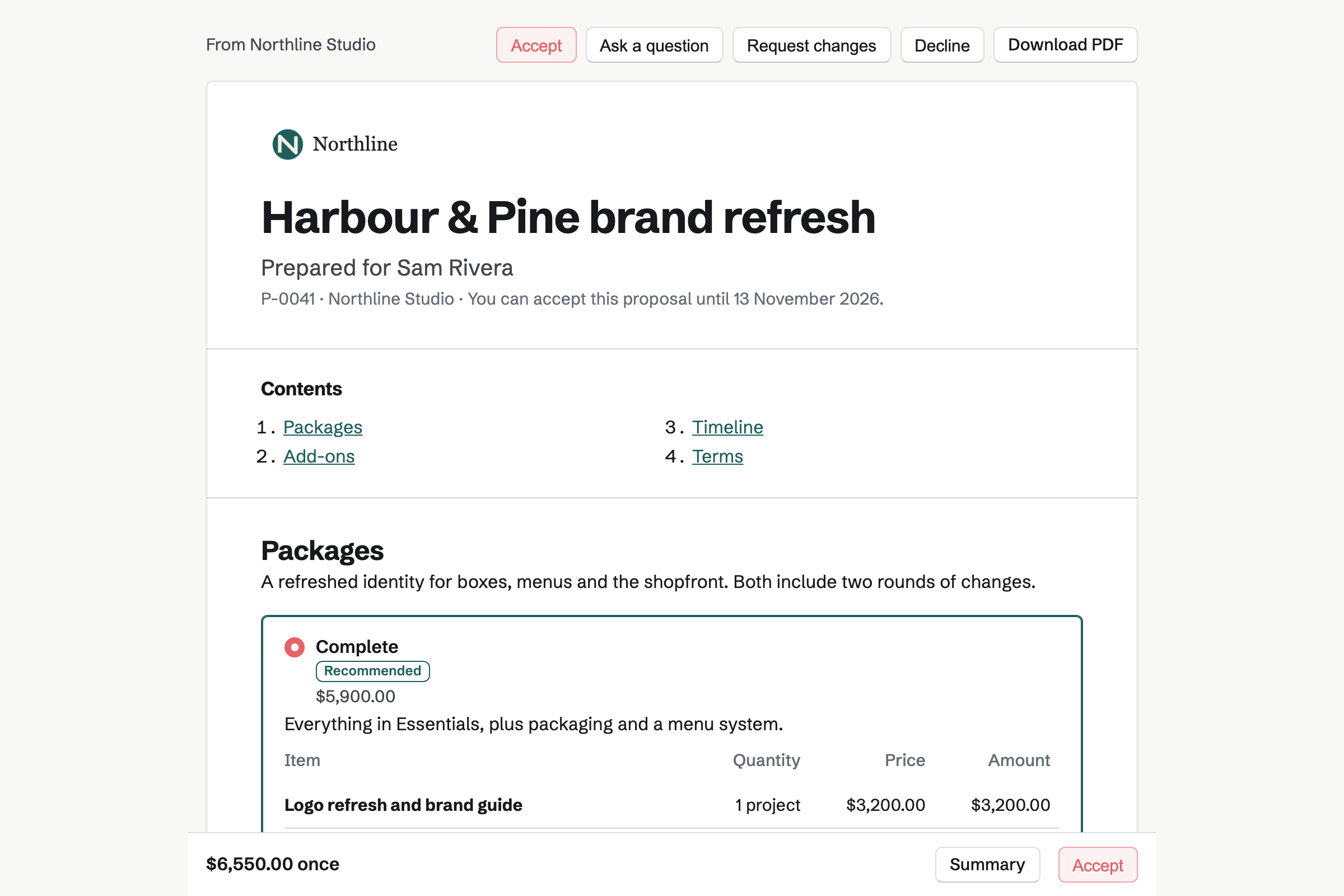
The client’s page shows the proposal with its packages and options, and the total updates as they choose. They can ask a question about the whole proposal or one section, request changes, decline, or accept and sign by drawing or typing their signature.
The page’s buttons and labels can be shown in English, French, Spanish or German.
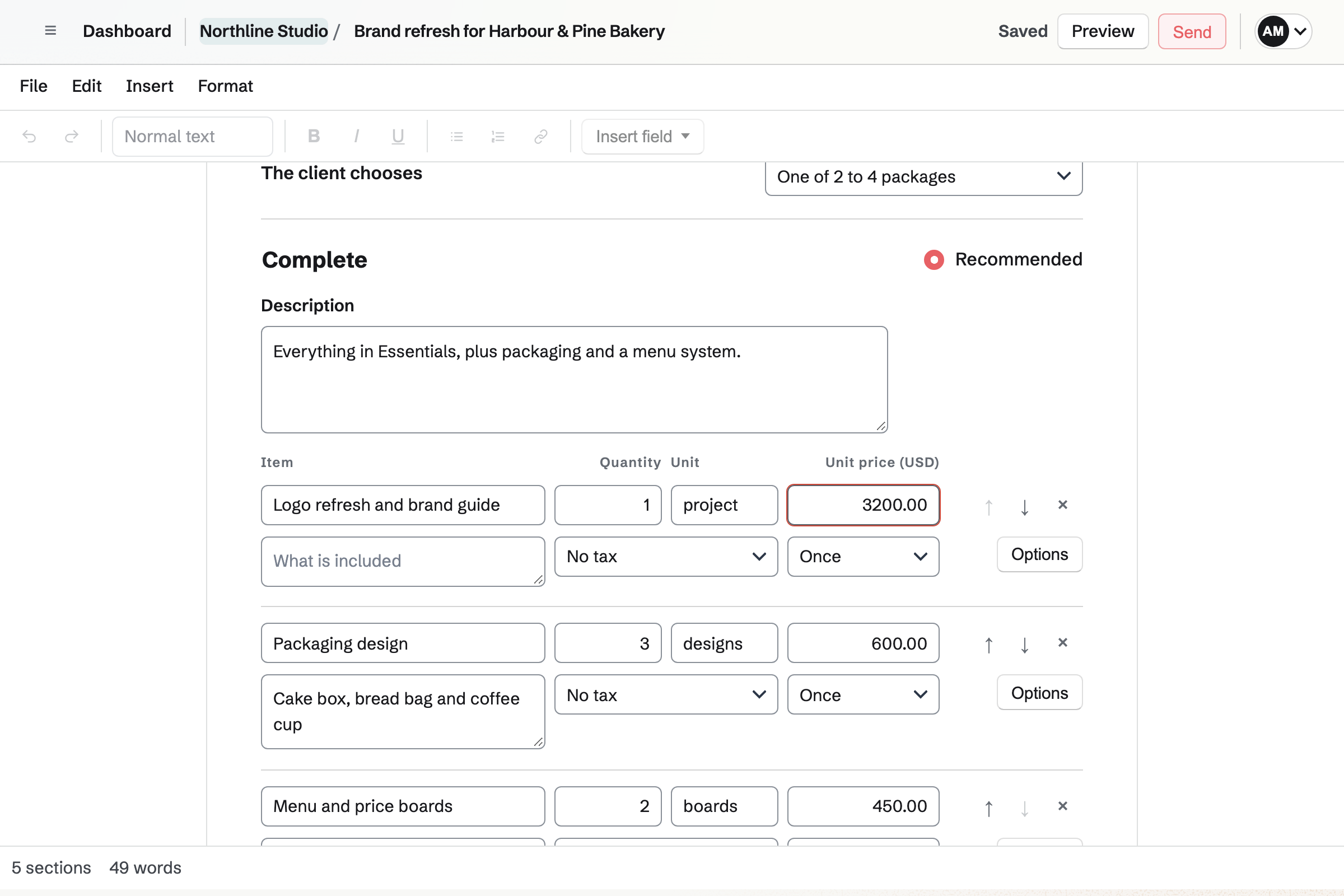
Proposals has the same menus and formatting toolbar as Documents, and saves each section as you type. Add text, pricing, a timeline, images, a video, your team, testimonials, questions and answers, terms, files and a cover.
Start from one of your own starters, a Magpie starter for work such as branding, bookkeeping, photography or software development, a past proposal, or a blank page.
Each recipient is emailed their own link, from your business name, and replies go to you. Add an access code, a valid-until date and follow-ups for anyone who has not answered.
The proposal’s activity shows when each recipient opened it, how long they spent on each section, and their questions and change requests, which you answer there. The client’s page tells them that you can see this.
When every signer has signed, the chosen packages and totals are fixed, and the signed PDF and a signing certificate are emailed to everyone.
The deposit invoice is issued and emailed at once. When your team takes card payments through Stripe, the client pays it by card from the page; Magpie takes no fee, and Stripe’s processing fee applies.
When every signer has signed, or when the deposit is paid, as you choose, Magpie can create a Time Tracking project, make a To-do List from the timeline, share the proposal in the client’s Client Portal and offer a kickoff booking link.
Deposits, dated payments and milestones are ordinary invoices in Invoicing, with your tax rates, business details and logo. Invoices a proposal makes do not count toward the monthly invoice limit.
Choose the client from Contacts, or start a proposal from a contact’s page. Sent, opened, accepted and declined proposals appear in the contact’s history.
Lines priced in hours set the rate and budget of the Time Tracking project made when the work starts.
Share an accepted proposal in the client’s portal. Proposals waiting for the client’s signature are listed there too.
Free sends 5 proposals a month, and Pro and the Team plan have no monthly limit. Only a proposal’s first send counts; sending a revised version does not.
Yes. Team admins can ask for approval of every proposal, or only when the one-time total or the discount reaches an amount they set. They can also lock sections so that members cannot change them.
Save a proposal as a starter, keep a section as a saved section, and keep your prices in a price list. A proposal can also be exported and imported as JSON.
Yes. Revise it and send the new version with a note on what changed. Earlier versions stay listed on the proposal.
Create an account, choose a starter and add your prices.