Client Portal
Client portals for selected projects, invoices and files.
Invite clients by email to a private portal for their organization. Share individual projects, meetings, issued invoices and signature requests, and exchange files without requiring a Magpie account.
Get started free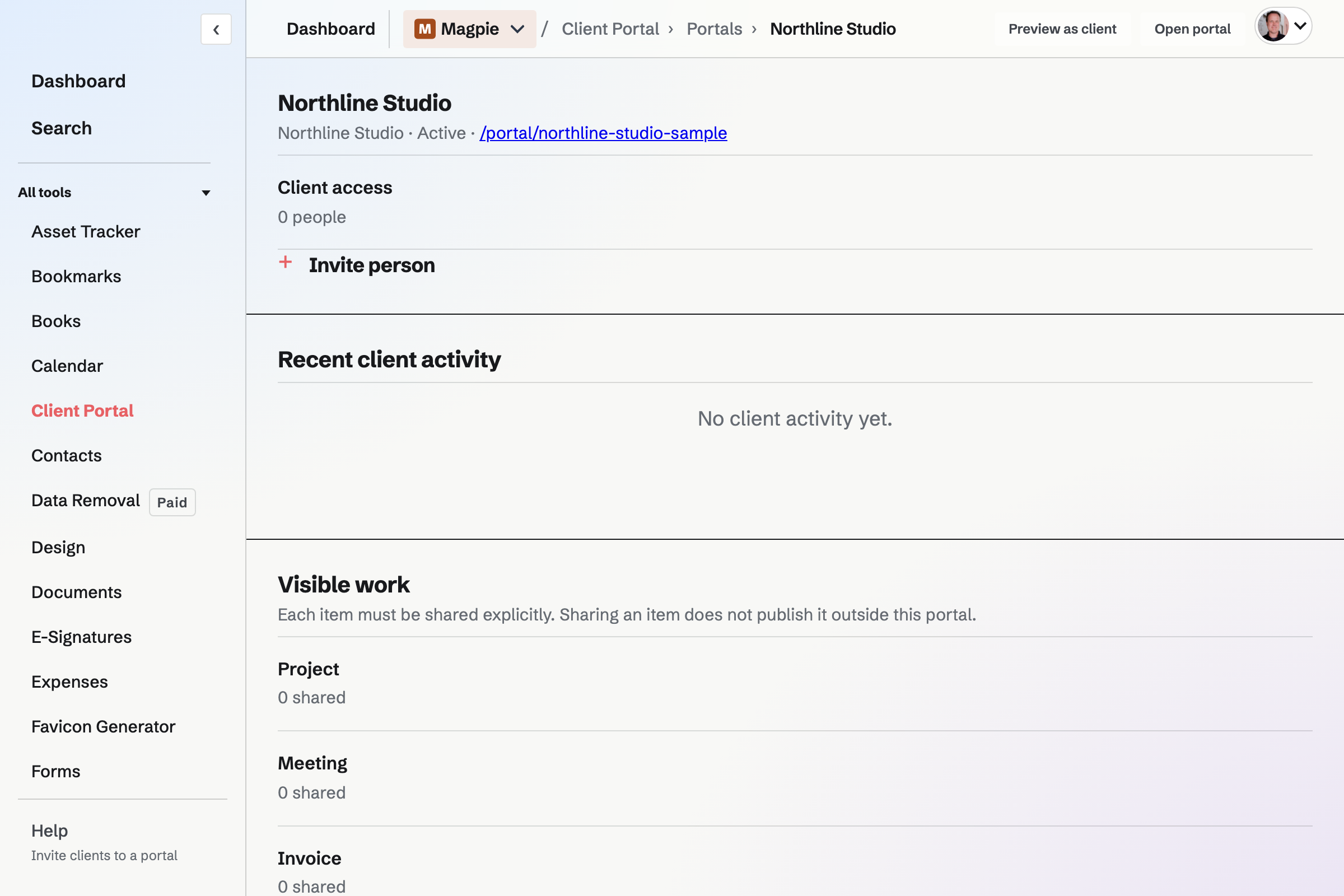
Invited clients share the portal’s visible work
Every invited client can access the items shared with that portal. Linking a Contact to its organization does not grant access; portal membership is a separate invitation.
Decide what appears in the portal
- Sections
- Choose whether clients can open Projects, Meetings, Invoices, Signatures, Files and Activity. Hiding a section also blocks direct access to it, without deleting its items.
- Individual work
- Grant access to each supported project, meeting, issued invoice or signature request. Work is not shared merely because it belongs to the same Contact or organization.
- Files
- Exchange private PDF, PNG, JPEG, text and ZIP files up to 25 MB. Clients can upload files when the Files section is enabled.
- Revocation
- Remove a person or an item's grant without deleting the underlying work. Revoking a person ends their active portal sessions and unused login links.
Access for clients and administrators
Does a client need a Magpie account?
No. An invited client enters their email at the portal and receives a one-use login link that expires after 15 minutes.
Who can create or change a portal?
The portal management entry is currently limited to administrators of the selected Personal or team context.
Can I change its address later?
No. Choose the portal URL slug when you create it; the slug cannot be changed later.
Create a client portal.
Create an account, add an organization, and choose what to share.