Freelance illustrators
An illustrator works to a client's brief, with proposals, invoices and tracked time. Files and feedback go through a client portal.
Painters and fine artists
You can work on your own, in one Magpie account. A studio where someone helps you can work in a team.
Get started free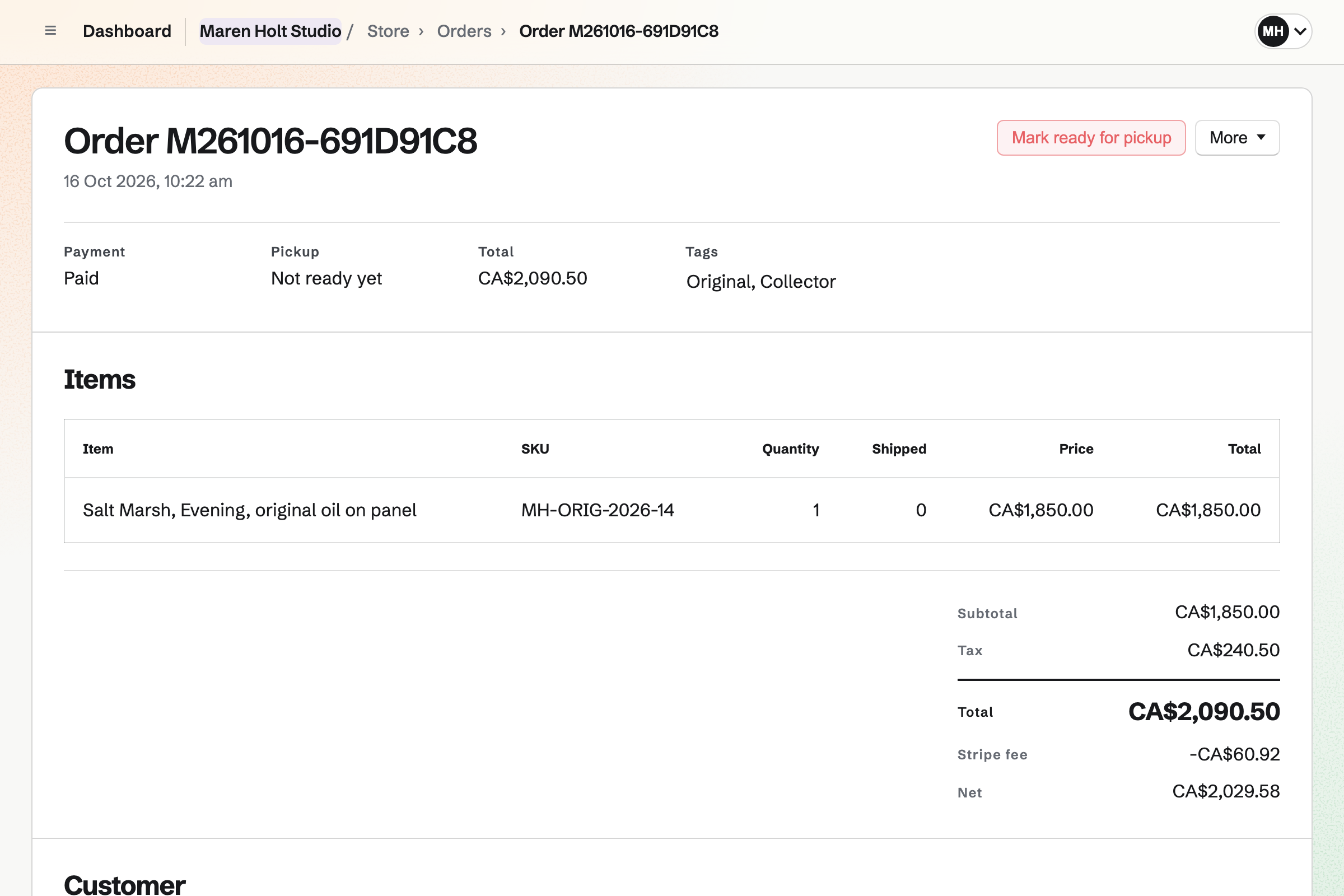
Store gives you an online shop for originals, prints and commissions. Buyers pay on Stripe's checkout page, into your own Stripe account. A commission at a set price can be a product, with fields for its details.
An original has a stock of one, so it sells once. It then shows Sold out until you take it down. A print offers its sizes as options, each with its own price and stock.
Websites gives you a portfolio site that you build from sections. Each piece can have an image section of its own. One section can list pieces from your shop at their current prices. It marks a sold piece Sold out.
Publishing will put every page online at once, and each version is kept. You can put the website at your own domain. Email at that domain will keep working.
Social Media starts a post for a piece in your shop, with its photos and link. Bluesky, Mastodon and LinkedIn will get it at the time you choose. For Instagram and X, Magpie will remind you to post from your phone.
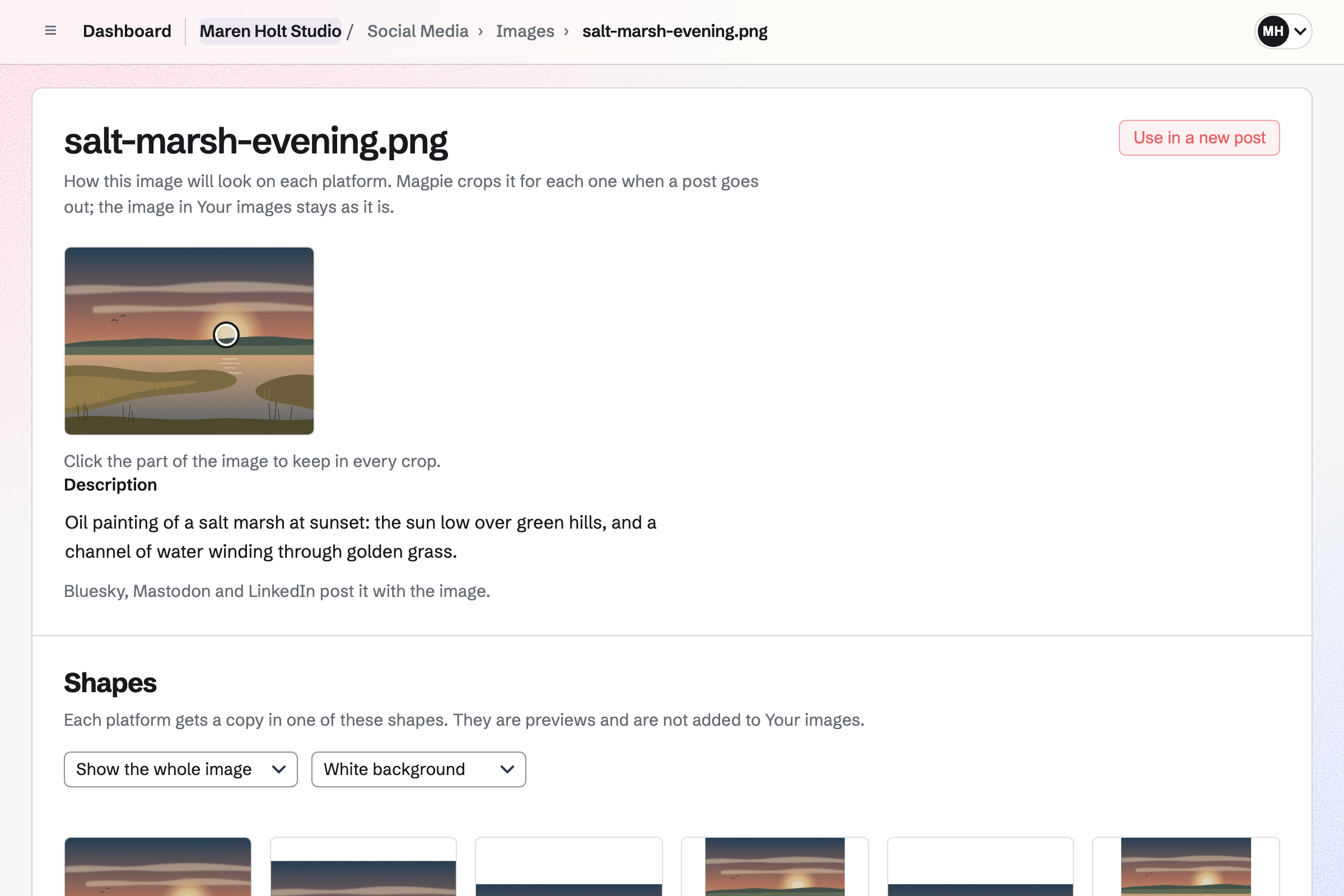
Each image goes to Instagram in the shape you choose for that account. You can fit the whole painting inside that shape, on a background colour you pick. Each image's description goes with it to Bluesky, Mastodon and LinkedIn.
Newsletter gives you a mailing list for collectors. People join on its signup page and confirm by email. Buyers who tick the box for news at checkout will be added when they pay. You can import a list from Mailchimp, Substack or a CSV file.
You can write each email with links to new pieces in your shop. You send yourself a test first, then send it now or schedule it. Each sent email can also have its own web page.
Supporters gives you a page with a free tier and monthly paid tiers. Paid tiers are charged by card, into your own Stripe account. The free tier needs no card.
You choose who sees each post: everyone, all supporters, paying supporters or chosen tiers. A post can have photos of work in progress, a recorded video or a poll. Anyone else will see its title, cover and excerpt, and the tiers that open it.
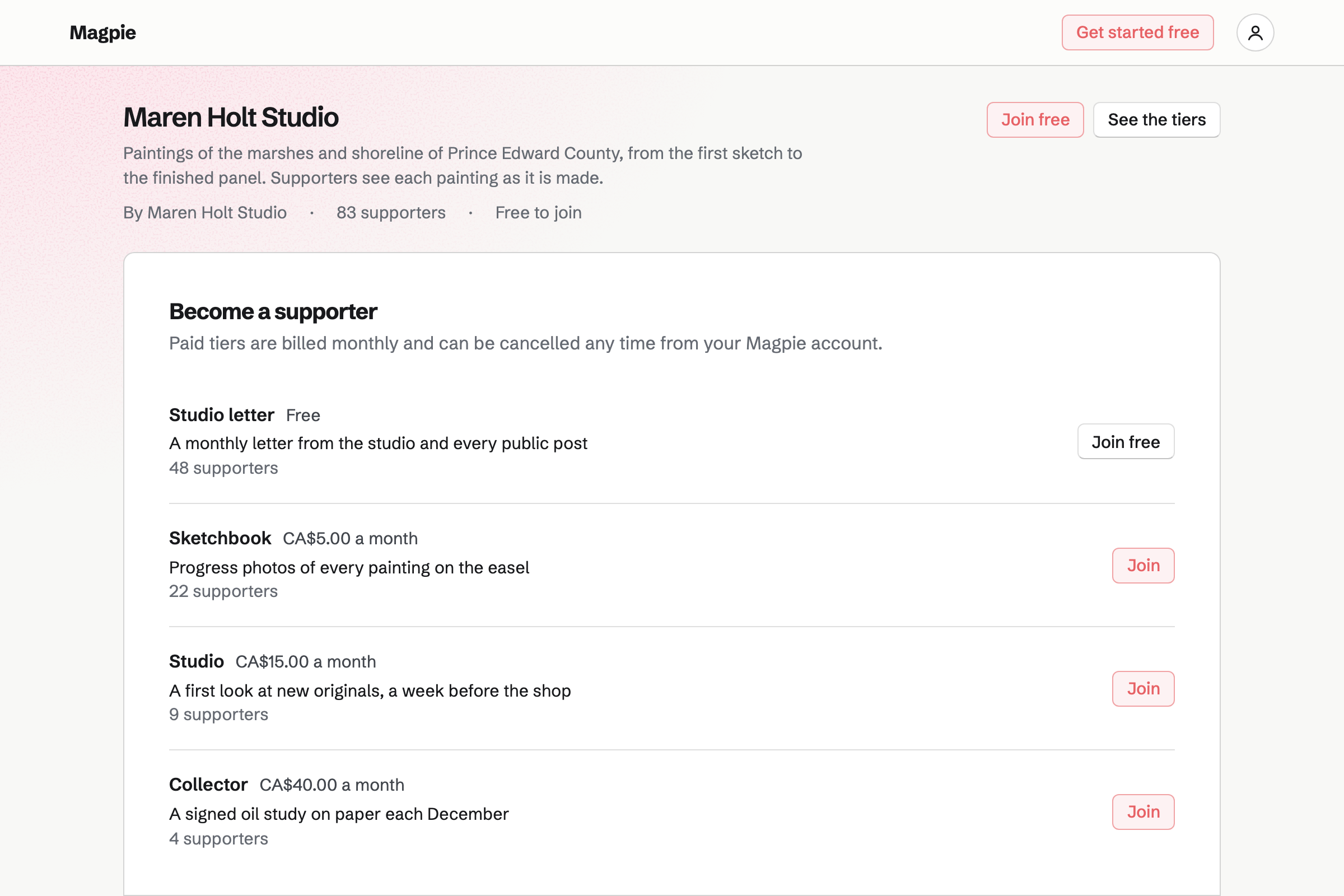
You post progress photos for paying supporters only. Everyone else sees the post's title, cover and excerpt.
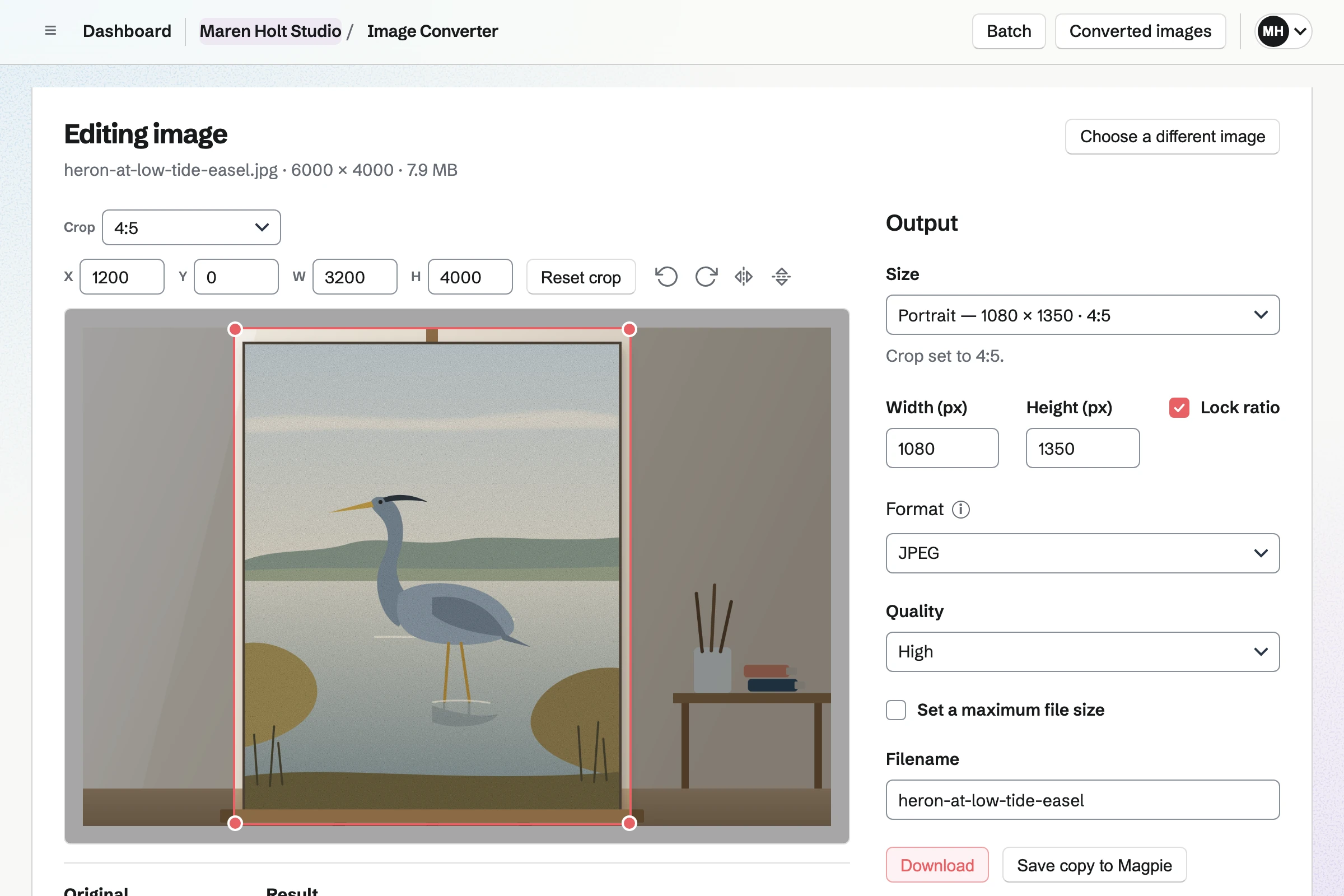
You crop and resize the photos, and save them to Your images. Your shop, social posts and supporter posts all use that library.
You add the painting to your shop with a stock of one. Its page gives you a buy link and a QR code.
You start a social post from the painting's page, with its name, link and photos. A newsletter email can link to it too.
The buyer pays through Stripe, and the painting will show Sold out. You ship it with tracking, or mark it ready for pickup at the studio.
Magpie will record the sale, Stripe's fee and the payout to your bank. A buyer who ticked the box for news will join your mailing list.
You connect your Stripe account once. Your shop, supporter page and invoices are all paid into it. Help: Connect Stripe to receive money.
You name your shop, add your first pieces with their photos, and publish it. Help: Set up and publish a Store.
You add a free tier and any paid tiers. Then you publish the page and share its address. Help: Set up Supporters.
You share its signup page, or import the list you already have. Help: Start and configure a newsletter.
Working alone, you use the Free plan or Pro. The Free plan has 3 paid supporter tiers, 200 posts, 1 website and 1 GB of storage. Pro has no limit on tiers or posts, with 20 websites and 20 GB.
Magpie adds no fee to your shop's sales or to invoice payments. Magpie's fee on payments from supporters is 3%. Stripe's processing fee is taken from every payment.
A studio where someone helps you is a team. You can let a helper see and ship orders, while the payment account stays with you. A team has 3 member places on the Free plan, and 25 on the Team plan.
An illustrator works to a client's brief, with proposals, invoices and tracked time. Files and feedback go through a client portal.
Yes. You give the painting a stock of one, and it will sell once. A checkout in progress holds it, so it cannot sell twice. Afterwards it shows Sold out in your shop until you remove or archive it. Its order is kept either way.
Yes. A print can have an option such as Size, with choices such as A3 and A2. You can add another option, such as Paper. Each combination is a variant with its own price, SKU, weight and stock.
Yes. You give each variant of the print a stock equal to its edition. It will stop selling when the last print sells. The product page then shows it as Sold out. Each order lists the variant and the number bought.
A commission at a set price can be a product in your shop. Its personalisation fields ask for details such as the subject's name or the size. Its stock is the number you will take on. For work priced case by case, you can send a proposal with a deposit. With quote requests on, a buyer can instead send you their cart with a message.
Yes. A proposal's payment schedule can start with a deposit when the client accepts. They sign on their own page, without signing up first. The deposit's invoice will be emailed, and they can pay it by card. Later payments are invoices they pay online, with no fee from Magpie.
Yes. With quote requests on, the cart shows Request a quote. The buyer sends you their name, email, a message and the pieces in their cart. You reply by email, and record an order at the price you agree. You can then send a payment link, or make a draft invoice instead.
Large pieces can have a shipping profile of their own, such as one for freight. Its methods are priced on those pieces alone, and each has a delivery estimate. With local pickup, a buyer can collect from the studio instead. They see its address at checkout. When you mark the order ready, Magpie will email them the times and instructions.
Magpie adds no fee to your shop's sales or to invoice payments. Stripe's processing fee is taken from each payment. The rest goes to your own Stripe account. Payments from supporters have Magpie's fee of 3%, as well as Stripe's.
They choose a tier on your supporter page. Joining needs a Magpie account, which they can create as they join. The free tier is joined at once, with no card. A paid tier goes on to Stripe's checkout, and renews every month until it is cancelled. Each new supporter will get your welcome message by email.
Yes. Each post is for everyone, all supporters, paying supporters or the tiers you choose. Everyone else sees its title, date, cover and excerpt, marked Locked. The tiers that open it are listed with it. The post's text is left out of the page entirely.
Yes. You can open any tier to someone without payment. You choose them by the email address or handle of their Magpie account. You can add an end date and a private note. They will get the same welcome email as any supporter.
Yes. You build it from sections, with an image section for each piece. You can change it visually or edit its HTML, then publish every page at once. A section can list pieces from your shop at their current prices. Each links to its page, and a sold piece shows Sold out.
Yes. Your website and your shop can each be at a domain you own. The website can be at example.com and the shop at shop.example.com. Magpie lists the DNS records to add, or adds them when it hosts the domain's DNS. Email at the domain will keep working.
Yes. Each image goes to Instagram in the shape you choose: portrait, square or landscape. You can fit the whole painting inside that shape, on a background colour you pick. At the post's time, Magpie will email you a reminder. On your phone, the posting page opens the share sheet with every image.
You write a newsletter email with links to the new pieces in your shop. You send yourself a test, then send it now or schedule it. Each email's page counts the copies delivered, failed and skipped. Every email ends with an unsubscribe link.
Yes. You can import a Mailchimp or Substack export, or a CSV file. You say where the list came from and how its people agreed. Imported addresses become active without a confirmation email. Rows a Mailchimp export marks as unsubscribed or bounced are left out.
Yes. You can print a QR code that opens your newsletter's signup page. A visitor enters their email address, and confirms from the email they receive.
Yes. An open studio can be an event on your public calendar, with RSVPs and a capacity. People answer on the event's page while signed in to Magpie. Invitations can go by email or as a reusable link. You can also start a social post about the event.
Yes. A Link-In-Bio List is one public page of links, headings and text. Its links to your shop, supporter page and website will update when their addresses change. It counts views and clicks without recording who made them.
Yes. Image Converter crops a photo by eye or to exact pixels, and resizes it. It sets the format and file size, and can do a whole folder at once. HEIC photos from a phone are converted to JPEG when they are uploaded. You can save the results to Your images, for your shop and your posts.
Create a Magpie account for your studio.