Painters and fine artists
An artist sells originals and prints more than commissions, and holds open studio days. Supporters get posts from the studio.
Freelance illustrators
Your quotes, client portals, invoices and shop are all in your own Magpie account.
Get started free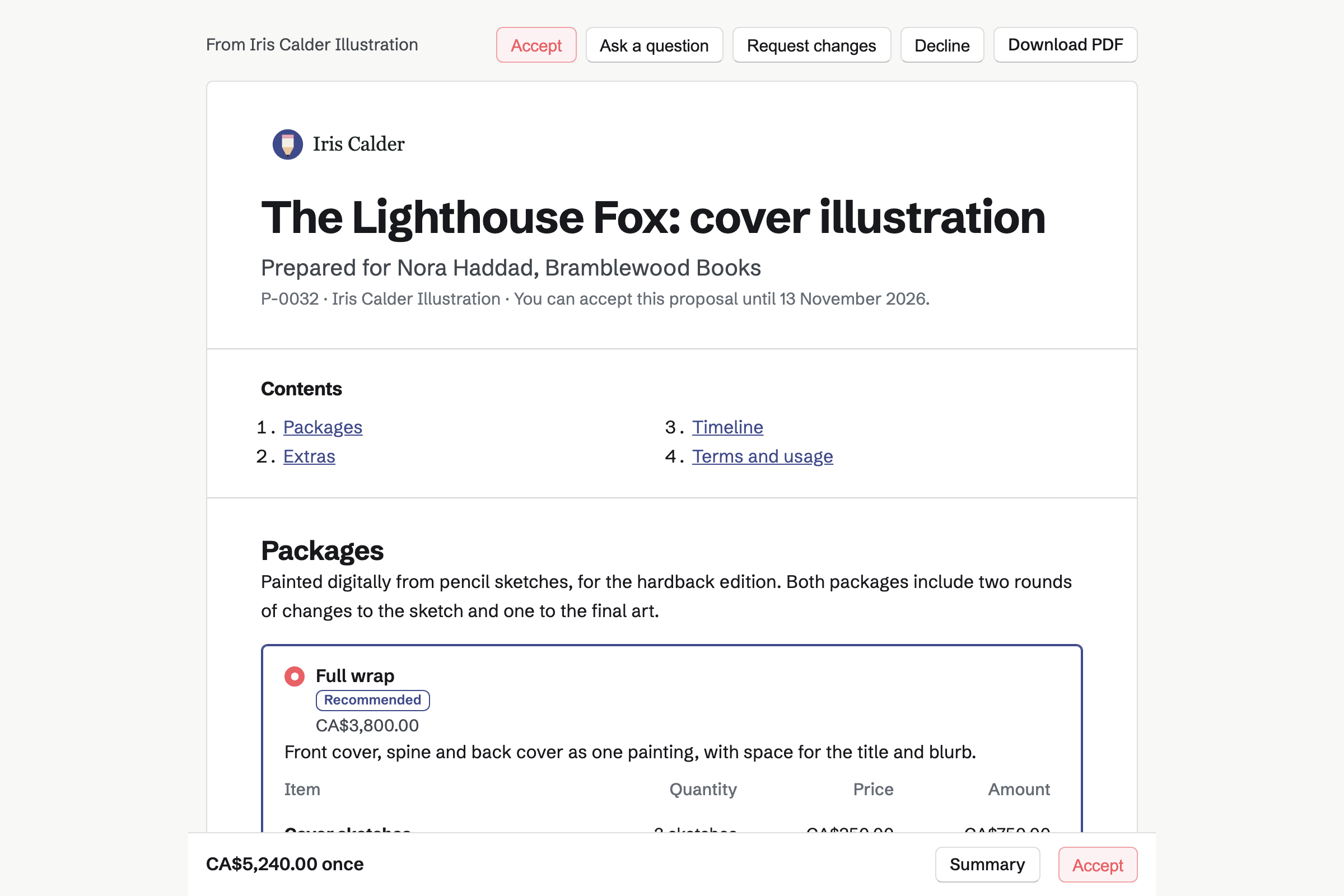
The prices and the payment schedule are typed once, in the proposal.
The client opens their own link without signing up first. They choose a package and any extras, then sign. Everyone will be emailed the signed PDF.
The deposit's invoice will be issued when the proposal is accepted. The client pays it by card on the proposal's page. The money goes to your Stripe account.
Magpie can make a project to time your hours, at the proposal's hourly rate. It can also share the proposal and its invoices in the client's portal.
You share each round of sketches as files. The client ticks a step such as Approve the sketch when it is right.
You bill each milestone from the accepted proposal. The final invoice takes what is left. The client pays each one from their page.
Each invoice and payment will be added to the books, with Stripe's fee. That happens the next time you open them.
Proposals gives each commission a quote the client signs online. You can offer 2 to 4 packages, such as spot illustrations or a full cover. The client chooses one, and can add extras such as a rush fee.
The quote also sets the dates for sketches and final art, and the usage rights. Its payment schedule has a deposit, milestone payments and a final payment. You can save it as a starter for the next commission.
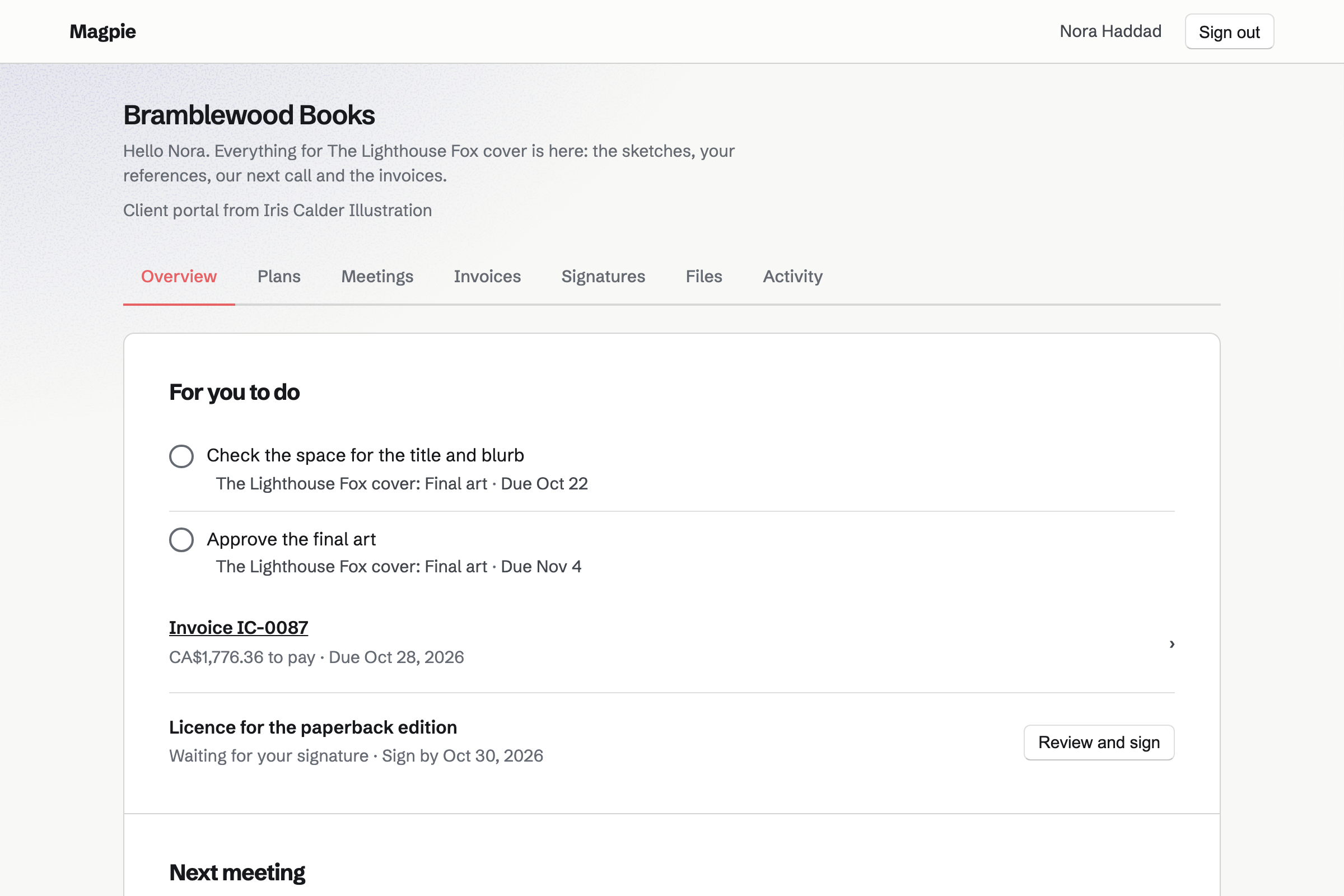
Client Portal gives each client a private portal at its own address. They sign in with an emailed link or code, without signing up first. You can share each sketch and the final files, Photoshop files included, up to 500 MB each.
The client can upload their references beside your files. A plan lists the steps, such as Approve the sketch, and the client ticks theirs. The portal also lists invoices to pay and signature requests waiting for them.
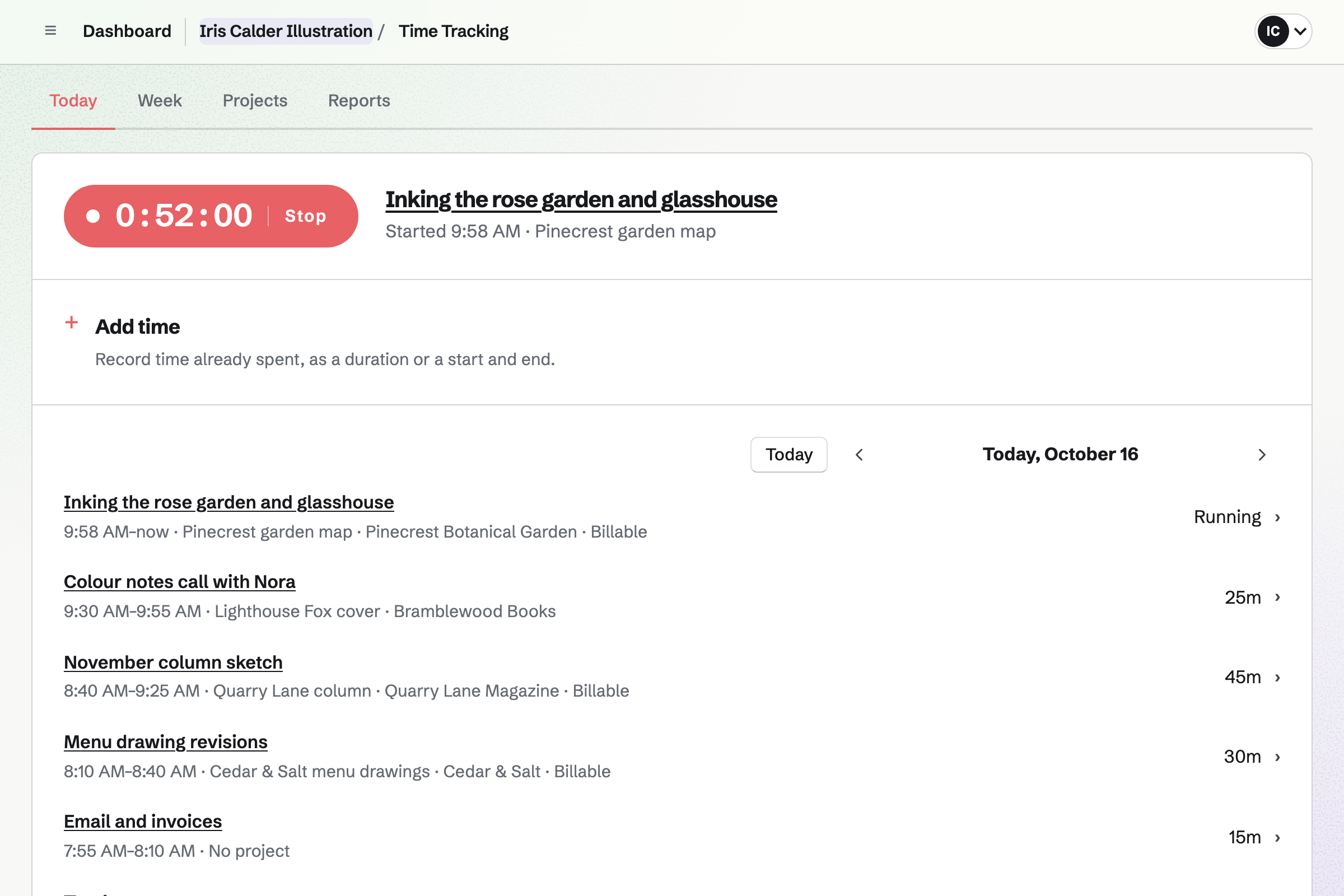
Time Tracking times the work you charge by the hour. You can start the commission's timer from the client's contact page. It keeps running after you close the browser. Hours already spent go in as a duration, such as 1h 30m.
Each project keeps its hourly rate and a budget of hours. You can see how much of the budget you have used. A proposal's lines priced in hours will set both when the work starts.
Invoicing bills each of a proposal's payments with your logo and business details. The client pays by card, from the invoice email or their portal. Reminders will go out until the invoice is paid.
For work outside a proposal, you can bill a client's unbilled hours as invoice lines. A recurring invoice bills a retainer, such as a regular column illustration, every month.
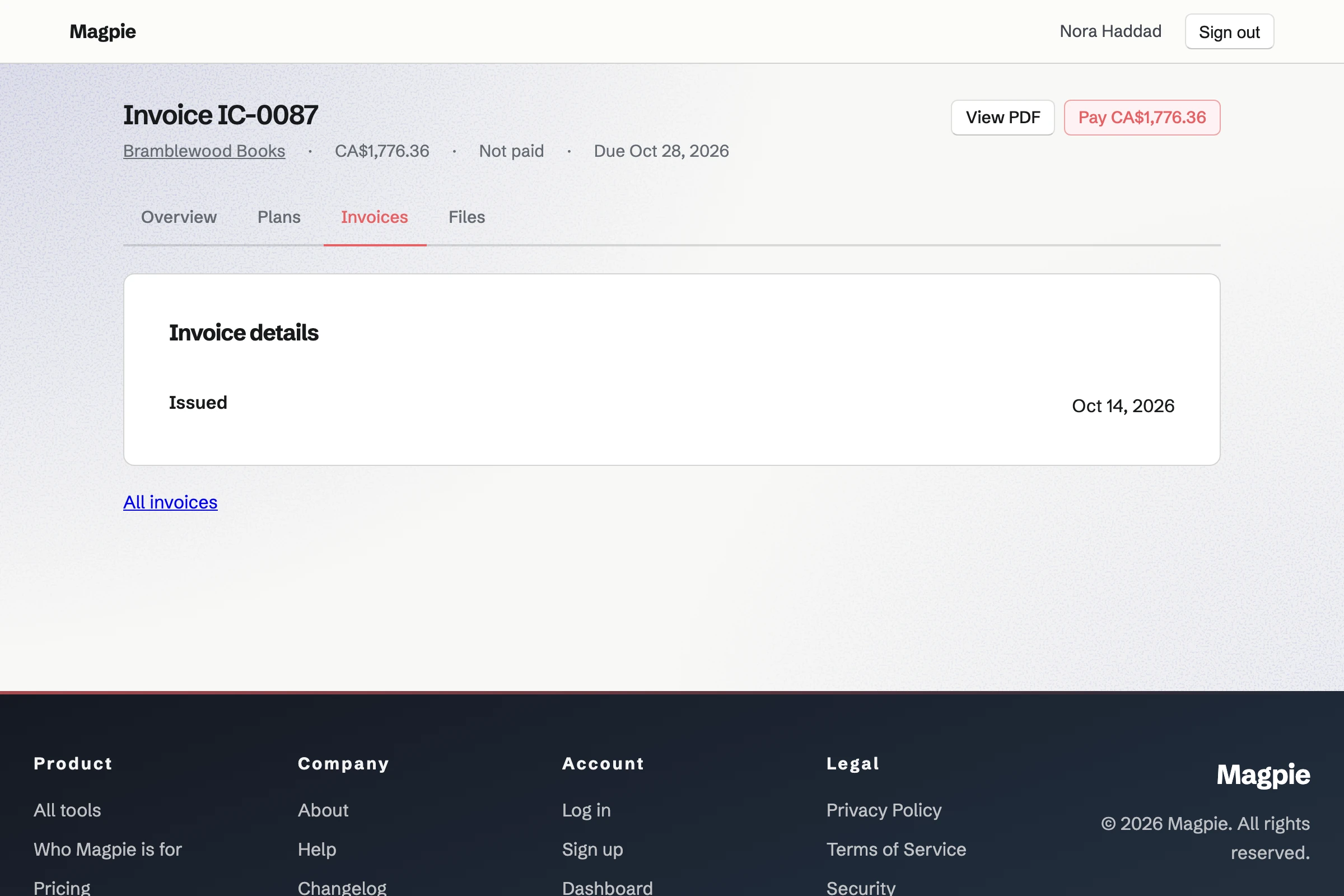
Contacts holds each client's company and email addresses, and a few lines about them. Their page lists their proposals, invoices, tracked time and portal. From that page you can start a new proposal, invoice or timer.
A follow-up is a To-do with a date and a reason. One could be to ask an art director about next season's covers. Every open follow-up is listed as Overdue, Today, Upcoming or No date.
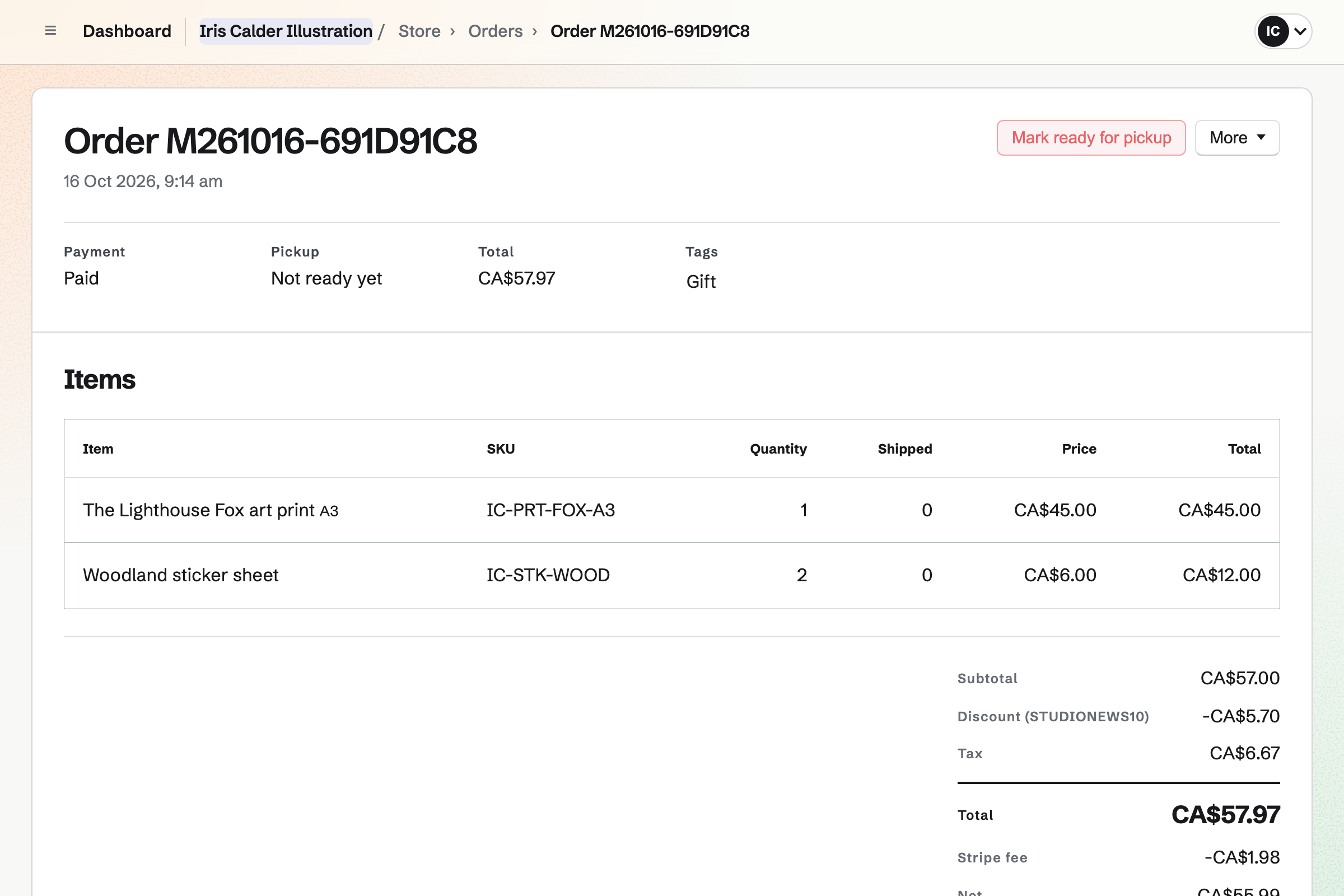
Store gives you an online shop for prints you ship and files buyers download. Each print size can have its own price and stock. A brush set in a ZIP or a printable PDF is delivered after payment.
Buyers pay on Stripe's checkout page without signing up first. You set the shipping rates by country, state or postal code. Each order shows Stripe's fee and the net amount.
You add your business name, address, tax number and logo to the invoice settings. Proposals use them too. Help: Send and configure invoices.
You connect your Stripe account, so clients can pay deposits and invoices by card. Help: Connect Stripe to receive money.
You write one proposal with your packages, payment schedule and terms. Then you save it as a starter. Help: Proposal starters, saved sections and the price list.
You choose the client from your contacts, or type their name and email address. Then you send it. Help: Send a proposal.
On the Free plan, you can send 5 proposals and create 5 invoices a month. Invoices a proposal makes do not count. You can keep up to 100 contacts.
Pro, the plan for your own work, has no limit on proposals, invoices or contacts. It raises your file storage, portal files included, from 1 GB to 20 GB.
Magpie takes no fee on deposits, invoice payments or shop sales. Stripe's processing fee is taken from each payment.
An artist sells originals and prints more than commissions, and holds open studio days. Supporters get posts from the studio.
A tattoo studio draws designs for clients who book consultations and sessions. Its clients also sign consent forms.
A seller of digital products has no client work. They sell brushes, templates and fonts as downloads, with licence keys and bundles.
Yes. A client opens your proposal from their own emailed link, and signs it there. They sign in to their portal with an emailed link or a six-digit code. They pay each invoice by card on its payment page.
Yes. A pricing section offers 2 to 4 packages, one of them marked Recommended. The client can add or remove optional lines, and the totals change with each choice. They draw or type their signature. You and every recipient will be emailed the signed PDF and its signing certificate.
Yes. You make the first payment in the proposal's schedule a deposit. Its invoice will be issued and emailed when the proposal is accepted. The client pays it by card on the proposal's page, into your Stripe account. You also choose when the work starts: once everyone signs, or once the deposit is paid.
Yes. A proposal's payment schedule holds up to 10 payments. It can have a deposit, dated payments, milestone payments and a final payment. You issue each milestone's invoice from the accepted proposal when the work reaches it. The final payment's invoice bills whatever is left.
You write them into the proposal. A package's description can say how many rounds of changes it includes. A Terms section holds the usage rights. When the client accepts and signs, they agree to the whole proposal. Saved as a starter, the terms will be ready for your next commission.
You share them in the client's portal, up to 20 files at once. Each file can be up to 500 MB, including Photoshop, SVG and ZIP files. Only the portal's clients can download them. For one large file, Secure Files sends up to 2 GB by a link that expires. The link can also need a passphrase.
Yes. Clients can upload files to their portal while its Files section is on. Their files are listed beside yours, with who uploaded each. A commission request Form can also ask for one reference file with the brief.
Their portal's plan can have a client step, such as Approve the sketch. They tick it when the sketch is right. Each done step shows when it was done and by whom. The portal's Client activity lists it too.
Yes. The proposal's activity lists each time it is opened, on a phone, tablet or computer. It shows how long the reader spent on each section. You will be emailed when it is first opened, asked about, signed, accepted or declined. The client's page tells them that you can see this.
The client can ask a question about the proposal or one section, or request changes. Your reply will appear on their page. You can then revise the proposal. The new version will go to them with your note on what changed. Earlier versions stay readable.
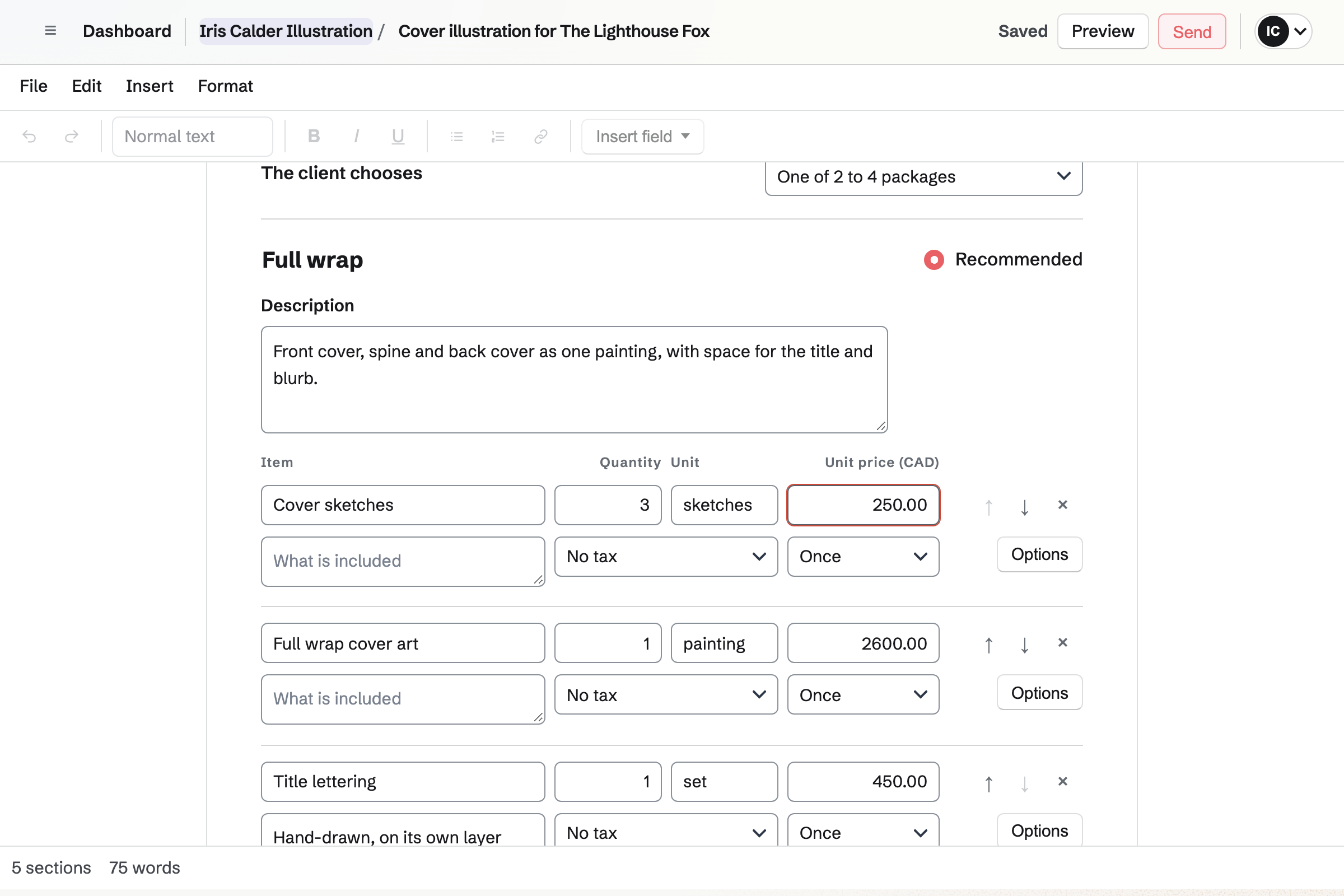
Yes. A proposal's lines can be priced in hours or as a fixed amount. Lines priced in hours set the rate and budget for timing the commission. You can turn the hours you track for a client into invoice lines at their rate.
Yes. A recurring invoice will issue and email the same lines every month, quarter or year. One started from a proposal's monthly lines can charge the client's saved card. It charges as each invoice is issued, if the client chose that when accepting.
Magpie takes no fee on deposits, invoice payments or shop sales. Stripe's processing fee is taken from each card payment. The rest goes to your Stripe account, and Stripe pays it out to your bank. Magpie's fee on supporter payments is 3%.
Yes. Each line uses one of your named tax rates, such as VAT or HST. A combined rate such as GST + PST shows as separate lines. Proposals use the same rates. Magpie works out the tax you set up, and registering and filing stay with you.
Yes. E-Signatures sends your PDF, up to 25 MB, with signature, date and text fields for each signer. They sign in any order, or in one you set, without signing up first. Everyone will be emailed the signed PDF and a certificate of completion.
Yes. Clients see only what you share in their portal. You share each file, invoice, meeting or signature request one at a time. Your contact notes are never shown in a portal, even notes on its own client. Your other work is not shown either.
Yes. You can revoke one person's access, and they are signed out at once. Archiving the portal signs out every client, and keeps its plans, files and history. Restoring it will let them sign in again for the next commission.
Yes. A digital product delivers up to 50 files after payment, each up to 500 MB. Formats include ZIP, PDF, PNG and TIFF. You set how many days buyers can download them, and how many times. Replacing a file can email a link to every buyer who can still download it.
Yes. Supporters has a free tier and monthly paid tiers. Paid tiers are charged by card, through your Stripe account. Each post, such as a process video, can be for everyone, supporters or chosen tiers.
Create a Magpie account for your commissions.