Coffee shops and cafés
Coffee and a counter first, with a rota, opening checks and beans sold online, more than baking to order: the coffee shops page.
Bakeries and home bakers
Store takes pre-orders for collection or local delivery, and Forms takes custom cake orders with a picture of what the customer wants. Daily Operations plans each bake from your recipes, takes its ingredients out of Inventory and keeps the fridge and freezer readings, and Social Media posts the week's bakes.
Get started free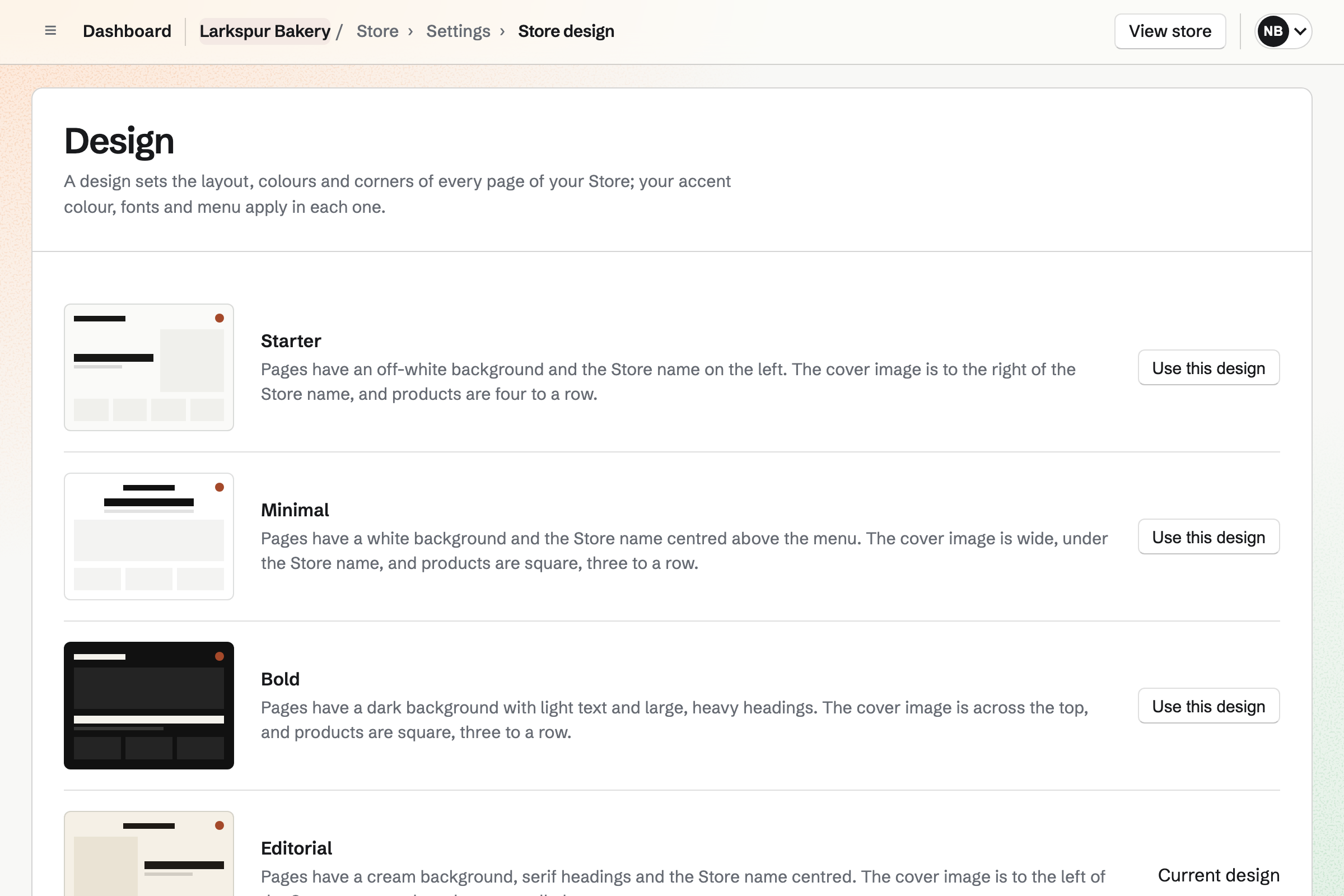
Turn on Sell when out of stock for a loaf or a box of pastries, and it takes orders before it is baked, with an Expected to ship date customers see from the product page to their emails. The Pre-orders tab lists every order waiting, and Publish automatically puts the week's menu live at the time you choose.
Local delivery offers the days you deliver, to the postal codes you list, with a cutoff time, and buyers choose one at checkout. Local pickup shows the bakery's address and pickup times, and a required Date field asks which day they will collect.
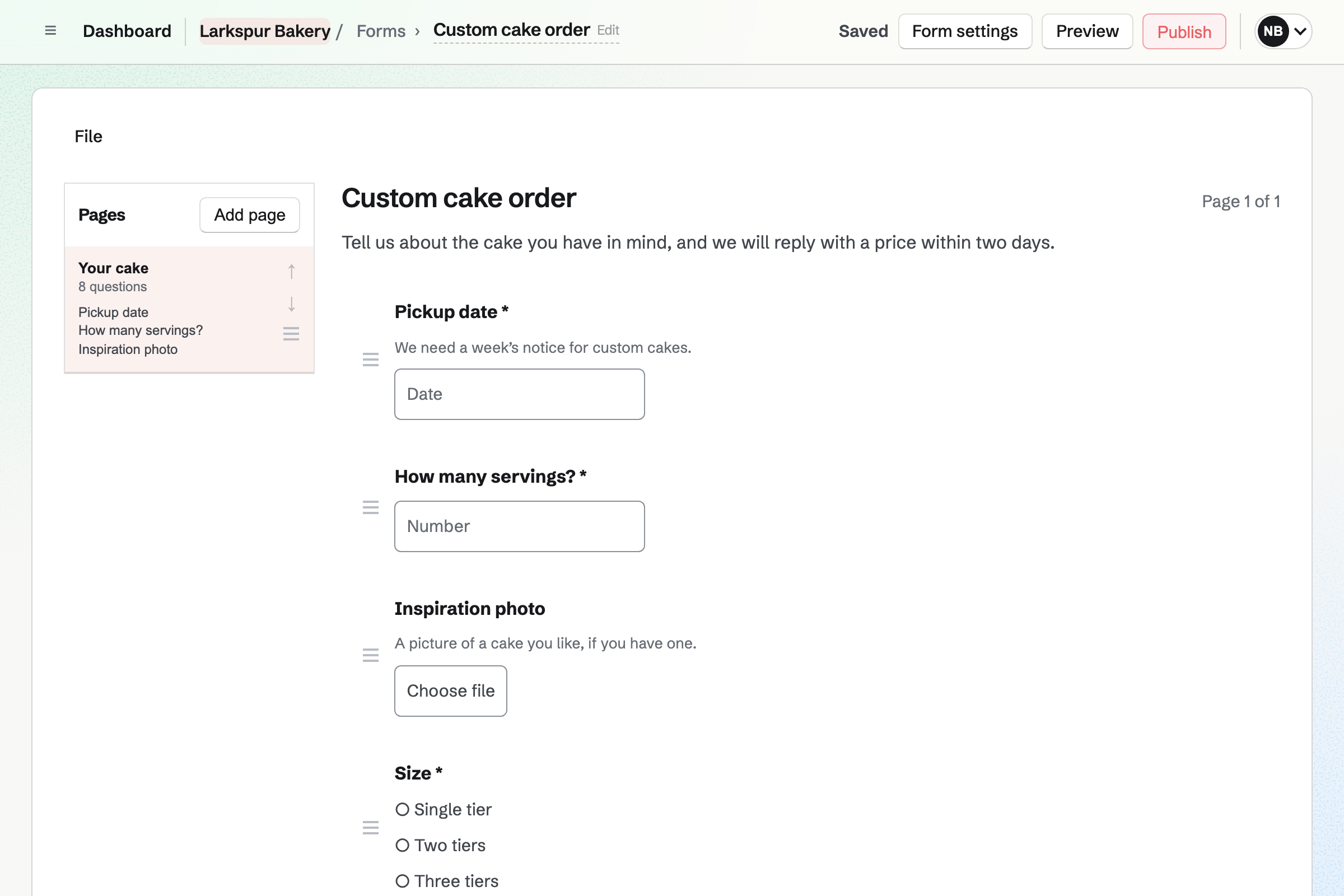
A custom cake Form asks for the date, the number of servings, the flavours from a list, and a File question for an inspiration photo, one JPG, PNG, WebP or PDF of up to 10 MB. The tier questions can show only when someone chooses a tiered cake.
The Form's creator gets an email for each response. Once you agree the price, record the order in Store with New order and send a payment link, which works for 24 hours.
Choose Bakery, and the starter routines turn on the ovens and proofers, read the walk-in fridge and the freezer, check the first batch from each oven, and count what is thrown away at closing. A reading outside the limits you set becomes an incident with the steps to fix it.
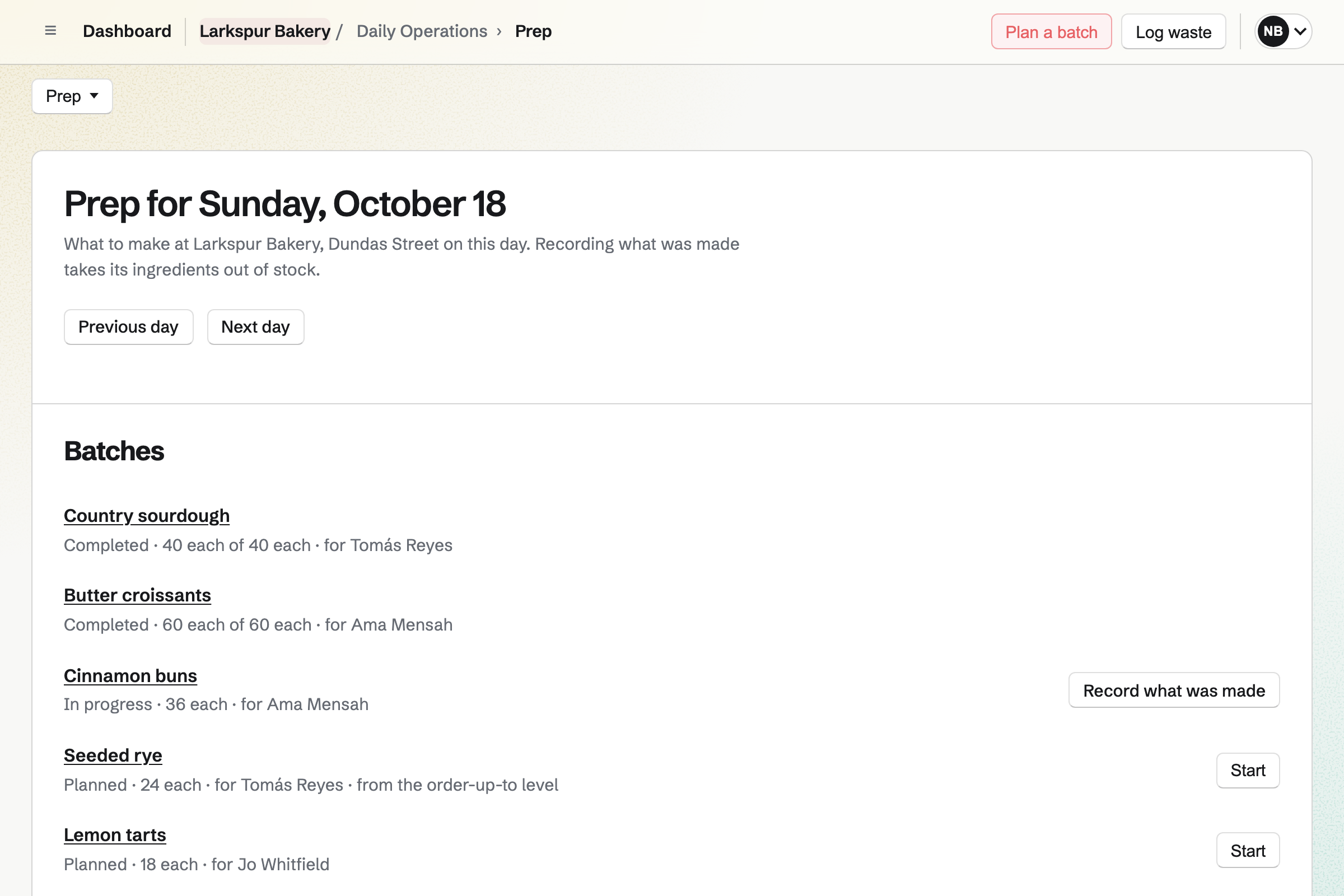
Recipes are written from Inventory items, with what each makes, how long it keeps and its allergens. Plan the day's batches on Prep, and recording what was made takes the ingredients out of stock and adds the loaves, with a batch code and a use-by time.
Inventory counts what you bake with by weight, by volume or one by one, in packs such as a 25 kg sack, and records each delivery's lot and expiry date when you turn those on.
Give each item a minimum, and Running low lists the packs to order from its usual supplier; Draft orders turns the list into an order for each one. Managers see what each recipe costs from its ingredients' average cost.
Promote on Social Media, on a live product, starts a post with its name, its address and its photos. Add it to the queue at the next posting time, or schedule it for the morning pre-orders open.
Bluesky, Mastodon and LinkedIn are published at their time. Instagram is posted by hand from a phone, after an emailed reminder, with each photo cropped to the account's shape.
One loaf's stock is changed by the pre-order, the bake and what is left at closing.
A customer orders a sourdough for Saturday. It sells on back order, and the order is listed under Pre-orders.
A shift lead plans Saturday's batches on Prep, and Ingredients marks anything that is short.
Recording the batch takes the flour out of stock and adds the loaves to the item the Store product takes its stock from.
Mark ready for pickup emails the customer the address, times and instructions, and Mark collected records that they took it.
Log what did not sell as waste, Made too much, and the Waste page totals it by reason and by item.
Paid orders and Stripe's fees are added to Accounting.
Choose Bakery, give the location its hours, keep the starter routines you want and confirm the fridge limits. Help: Run each day's opening, closing and checks.
Add flour, butter and the rest to Inventory, then write each recipe from them. Help: Plan prep, keep recipes and log waste.
Name the Store, add a Local pickup method and your delivery days, and connect Stripe. Help: Collections and shipping.
Turn on Sell when out of stock for what you bake to order. Help: Create products, options, and inventory.
Add the date, flavour and photo questions and publish it. Help: Build, publish, and share a form.
Store, Daily Operations, Inventory and Forms are on every plan, and a home baker can use them in Personal. A bakery with staff makes a team: a free team has places for 3 members and one on the Team plan for 25, at one price for the whole team. On the Free plan, 5 proposals can be sent each month. Magpie adds no fee to Store sales or proposal deposits; Stripe's processing fee is taken from each card payment. Prices are on the Pricing page.
Coffee and a counter first, with a rota, opening checks and beans sold online, more than baking to order: the coffee shops page.
Turn on Sell when out of stock for the product, and it keeps selling before it is baked, with an optional Expected to ship date shown to customers. A required Date field on the product asks which day they will collect, and the Pre-orders tab lists every order with items not yet in stock.
A Local delivery method delivers to the postal codes you list, on the days of the week you choose, with how many days' notice and a cutoff time after which an order counts from the next day. Buyers choose one of the next 14 delivery days at checkout, and delivery can be free over an order amount.
Publish automatically, on a product that is not live, takes a date and time, and the product will go live then with the same checks as Make live. A collection can be published at a date and time too, such as this week's menu.
Publish a Form with the questions you need: the date, servings, flavours from a list, a message, and a File question for an inspiration photo. When you have agreed the price, record the order in Store with New order and send the customer a payment link for the total.
Write the quote in Proposals, with packages or options for the tiers and flavours. The couple signs on their own page, and the deposit invoice is issued on acceptance and paid by card through your Stripe account; the final payment is invoiced when you bill it.
Options such as Flavour or Size make a variant for each choice, with its own price and stock. Personalisation fields ask for a message for the top of the cake, free or at an added price, and the order, its emails and the packing slip show what they wrote.
Specifications are name and value pairs shown on the product page, such as Allergens: wheat, eggs, milk. Each recipe in Daily Operations also records its allergens, with how long it keeps and how it is stored.
The Bakery starter reads the walk-in fridge and the freezer at opening and the fridge at closing, against target and critical limits you set. A reading outside them becomes an incident with the steps to fix it, and a critical one is sent to the location's shift leads, managers and team admins.
Managers and team admins who can see costs in Inventory see each recipe's cost, worked out from each ingredient's average cost or its usual supplier's price. Employees and shift leads do not see costs on Prep, Recipes or Waste.
Log waste records the item, how much and the reason, such as Made too much or Expired, and takes it out of stock. The Waste page totals a location's waste by reason and by item over a range of days, and downloads as CSV.
New order, in Store, records a sale paid in cash or on your own card terminal, and its items leave stock.
Buyers check out as guests on Stripe's checkout page and get a private link to their order by email. A Form is answered without an account, and a payment link opens a Stripe payment page.
Checkout can show an unticked box for news, and buyers who tick it will be added to your Newsletter when the order is paid. Write each email in Markdown and send it now or at a time you schedule.
Store, Daily Operations, Inventory and Forms all work in Personal, without a team. A team is for when someone else bakes or serves with you and needs their own checklists or shifts.
Recording a batch adds what was made with a batch code and a use-by time from how long the recipe keeps, and the Bakery starter includes a step to label prepared items with the date and use-by date.
Create a Magpie account, set up Daily Operations as a bakery and add your first loaf to Store.