Bakeries and home bakers
Pre-orders with pickup and local delivery dates, and custom cake orders through Forms.
Coffee shops and cafés
Daily Operations gives your café its opening and closing checklists and its fridge readings. Staff Scheduling plans the week and shows each person their own shifts. Inventory counts the milk, beans and cups and starts the next order for each supplier, and Store sells bags of beans and gift cards online from the same stock.
Get started free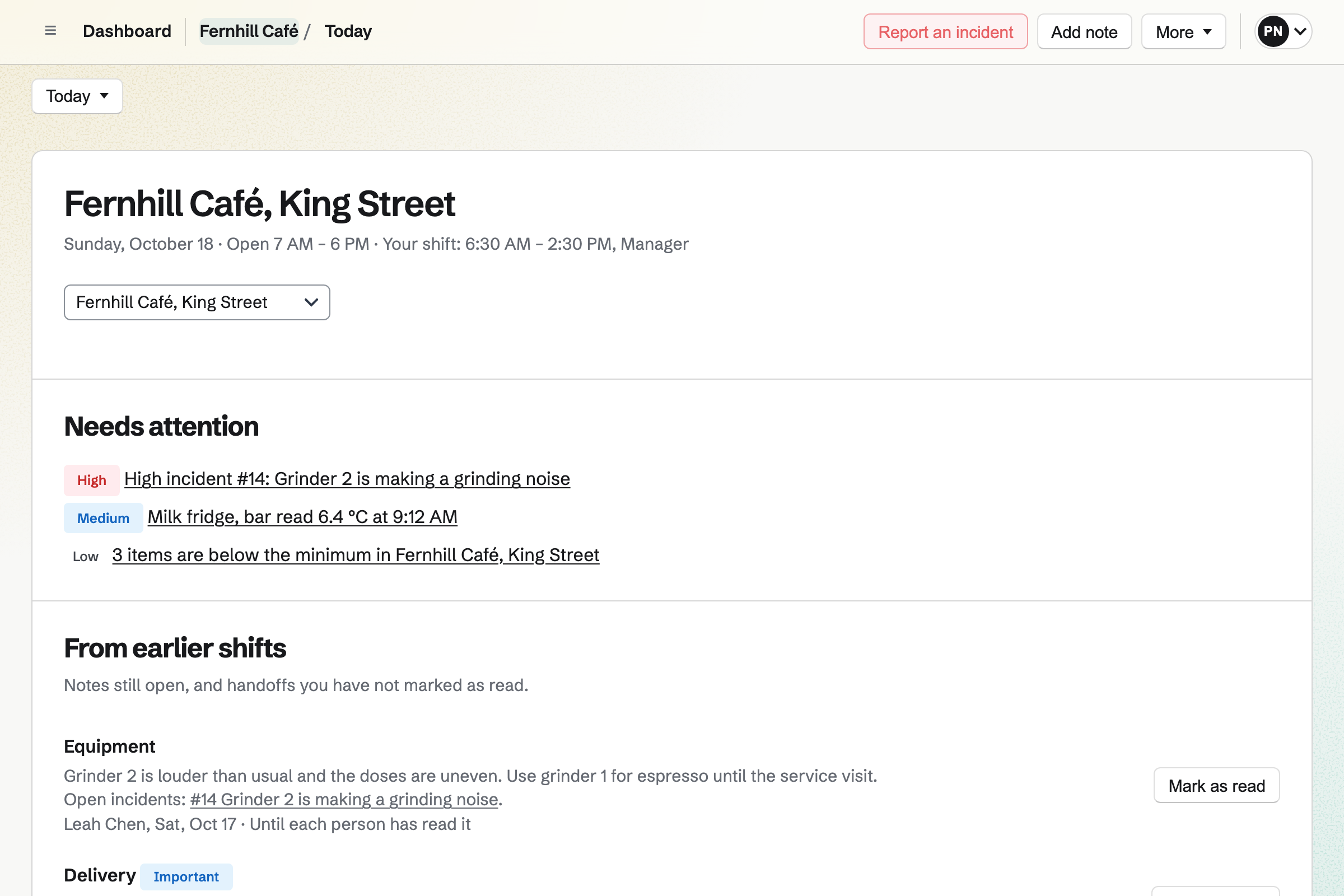
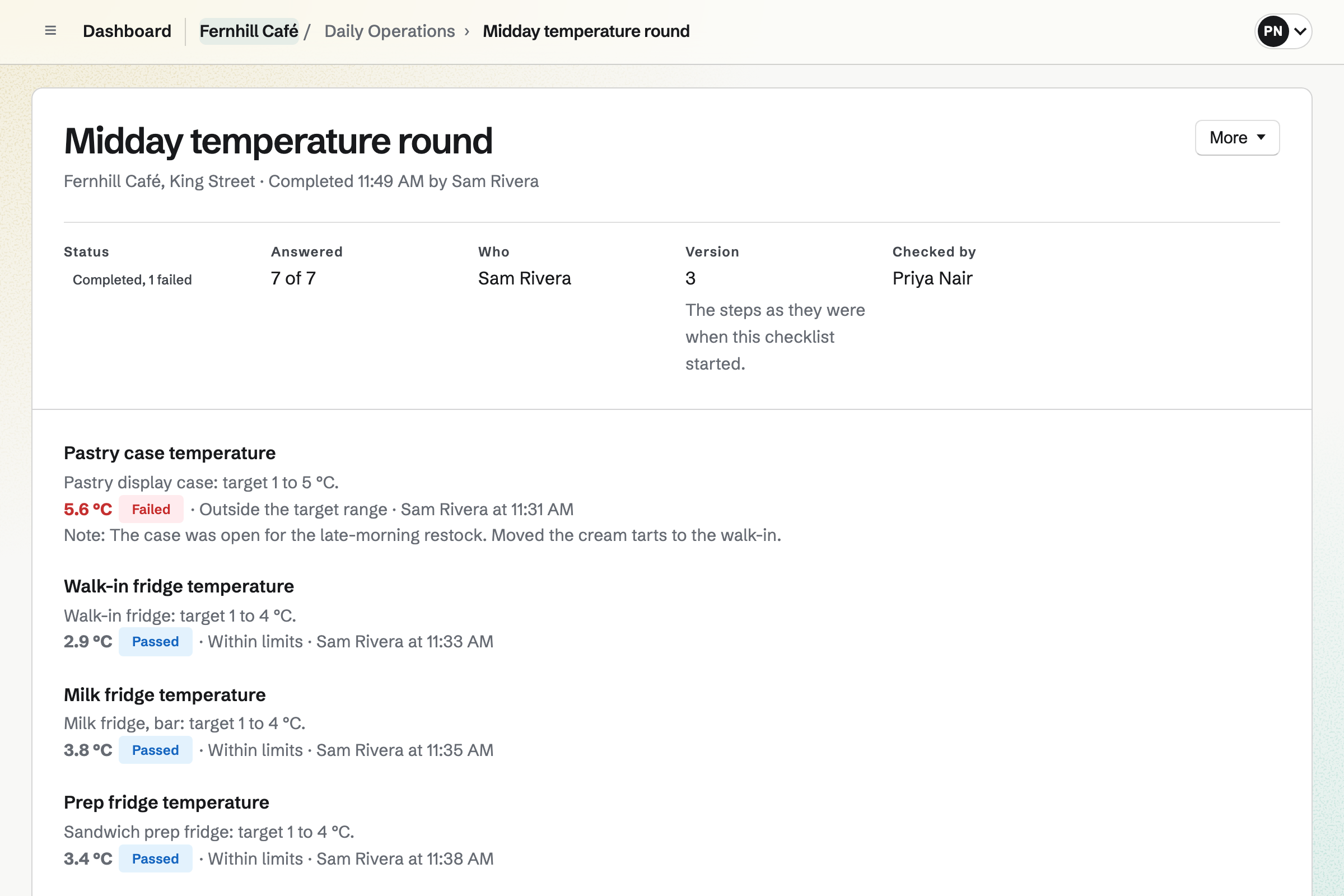
Choose Coffee shop when you set up Daily Operations, and Magpie will offer a café's routines: Opening, a pastry delivery check, a midday temperature round, cleaning and a backflush of the espresso machine, weekly grinder maintenance, and Closing. Keep the ones you want and change their steps.
Each routine will appear as a checklist when it is due, timed from your opening hours, and will be marked late or missed if nobody finishes it. A fridge reading outside your limits will open an incident that says what to do next. Each morning, a shift lead confirms that the café is ready to open.
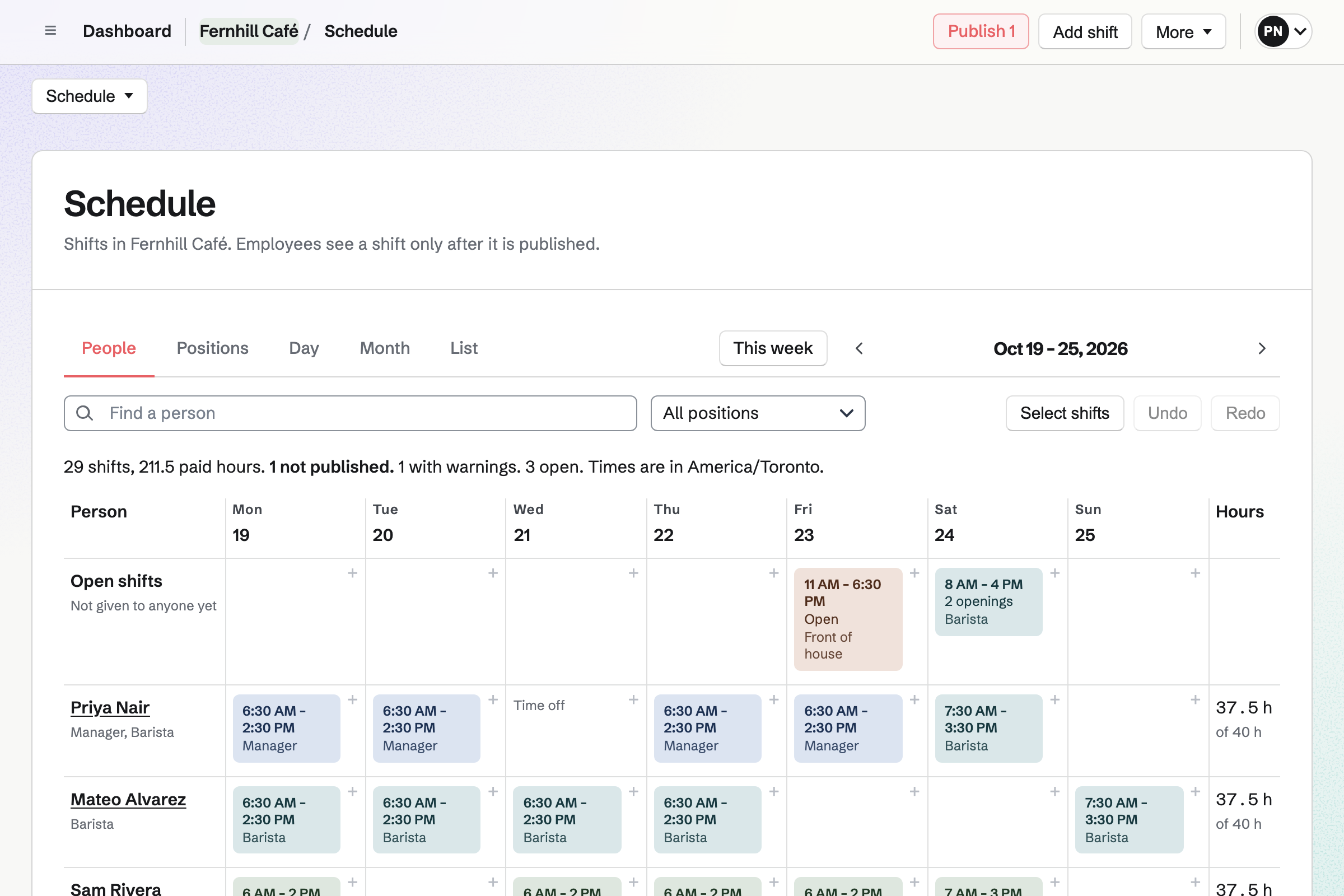
Start Staff Scheduling from the Restaurant, café or bar starter, and it will add Front of house, Kitchen and Manager positions with Opening, Midday and Closing shifts. Type each shift's times as you would say them, copy last week, and leave a shift open for whoever wants it. Magpie will check every shift against time off, availability and your limits on rest and hours.
Shifts stay drafts until you publish the week. Then each person will see their own shifts, and can swap with a coworker, ask for cover or take an open shift.
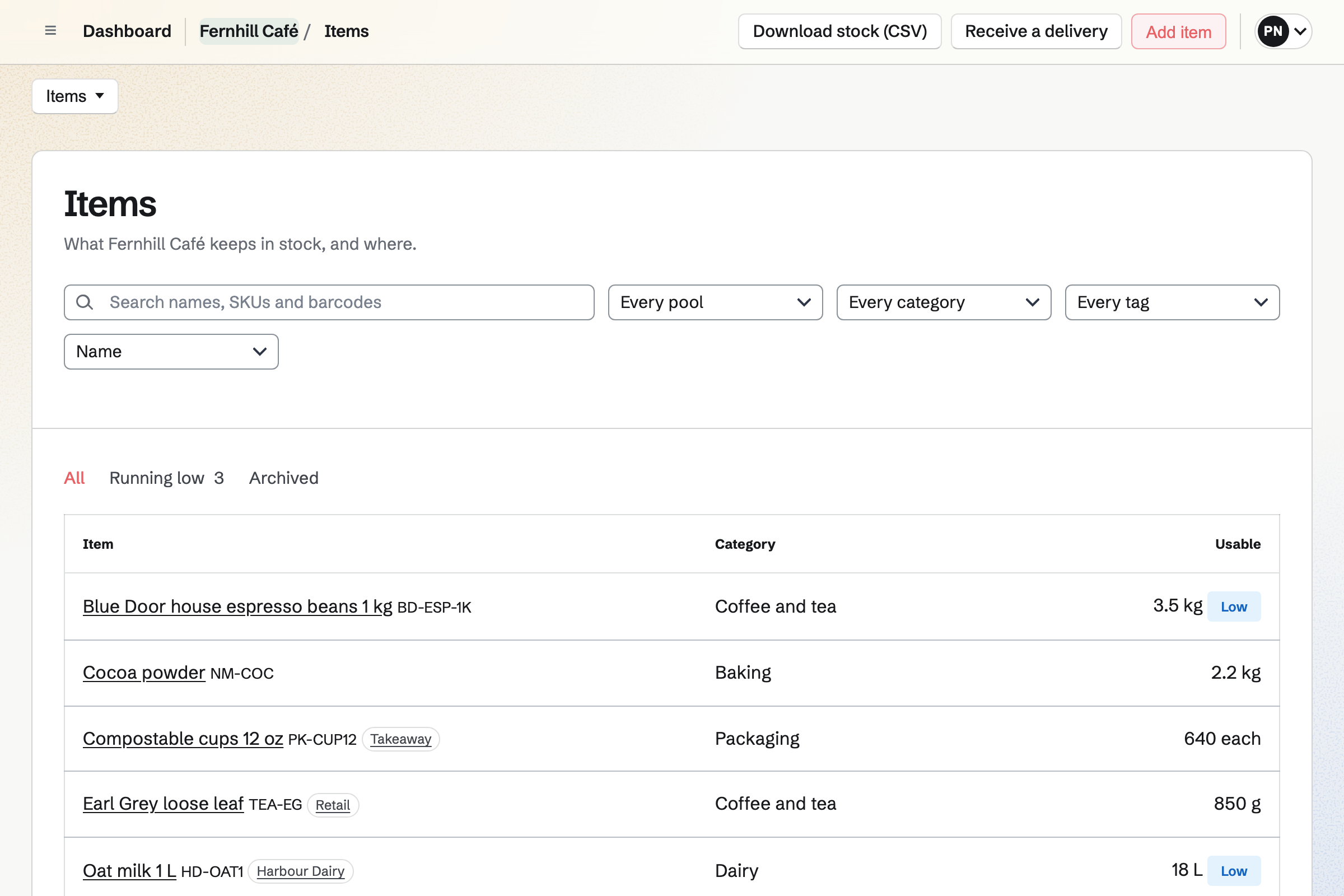
Inventory counts each item in its own unit: litres of milk, kilos of beans, cups one by one, and packs such as a case of 24. Each café keeps its own stock, and an item is marked Low when it falls below the minimum you set.
From the list of what is running low, you start an order for each supplier in its packs and at its prices, and email it from Magpie. Receiving the delivery will add it to the café's stock at the price charged, and anything short or refused is recorded with the delivery.
Store is the café's online shop for bags of beans, merch and gift cards. Buyers pay on Stripe's checkout page into your team's own Stripe account. Once a bag is linked to its Inventory item, each sale will come out of the café's stock.
A gift card will be emailed to the person it is for on the date the buyer chooses, and it never expires. A buyer can choose to collect their order at the café; when it is ready, you mark it ready for pickup and Magpie will email them the address, times and instructions.
Build the café's website from sections in Websites' editor: write the menu, the opening hours and the address, and add a section that lists the beans you sell in Store with their current prices. Preview each page at phone width before you publish.
Publish will put every page online at once, and each published version is kept. A team admin can show the website at the café's own domain, and email at that domain will keep working.
Post a barista job in Hiring, and it will have its own public page and application form on your team's job board, with the details Google for Jobs reads. Applicants apply without an account.
Move applicants through the job's stages with notes and email, and rate them on scorecards. When you hire someone, Add to Staff Scheduling will put them on the rota's staff list, ready for their first shift.
Deliveries, batches, waste and online sales all change the same stock, so each is recorded once.
Receive the order in Inventory, and what arrived will be added to the café's stock at the price charged.
Recording a batch of cold brew or vanilla syrup on Prep will take its ingredients out of stock.
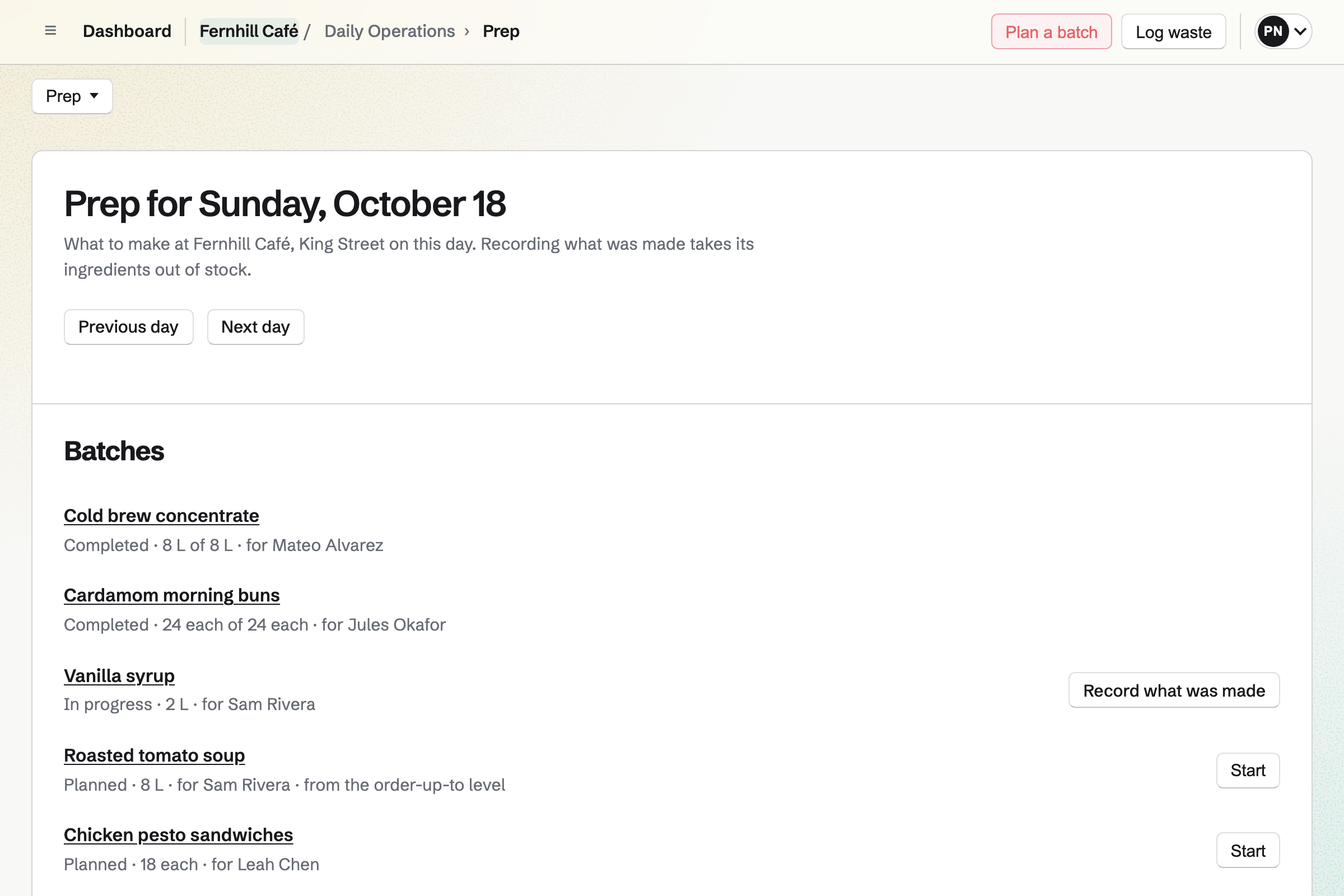
Log what did not sell as waste, with a reason. It will come out of stock and be totalled by reason on the Waste page.
Each Store sale will come out of the same stock as the bags on your shelves.
Beans or oat milk below their minimum will appear under Needs attention on Today for shift leads and managers, ready for the next supplier order.
Each paid Store order will be added to Accounting, split into sales, shipping and sales tax, with Stripe's fees.
Create a team and invite whoever runs the café with you. Help: Create and manage a team.
Choose Coffee shop, give the café its time zone and opening hours, keep the starter routines you want, and confirm each fridge's limits. Help: Run each day's opening, closing and checks.
Start Staff Scheduling from Restaurant, café or bar, add your staff, plan a normal week and publish it. Help: Plan and publish a staff schedule.
Add milk, beans and cups to Inventory with a minimum for each, and record what is in stock now. Help: Keep track of stock.
Connect Stripe, then add your beans and a gift card to Store. Help: Connect Stripe to receive money.
A café with staff is a team. The Team plan is one price for the whole team, with 25 member places and mailboxes at the café's domain. A free team has 3 member places, counting you, and 1 website.
Magpie adds no fee to Store sales; Stripe's processing fee is taken from each payment. Prices are on the Pricing page.
Pre-orders with pickup and local delivery dates, and custom cake orders through Forms.
Yes. A staff profile needs only a name, so you can plan shifts for everyone and it takes no member place. Someone who wants to see their own shifts and ask for swaps, cover or time off joins the team with an account, and takes one member place.
Each person sees their published shifts on the website, with the times, the position and the café's address, and will get a reminder before each shift. A calendar address adds their shifts to Google Calendar, Apple Calendar or Outlook.
Yes, for whole days or part of a day. A manager will see the published shifts it overlaps and who else is off, then approve it or decline it with a reason. Approved time off stops new shifts in that time.
Yes. A manager can edit a routine's steps, up to 100 of them: ticks, yes or no, pass or fail, temperatures, photos and written answers. A step can ask for a photo or a note when a check fails.
Yes. Give someone the Shift lead role at the café: they confirm opening and closing, give checklists to people and resolve incidents below high severity. Managers also edit routines and fridge limits and resolve high and critical incidents.
The shift lead can still confirm opening, but has to give a reason, which will be sent to the café's managers and team admins. A critical incident that is not resolved will stop opening until a manager resolves it.
Yes. Reports cover up to 366 days, and Download CSV exports every reading with who recorded it and the limits that applied.
Yes. Set hourly pay rates by person, position or location, and the week will show its estimated pay before you publish, using base rates without overtime. Pay rates are hidden from everyone until a team admin turns on Sees pay rates.
Yes. Each café is a location with its own hours, routines and stock. A person's role can cover every café or only some, and reports can cover one café or all of them.
Create a Magpie account, make a team for the café, and choose Coffee shop when you open Daily Operations.