Inventory
Recipes are written from Inventory items. Recording a batch on Prep takes its ingredients out of the location's stock, and logged waste is taken out the same way.
Daily Operations
Daily Operations gives each location's business day its checklists. Staff tick steps and record temperatures. A failed check can become an incident with the steps to fix it. Today shows what is done, what is late and what needs a manager.
Create account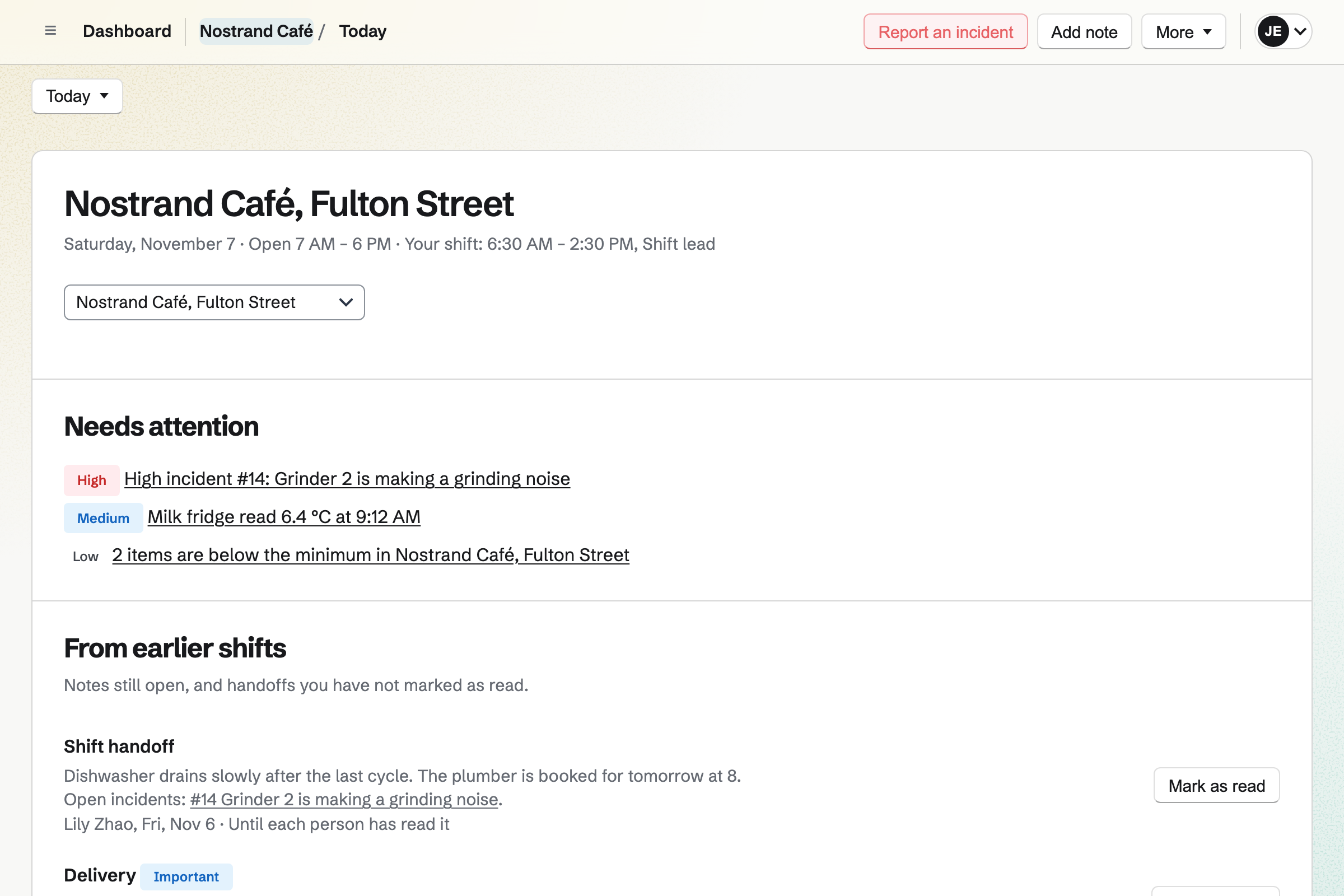
Coffee shop, bakery, restaurant or bar, retail store, florist, salon, cleaning business, workshop and others each offer starter routines. You keep the ones you want, and each becomes an ordinary routine you can edit, pause or archive.
Each location has its time zone, its hours for each day of the week and its closed days. Opening and closing checklists are timed from the hours. A closed day cancels the checklists nobody has started.
You make members employees, shift leads, managers or auditors, and choose which locations each role covers.
A routine is a procedure of up to 100 steps: ticks, yes or no, pass or fail, numbers, temperatures, photos and written answers. Its schedule creates a checklist each time it is due, timed from opening, closing or a time of day. A checklist not done in time is marked late or missed.
A shift lead confirms opening and closing, giving a reason for any unfinished work. The logbook passes notes to the next shift.
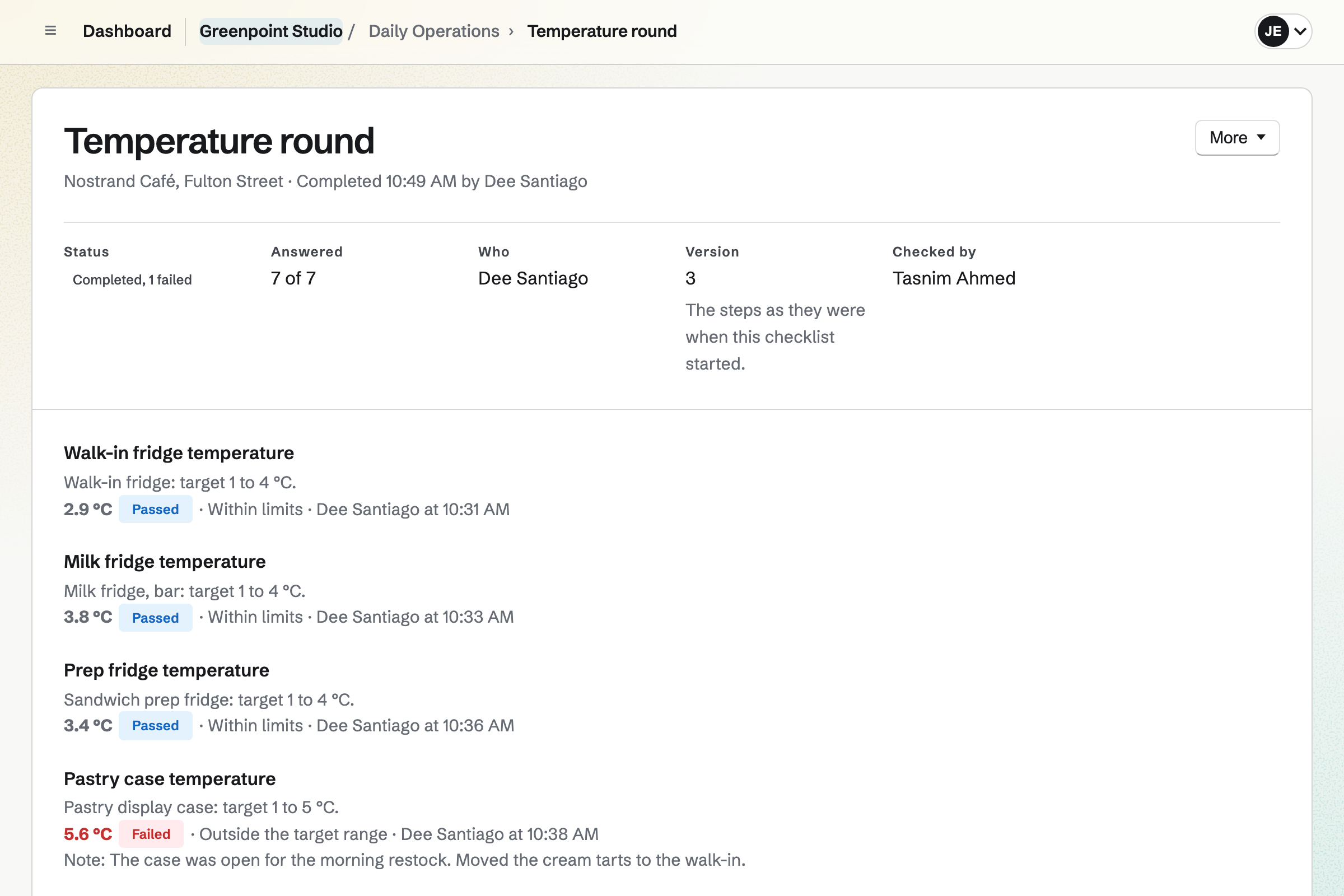
Each temperature point has the target and critical limits your business sets. A reading out of range, a failed check or a report from staff can become an incident, with corrective actions given to people. High and critical incidents are sent to the location's shift leads, managers and team admins.
Reports count checklists, failed checks, incidents and temperature records over up to 366 days, and download as CSV.
Recipes are written from Inventory items, and shift leads plan batches at a location. Recording what was made takes the ingredients out of the location's stock. It adds what was made when the recipe is kept in stock.
Logged waste is taken out of stock the same way, with its reason. The Waste page totals it by reason and by item.
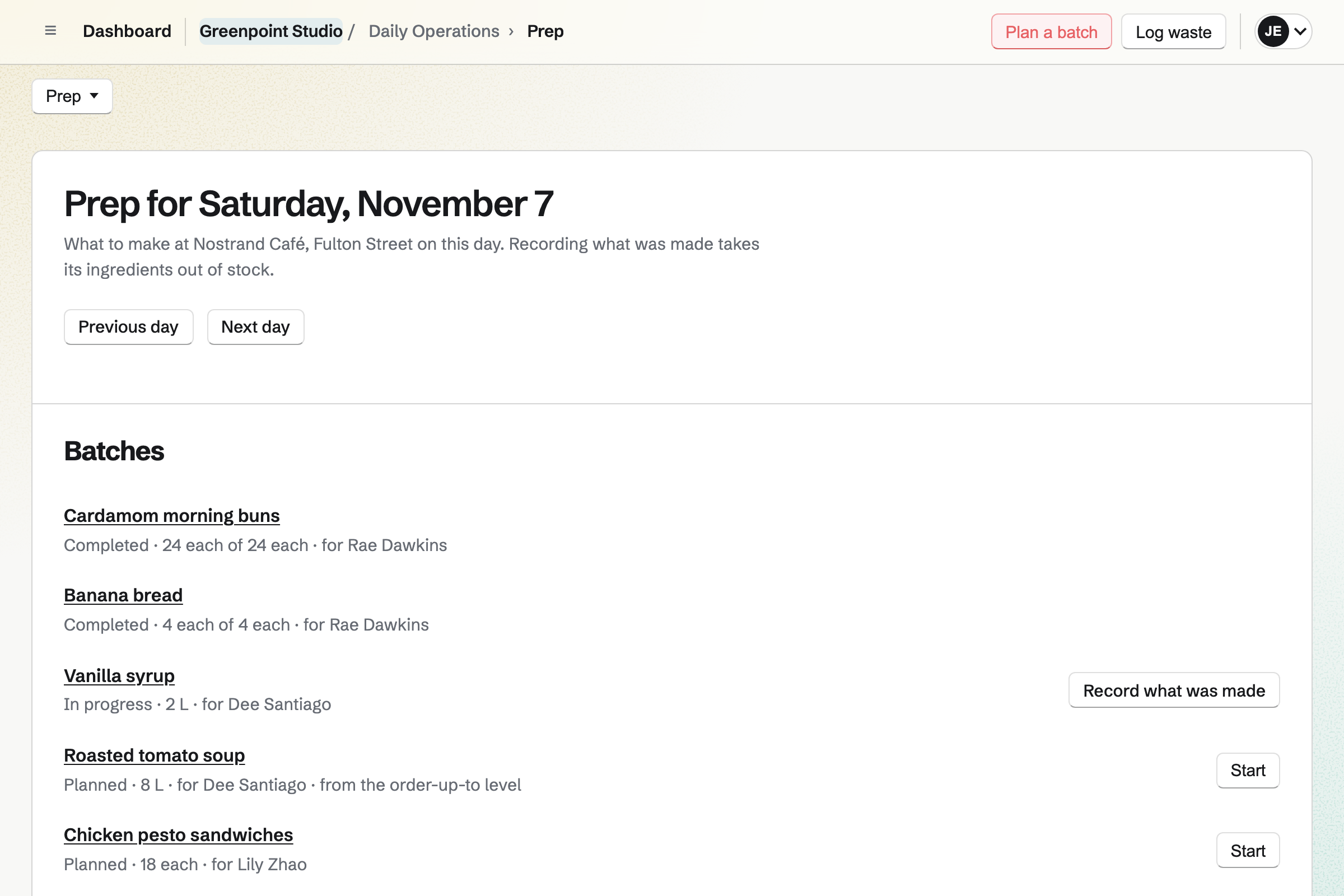
Recipes are written from Inventory items. Recording a batch on Prep takes its ingredients out of the location's stock, and logged waste is taken out the same way.
Equipment comes from Asset Tracker. An incident about a piece of equipment can take it out of service, and Asset Tracker shows it in maintenance until someone puts it back.
A shift lead can open an Issue from an incident for a longer-term fix. The Issue is linked to the incident.
Create a Magpie account, open Daily Operations and choose the kind of business.