Newsletter
A sent Newsletter email with a web copy has Share to Social Media, which starts a draft with its name and address.
Social Media
Magpie publishes to Bluesky, Mastodon and LinkedIn at the time you choose. For X and Instagram, it prepares the post, reminds the team when its time comes, and records who posted it.
Create account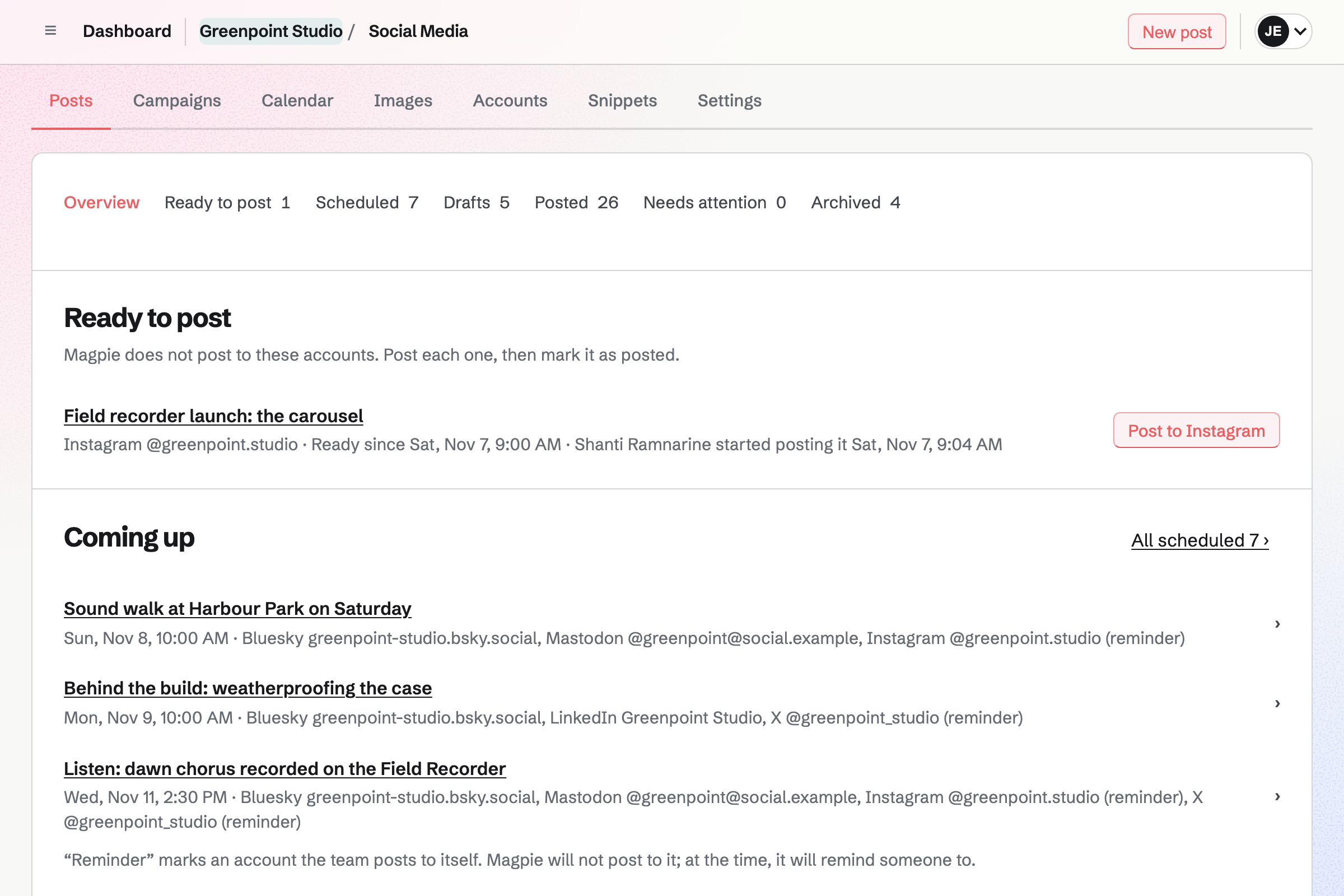
You write a post once. Each account shows a character count as its platform counts it, and any account can have text of its own. Problems such as text too long for one platform are shown as you write.
You can add the post to the queue at the team's next posting time, schedule an exact time or publish it now. Temporary failures are retried automatically, and a campaign schedules its finished drafts in order.
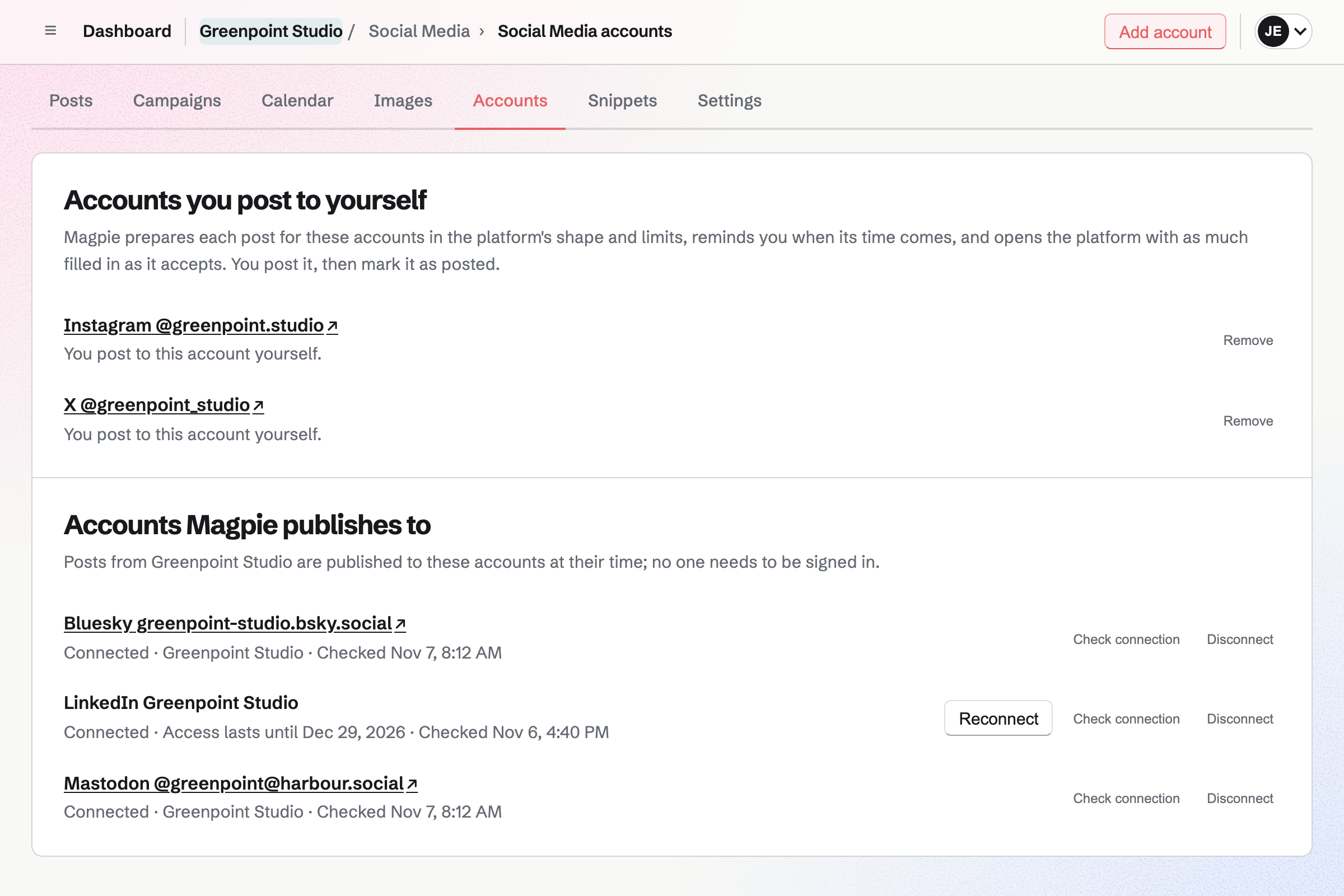
Bluesky, Mastodon and LinkedIn are connected by signing in on the platform, and Magpie publishes to them at each post's time.
X and Instagram are added by username and posted by hand. When a post's time comes, Magpie emails a reminder, and on a phone the posting page copies the text and opens the share sheet with every image. Mark as posted records who posted it.
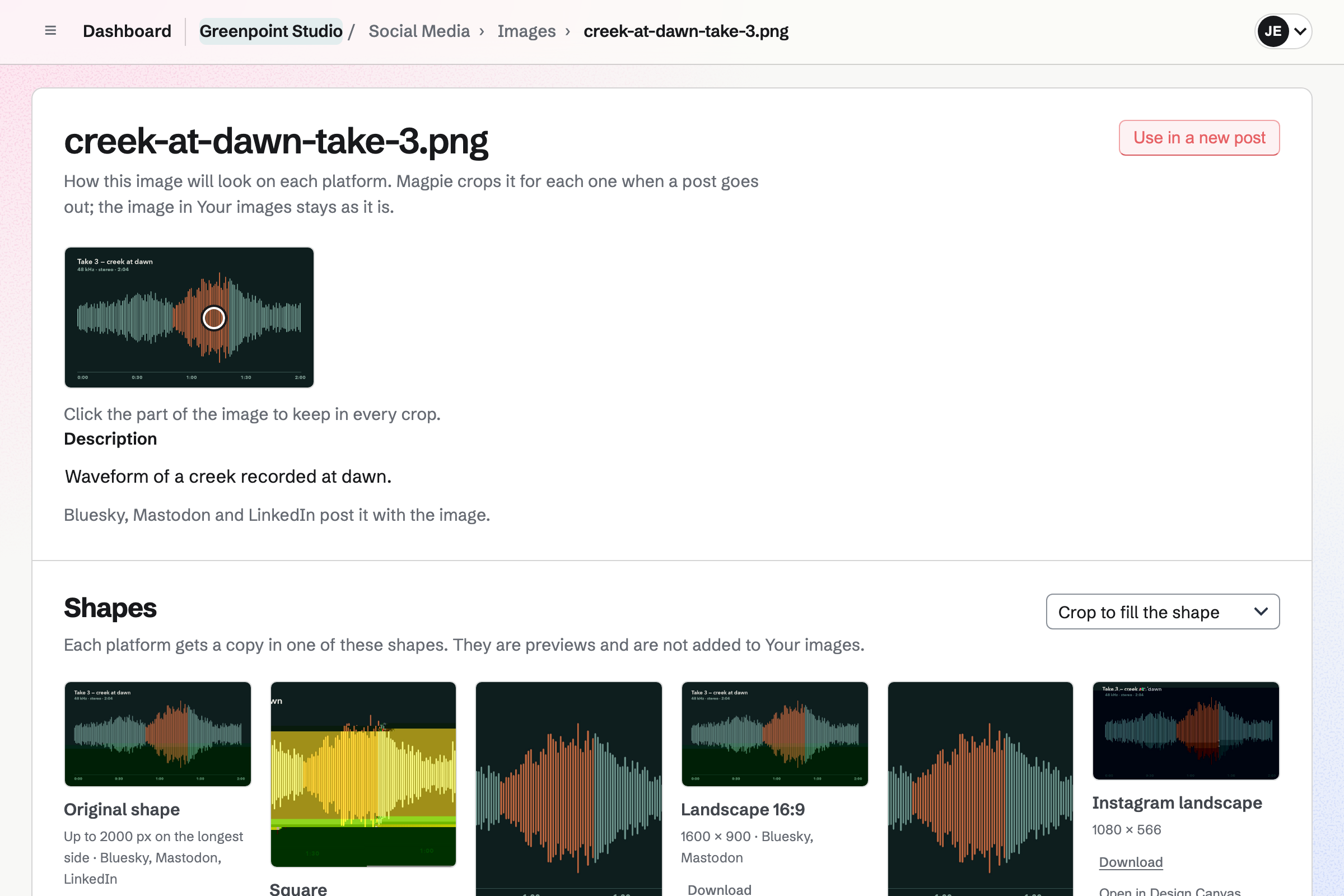
Posts use images from Your images. Bluesky, Mastodon, LinkedIn and X get each image in its original shape. Instagram gets a copy cropped to the account's shape around the focal point you set, or shown whole on a background colour.
Bluesky, Mastodon and LinkedIn receive each image's description, and the X and Instagram posting page copies it to paste in.
A sent Newsletter email with a web copy has Share to Social Media, which starts a draft with its name and address.
Promote on Social Media starts a draft with an active product’s name, address and images.
Share event starts a draft for a public or unlisted event. A team admin can also show the team’s scheduled and published posts in Calendar.
Open in Design Canvas makes a design at the size of a post’s shape, to add text or a logo. Saved to Your images, it can go on the post.
Create a Magpie account, then add the accounts your team posts to.