Hair salons and barbershops
A salon books shorter visits that clients repeat every few weeks. It keeps colour notes on each client and sells products at the desk.
Tattoo and piercing studios
The studio, its artists and any guest artist work in one Magpie team. Clients book, sign and pay without signing up first.
Get started free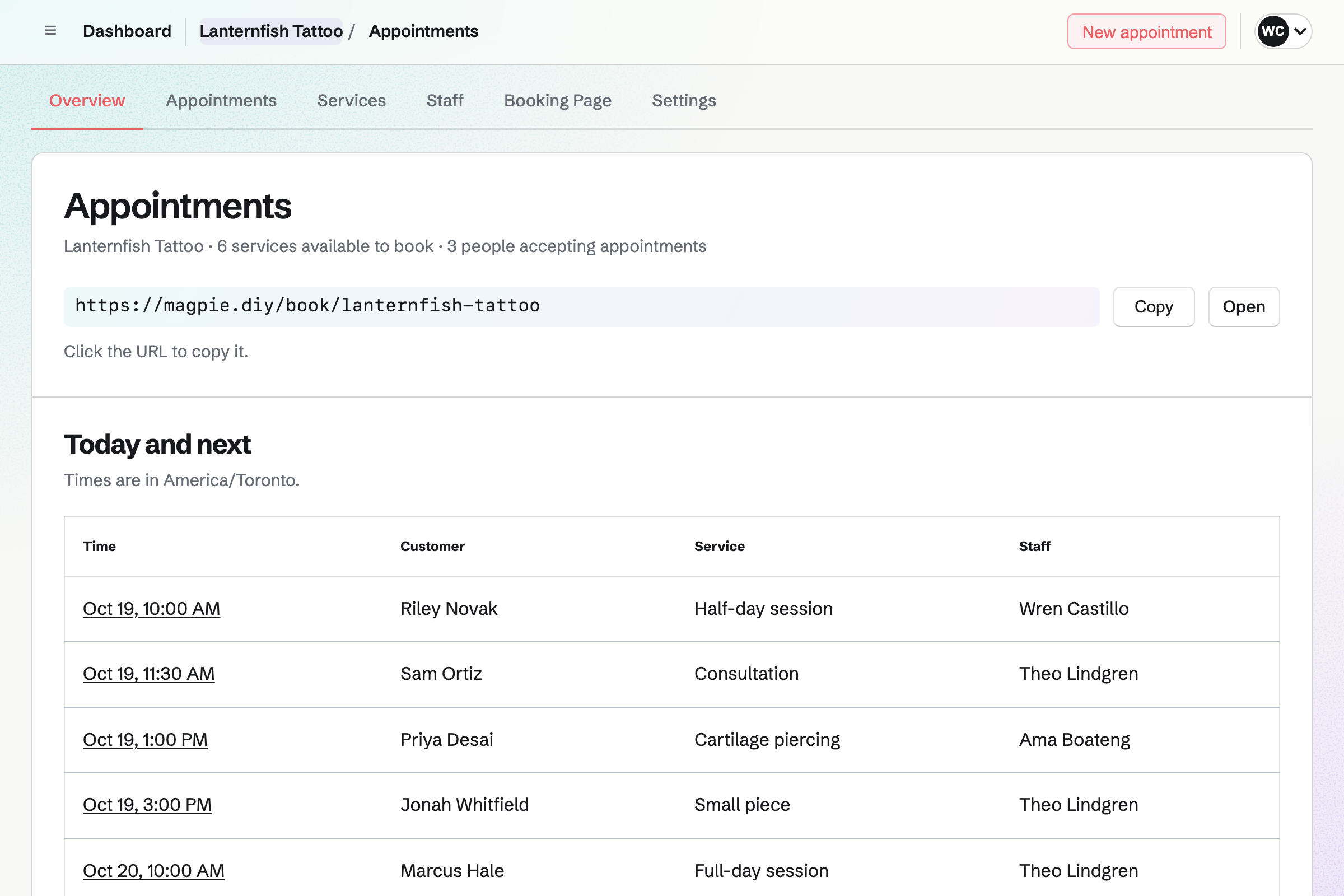
After the first booking, each step uses the client's contact, found by their email address.
A client answers your tattoo request Form from the link on your profile. It asks for the idea, the placement, the size and a reference image. You will get an email for each one.
You send your booking page, or book them in with the artist they asked for. Magpie will email the confirmation and add the client to your contacts.
You send the deposit as an invoice from the client's contact. They pay it by card online, into your Stripe account.
You book the session with the same artist, up to eight hours long. It goes on the artist's Calendar. The booking page will no longer offer that time.
You send your consent form from its starter to the client's email address. They sign on their phone, and the signed PDF will be listed on their contact.
You mark the appointment Completed and invoice the rest. A dated note on the contact can say what is left of the piece.
Appointments gives the studio a booking page for consultations, sessions and piercings. Each service has its length, up to eight hours, a price or none, and its artists. Time after it can be kept free to set up the station.
A client chooses an artist by name, or Anyone available, then a free time. Magpie offers only times that the artist's weekly hours, Calendar and appointments leave free. A guest artist on a guest spot can take bookings too.
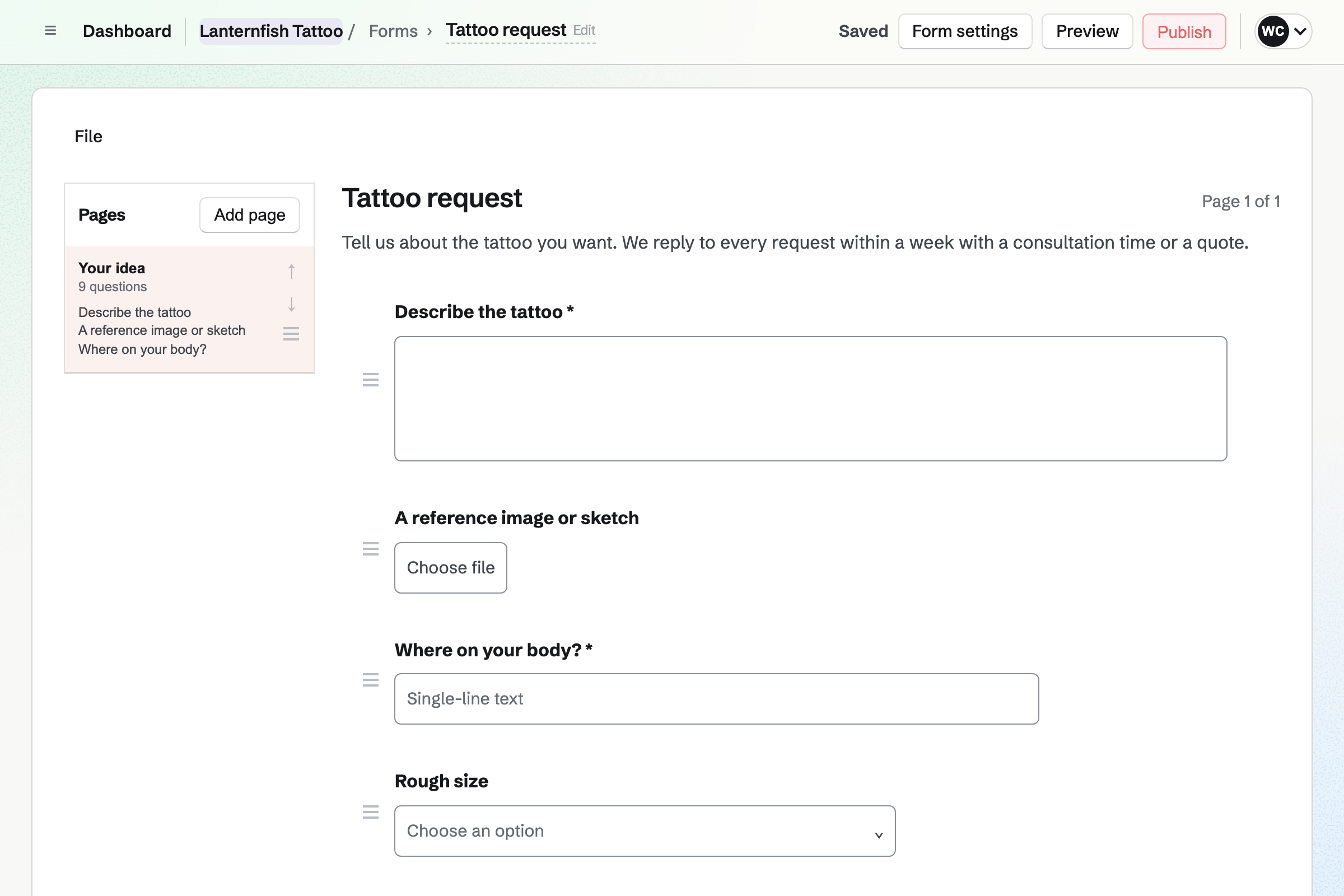
Forms gives the studio a request Form with the questions you ask before quoting. A File question takes a reference image or sketch of up to 10 MB. The Form asks for a photo of the old tattoo only for a cover-up.
You can put the Form's link on your profile, or a QR code at the counter. Clients answer without signing up first. You will get an email for each request.
E-Signatures sends your consent form for the client to sign on their phone. You save your PDF once as a starter, with its fields in place. Each request then needs only the client's name and email address.
The client opens the emailed link without signing up first. They tick a box for each statement, add initials and sign with a finger. Magpie will then email you both the filled-in PDF and a certificate of completion.
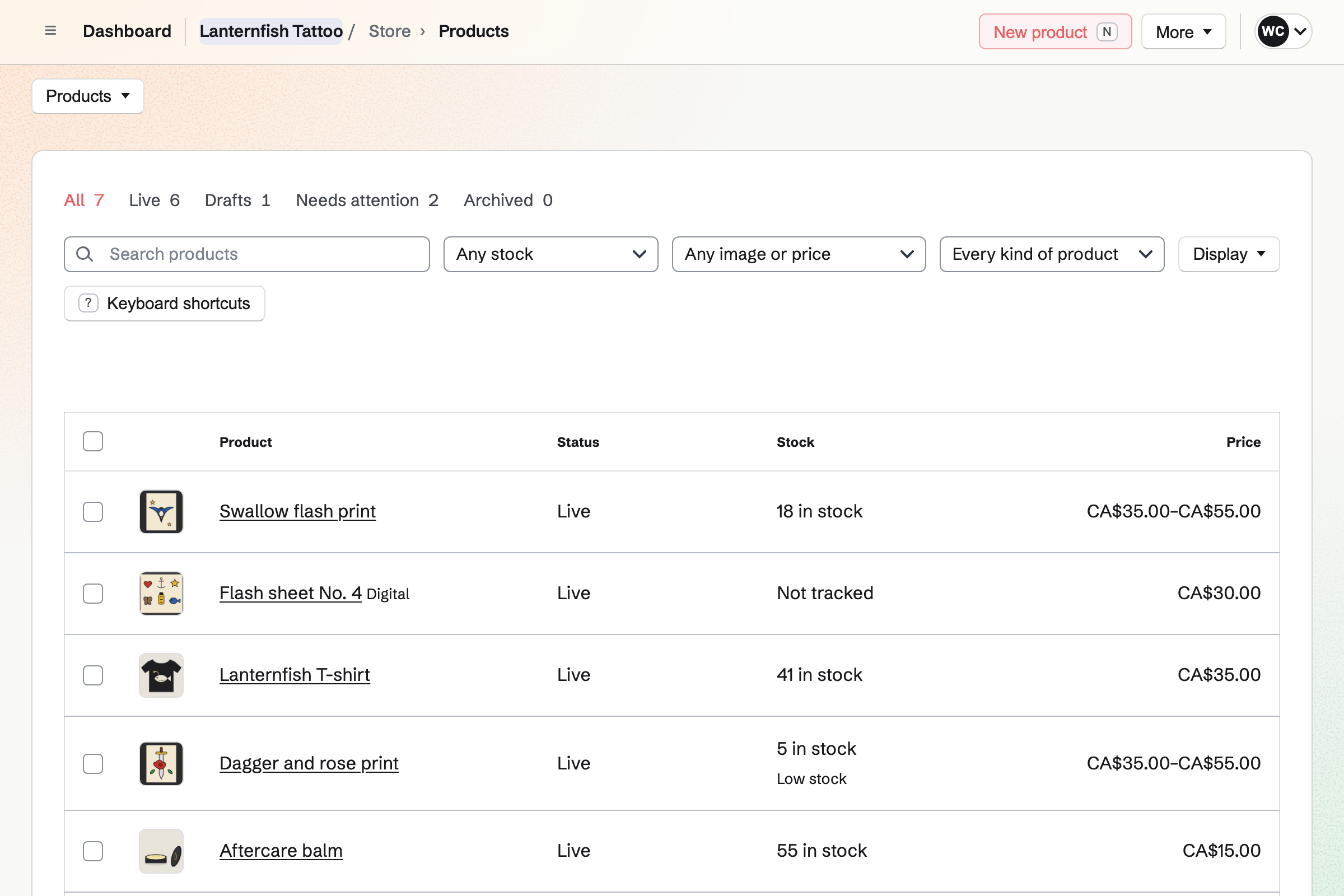
Store gives the studio an online shop for flash sheets, prints and merch. A flash sheet can be a PDF download from the buyer's order page. Prints come in sizes such as A4 and A3, each with its own price and stock.
Buyers pay on Stripe's checkout page, into your Stripe account. You ship each order, or buyers collect it at the studio. Sales you record at the counter use the same stock.
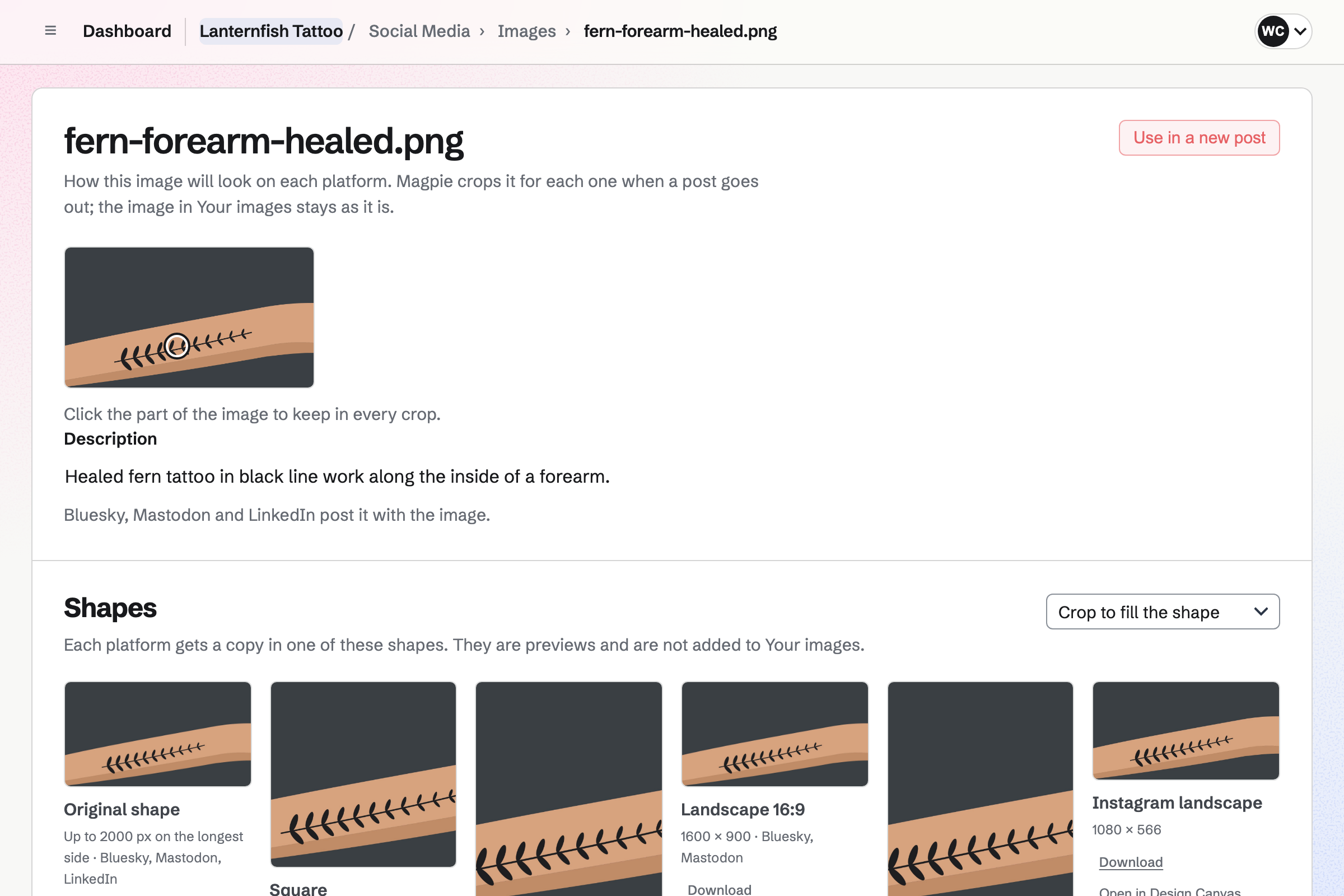
Social Media posts your healed work to Bluesky, Mastodon and LinkedIn at the time you choose. For Instagram, Magpie will email you a reminder. On a phone, it copies the caption and opens the share sheet with the photos.
Magpie prepares every photo in each account's image shape. You click the part to keep, and every crop keeps that point near the middle. A forearm piece stays in a square post or a portrait one.
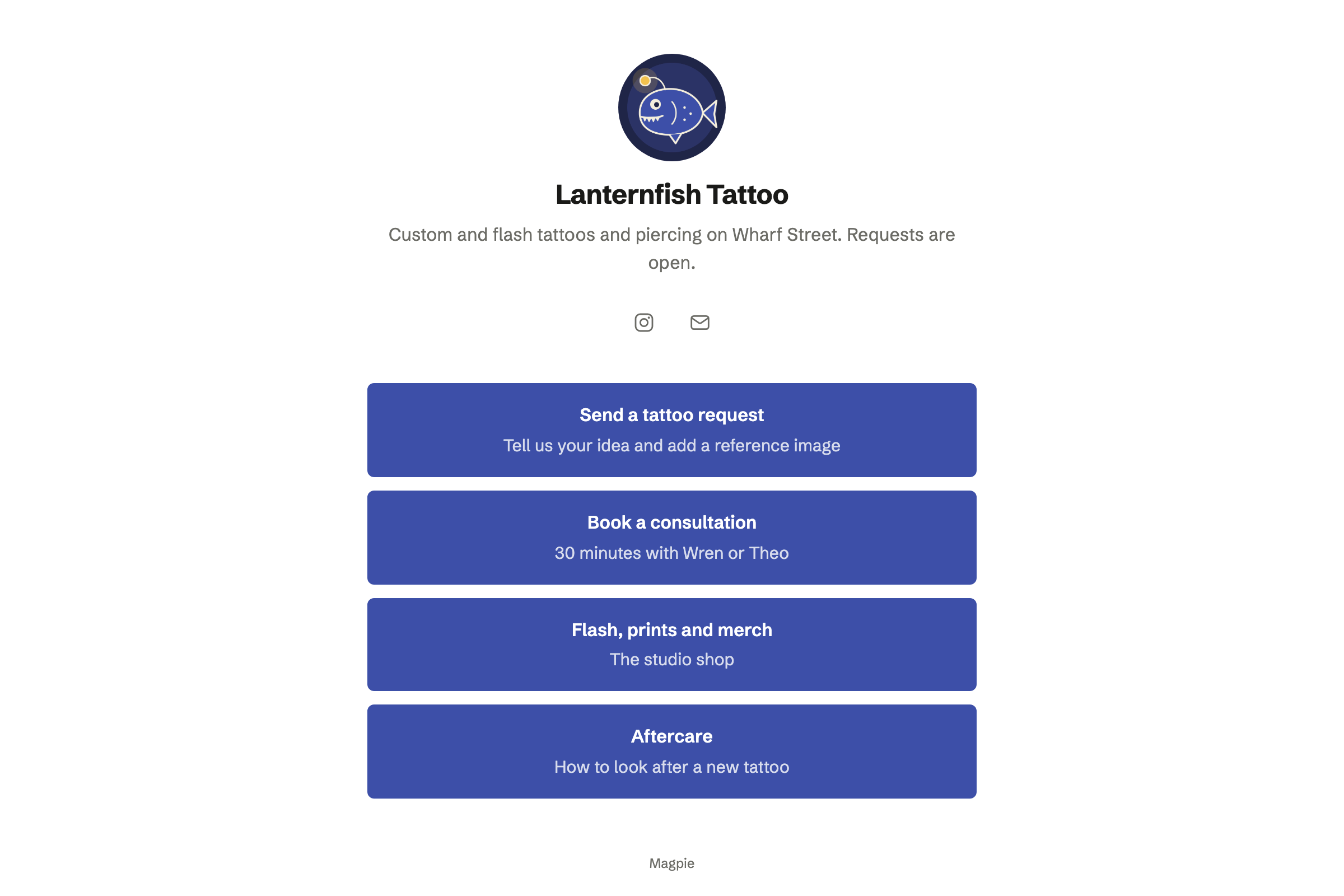
Link-In-Bio List gives the studio one public page to link from its profiles. You add a link for each thing clients come for, such as your aftercare page. Its address is magpie.diy/links/ and the studio's name.
The page counts its views and each link's clicks, without recording who clicked. Views by your team are not counted. The address stays the same as you add, hide and reorder links.
You create a team and invite each artist who takes bookings. Help: Create and manage a team.
You add your consultations, sessions and piercings, and each artist's hours and services. Then you preview the booking page and publish it. Help: Set up Appointments.
You build the Form with your questions and publish it. Help: Build, publish, and share a form.
You upload your consent form as a PDF and place the client's fields. Then you save it as a starter. Help: Signing starters.
You connect Stripe and turn on card payments for deposits. Then you add your flash, prints and merch to the shop. Help: Set up and publish a Store.
Appointments, Forms, E-Signatures, Store, Social Media and Link-In-Bio List are on every plan. Each resident artist who takes bookings takes a member place. A free team has 3, counting you; the Team plan has 25.
Guest artists and counter staff who are only on the rota take no member place. A free team can have 10 guests; the Team plan has 100.
A free team keeps up to 100 contacts, one for each client who books. It makes up to 5 invoices a month, deposits included. The Team plan has no limit on either.
Magpie adds no fee to shop sales or invoice payments. Stripe's processing fee is taken from each card payment.
A salon books shorter visits that clients repeat every few weeks. It keeps colour notes on each client and sells products at the desk.
An illustrator quotes each commission with a proposal and a deposit. They share sketches in a client portal and sell prints online.
A painter sells originals and prints in a shop of their own. Supporters follow their work in the studio.
Yes. Clients choose the consultation on your booking page, then an artist or Anyone available. They pick a free time and enter their name and email address. Magpie checks the time again as they book. It will email a confirmation with the artist, the time and the studio's address.
Yes. A service lists the artists who do it. When there is more than one, the client chooses one by name, or Anyone available. Anyone available gives the time to the first artist who is free. You set the name each artist shows, such as the one they tattoo under.
Yes. You type its length as you would say it, from 5 minutes to 8 hours. Time can be kept free before and after it. The session has to fit inside the artist's weekly hours for that day. A full-day session is offered only on days with long enough hours.
Yes. You send the deposit as an invoice from the client's contact. With Stripe connected, the client pays it by card from the email, without signing up first. The money goes to your Stripe account, and Magpie adds no fee. You can record a deposit paid in cash too.
Yes. You add a File question to the request Form. It takes one JPG, PNG, WebP, PDF or plain-text file of up to 10 MB. A second File question takes a second image. The files are not public: only people who can see the Form's responses can download them.
Yes. You send the consent form from its starter. The client opens the link in their email on their phone and completes their fields. They sign by drawing with a finger or typing their name, without signing up first. Magpie will record their email address, the time, their IP address and their browser.
Each completed request lets you download the signed PDF and the certificate of completion. You can also download the original, or all three as a ZIP file. Your signature requests are listed by newest activity. Search finds a client by name or email address. The client's contact also lists every document they signed.
Yes. You invite them as a guest and give them Appointments, and Calendar to see their bookings. A guest takes no member place. You switch them on as staff, with their weekly hours and services. You switch them off when they leave, once their appointments are completed or cancelled.
Yes, until the notice you set, such as 48 hours. The confirmation email has a link that opens their booking with no password. They can choose another free time with the same artist, or cancel. After the notice, the page asks them to contact you. Magpie will email them the new time or the cancellation.
Yes. You choose the service, the artist, the date and a start time. Then you enter the client's name and email address. The time has to be one the booking page would offer. The client will get the same confirmation email.
Yes. You book each session as its own appointment with the same artist. You can book the next one while the client is at the studio. Each one is on the artist's Calendar and on the client's contact. A pinned note on the contact can say how far the piece has got.
Each booking adds an event to the artist's Calendar, named after the service and the client. The Appointments list shows Today, Upcoming, Past and Cancelled. Each row has the time, client, service and artist. The Overview shows today's appointments, or the next ones when there are none today.
Yes. You can pin a note on the client's contact with the piece in progress. You can add a dated note after each session. Search matches the words in every note, so you can find a client by the piece. Internal notes on an appointment are seen by the team and never by the client.
Yes. You add the room with its open hours, and make the piercing service require it. A time is offered only when the room is open and free. Each booking reserves the room. Moving the appointment moves the reservation, and cancelling frees it.
Yes. You make the flash sheet a digital product and add its PDF, of up to 500 MB. After paying, the buyer downloads it from their order page or their confirmation email. You can limit how long they can download it, and how many times.
Yes. You add Options to a product, such as Size with S, M, L and XL. Each combination becomes an item with its own price, stock and SKU. Buyers pay on Stripe's checkout page, into your Stripe account. They choose shipping or collection at the studio.
Yes. You write the post in Social Media with your photos, prepared in Instagram's image shape. At the time you choose, Magpie will email you a reminder. On a phone, Share to Instagram copies the caption and opens the share sheet. Mark as posted then shows the team who posted it.
Yes. Image Converter opens HEIC and HEIF photos and converts them to JPEG, PNG, WebP or AVIF. Batch applies one size, crop, format and filename rule to a whole folder. You download the results as a ZIP, or save them to your image library.
Yes. A client needs only an email address. They book on the booking page and answer the request Form. They sign the consent form from their email and pay invoices online. They buy from your shop on Stripe's checkout page.
The booking page has its own address, which you copy from the Appointments overview. Share booking page starts a social post with that address. A link on your Link-In-Bio List can lead to it. So can a button on your website, or a QR code at the counter.
Create a Magpie account and make a team for the studio.