Freelance illustrators
An illustrator takes commissions from clients, with proposals, a portal and invoices. They sell prints and downloads too.
Digital product sellers
Your online shop, your email list and your supporter page are in one Magpie account.
Get started free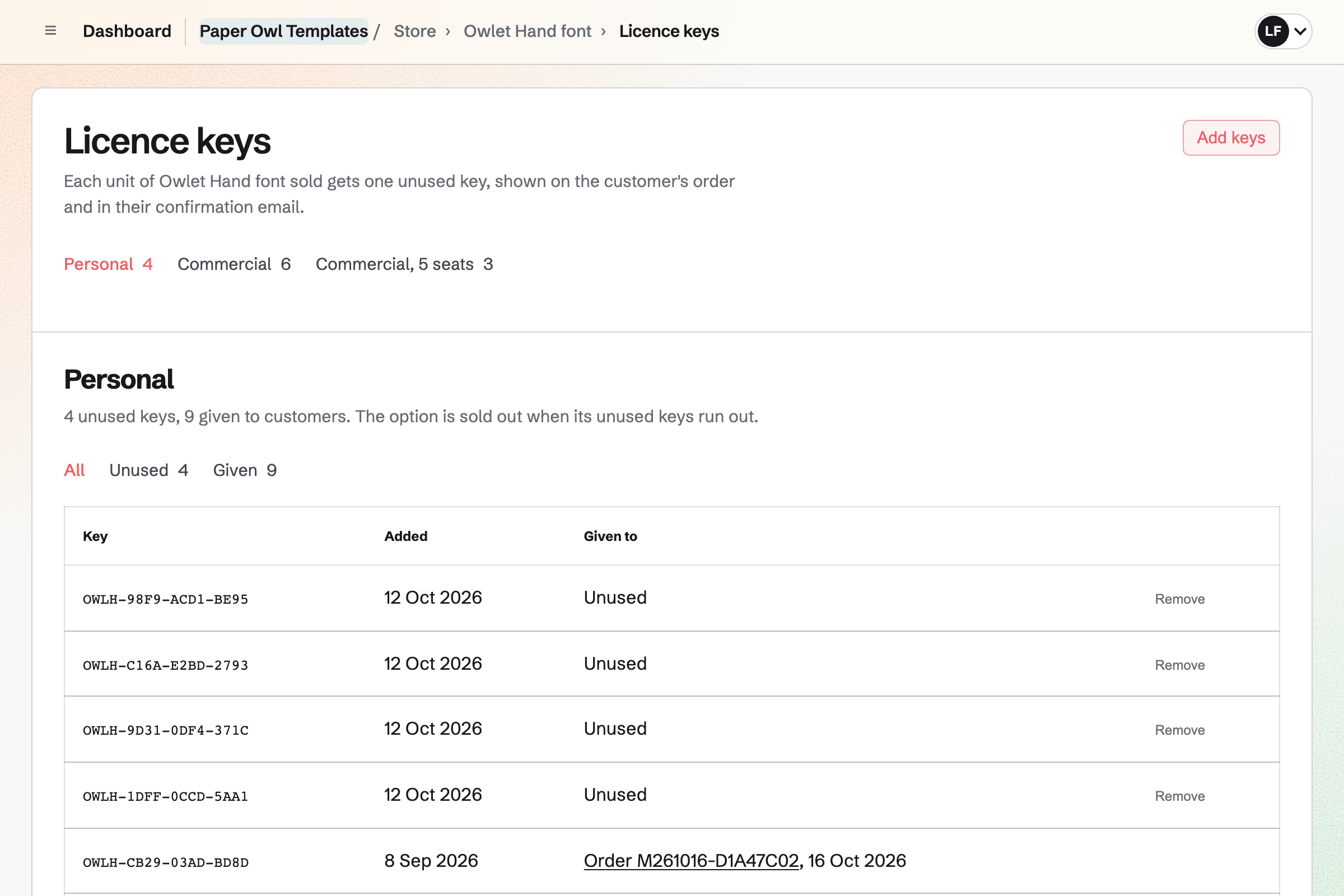
Store is your online shop for downloads. A product holds up to 50 files of up to 500 MB each, such as PDFs, ZIPs and fonts. You can sell a personal and a commercial licence, each with its own files and price.
Each unit sold will get an unused licence key, shown on the buyer's order. An option sells out when its keys run out. Your files open only from a paid order. When you replace a file, buyers will get the new version from their order.
You can set a minimum price, and each buyer chooses to pay that or more. A bundle sells several products at one price, with all their files. A product can go live at a time you set, and so can a launch discount.
Each live product has a buy link that goes straight to checkout, and a QR code. A buy button on another website shows the current price. Buyers pay on Stripe's page, into your own Stripe account, without signing up first.
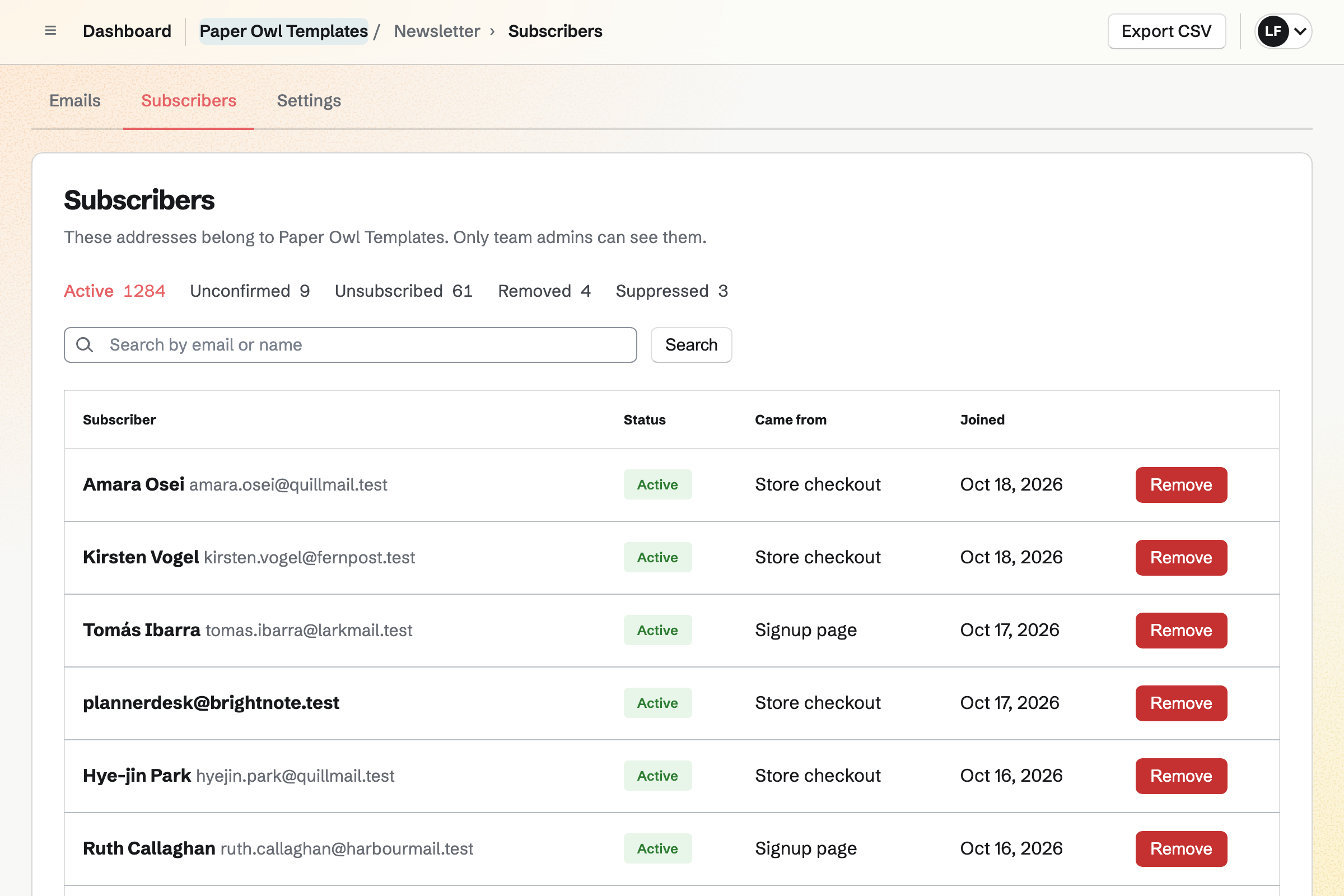
Newsletter gives you an email list of the people who buy. Checkout can show an unticked box to get your news. A buyer who ticks it is added when the order is paid. Others subscribe on your signup page and confirm by email.
You can write each email in Markdown and send yourself a test. Then you send it, or schedule it for launch day. You can also import your list from Substack, Mailchimp or a CSV file.
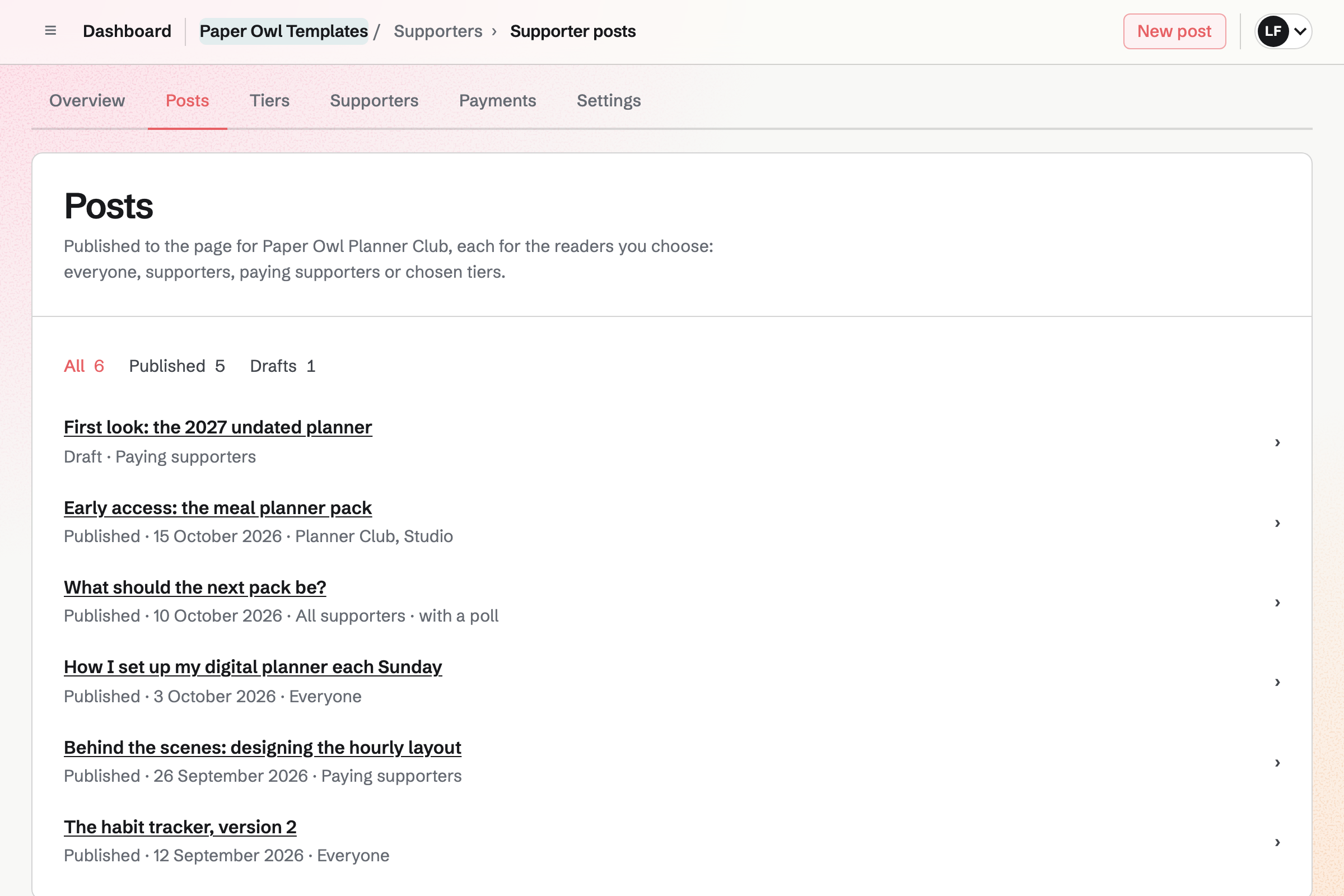
Supporters gives you a supporter page with a free tier and monthly paid tiers. Your supporters pay by card, into your own Stripe account.
You can post an early look at the next pack to chosen tiers. A post can include a poll on what to make next. Anyone outside its audience sees the title, cover and excerpt, and the tiers that open it.
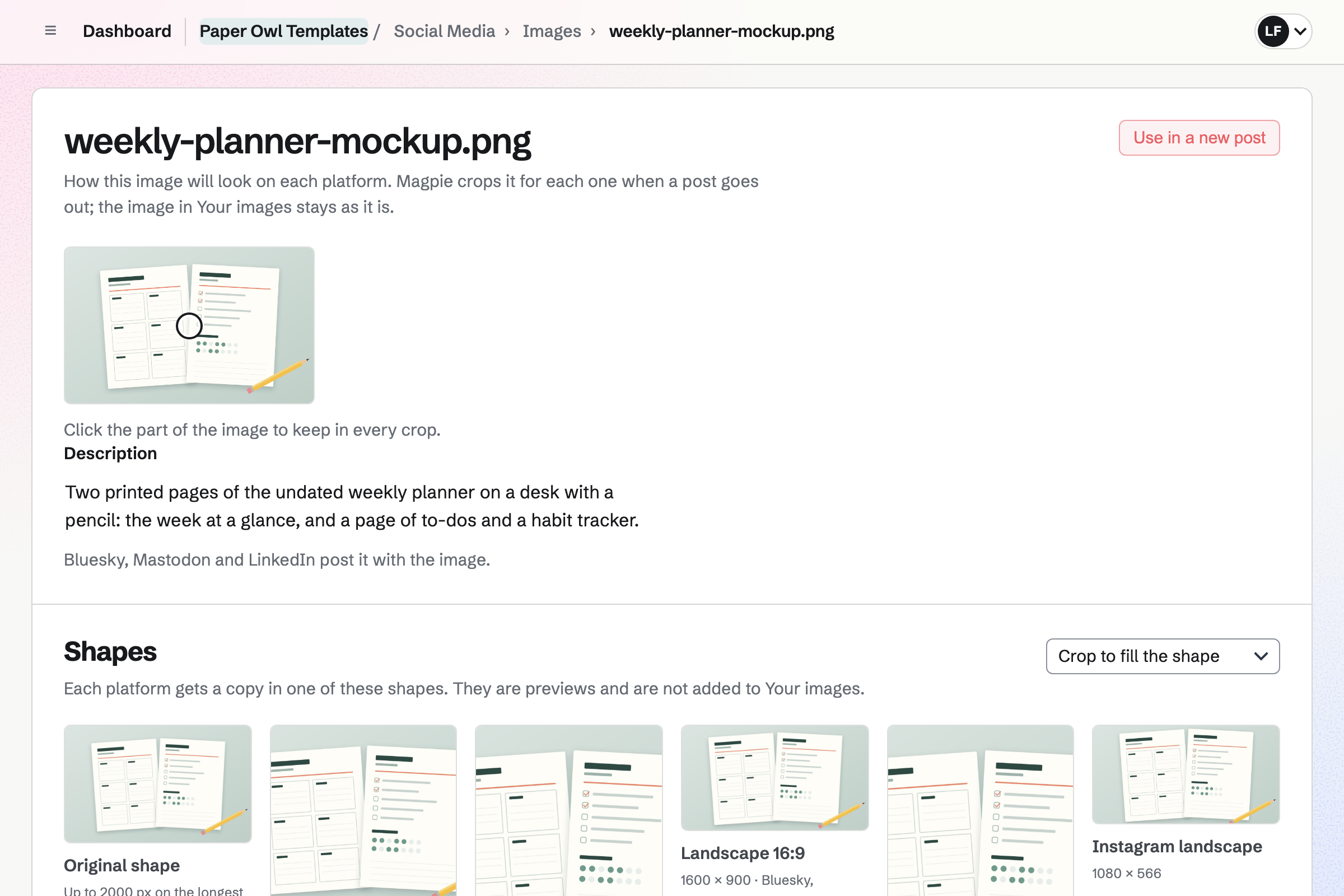
Social Media can start a post about any live product, from the product itself. Bluesky, Mastodon and LinkedIn will get it at the time you schedule. For Instagram and X, Magpie will remind you to post from your phone.
For Instagram, Magpie crops each image to a shape such as portrait or square. It centres the crop on the point you click. Or it shows the whole image on a background colour you choose. Other accounts get the original shape.
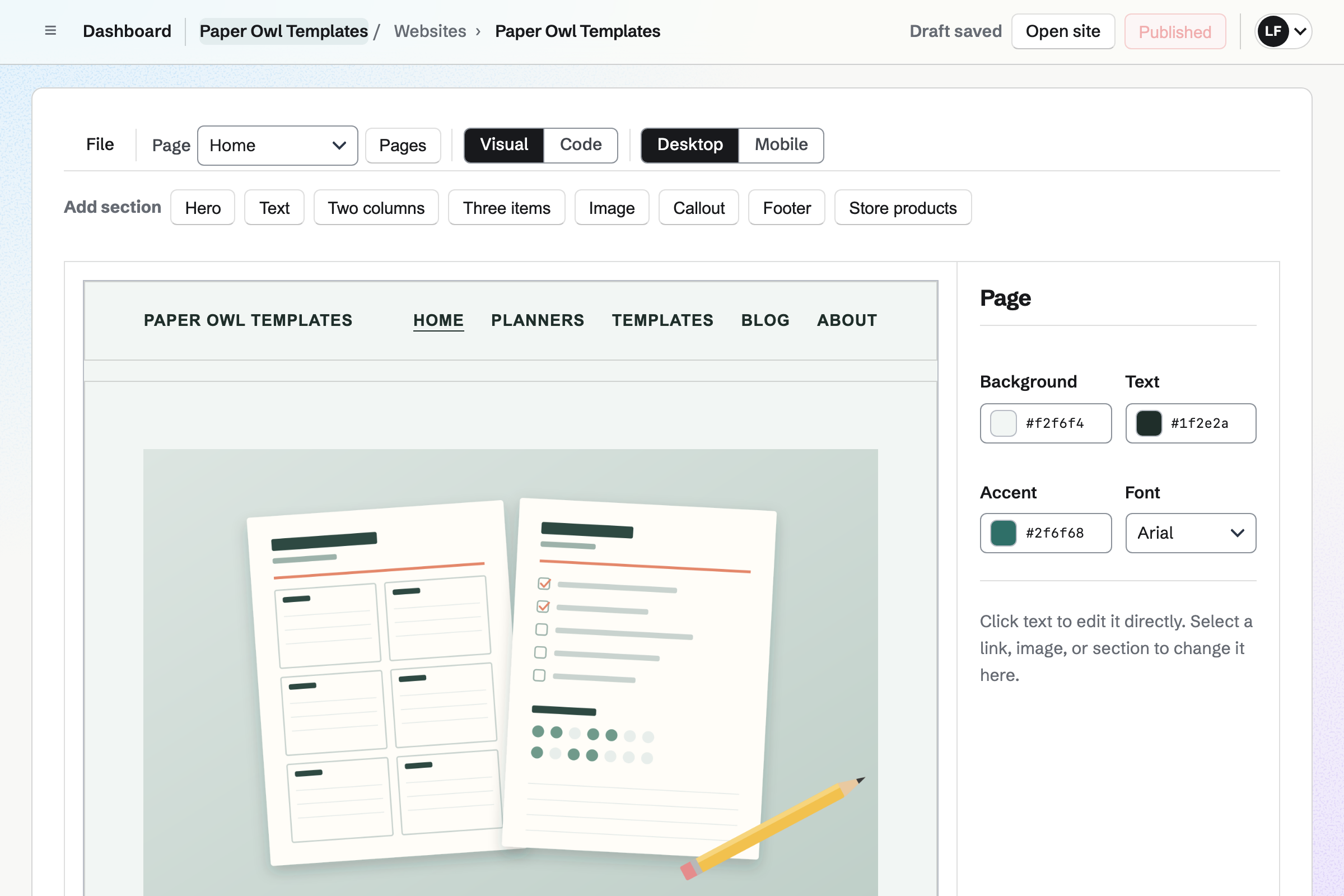
Websites gives you a site built from sections. Every page has the same header, footer and navigation. One section lists your published products with their images and current prices. Each links to its page in your shop.
You can put the website at your own domain. Your shop can be at an address under it, such as shop.example.com. A buy button pasted into any page opens checkout for that product.
Each step starts from what the one before it made.
You upload them to a new product, with its options and prices. Publish automatically will put it live on launch day.
Your email, scheduled for the same time, links to the product. Once it is live, you can start a social post from it.
Each buyer pays into your Stripe account, from your shop or a buy link. Ticking the box at checkout will add them to your email list.
The order page and the confirmation email have the download links and any licence key. Signed-in buyers keep them under Your downloads.
You replace the file with the new version. Magpie will email each buyer who can still download it a link to their order.
Each sale, its Stripe fee and the payout will be added to your books.
You name it, choose its design and connect Stripe. Help: Set up and publish a Store.
You start a new product as a file people download. Then you add its files, options and price. Help: Sell digital products, files and licence keys.
You add your tax registrations in Stripe, then turn on Stripe Tax for your shop. Help: Charge tax on Store orders with Stripe Tax.
You start a newsletter, then choose it for the sign-up box at checkout. Help: Terms, Newsletter sign-up and reminders at checkout.
When you sell on your own, your shop, newsletter and supporter page need no team. A catalogue of downloads fits Pro. Download files count toward the file storage of whoever uploads them. That is 20 GB with Pro, against 1 GB on the free plan.
Pro has no limit on supporter tiers or posts. The free plan has 3 paid tiers and 200 posts. Magpie adds no fee to your shop's sales. Magpie's fee on Supporters payments is 3%, and Stripe's processing fee applies to every payment.
When others help you, the Store is in a team instead. A free team has 3 member places, and the Team plan has 25. Your supporters do not become members of your team.
An illustrator takes commissions from clients, with proposals, a portal and invoices. They sell prints and downloads too.
An online store ships physical products from a Store at its own domain. It counts stock, and uses purchase orders and shipping profiles.
Your shop takes PDF, EPUB and ZIP files, and MP3, M4A and WAV audio. Video can be MP4 or MOV, and images JPEG, PNG, GIF, WebP or TIFF. Fonts can be TTF, OTF, WOFF or WOFF2. Each file can be up to 500 MB, and a product holds up to 50 files. Presets, brushes and template files go in a ZIP.
When the order is paid, the confirmation email will have a link to each file. The order page lists the files with any licence key. A buyer who paid without signing up first gets a private link to their order. A signed-in buyer finds every file and key they bought under Your downloads, grouped by Store.
Yes. Buyers pay on Stripe's checkout page, and get a private link to their order by email. Checkout asks for no shipping address when every product in the cart is digital. A buyer who signs in later can choose Add to your orders. The order then joins Your downloads.
Your files are stored privately, and open only from a paid order. That is the buyer's own order when signed in, or their private order link. You can limit how many days after purchase the files can be downloaded. You can also limit how many times each file is downloaded. When a buyer reaches a limit, you can reset their downloads on the order.
You replace the file with its new version. Every buyer will get it from their order. Their downloads of it count from 0 again. If you choose, Magpie will email each buyer who can still download it. The email has a link to their order, and goes within a few minutes.
Yes. A product can have an option, such as Licence with Personal and Commercial. Format with PDF and EPUB works the same way. Each choice has its own price, and you pick the files that go with it. A file for every choice, such as a readme, goes with each one.
Yes. You add keys to the product, or to one option such as Desktop, Web or Studio. You can add up to 5,000 at a time, and they are stored encrypted. Each unit sold will get an unused key, on the order and in the confirmation email. An option sells out when its keys run out.
Yes. You give a choice a minimum price. Its page asks for the buyer's price, with yours as the suggestion. Buyers can pay the minimum or more. Discounts never lower an amount a buyer chose.
Yes. A bundle has its own price, and holds up to 50 of your other products. The files of each download in it come with the bundle. The bundle's own download period and limits apply to them. A part can be a draft that is not sold on its own.
Yes. Each live product has a buy link that opens checkout with only that product. A buy button for any website shows its current price. Each address also has a QR code. A Link-In-Bio List puts your shop and products behind the link in each social bio.
Yes. A discount can apply automatically, or when the buyer types its code. It takes a percentage or an amount off chosen products or collections. It can start and end at times you set. It can stop after a number of orders, such as the first 100 buyers.
Magpie adds no fee to your shop's sales. Stripe's processing fee is taken from each payment, in your own Stripe account. Each order shows its fee and net amount. Your Stripe account is the seller, and its business name is on the checkout page. It is responsible for refunds, disputes, tax and customer support.
With Stripe Tax on, Stripe works out the tax for each checkout. It uses its code for digital goods, where your Stripe account has your tax registrations. You can collect tax IDs from business buyers for reverse charge, where your registrations allow it. Registering, filing and paying the tax stay yours to do. Check the rules where you file.
Yes. Once you choose your newsletter, checkout shows an unticked box, Email me news and offers. A buyer who ticks it is added as an active subscriber when the order is paid. Their customer page shows the date they agreed. An address that unsubscribed is never added again.
You can import products from a CSV file, with Kind set to digital. They come in as drafts, with their options, prices and SKUs. Then you add each product's files and image. Your newsletter can import a Substack export or a CSV file of subscribers. It keeps a record of how they agreed to receive email.
A supporter page has a free tier and monthly paid tiers. Supporters pay by card into your own Stripe account. Magpie's fee is 3% of each payment, with Stripe's processing fee. Your posts can be for paying supporters or chosen tiers. A post can include a Screen Recorder video or a Forms poll.
Yes. Your shop's reports list each product's units sold, sales after discounts and page views. They cover any dates, and each table downloads as a CSV file. Sales by source shows where those buyers came from. It uses the UTM tags in your links, or the linking website, such as instagram.com.
Yes. Magpie can email each buyer of downloads a review link. The email goes 3, 7, 14 or 30 days after the order is paid, as you choose. A buyer gives each item 1 to 5 stars, with an optional title and text. Every review is marked as from a verified buyer.
Files download only while the order is paid or partly refunded. A full refund will stop its downloads. A licence key given to the buyer stays theirs. You refund from the order, and the money goes back through Stripe.
Yes. Your shop always has a Magpie address. It can also be at a domain you own, such as shop.example.com. Buy links, buy buttons and QR codes use your domain while it is connected and live. Order emails and order pages, where buyers download their files, use the Magpie address.
Yes. You will get an email each time an order is paid. You can turn that email off. Your list of orders shows every sale, newest first, with its payment.
Create a Magpie account and set up your Store.