Plumbers, electricians and tradespeople
A plumber or electrician quotes each job and bills it with a card payment link.
Moving companies and couriers
The office, the drivers and the movers work in one Magpie team.
Get started free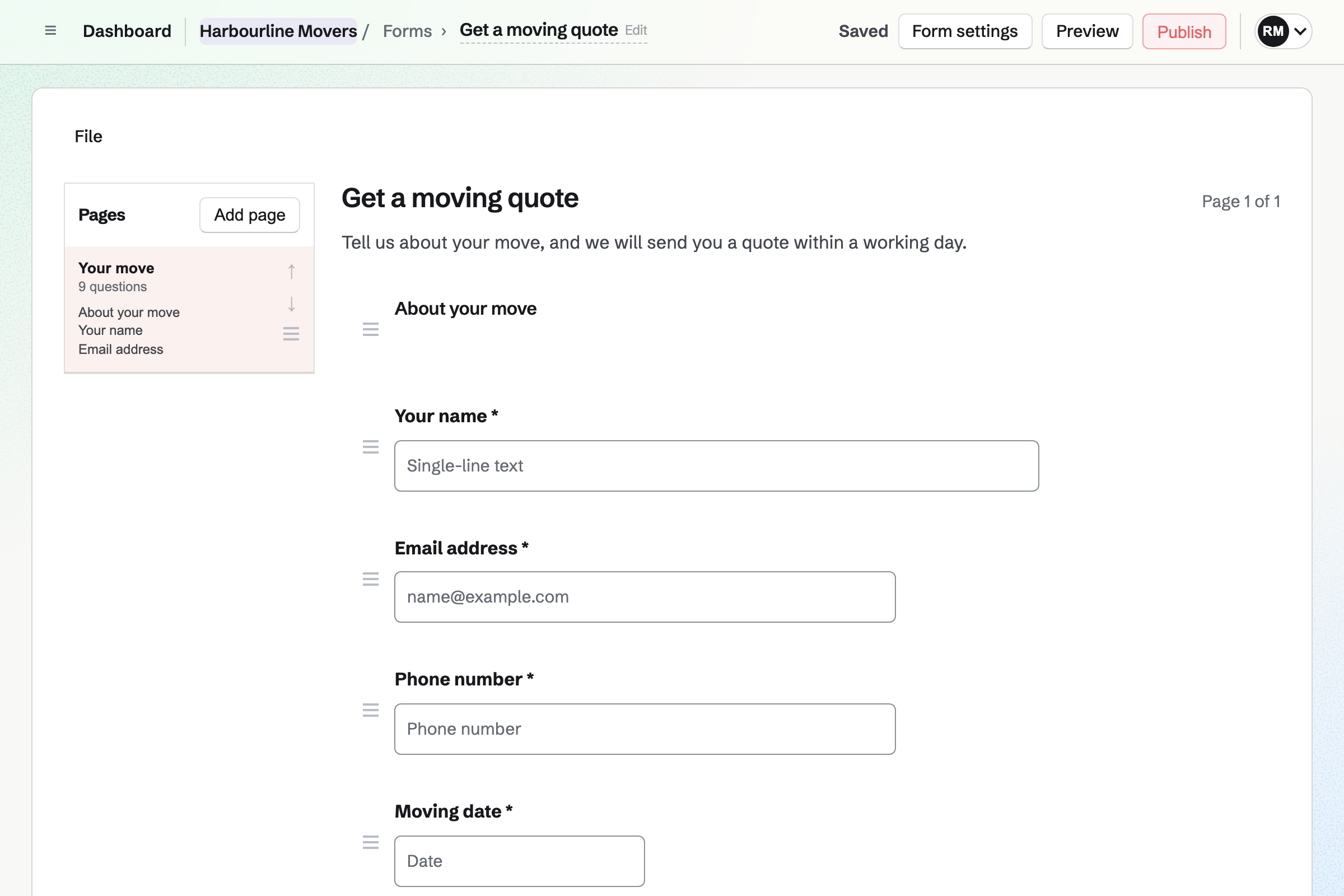
Forms gives you a quote request Form with your own questions. It can ask about stairs, a long carry, a piano or packing. A question can appear only after an earlier answer, such as which floor.
Magpie will email you each request. You can mark each one reviewed, and download them all as a CSV file.
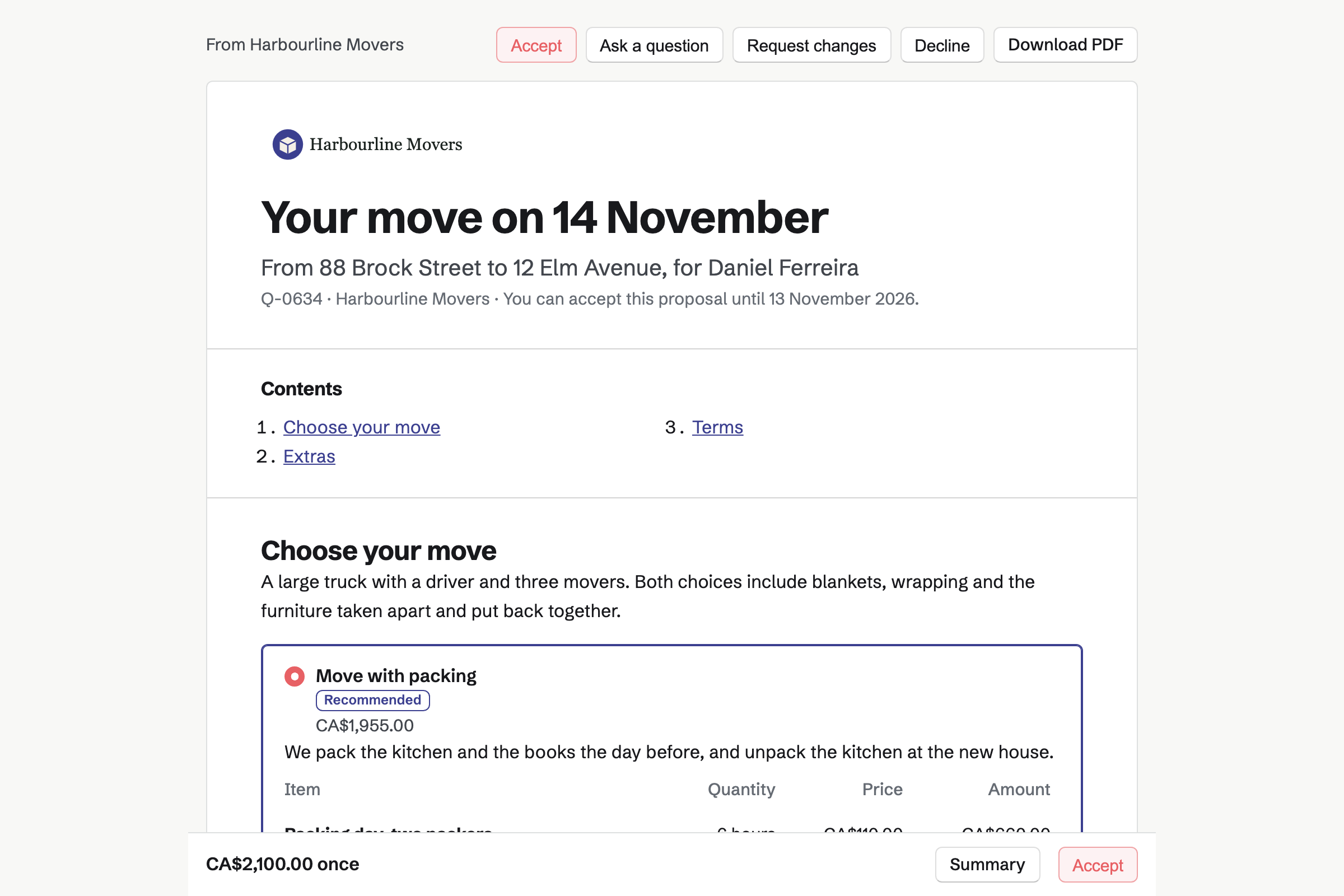
Proposals turns your prices into a quote the customer accepts online. You can offer two options, such as the move alone or with a full pack. Boxes and insurance can be optional extras.
The customer signs with a drawn or typed signature. The deposit to book the move is invoiced at signing. They can pay it by card. You can see when they open the quote.
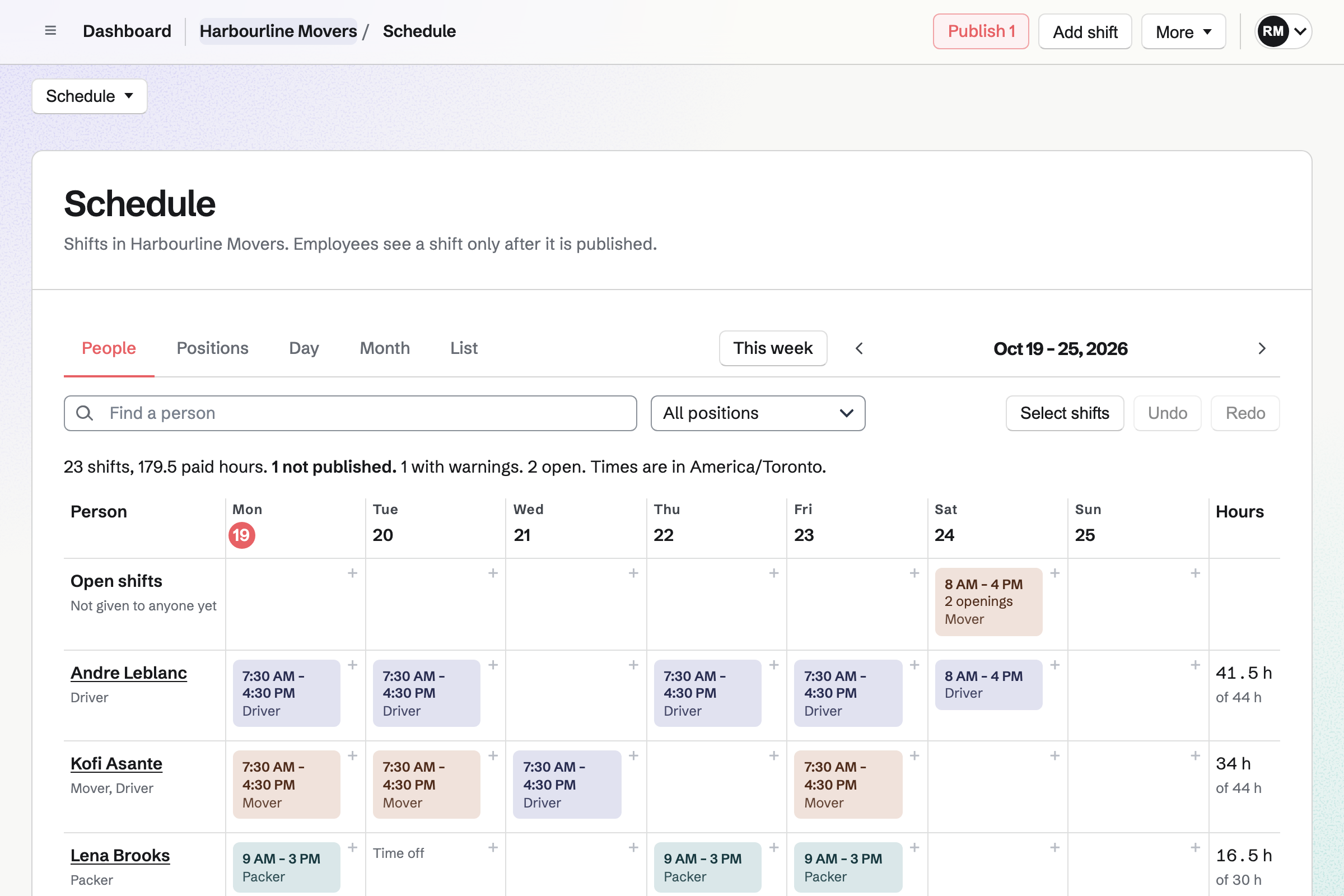
Staff Scheduling gives you positions, such as driver and mover, and a shift for each move. A shift can have openings for the extra movers a three-bedroom move needs.
Shifts stay drafts until you publish the week. Each person will then see their own shifts, with the address. They can swap a shift or ask for time off.
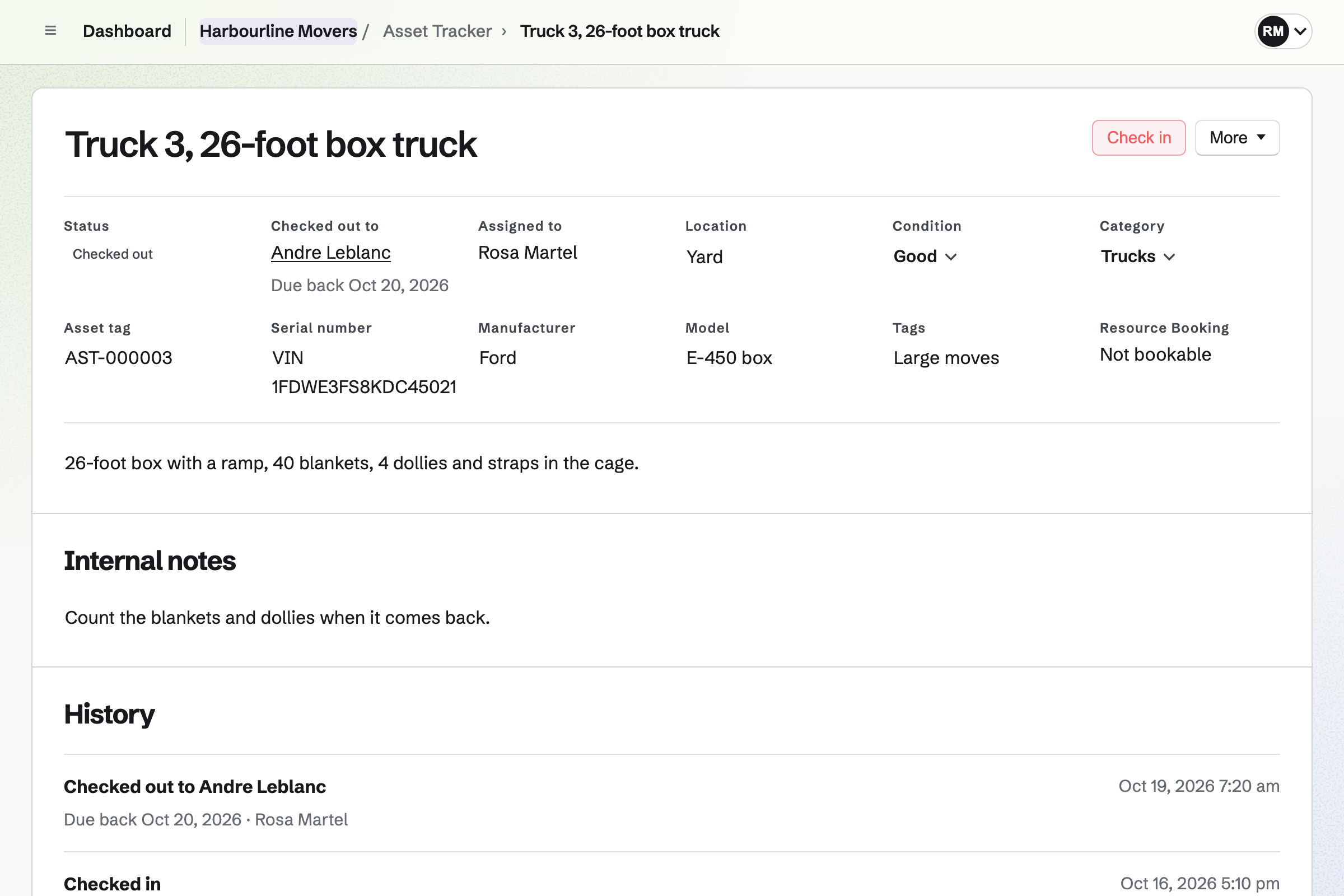
Asset Tracker keeps your trucks, trailers, dollies and moving blankets, each with its tag and condition. You check a truck out to a driver, with a date it is due back.
Checking it in records its condition. A truck in for repair is marked as in maintenance, with the reason.
Invoicing turns the final payment of the quote into an invoice when you bill it. It takes whatever is left after the deposit. The customer pays by card from the email.
Extra hours on moving day go on their own invoice. Card payments go to your own Stripe account, with no Magpie fee.
Contacts gives each customer a page, with more than one address. Its activity lists the quotes you sent, when each was opened, and every invoice.
A pinned note keeps what the crew needs, such as parking and the freight elevator. A follow-up reminds you to call before moving day.
The customer's contact page lists each step.
The customer answers your Form with both addresses and the move date.
You send a quote with and without packing. They choose, sign and pay the deposit.
You add a shift for the move, with a driver and three movers. Then you publish the week.
The driver checks out the 26-foot truck, and runs the pre-trip check before leaving.
The crew talk to the office by voice between the two houses.
You bill the final payment, and the customer pays by card from the email.
You create a team and invite the office and the drivers. Help: Create and manage a team.
You choose the questions and share the Form's address. Help: Build, publish, and share a form.
You connect your Stripe account, so customers can pay by card. Help: Connect Stripe to receive money.
You add each truck and trailer, or import them from a CSV file. Help: Track individual assets.
You add your drivers and movers, then plan a first week. Help: Plan and publish a staff schedule.
A moving company with staff fits the Team plan, one price for up to 25 members. It has no limit on proposals, invoices or contacts.
A mover who is only on the rota needs no member place. A free team has up to 3 members and can send 5 proposals a month.
Magpie adds no fee to deposits or invoice payments. Stripe's processing fee is taken from each.
A plumber or electrician quotes each job and bills it with a card payment link.
A cleaning company runs a checklist with a photo at every client's site.
Yes. Your quote request Form asks your own questions, such as both addresses and the move date. A question can appear only after an earlier answer. Magpie will email you each request.
Yes. A File question takes a photo or a PDF of up to 10 MB. Only the people who can see the Form's responses can open it.
Yes. A quote can offer 2 to 4 packages, with one marked Recommended. Boxes or insurance can be optional lines the customer adds. The total changes with each choice.
Yes. The first payment can be a deposit, as a percentage or an amount. Its invoice will be issued when the customer accepts. They can pay it by card straight away.
Yes. Activity lists each time they open it. Magpie will email you when it is first opened, signed or accepted. A quote can expire on the date you choose.
Yes, with an invoice of its own for the extra hours. The customer's contact lists it beside the quote's invoices. They pay it by card from the email.
Yes. Each move is a shift with its position, such as driver or mover, and your instructions. An open shift can have several openings for the people a move needs. Each person sees their own shifts once you publish the week.
Yes. A person can swap a shift, ask for cover or take an open shift. They ask for time off by the day or part of a day, and you decide.
Yes. A person can be on the rota with only a name. They can be marked as casual, seasonal or a contractor. You invite the ones who should see their own shifts.
Yes. Each truck is checked out to a driver, with a date it is due back. Overdue lists anything not returned. Each truck's history shows every checkout and its condition.
Yes. A checklist can be started on the day. Its steps, such as tyres and lights, pass or fail. A failed check can ask for a photo and opens an incident. The truck can then be taken out of service.
Yes. Walkie Talkie sends voice messages, held to talk, to one person, a group or a channel. A recording carries on if the signal drops, and sends when it returns.
Yes. A driver photographs each receipt on their phone and records the expense. A receipt can wait in the Receipt Inbox until someone fills in the details.
Create a Magpie account and publish your quote request Form.