Cleaning companies
A cleaning company plans each cleaner's shifts at client sites and bills them every month.
Plumbers, electricians and tradespeople
A tradesperson working alone needs no team. A business with vans and crews works in one Magpie team.
Get started free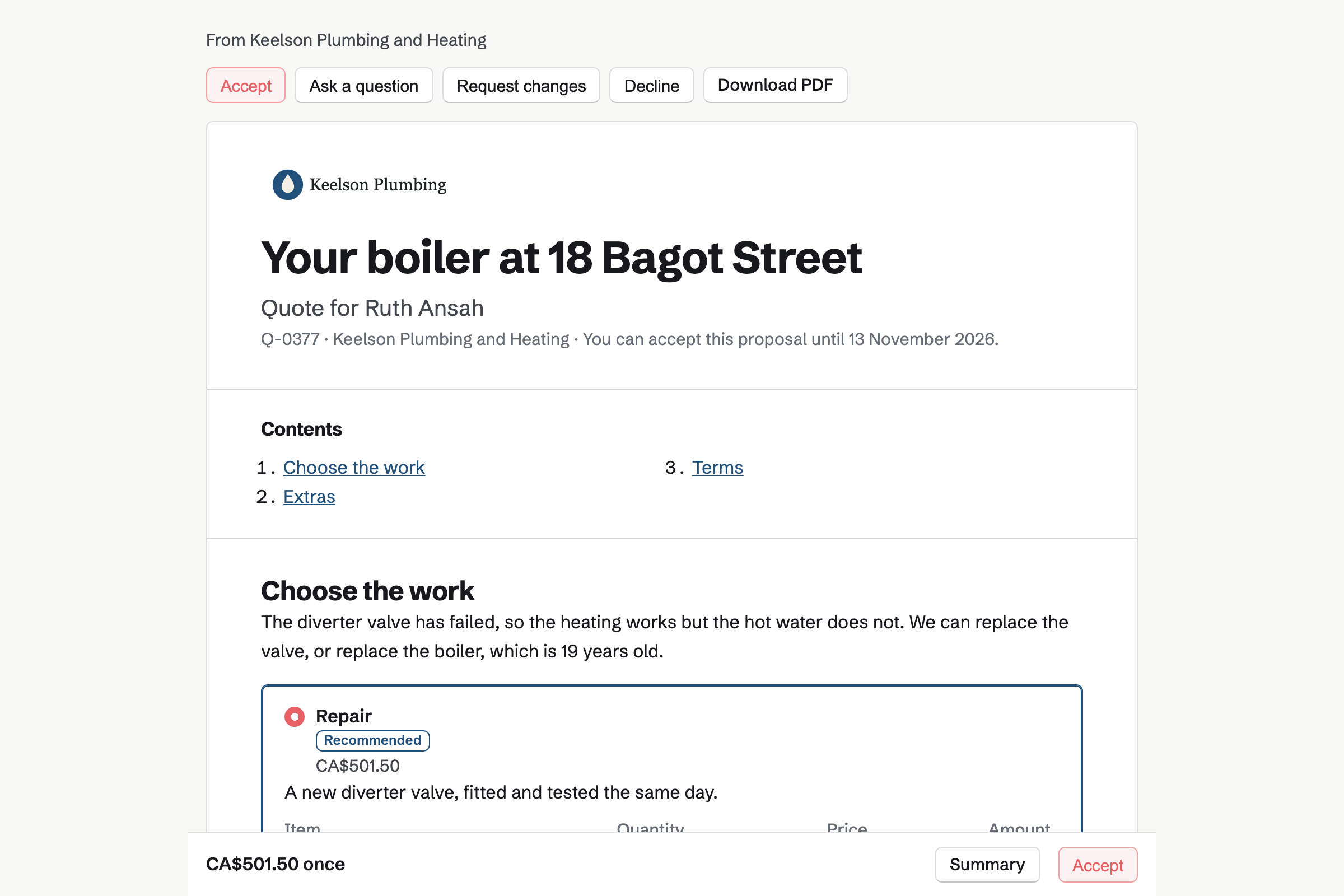
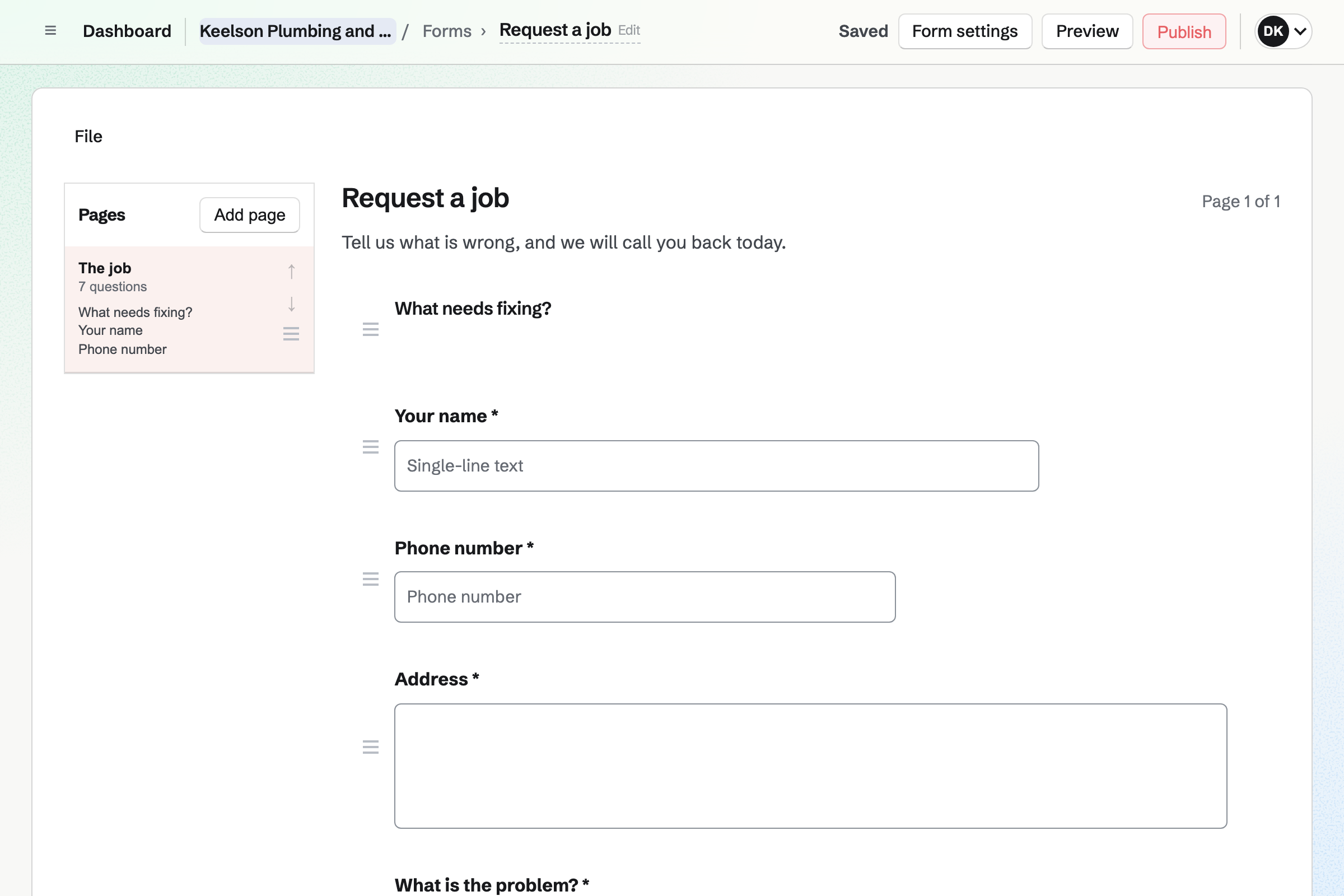
Forms gives you a job request Form with your own questions. A customer can attach a photo of the leak or the fuse box. A question can appear only after an earlier answer.
Magpie will email you each job request. You can mark each one reviewed, and download them all as a CSV file.
Appointments gives you a booking page. Set up for home services, it starts with a one-hour service visit. It keeps 30 minutes free after it for travel to the next job.
Customers choose a visit and a free time, and Magpie emails them a confirmation. In a team, each tradesperson has their own hours, and customers can choose anyone available.
Proposals has a short Quote starter for trades. It lists the labour, the materials and the call-out, then your terms. You can offer two options, such as repairing the boiler or fitting a new one.
The customer chooses, then accepts with a drawn or typed signature. You can see when they open it. A bigger job, such as a bathroom refit, can take a deposit at acceptance.
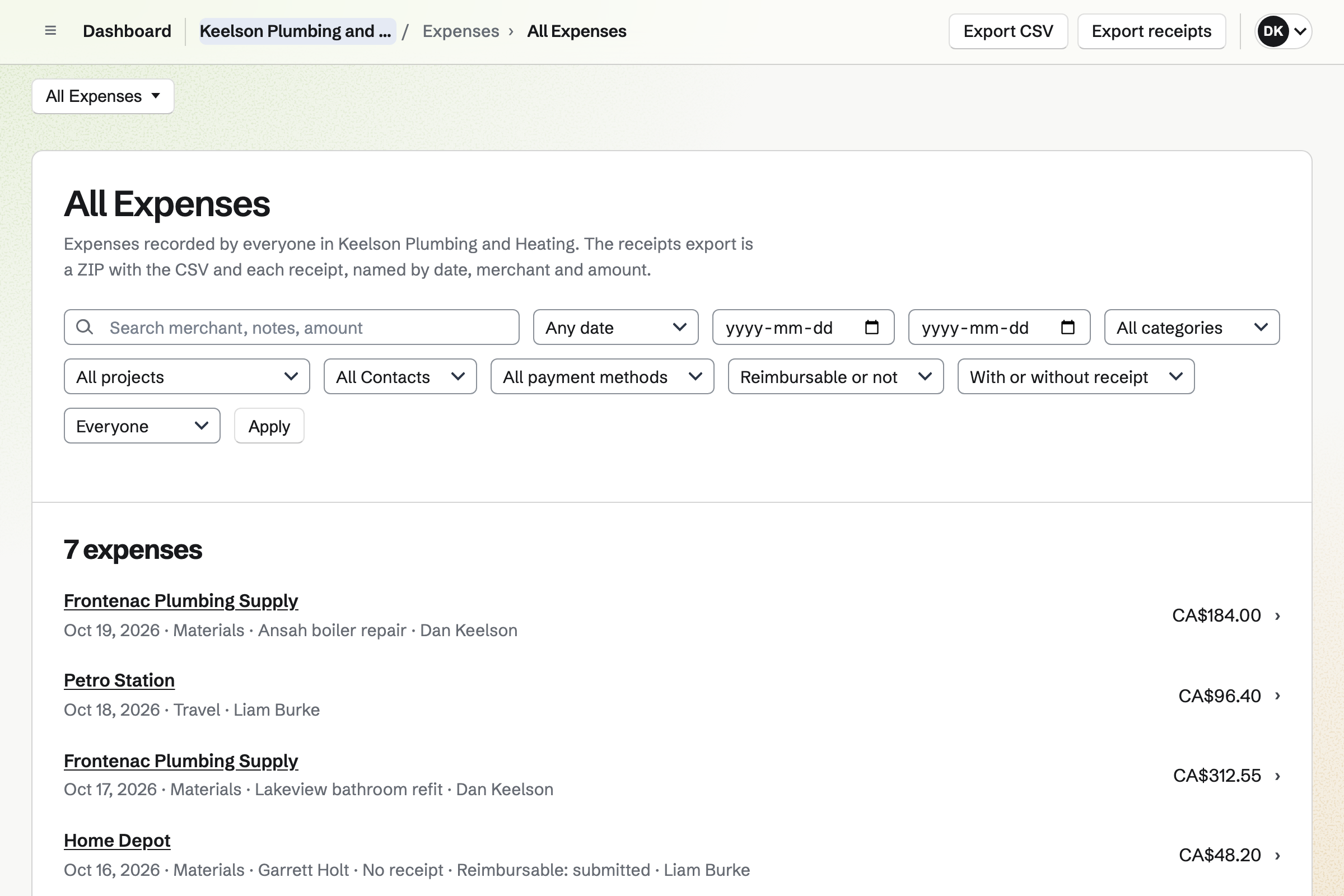
Expenses keeps each receipt, photographed on your phone. A receipt can wait in the Receipt Inbox until you add its details.
Each expense can belong to a job and a customer. Parts and fittings you pick up for a customer can go on their invoice as lines.
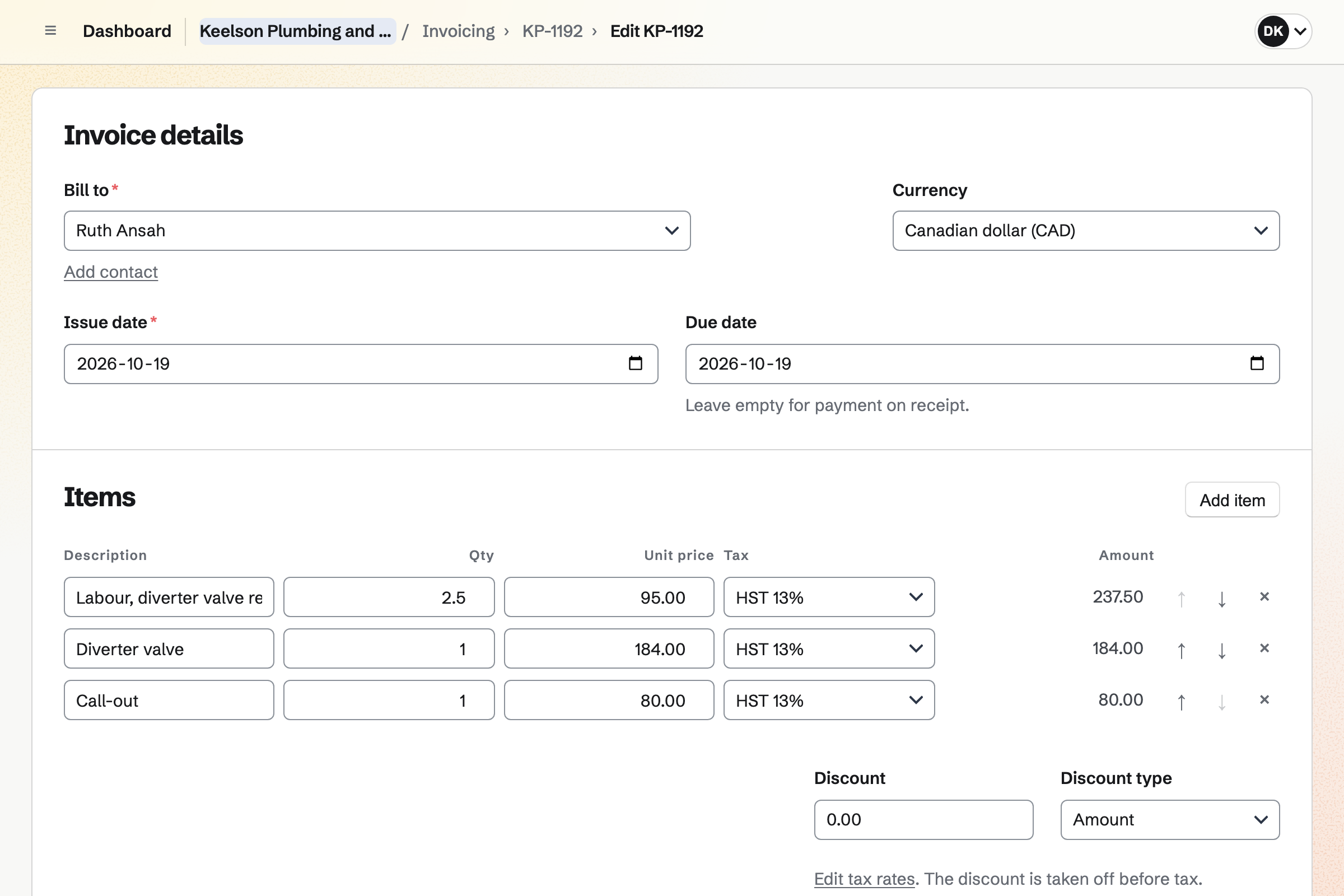
Invoicing bills each job with lines for the labour and the parts, and your tax rates. Sending it emails the PDF with a Pay online button.
The invoice's payment link can be sent another way, such as a text. Card payments go to your own Stripe account, with no Magpie fee. Cash or a cheque is recorded by hand.
Contacts gives each customer a page, with their addresses and phone numbers. Its activity lists the quotes you sent, when each was opened, and every invoice.
A pinned note keeps what you need next time, such as where the stopcock is. A follow-up reminds you to call, such as before the boiler's annual service.
The customer's contact page lists each step.
The customer answers your job request Form, with a photo of the boiler.
They book a service visit on your booking page, and become a contact.
You send a quote with two options. They choose the repair and accept it.
You photograph the receipt for the diverter valve at the merchant, with the job.
You bill the call-out, the labour and the part. The customer pays by card from the email.
The payment and the expense will be added to the books.
You add your name, address, tax number and logo for invoices. Help: Send and configure invoices.
You connect your Stripe account, so customers can pay by card. Help: Connect Stripe to receive money.
You put your labour and call-out rates in the Quote starter. Then you save it as your own. Help: Proposal starters, saved sections and the price list.
You choose the questions, add a photo question and share the Form's address. Help: Build, publish, and share a form.
A tradesperson working alone fits Pro, and needs no team. It has no limit on quotes, invoices or contacts. A business with vans and crews fits the Team plan, one price for up to 25 members.
On the free plan, you can send 5 quotes and create 5 invoices a month, with 100 contacts. Magpie adds no fee to invoice payments.
A cleaning company plans each cleaner's shifts at client sites and bills them every month.
A landscaper runs regular rounds with crews, and keeps track of mowers and trucks.
A builder quotes a renovation in stages, takes a deposit and shares progress with the client.
A garage books services, sends estimates to approve and orders parts for each car.
Yes. Your price list keeps the lines you quote again, such as your call-out charge. Saved sections keep your terms. A new quote can start from your own starter, with its lines already in place.
Yes. A quote can offer 2 to 4 packages, such as a repair or a replacement. You can mark one Recommended. Extras the customer can add are optional lines. The total changes with each choice.
Yes. They choose an option, then sign with a drawn or typed signature. Magpie will email them and you the signed PDF and a signing certificate. You can see each time they open the quote.
Yes. A quote's payment schedule can start with a deposit, as a percentage or an amount. Its invoice will be issued when the customer accepts. They can pay it by card straight away.
Yes. Each invoice has a payment link. The invoice's page shows it, so you can send it another way. The customer pays by card on their own phone. The payment is recorded on the invoice.
Magpie adds no fee. Stripe's processing fee is taken from each payment. The rest goes to your own Stripe account, and Stripe pays it out to your bank.
Yes. You record the payment on the invoice, with its date and method. Reminders stop once the invoice is paid in full.
Yes. Each line uses one of your named tax rates, such as VAT or HST. Combined rates such as GST and PST are shown as separate lines. Magpie works out the tax you set up; registering and filing stay with you.
Yes. Your job request Form can take a photo or a PDF of up to 10 MB. Only the people who can see the Form's responses can open it.
Yes. You photograph each receipt on your phone, up to 10 MB each. An expense can belong to a job and a customer. Totals export as CSV, with the receipts as a ZIP file.
Yes. You mark the expense as reimbursable and choose the customer. Add unbilled expenses then puts it on their next invoice as a line. It is marked billed when the invoice is issued.
Yes. Asset Tracker keeps each van and tool with its tag, serial number and condition. You check one out to a person with a date it is due back. Overdue lists anything not returned.
Yes. In Inventory, a van can be its own stock, beside the stores. You move parts between them, and count each one. A part below its minimum is listed to reorder.
Yes. A timer runs on the job's project, at its rate. It keeps going if you close the browser. You can also add time afterwards, such as 2h 30m. Add unbilled time puts the hours on the customer's invoice.
Yes. Walkie Talkie sends voice messages, held to talk, to one person, a group or a channel. A recording carries on if the signal drops, and sends when it returns.
Yes. Their contact page lists your quotes, with when each was opened, and every invoice. Pinned notes stay at the top, such as where the stopcock is.
Create a Magpie account and add your business details.