Event venues and spaces for hire
An event venue books its rooms and runs each event on the day.
Equipment and party hire
The yard, the office and the delivery crews work in one Magpie team.
Get started free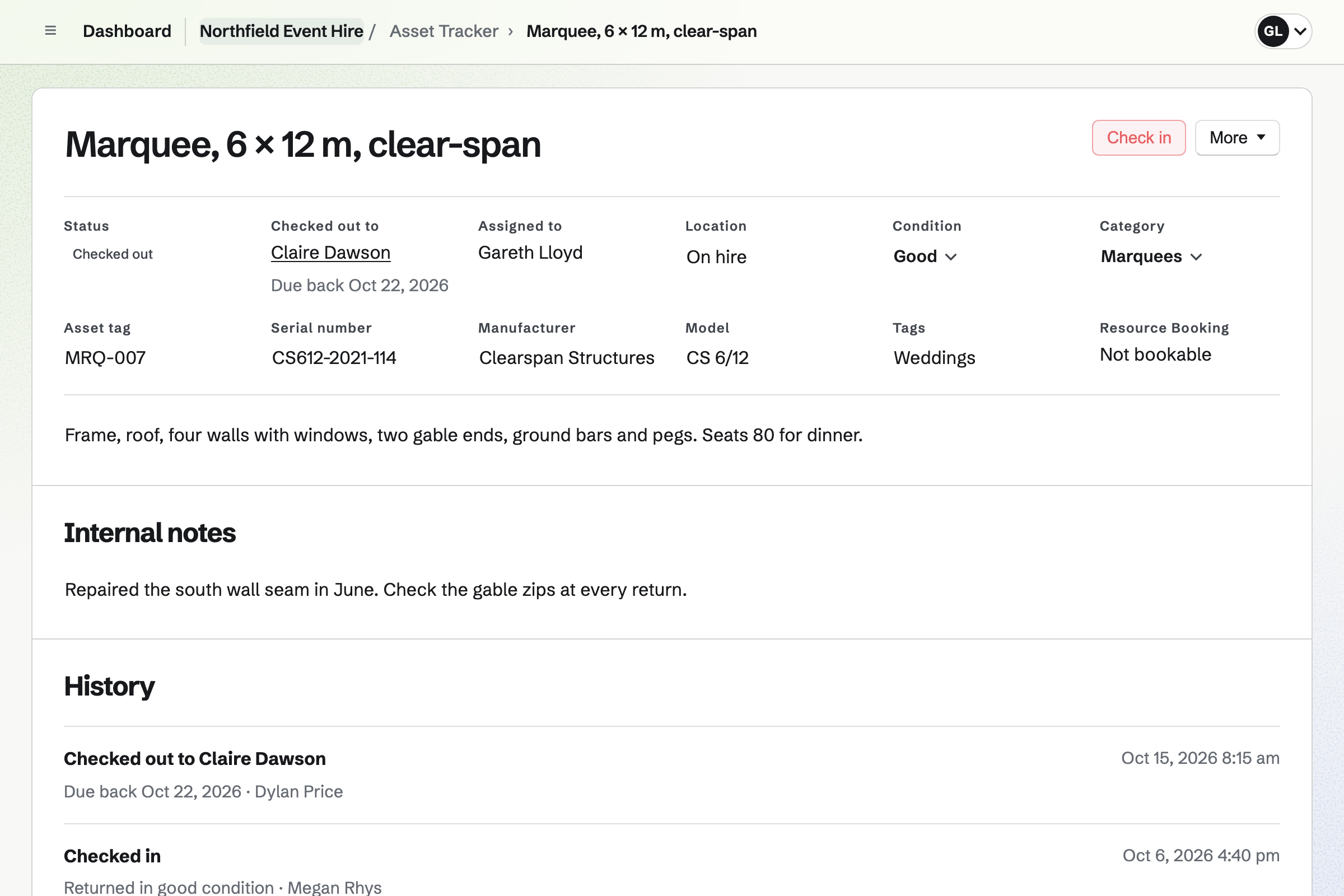
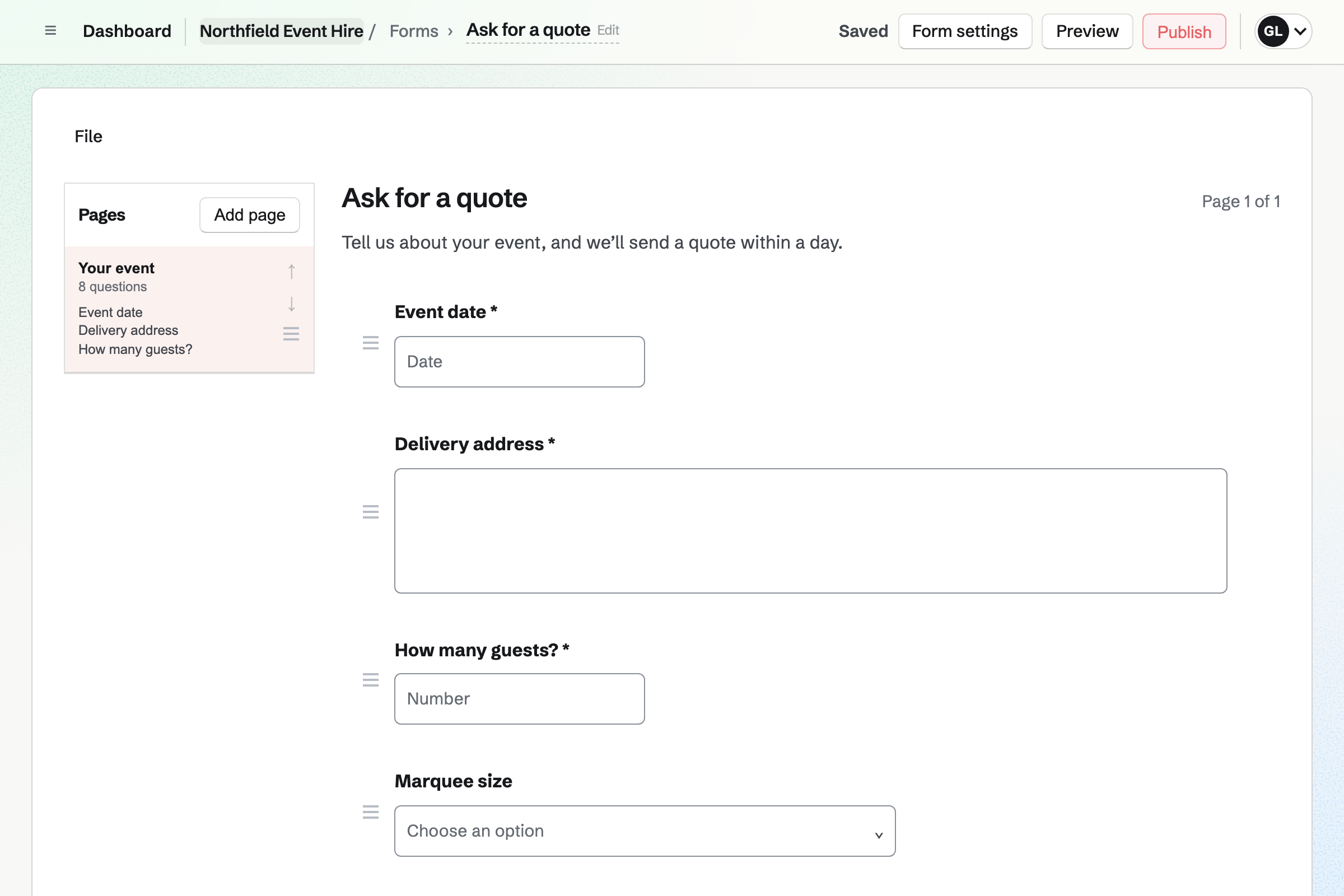
Forms builds your enquiry page, with questions such as the event date and the delivery address. A choice question lists your marquee sizes.
You are emailed each enquiry, and mark it Reviewed once you reply. A question can show only when an earlier answer needs it, such as power.
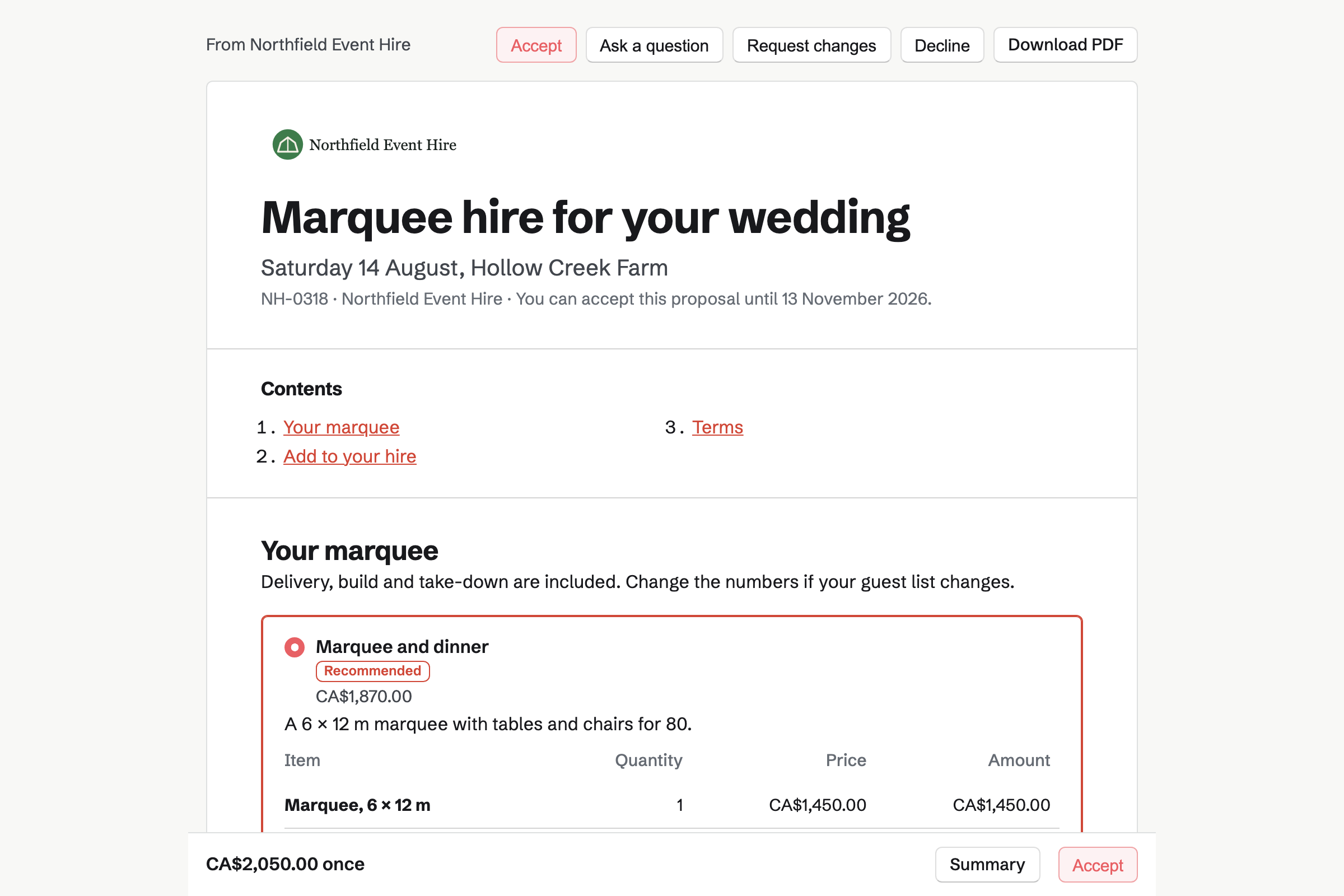
Proposals turns your hire rates into a quote the customer signs online. The marquee, the furniture and delivery are lines, and the customer can change the numbers.
The deposit invoice is issued as they sign, and they can pay it by card. You bill the rest when you choose, such as on delivery.
Asset Tracker lists every item you hire out, with its tag, serial number and condition. You check one out to the customer's contact, with a due-back date.
Overdue lists what has not come back. At check-in, you record the condition. A tear in a marquee wall stays in its history.
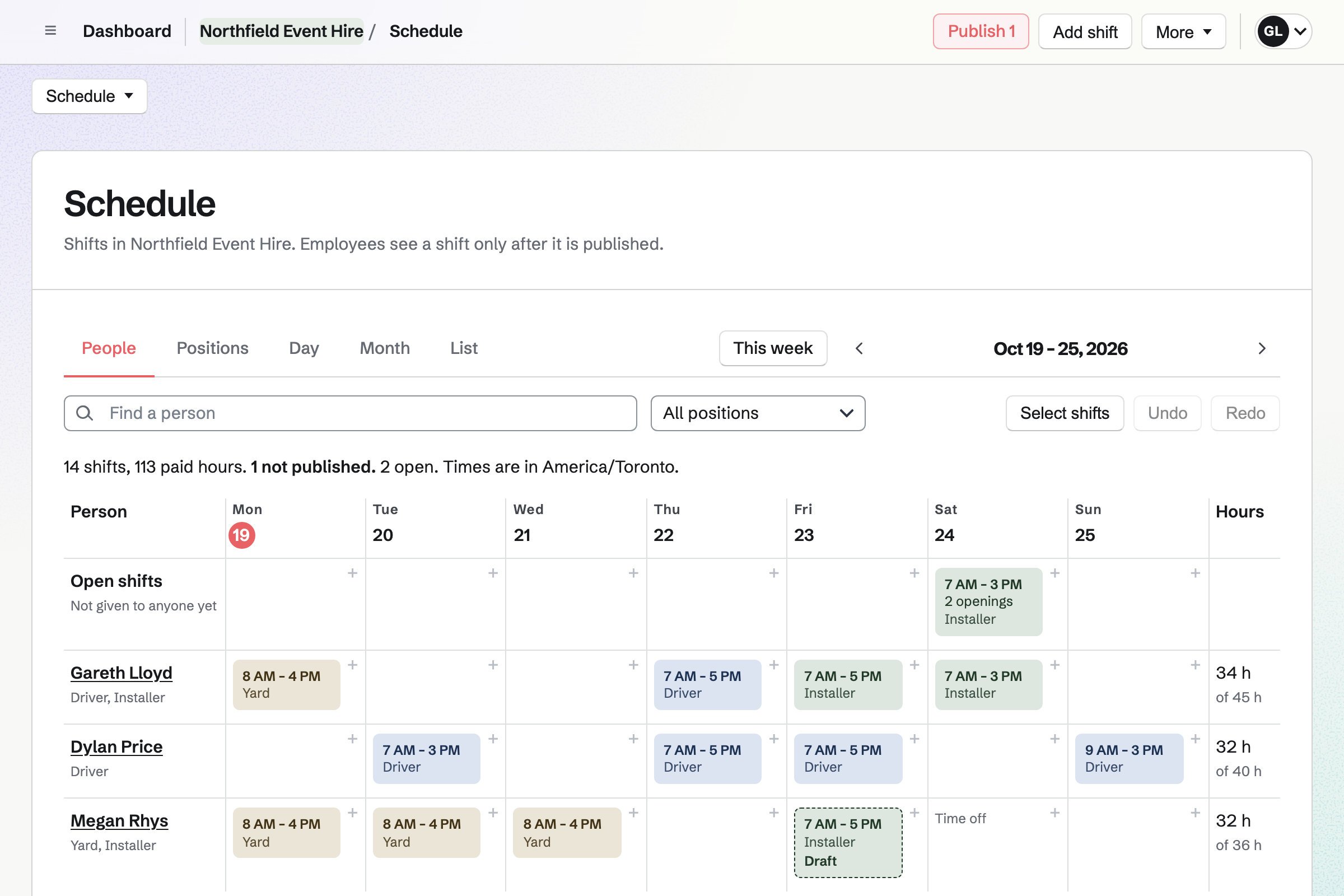
Staff Scheduling plans the week by position, such as driver, installer and yard. You publish it, and each person sees their own shifts.
Staff can swap shifts and ask for time off. An open shift lets someone take an extra marquee build on a busy Saturday.
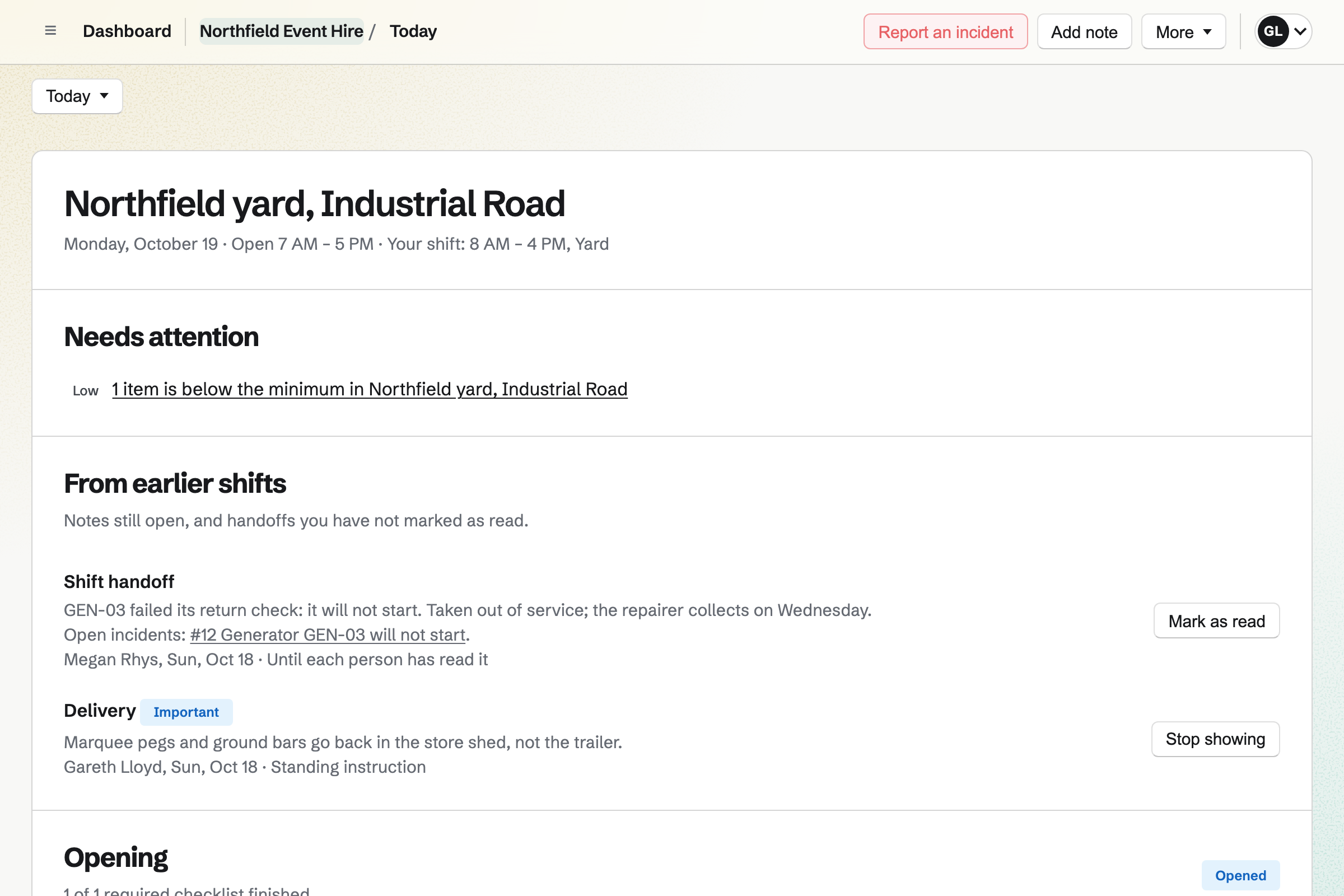
Daily Operations turns your yard routines into checklists, such as the return check on a generator. A routine can name the equipment it looks after.
A failed step can ask for a photo and report an incident. The incident can take the item out of service in Asset Tracker until it is fixed.
Invoicing bills the proposal's final payment when you choose, for whatever is left. Damage found at check-in, or extra days, go on as lines of their own.
Customers pay by card into your own Stripe account, with no Magpie fee.
Every quote, hire and invoice is on the customer's contact.
The customer sends the date, the address and the guest count.
You send the quote, and they sign and pay the deposit.
The delivery and collection go on the calendar, with a crew on the rota.
The marquee is checked out to the customer, due back on Monday.
Back at the yard, the return check runs, and check-in records its condition.
You bill the rest, with any damage, and it is paid by card.
You add each item, or import them all from a CSV file. Help: Track individual assets.
You add the questions you ask every customer, and publish it. Help: Build, publish, and share a form.
You save your rates, delivery and deposit in a starter. Help: Proposal starters, saved sections and the price list.
You add the return and safety checks, each with its equipment. Help: Routines and checklists.
You connect your Stripe account, so customers can pay by card. Help: Connect Stripe to receive money.
A hire company with staff fits the Team plan, one price for up to 25 members.
On the free plan, you can send 5 proposals and create 5 invoices a month. Magpie adds no fee to invoice payments. Stripe's processing fee is taken from each card payment. Prices are on the Pricing page.
An event venue books its rooms and runs each event on the day.
An event planner runs the whole day, from the venue to the suppliers.
A tour company runs guided trips, with its guides and its gear.
Yes. Each item shows who has it and its due-back date. The Checked out and Overdue tabs list them. Search finds an item by its name, tag or serial number.
Yes. You import them from a CSV file, with their names, tags, serial numbers, categories and locations. Each row without a tag gets the next one.
Yes. At check-in, you choose its condition and add notes. Its history keeps every check-out and check-in, with the condition each time.
Yes. Start maintenance records why, and when it should be back. It cannot be checked out meanwhile. An incident about the item can also take it out of service.
Yes. The quote's payment schedule takes a deposit when the customer signs. Its invoice is issued at once, and they can pay it by card. You bill the rest when you choose.
Yes. You add them as lines on the final invoice, with their prices. The customer pays by card from the invoice email.
Yes. You plan the week by position, such as driver and installer, and publish it. An open shift lets anyone in that position take it.
Yes. Each routine creates a checklist at the time you set, or when someone starts it. A step can ask for a photo, and a failed step can report an incident.
Magpie adds no fee to invoice payments. Stripe's processing fee is taken from each card payment. The rest goes to your own Stripe account.
Create a Magpie account and add your first marquee.