Real estate agents and small brokerages
A real estate agent lists homes, books viewings and follows up with buyers.
Home inspectors and surveyors
An inspector working alone uses Magpie in Personal. A firm and its inspectors can work in one Magpie team.
Get started free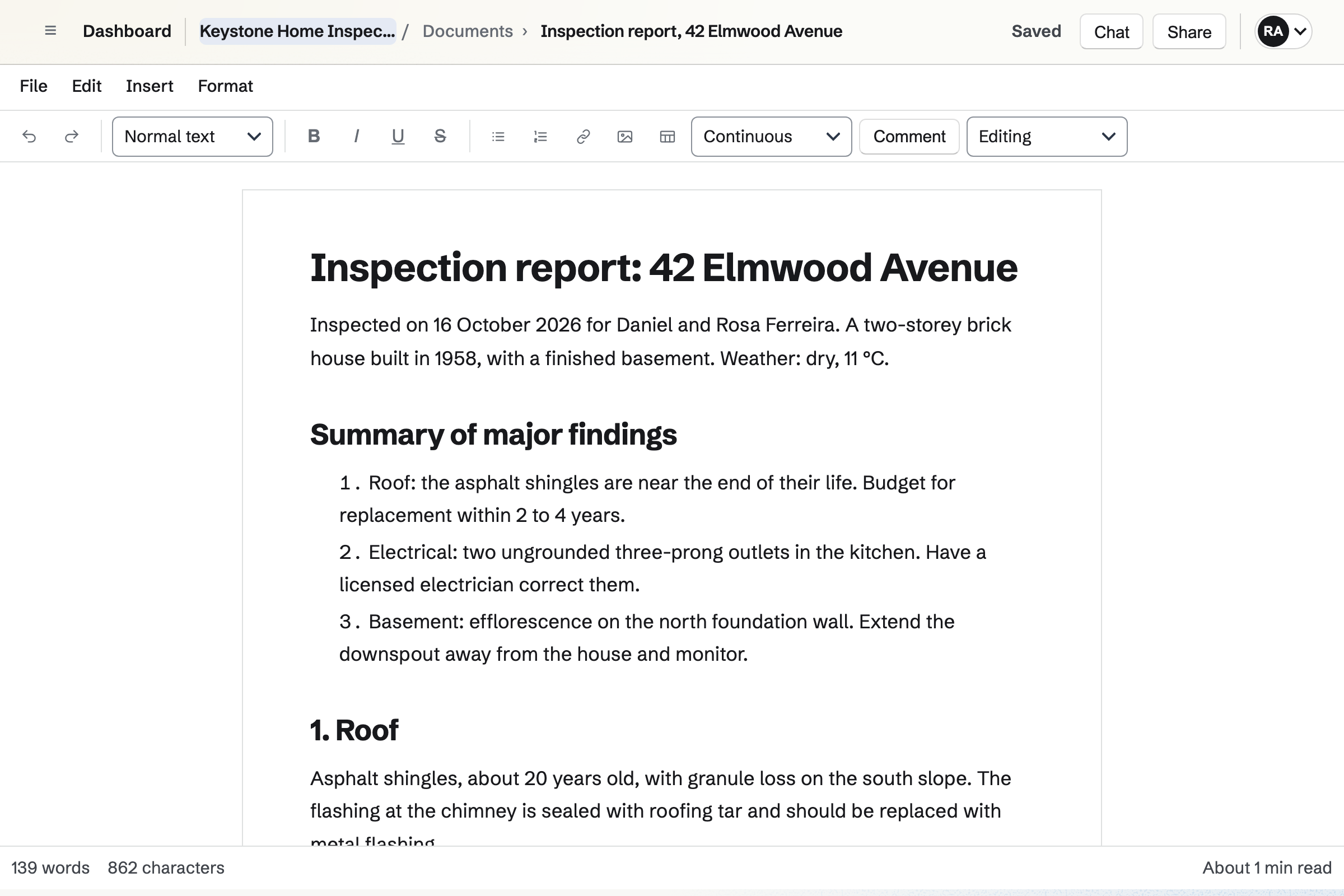
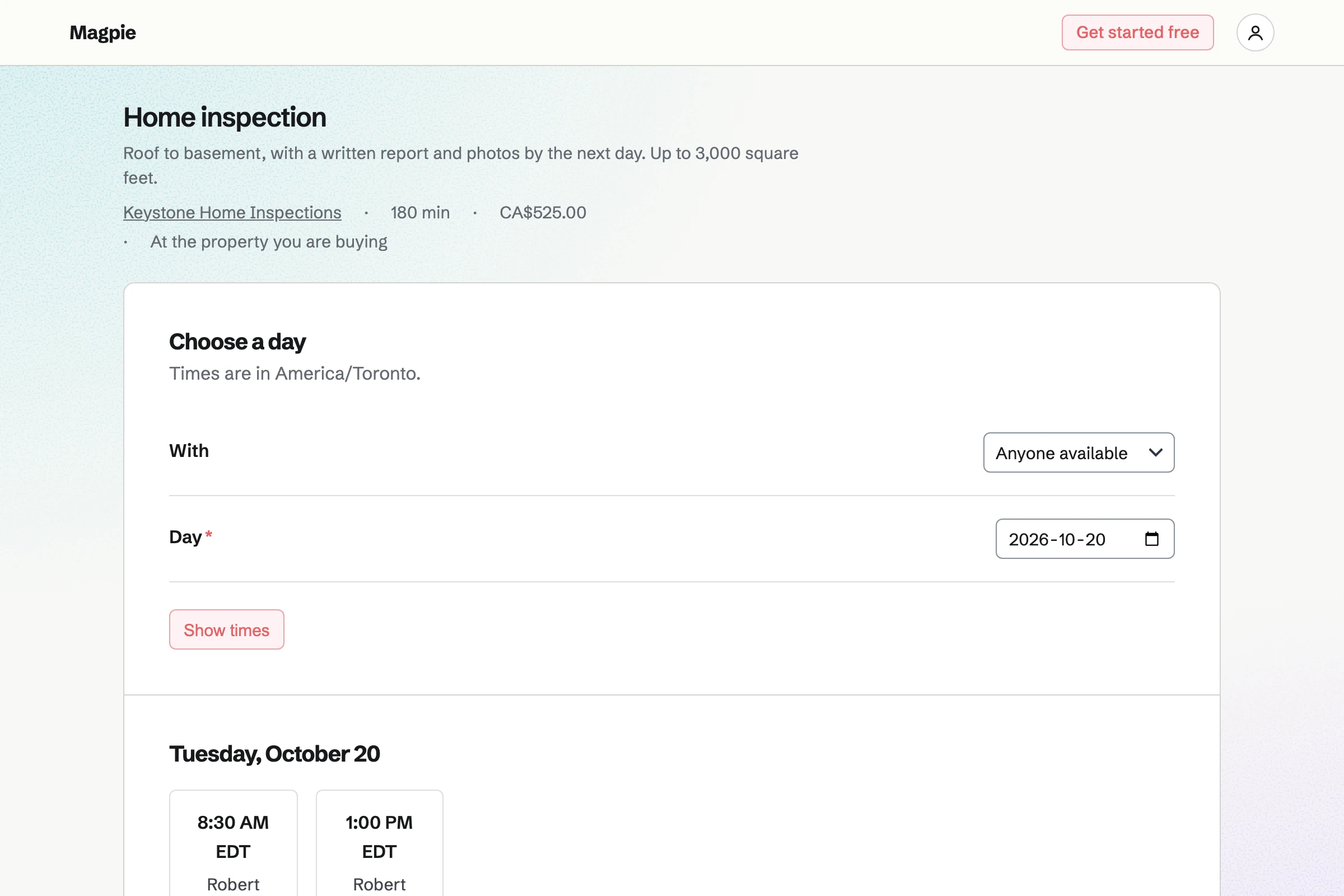
Appointments gives you a booking page. Each inspection has its length and price, such as a three-hour home inspection. The buyer or agent chooses an inspector and a free time.
A buffer after each inspection keeps time free to travel and write up. The confirmation lets them reschedule or cancel.
E-Signatures sends any PDF for signature. Your inspection agreement is a starter, with the client's fields already placed.
Each new client gets a request from it, with reminders until they sign. The signed PDF and its certificate of completion are kept together.
Documents is where you write the report, with headings, tables, photos and page numbers. Duplicating last week's report gives you its sections to start from.
Download PDF makes the report to attach or print. The client can also read it at a link. You can be emailed when it is opened.
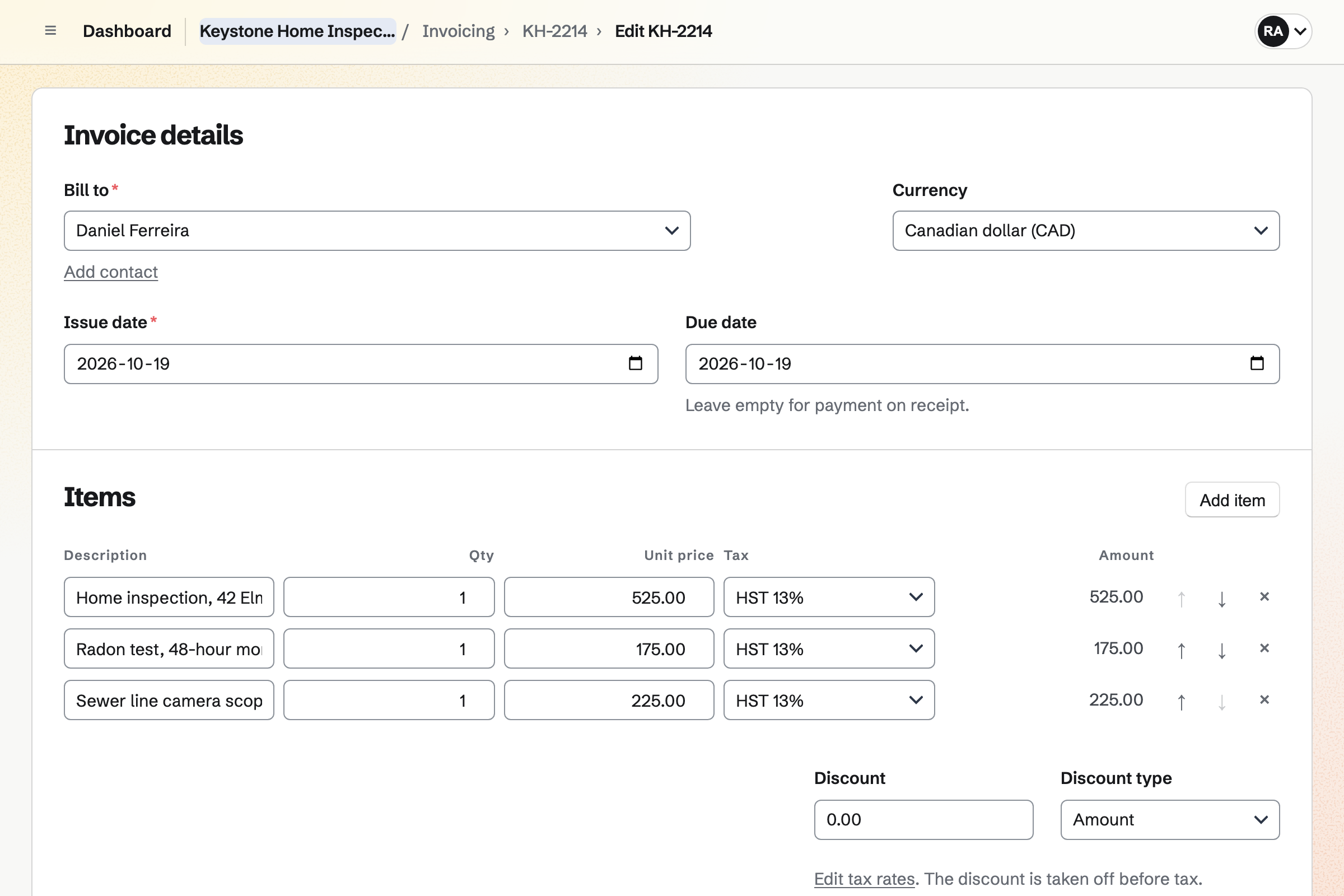
Invoicing bills the inspection, with add-ons such as a radon test as lines of their own. The invoice email lets the client pay by card.
Payment goes to your own Stripe account, with no Magpie fee. Paid, unpaid and overdue invoices are listed apart.
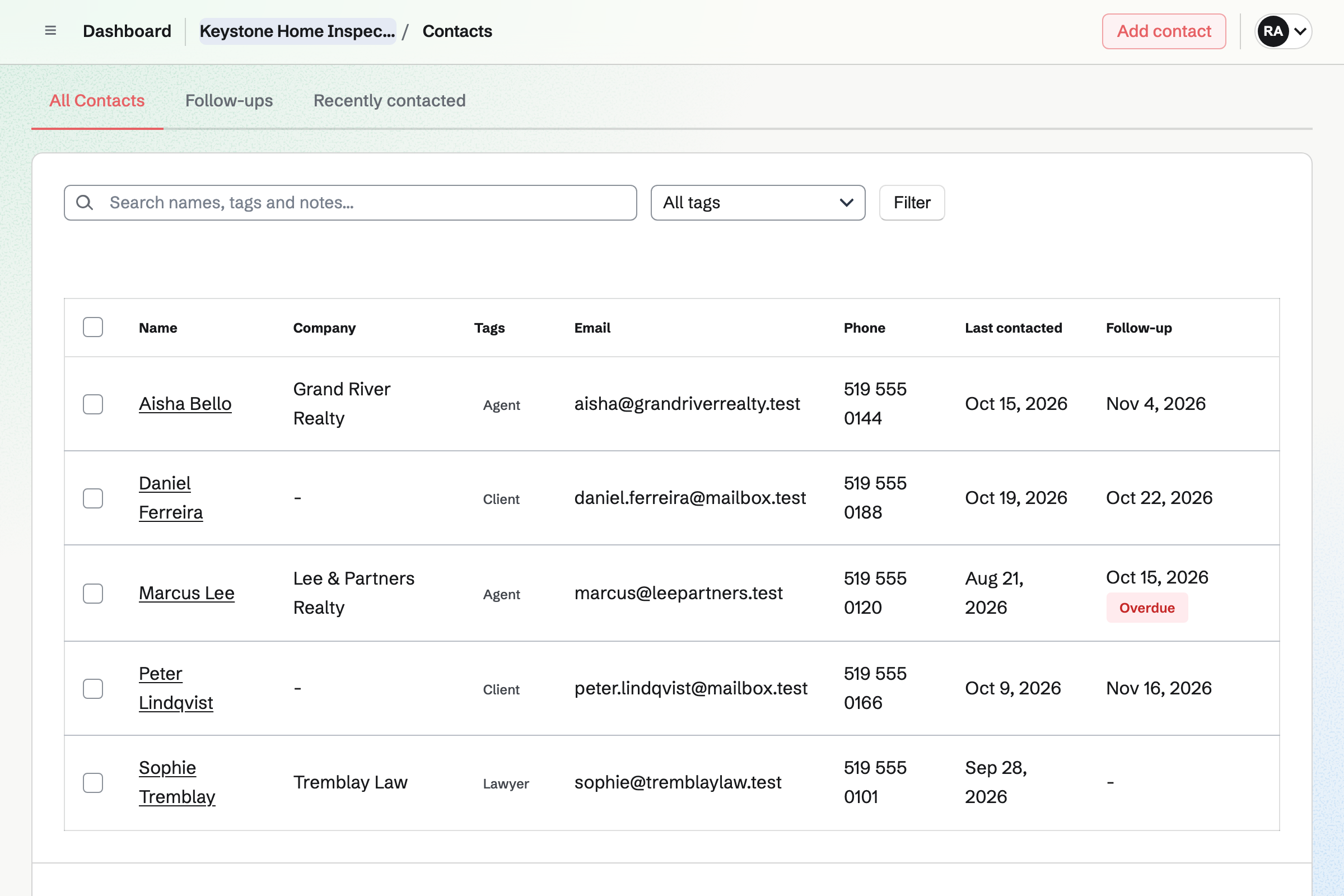
Contacts keeps a page for each client and each real estate agent. Their bookings, signed agreements and invoices appear in its history.
Tags tell clients and agents apart. A follow-up sets the day to call an agent who has not sent work lately.
Every booking, agreement and invoice is on the client's contact.
The buyer's agent books the inspection on your booking page.
You send the agreement from its starter, and the buyer signs online.
You take your photos and notes on site.
You write the findings in a copy of your report, with the photos.
You email the report's link, and are told when it is opened.
The invoice goes out, and the client pays by card.
You add your inspections, with their lengths and prices. Help: Set up Appointments.
You upload the agreement and place the client's fields once. Help: Signing starters.
You set up the sections and page layout you use for every report. Help: Write documents.
You add your business details and tax rates. Help: Send and configure invoices.
You connect your Stripe account, so clients can pay by card. Help: Connect Stripe to receive money.
An inspector working alone fits Pro, for your own work in Personal. A firm fits the Team plan, one price for up to 25 members.
Emailing a report's link, with word when it is opened, needs Pro or the Team plan. On the free plan, you can create 5 invoices a month.
Magpie adds no fee to invoice payments. Stripe's processing fee is taken from each card payment. Prices are on the Pricing page.
A real estate agent lists homes, books viewings and follows up with buyers.
A builder quotes the work and bills each stage.
A property manager looks after rentals and their repairs for owners.
Yes. Your booking page lists each inspection with its length and price. The agent chooses a free time and enters the buyer's name and email. They do not need a Magpie account.
Yes. You send it from a signing starter, with the client's fields already placed. Reminders go out until they sign. The signed PDF and the certificate of completion are kept with the request.
Yes. Image adds photos from Your images, or uploads new ones. Each photo keeps its caption and alt text. Tables, headers, footers and page numbers lay out the rest.
Yes. You keep one report as your layout. Duplicate makes a copy of it for each inspection. You write that home's findings into the copy.
Download PDF makes a PDF to attach. Or you turn on the report's link, which anyone with it can read without signing in. Emailing the link from Magpie tells you when it is opened.
Yes. Secure Files sends a file of up to 2 GB by a link that expires. It can need a passphrase, and allow a single download.
Yes. PDF Editor's Compress makes a new, smaller PDF in your browser. It can also turn photos into a PDF, or merge several PDFs into one.
Yes. Each add-on is a line of its own on the invoice, with its price and tax. The client pays by card from the invoice email.
Magpie adds no fee to invoice payments. Stripe's processing fee is taken from each card payment. The rest goes to your own Stripe account.
Create a Magpie account and add your first inspection.