Coffee shops and cafés
A coffee shop serves at a counter instead of tables, and has a smaller rota. It sells its beans online.
Restaurants, bistros and diners
The restaurant's managers, cooks and servers work in one Magpie team.
Get started free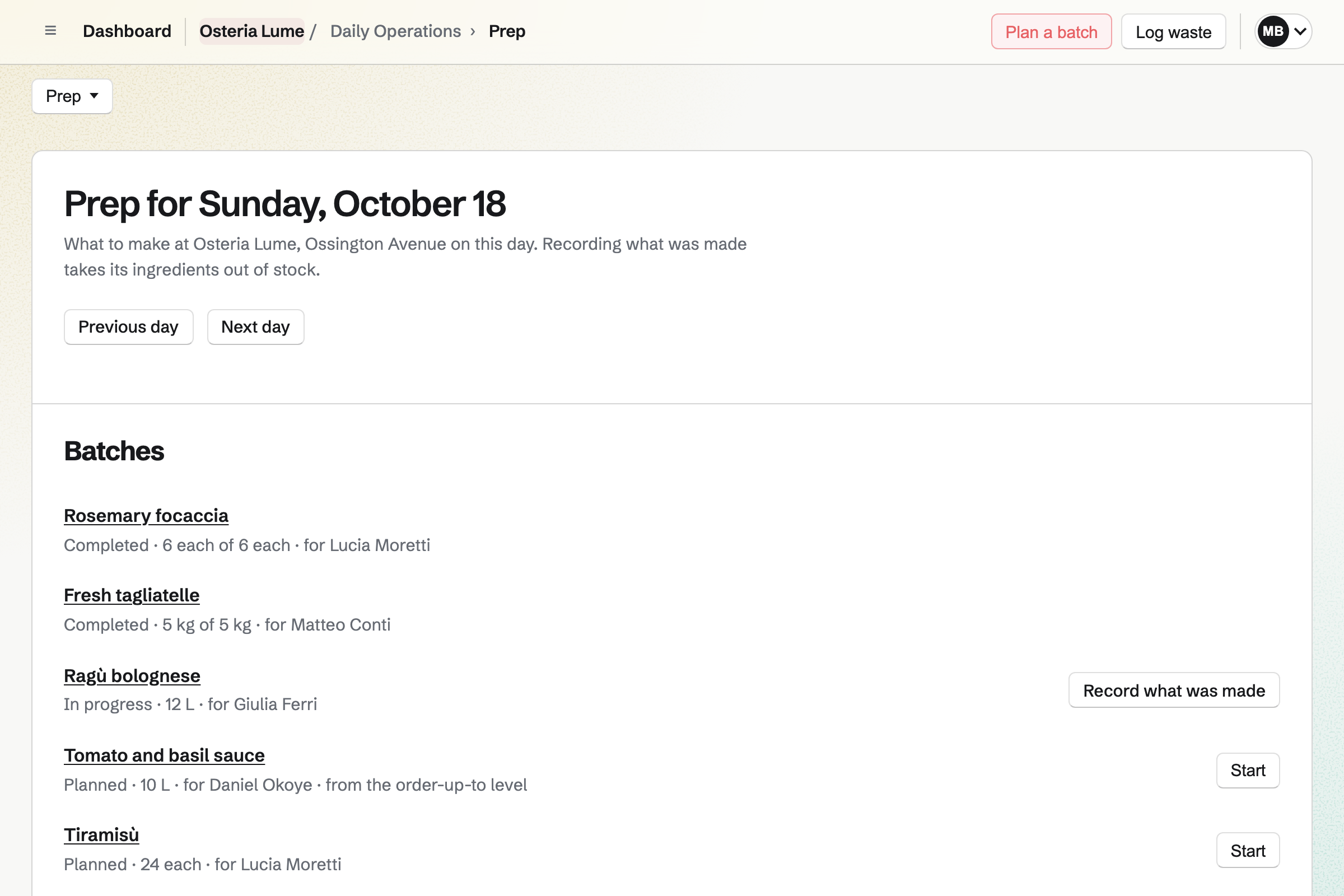
Daily Operations gives the kitchen its routines, ready to use. A restaurant starts with Opening, a hot-holding check at 1pm, a supplier delivery check and Closing. The delivery check records the temperature of chilled items and a photo of the delivery note.
A reading outside your limits will open an incident, and so will a failed check. Each corrective action goes to a named person with a due date. Every reading is stored with who took it and the limits that applied.
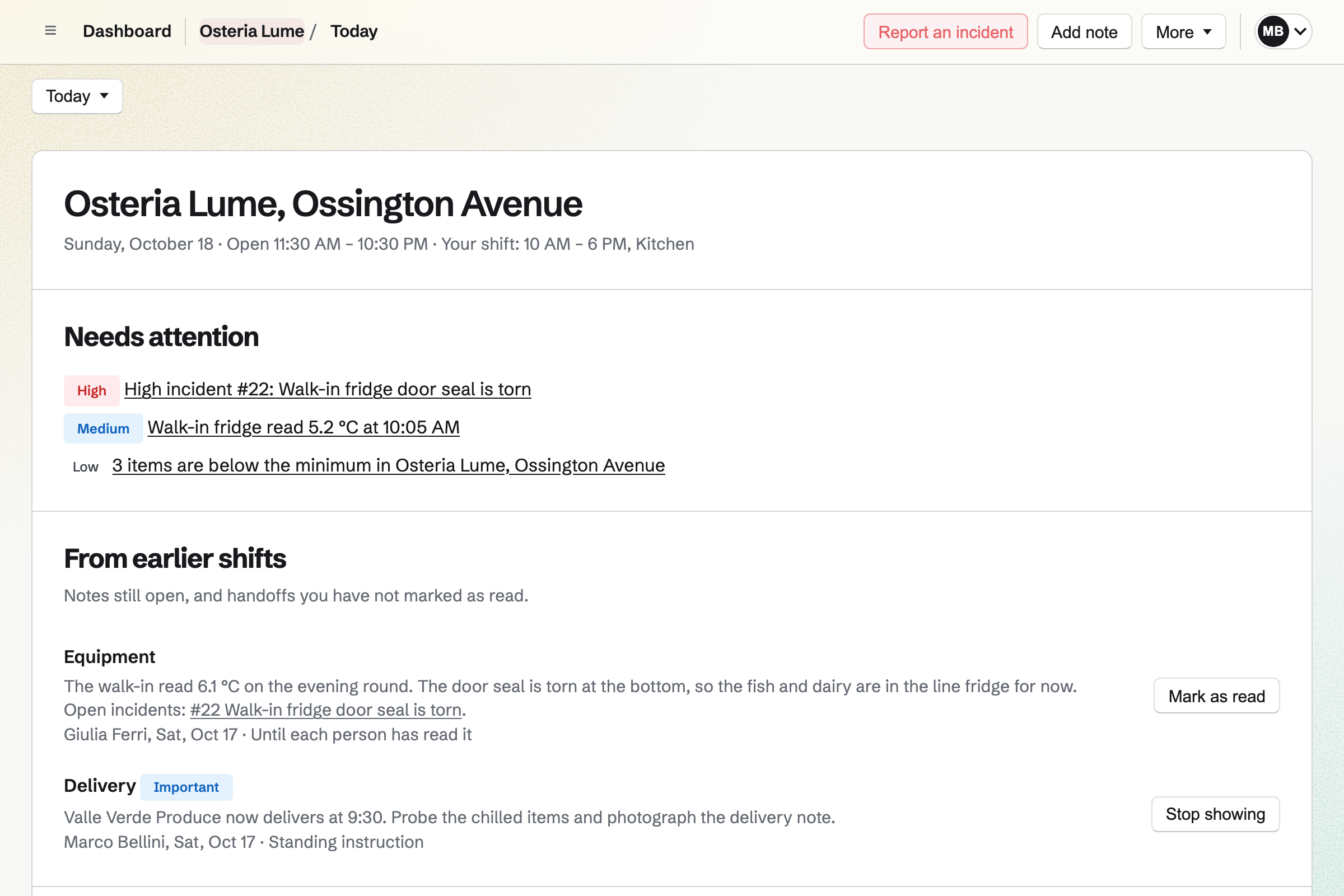
Prep is part of Daily Operations, and it uses the stock Inventory keeps for the kitchen.
Inventory keeps the kitchen's stock, each ingredient in the unit you count it in. It can record lots and expiry dates too. An ingredient is marked Low when it falls below the minimum you set.
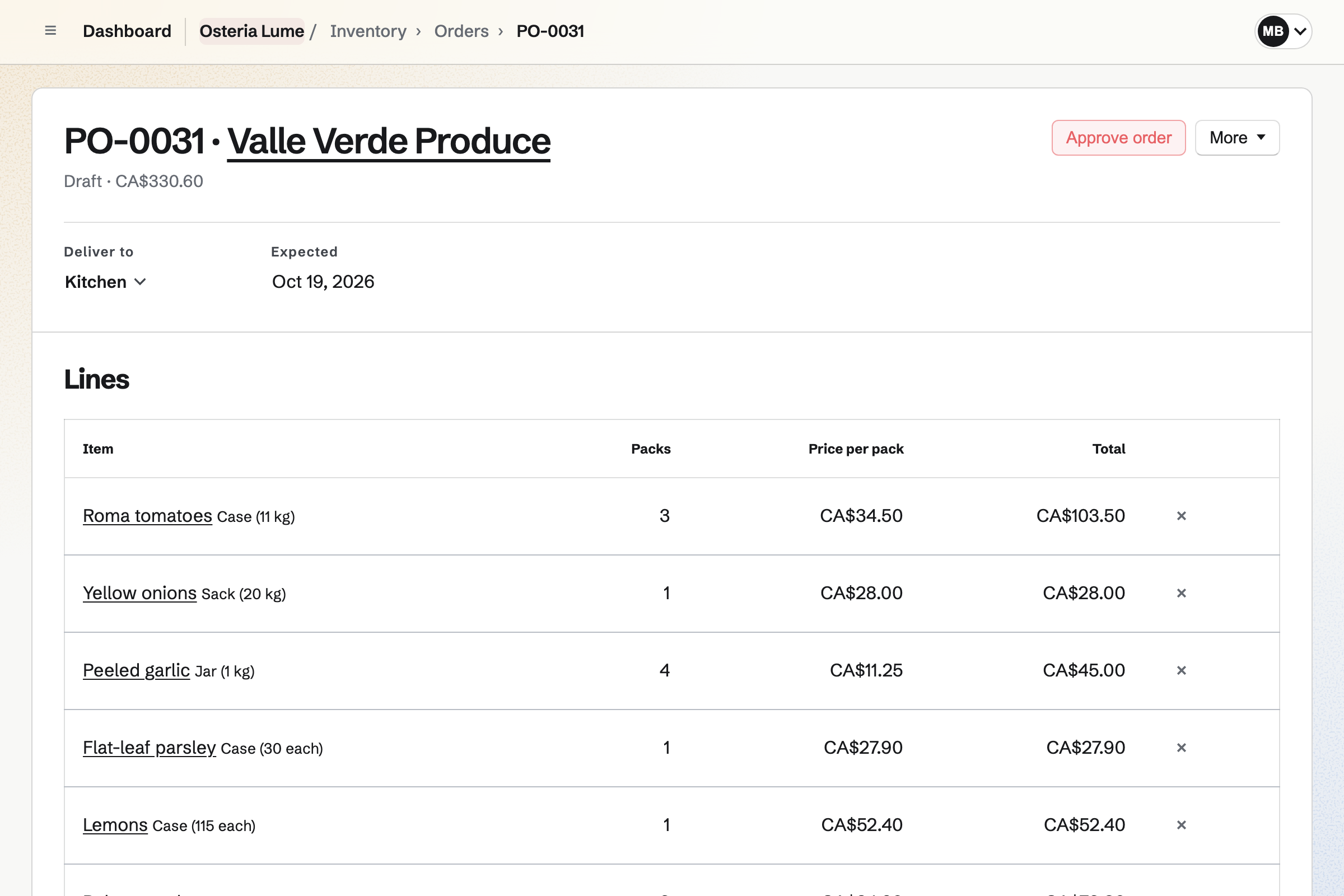
You start each supplier's order from what is running low, and email it from Magpie. Receiving the delivery will add what arrived at the price charged. Anything refused as warm, damaged or past its date stays listed until it is settled.
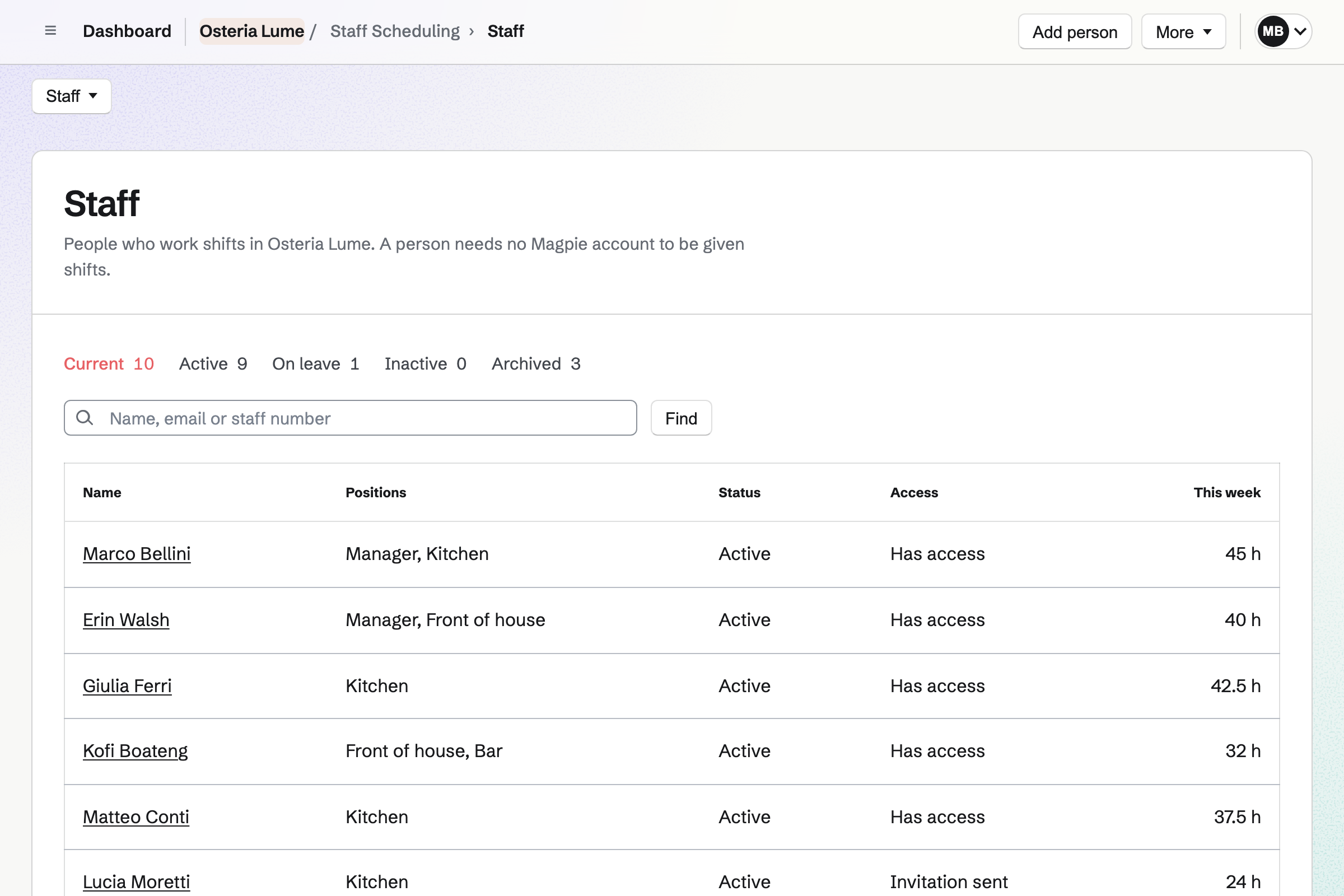
Staff Scheduling gives the restaurant its rota, with Front of house, Kitchen and Manager positions. A position can require Food safety, and you record when each person's certificate expires. Magpie will block or warn about a shift for someone without it, as you choose.
Magpie checks every shift against your rules on breaks, split shifts, rest and weekly hours. It can propose people for open shifts from their availability. Publishing the week will show each person their own shifts.
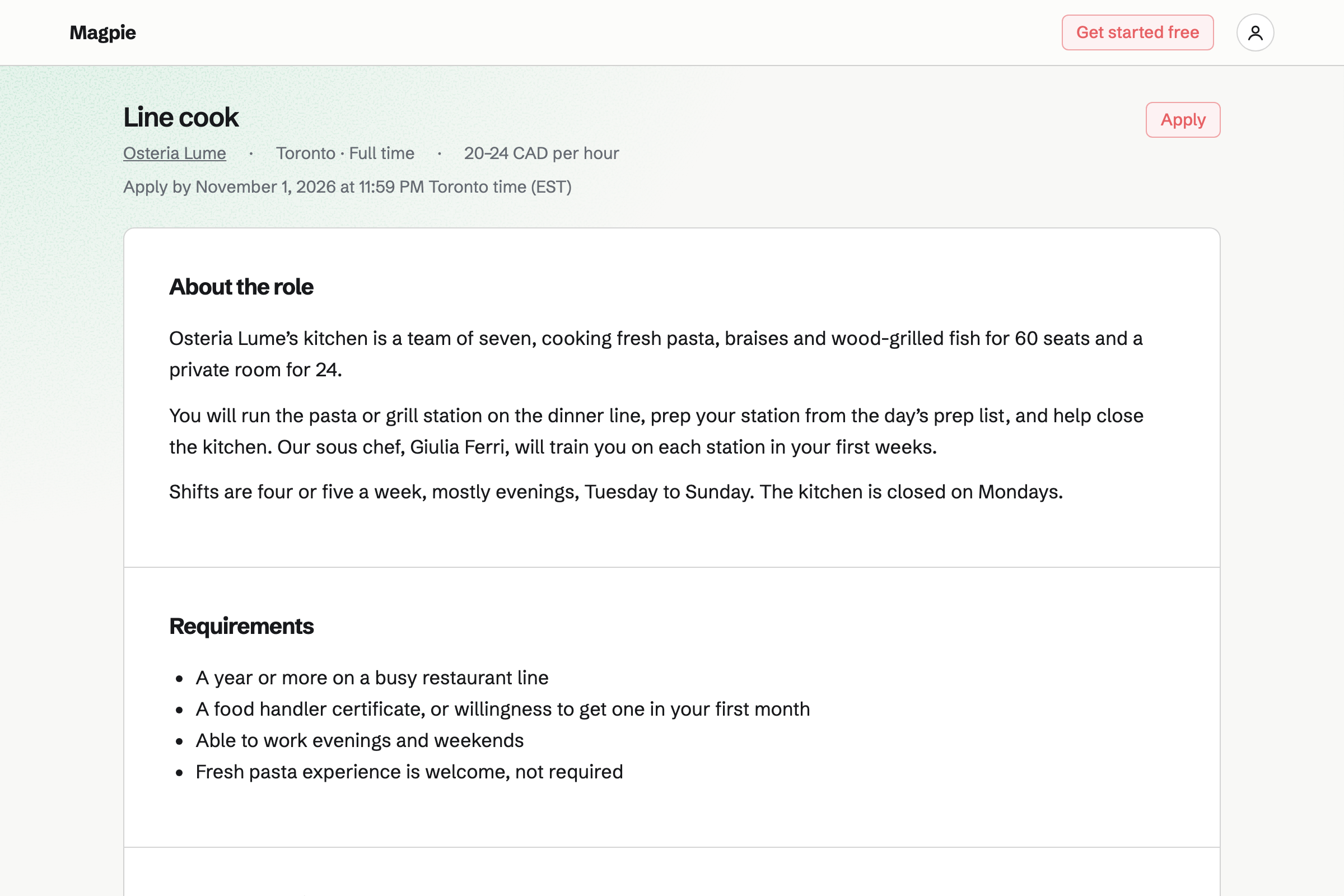
Hiring gives each job a public page and application form on your job board. The page includes the details search engines read for job search. Applicants apply without signing up first.
You move applicants through the job's stages, from New to Offer. Interviewers rate them on scorecards before they see each other's. When you hire someone, Magpie can add them to the rota, ready for positions and shifts.
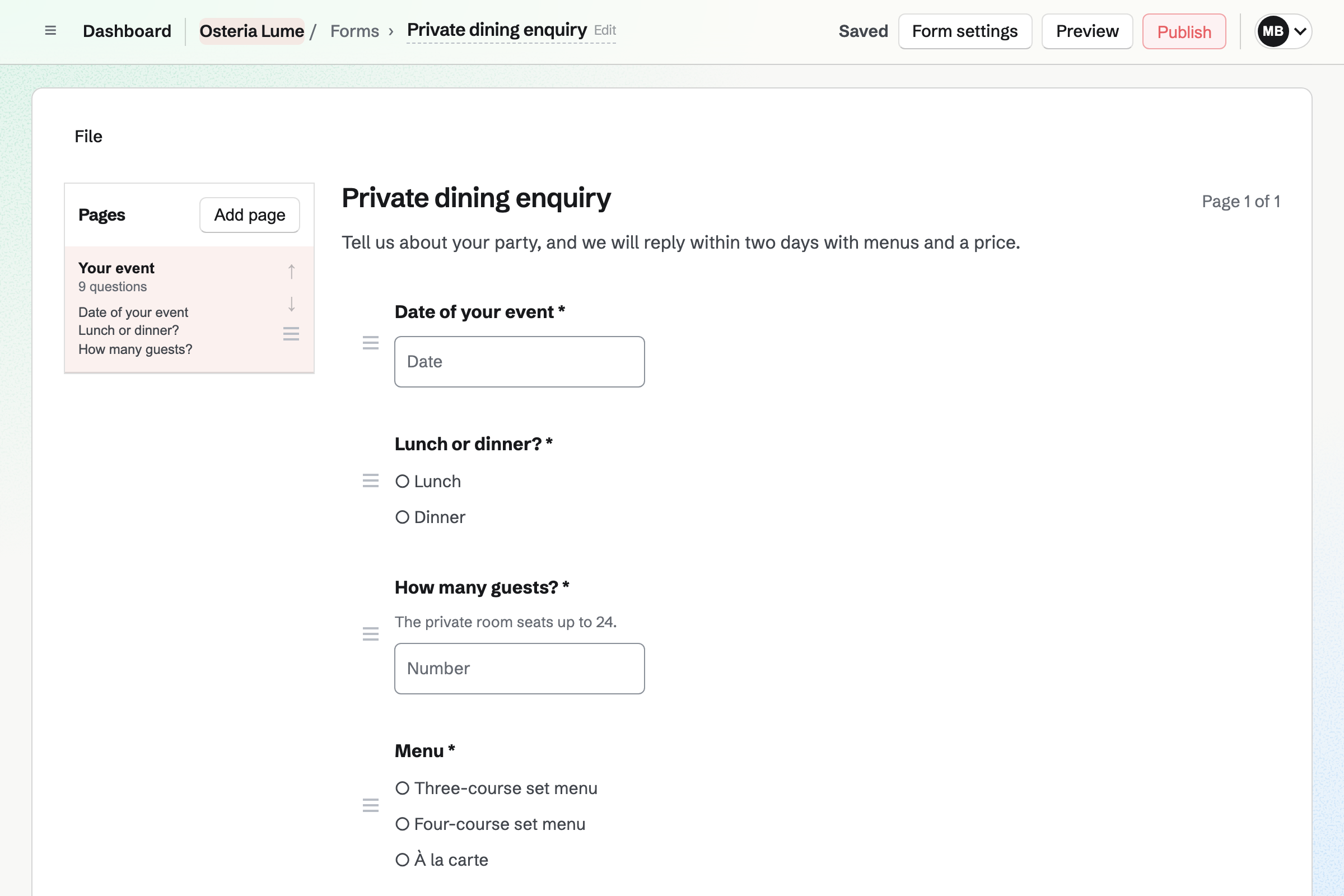
Forms gives the restaurant a private dining Form at its own address. It can ask for the date, the number of guests, the menu and dietary needs. Guests answer without signing up first, and you get an email for each response.
A paid Form takes a fixed amount with each response, such as a set-menu deposit. Guests pay by card into your own Stripe account. Each response shows whether it was paid.
A cook types the walk-in's temperature in the evening round. A reading outside a critical limit will open a critical incident.
Magpie will email the location's shift leads and managers. If nobody acknowledges it in time, Magpie will send it again, to you and the managers.
Moving the stock is an action with an owner and a due date. So is checking it again in 30 minutes. Each action shows on its owner's Today page.
If the walk-in is listed as equipment, staff can take it out of service. It will show as in maintenance until it is fixed.
A shift lead can open an Issue for the repair, linked to the incident.
A manager resolves the incident with how it was fixed, then closes it. Reports will count it with the temperature readings.
You create a team and invite whoever runs the restaurant with you. Help: Create and manage a team.
You choose Restaurant or bar and add the opening hours. Then you confirm each temperature point's limits. Help: Run each day's opening, closing and checks.
You add ingredients, each with a minimum, and your suppliers. Help: Keep track of stock.
You write what you prep, with its ingredients and allergens. Help: Plan prep, keep recipes and log waste.
You start the rota from the restaurant starter and add your staff. Then you record their qualifications and publish a week. Help: Plan and publish a staff schedule.
A restaurant with staff is a team. The Team plan is one price for the whole team. It has 25 member places and mailboxes at your domain.
A staff profile takes no member place. Someone who joins the team to see their own shifts takes one. A free team has 3 member places.
Magpie adds no fee to sales in your online shop. On a paid Form, Magpie's fee is 1% of each payment. Stripe's processing fee is taken from each card payment.
A coffee shop serves at a counter instead of tables, and has a smaller rota. It sells its beans online.
A caterer cooks for events instead of covers. Each event has a proposal and a deposit, and enquiries become bookings.
A food truck is one small kitchen that moves, with prep and temperature checks. A public calendar shows where the truck will be.
A bar or brewery puts drinks first and counts their stock. It runs events that take RSVPs, and sells bottles online and to shops.
Opening records the walk-in, line fridge and freezer temperatures, and whether the prep list is done. There is a hot-holding check at 1pm and an evening temperature round. The others are a supplier delivery check and Closing. You untick any you do not need. The rest become routines you can edit, pause or archive.
Yes. Each place you check is a temperature point: a cold room, hot holding, cooking or cooling. You set each point's target range and critical limits. Staff type readings in °C or °F, on their own or in a checklist. Each reading is stored with who took it and the limits that applied.
A reading outside a critical limit will open a critical incident. Magpie will email it to the location's shift leads and managers. You set how long they have to acknowledge it. If nobody does, you and the managers will get it again, up to 2 more times. Its actions go to named people with due dates.
Yes. Reports count checklists, failed checks, incidents and temperature readings by business day. A report covers up to 366 days, for one location or several. Each list downloads as a CSV file, with every reading in °C and as typed. When a reading is corrected, the original stays, marked as replaced, with the reason.
A checklist done after its due time is marked late. One nobody started is marked missed, and can still be completed. A shift lead can confirm closing with unfinished work, but has to give a reason. The reason will be kept and sent to you and the location's managers. Reports list each one.
Yes. Each recipe lists its ingredients, the method, how long it keeps and its allergens. A recipe can be part of another, such as a sauce in several dishes. Changes stay a draft until you or a manager chooses Use this version. Batches already planned keep the version they were planned with.
Yes, when a prepped item has an order-up-to level in the kitchen's stock. Magpie will suggest how much to make to reach it, after what is already planned. The ingredients list compares what the day's batches need with what is in stock. It marks anything short. Starting a batch sets its ingredients aside.
Yes. You and the managers who can see stock costs see each recipe's cost. It is worked out from each ingredient's average cost or its usual supplier's price. Cooks and servers do not see costs on Prep, Recipes or Waste.
Yes. Staff log waste from Today, Prep or a batch, with a reason such as Spoiled. It will come out of stock. The waste report totals it by reason and by item, with its value for managers. You can download it as CSV.
You receive it against its order. You enter what arrived, and anything refused as warm, damaged or past its date. What arrived will go into stock at the price charged. Every shortfall, refusal or price change is listed under Differences until it is settled.
Yes. You make Food safety required for the Kitchen position, and record when each certificate expires. Magpie will block or warn about a shift for someone without one, as you choose. An expired certificate counts as missing. Magpie will not propose that person for open shifts either.
Yes. You type a shift's breaks as you would say them, such as 30 unpaid. A break is unpaid unless it says paid. You set rules for breaks on long shifts, split shifts, rest, hours and overtime. Each rule can block a shift, warn or show information.
Yes. You set hourly pay rates by person, position or location. The publish review will then show the week's estimated pay, using base rates without overtime. Reports show labour cost and download as CSV. Pay rates are hidden from everyone until you turn on Sees pay rates.
From one of their published shifts, a person picks a coworker's shift they could both work. They can also ask for cover. Someone who cannot work a shift can say so, with a reason such as Sick. Each request is checked against your rules. It will apply once the coworker accepts or a manager approves it, as your settings decide.
Yes. A Form can ask for the date, the number of guests, the menu and dietary needs. Some questions can show only when another answer calls for them. Guests answer it from your website or an email, without signing up first. You will get an email for each response.
Yes. A paid Form charges a fixed amount with each response. Guests pay by card into your own Stripe account. Magpie's fee is 1% of each payment, and Stripe's processing fee applies. Each response shows whether it was paid.
Yes. You write each job with its description, pay, location and closing date. You publish it to your job board, and applicants apply without signing up first. You move them through the job's stages and rate them on scorecards. When you hire someone, Magpie can add them to the rota.
Yes. Each restaurant is a location with its own hours, closed days, routines and temperature points. Each restaurant's stock is kept separately. Roles can cover every location or only some. Staff are set up for the locations they work at.
Yes. A dynamic QR code on each table can open the menu page on your website. When the menu moves to a new page, you change where the code points. The printed codes will open the new page. Each scan is counted, without recording who scanned.
Yes. A gift card has fixed amounts and, if you choose, a custom range. The buyer can have it emailed to someone on the date they pick, or keep it. A bought card never expires and has no fee. Buyers pay into your own Stripe account, with no fee from Magpie.
Create a Magpie account and make a team for the restaurant.