Caterers and private chefs
A caterer makes food for events and private clients. Each job is quoted with a proposal and invoiced with a deposit.
Food trucks and market food stalls
You and the people who work the truck share one Magpie team.
Get started free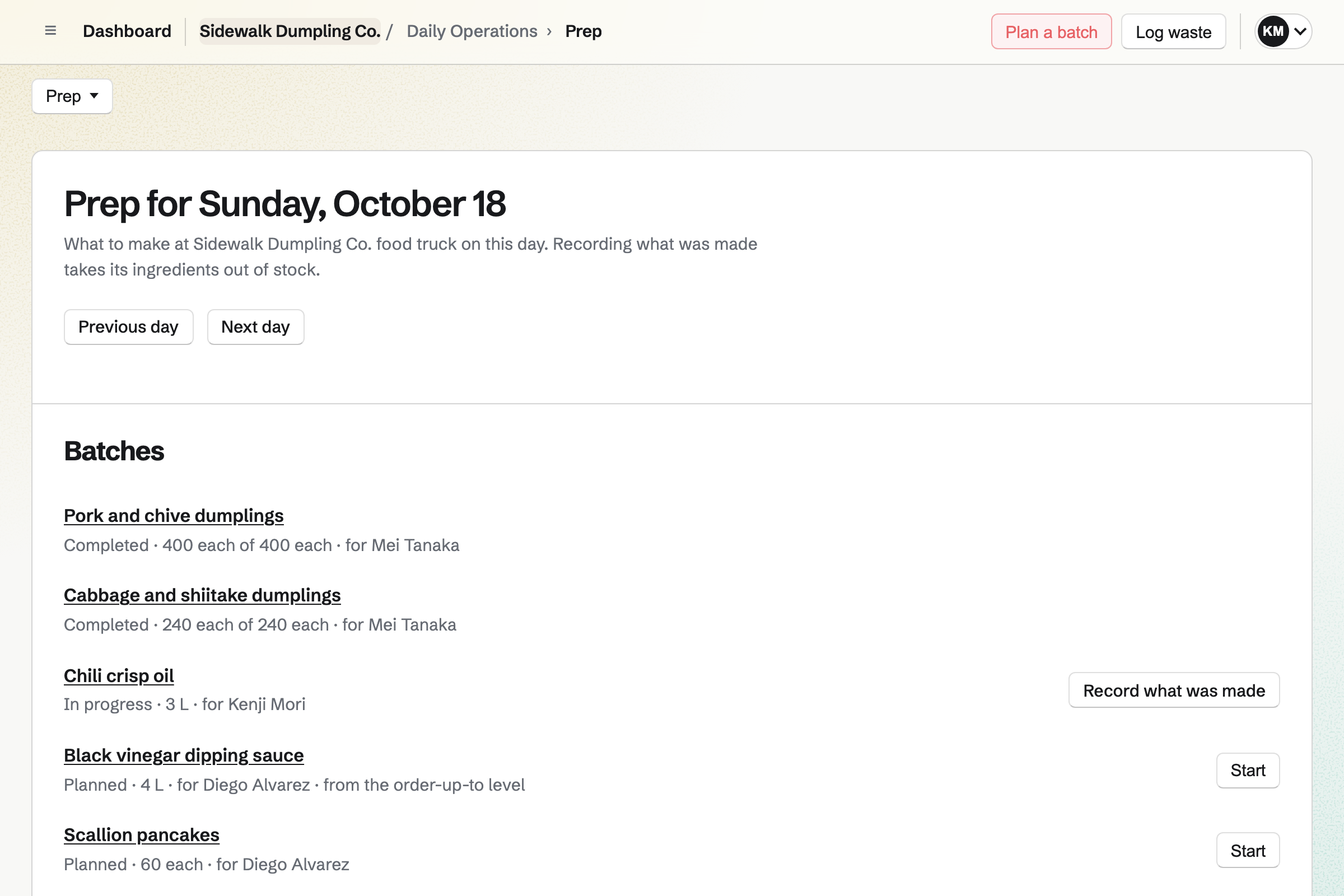
Daily Operations plans each day's batches from your recipes. Each recipe lists its ingredients, how much it makes, how long it keeps and its allergens. Recording a batch will take its ingredients out of stock, and give it a use-by time.
You start from the routines for a restaurant or bar and edit out the dining-room steps. They include fridge, freezer and hot-holding checks, and cleaning the grill and fryers. A reading out of range will open an incident with the steps to take.
Inventory counts your ingredients in kilograms, litres or packs. Stock is kept in pools, such as the truck and the store unit. A move takes stock from one to the other. Prep and waste on the truck come out of its pool.
You give each ingredient a minimum. Anything below it is listed with what to order from each supplier. From that list, Magpie drafts an order for each supplier. You email it from Magpie, or mark it as sent.
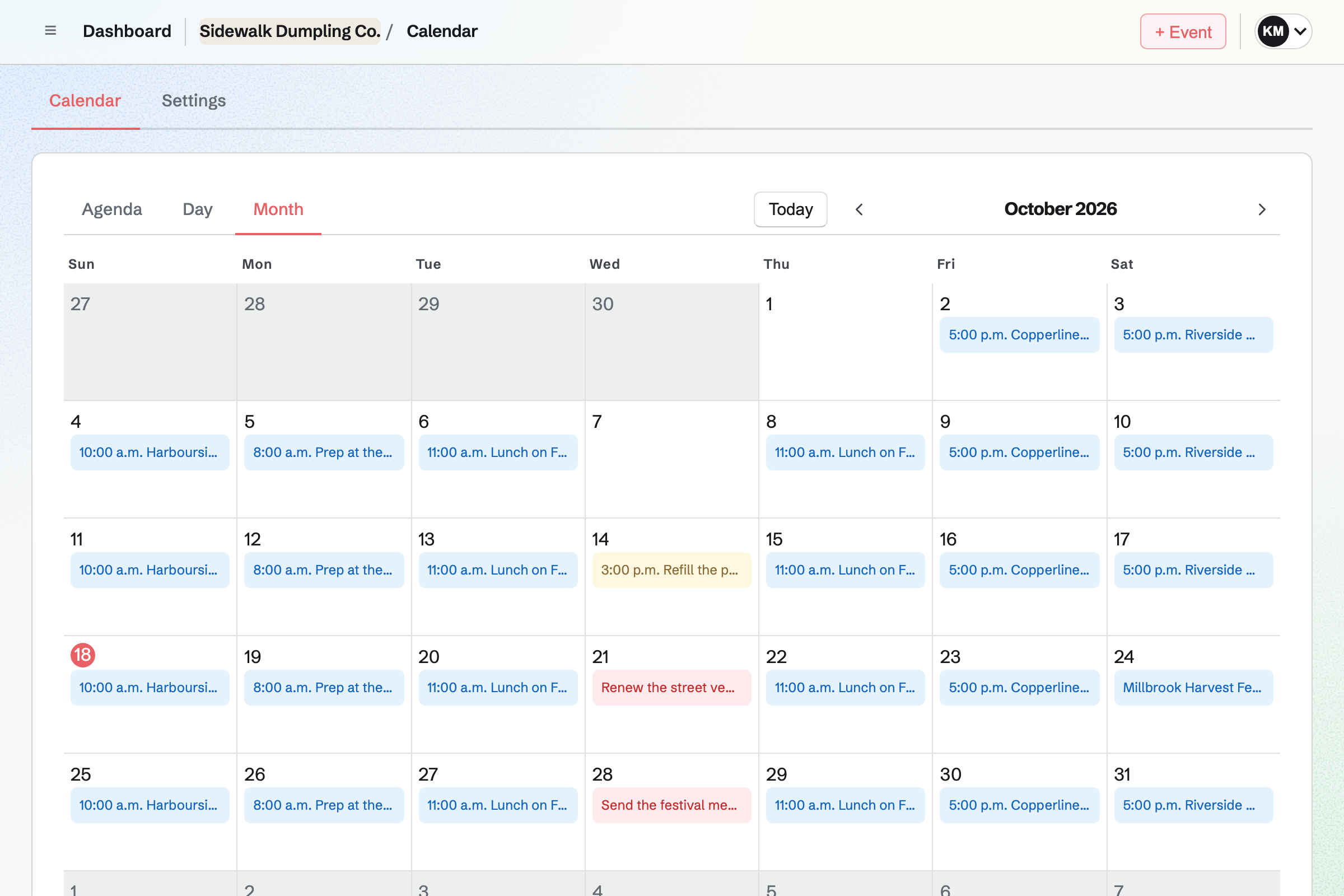
Calendar lists the truck's markets, festivals and regular spots on your public calendar. Each is an event with its place and times. Anyone can open it without an account.
Changing or deleting an event will change the public calendar too. From a public event, you can start a social post that names it. You can keep a booking with an organiser to the team.
Social Media gives you one post for all the truck's accounts. Magpie will publish it to Bluesky, Mastodon and LinkedIn at the time you choose. You can schedule the week's spots on Sunday, and each will go out on its day.
You post to Instagram and X yourself. At the post's time, Magpie will email you a reminder. On a phone, Magpie copies the text and opens the share sheet with every photo.
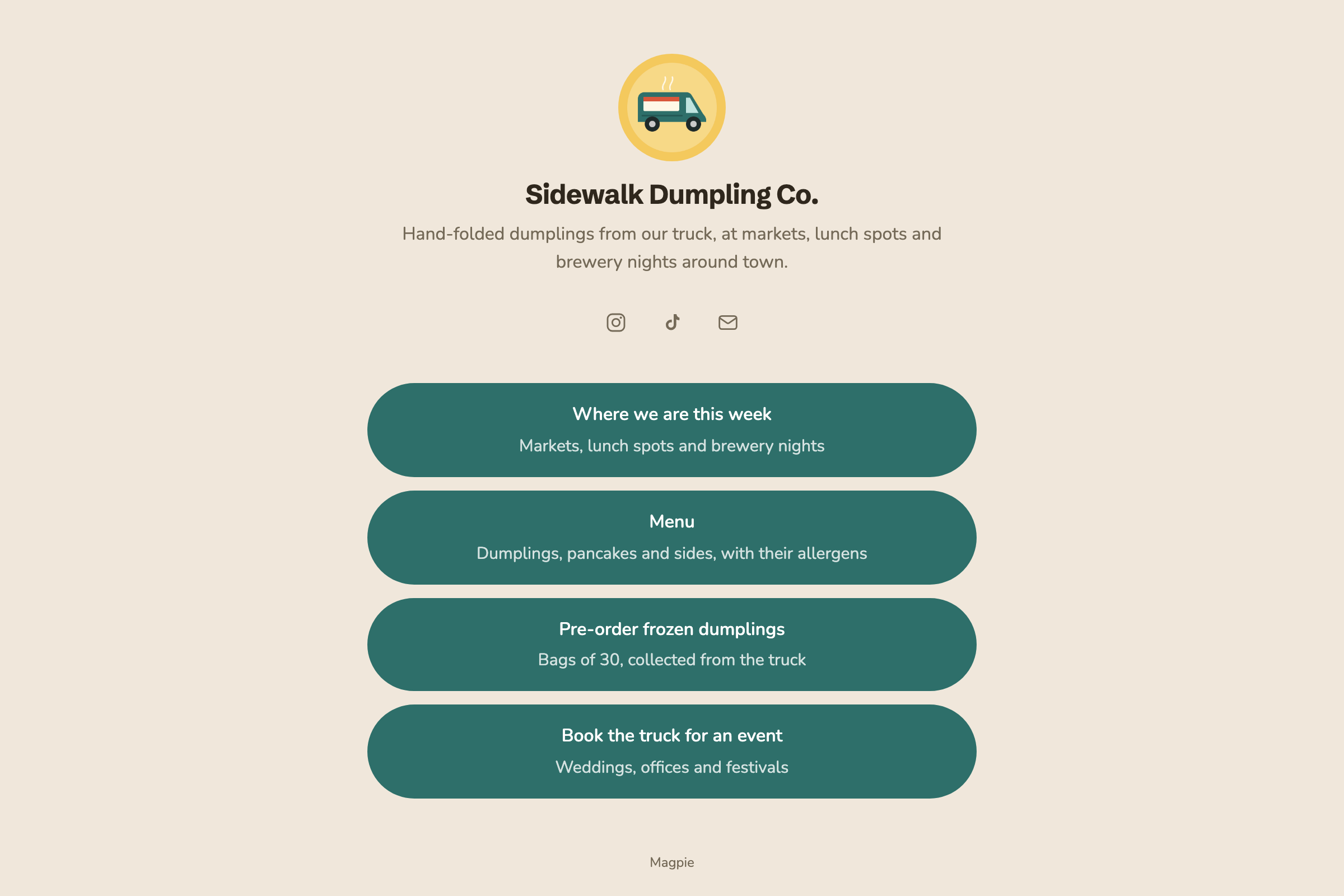
Link-In-Bio List gives the truck one public page of links, under your picture and name. It can link to where you are this week, the menu and pre-orders. It has a printable QR code with the same address.
You can see the page's views and the clicks on each link. Views by your own team are not counted. Magpie records nothing about who visited.
Staff Scheduling gives the truck a rota across your markets and pitches. You add each market or pitch as a location with its address. The person on each shift sees that address. They also see your instructions, such as where to park.
Shifts stay drafts until you publish the week. Then each person can swap a shift, ask for cover or ask for time off. Published shifts also appear in each person's own calendar.
The market and its hours go on your public calendar as an event. From the event, you can start a social post that names it.
A block on your link page opens your online shop for pre-orders and merch. The assistant can add it, and it stays right if the shop's address changes.
Recording a batch will take its ingredients out of the truck's stock. It will also add what was made, with a use-by time.
You link the truck's location on the rota to its checklists. Anyone with a published shift there will open those checklists first.
Each expense and its receipt will be added to the books. It goes in the account named after its category.
You create a team and invite whoever works the truck with you. Help: Create and manage a team.
You choose Restaurant or bar and keep the routines you use. Then you confirm each fridge's limits. Help: Run each day's opening, closing and checks.
You list your ingredients, then write a recipe for each dish with its allergens. Help: Plan prep, keep recipes and log waste.
You add each market as an event on your public calendar. Help: Create public and private calendar events.
You build the link page, publish it and put its address in your profiles. Help: Build a Link-In-Bio List.
A truck run alone can use Magpie without a team, on the free plan or Pro. A truck with staff is a team. The Team plan is one price for the whole team. It has 25 member places and 5,000 Calendar events.
A free team has 3 member places and 100 events. A staff profile on the rota needs only a name. A person takes a place once they accept an invitation to see their shifts and checklists.
Magpie adds no fee to online sales. Stripe's processing fee is taken from each payment.
A caterer makes food for events and private clients. Each job is quoted with a proposal and invoiced with a deposit.
A restaurant has a kitchen and a dining room in one place. It has more staff, table service and purchase orders.
A market seller sells goods rather than food at markets and craft fairs. They sell online between markets.
Yes. Your public calendar lists your public events with their place, times and description. It is at your meeting page's address followed by /calendar. Each event also has its own page to share. A link on your Link-In-Bio List can open the calendar.
Yes. You write the post once in Social Media and choose its time. Magpie will publish it to Bluesky, Mastodon and LinkedIn at that time. For Instagram and X, Magpie will email you a reminder. On a phone, Magpie copies the text and opens the share sheet with every photo.
Yes. A dynamic QR code points to a Magpie address. That address sends each scan to the website you set. You can change the website at any time, and the printed code keeps working. Each scan adds to a total count, without recording who scanned.
Yes. You add the food or a box as a Store product. You add a Local pickup method for each market, with its address, pickup times and instructions. Buyers pay on Stripe's checkout page. When you mark an order ready, Magpie will email them the address and times.
Yes. Each recipe records its allergens, with what goes into it and how much it makes. It also records how long it keeps and how it is stored. You and your managers write the recipes. Everyone who uses Daily Operations can read them.
Yes. The Restaurant or bar starter has a Hot holding check at 1 pm. You can time any routine from opening or at any time of day. A reading outside the limits you set will open an incident. It lists what to do and a follow-up reading to take.
Yes. Inventory keeps stock in pools: one for the store unit, one for the truck. A move takes stock out of one pool and adds it to the other. Prep and waste recorded at the truck come out of the truck's pool.
Yes. You give each ingredient a minimum in Inventory. Anything below it is listed with what to order from each supplier. From that list, Magpie drafts an order for each supplier. You email it from Magpie, or mark it as sent.
Yes. Your staff log waste with a reason, such as Made too much or Expired. It will come out of the truck's stock. The Waste page totals it by reason and by item, for any range of days. You, and managers who can see costs, also see what it was worth.
Yes. Each shift has a location, such as a market or pitch. The person working it sees the location's address. They also see your instructions, such as where to park. Published shifts also appear in each person's own calendar.
Yes. Shifts stay drafts until you publish the week. Then each person sees their own published shifts. They can swap a shift, ask for cover or ask for time off.
You upload receipts to Receipt Inbox as they come. Later you turn each into an expense with its amount, date and category. Reports total spending by category and merchant. Expenses export as a CSV file, or as a ZIP with their receipts.
Yes. Store sells physical products and gift cards from one catalog. You set shipping by country, state or postal code. Buyers can also collect their order at a market. They pay on Stripe's checkout page, into the truck's own Stripe account.
Yes. The Link-In-Bio List's Analytics page shows page views, link clicks and clicks per view. It also lists the clicks on each link, most clicked first. Views by your own team are not counted. Nothing is recorded about who visited.
Create a Magpie account and make a team for the truck.