Restaurants, bistros and diners
A restaurant has a kitchen and a dining room, with table service, prep lists and incidents.
Bars, breweries and taprooms
The bar or brewery and all its staff work in one Magpie team.
Get started free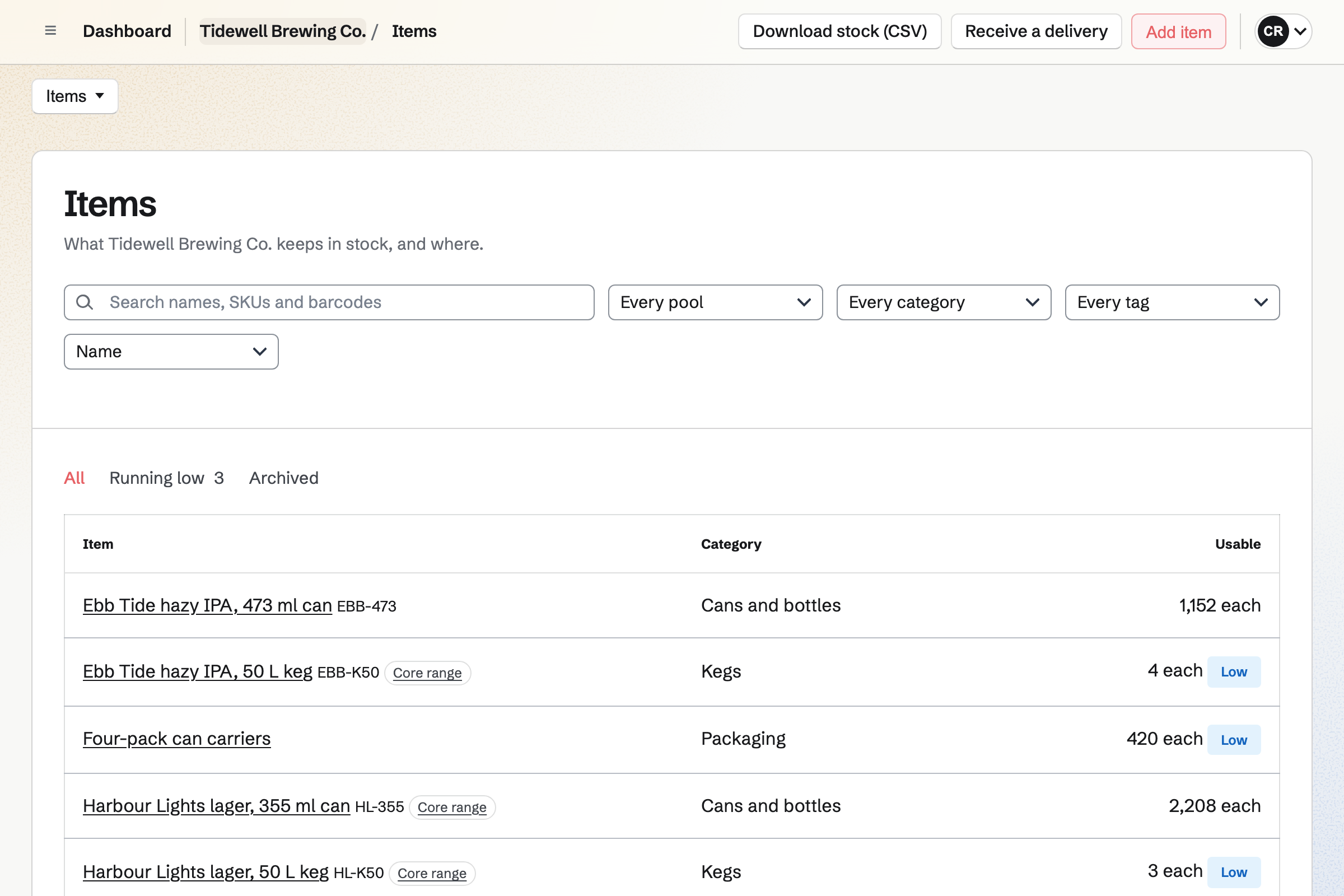
Inventory tracks the stock of each room: the taproom, the cold store and the brewhouse. You can count items one by one, by volume or by the case. A move takes stock from one room to another.
Each item has a minimum you set. Below that, Magpie will list the packs to order from its usual supplier. From the list, you can start an order for each supplier.
Daily Operations holds the brewhouse's recipes and records each batch. A recipe lists its ingredients, such as malt and hops. When you record a batch, its ingredients will come out of stock. The cans or kegs it filled will be added, with their batch code.
The Restaurant or bar starters give the taproom its checklists and fridge and freezer checks. You can change their steps and add your own, such as a weekly line clean. A shift lead confirms opening and closing. The logbook passes notes to the next shift.
Store gives you an online shop for bottles, cans and merch. Buyers pay on Stripe's checkout page, into your own Stripe account. You can choose the countries, states or postal codes you ship to. A buyer can also collect their order at the taproom.
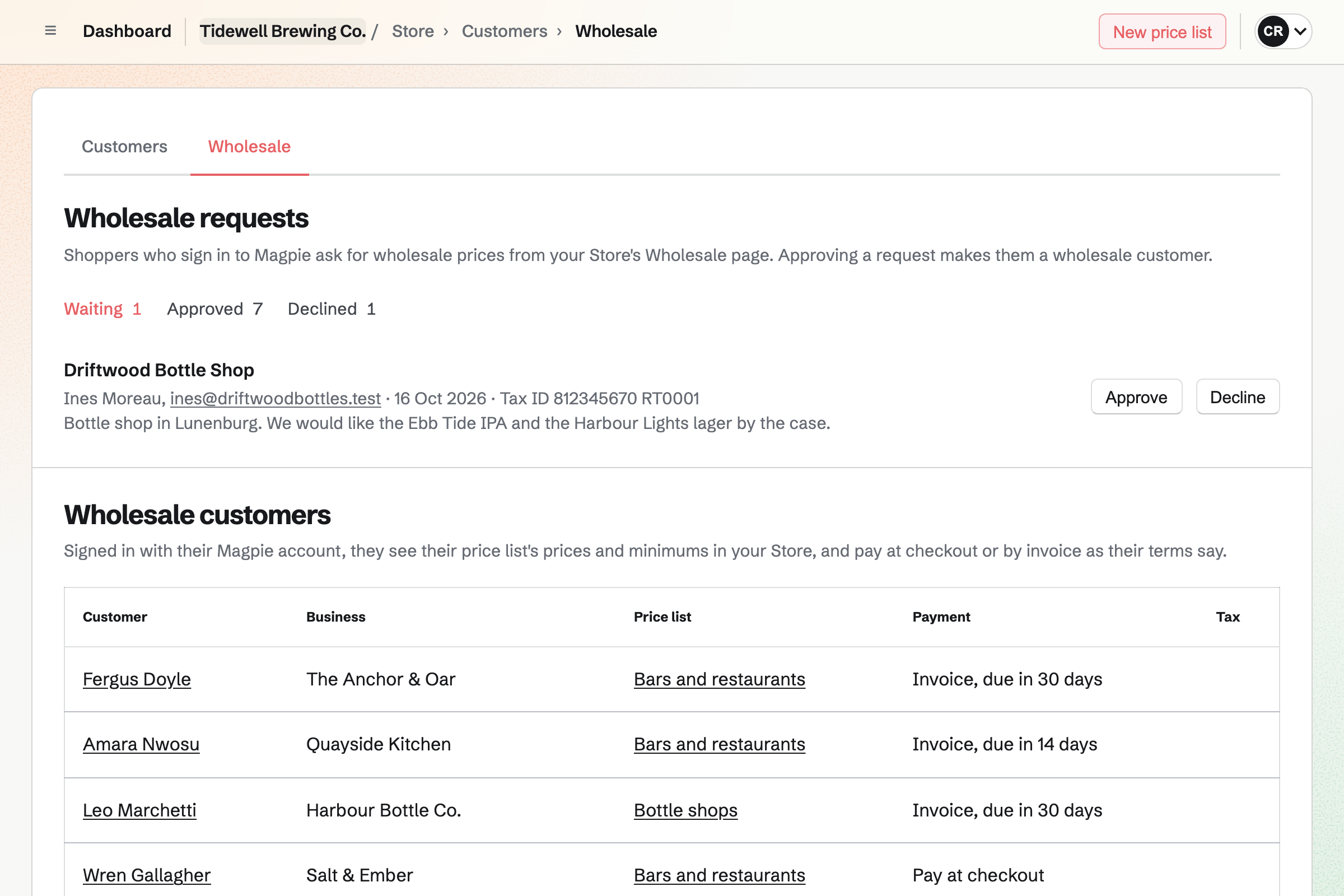
You can approve a bar or shop as a wholesale customer. Once signed in to Magpie, it will see the prices and minimums of its price list. It can pay at checkout, or by an invoice due on receipt or some days later.
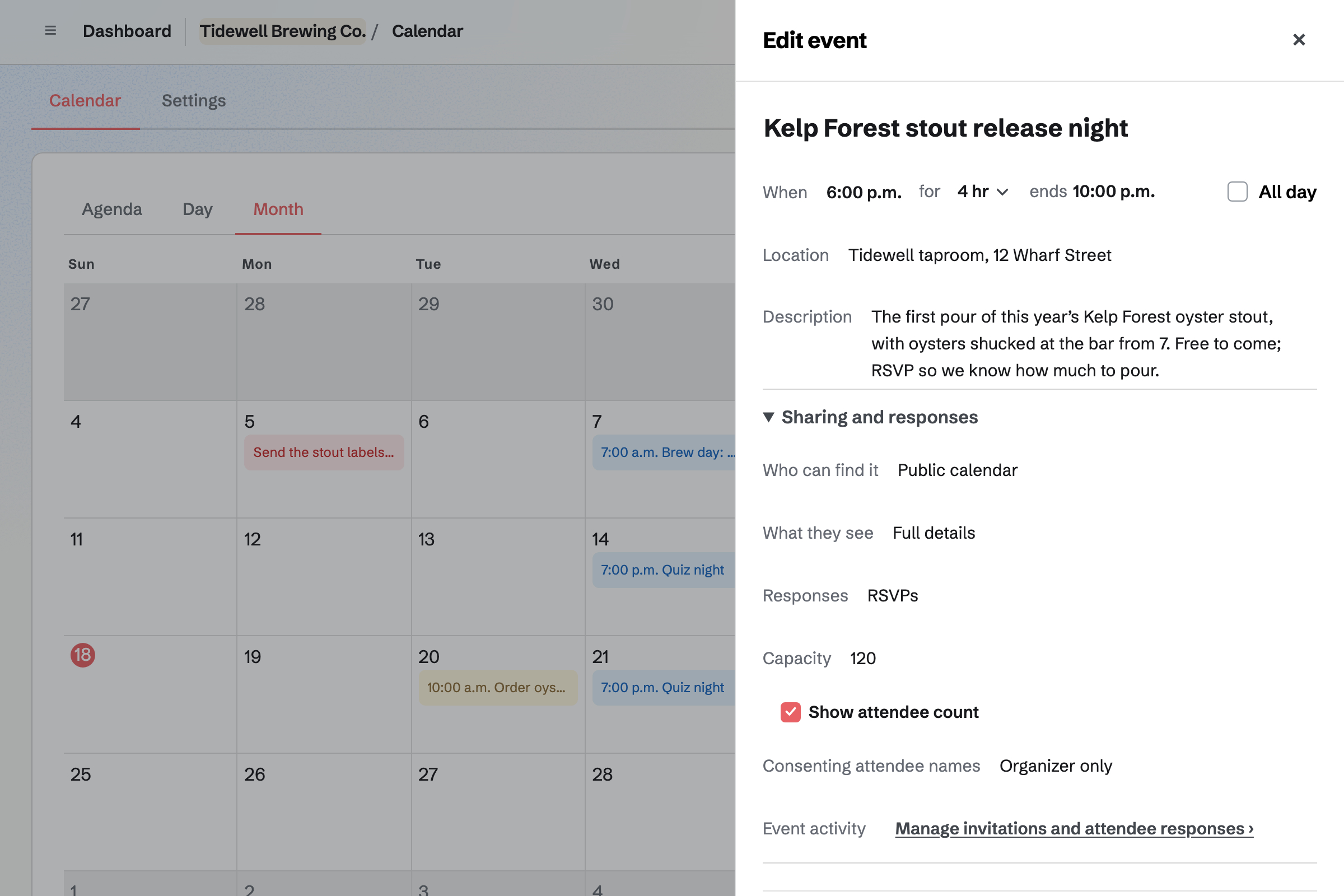
Calendar puts your release nights, quizzes and tastings on a public calendar. An event can also be open only to people with its link. RSVPs can have a capacity, and the event's page will say when it is full.
People RSVP with a Magpie account, which they can make from the event's page. For a ticketed tasting or tour, a paid Form takes a fixed amount from each person.
Staff Scheduling checks every shift on the bar's rota against time off, availability and your limits. One limit can be rest between a late close and the next shift. Once you publish, your staff can swap shifts, ask for cover and take open shifts.
The Restaurant, café or bar starter adds Front of house, Kitchen and Manager positions. A position can require a qualification, such as First aid with its expiry date. Magpie will block a shift for someone without it, or warn you, as you choose.
You record the batch, and its ingredients will come out of the brewhouse's stock. The cans or kegs it filled will be added.
You link a shop product to the can, and set how many one sale uses. A single can uses 1 and a six-pack uses 6. The six-pack's stock is then shown in whole packs.
An approved bar signs in to your shop and orders at its own prices and minimums.
The bar chooses Pay by invoice at checkout. Magpie will make the invoice, due on the bar's terms. The order will be marked paid once the invoice is paid in full.
The invoice and its payments will record the sale in the books. The order will record the cost of what was sold.
You add each keg, can, bottle and ingredient, with a pool for each room. Then you record what is there. Help: Keep track of stock.
You connect Stripe, then link each pack to the item it is sold from. Help: Sell Inventory stock in Store.
You turn on Wholesale requests and make a price list for bars and shops. Help: Wholesale customers, price lists and pay by invoice.
You choose Restaurant or bar and keep the routines the taproom uses. Help: Run each day's opening, closing and checks.
A taproom with staff is a team. The Team plan is one price for 25 member places and 5,000 Calendar events. A free team has 3 places and 100 events. Wholesale invoices do not count toward a plan's monthly invoice limit.
Magpie adds no fee to online sales, and Stripe's processing fee is taken from each payment. Magpie's fee on a paid Form is 1%. A bar or shop buying wholesale needs a Magpie account, which costs nothing.
A restaurant has a kitchen and a dining room, with table service, prep lists and incidents.
A coffee shop serves coffee and food over a counter, and sells its beans online.
A small food or drink brand has no taproom. It makes batches and sells online and to stockists.
Yes. You give a wholesale customer invoice terms: due on receipt, or 7, 14, 30, 45, 60 or 90 days after sending. At checkout it chooses Pay by invoice, and the order is held. Magpie will email the invoice with a link to pay online. You can ship before payment, and the order will be marked paid when the invoice is.
Yes. Asset Tracker records your kegs as assets, and can import them from a CSV file. You check a keg out to the contact that has it, with a due date. After that date, it will show as Overdue in its own tab. Checking it in will record its condition.
Yes. A shipping zone covers whole countries, or states, provinces or postal codes in one country. Checkout offers only the methods of the zones you set up. Local pickup from the taproom is a method of its own. It asks for no shipping address.
Yes. You make a Form for the tasting, turn on Require payment and set one amount. Each person answers its questions and pays by card on Stripe's page, without signing up first. Their response will show Paid, and you close the Form when the tasting is full. A free event can take RSVPs up to a capacity on your calendar instead.
Yes. You can count the cold store, or only the cans, with Hide the expected quantities on. The people counting fill in only what they find. A line off by more than the percentage you set will wait for your approval. Stock changes only once you approve it.
Yes. You log it as waste with a reason, and it will come out of stock. Reasons include Dropped or spilled, Spoiled and Failed a quality check. The Waste page totals waste by reason and by item for any dates. Managers who can see costs will see what it was worth.
Yes. When a beer sells out, its shop page asks for an email address. This applies to any product whose stock is counted. Magpie will send one email when it can be bought again. You see how many people are waiting, without their addresses.
Yes. A gift card has fixed amounts, and can allow a custom amount within a range. The buyer can have it emailed to someone on a date they choose. The holder spends it in your online shop, and a bought card never expires.
Yes. Newsletter sends your email to every active subscriber, now or at a time you schedule. You can send a test to yourself first. People subscribe on its signup page, and buyers can tick a box at checkout. You can import a list from Mailchimp or a CSV file.
Yes. Your shop's reports list each product's units sold and sales after discounts. They also show cost of goods, margin and sell-through for any dates. Each table downloads as a CSV file. A weekly summary email can come to you each Monday.
Create a Magpie account and make a team for the taproom.