Independent software developers and indie hackers
An indie developer builds, sells and supports an app alone.
Indie game developers
A solo developer works in Personal. A small studio works in one Magpie team.
Get started free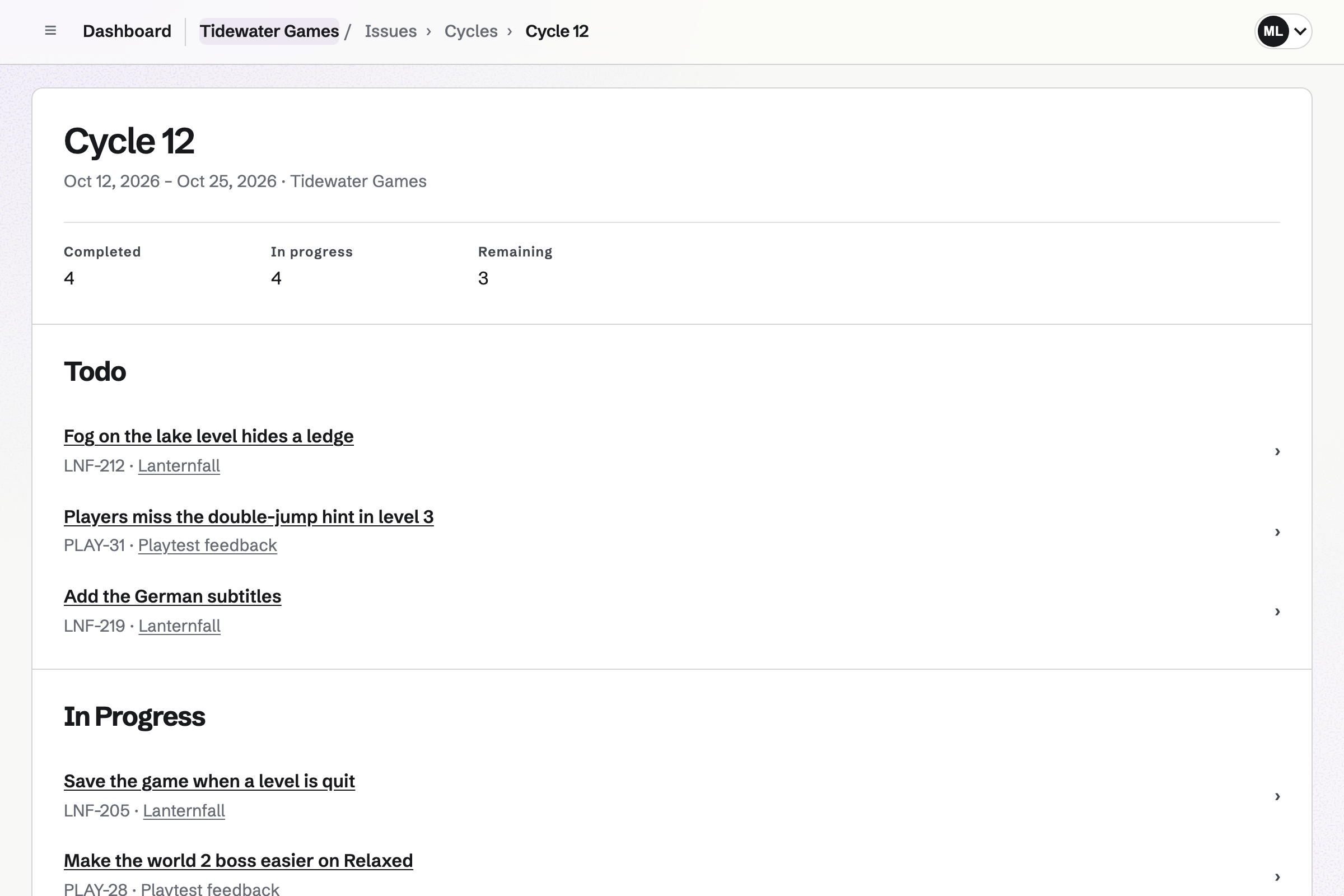
Issues tracks the game's bugs and features, with IDs such as LNF-212, priorities and labels. A project can hold the playtest feedback apart from the game's own work.
A cycle plans one or two weeks of issues. It shows what is done, in progress and still to do. A public bug form takes reports from players, into Triage.
Git Repositories hosts the code, private to you or your studio. You clone and push over HTTPS with an access token.
The repository's page shows the files and the commits. A team member who can only view can clone and pull, but not push.
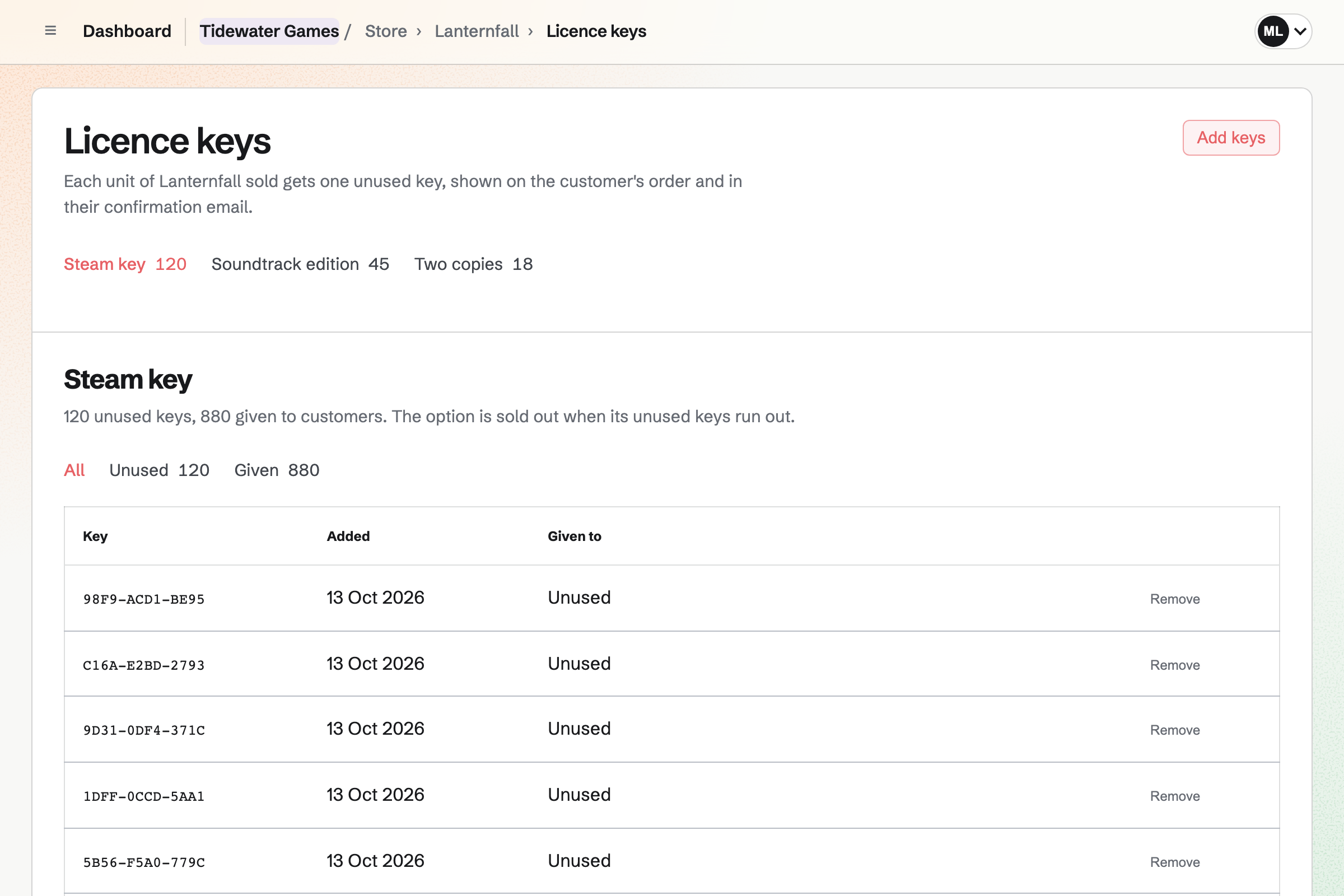
Store sells your game from a shop of your own. You add the Steam keys you already have. Each sale gives the player one, on the order page and in the email.
Each edition, such as the soundtrack edition, has its own keys. A soundtrack can also sell as a download. Buyers pay into your own Stripe account, with no Magpie fee.
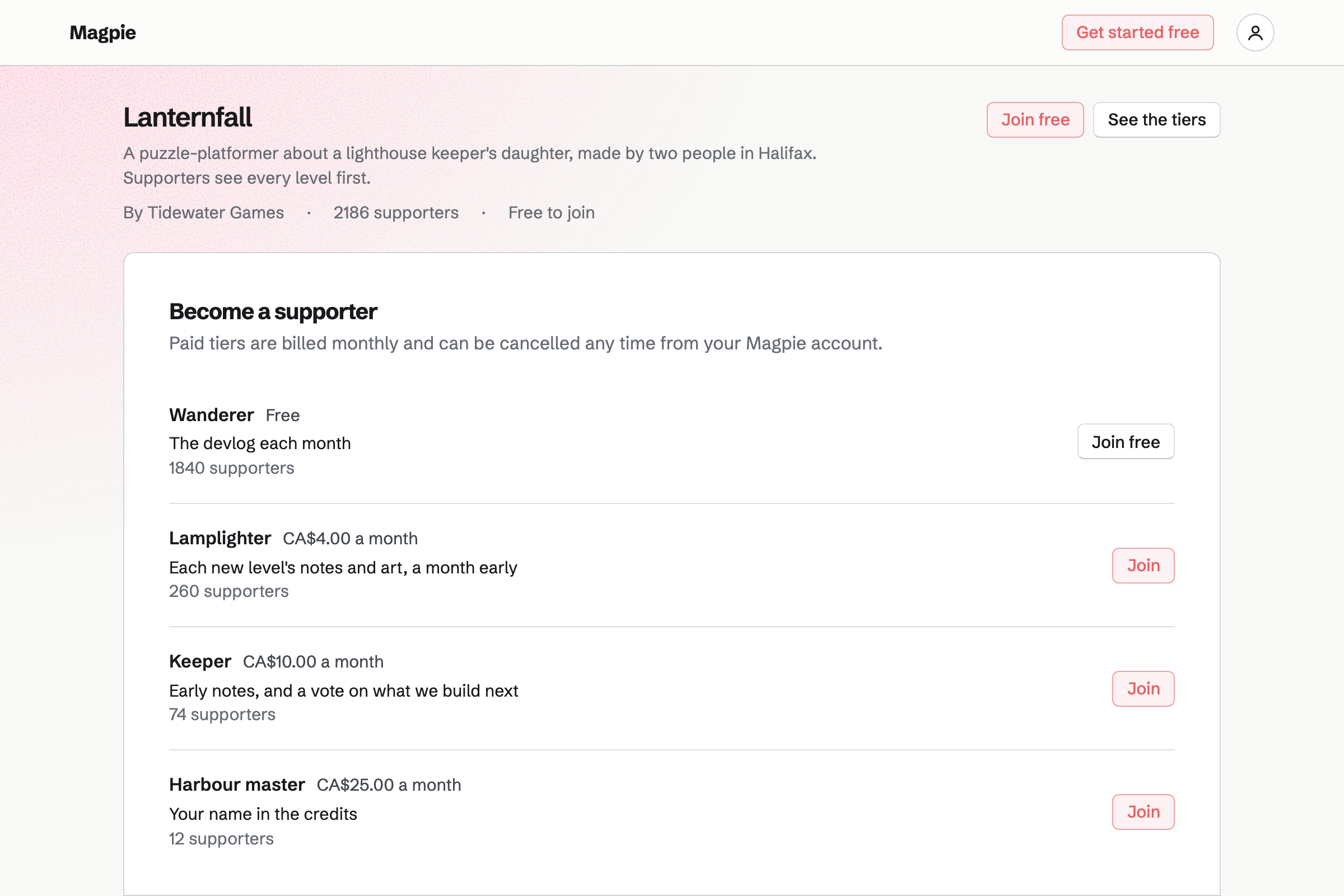
Supporters gives the game a public page with a free tier and monthly paid tiers. Supporters pay by card, into your own Stripe account.
A post can show a new level's art to paying supporters only. A poll lets them vote on what you build next.
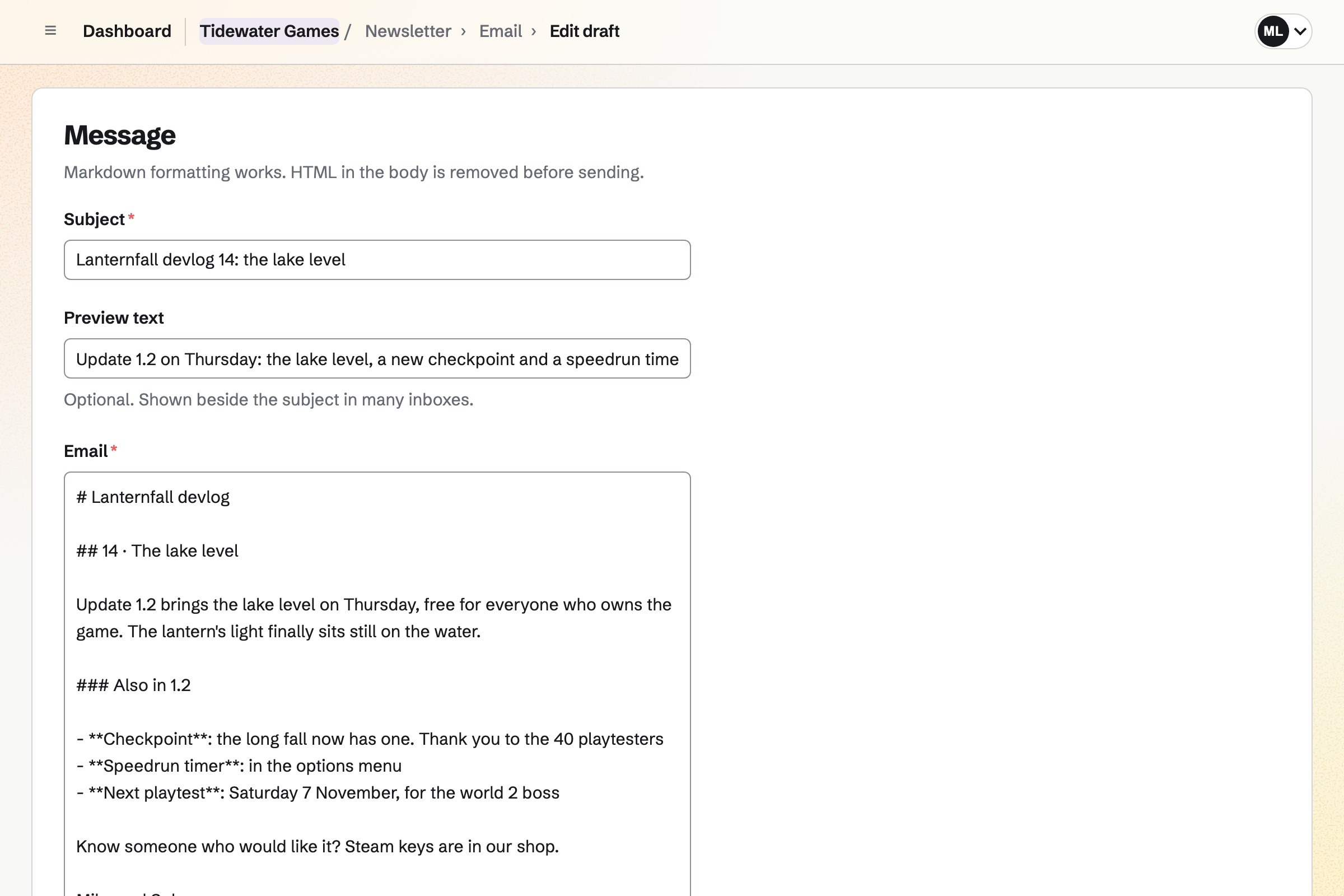
Newsletter keeps your mailing list, with double opt-in on its sign-up page. Checkout can ask buyers to join.
You write each devlog in Markdown, send yourself a test and schedule it. A sent devlog has its own web page too.
Social Media posts to Bluesky, Mastodon and LinkedIn at their time. For Instagram and X, Magpie reminds you and opens the post filled in.
Each account gets your screenshot in its own shape, around the part you choose. A campaign holds the posts for one update.
Players report what they found on your bug form.
You plan the fixes into the next two weeks.
You push the fixes to your repository.
Paying supporters see the new level first.
The newsletter tells everyone what is in the update.
A campaign of posts goes out on update day.
You choose a length of one or two weeks. Help: Plan issues in cycles.
You create a private repository and push. Help: Git Repositories.
You add the game and paste in your Steam keys. Help: Sell digital products, files and licence keys.
You connect your Stripe account, so players can pay by card. Help: Connect Stripe to receive money.
A solo developer fits Pro, for your own work in Personal. A studio of several people fits the Team plan, with each person a member.
Magpie adds no fee to your shop's sales. Magpie's fee on supporters' payments is 3%. Stripe's processing fee is taken from each card payment. Prices are on the Pricing page.
An indie developer builds, sells and supports an app alone.
A video creator records, edits and sells to an audience.
A digital product seller sells templates, presets and downloads.
Yes. You add the keys you already have to a product in your shop. Each sale gives the player one unused key, on the order page and in the email. Keys are stored encrypted.
Yes. Each option, such as the soundtrack edition, has its own keys. Its stock is its count of unused keys, so it stops selling when they run out.
Yes. A download product holds MP3, WAV or ZIP files, each up to 500 MB. Buyers download from their order page or their confirmation email.
Yes. A public bug form asks for a title, a description and an optional email. Reports go to Triage, or to a playtest project.
Yes. Cycles plan one week, two weeks or a custom length of issues. A cycle shows what is done, in progress and still to do.
Yes. A Kanban board with outside access shows your roadmap to anyone with its address. On a board that takes suggestions, people signed in to Magpie can suggest cards.
Yes. A post can show art and notes to paying supporters only, or to chosen tiers. Others see its title and excerpt.
Yes. Newsletter sends each devlog to the people who signed up, with double opt-in. You can schedule it and send yourself a test first.
Magpie adds no fee to your shop's sales. Supporters' payments carry Magpie's 3% fee. Stripe's processing fee is taken from each card payment.
Create a Magpie account and start your first cycle.