The IT person at a small company
The IT person at a small company looks after its devices and mail.
Managed IT providers and IT consultants
A consultant working alone uses Magpie in Personal. A provider with technicians works in one Magpie team.
Get started free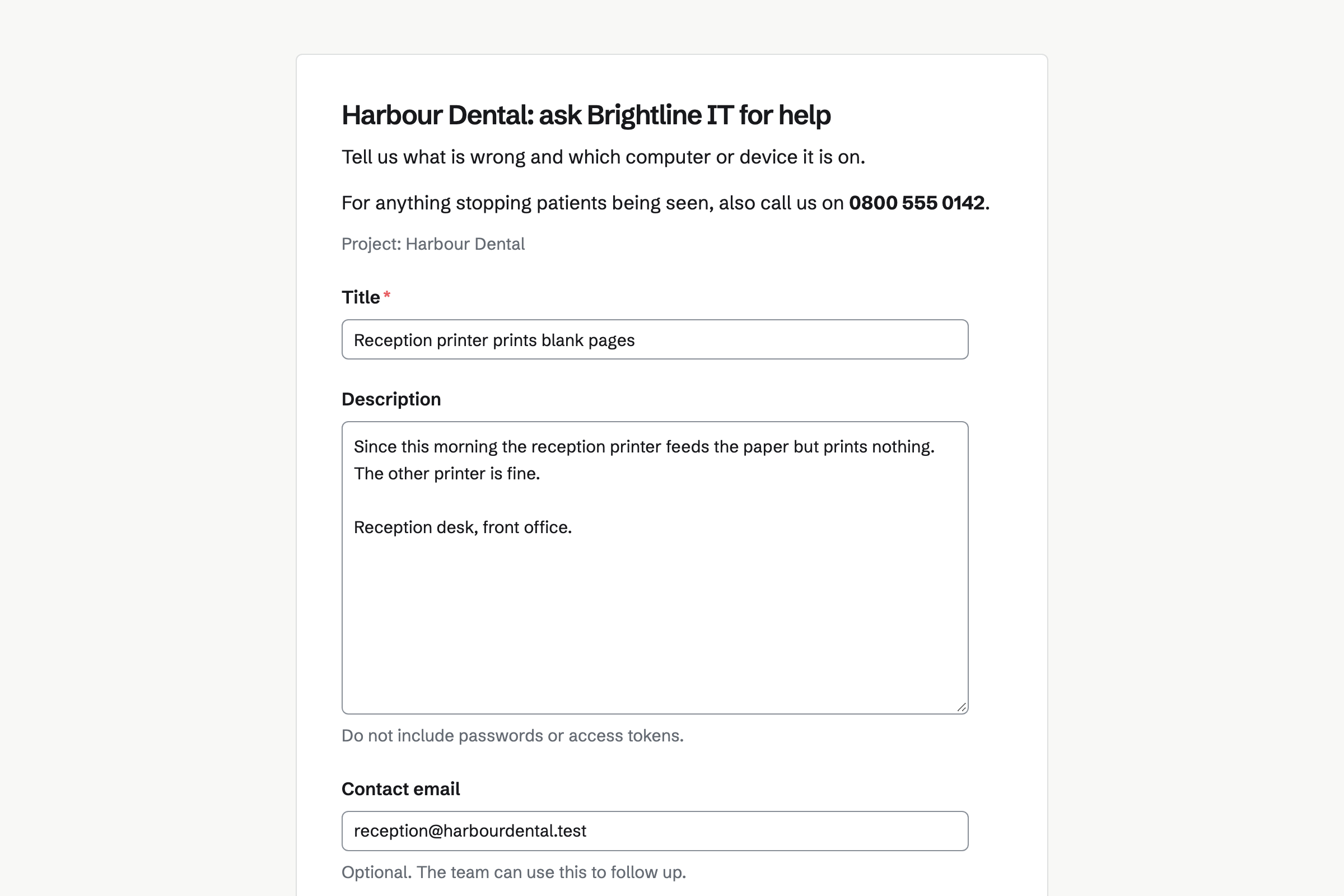
Issues tracks every client's requests, each with an ID, a priority and an assignee. A form can send its requests to one client's project, through Triage.
A timer starts from an issue, so the time lands on the right client. A saved view keeps each client's open requests one click away.
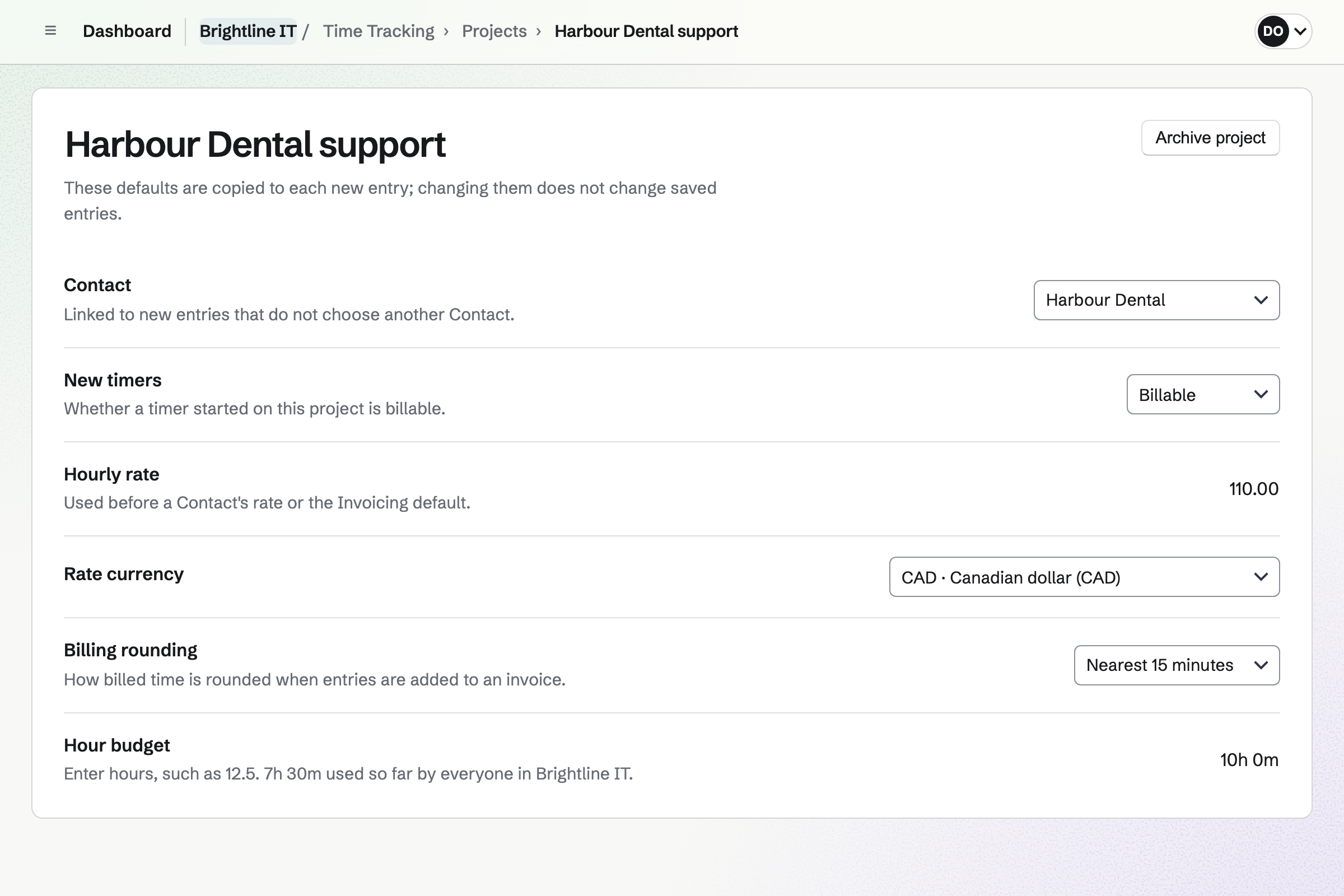
Time Tracking runs a timer that keeps going after the browser closes. Each client's project has its own rate, rounding and budget of hours.
Reports total the hours by client and project, and export as a CSV file.
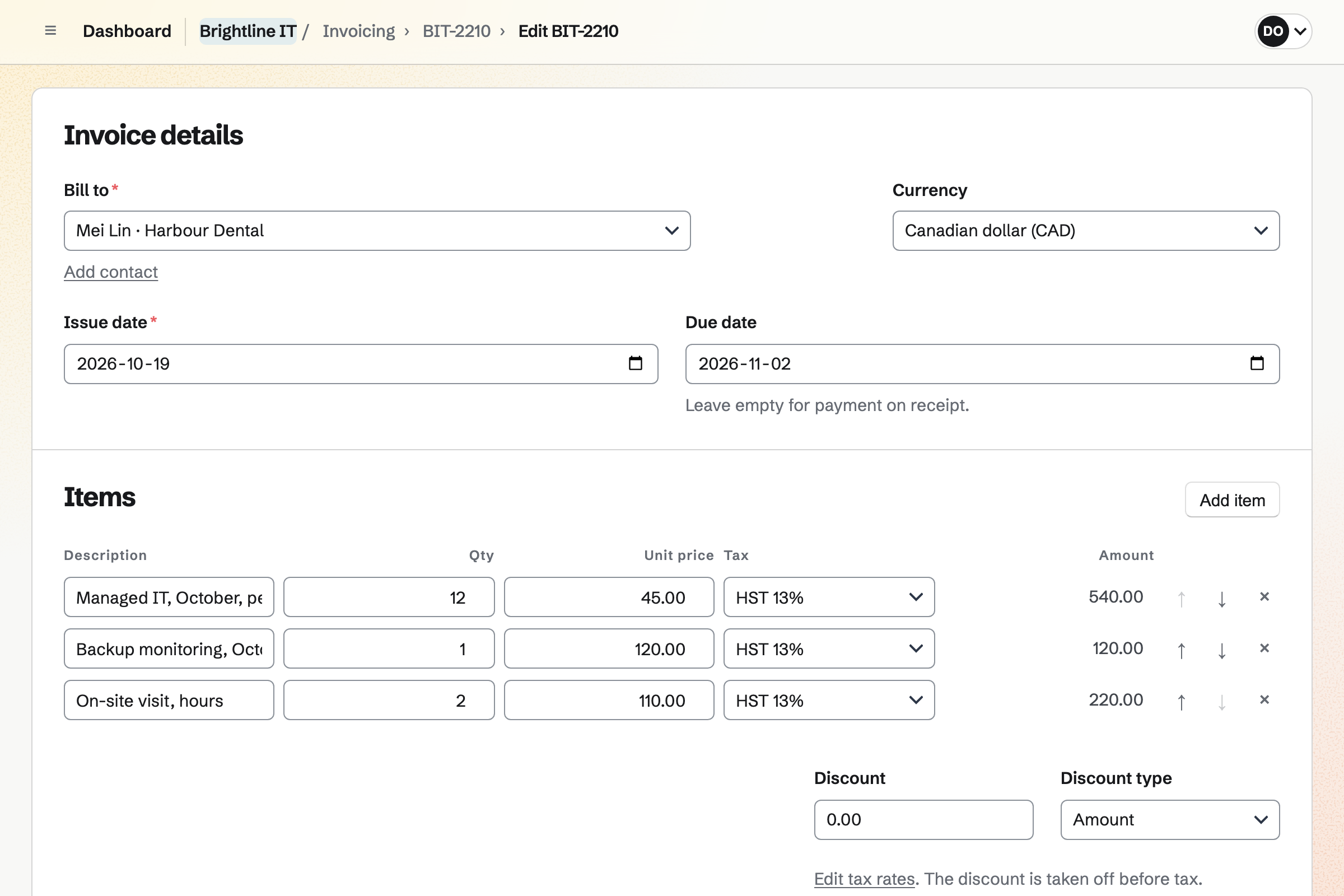
Invoicing repeats a client's fixed fee as a recurring invoice, issued and emailed on its date. Extra work goes on an invoice of its own.
Add unbilled time puts the hours you tracked for that client onto it as lines. Clients pay by card from the email, with no Magpie fee.
Client Portal gives each client a page of their own. It holds a plan with goals and steps, the files you share and their invoices.
A shared Issues project shows its status and target date there. Clients sign in with a link or a code sent by email.
Asset Tracker keeps each client's devices with their tags, serial numbers and locations. Purchase and warranty details are seen by admins only.
A device can be assigned to someone at the client, or lent with a due date.
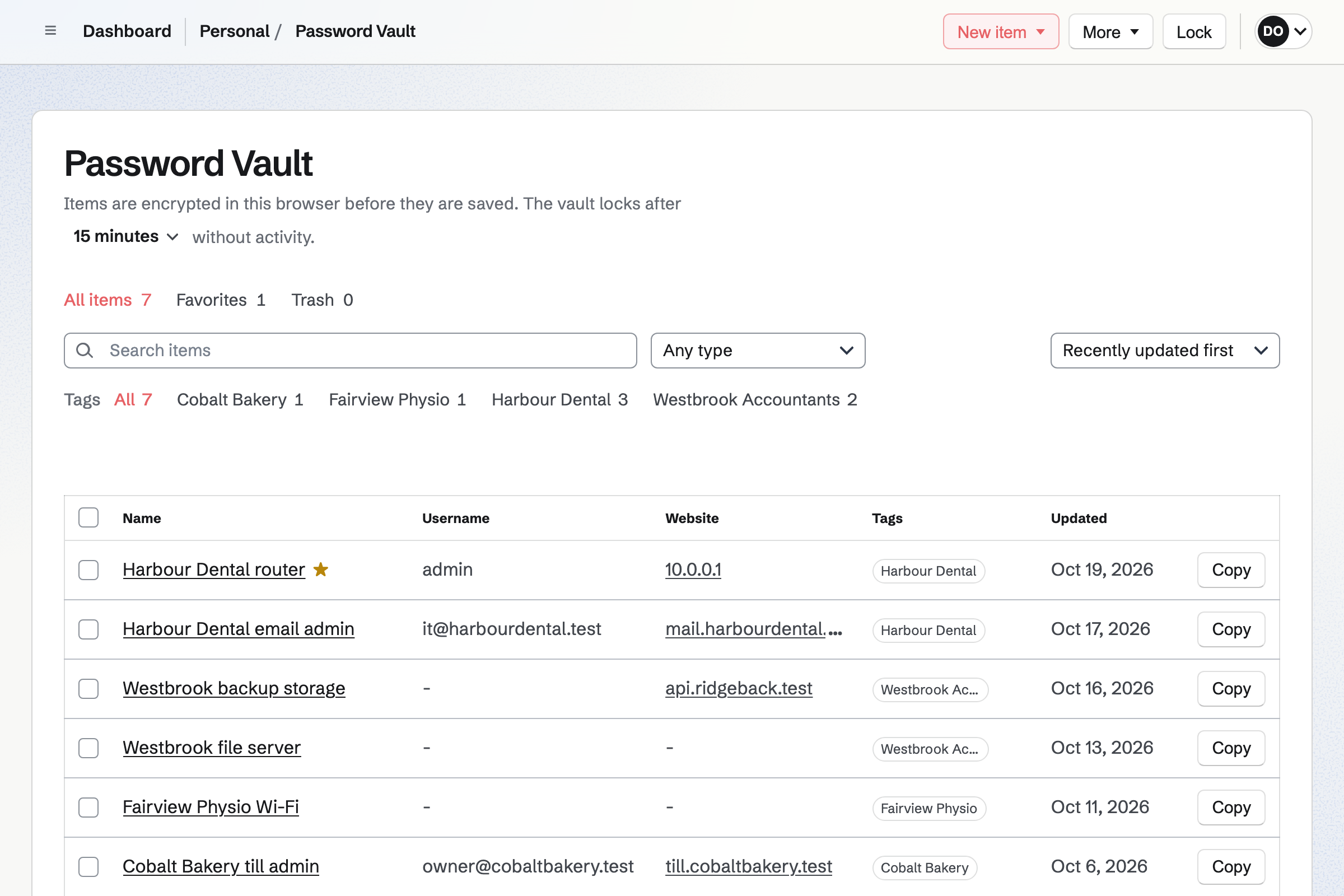
Password Vault keeps logins with their two-factor codes, API credentials, SSH keys and recovery codes. Each item is encrypted in your browser before it is stored.
The vault is yours, not shared with your team. A tag for each client keeps their items together.
Someone at the client fills in their support form.
You accept it into the client's project, with a priority.
A timer started from the issue records your time.
The hours you tracked go onto the client's next invoice.
The client pays by card from the invoice email.
You add each client as a contact. Help: Keep a contact list.
You make a project and a form for each client. Help: Triage and public issue forms.
You make a client's first invoice repeat each month. Help: Recurring invoices.
You choose what each client sees. Help: Create a Client Portal.
A consultant working alone fits Pro, for your own work in Personal. A provider with technicians fits the Team plan, each a member of the team.
Clients who send requests or open their portal are not added to your team. Magpie adds no fee to invoice payments, and Stripe's processing fee is taken from each one. Prices are on the Pricing page.
The IT person at a small company looks after its devices and mail.
A web designer builds clients' websites and hands them over.
A consultant scopes, delivers and bills client work.
Yes. A form can send its requests to one client's project. Requests wait in Triage, with the sender's email, until you accept them.
Yes. A timer starts from an issue and records time against the client's project. The project's rate and rounding apply.
Yes. A recurring invoice repeats a client's lines every month, quarter or year. On each date, Magpie issues it and emails it to the client.
Yes. On an invoice, Add unbilled time lists the hours you tracked for that client. Each one you choose becomes a line, at its rate.
Yes. Clients pay by card from the invoice email, into your own Stripe account. Magpie adds no fee to the payment.
Yes. Their portal shows the plan's goals and steps. A shared Issues project shows its status and target date. Their invoices and shared files are there too.
Yes. Each device has a tag, a serial number, a location and its warranty details. You can import a client's devices from a CSV file of up to 5 MB.
Yes. Password Vault encrypts logins, API credentials, SSH keys and recovery codes in your browser. Tags keep each client's items together.
Yes. A runbook is a document with headings, tables and numbered steps. Named versions keep each revision, and it exports as PDF.
Create a Magpie account and add your first client.